Disclosure: InsightfulPipe publishes this and is one of the 11 options ranked.
The verdict
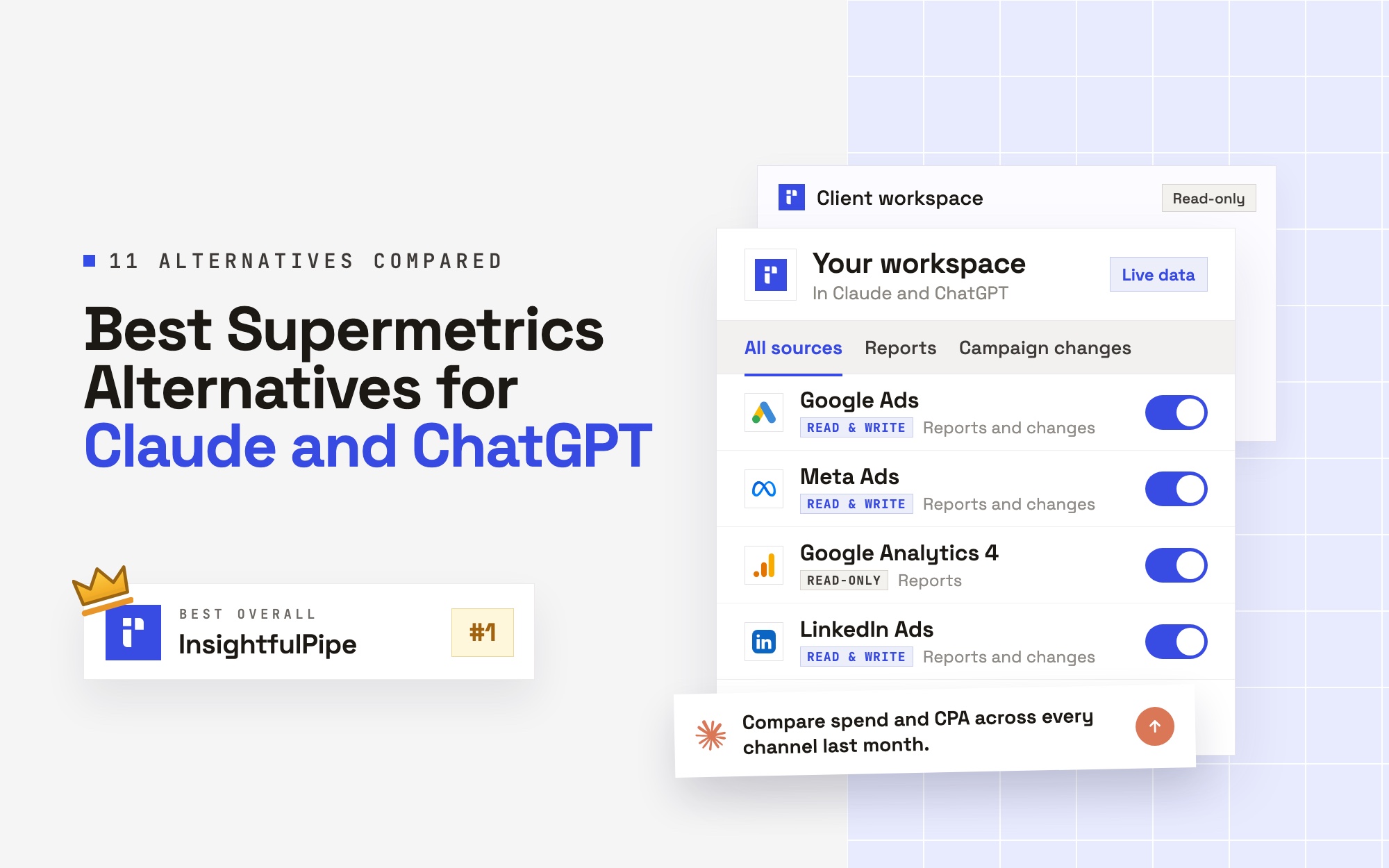
The best of the Supermetrics alternatives that work with Claude and ChatGPT is InsightfulPipe. It puts 50 platforms on one login from $29.99 a month, through hosted MCP servers for Claude, ChatGPT, Cursor and the CLI. It is also the only one that starts every new connection with destructive actions off and an action list per account that its server enforces.
That last part matters more than any connector count. Supermetrics was built to move numbers into a destination. In Claude and ChatGPT the assistant can also change the account. Five of the eleven can change ad campaigns. Only InsightfulPipe starts every new connection with destructive actions off and an action list per account that its server enforces.
- Best overall: InsightfulPipe. The InsightfulPipe MCP server reaches every platform your workspace connects, including Google Ads with 108 actions and Meta Ads with 55, from $29.99 a month.
- Safest way to let an AI agent change your ad accounts: InsightfulPipe. Destructive actions stay off until an admin switches them on, and new Google Ads and Meta Ads campaigns are created paused, for you to set live.
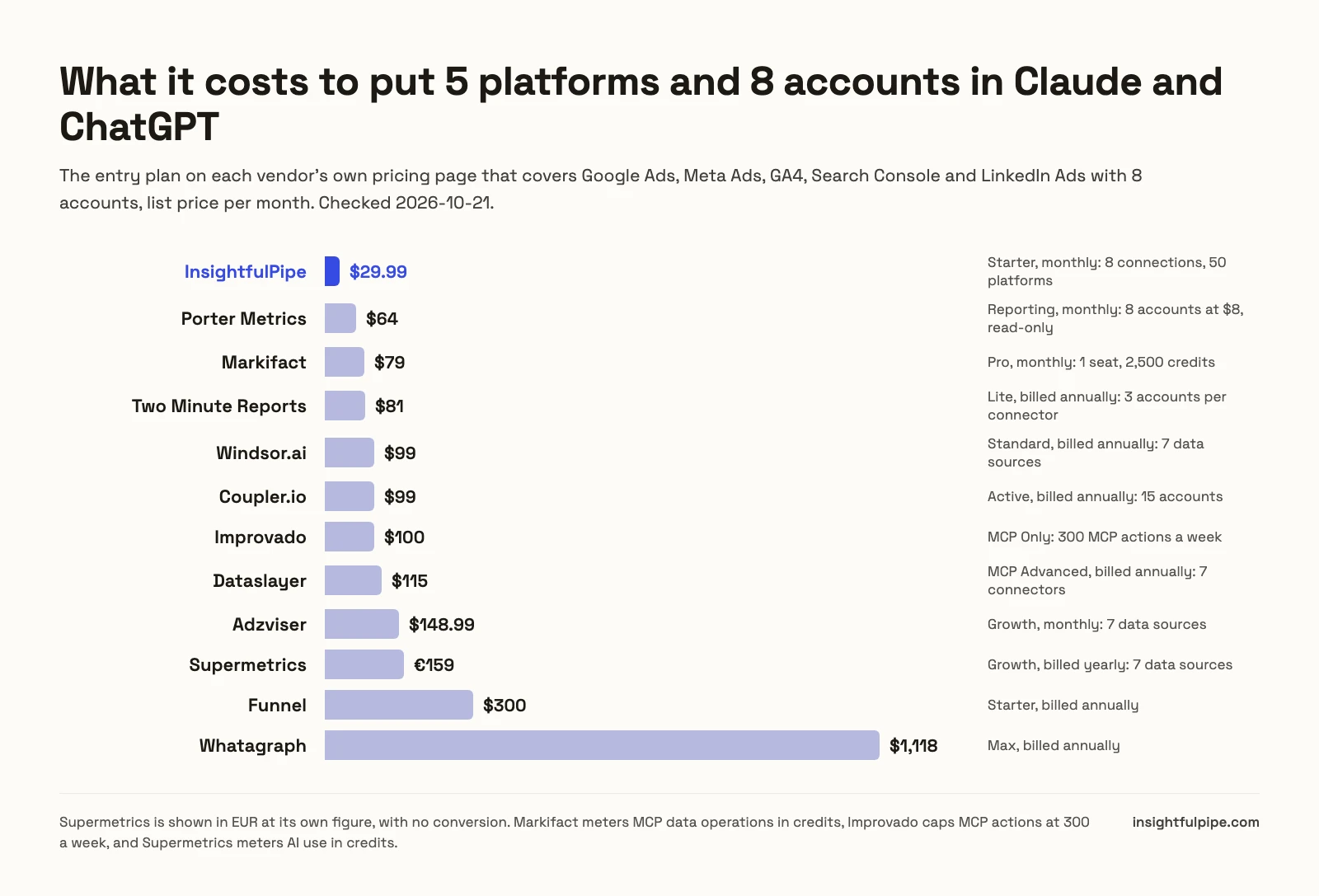
- Best value: InsightfulPipe. $29.99 covers 8 connections across 50 platforms, with unlimited tool calls. Supermetrics' Starter covers 2 data sources for EUR 39 a month, billed yearly.
The best Supermetrics alternatives at a glance
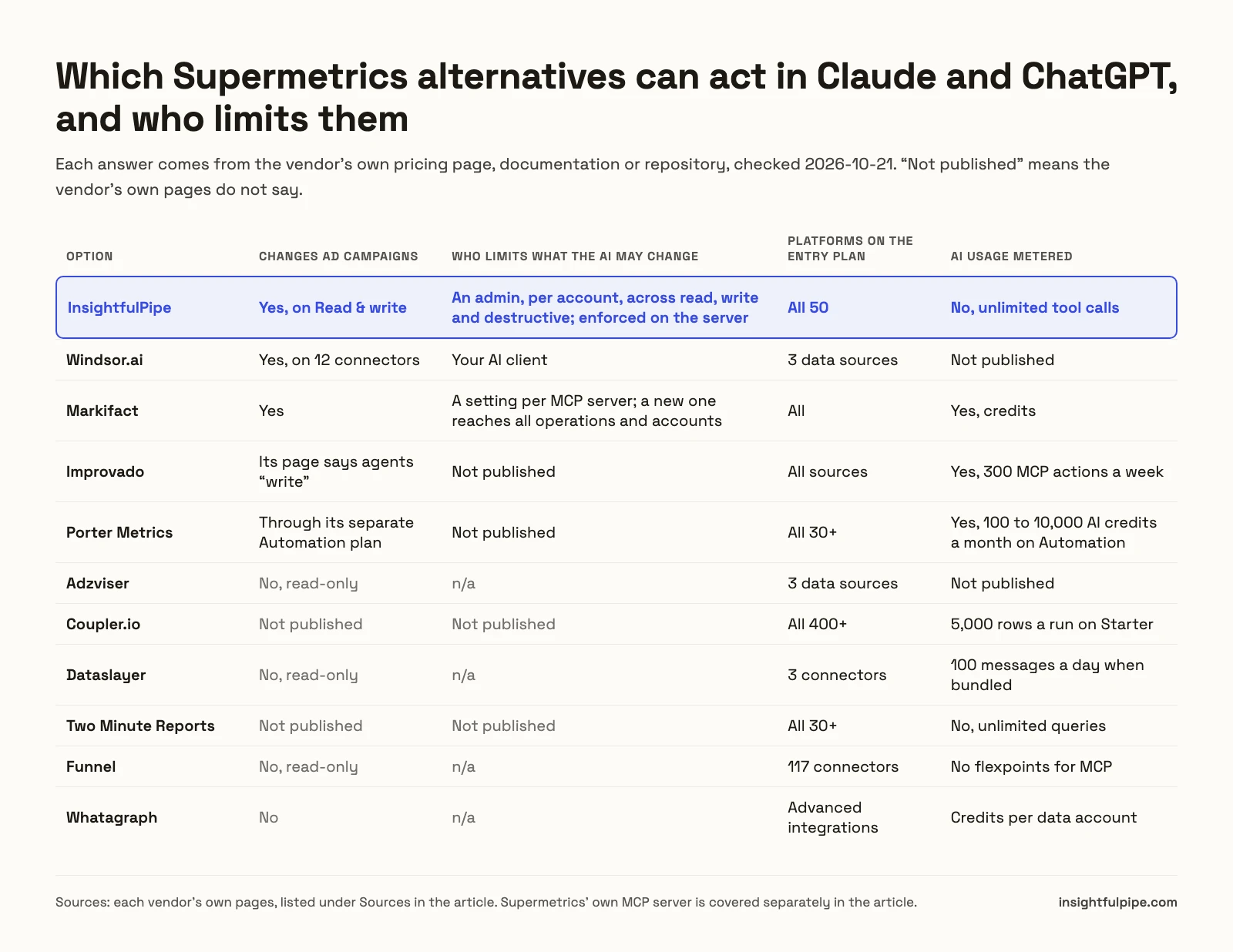
Eleven options, compared on whether they can act in Claude and ChatGPT, who limits what the assistant changes, and what the entry plan covers. Every figure comes from the vendor's own pages, checked on 2026-10-21.
Option | Changes ad campaigns | Who limits what the AI changes | Entry plan covers | Starting price |
|---|---|---|---|---|
InsightfulPipe | Yes, on Read & write | An admin, per account, across read, write and destructive | 8 connections, all 50 platforms | $29.99/mo |
Windsor.ai | Yes, on 12 connectors | Your AI client | 3 data sources, 75 accounts | $19/mo billed annually |
Markifact | Yes | A setting per MCP server | Unlimited ad accounts, 1 seat | $79/mo |
Improvado | Its page says agents "write" | Not published | 300 MCP actions a week | $100/mo |
Porter Metrics | Through a separate Automation plan | Not published | Priced per account | $12.50 per account, billed annually |
Adzviser | No, read-only | Not applicable | 3 data sources | $48.99/mo |
Coupler.io | Not published | Not published | 3 accounts, 1 destination | $24/mo billed annually |
Dataslayer | No, read-only | Not applicable | 3 connectors, 3 accounts each | $35/mo billed annually |
Two Minute Reports | Not published | Not published | 3 accounts per connector | $81/mo billed annually |
Funnel | No, read-only | Not applicable | 117 connectors | $300/mo billed annually |
Whatagraph | No | Not applicable | From 50 account credits | $1,118/mo billed annually |
How we tested
We read every capability, default and price from each vendor's own documentation, pricing page or public repository, and ran InsightfulPipe on live accounts. Prices were taken from each vendor's public pricing page on 2026-10-21, and we say where a plan is billed annually or metered.
We compared the eleven on seven criteria:
Criterion | What we checked |
|---|---|
AI access | Does it connect to Claude and ChatGPT directly, and to Cursor and the terminal? |
Writes | Can the assistant change campaigns, budgets and ads, or only read? |
Control before a write | Who decides what the assistant may change, and is that enforced on the server? |
Default on a new connection | What can the assistant reach before anyone narrows it? |
Coverage on the entry plan | How many platforms and accounts does the first paid plan include? |
Metering | Is AI use counted in credits, actions or messages? |
Price | What does the plan that covers five platforms and eight accounts cost? |
Where a vendor's own pages contradict each other, we quote both and attribute them to the vendor. Where a capability is not published, we write "not published" rather than guess. We count only features that ship today, so roadmap items do not score.
Search results and AI answers name more tools than these eleven. We left out dashboard and white-label suites (AgencyAnalytics, Databox, DashThis, TapClicks, Reporting Ninja), warehouse pipelines (Fivetran, Stitch, Adverity), and tools that appear mainly on their own lists. If your question is pipelines rather than assistants, our Supermetrics vs Fivetran vs MCP comparison covers it.
What Supermetrics' own Claude and ChatGPT connectors include
Supermetrics now sells two routes into AI tools: AI chats for Claude, ChatGPT, Copilot and Gemini, and a separate MCP server. Both run on a plan priced by data sources and destinations, and its own pages disagree about which plans include the MCP server.
Its pricing page puts Starter at EUR 39 a month billed yearly, or EUR 49 monthly. That covers one core destination, 2 data sources, 2 accounts per data source, 1 user and 4,000 monthly AI credits. Growth is EUR 159 billed yearly, or EUR 199 monthly, for 7 data sources, 7 accounts per source, 2 users and 12,000 credits. Enterprise is a quote.
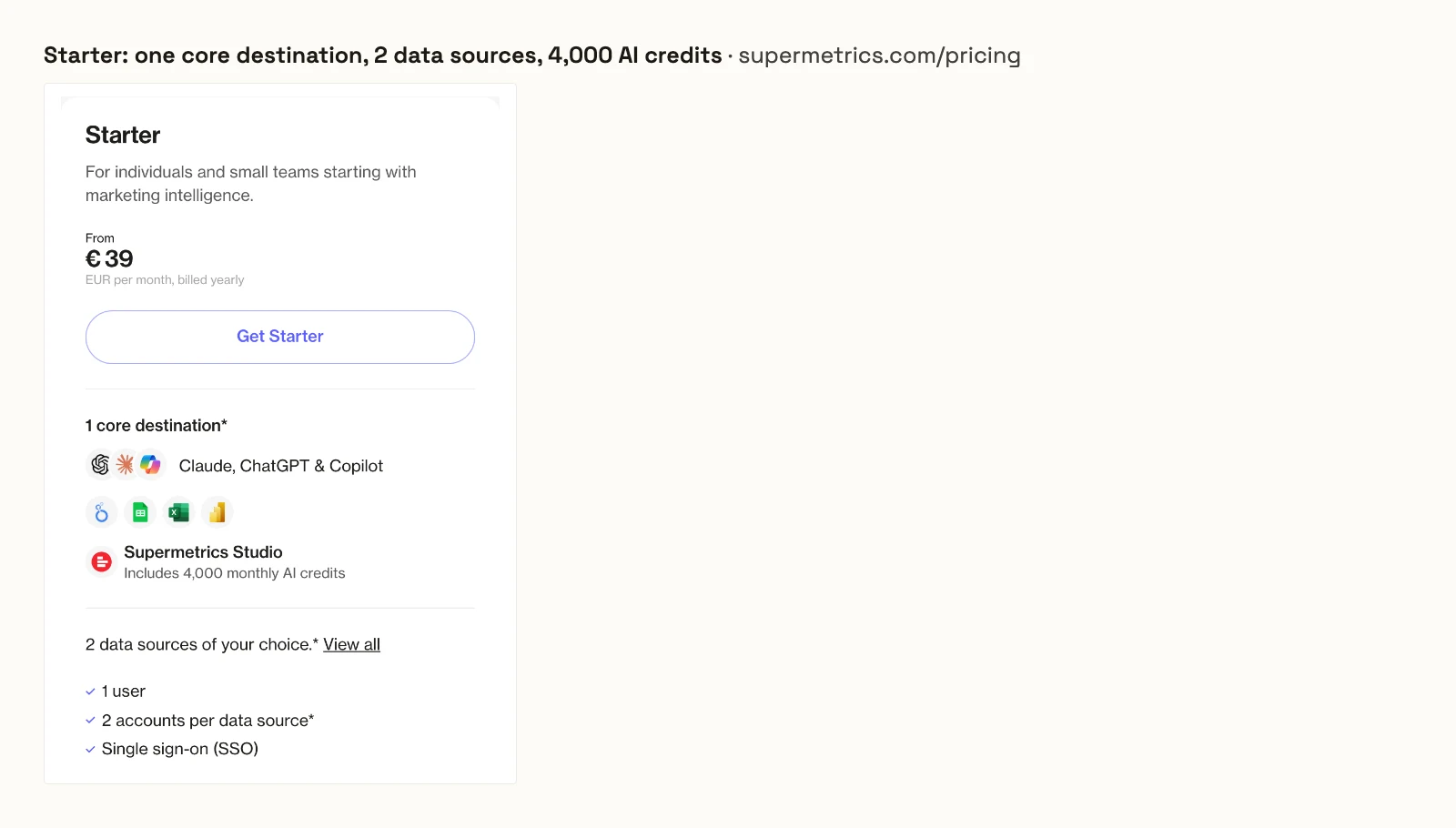
The AI chats are one of those destinations. Its AI chats docs say you "need an active Supermetrics subscription that includes the AI chats destination". Choose them, and Looker Studio or Google Sheets becomes an extra destination, from EUR 49 a month on Starter, billed yearly.
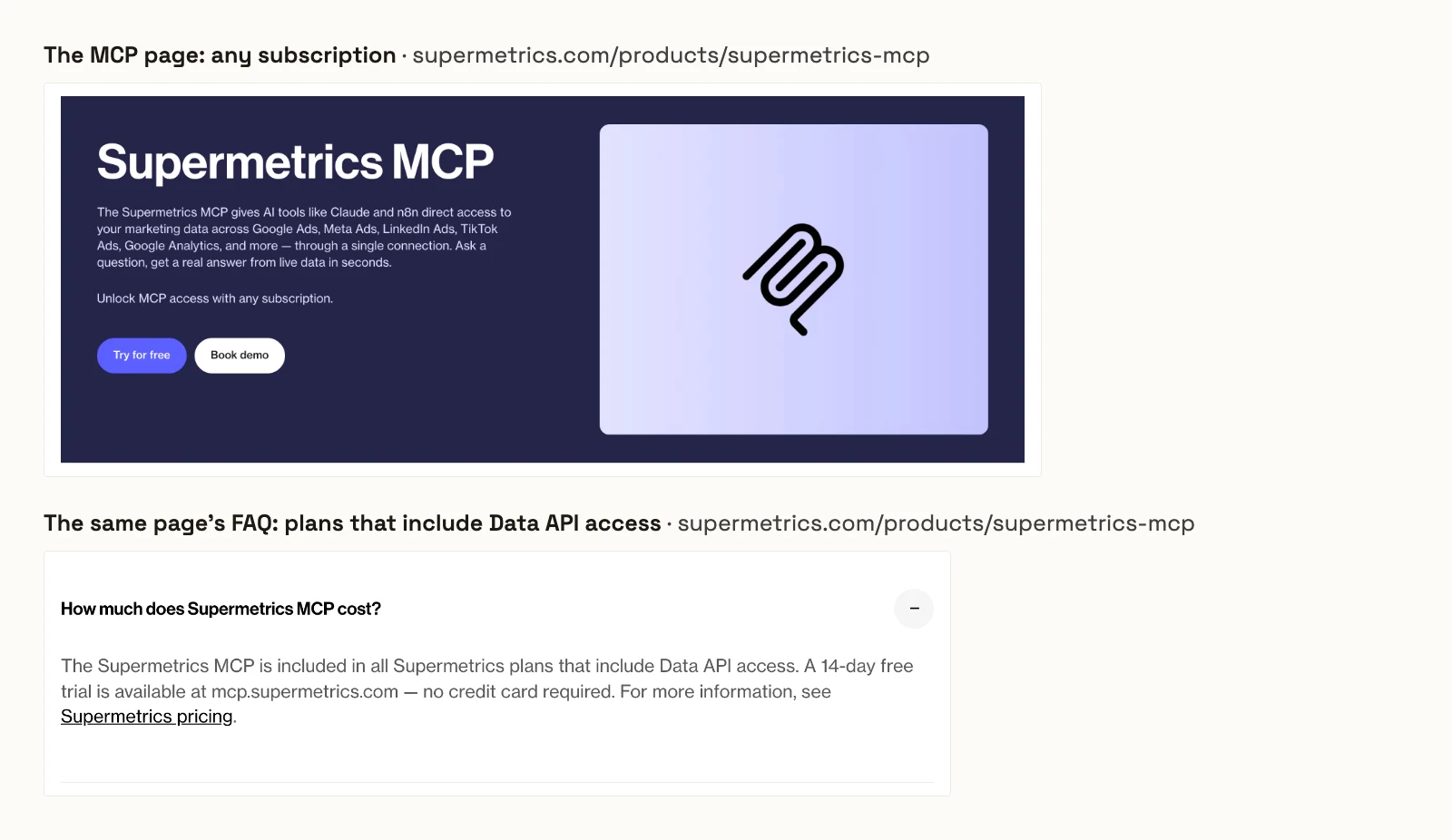
The MCP server is where the pages split. Its MCP page offers MCP access "with any subscription." The same page's FAQ says it "is included in all Supermetrics plans that include Data API access", and the pricing page lists Data API access among the Enterprise features. Its MCP docs say the server can create or modify campaigns and that new campaigns start paused. They publish no per-account limit on what it may change.
The question that splits this list
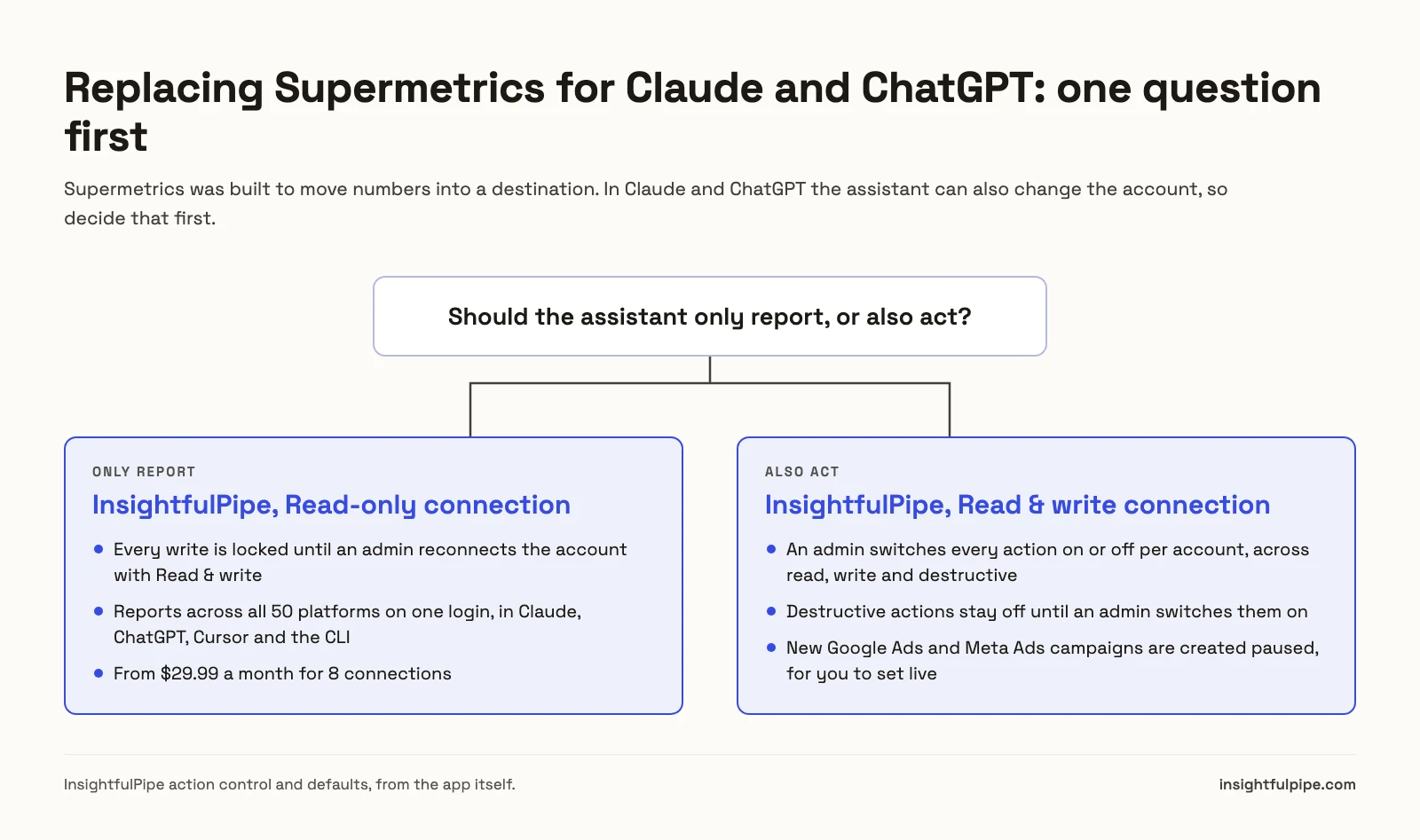
One question splits these eleven: whether the assistant should only report, or also act. If it only reports, what you pay for is coverage and freshness. If it acts, what the assistant can reach before anyone narrows it decides everything else.
If you only need reports, connect your accounts to InsightfulPipe as Read-only. That locks every write until an admin reconnects the account with Read & write, and it still reaches all 50 platforms on one login. Adzviser, Dataslayer, Funnel and Whatagraph also only read, and each gates coverage by sources, connectors, an annual minimum or account credits.
If you need the assistant to act, the list collapses to five. Windsor.ai's README leaves the confirmation to "MCP clients", and Markifact's docs say a new MCP server reaches all operations and all connected accounts. Porter Metrics says its skills ask before writing, and Improvado publishes no limit at all. InsightfulPipe decides it on the server, per account, before the session starts.
Side by side: what each option connects and how it charges
The pricing model decides your bill more than the headline price. Windsor.ai, Adzviser and Dataslayer limit how many platforms the entry plan reaches, three others meter AI use, and InsightfulPipe includes all 50 platforms on every plan, priced by connected account.
Option | Hosting | AI clients | Writes | Pricing model | Metering |
|---|---|---|---|---|---|
InsightfulPipe | Hosted | Claude, ChatGPT, Cursor, Claude Code, Gemini CLI, Codex, CLI | Yes, per-account switches | Per connected account, all platforms | None, unlimited tool calls |
Windsor.ai | Hosted | Claude, ChatGPT, Copilot, Gemini, Perplexity, Cursor | On 12 connectors | Per data source and account | Not published |
Markifact | Hosted | Claude, ChatGPT, Manus and other MCP clients | Yes | Per seat | Credits per data operation |
Improvado | Hosted | Claude, Codex, ChatGPT and other MCP clients | "Reads, writes, and monitors" | Per plan | 300 MCP actions a week on MCP Only |
Porter Metrics | Hosted | MCP clients | Separate Automation plan | Per data source account | 100 to 10,000 AI credits a month on Automation |
Adzviser | Hosted | Claude, ChatGPT, Gemini, n8n | No | Per data source | Not published |
Coupler.io | Hosted | Claude, ChatGPT, Copilot, Cursor, Perplexity, Gemini | Not published | Per account and destination | 5,000 rows a run on Starter |
Dataslayer | Hosted | Claude, ChatGPT, Gemini | No | Per connector and account | 100 messages a day when bundled |
Two Minute Reports | Hosted | Claude, ChatGPT | Not published | Per account per connector | Unlimited queries |
Funnel | Hosted | Claude, ChatGPT, Codex, Cursor and more | No | Per plan, billed annually | No flexpoints for MCP |
Whatagraph | Hosted | Claude, ChatGPT, Cursor | No | Per data account credit | Credits |
Supermetrics alternatives that can change campaigns
Five of the eleven can change ad campaigns from Claude or ChatGPT, and InsightfulPipe leads them with per-account control over every action. The other four follow.
Best overall: InsightfulPipe
InsightfulPipe gives Claude and ChatGPT 50 platforms on one login, and you decide what the assistant may change on each account.
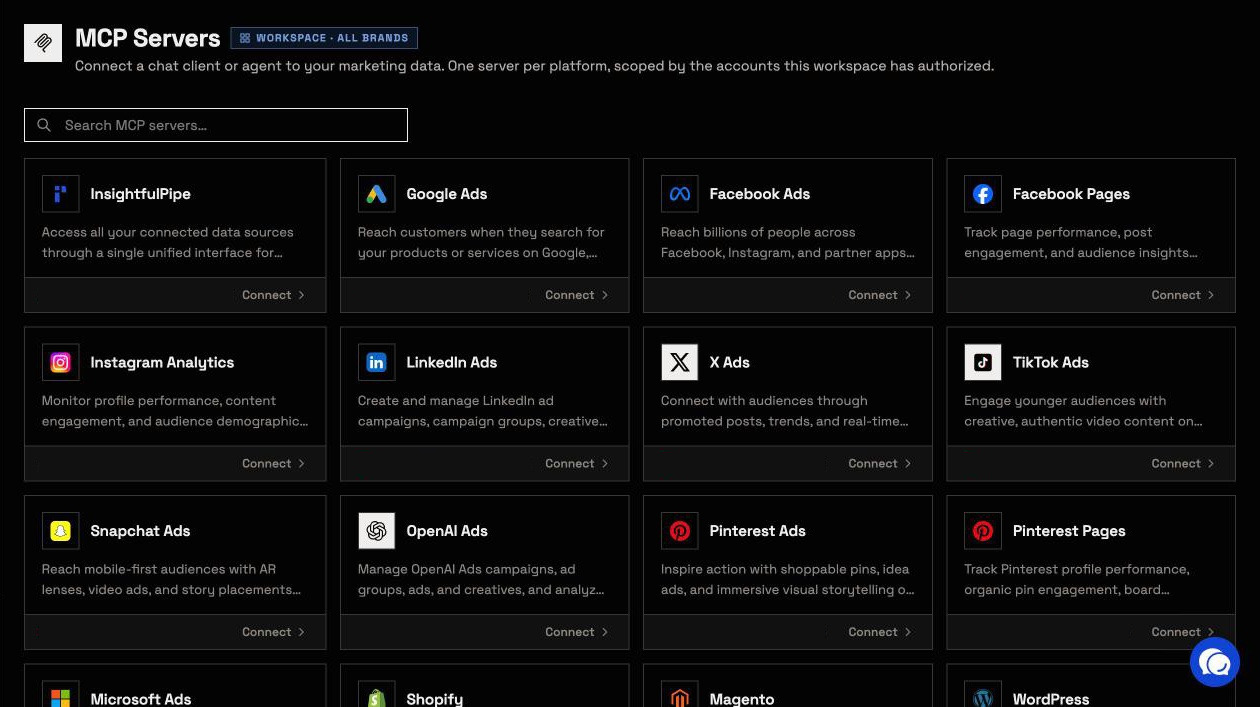
InsightfulPipe is the pick if you want to replace a reporting connector with an assistant that reports and acts, without paying per data source.
Coverage comes first. One InsightfulPipe login reaches 50 platforms, and each has its own MCP server:
- Paid media: Google Ads with 108 actions, Meta Ads with 55, TikTok Ads with 89, LinkedIn Ads with 28 and Microsoft Ads with 92, plus X, Pinterest and Snapchat
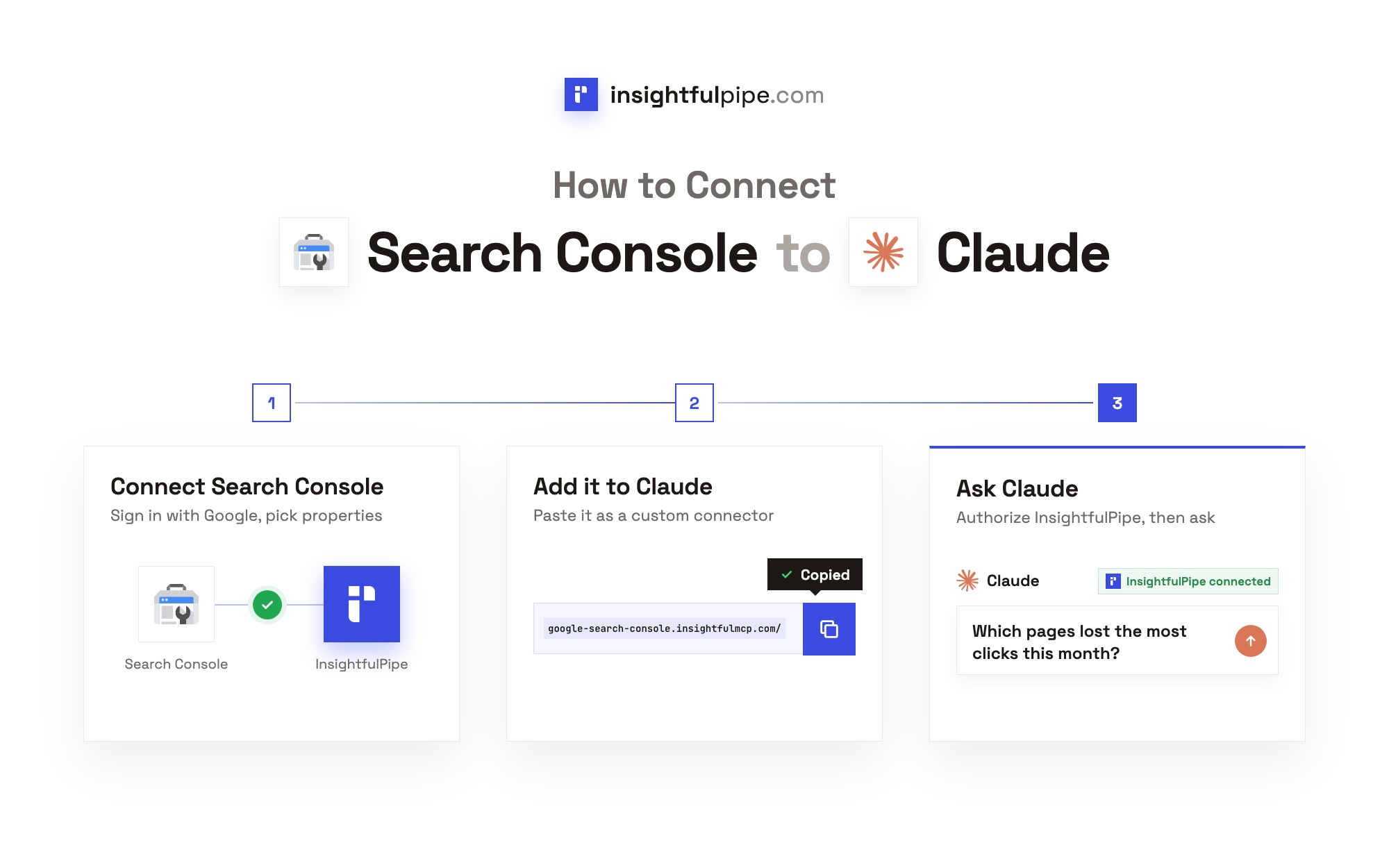
- Analytics and SEO: GA4 with 62 actions and Search Console with 10
- Social, commerce and more: Instagram, YouTube, Shopify and the rest of the 50
- One server for everything: the InsightfulPipe MCP server reaches every account the workspace connects, so one question can put Google Ads spend next to GA4 key events
Why it is the safest way to let an AI agent change your ad accounts
Control comes second, and it makes InsightfulPipe the safest of the servers that can write. Every limit is a switch, and an admin decides where each one sits.
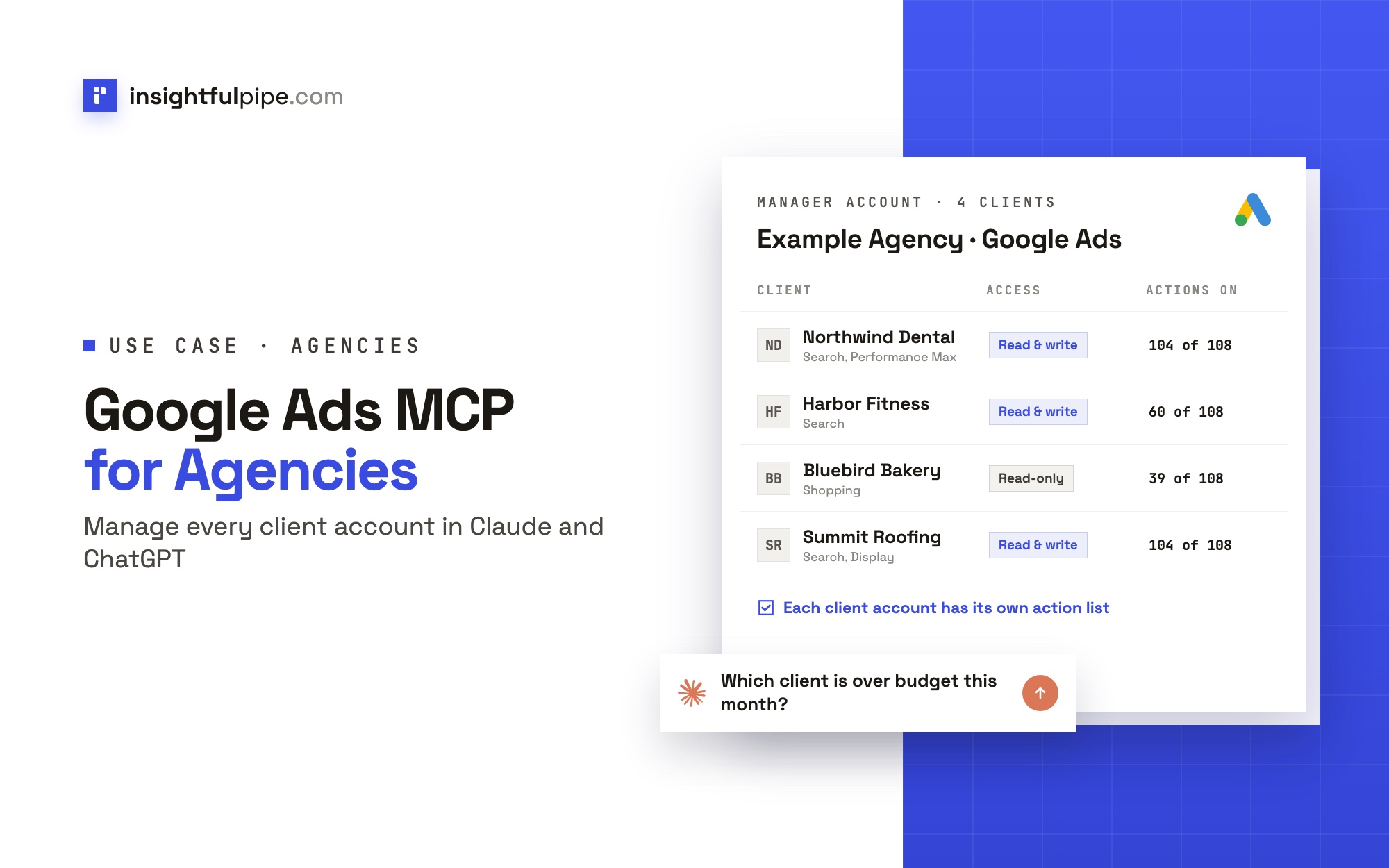
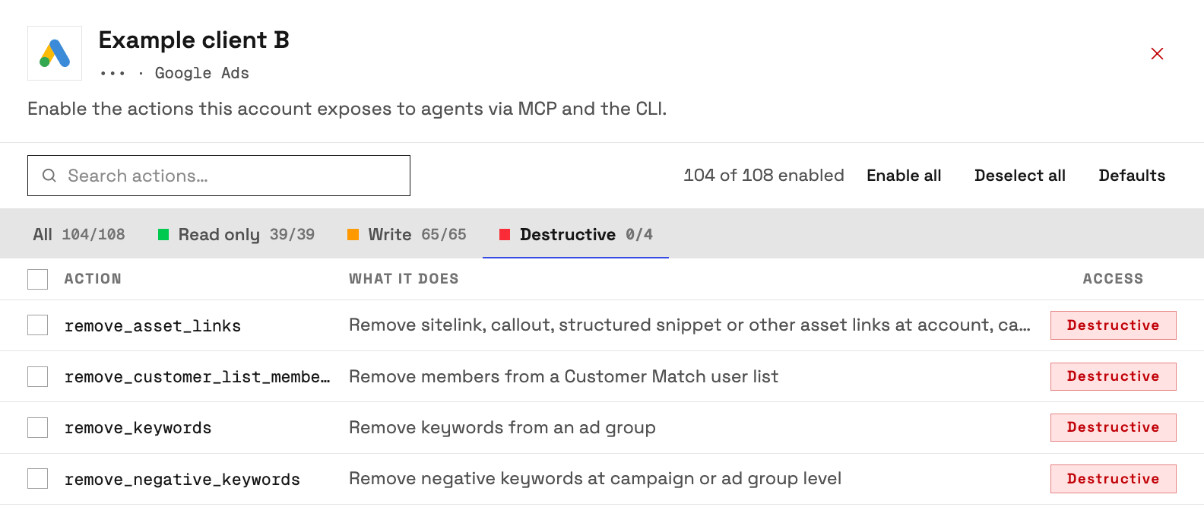
An owner, admin or operator opens a connected account and picks exactly which actions the assistant may use, across read, write and destructive. They can change any of them at any time. InsightfulPipe's server enforces that list, not your AI client, so the same limits hold in Claude, ChatGPT, Cursor, Claude Code, Gemini CLI and Codex.
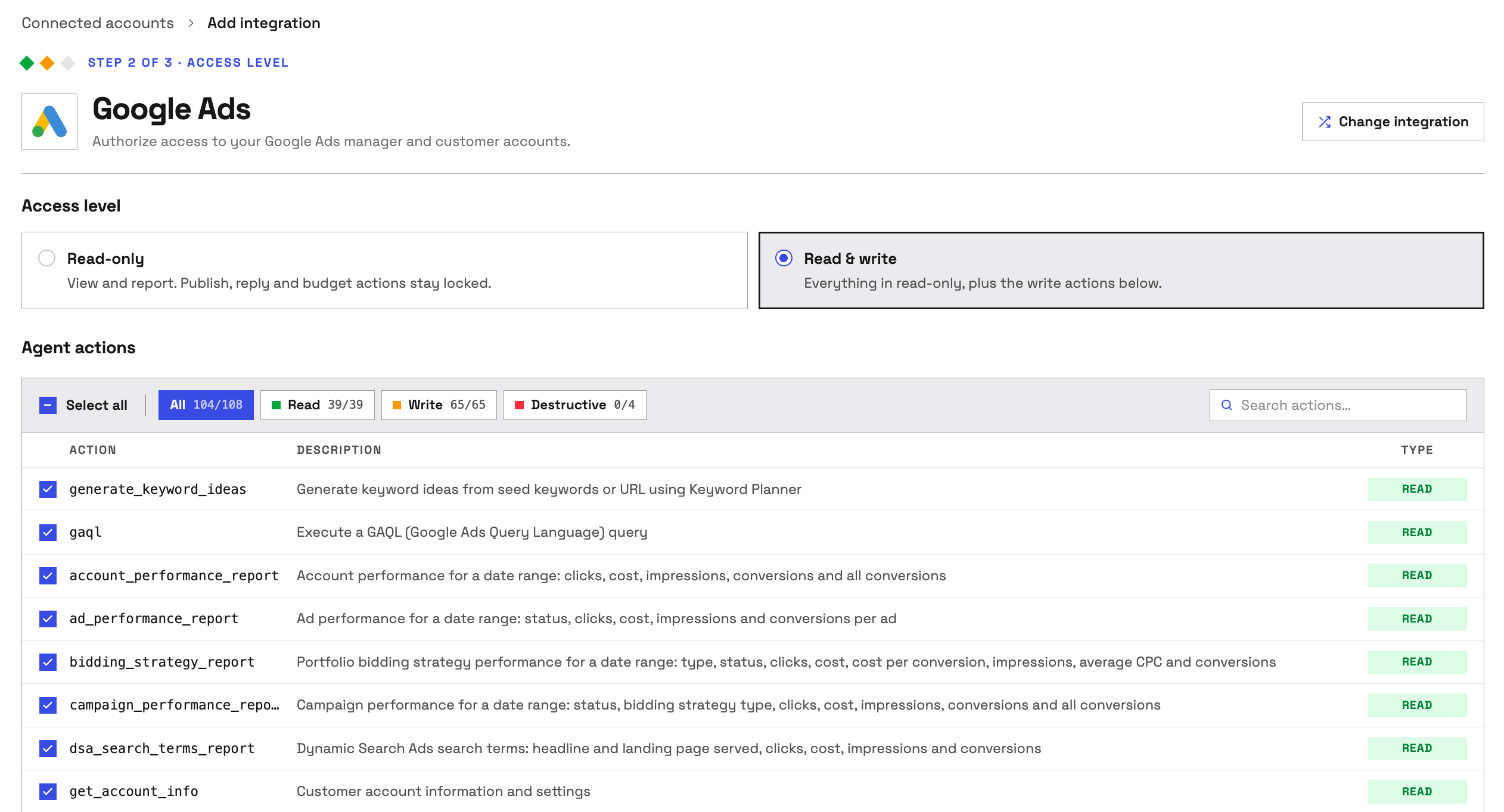
- Read-only means read-only. A Read-only connection locks every write until an admin reconnects it with Read & write.
- Destructive actions start off. On Google Ads, removing keywords, negative keywords and Customer Match members stays off until an admin switches it on. On Meta Ads, deleting a campaign, ad set or ad starts off.
- New campaigns start paused, for you to set live when they are ready. That holds for Google Ads campaigns, ad groups and ads, and Meta Ads campaigns, ad sets and ads.
- Going live is a switch. The update actions that can set a Google Ads campaign live start on for Read & write, and an admin switches them off wherever the assistant should only build.
- Roles hold. Members on the User role run only switched-on reads, on the accounts an owner or admin grants them.
Why four tools, not hundreds
Every tool a server publishes loads into the model's context before you type. Each platform server publishes four: query_contexts, query_data, execute_action and prompts_menu; the InsightfulPipe server adds list_platforms. The assistant looks up the actions it needs when it needs them. Switch off what an account does not need, and the model picks from a shorter list. MCP vs API explains why this beats wiring each platform's API yourself.
What replaces your Supermetrics reports
- The weekly report becomes a prompt. Ask for last week's spend, conversions and CPA by platform, and the assistant runs each call and assembles the table. Cross-platform marketing reports has the prompts.
- Client reporting runs on a schedule. Automated client reporting in Claude shows the loop end to end.
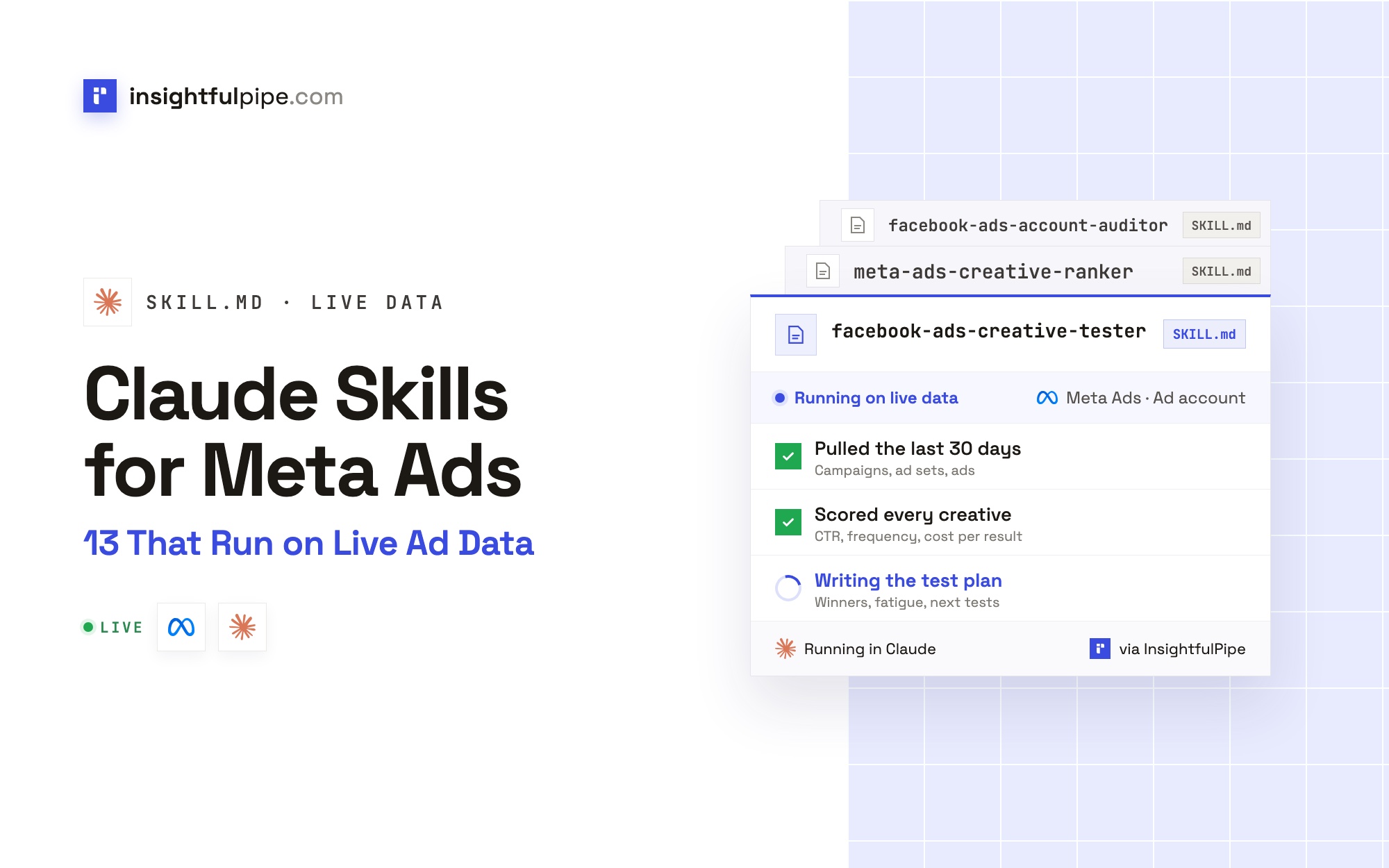
- Skills keep reports consistent. The Claude skills library is free to download, and Claude skills explains how they work. The prompt library is free too.
- A CLI for scripts. The
insightfulpipepackage runs the same reads and writes from a terminal, under the same switches.
Watch: an ads report delivered every morning through the InsightfulPipe MCP server, set up with no code

Pricing: Starter is $29.99 a month for 8 connections, Growth $89.99 for 35 and Agency $299.99 for 150, with unlimited tool calls and every MCP server on every plan. Extra connections cost $3, $2 or $1 a month. Start a trial and connect your first account.
Where it is the wrong answer: if all you need is a nightly export into a dashboard nobody queries, you would be paying for an assistant you do not use.
Best for: marketing teams and agencies that want Claude and ChatGPT to report on every platform and act within limits they set, account by account.
Windsor.ai
Windsor.ai connects 350+ sources to AI clients on every plan, and it prices by how many sources you use.
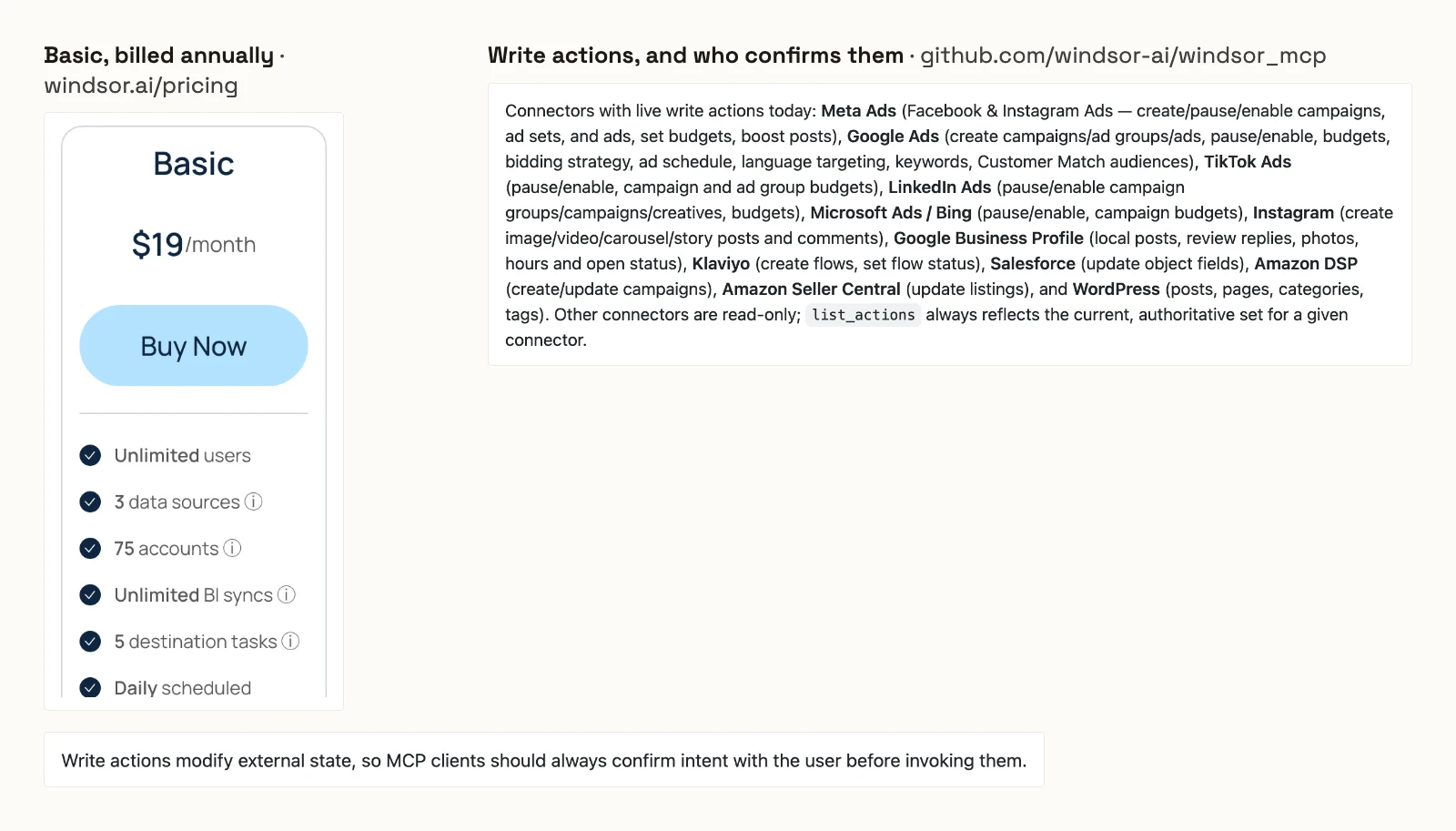
Its pricing page includes "Access to Windsor MCP for AI analysis" on all plans. Basic is $23 a month, or $19 billed annually, for 3 data sources and 75 accounts. Standard is $118, or $99, for 7 sources. Professional is $598, or $499, for 14 sources and 500 accounts.
Its MCP README lists write actions on 12 connectors, such as creating campaigns on Google Ads and Meta Ads. On TikTok Ads and Microsoft Ads, the writes are pause, enable and budgets. It adds that "MCP clients should always confirm intent with the user before invoking them."
Pros
- MCP access on every plan, with 350+ data sources.
- Write actions on Google Ads and Meta Ads, including campaign creation.
Cons
- Priced by data source: five platforms need Standard, at $99 a month billed annually.
- Confirmation before a write is left to your AI client.
- No per-account limit on write actions published.
Best for: teams already sending Windsor.ai data to Looker Studio or BigQuery.
Markifact
Markifact is an MCP-first platform with unlimited ad accounts, and its docs say a new server reaches everything.
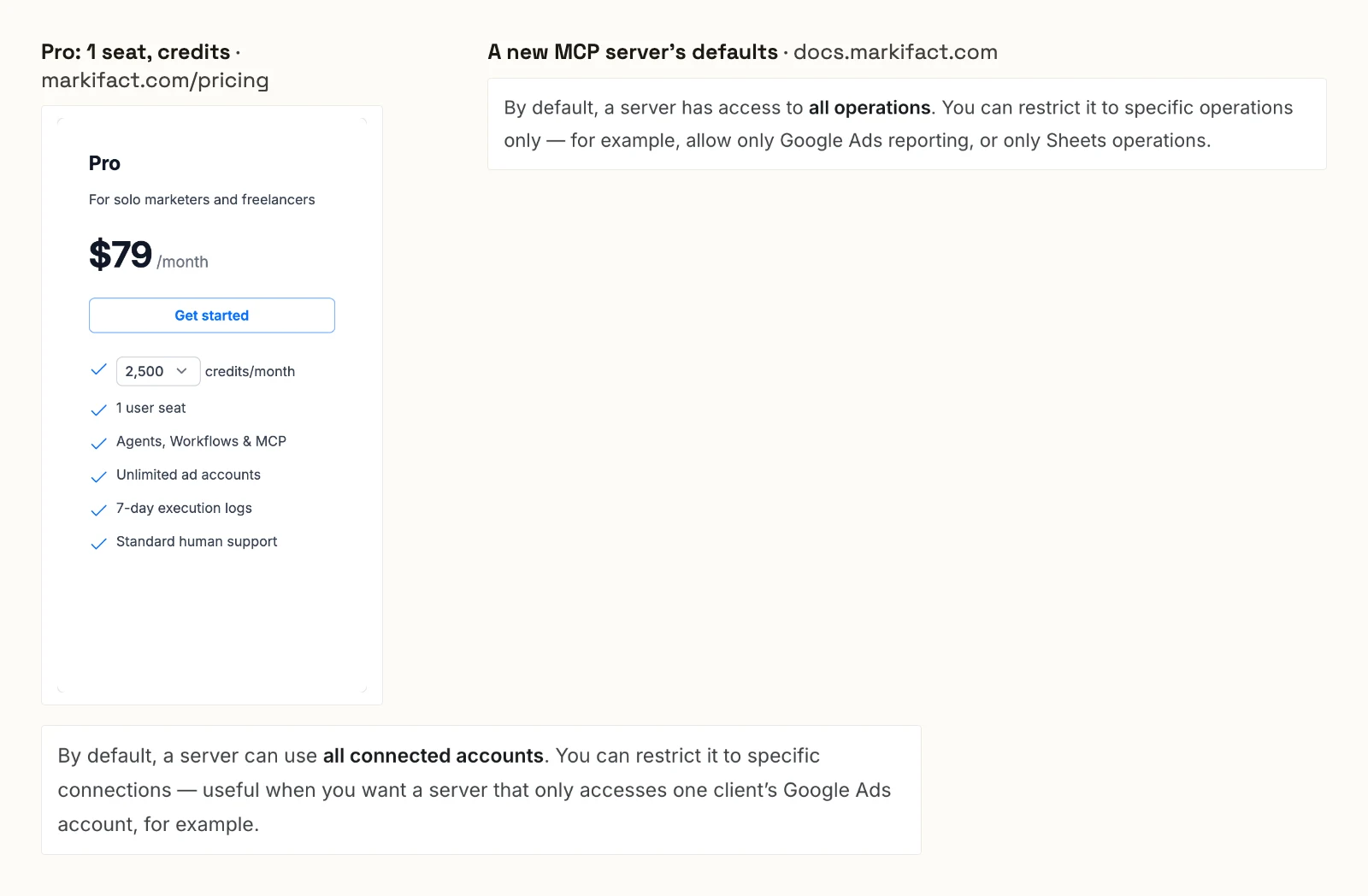
Its pricing page puts Pro at $79 a month with 1 user seat, 2,500 or 5,000 credits and unlimited ad accounts. Team is $249 with 10 or more seats. Over MCP, discovery tools are free, and data operations such as pulling a report cost credits.
Its MCP docs say: "By default, a server has access to all operations." They add that a server "can use all connected accounts" until you restrict it. They tell you to set the write tool to Needs approval in your AI client.
Pros
- Unlimited ad accounts on every plan.
- 50+ platforms, with each MCP server restrictable to chosen operations and connections.
Cons
- A new MCP server reaches all operations and all connected accounts.
- MCP data operations cost credits.
- Pro includes 1 user seat.
Best for: solo marketers already building workflows inside Markifact.
Improvado
Improvado sells an MCP Only plan beside its enterprise pipeline, metered by MCP actions per week.
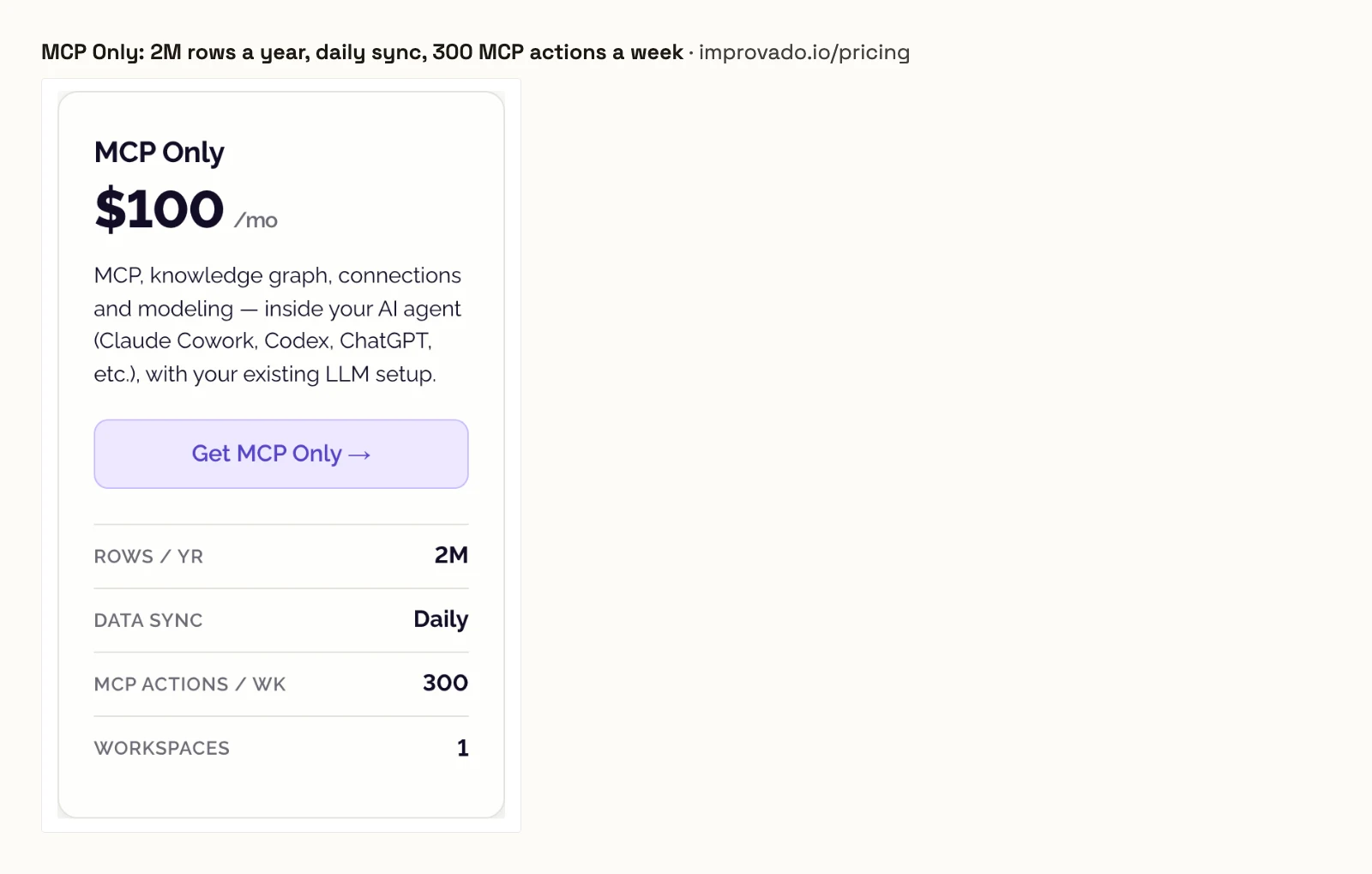
Its pricing page offers a free tier with 50 MCP actions a week, then MCP Only at $100 a month with 2M rows a year, daily sync and 300 MCP actions a week. Advanced and Enterprise are custom, at 4,000 and 12,000 MCP actions a week. Its MCP page says your agent "reads, writes, and monitors", but neither page lists the write actions.
Pros
- A dedicated MCP plan at $100 a month.
- Connects to Claude, Codex, ChatGPT and other MCP clients.
Cons
- MCP Only stops at 300 MCP actions a week.
- MCP Only syncs data daily.
- No list of write actions or limits on them published.
Best for: enterprise teams already running Improvado's pipeline.
Porter Metrics
Porter Metrics charges per data source account, and it sells changes as a separate Automation plan.
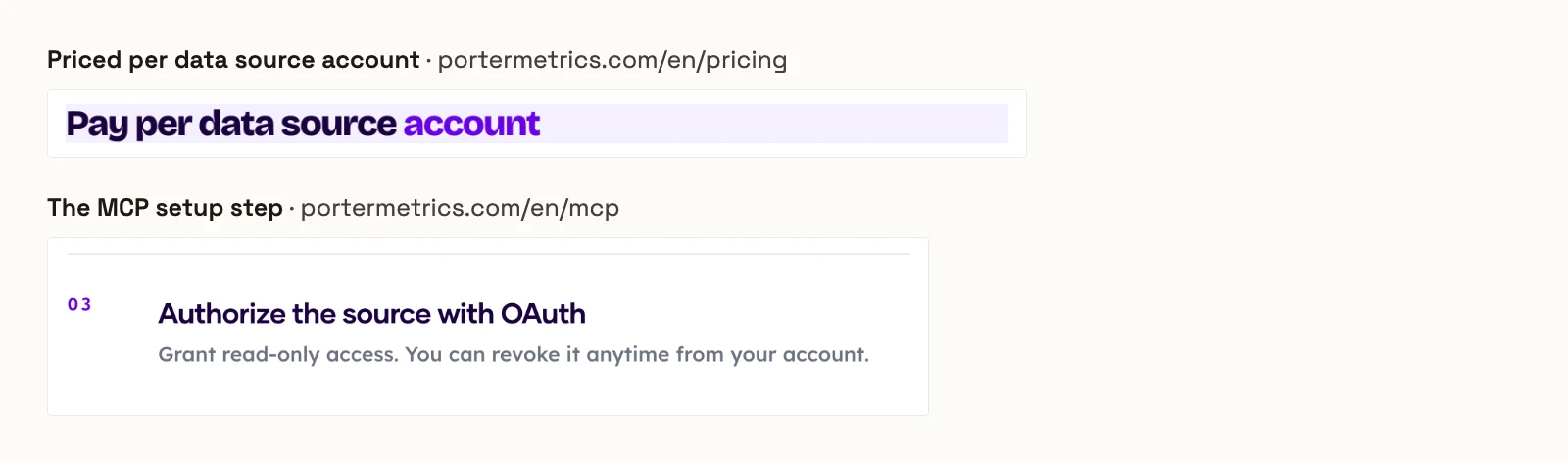
Its pricing page reads "Pay per data source account", at $12.50 a month per account billed annually on its default selection. Reporting includes "Unlimited AI chats, queries, and dashboards (read-only)". Ad and social management sits on Automation, from 100 AI credits a month free to 10,000 on Scale at $250, where one credit is one completed task. Its MCP page asks you to "Grant read-only access" when you authorize a source.
Pros
- 26 MCP integrations, with destinations included.
- Data blending and custom fields on every plan.
Cons
- The price rises with every account you connect.
- Its MCP connection is read-only; changes need the separate Automation plan.
- Automation credits run from 100 a month free to 10,000 on Scale at $250.
Best for: teams that report in Looker Studio and want occasional chat answers.
Supermetrics alternatives that report in Claude and ChatGPT
Six of the eleven report in Claude or ChatGPT and change nothing, by their own pages, or publish no write actions. They differ in what the entry plan covers.
Adzviser
Adzviser runs one hosted, read-only MCP connection, priced by data source.
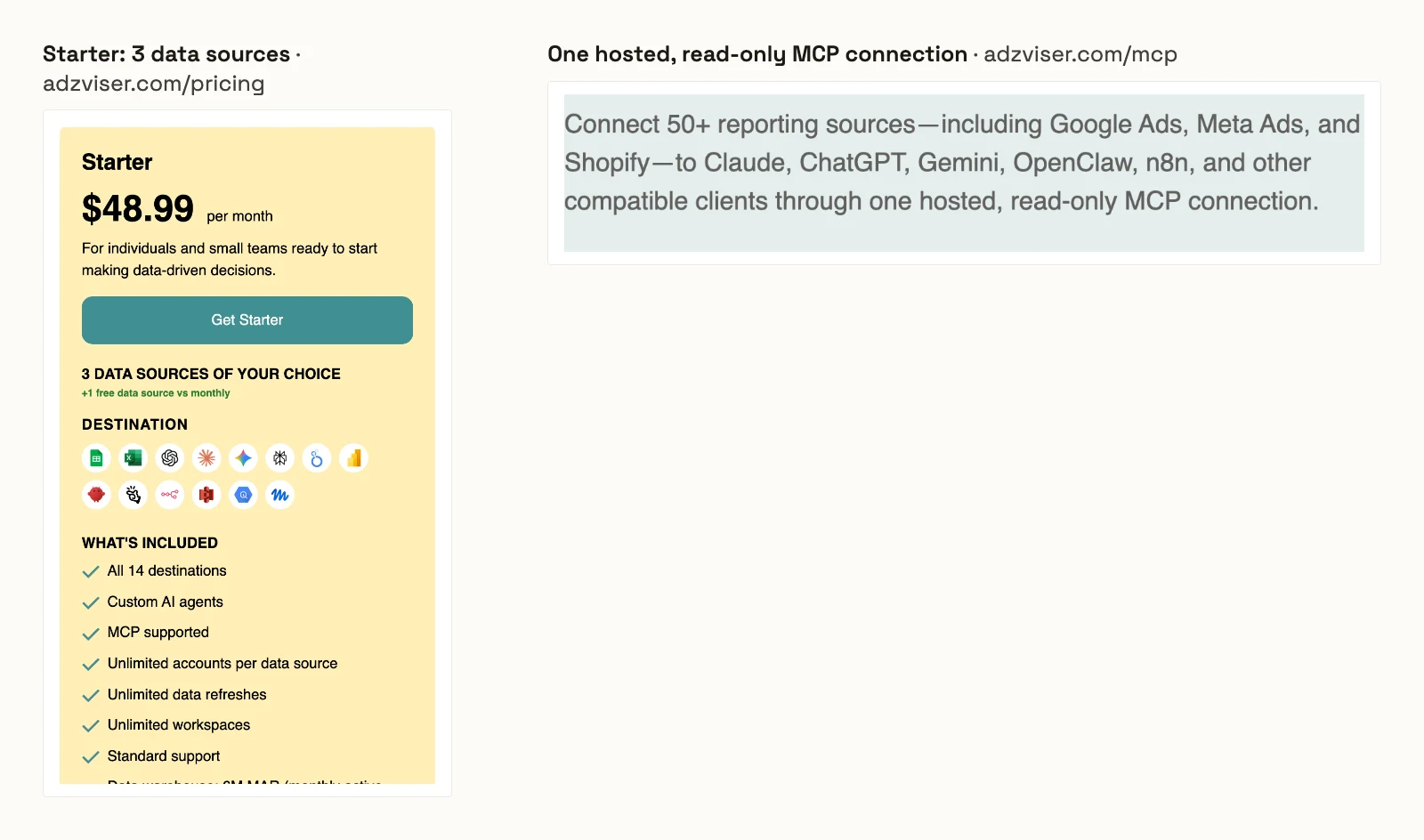
Its MCP page connects 50+ reporting sources to Claude, ChatGPT, Gemini and n8n "through one hosted, read-only MCP connection". Its pricing page puts Starter at $48.99 a month for 3 data sources and Growth at $148.99 for 7, each with unlimited accounts per data source.
Pros
- Unlimited accounts per data source.
- Listed in the Claude Directory.
Cons
- Read-only: it cannot change a campaign.
- Five platforms need Growth, at $148.99 a month.
- Starter caps its data warehouse at 6M monthly active rows.
Best for: small teams that want read-only chat reports on two or three platforms.
Coupler.io
Coupler.io brings 400+ sources into AI chats, and its Starter plan covers 3 accounts.
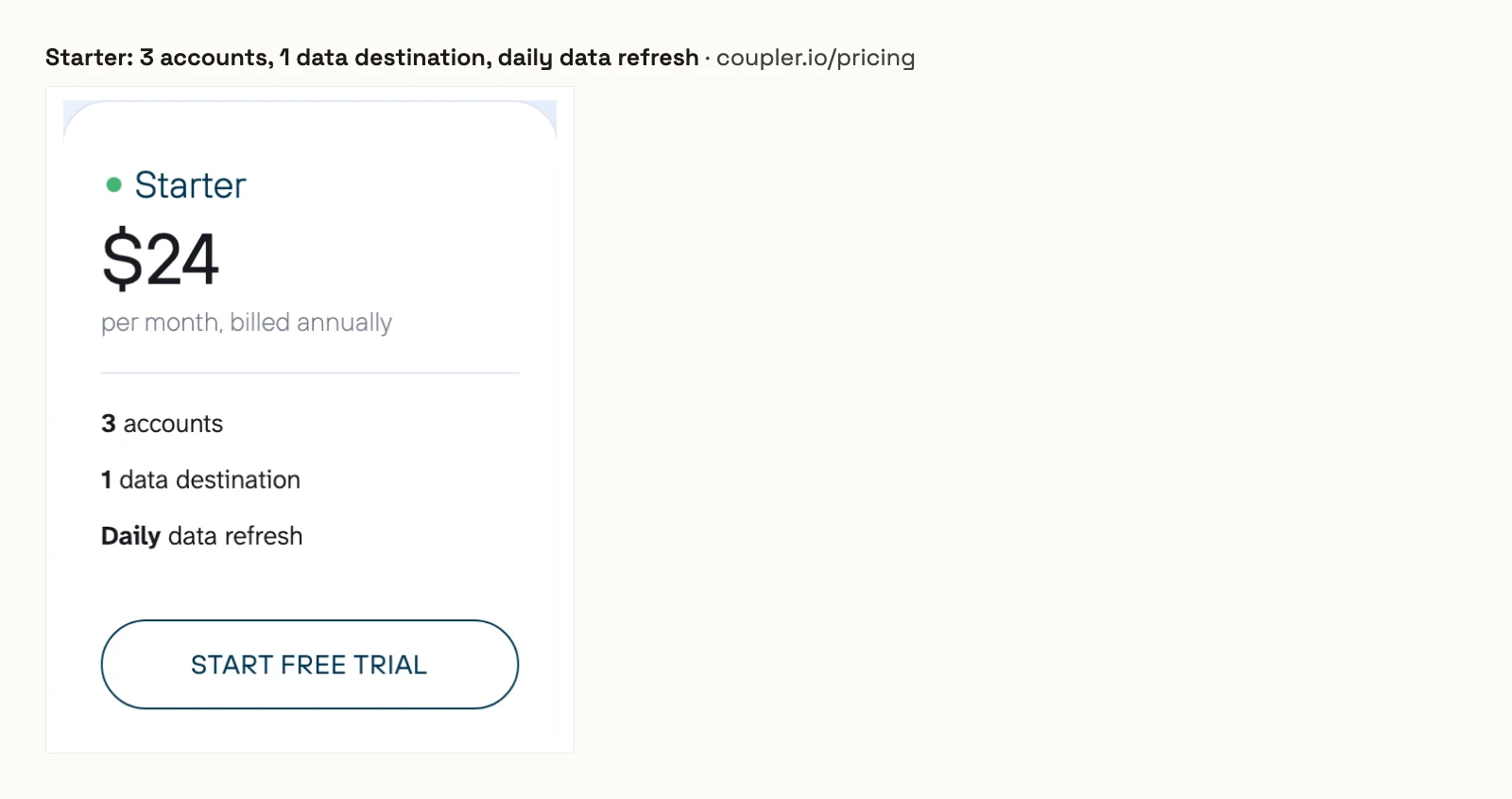
Its MCP page offers "No-code access to 400+ data sources" for AI conversations, and its pricing page includes every source on every plan. Starter is $24 a month billed annually for 3 accounts, 1 data destination, daily refresh and 5,000 rows a run. Active is $99 for 15 accounts, and hourly refresh starts on Pro at $199.
Pros
- 400+ data sources on every plan.
- AI integrations for Claude, ChatGPT, Copilot, Cursor and Gemini.
Cons
- Starter covers 3 accounts and 1 data destination.
- Starter refreshes data daily.
- No write actions published on its MCP page.
Best for: finance and operations teams blending spreadsheets with ad data.
Dataslayer
Dataslayer sells its MCP on its own or bundled with a destination, and it only reads.
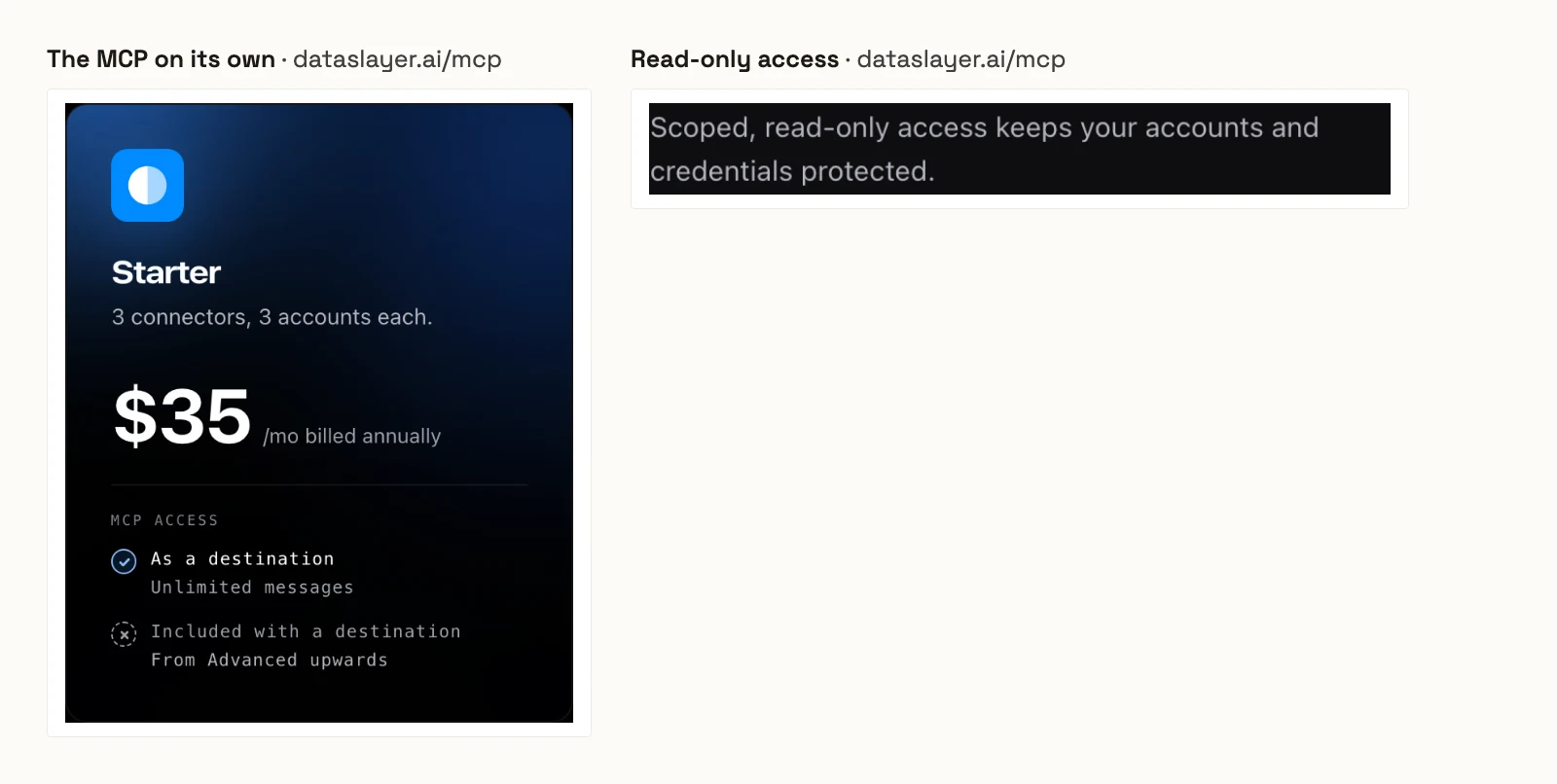
Its MCP page sells the MCP alone from $35 a month billed annually, for 3 connectors with 3 accounts each and unlimited messages. Advanced is $115 for 7 connectors. Bought with another destination, the MCP comes from Advanced upwards with 100 messages a day. The page promises "Scoped, read-only access".
Pros
- Unlimited messages on the MCP-only plans.
- Advanced covers 50 accounts per connector.
Cons
- Read-only: it cannot change a campaign.
- The MCP-only Starter covers 3 connectors with 3 accounts each.
- Bundled with a destination, the MCP stops at 100 messages a day.
Best for: Looker Studio users who want chat on top of the same connectors.
Two Minute Reports
Two Minute Reports includes its MCP on every plan and limits accounts per connector.
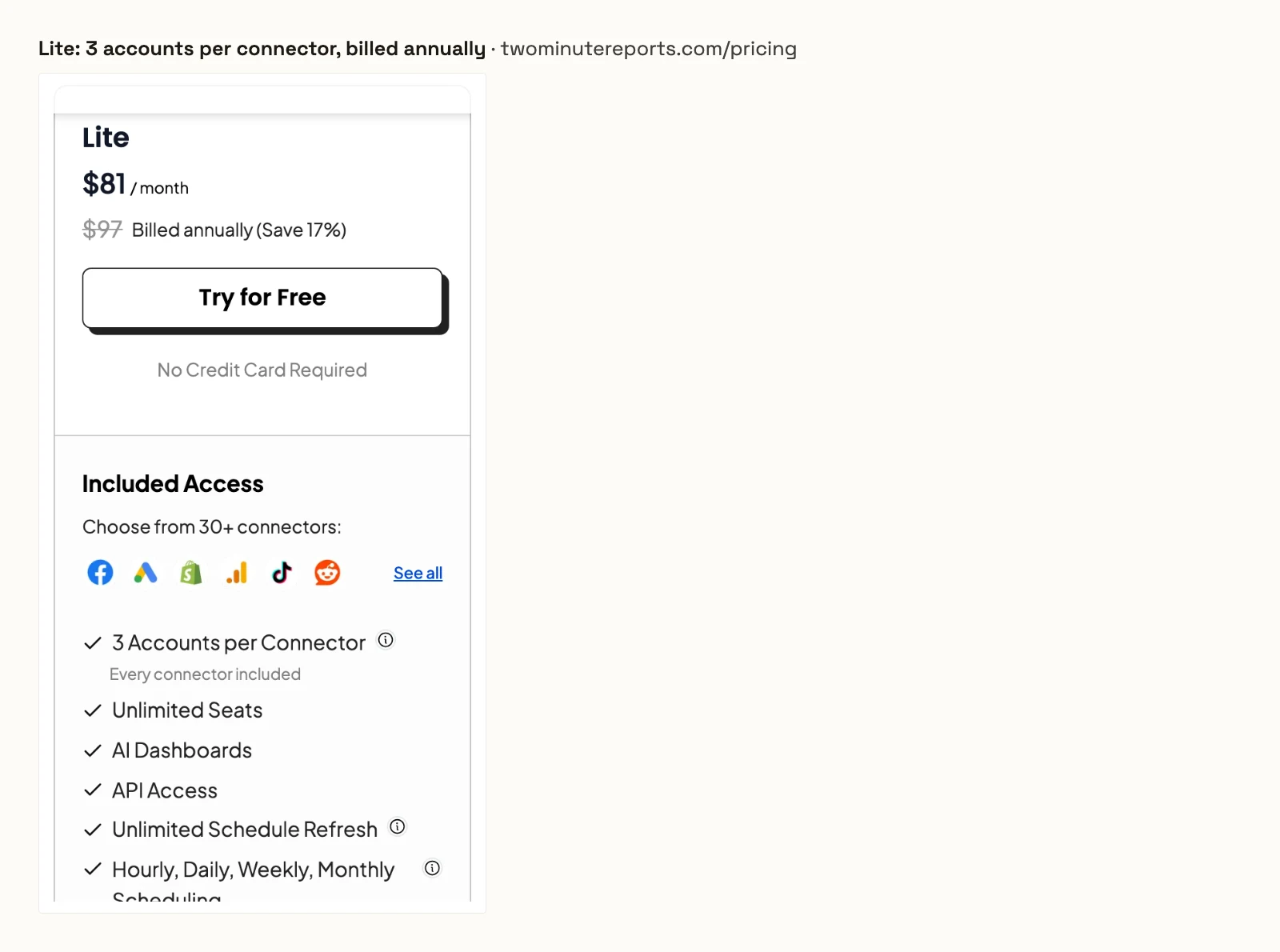
Its pricing page puts Lite at $81 a month billed annually, or $97 monthly, with 30+ connectors, 3 accounts per connector and the MCP included. Pro is $248 for 30 accounts per connector. Its MCP page describes analysis in ChatGPT and Claude and lists no write actions.
Pros
- MCP and AI platforms included on every plan.
- Unlimited seats and queries.
Cons
- Lite covers 3 accounts per connector.
- No write actions published on its MCP page.
- Each extra destination costs $41 a month.
Best for: agencies building client dashboards in Google Sheets.
Funnel
Funnel adds a read-only MCP to its data hub, from $300 a month billed annually.
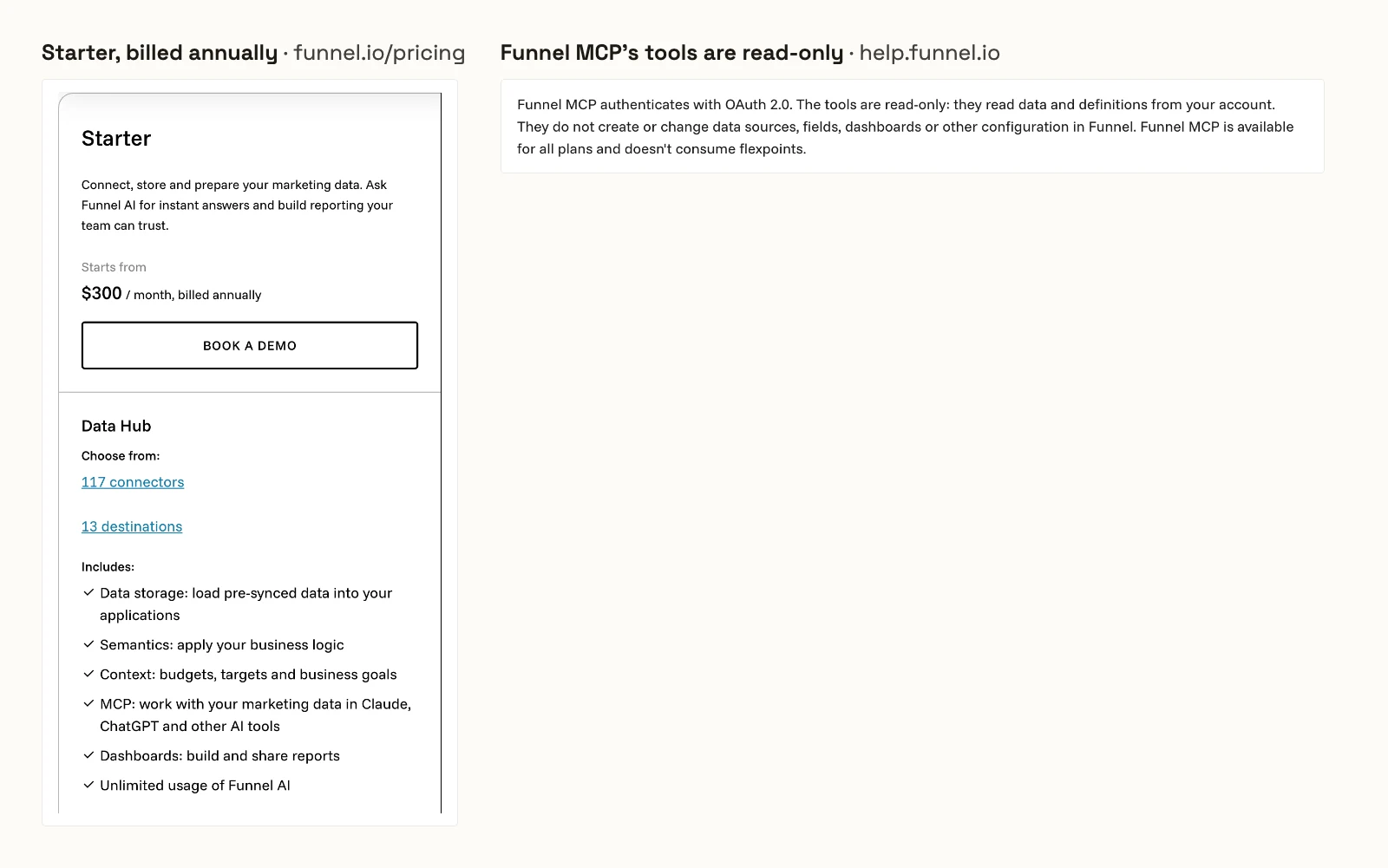
Its pricing page starts Starter at $300 a month billed annually, with 117 connectors and 13 destinations, sold through a demo. Its MCP guide says: "The tools are read-only." Funnel MCP is on all plans, listed in the Claude and ChatGPT directories, and uses no flexpoints.
Pros
- MCP on every plan, without flexpoints.
- Listed in the Claude connector directory and the ChatGPT plugin directory.
Cons
- Read-only: it reads Funnel data and changes nothing.
- The entry plan is $300 a month, billed annually.
- Sources must be connected in Funnel before the MCP returns data.
Best for: larger teams that already run a Funnel data hub.
Whatagraph
Whatagraph's MCP reads its reporting hub today and marks changes to metrics and reports as coming soon.
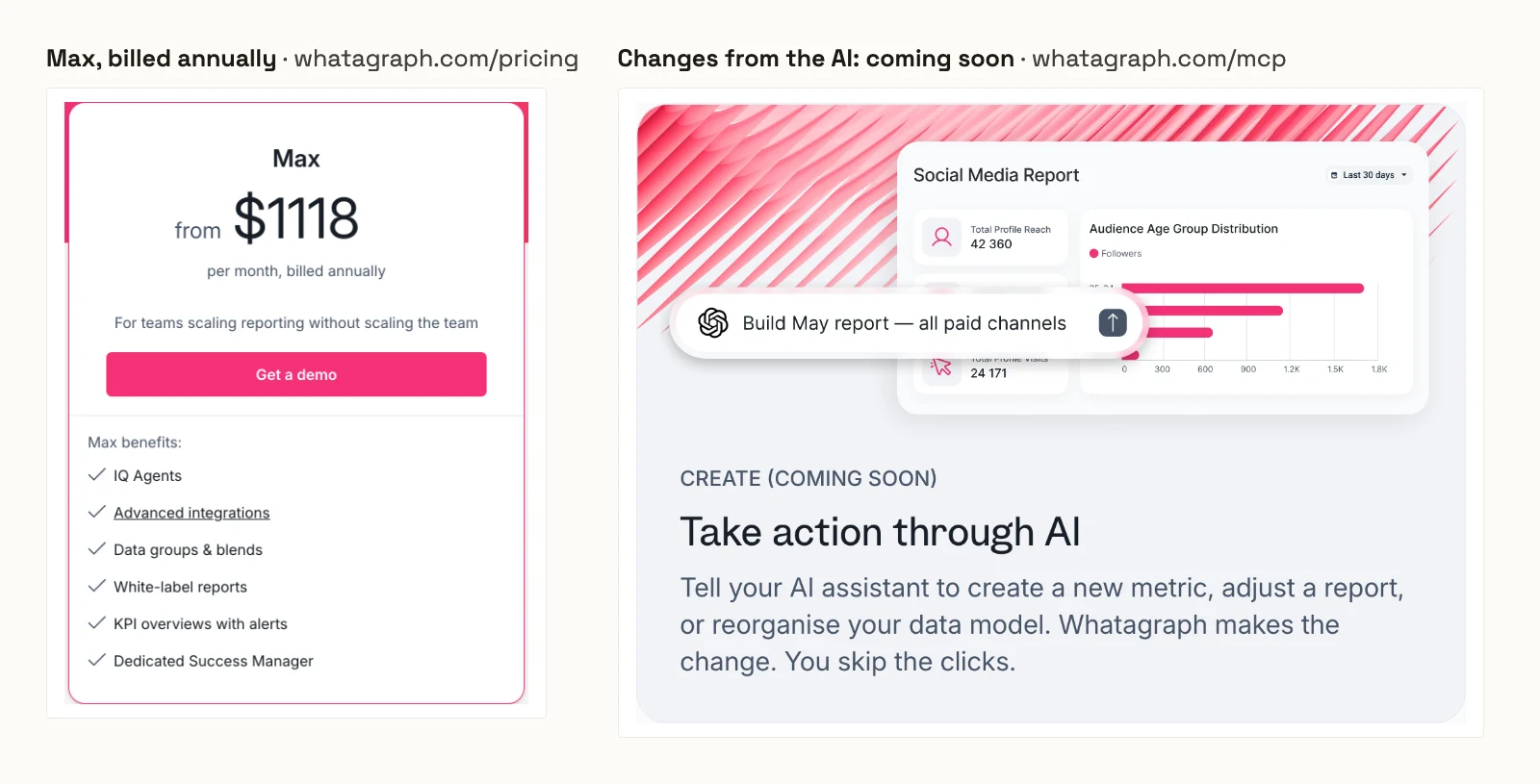
Its pricing page starts Max from $1,118 a month billed annually, with one credit per connected data account, from 50. Its MCP page lets Claude and ChatGPT query the same data as its reports, and marks changes to metrics and reports as coming soon.
Pros
- The MCP reads the same data hub as its reports.
- White-label reports on Max.
Cons
- Max starts at $1,118 a month, billed annually.
- Changes to metrics and reports from the AI are not shipped.
- Premium integrations need its custom Prime plan.
Best for: agencies that sell white-label reports as the product.
What an AI agent can do on a new connection
Replacing a reporting connector with an assistant changes the risk. A connector reads. An assistant can also pause, launch and spend. Ask four questions before you connect a live account.
What can it reach before anyone narrows it? Markifact's docs say a new server reaches all operations and all accounts. Windsor.ai, Improvado and Porter Metrics publish no default. On InsightfulPipe, destructive actions start off until an admin switches them on, and a Read-only connection locks every write.
Who sets the limits, and who enforces them? Windsor.ai leaves confirmation to your AI client, and Markifact tells you to set approval there. On InsightfulPipe an owner, admin or operator sets the actions per account, and the server enforces them in every client.
What does a new campaign start as? InsightfulPipe creates Google Ads and Meta Ads campaigns paused, for you to set live. Supermetrics' docs say its new campaigns start paused too, and Porter Metrics' pricing FAQ says the same for campaigns and creatives. Windsor.ai and Improvado publish no default.
What happens when nobody watches? An approval prompt stops a scheduled run at its first change. A boundary set on the server lets the run finish inside it.
Two setup choices make the switches count. InsightfulPipe sends budgets exactly as you state them, so name the amount in the prompt, and switch off the budget update actions wherever budgets must not move. In Claude, set execute_action to Needs approval for a click before every change.
Which Supermetrics alternative should you choose?
Choose InsightfulPipe if you want Claude and ChatGPT to report on every platform and act within limits you set.
- You want reports and changes in Claude and ChatGPT: InsightfulPipe. 50 platforms, every action switched per account, destructive actions off until an admin switches them on, from $29.99 a month.
- You only need reports: a Read-only InsightfulPipe connection, which locks every write until an admin reconnects it with Read & write.
- You run an agency with many client accounts: InsightfulPipe. Each account is its own connection with its own action list, and Agency covers 150 connections.
- You report across platforms every week: InsightfulPipe's main server, which reaches every connected account in one question. See how to connect your marketing data to Claude.
- You build your own agents or scripts: InsightfulPipe, the same actions over MCP or the
insightfulpipeCLI, under the same switches.
Connect InsightfulPipe to Claude and ChatGPT in three steps
Setup takes a platform sign-in, one listing or URL in your AI client, and one prompt. There is no developer app, API key or Cloud project to manage.
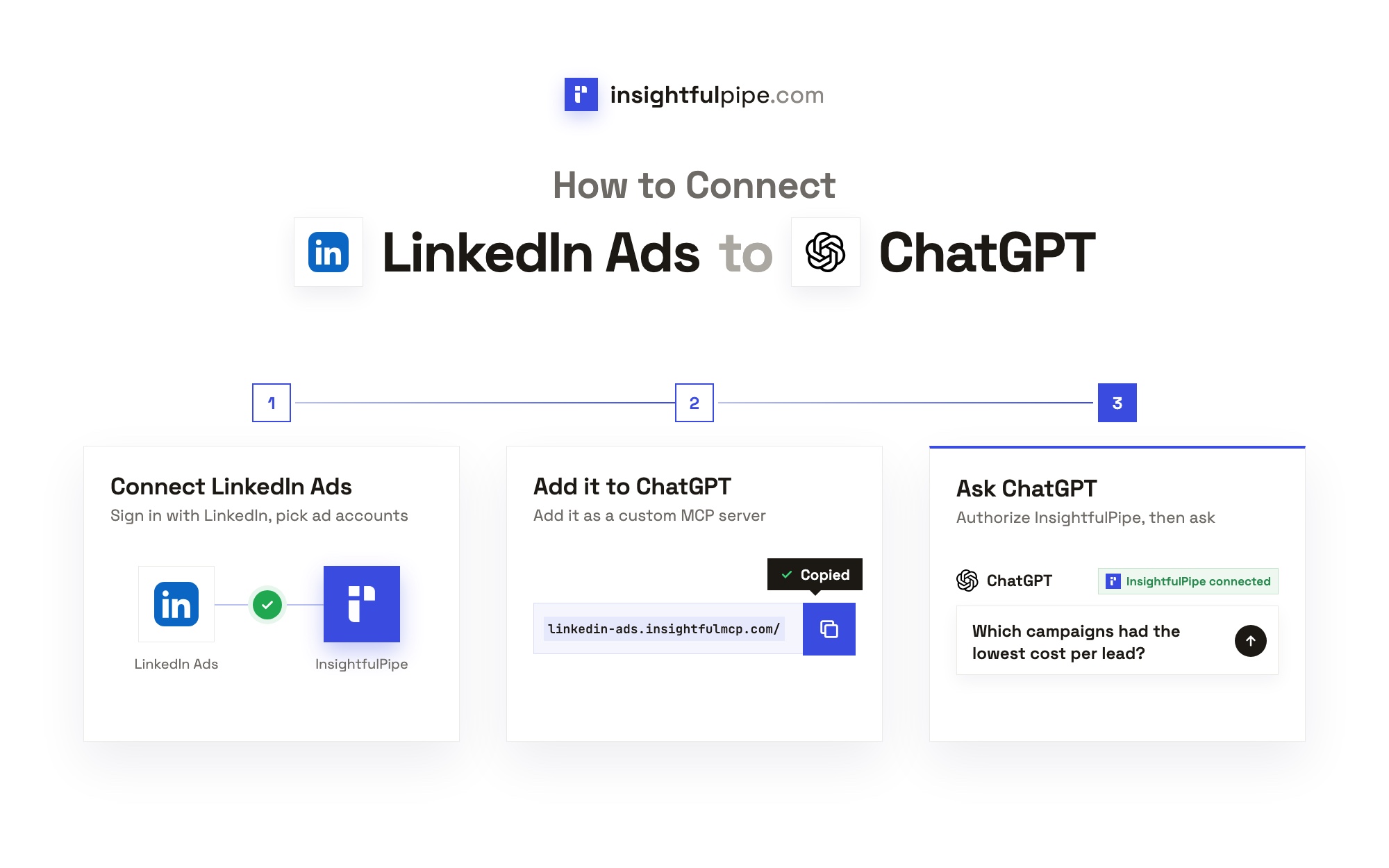
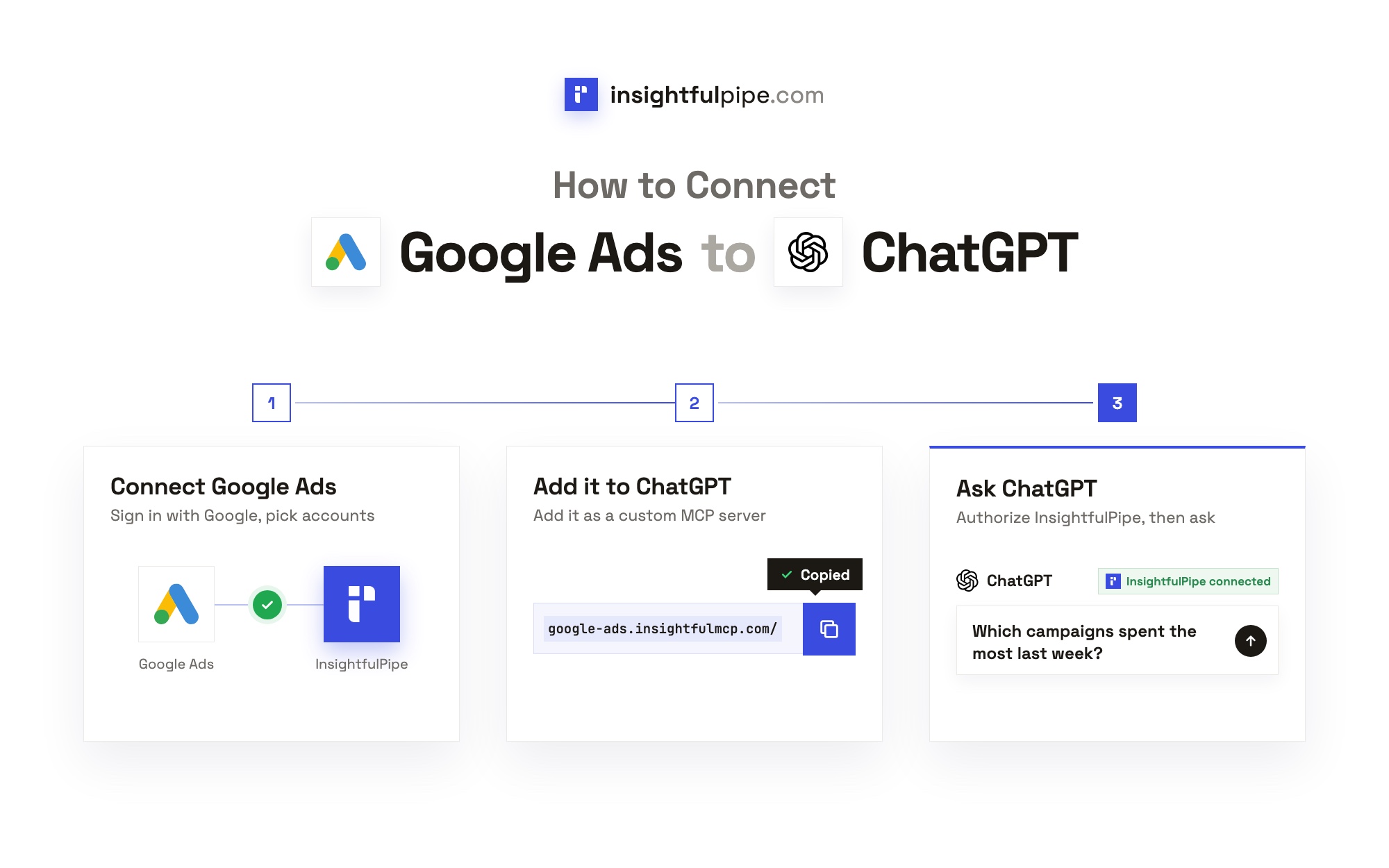
- Connect your accounts. In InsightfulPipe, open Connected accounts, click Connect account and pick a platform. Choose Read-only or Read & write, sign in to the platform and select your accounts.
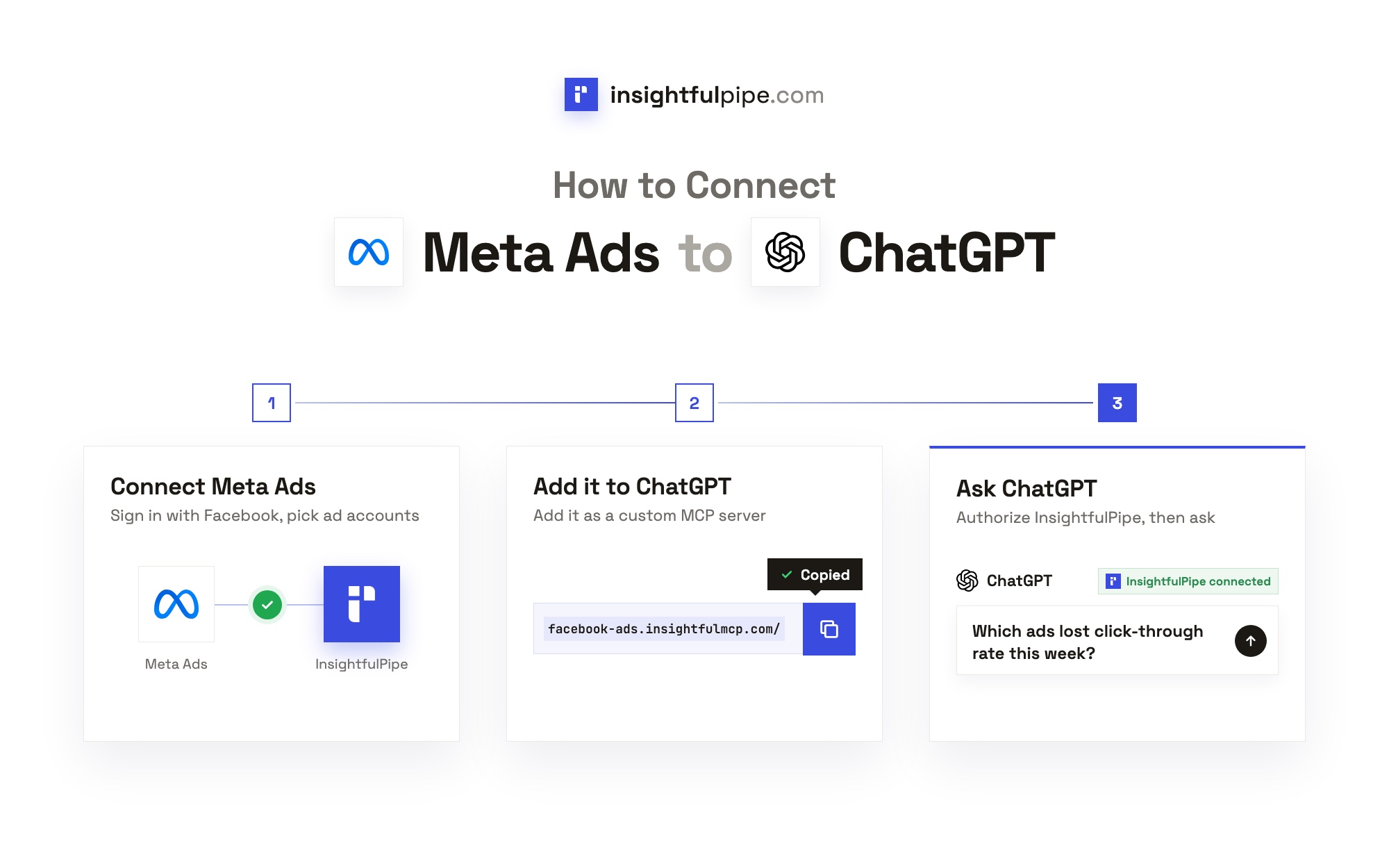
- Add InsightfulPipe to your AI client. In Claude, add InsightfulPipe from the Claude Directory, or open Customize > Connectors, add a custom connector with
https://main.insightfulmcp.com/and click Connect. In ChatGPT, open the InsightfulPipe listing in Plugins and click Install plugin, or choose Add > Add custom MCP server with the same URL. Our ChatGPT setup guide has every click. - Sign in and ask. Sign in to InsightfulPipe if asked, and click Authorize access. Then ask: "Compare last week's spend, conversions and CPA across Google Ads, Meta Ads and LinkedIn Ads."
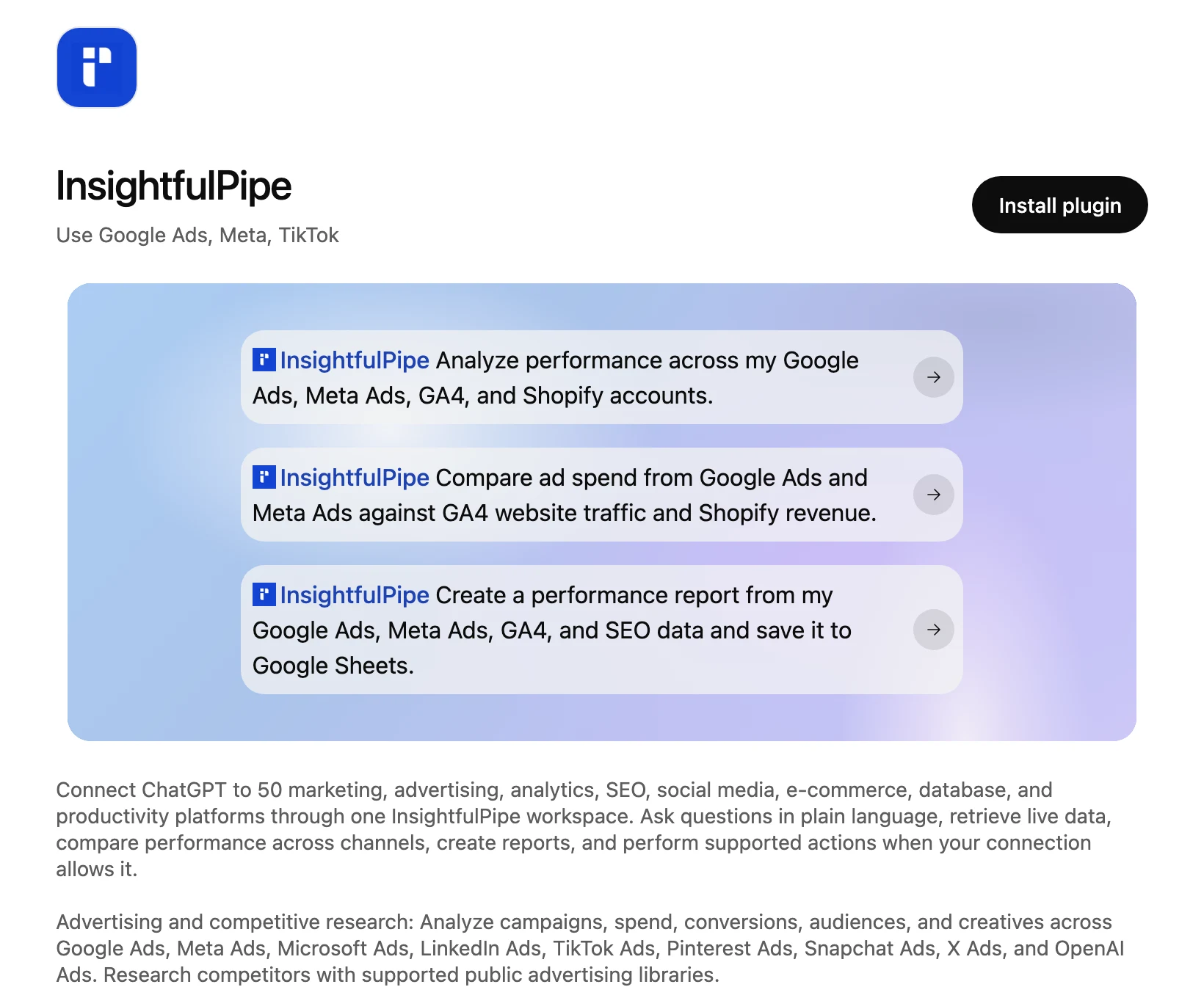
In ChatGPT, open Settings > Plugin settings, pick InsightfulPipe and set Permission to Allow read-only tools. ChatGPT then runs reports freely and asks before every change. For one platform alone, use its server URL from the app, such as the Google Ads MCP server.
What the other vendors do not publish
Several claims in this space have no source on the vendors' own pages, or contradict them.
- Supermetrics' MCP plan. Its MCP page says "any subscription", while its FAQ ties MCP to Data API access, which its pricing page lists among the Enterprise features.
- Improvado's writes. Its MCP page says agents write, and neither that page nor its pricing page lists a write action or a limit on one.
- Windsor.ai's limits. Its README lists write actions on 12 connectors and publishes no per-account control over them.
- Two Minute Reports and Coupler.io. Neither MCP page says whether the assistant can change anything, or what a new connection reaches.
- Porter Metrics' Automation. Its pricing page sells ad management, and it lists no write action per platform.
Frequently asked questions
Sources (checked 2026-10-21)
We opened each vendor's own pages on 2026-10-21, cache-busted, and took our own figures from the InsightfulPipe app and pricing page.
- InsightfulPipe: pricing, InsightfulPipe MCP server, Google Ads MCP server, ChatGPT setup guide
- Supermetrics: pricing, Supermetrics MCP, MCP server docs, AI chats docs
- Windsor.ai: pricing, Windsor MCP README, introducing Windsor MCP
- Markifact: pricing, MCP docs
- Improvado: pricing, MCP
- Porter Metrics: pricing, MCP
- Adzviser: pricing, MCP
- Coupler.io: pricing, MCP
- Dataslayer: MCP and pricing
- Two Minute Reports: pricing, MCP
- Funnel: pricing, Funnel MCP quick start
- Whatagraph: pricing, MCP