InsightfulPipe publishes this guide. Its examples run on InsightfulPipe's hosted MCP servers, and other routes come near the end.
Last updated: 2026-10-02
Short answer: The easiest way for a marketing team to query ad performance data without SQL or spreadsheets is to connect the platforms to an AI assistant and ask in plain language. InsightfulPipe lets you query marketing data without SQL in Claude, ChatGPT or Cursor, on live data from 50 platforms. The assistant still writes the query, such as GAQL, and shows you what ran. Plans start from $29.99 a month.
How to query marketing data without SQL: the quick version
Six steps take you from an ad account to an answer you can check. They work the same way for Google Ads, GA4, Meta Ads and 47 more platforms.
- In InsightfulPipe, open Connected accounts and click Connect account.
- Pick a platform, choose Read-only for questions only, and sign in.
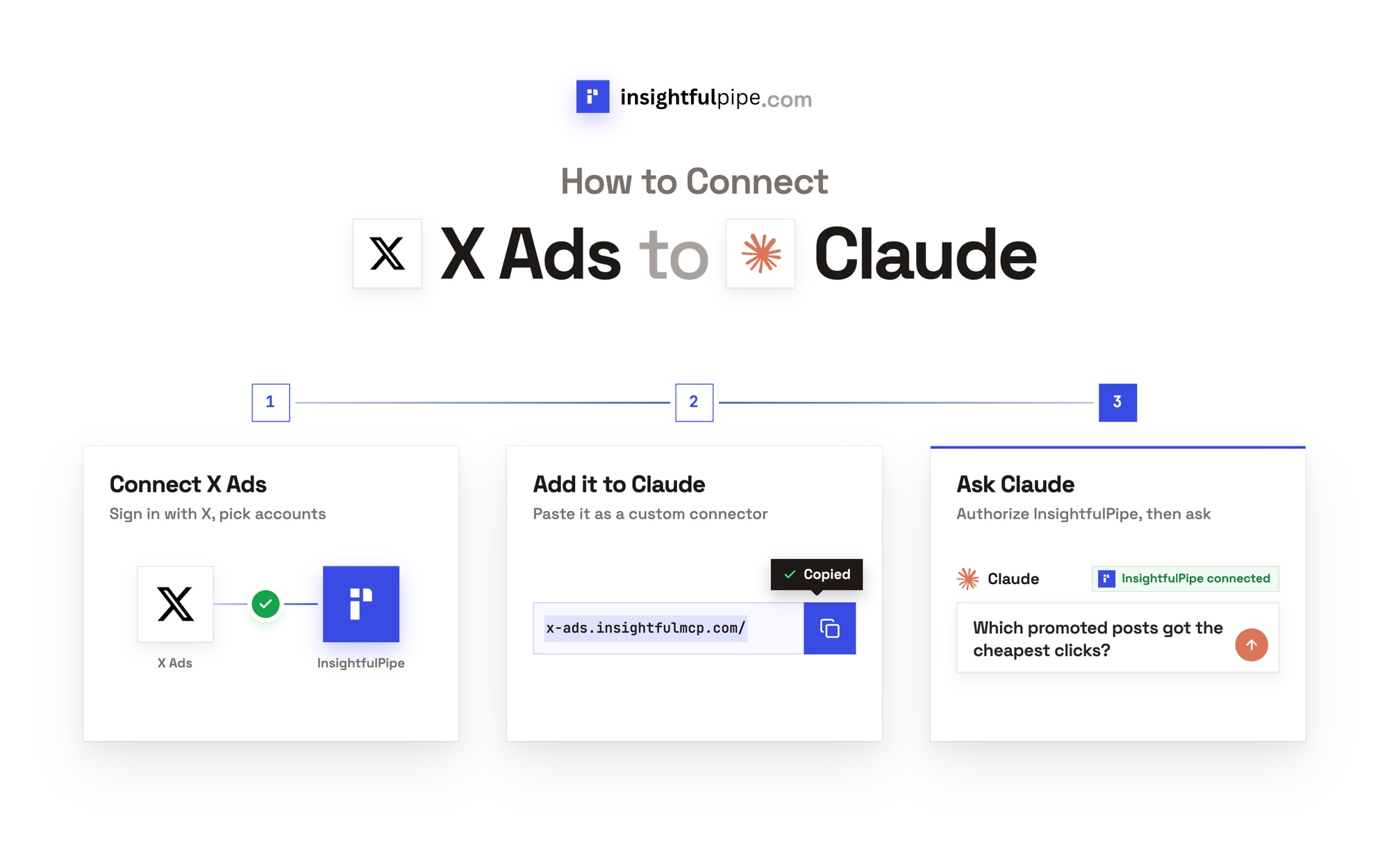
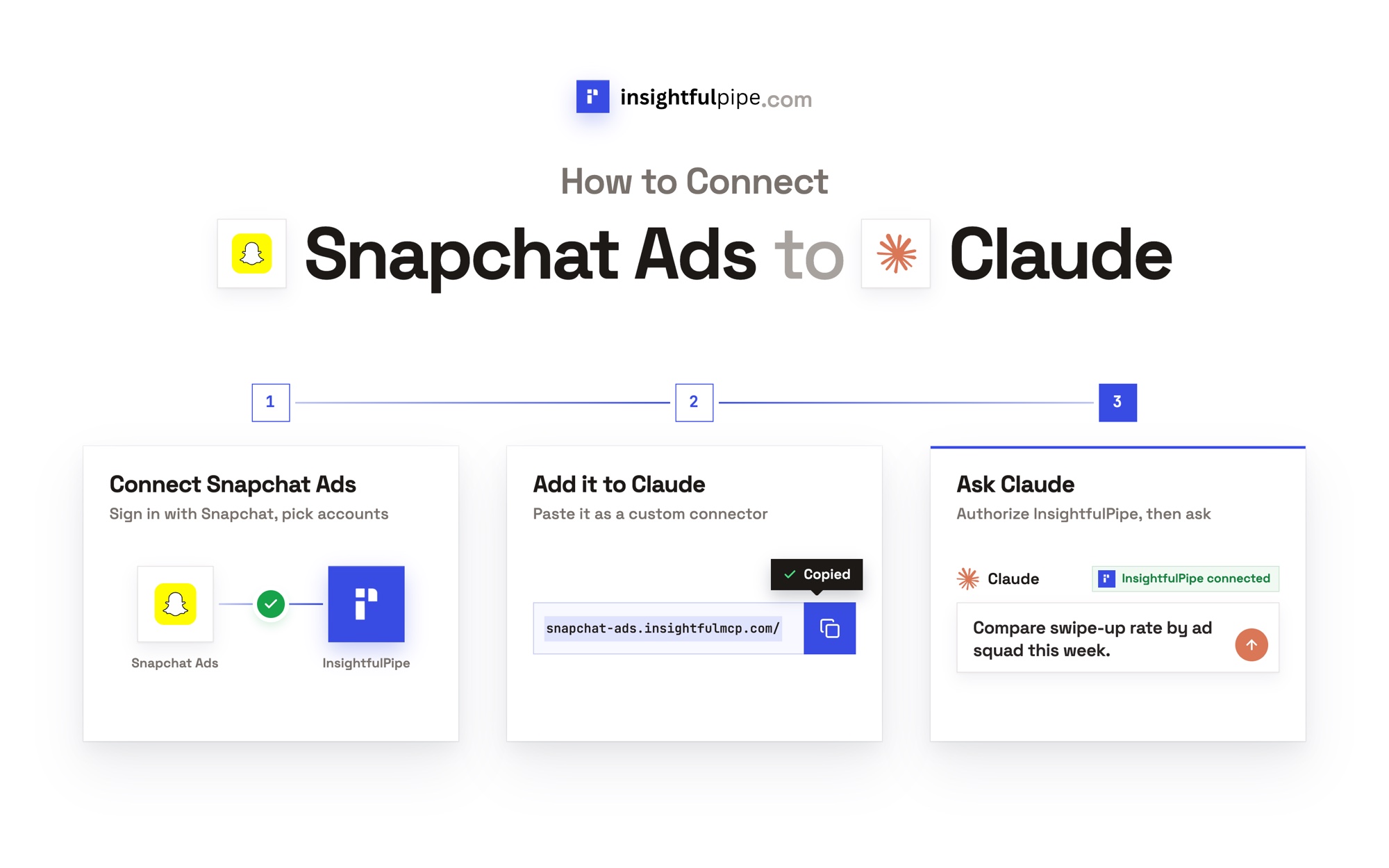
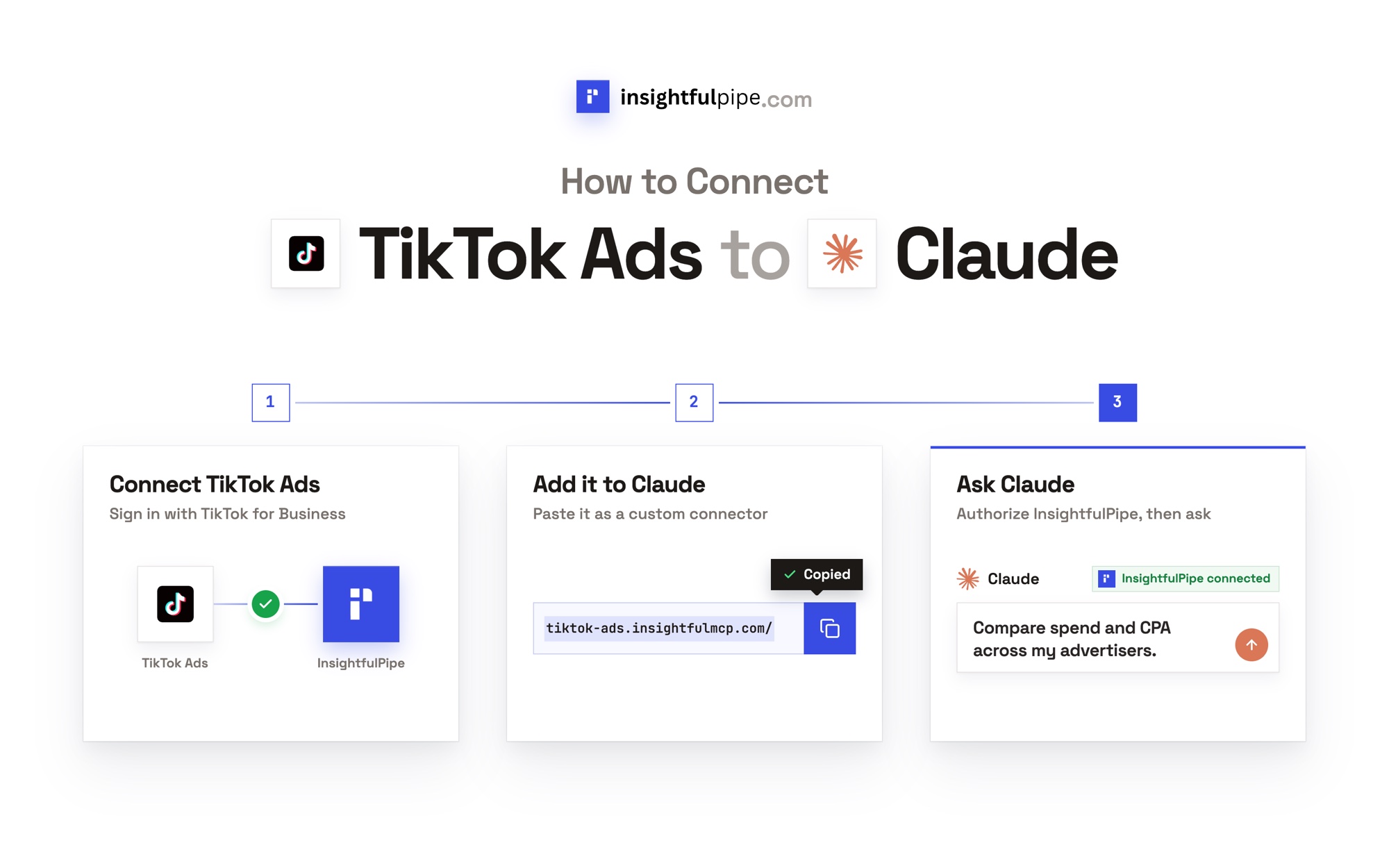
- In Claude, add the InsightfulPipe MCP server from the connector directory, or as a custom connector at
https://main.insightfulmcp.com/. - Click Connect, and sign in to InsightfulPipe if asked.
- Switch the connector on in a new chat and ask your question.
- Expand the tool call to check the query that ran.
Every no-SQL route at a glance
Six routes answer marketing questions without SQL. They differ in how many platforms one answer covers, how fresh the numbers are, and what you set up first.
Route | How you ask | Platforms per answer | Freshness | Setup first |
|---|---|---|---|---|
InsightfulPipe | Plain language in Claude, ChatGPT, Cursor or Claude Code | 50 | The platform's API, when you ask | A sign-in per platform and one URL, from $29.99 a month |
The platforms' own tools | Drag and drop, or Google's Ask Advisor (beta) | One platform, or Google's own products | Live | An English-language account for Ask Advisor |
Spreadsheet connectors | Fields picked in Supermetrics or Coupler.io | Many, into one sheet | Scheduled, daily on Coupler.io Starter | A plan priced by sources, accounts or destinations |
BI tools with natural language | Data Studio, Power BI Copilot, Tableau Agent, Databox Genie | What you loaded | The last sync | Loaded data, often on a paid tier |
Warehouse AI | Gemini in BigQuery writes the SQL | What the warehouse holds | The last load | A warehouse and a pipeline |
The platforms' MCP servers | Plain language in an AI client | One per server | Live | You run Google's yourself, and Meta's is in open beta |
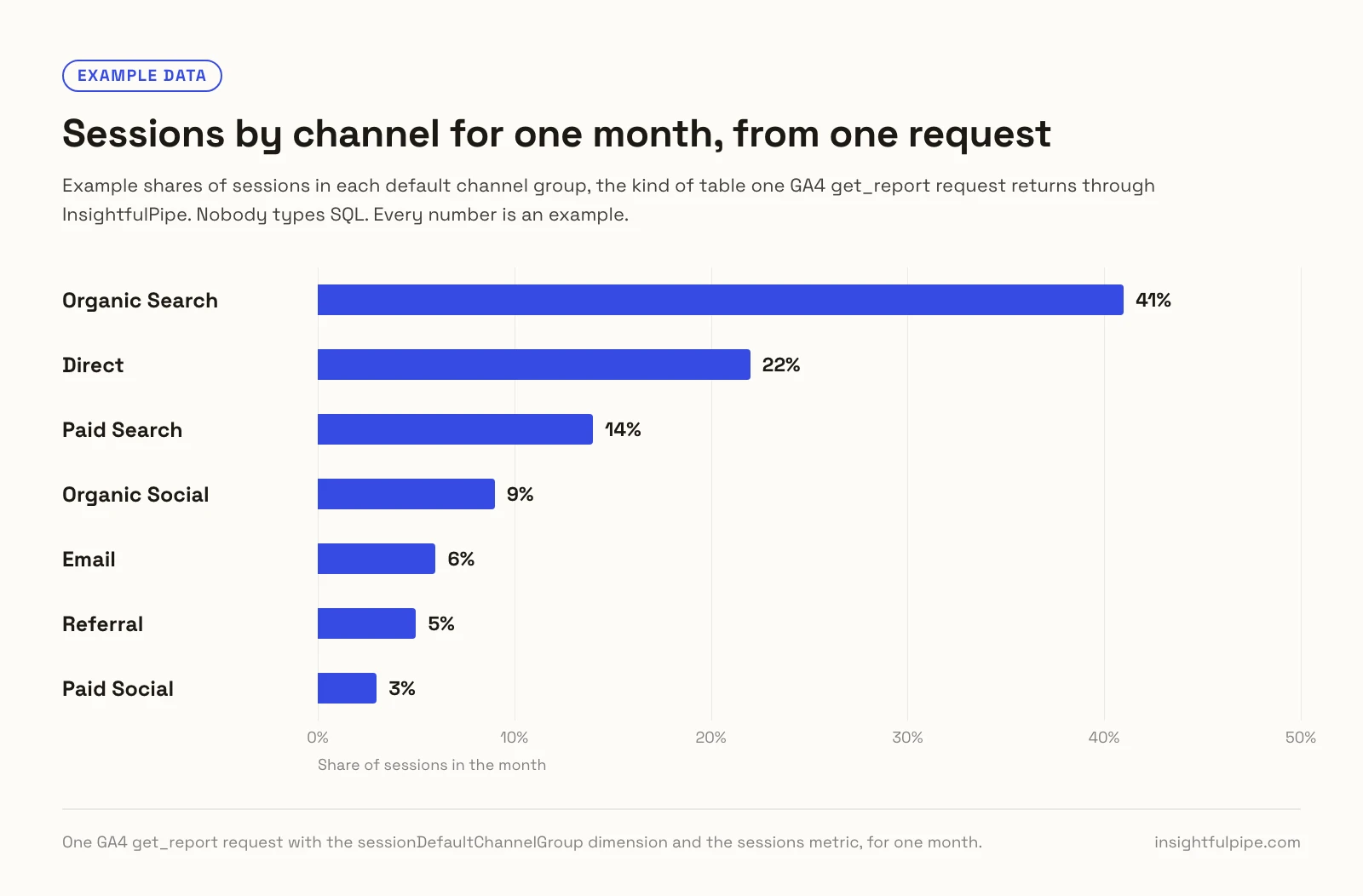
One get_report request returns every channel of a GA4 property in one table, shown below as shares of sessions for an example month. Nobody types SQL.
Watch: analyze GA4 data with ChatGPT through InsightfulPipe's GA4 MCP server
What happens when you ask Claude a question?
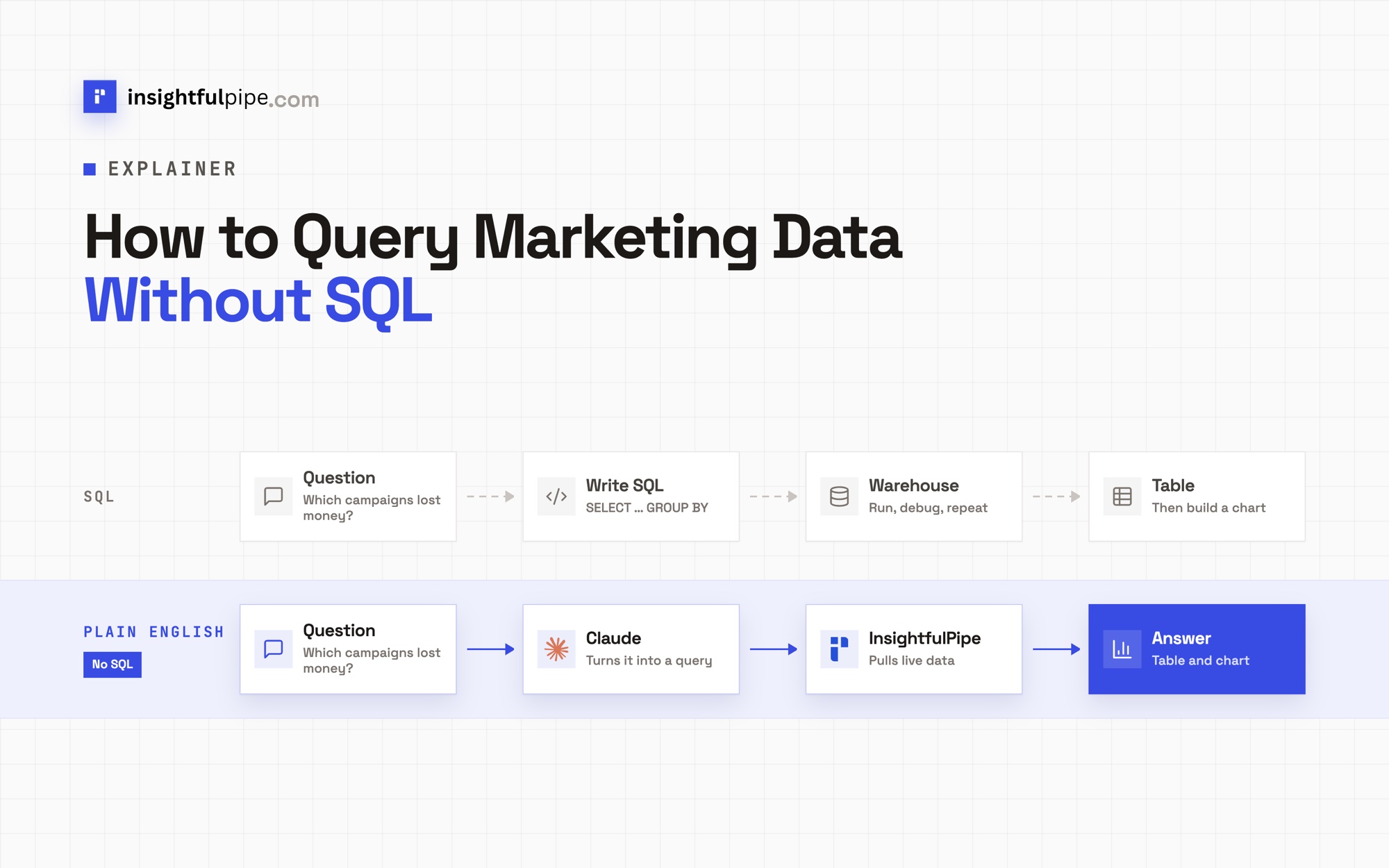
Claude still writes a query, and you can read it. It picks the platform and the action, reads the action's schema, and sends a request. InsightfulPipe runs that request on the platform's API at that moment, and Claude turns the rows into an answer.
The path: Claude → InsightfulPipe MCP server → the account you connected. Claude never receives your platform password or token. InsightfulPipe makes the API call with the access you granted, through three tools:
query_contextsfinds your accounts and returns each action's schema.query_dataruns reads, such as reports.execute_actionruns changes, and only the ones your admin switched on.
For how the protocol carries these calls, read MCP vs API: what's the difference for marketers.
The GA4 request behind one question
A GA4 question becomes a report request. This is a get_report body for one month, trimmed:
{
  "action": "get_report",
  "property_id": "properties/[PROPERTY_ID]",
  "dimensions": ["sessionDefaultChannelGroup"],
  "metrics": ["sessions", "engagedSessions", "keyEvents"],
  "start_date": "2026-04-01",
  "end_date": "2026-04-30"
}
The field name decides the answer. Google defines defaultChannelGroup as the key event's channel, so on a property that records no key events the same request comes back empty. sessionDefaultChannelGroup groups sessions, and returns every channel.
The GAQL behind a Google Ads question
Google Ads questions run as GAQL, Google Ads Query Language. Claude writes it for the gaql action, or calls a ready-made report such as search_terms_report. Each report returns the GAQL it ran in meta.query, such as this:
SELECT campaign.id, campaign.name, ad_group.id, ad_group.name,
  search_term_view.search_term, search_term_view.status,
  segments.search_term_match_type, metrics.clicks,
  metrics.cost_micros, metrics.impressions, metrics.conversions
FROM search_term_view
WHERE segments.date BETWEEN '2026-09-01' AND '2026-09-30'
ORDER BY metrics.cost_micros DESC
LIMIT 1000
Costs arrive in micros, millionths of the account currency, and each report's notes tell Claude so.
How to set up InsightfulPipe
For ad platforms, setup takes one sign-in per platform and one server URL, with no warehouse, Google Cloud project or developer token. Owners, admins and operators in a workspace can connect accounts. Start a trial on any plan first.
Step 1: Connect your platforms
- In InsightfulPipe, open Connected accounts and click Connect account.
- In Add an integration, pick the platform, such as Google Ads, and click Connect.
- Under Access level, choose Read-only for questions, or Read & write for changes.
- Click Continue with Google Ads, or your platform, then sign in and pick the accounts.
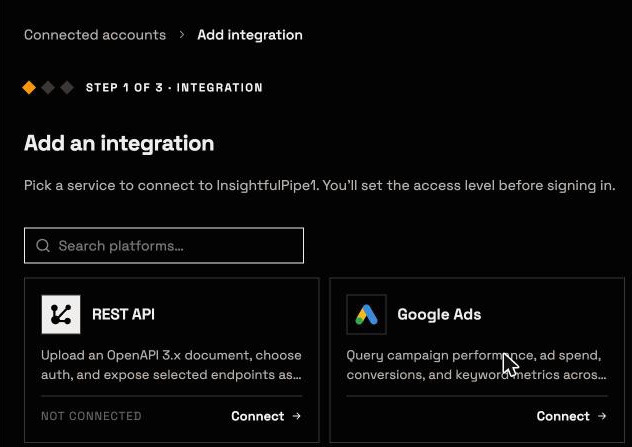
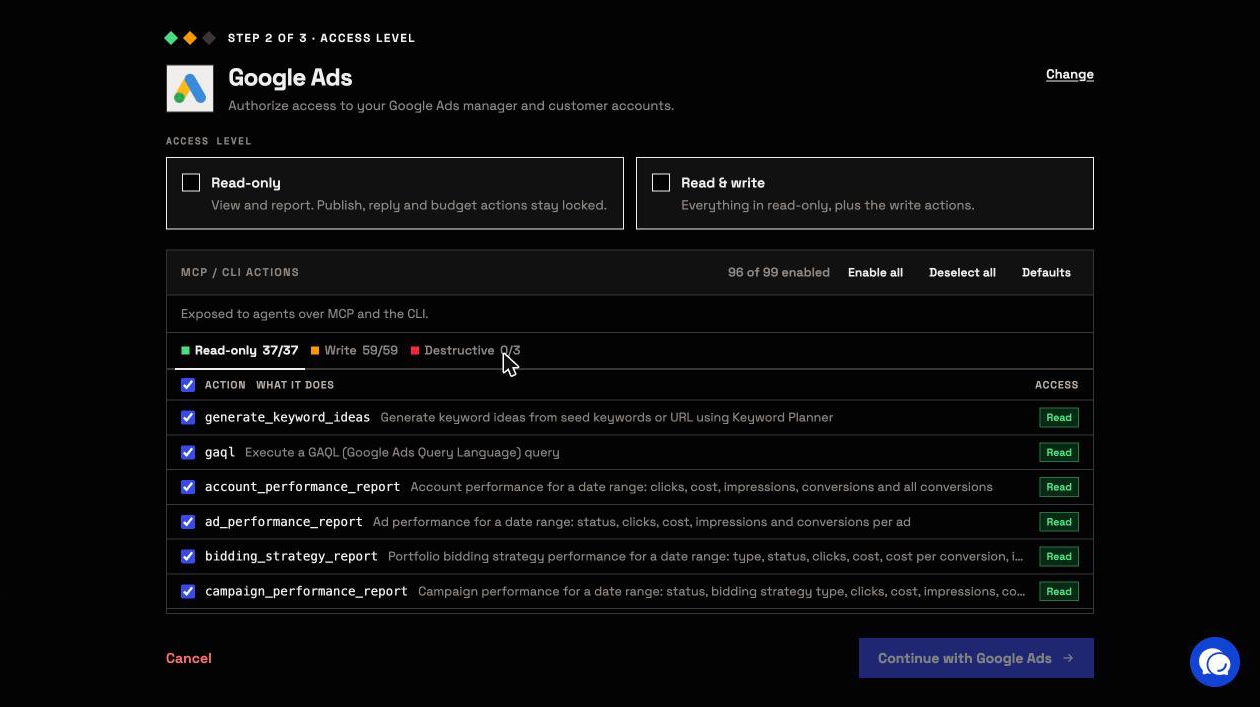
Each platform's own roles still apply. InsightfulPipe cannot expand the authority of the login you connect.
Step 2: Add the server to your AI client
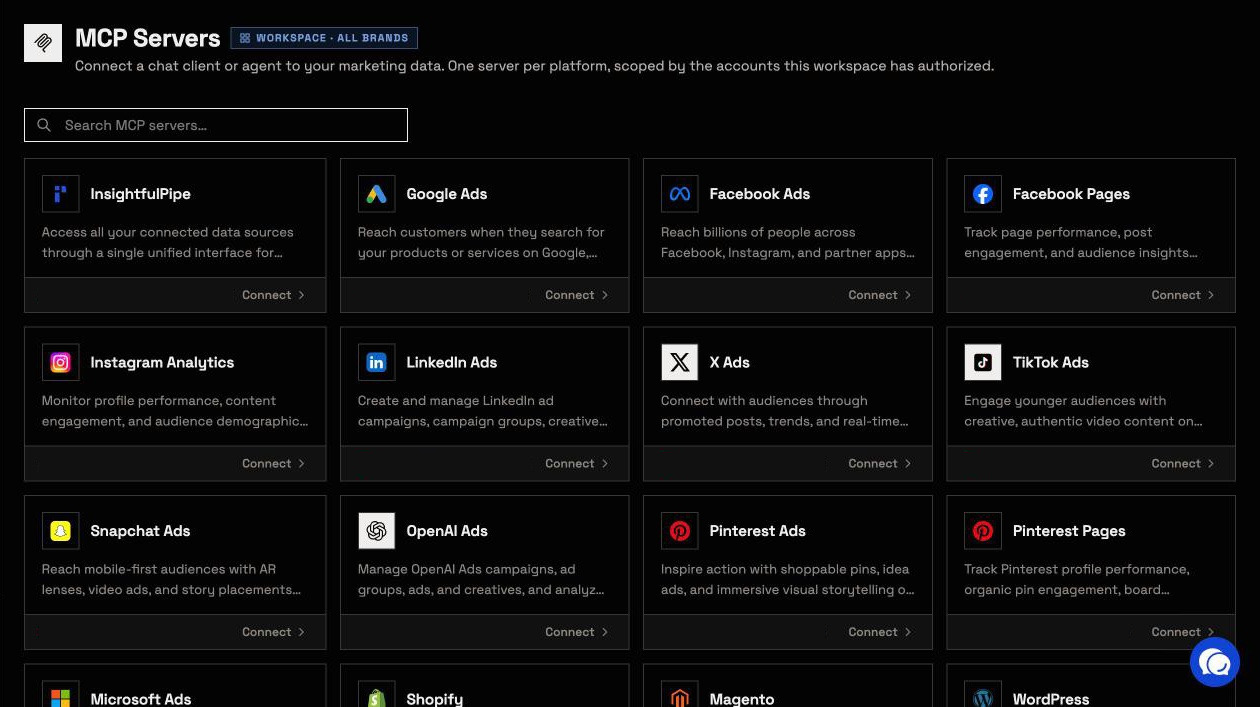
The InsightfulPipe server, https://main.insightfulmcp.com/, reaches 1,957 actions across 50 platforms, limited to the accounts you connected.
- Claude: add InsightfulPipe from the connector directory. For a custom connector, open Customize > Connectors, click + Add, then Add custom connector. Name it, paste the URL, click Continue twice, then Add.
- ChatGPT: connect InsightfulPipe's ChatGPT listing, linked from the MCP guide in the app.
- Cursor: use the install link on the server's page in the app.
- Terminal clients: run one command.
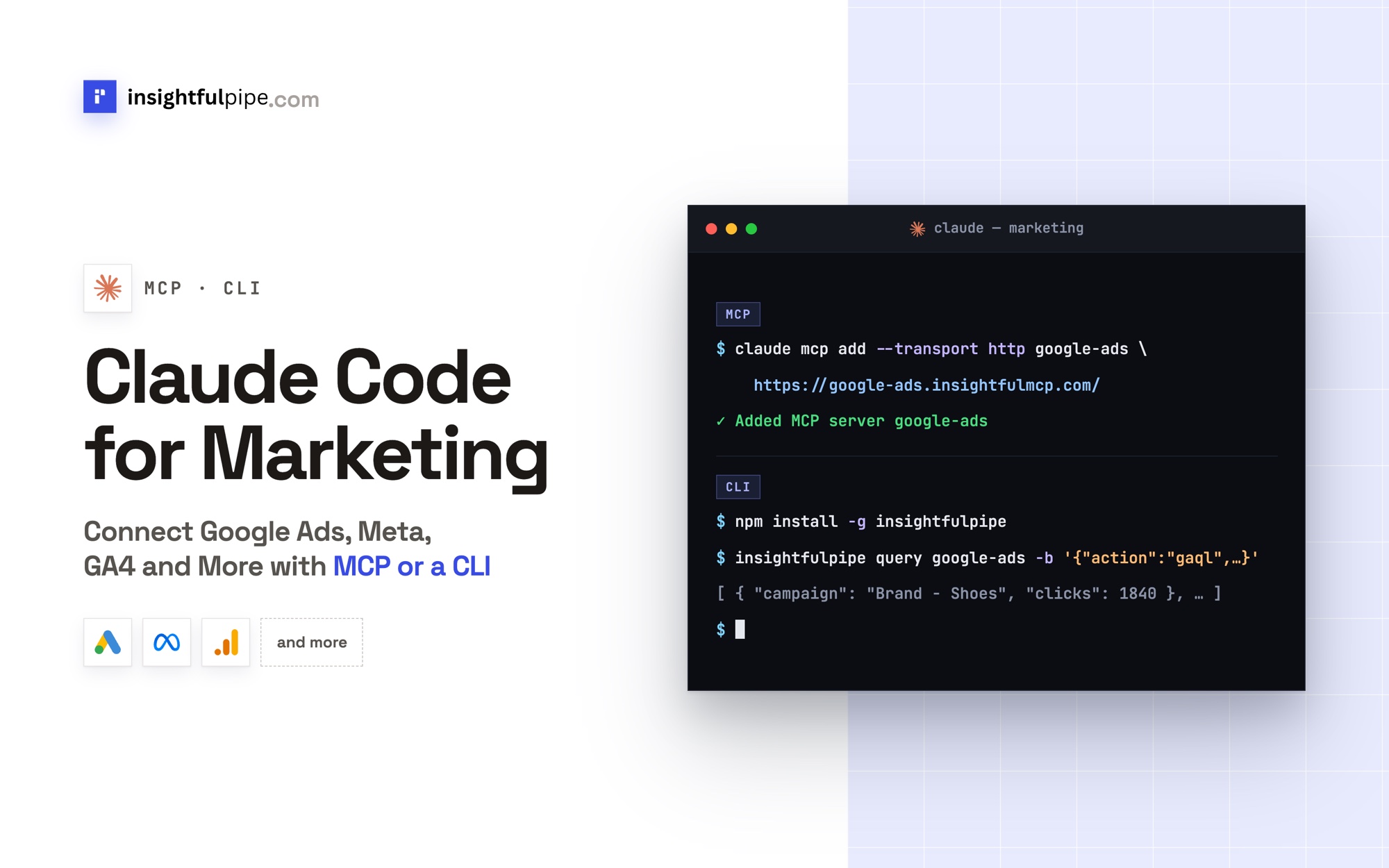
claude mcp add --transport http main-mcp https://main.insightfulmcp.com/
gemini mcp add --transport http main-mcp https://main.insightfulmcp.com/
codex mcp add main-mcp --url https://main.insightfulmcp.com/
In Claude, ChatGPT or Cursor, click Connect, and sign in to InsightfulPipe if asked. In Claude Code, run /mcp and choose Authenticate.
Step 3: Check that it works
Switch the connector on in a new chat, then run a prompt that cannot change anything:
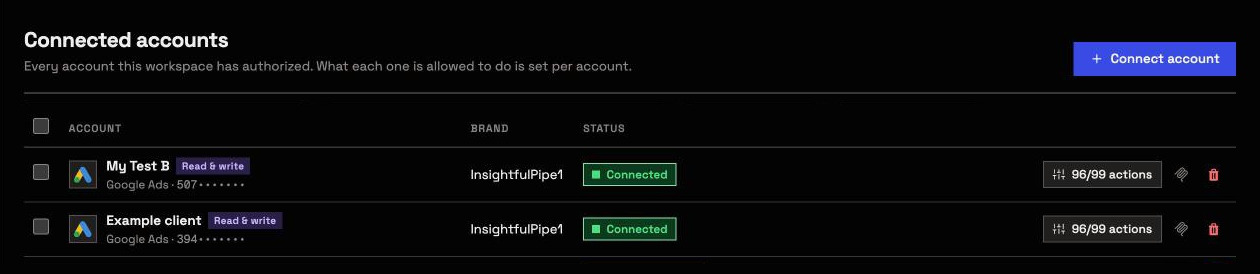
List the accounts this InsightfulPipe connection can reach, by platform.
Return the account name, ID and access level.
Do not run a report and do not change anything.
If the list looks right, ask for a number you already know, such as last week's sessions. Compare it with the platform's own screen.
Eight prompts to query marketing data without SQL
Each prompt names the InsightfulPipe action it runs, so Claude starts from the right schema. Replace each [bracket]. We checked every action and field against its schema on 2026-10-02.
Sessions by channel, month over month (GA4)
In GA4 property [PROPERTY_ID], run get_report with
sessionDefaultChannelGroup and the metrics sessions,
engagedSessions and keyEvents, for last month and the month
before. Show the change per channel in one table.
Runs get_report on the GA4 MCP server. It returns every channel, with both months, in one table.
Queries with impressions and no clicks (Search Console)
In Search Console for [SITE_URL], run search_analytics by query
and page for the last 90 days. List queries with impressions and
no clicks, ranked by impressions, with page and position.
Runs search_analytics. Queries that already sit near page one with no clicks usually need a clearer title, or a direct answer near the top of the page.
Search terms that spend without converting (Google Ads)
In Google Ads account [CUSTOMER_ID], run search_terms_report for
the last 30 days. List terms with cost and no conversions, with
campaign, match type, clicks and cost. Show the GAQL that ran.
Runs search_terms_report on the Google Ads MCP server. The GAQL it ran comes back in meta.query.
Cost per result by ad set (Meta Ads)
In Meta ad account [AD_ACCOUNT_ID], run get_insights_adaccount at
level adset for the last 7 days and the 7 days before, with spend,
actions and cost_per_action_type. Rank ad sets by cost per result.
Runs get_insights_adaccount. Meta returns every action type in actions, so name the one that counts as a result, such as lead or purchase.
Campaigns for one month, by spend (TikTok Ads)
In TikTok Ads advertiser [ADVERTISER_ID], run integrated_report_basic
at campaign level for last month with spend, impressions, clicks,
ctr and cpc. Sort by spend and skip campaigns with no impressions.
Runs integrated_report_basic. Unsorted, the first page of a large advertiser can fill with campaigns that never delivered, which is why the prompt sorts by spend.
Campaigns, month over month (LinkedIn Ads)
In LinkedIn Ads account [AD_ACCOUNT_ID], list campaigns with
get_campaigns, then run get_analytics with pivot CAMPAIGN and
time_granularity MONTHLY for the last two complete months.
Show impressions, clicks, CTR and cost per campaign.
Runs get_campaigns, then get_analytics. LinkedIn's analytics need campaign IDs, which is why the list comes first.
Google Ads cost beside GA4 sessions (two platforms)
For last month, pull cost per campaign from Google Ads with
campaign_performance_report, and sessions by sessionCampaignName
from GA4 with get_report. Match them by campaign name and show
cost per session.
Runs two reads for one answer. Claude matches the rows by campaign name, so link Google Ads to GA4 with auto-tagging on, or the names will not line up.
Write the SQL for me (BigQuery)
In BigQuery, list the tables in dataset [DATASET] and read the
schema of [TABLE]. Write a query for weekly cost and conversion
value by campaign for the last 8 weeks. Run it with dry_run first.
Runs list_tables, get_table_schema and run_query. The dry run reports how much data the query would scan before you run it for real.
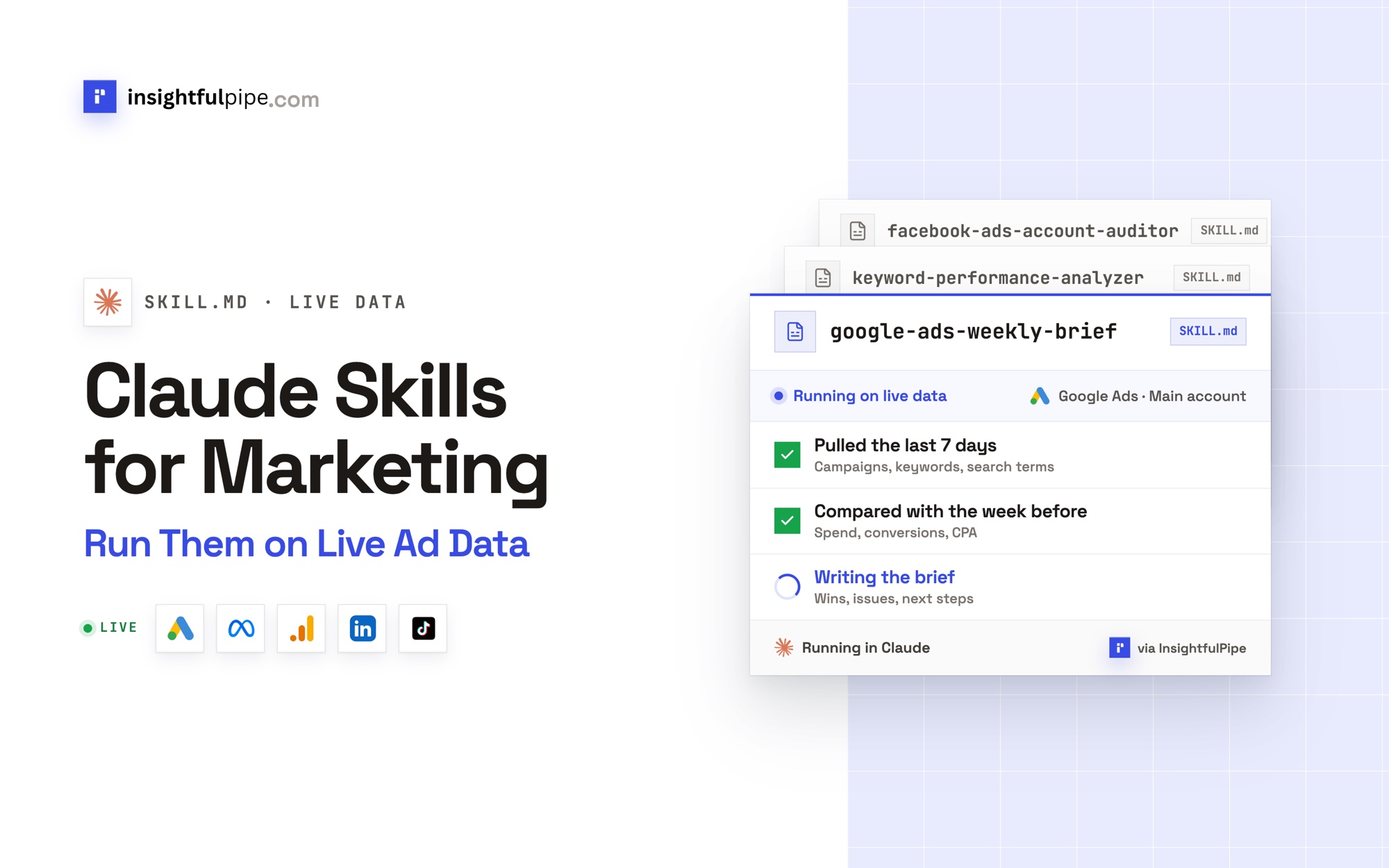
More prompts sit in the marketing prompts library, and ready-made workflows in the Claude skills library. Both are free.
When your data already sits in BigQuery
Claude writes the SQL for you once your ad data sits in BigQuery. Connect the Google Cloud project to the BigQuery MCP server with a service account key. Its run_query action runs the Standard SQL Claude writes, and the tool call shows each statement.
- A single SELECT runs as a read. Any other statement counts as a write, which only owners, admins and operators can run.
- Google's IAM decides the rest. Reads need BigQuery Data Viewer and BigQuery Job User. Writes need BigQuery Data Editor and BigQuery User.
- Dry runs come first.
dry_runreports how many bytes a query scans, without running it. - Results have a cap.
run_queryreturns 1,000 rows by default and 10,000 at most.
Run the same questions on a schedule
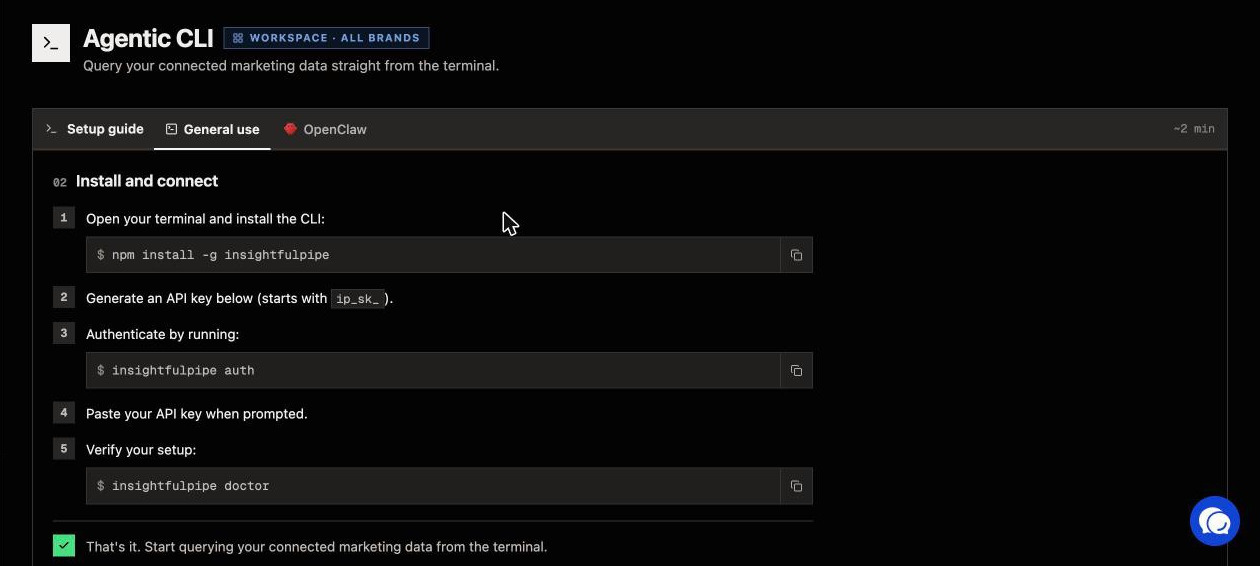
The AI Agents CLI runs the same reads from a terminal, a script or a cron job. It returns JSON and obeys the same per-account switches as the MCP servers.
npm install -g insightfulpipe
insightfulpipe auth
insightfulpipe query google-analytics -f channels.json
Writes go through insightfulpipe action, which asks for confirmation first, and --yes skips the question.
What the assistant can and cannot change
Asking questions needs read access only. Connect an account as Read-only, and every write stays locked until an admin reconnects it with Read & write. Every other limit is a switch your admin controls, account by account.
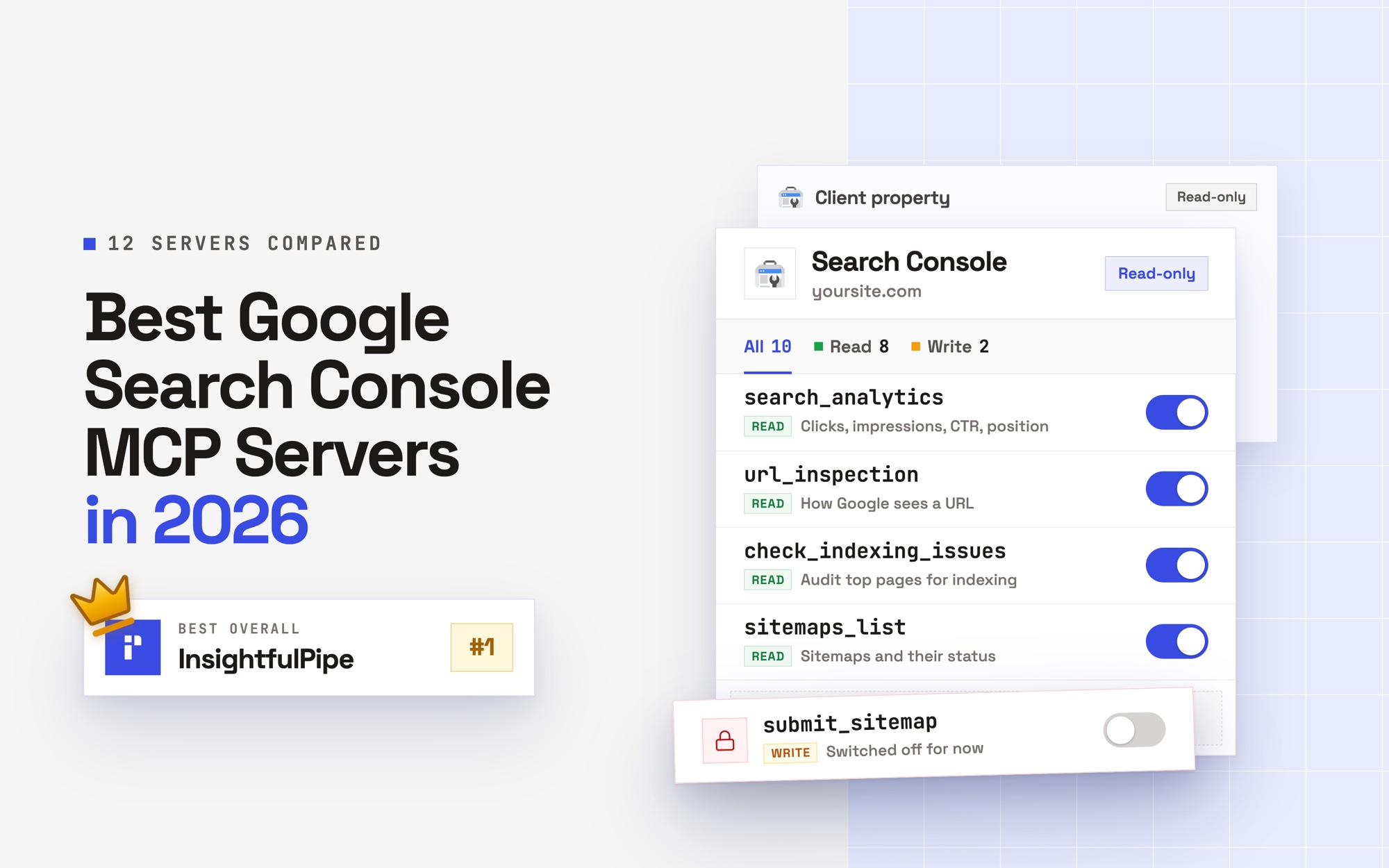
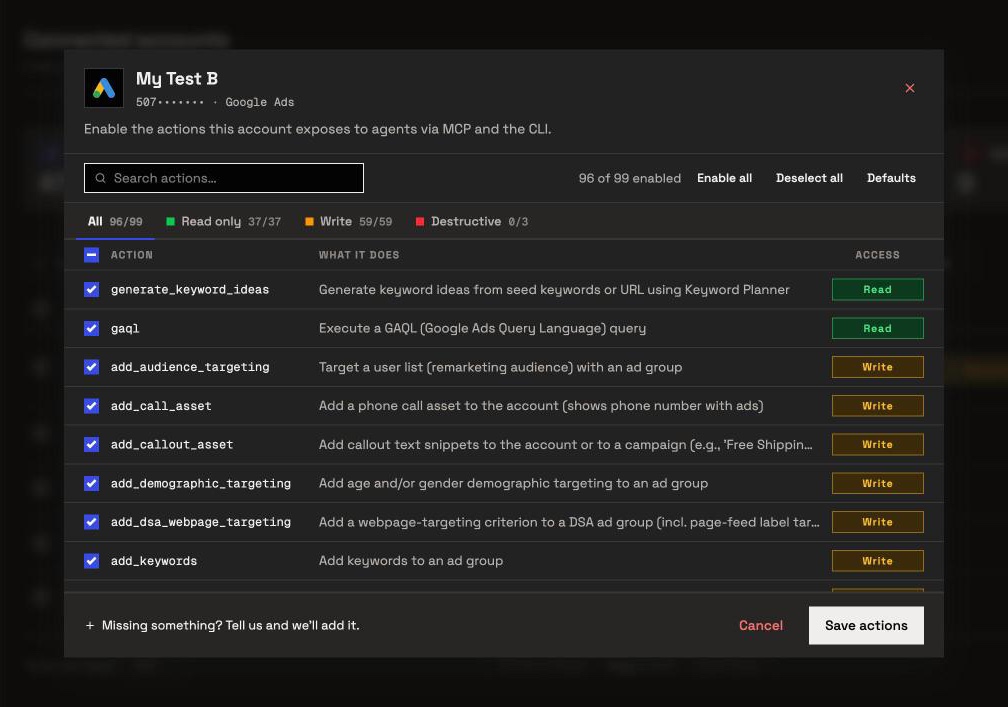
- Every action is a switch. An owner, admin or operator turns each action on or off per account, across read, write and destructive. The server refuses anything switched off.
- Destructive actions start off. Removing Google Ads keywords or deleting a GA4 property stays off until an admin switches it on.
- Each MCP page lists the counts. Google Ads has 99 actions: 37 read, 59 write and 3 destructive. GA4 has 62: 26 read, 24 write and 12 destructive.
- Restricted members only read. Members on the User role run the enabled reads on the accounts an owner or admin grants them.
- Claude can ask before each change. In Customize > Connectors, select the connector and set
execute_actionto Needs approval under Tool permissions.
Other ways to query marketing data without SQL
Six other routes answer marketing questions without SQL. Most cover one platform, or read data a sync copied earlier. We read every capability, default and price from each vendor's own documentation, pricing page or public repository, and ran InsightfulPipe on live accounts.
The platforms' own tools
Google Ads' Report Editor builds tables and charts by drag and drop, under Campaigns > Insights & reports. GA4's Explorations run ad hoc queries on one property, over the data GA4 keeps, 2 months by default.
Ask Advisor, in beta in Google Ads and GA4, answers plain-language questions with Gemini. In GA4 it reads one property, in properties set to English. The Google Ads version does not work in manager accounts. Its reach covers Google's own products: Ads, Analytics, Merchant Center and Google Marketing Platform.
Spreadsheet connectors: Supermetrics and Coupler.io
Both copy platform data into a sheet or dashboard on a schedule. Supermetrics Starter costs €49 a month billed monthly, for 3 data sources and one core destination, such as Google Sheets, Power BI or its AI chats in ChatGPT, Claude and Copilot. Its MCP page promises answers from live data and MCP access "with any subscription". The FAQ on the same page ties MCP to plans with Data API access, which the pricing page lists under Enterprise.
Coupler.io Starter costs $32 a month for 3 accounts and one destination, refreshed daily. Its MCP server reads the data flows you build in Coupler.io, and its MCP page asks for "at least the Professional plan". Our Supermetrics vs Fivetran vs MCP comparison covers these pipelines in detail.
BI tools and analytics apps with a chat
These answer questions about data you already loaded into them.
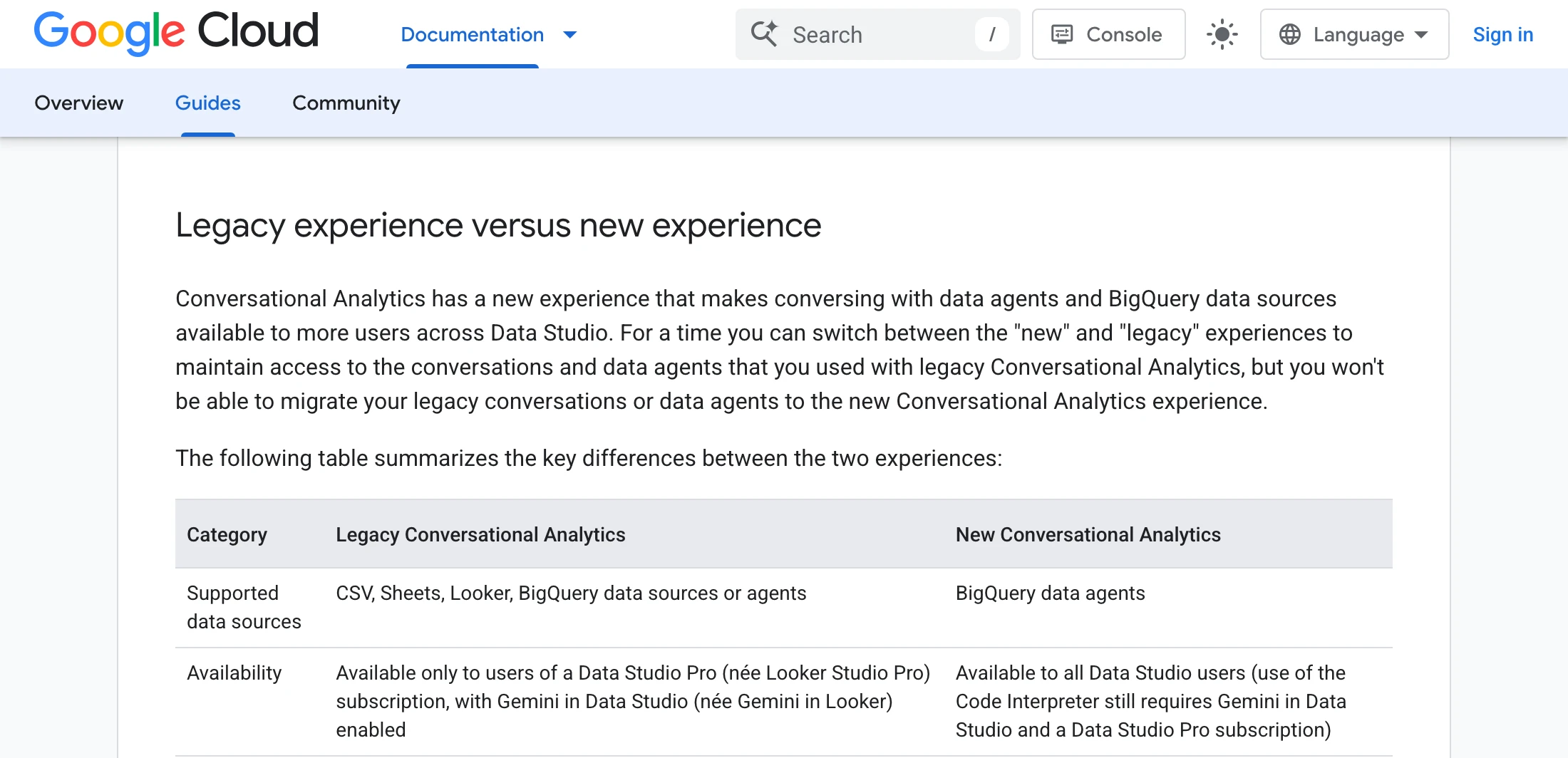
- Data Studio, the renamed Looker Studio since April 2026, took Conversational Analytics out of preview on July 30, 2026. Its new version answers from BigQuery data agents, so ad data has to reach BigQuery first.
- Power BI retires Q&A in February 2027 for Copilot. Copilot needs a paid Fabric F2 or Power BI Premium P1 capacity, and Microsoft asks model owners to prepare the semantic model first.
- Tableau retired Ask Data in Tableau Cloud in February 2024. Tableau Agent in Pulse answers questions about metrics, with Tableau+ or the Try AI setting.
- Databox syncs sources into its own platform, where its AI analyst, Genie, answers. Its $0 plan covers 3 data sources with a daily sync.
- Conalytic connects GA4, Search Console, Google Ads, Google Tag Manager and Meta Ads read-only, one connection per chat.
Warehouse AI: Gemini in BigQuery
Gemini in BigQuery writes SQL from plain language and explains queries you already have. Its conversational analytics answers through data agents built on your tables. All of it reads the warehouse, so a pipeline must load the ad platforms first.
The platforms' own MCP servers
Google publishes MCP servers for GA4 and Google Ads, and both only read. Google's GA4 guide calls its server "available for read requests only". The Google Ads server runs in Python on your machine or on Cloud Run, with a Google Cloud project that holds an API access level. Meta put its ads MCP server, at mcp.facebook.com/ads, into open beta on April 29, 2026. Each server covers one platform.
Deselect and Qairy rank for this query too, but both work on Salesforce Marketing Cloud data, not ad platforms. AI for Database needs your data in Postgres or MySQL first.
Troubleshooting
Most failures come from a field name, a missing ID or a switch that is off. The tool call shows which one.
- The report comes back empty. Read the fields and dates in the tool call. On a property with no key events,
defaultChannelGroupreturns nothing, whilesessionDefaultChannelGroupreturns every channel. - "Analytics requires either 'campaigns' or 'creatives' parameter." LinkedIn's analytics actions need campaign or creative IDs. Ask Claude to run
get_campaignsfirst. - "This action is disabled for this connected account. An owner or admin must enable it for the account." That action is off for this account. An owner, admin or operator can switch it on.
- "This account is connected read-only, so this action cannot be enabled for it. An owner or admin must reconnect it with Read & Write permissions." An admin reconnects the account with Read & write to allow changes.
- The top rows look wrong. Big accounts return results in pages. Ask Claude to sort first, such as by spend.
- Numbers differ from the platform's screen. Compare the date range, the time zone and the attribution window, such as Meta's
7d_click. - Claude can't finish connecting. Your workspace has no eligible account yet. Connect one in InsightfulPipe, then click Connect again.
Frequently asked questions
Sources (checked 2026-10-02)
We checked every third-party claim on its own page on 2026-10-02, and took our action counts from our MCP pages.
- InsightfulPipe: InsightfulPipe MCP server, BigQuery MCP server, AI Agents CLI, pricing
- Google Ads and GA4: Ask Advisor in Google Ads, Ask Advisor, Ask Advisor in Google Analytics, Report Editor, Explorations, GA4 API schema, GA4 MCP server, Google Ads MCP server
- Google Cloud: Data Studio rename, Data Studio release notes, Conversational Analytics in Data Studio, Gemini in BigQuery, BigQuery conversational analytics
- Microsoft: Power BI Q&A, Copilot for Power BI
- Tableau: Ask Data, Tableau Pulse release notes
- Supermetrics: MCP, pricing
- Coupler.io: MCP, pricing
- Databox: pricing
- Conalytic: conversational analytics
- Meta: ads AI connectors, ads MCP server overview
- Anthropic: connectors and tool permissions
- Ranking for this query: Deselect, Qairy, AI for Database