Disclosure: InsightfulPipe publishes this and is one of the two options compared.
The verdict
In InsightfulPipe vs Markifact, the better marketing MCP server is InsightfulPipe. It sets an AI agent's limits on its own server, one ad account at a time, and those limits hold in every AI client you use.
Markifact's docs say a new MCP server reaches all operations and all connected accounts, and they leave approval of each write to a setting in your AI client. On InsightfulPipe, your admin switches each action on or off for each ad account. Destructive actions stay off until an admin switches them on, and new campaigns start paused, for you to set live when they are ready. That makes InsightfulPipe the safest way to let an AI agent change a Google Ads or Meta Ads account.
- Safest write access: InsightfulPipe. Every limit is a switch your admin controls, enforced by the server in every AI client and the CLI.
- More depth on Google Ads and GA4: InsightfulPipe. Its Google Ads MCP server carries 99 actions against 67 documented Markifact operations, and its GA4 server can change settings. Markifact's GA4 access is read-only.
- Lower cost: InsightfulPipe. From $29.99 a month with unlimited tool calls. Markifact starts at $79 a month for one seat and 2,000 credits.
InsightfulPipe vs Markifact at a glance
Both are hosted MCP servers that can change ad accounts. They differ on what the agent can reach, who holds the limits and what a busy month costs.
InsightfulPipe | Markifact | |
|---|---|---|
What a new connection can do | Every action you allow, with destructive actions off until an admin switches them on | All operations and all connected accounts, until you narrow the server |
Where the limits live | On the server, per ad account, in every AI client | Per MCP server, with write approval in your AI client, per its docs |
Google Ads | 99 actions | 67 documented operations |
GA4 | 62 actions, including key events and audiences | Read-only |
New Meta ads | Created paused, and the agent cannot set them live | ACTIVE or PAUSED on create |
Usage | Unlimited tool calls | Credits, typically 1 per data operation |
Starting price | From $29.99 a month | $79 a month, one seat |
How we compared them
We read every capability, default and price from each vendor's own documentation, pricing page or public repository, and ran InsightfulPipe on live accounts. We checked every Markifact page and both pricing pages on 2026-09-30.
Criterion | What we checked |
|---|---|
New connection | What can the agent do before anyone narrows it? |
Where limits live | Are limits set per ad account on the vendor's server, or in each AI client? |
Approval | What stops a write before it reaches the ad platform, and who runs that check? |
Paused defaults | What does the server create paused, and can the agent set it live? |
Coverage | How many actions does the agent get on Google Ads, Meta Ads, GA4 and LinkedIn Ads? |
Team and usage | What do a second person and a busy month cost? |
Where a vendor's own pages contradict each other, we quote both and attribute them to the vendor. Where a capability is not published, we say "not published" rather than guess. Roadmap features stay out.
The one question that decides it
Ask where the limits on the agent live. On InsightfulPipe they live on the server, set per ad account before a session starts. On Markifact's MCP, its docs say a new server starts with everything and approval of each write lives in your AI client.
If the limits live on the server, they hold wherever the agent runs. A scheduled job at 3am, a teammate in ChatGPT and a developer in Claude Code all meet the same switches. The agent sees only the actions you switched on, so it plans inside them from the first step.
If approval lives in the client, each client needs its own setting. Markifact's docs tell you to keep its write tool on "Needs approval" in your client. They warn: "Do not set run_write_operation to 'Always allow.'" Per those docs, the check is only as strong as that setting in each client you use.
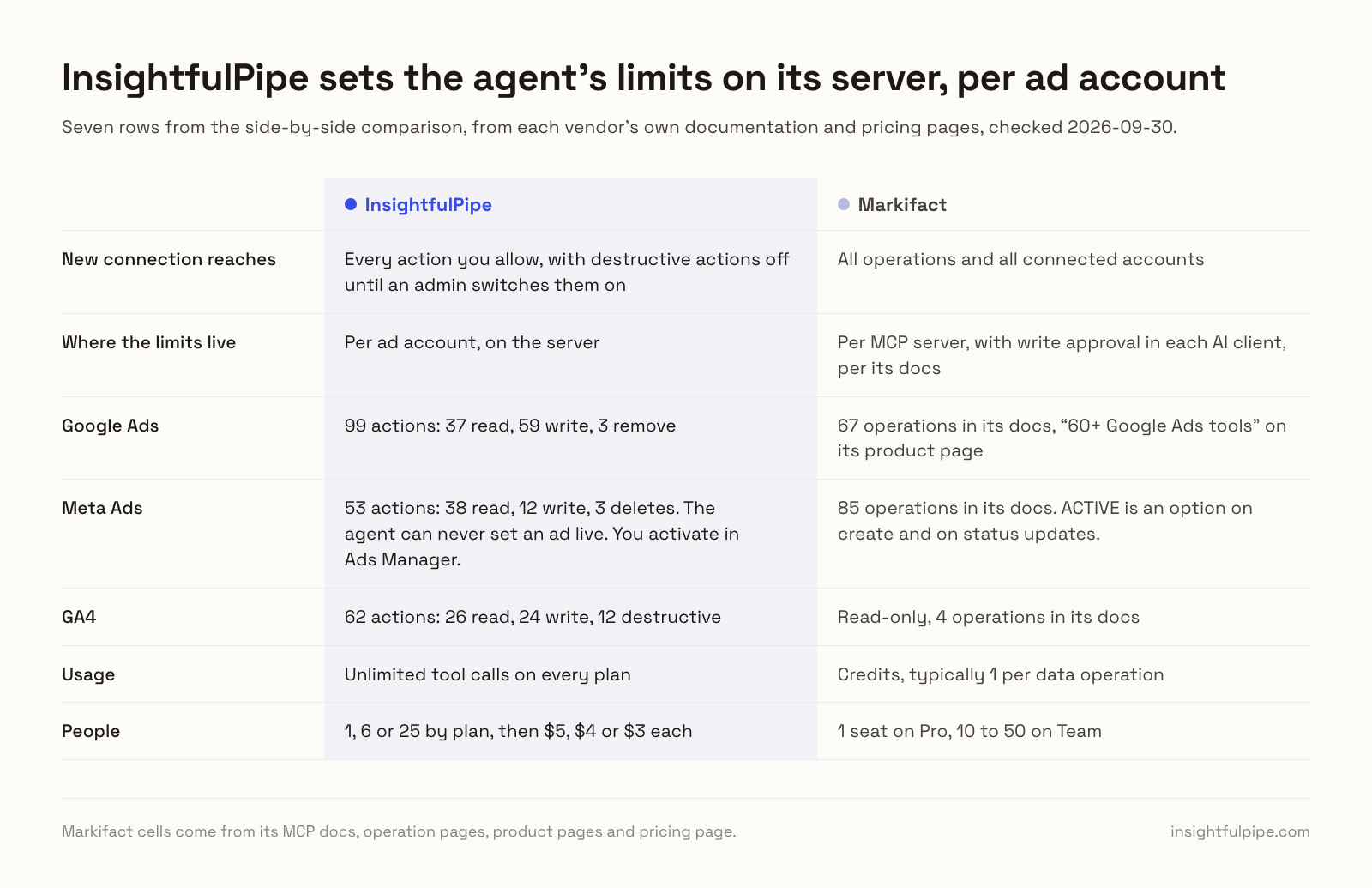
Side by side
Fifteen capabilities, each a short fact from the vendor's own page rather than a tick.
InsightfulPipe | Markifact | |
|---|---|---|
Hosting | One hosted server per platform, plus one for every connected account | One hosted server at api.markifact.com/mcp, with Google Ads and Meta Ads entry points |
MCP tools | 5 | 7 in its docs, plus a media upload tool in its changelog |
Platforms | 50 | 50+, its own figure |
Google Ads | 99 actions: 37 read, 59 write, 3 remove | 67 operations in its docs, "60+ Google Ads tools" on its product page |
Meta Ads | 53 actions: 38 read, 12 write, 3 deletes | 85 operations in its docs |
LinkedIn Ads | 28 actions: 18 read, 10 write | 50 operations in its docs |
GA4 | 62 actions: 26 read, 24 write, 12 destructive | Read-only, 4 operations in its docs |
New connection reaches | Every action you allow, with destructive actions off until an admin switches them on | All operations and all connected accounts |
Limits set | Per ad account, on the server | Per MCP server, with write approval in each AI client, per its docs |
Reports-only setup | A read-only connection locks every write until an admin reconnects it | Limit a server to chosen operations |
Meta ads go live | Never by the agent. You activate in Ads Manager | ACTIVE is an option on create and on status updates |
Usage | Unlimited tool calls on every plan | Credits, typically 1 per data operation |
Ad accounts | 8, 35 or 150 by plan, then $3, $2 or $1 each | Unlimited on Pro and Team |
People | 1, 6 or 25 by plan, then $5, $4 or $3 each | 1 seat on Pro, 10 to 50 on Team |
Entry price | From $29.99 a month | $79 a month for 2,000 credits |
InsightfulPipe
InsightfulPipe gives an AI agent 99 Google Ads actions, 53 for Meta Ads, 62 for GA4 and 28 for LinkedIn Ads, and you decide which of them each ad account allows.
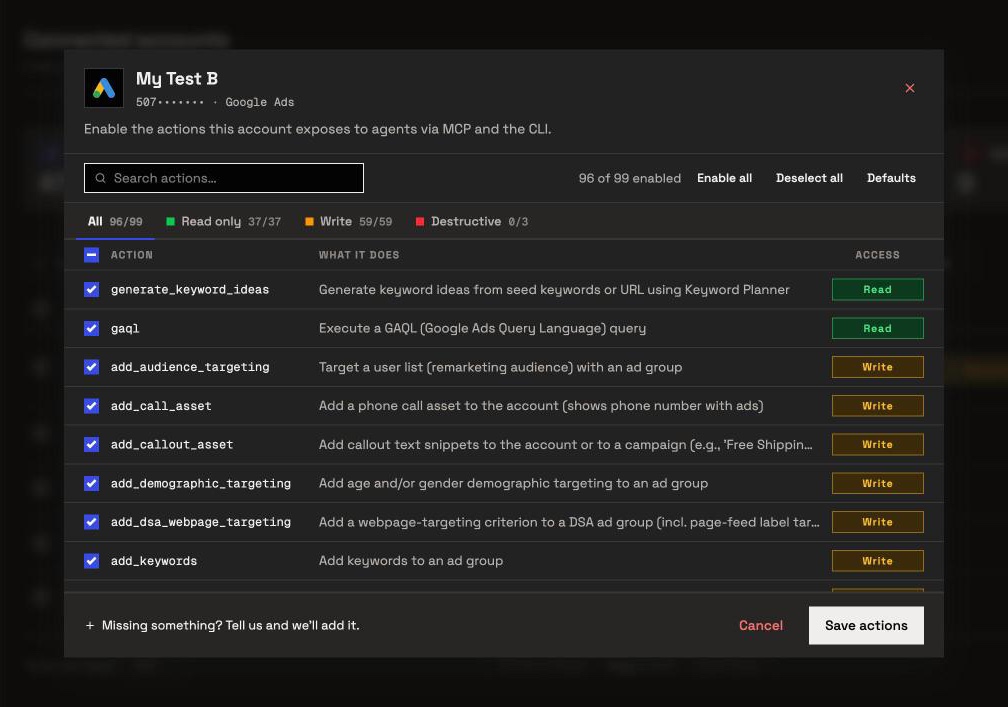
It is the pick if you want the assistant to do the work in your ad accounts, within limits you set account by account. On the four platforms most teams run first, it carries:
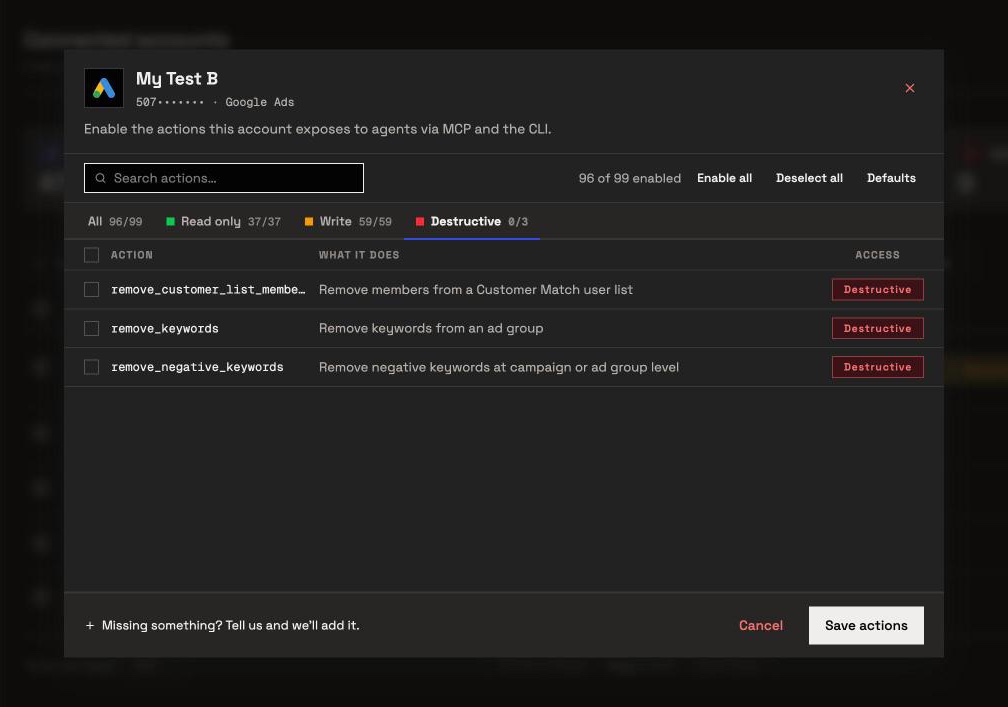
- Google Ads: 99 actions, 37 read, 59 write and 3 remove, across Search, Display, Shopping, Video, Demand Gen, Performance Max, Dynamic Search Ads and App, with raw GAQL and Keyword Planner
- Meta Ads: 53 actions, 38 read, 12 write and 3 deletes, for campaigns, ad sets, ads and creatives, targeting search, lead forms and reporting
- GA4: 62 actions, 26 read, 24 write and 12 destructive, for reports plus key events, custom dimensions, audiences and data streams
- LinkedIn Ads: 28 actions, 18 read and 10 write, for campaign groups, campaigns, creatives and lead forms, with cost by job title and seniority
Why it is the safest way to let an agent change your ad accounts
Control makes InsightfulPipe the safest way to let an AI agent change a Google Ads or Meta Ads account. Every limit is a switch, and your admin decides where each one sits.
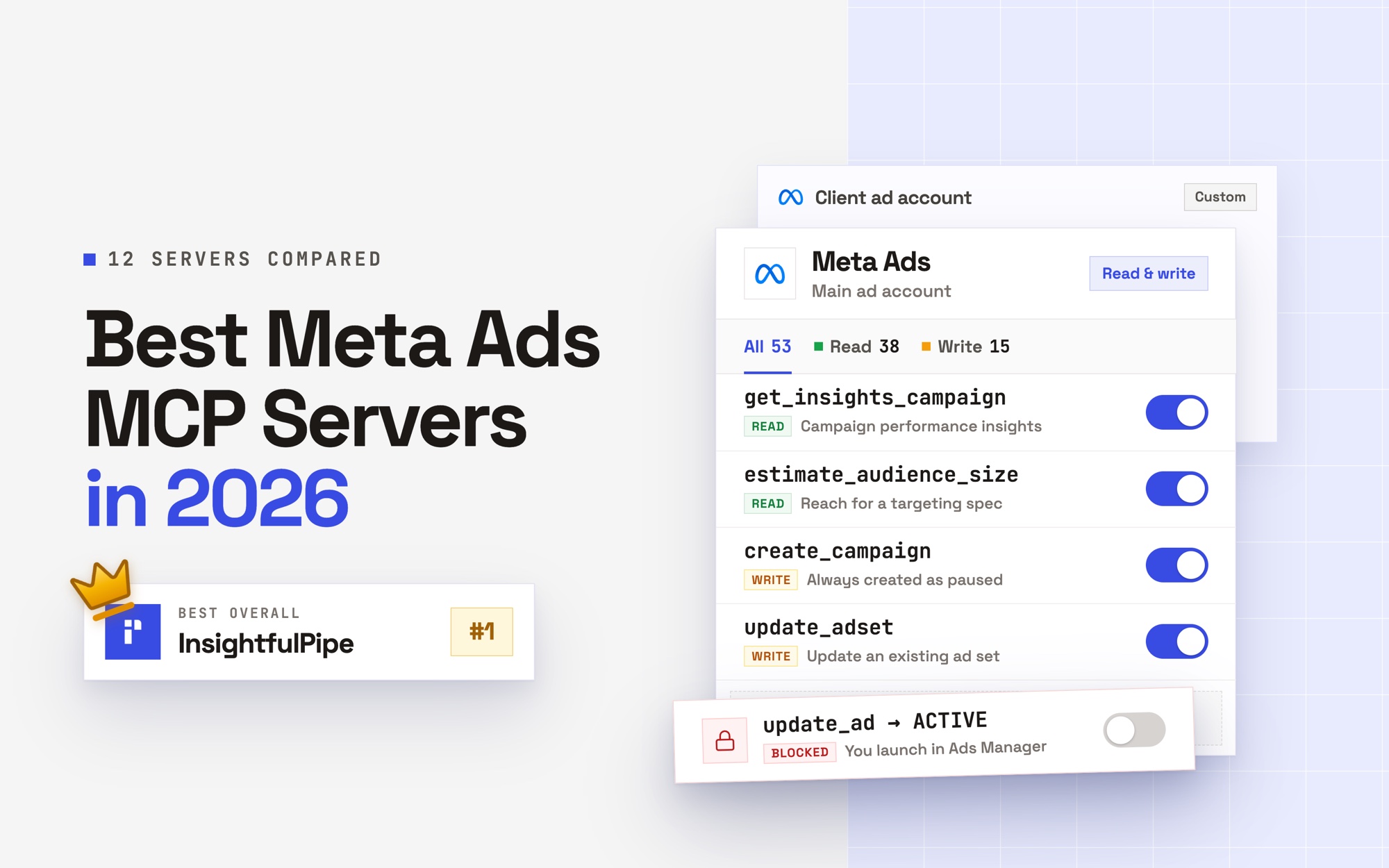
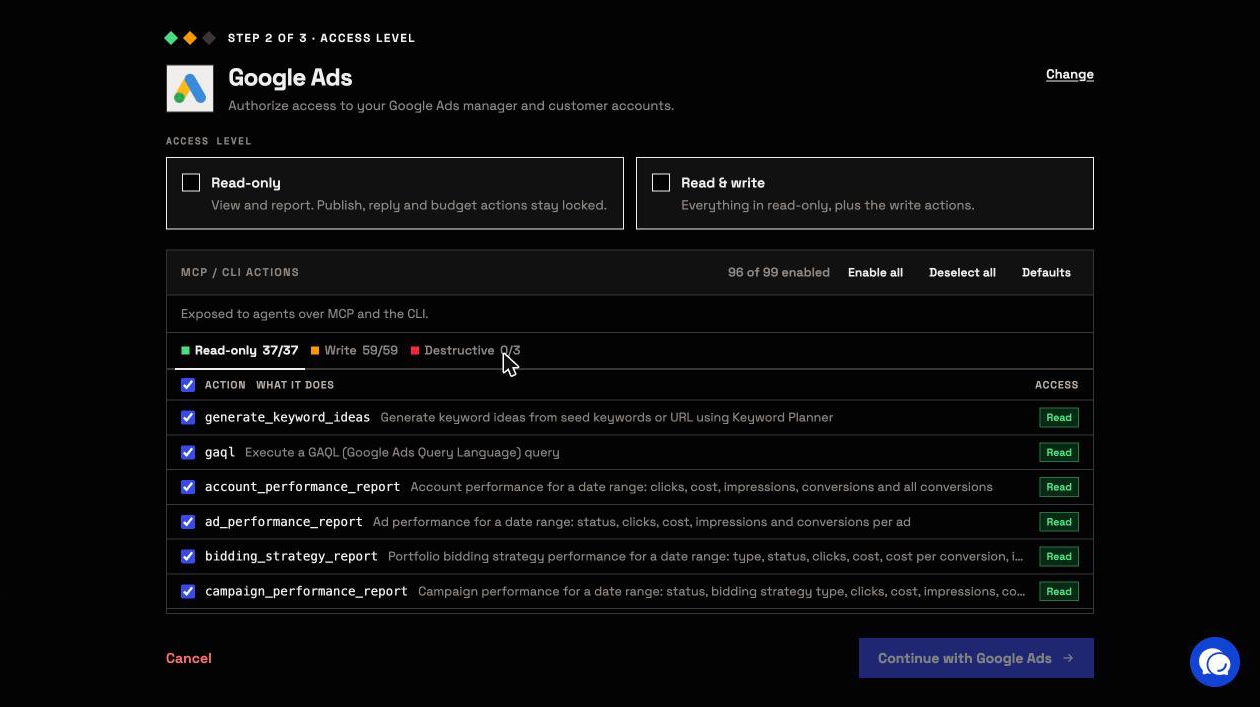
An owner, admin or operator opens a connected account, picks exactly which actions the agent can use, and can switch any of them on or off at any time. A switched-off action drops out of the list the agent sees, and the server refuses it if the agent calls it anyway. InsightfulPipe's server enforces this, not your AI client, so the same limits hold in Claude, ChatGPT, Cursor, Claude Code and the CLI.
- Destructive actions start off. Removing Google Ads keywords, negative keywords or Customer Match members stays off on a new connection until an admin switches it on. So does deleting a Meta campaign, ad set or ad.
- Read-only means read-only. A read-only connection locks every write. When you want the agent to act, an admin reconnects it with read and write.
- New work starts paused. InsightfulPipe creates new Google Ads campaigns, ad groups and ads, Meta campaigns, ad sets and ads, and LinkedIn campaigns paused, for you to set live when they are ready.
- On Google Ads, the assistant is told to ask first. Before the assistant sets a campaign live or removes it, the server tells it to get your explicit confirmation.
- Roles hold. Members on the user role only view the accounts they hold, and writes need an operator, admin or owner. An owner or admin sets each person's role and can change it at any time.
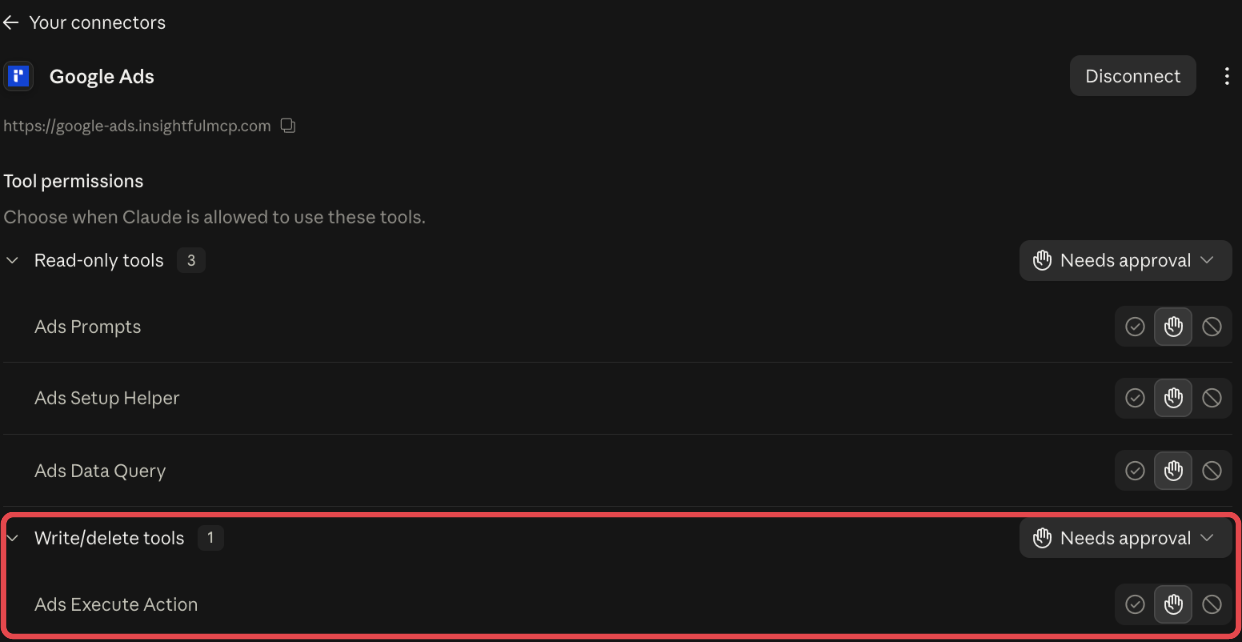
Claude users can add one more check. Every report runs through one tool, query_data, and every change through another, execute_action. Set execute_action to Needs approval in Claude's connector settings, and each change waits for your click. That is the same kind of client setting Markifact's docs recommend, with InsightfulPipe's server-side switches underneath it.
What else you get
- 50 platforms on one connection, including Search Console, Merchant Center, Microsoft Ads and BigQuery, so one agent can compare ad spend with site sessions.
- Manager accounts: connect a Google Ads manager account and its client accounts arrive as separate connections, each with its own action list.
- Every major AI client: Claude, ChatGPT, Claude Code, Cursor, Gemini CLI and Codex CLI, each with a setup guide in the app.
- A CLI: the insightfulpipe npm package runs the same reads and writes from a terminal, under the same switches.
- Unlimited tool calls on every plan, so a busy reporting month costs the same as a quiet one.
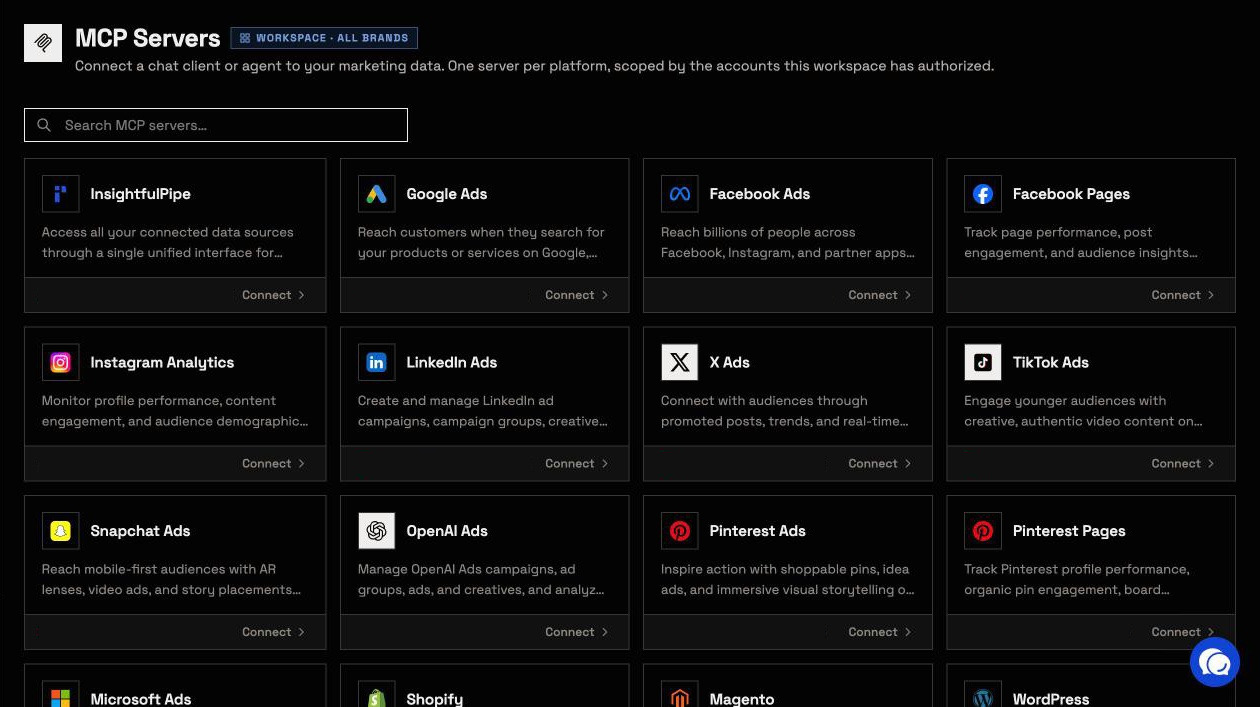
Pricing: Starter is $29.99 a month for 8 connected accounts and one person, Growth $89.99 for 35 accounts and six people, and Agency $299.99 for 150 accounts and 25 people. Start a trial to connect your first account.
Markifact
Markifact is a marketing automation platform with three ways in: an in-app agent, a visual workflow canvas and an MCP server. Its own docs call the agent "a finished marketing assistant" and the MCP "a pipe".
Its MCP server runs at api.markifact.com/mcp, with OAuth or a bearer token, and its Google Ads and Meta Ads addresses reach the same server. The docs list seven tools. Your AI client finds an operation with find_operations, then runs reads through run_operation and writes through run_write_operation.
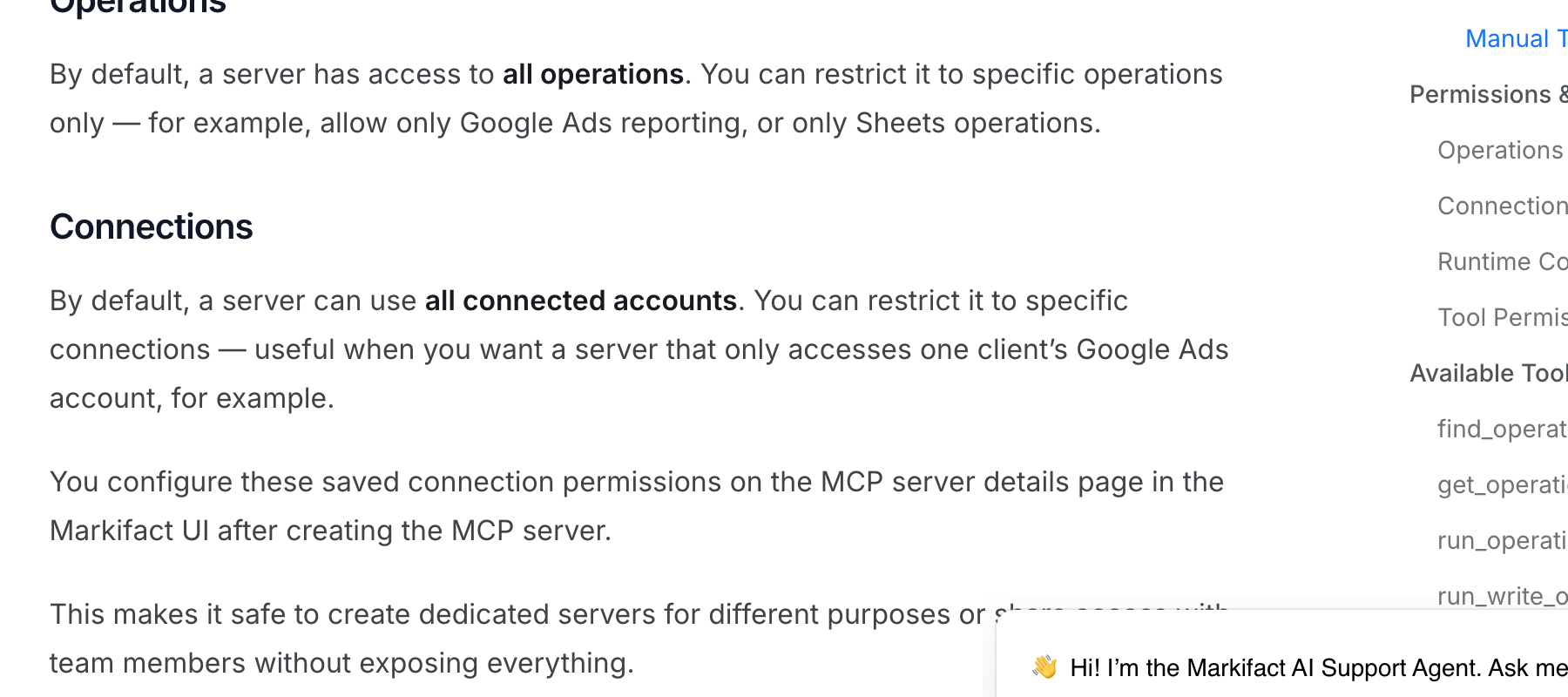
Its docs count 67 Google Ads operations, and its GA4 page says "Markifact's Google Analytics access is read-only". A new server has access to all operations and all connected accounts, and you narrow it on the server's details page. Pro is $79 a month for 2,000 credits and one seat.
- Hosting: hosted, one server for every platform
- Read or write: both, with reads through run_operation and writes through run_write_operation
- Safety: narrow a server to chosen operations and accounts. Its docs make write approval your AI client's setting
- Price: Pro $79 a month for 2,000 credits and one seat, Team from $249 for 10 seats
Pros
- Reads and writes run through separate MCP tools.
- An in-app agent and a workflow canvas share the same operations.
Cons
- A new MCP server reaches all operations and all connected accounts until you narrow it, per its MCP docs.
- Over MCP, approval of a write "depends on your client's tool settings", per its comparison page.
- Pro covers one person. A second seat means Team, at $249 a month.
Where Markifact fits: teams that want Markifact's own agent to be the assistant, and that build scheduled reports on its workflow canvas.
What Markifact's own pages say about approval
Markifact's pages disagree about who approves a write. Its product pages promise approval before every change. Its documentation says that over MCP, approval is a setting in your AI client.
On the product side:
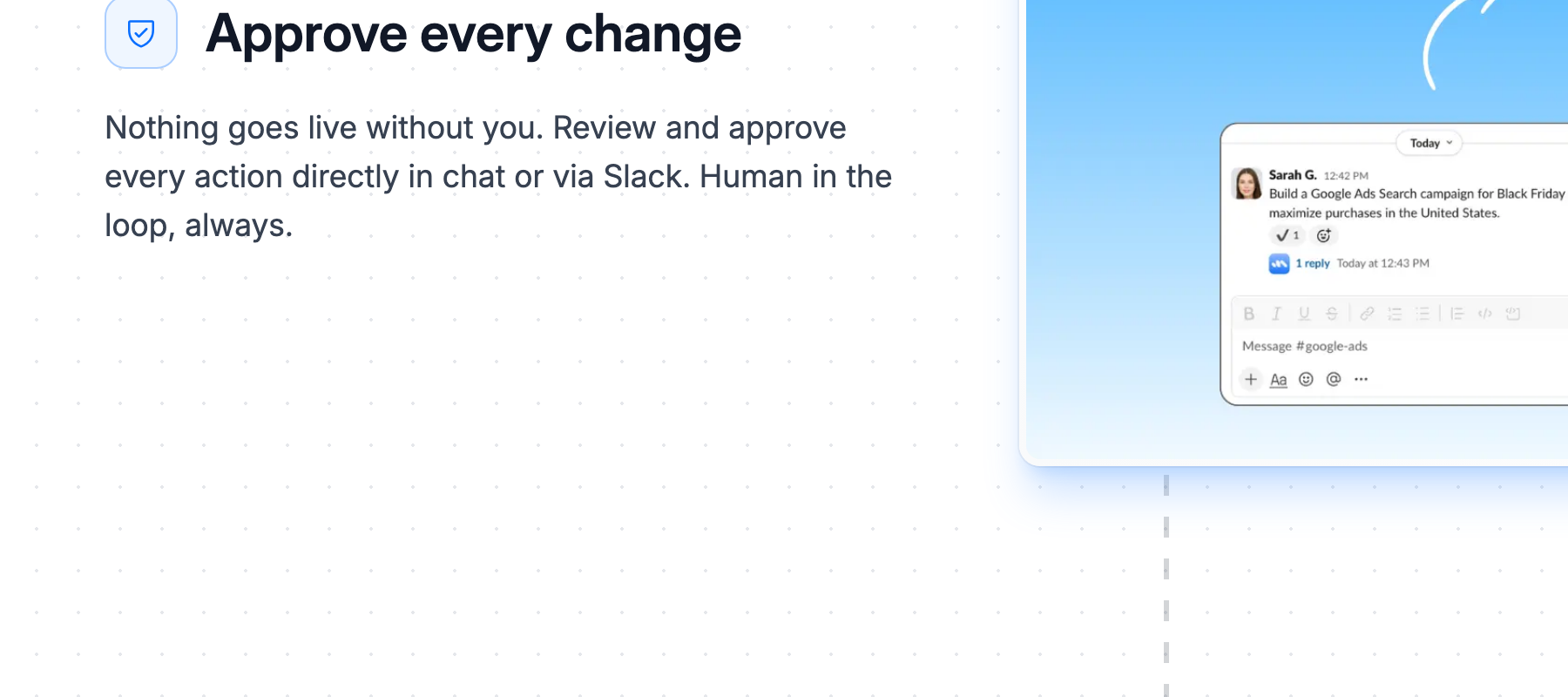
- The homepage: "Nothing goes live without you. Review and approve every action directly in chat or via Slack. Human in the loop, always."
- The Google Ads MCP page: "Every change waits for your approval before it goes live."
- The LinkedIn Ads MCP page: "Markifact holds every account change until someone approves it."
- The GitHub README: "Every write operation requires explicit user approval before it executes."
In the documentation and changelog:
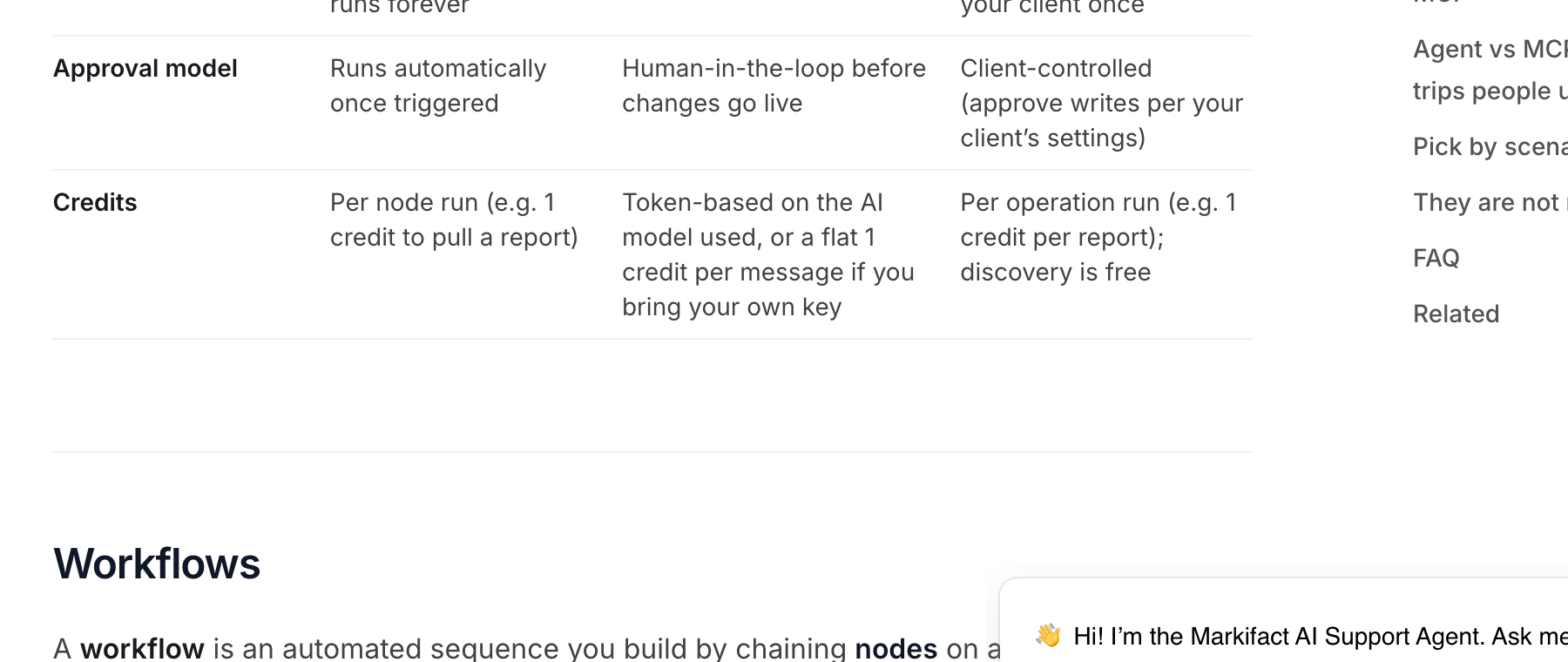
- The approval model for MCP: "Client-controlled (approve writes per your client's settings)."
- Approval before writes, over MCP: "Depends on your client's tool settings."
- The MCP setup guide: "Do not set run_write_operation to 'Always allow.'"
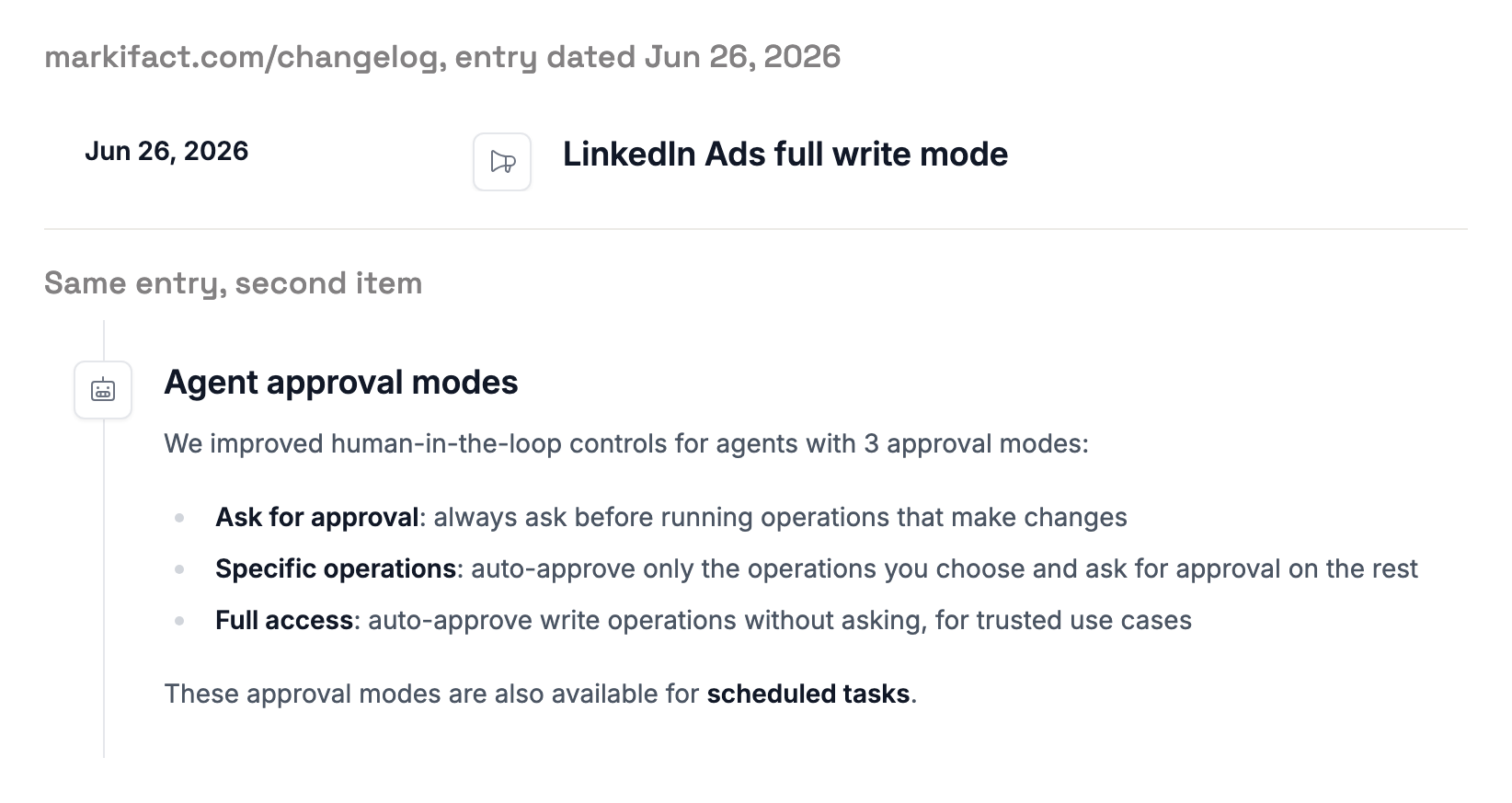
- The changelog, June 26, 2026, for its agent: "Full access: auto-approve write operations without asking, for trusted use cases." The same entry says these modes work for scheduled tasks.
We report both and do not pick one. If approval on every write is why you are buying, ask Markifact which one applies to the AI client you use, before you connect a live account.
What each can do to a live ad account
The gap shows up platform by platform. Here is what an agent can do on each, from Markifact's own operation docs and from InsightfulPipe's own server.
Google Ads
InsightfulPipe creates new campaigns, ad groups and ads paused. Its update actions can set a campaign live or remove it, and the server tells the assistant to get your explicit confirmation first. The three remove actions stay off until an admin switches them on.
Markifact's create campaign operation defaults to PAUSED, marked "(recommended)". Its status operation accepts ENABLED, PAUSED and REMOVED. Its gads_mutate operation sends any create, update or remove request to Google "unchanged", with validate_only off by default.
Meta Ads
InsightfulPipe creates new Meta campaigns, ad sets and ads paused, and the agent can never set one live. Ask it to, and the server refuses: PAUSED is the only status it accepts on a campaign. Deleting a campaign, ad set or ad stays off until an admin switches it on.
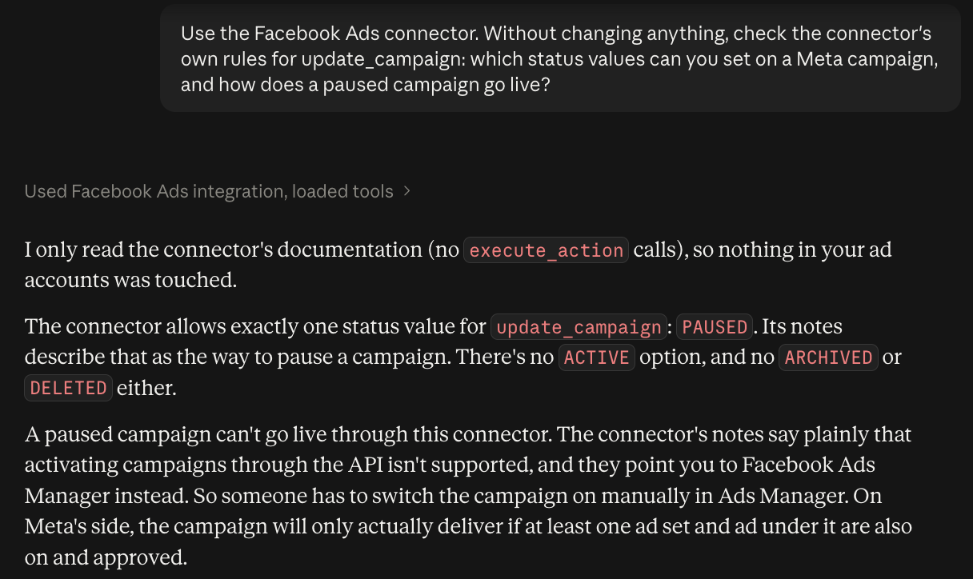
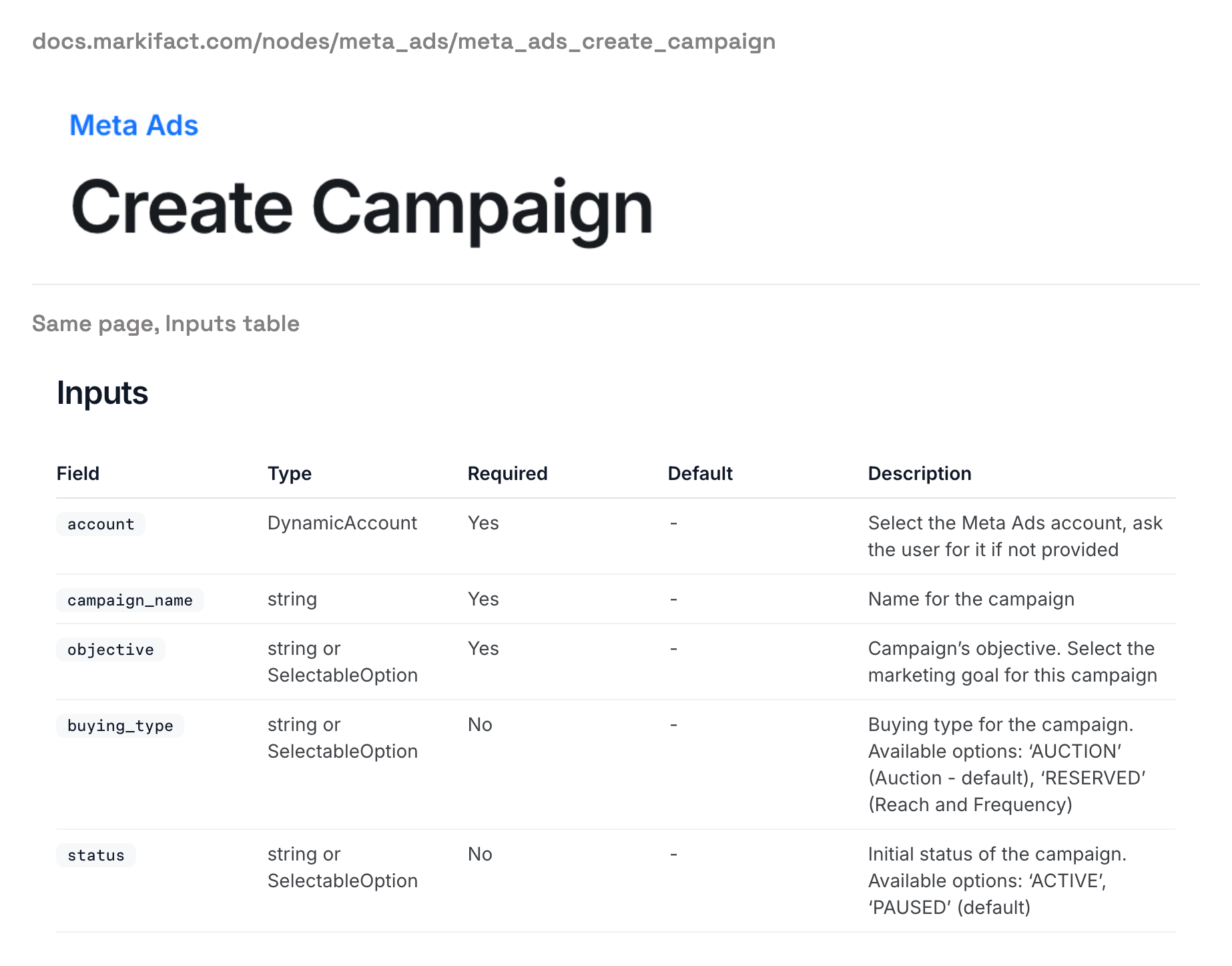
Markifact's Meta create campaign operation takes "ACTIVE" or "PAUSED (default)". Its status operation accepts ACTIVE, PAUSED, ARCHIVED and DELETED. That is why InsightfulPipe is the safest way to let an AI agent change a Meta Ads account: the agent builds, and only you set an ad live.
LinkedIn Ads
InsightfulPipe creates new LinkedIn campaigns paused. Its update_campaign action can set one live, and that is a switch your admin can turn off for any account. Markifact's LinkedIn create campaign operation defaults to DRAFT and accepts ACTIVE, and its status operation accepts ACTIVE, PAUSED and DELETED.
Neither vendor publishes a budget cap. Set spending limits in Google Ads and Meta themselves. Then switch update actions on only for the accounts where the agent should move budget or set things live.
What each costs
InsightfulPipe costs less in each setup below. It starts at $29.99 a month with unlimited tool calls, and a second person costs $5 a month on Starter. Markifact starts at $79 a month for one seat and 2,000 credits.
Setup | InsightfulPipe | Markifact |
|---|---|---|
One marketer, 8 ad accounts | $29.99 (Starter) | $79 (Pro, 2,000 credits) |
One marketer, 20 ad accounts | $65.99 (Starter plus 12 accounts at $3) | $79 (Pro, 2,000 credits) |
One marketer, 5,000 operations a month | $29.99, unlimited tool calls | $149 (Pro, 5,000 credits) |
Three people, 30 ad accounts | $89.99 (Growth) | $249 (Team, 10 seats) |
Ten people, 100 ad accounts | $235.99 (Growth plus 65 accounts and 4 people) | $249 (Team, 10,000 credits) |
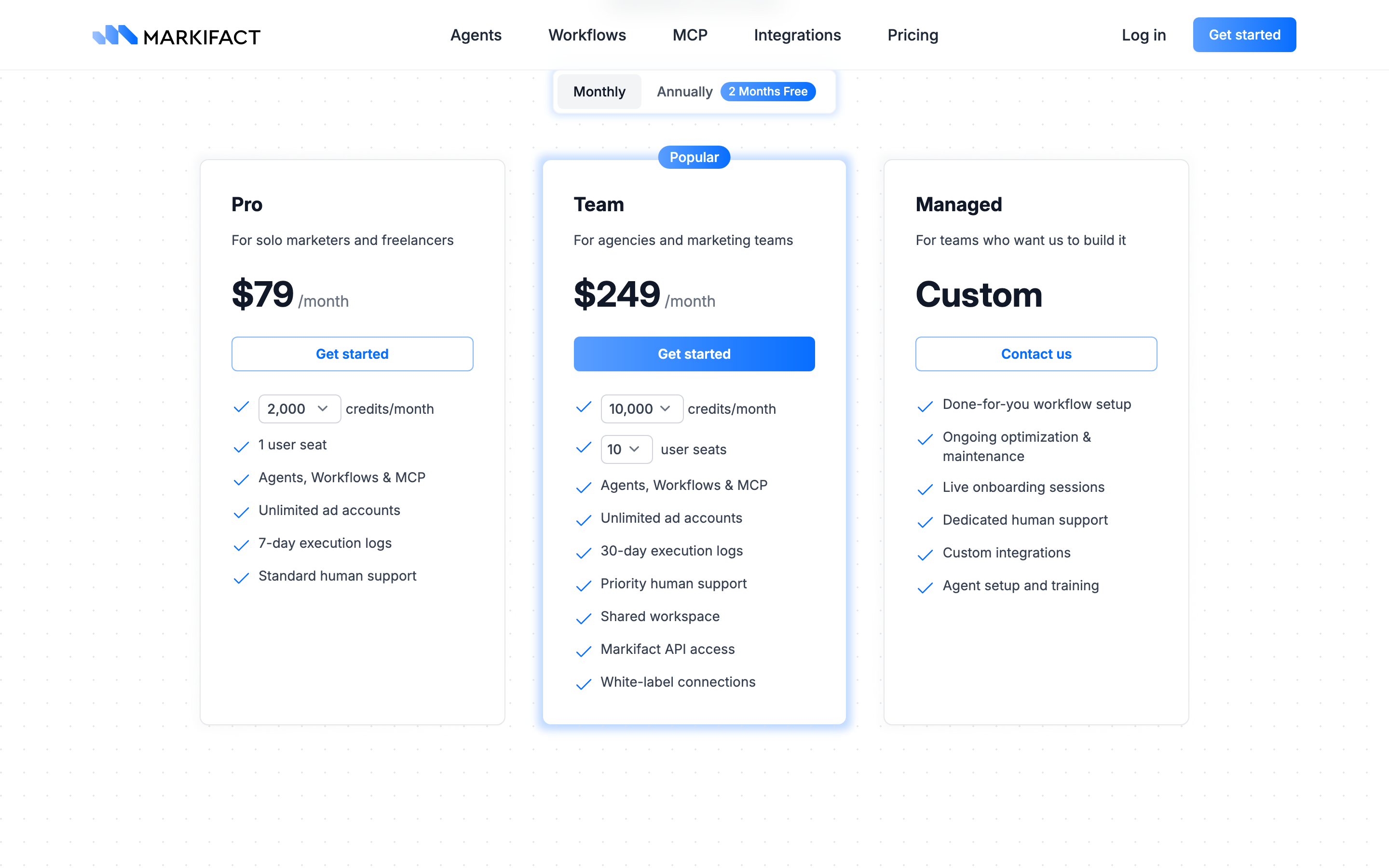
Markifact meters MCP work in credits. Its credits docs say discovery tools are free and data operations cost typically 1 credit each. Three reports a day for 20 ad accounts come to 1,800 operations a month, close to Pro's 2,000 before a single change. InsightfulPipe counts no tool calls on any plan.
Which should you choose?
Choose InsightfulPipe if you want an AI agent to work in your ad accounts within limits you set, account by account, for less each month.
- You run an agency with many client accounts: InsightfulPipe. Each client account gets its own action list, and Growth covers 35 accounts and six people for $89.99.
- You want an agent to change Google Ads or Meta Ads safely: InsightfulPipe. Destructive actions start off, new campaigns start paused, and the agent never sets a Meta ad live.
- You manage GA4 settings, not only reports: InsightfulPipe. Its 62 GA4 actions include key events, custom dimensions and audiences.
- Your team works across Claude, ChatGPT and Cursor: InsightfulPipe. The same switches hold in every client and the CLI.
- You only need reports: a read-only InsightfulPipe connection, which locks every write until an admin reconnects it with read and write.
MCP clients run several servers at once. You can connect InsightfulPipe beside what you use today and move accounts over one at a time.
Connect InsightfulPipe in three steps
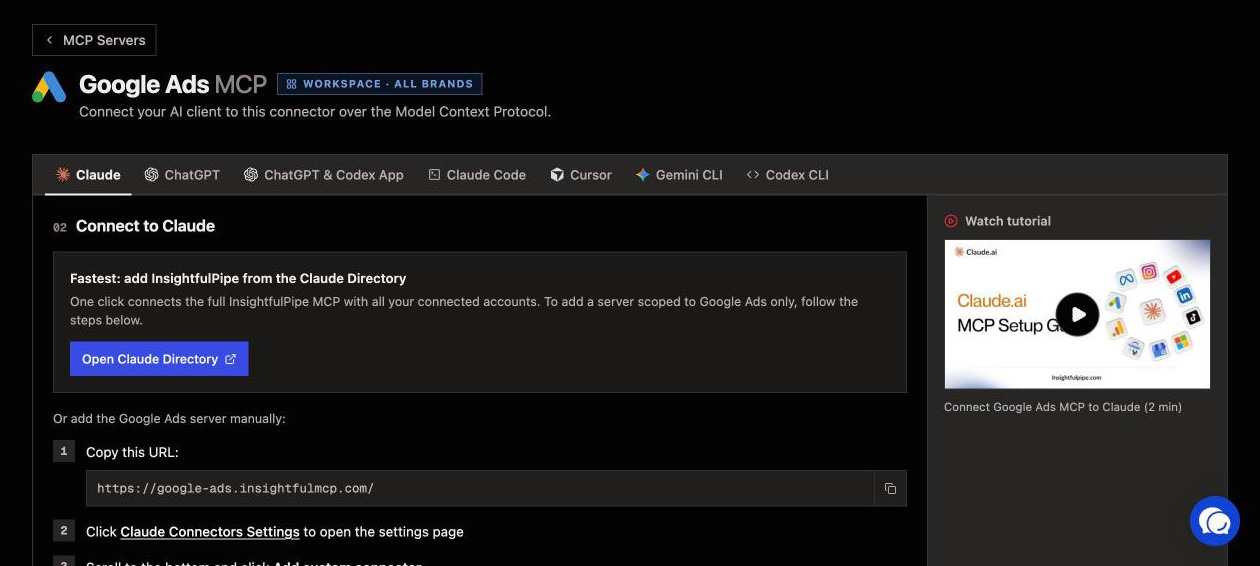
Connecting InsightfulPipe takes a sign-in and a URL, with no Google Cloud project and no developer token.
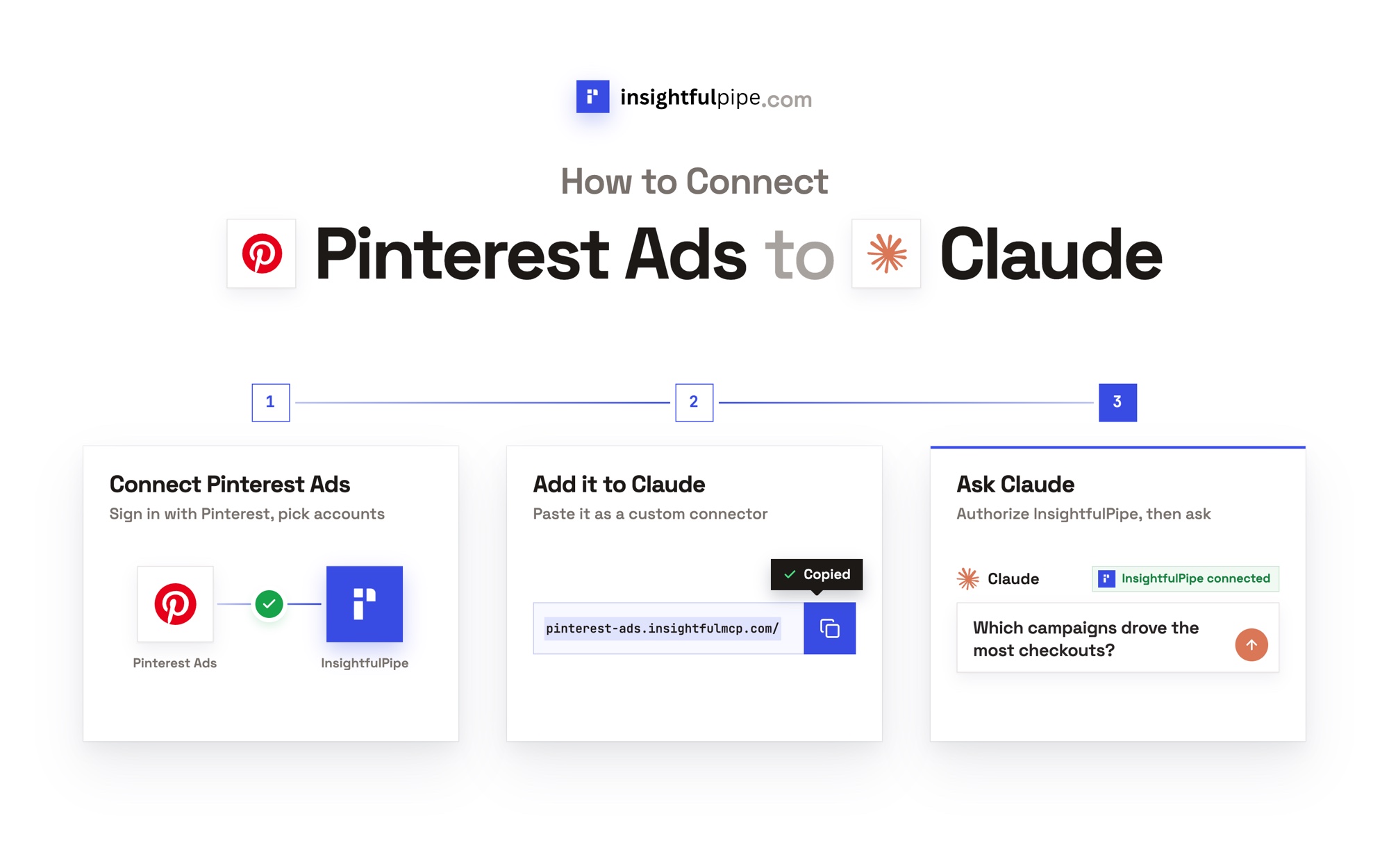
- In InsightfulPipe, open Connected accounts, choose Google Ads, pick read-only or read and write, then sign in with Google and select the ad accounts to connect.
- In Claude, add InsightfulPipe from the connector directory, or add
https://google-ads.insightfulmcp.com/as a custom connector and click Connect. In Claude Code, runclaude mcp add --transport http google-ads-mcp https://google-ads.insightfulmcp.com/. - Open the account's actions, keep the ones you want, and ask your first question.
Start a trial and connect your first ad account in a few minutes.
What Markifact does not publish
Several Markifact claims have no single answer. Its own pages give different answers, or none.
- Which approval applies over MCP: its product pages say every change waits for approval, and its docs say that depends on your client's settings.
- How many tools it has: its docs list seven MCP tools, its changelog adds one for media uploads, and its Google Ads page advertises "60+ Google Ads tools".
- What a new sign-up gets: its pricing page lists no plan below $79 a month, but its README offers free credits at sign-up, and its pricing FAQ mentions support for users without a paid plan.
- A paused default for raw writes: gads_mutate sends your request to Google "unchanged", and no paused default is published for it.
Frequently asked questions
Sources (checked 2026-09-30)
Every Markifact claim above comes from Markifact's own page, documentation or repository, opened on 2026-09-30.
- Markifact: homepage, pricing, Google Ads MCP, LinkedIn Ads MCP, GA4 MCP, changelog, Google Ads MCP repository, Meta comparison post, GitHub README
- Markifact docs: MCP servers, agent vs MCP vs workflow, credits, operation pages, counted per platform, Google Ads create campaign, Google Ads campaign status, gads_mutate, Meta create campaign, Meta campaign status, LinkedIn create campaign, LinkedIn campaign status
- Google: google-ads-mcp repository
- InsightfulPipe: Google Ads server, Meta Ads server, GA4 server, LinkedIn Ads server, all servers, pricing