Disclosure: InsightfulPipe publishes this and is one of the three routes compared.
The verdict
InsightfulPipe, the MCP route, wins Supermetrics vs Fivetran vs MCP for most marketing teams in 2026. Its hosted MCP servers let an AI agent read 50 marketing platforms live, change campaigns within switches your admin sets per account, and write rows into Google Sheets or BigQuery when you want them kept. It costs from $29.99 a month, with no warehouse to run.
On Supermetrics vs Fivetran alone, the split is where the data lands. Supermetrics moves marketing data from 170+ sources into Google Sheets, Data Studio (formerly Looker Studio), Excel and Power BI, and into BigQuery and other warehouses on Enterprise. It charges by destinations, sources, users and accounts. Fivetran is a general ELT pipeline that copies data from 700+ sources into a warehouse and bills by monthly active rows.
Both now add AI on top of the pipe. Supermetrics has campaign tools in beta, and Fivetran's MCP servers manage pipelines or read your warehouse. InsightfulPipe starts from the agent, so the answer comes from the platform when you ask, and the next step can be a change.
- Best for marketing teams: InsightfulPipe. Live answers in Claude, ChatGPT and Cursor across 50 platforms, including 99 Google Ads, 53 Meta Ads and 62 GA4 actions.
- Safest way to let an AI agent change your ad accounts: InsightfulPipe. Your admin switches every action per account, and destructive actions stay off until an admin switches them on.
- Best value: InsightfulPipe. $29.99 a month for 8 connections, MCP and CLI included. Supermetrics' Starter is €49 a month for 3 sources and one destination, and Fivetran's median Google Ads connection lists at $48.67 before a warehouse.
Supermetrics vs Fivetran vs MCP at a glance
Here are the three routes side by side, from what each does to what its first plan costs.
Route | What it does | Where the data goes | Freshness | Changes campaigns | Starting price |
|---|---|---|---|---|---|
InsightfulPipe (MCP) | AI agent with live read and write access to 50 platforms | AI clients; Google Sheets and BigQuery on request | Live, when you ask | Yes, within per-account switches | $29.99/mo, 8 connections |
Supermetrics | Scheduled transfers from 170+ marketing sources | Sheets, Data Studio, Excel, Power BI, AI chats; warehouses on Enterprise | Weekly on Starter, daily on Growth | Beta, through its AI chats and MCP server | €49/mo, 3 sources, 1 destination |
Fivetran | ELT from 700+ sources into a warehouse | BigQuery, Snowflake, Databricks and other warehouses | Every 6 hours by default | No campaign tools | Free to 500,000 monthly active rows, then metered |
Supermetrics vs Fivetran: the short answer
Supermetrics vs Fivetran is a choice between a tool for marketers and a tool for data teams. Supermetrics serves marketers without a data engineer: pick a source and a destination, and the numbers refresh into a sheet or dashboard. Fivetran serves data teams that put every business system, from ads to finance and product, in one warehouse they query with SQL.
The prices follow the design. Supermetrics charges a fixed fee by destinations, data sources, users and accounts, and its FAQ says it charges no usage fees. Fivetran meters monthly active rows per connection. Since January 2026 it adds a $5 base charge to each standard connection between 1 and 1 million rows, and it counts deletes as paid rows.
InsightfulPipe asks what happens when an agent does the reporting and the changes. Here are all three, from each vendor's own pages.
InsightfulPipe | Supermetrics | Fivetran | |
|---|---|---|---|
Built for | Marketers and agencies working through an AI agent | Marketing and sales teams without a data engineer | Data teams centralizing company-wide data |
Sources | 50 platforms | 170+ marketing and sales sources | 700+ on its pricing page, 750+ on its connectors page |
Destinations | Your AI client, plus Google Sheets and BigQuery on request | Sheets, Data Studio, Excel, Power BI, AI chats; BigQuery and Snowflake on Enterprise | Warehouses and lakes; Google Sheets only through Activations |
Freshness | Live API calls when you ask | Weekly on Starter, daily on Growth, per its own comparison | Every 6 hours by default; 15 minutes on Standard, 1 minute on Enterprise |
AI and MCP | Hosted MCP servers and a CLI on every plan | AI chats as one destination choice on every plan; its pricing table ticks MCP access on Enterprise only | A GitHub MCP server that manages pipelines; Agent Context MCP in public preview |
Pricing model | Flat plan by connections, unlimited tool calls | Fixed by destinations, sources, users and accounts | Monthly active rows per connection; initial syncs not counted |
How we compared them
We read every capability, default and price from each vendor's own documentation, pricing page or public repository, and ran InsightfulPipe on live accounts. Prices are the entry plan on monthly billing, checked on 2026-10-02. Supermetrics' pricing page served us euros, so we quote those and the US price its own Fivetran comparison gives.
Criterion | What we checked |
|---|---|
Destinations | Where can the data land: an AI client, a sheet, Data Studio or a warehouse? |
Freshness | Is the number live when you ask, or as old as the last sync? |
AI access | Can Claude or ChatGPT query the data, and through what? |
Changes | Can an agent change campaigns, and who sets the limits? |
Price | What does the first plan cost, and what is it metered by? |
Setup | Do you need a warehouse, SQL or a developer to start? |
Where a vendor's own pages contradict each other, we quote both, and where a capability is not published, we say so. Improvado, Windsor.ai, Hevo and Skyvia also rank for this query, each selling a fourth tool. Our Facebook Ads connectors comparison covers Improvado, Windsor.ai and other pipelines.
The question that splits this decision
One question settles most of this: whether you need marketing data stored, or answered and acted on. Storage is what pipelines sell. Answers and changes are what an agent does, and InsightfulPipe's agent can store what it pulls too.
If you need data stored on a schedule, Supermetrics and Fivetran refresh tables you query later. InsightfulPipe stores on request: the agent writes rows into a Google Sheet or a BigQuery table, and the CLI can run the same load from a scheduled job.
If you need answers and changes, the pipelines stop at the table. Supermetrics' campaign tools are in beta, and Fivetran has none. InsightfulPipe reads the platform when you ask and changes it within switches your admin sets per account.
The three routes, compared
Each card below covers what the product does, what it costs and what its own pages say. InsightfulPipe comes first, with live answers and actions, and the two pipelines follow.
InsightfulPipe: live answers and actions in your AI client
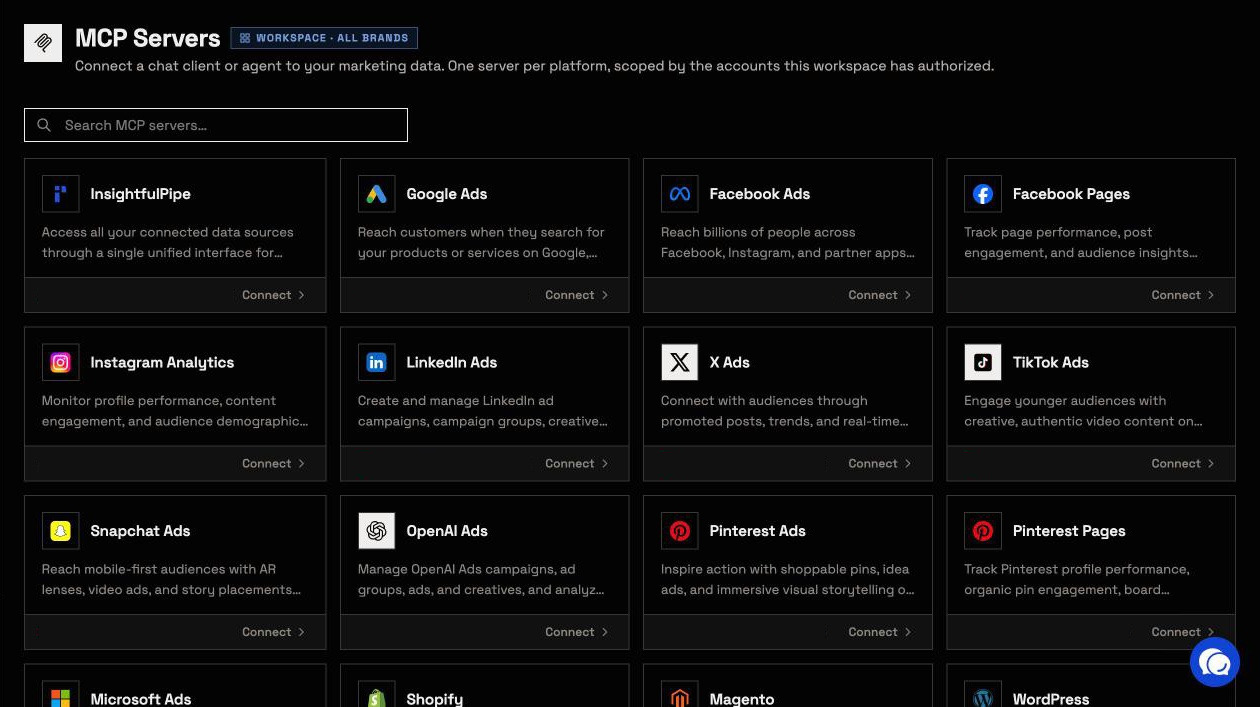
InsightfulPipe gives an AI agent live access to 50 marketing platforms, and you decide what it may change on each account.
A pipeline answers from its last refresh, and InsightfulPipe answers from the platform at the moment you ask. Connect each ad account, property or site once, add one server URL to Claude, ChatGPT, Cursor, Claude Code, Gemini CLI or Codex, and ask in plain language. The agent calls the platform's API at that moment, so nothing waits on a sync.
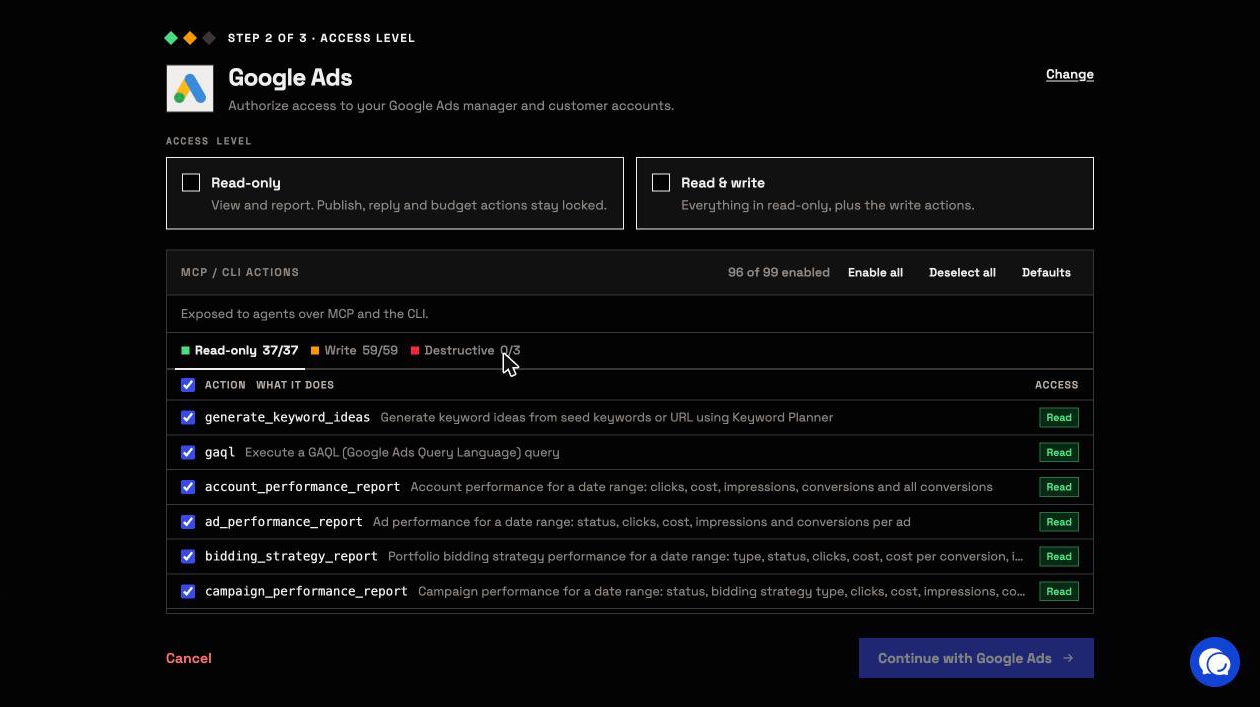
Coverage spans the stack, with counts from our MCP pages: Google Ads 99 actions, Meta Ads 53, TikTok Ads 89, LinkedIn Ads 28 and GA4 62, plus Search Console, Shopify, Klaviyo, Google Sheets, BigQuery and more.
Why it is the safest way to let an agent change your accounts
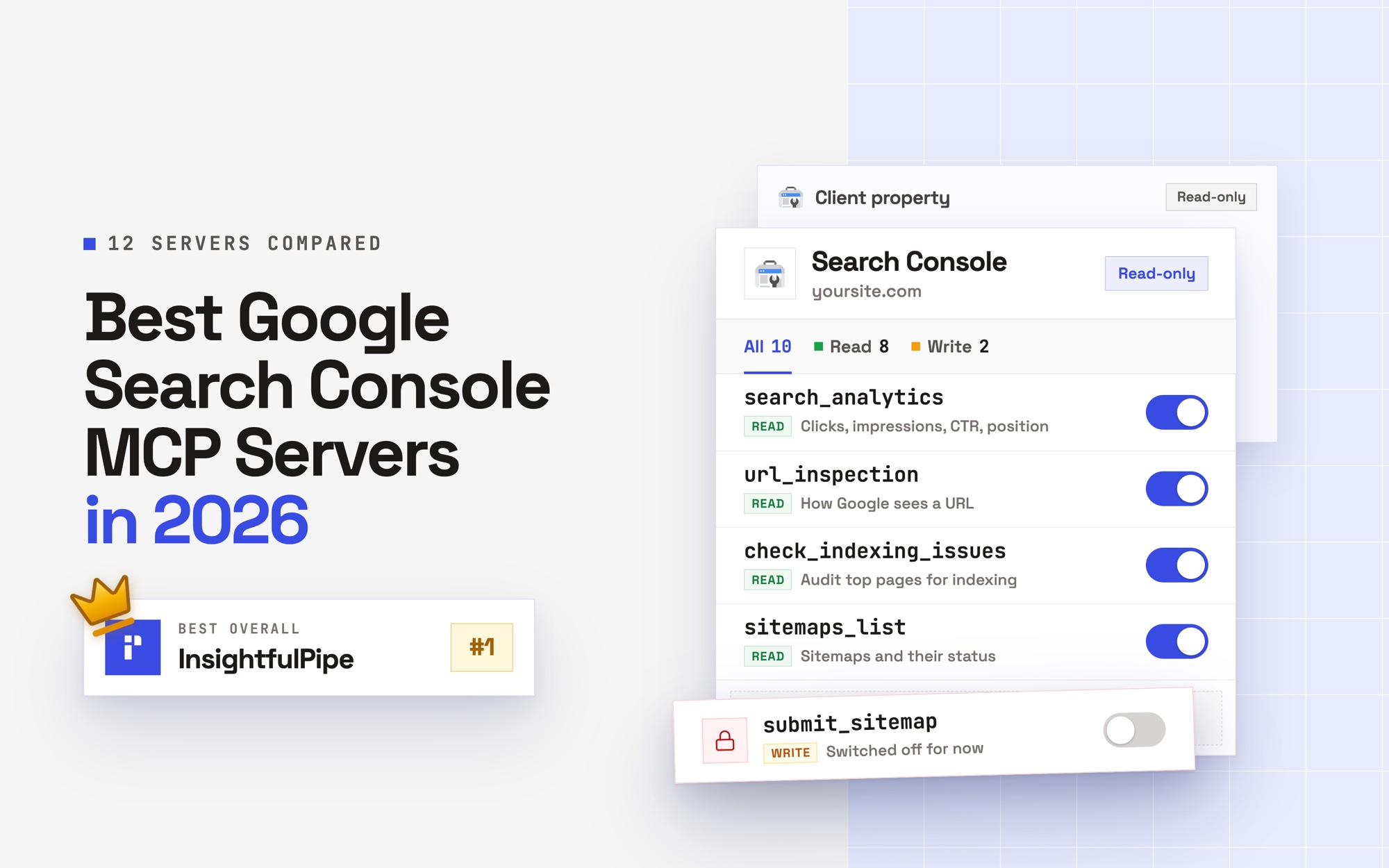
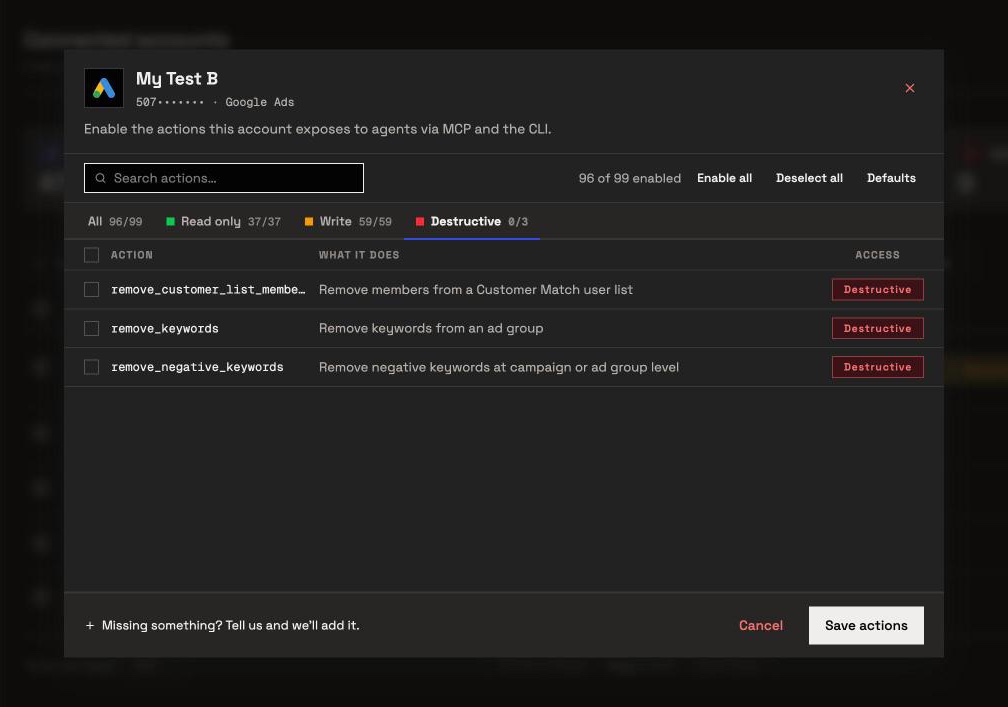
Control is the second difference, and every limit is a switch your admin controls. An owner, admin or operator opens a connected account and switches each action on or off, across read, write and destructive. InsightfulPipe's server enforces that set in every AI client and in the CLI.
- Destructive actions start off. Removing Google Ads keywords, or deleting a Meta campaign, ad set or ad, stays off until an admin switches it on.
- Read-only means read-only. A read-only connection locks every write until an admin reconnects it with read and write.
- Paused by default. InsightfulPipe creates new Google Ads and Meta Ads campaigns, ad groups or ad sets, and ads paused, for you to set live when they are ready.
- Roles hold. Restricted team members only read the accounts an owner or admin grants them.
It feeds Google Sheets and BigQuery too
InsightfulPipe can also move the data, on request or on a schedule you set. The same workspace writes to Google Sheets and BigQuery, so an agent or the CLI can load marketing data there.
- Google Sheets: the Google Sheets MCP server writes rows into a spreadsheet you picked with
update_cells, and Data Studio reads that sheet through Google's own connector. - BigQuery: the BigQuery MCP server runs Standard SQL with
run_query, so anINSERTloads rows into a table. Writes need BigQuery Data Editor on the service account, plus BigQuery Job User or BigQuery User to run the job. - On a schedule: the InsightfulPipe CLI runs the same reads and writes from a cron job or a CI pipeline, under the same switches.
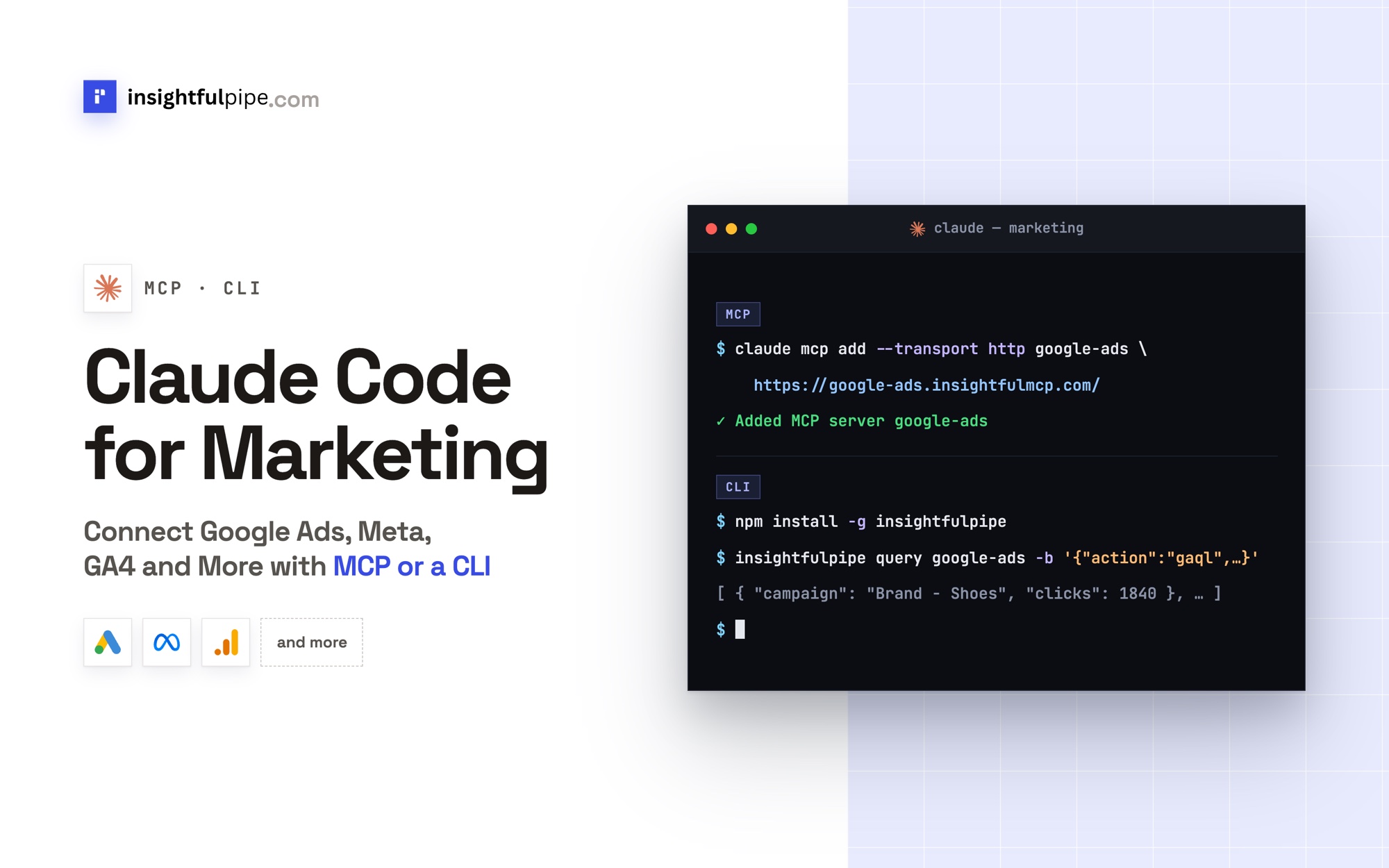
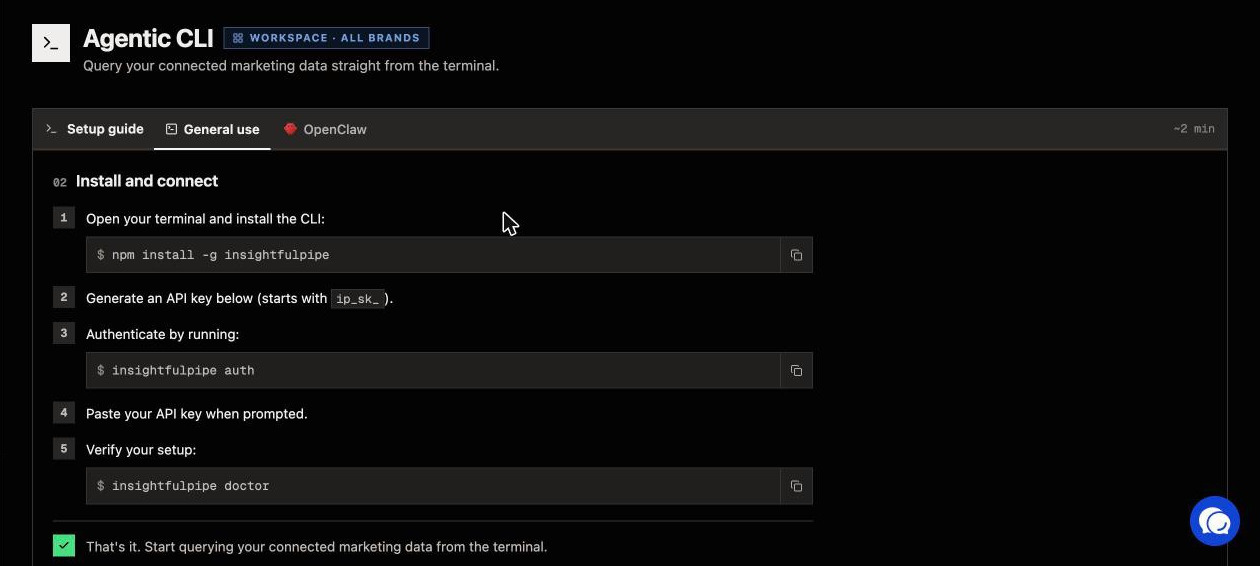
insightfulpipe query google-ads -f yesterday.json > google-ads.json
insightfulpipe action bigquery -f insert-rows.json --yes
Each load is a job you run: you ask the agent, or you schedule the CLI, and the agent pulls past dates whenever you ask for them. The BigQuery server can also query tables a pipeline already loads.
What else you get
- One server for every account: the InsightfulPipe MCP server reaches every connected platform, so one question can set Google Ads spend beside GA4 sessions.
- Directory listings in Claude's connector directory and the ChatGPT app directory.
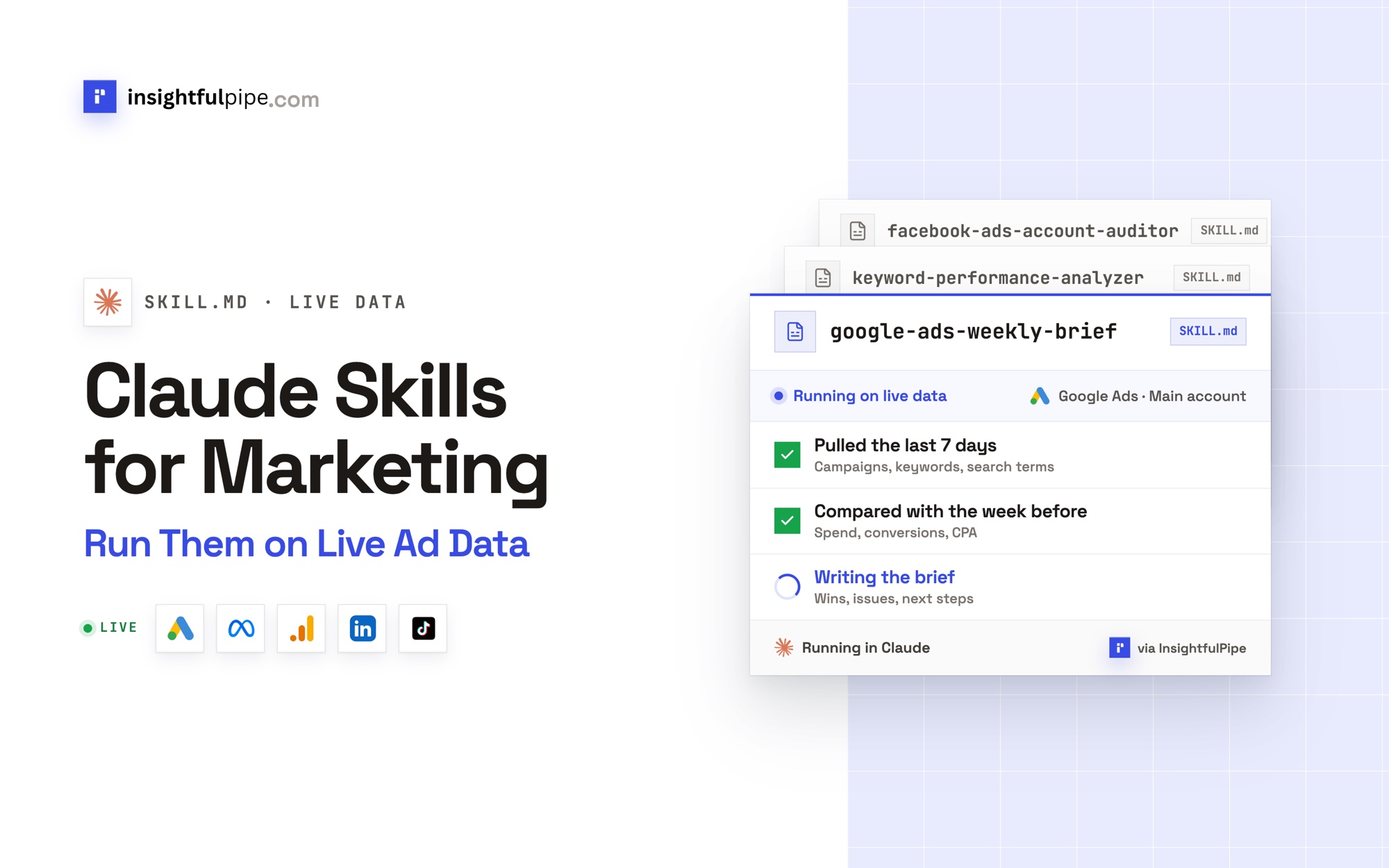
- Skills and prompts: the Claude skills library and the prompt library are free to use.
Pricing: Starter is $29.99 a month for 8 connections, Growth $89.99 for 35 and Agency $299.99 for 150, with every MCP server, the CLI and unlimited tool calls on every plan. Each ad account, spreadsheet or BigQuery project is one connection. Start a trial on any plan.
Where it is the wrong answer: if nobody will ever ask your data a question or change a campaign, you would pay for an agent you never use.
Best for: marketing teams and agencies that want answers and changes in Claude or ChatGPT, with the numbers kept in Sheets or BigQuery.
Supermetrics
Supermetrics is a reporting pipeline first, with AI chats and beta campaign tools on top.
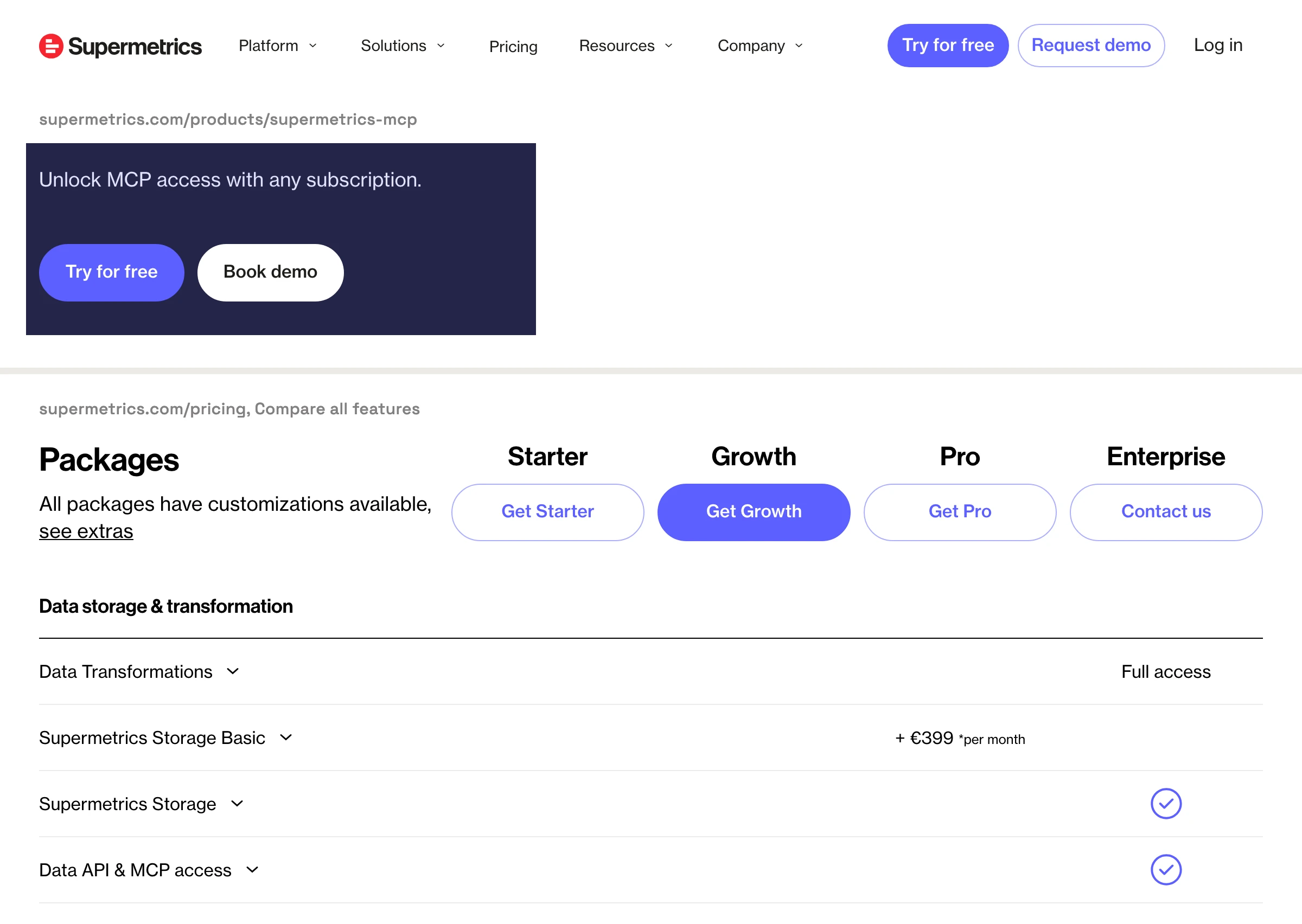
Supermetrics moves data from 170+ marketing and sales sources into a destination you pick. Starter, Growth and Pro each include one core destination: Google Sheets, Data Studio, Excel, Power BI, or AI chats in Claude, ChatGPT and Copilot. BigQuery and Snowflake sit on Enterprise, per its pricing page. Its own Fivetran comparison lists weekly refreshes on Starter and daily ones on Growth.
Its MCP server adds manage_campaign in beta, which can "Enable, pause, or remove campaigns, ad groups, and ads". Its campaign docs grant write access per account, with four approval settings, the first being "No human approval: Changes apply immediately." Starter is €49 a month billed monthly, for 3 data sources, 3 accounts each and 1 user.
Pros
- A fixed price with no usage fees, per its pricing FAQ.
- Destinations from Google Sheets to Power BI on every plan.
Cons
- Its MCP page offers MCP access "with any subscription"; its pricing table ticks it on Enterprise only.
- One core destination per plan below Enterprise, and warehouses on Enterprise only.
- Turning campaign management off for a team means contacting support, per its docs.
Where Supermetrics fits: marketing teams that report from Sheets or Data Studio and never need an agent to act.
Fivetran
Fivetran is a warehouse pipeline for the whole business, and its MCP servers manage pipelines, not campaigns.
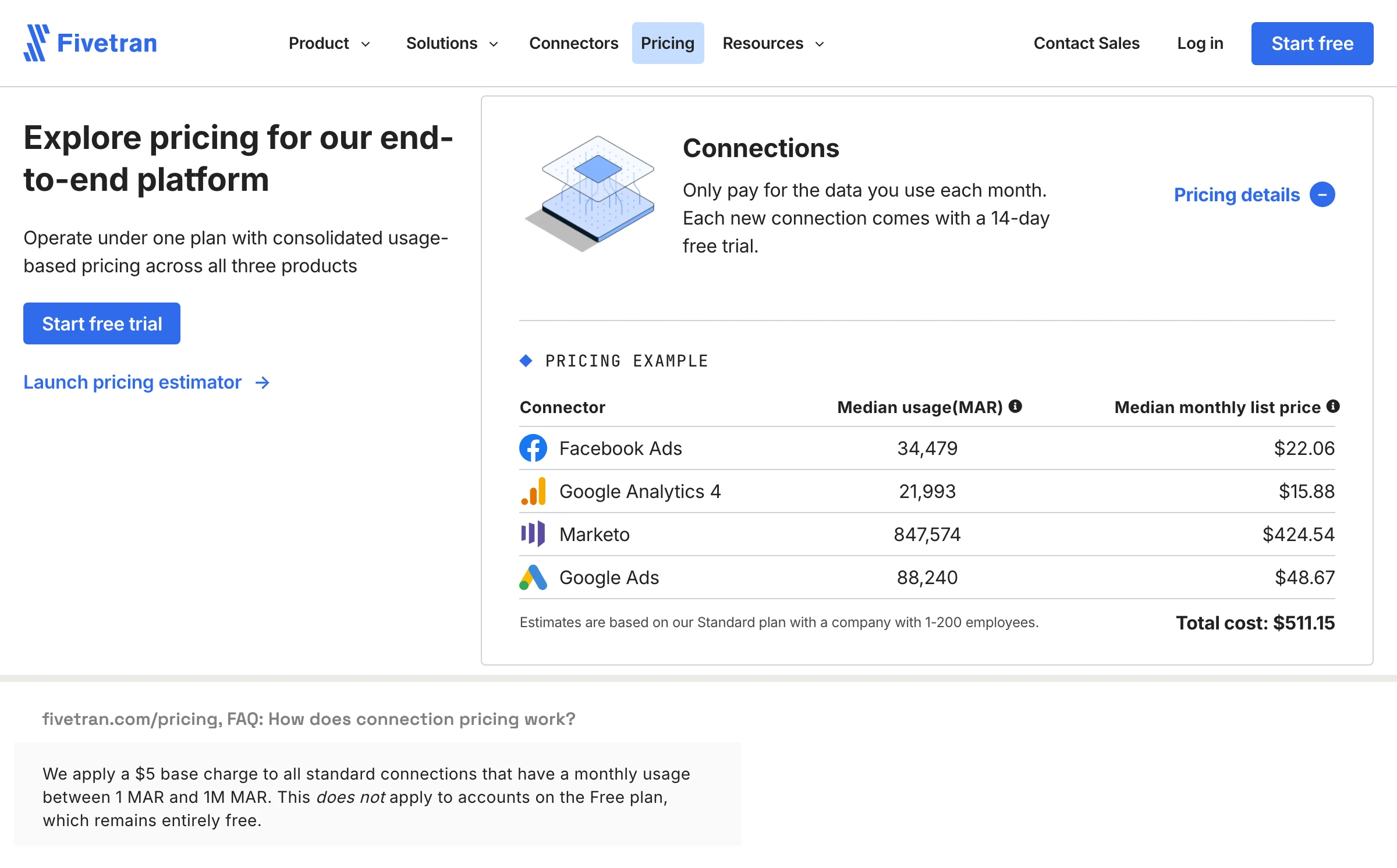
Fivetran calls its connectors pre-built ELT pipelines. Its pricing page counts 700+, and its connectors page says 750+. They load warehouses and lakes such as BigQuery, Snowflake and Databricks, and reach Google Sheets only through Activations, synced from your warehouse. Syncs run every six hours by default.
Billing runs on monthly active rows per connection, and the Free plan covers 500,000 a month. Its 2026 pricing updates add a $5 base charge to each standard connection between 1 and 1 million rows. Its GitHub MCP server manages Fivetran from a server you run yourself, and its README says "the server does not enforce confirmation." Agent Context MCP, in public preview, runs read-only SQL on your warehouse.
Pros
- A free plan to 500,000 monthly active rows.
- Syncs as often as every 15 minutes on Standard.
Cons
- No agent tool that reads a live ad account or changes a campaign.
- A $5 base charge per standard connection since January 2026, and deletes now count as paid rows.
- Google Sheets only through Activations, synced from your warehouse.
Where Fivetran fits: data teams that centralize finance, product and marketing data in one warehouse.
MCP vs Fivetran: what changes when an agent does the work
MCP and Fivetran solve different halves of the job. Fivetran copies rows into a warehouse on a schedule, so people and BI tools can query them later. An MCP server such as InsightfulPipe's lets an AI agent call the platform itself when you ask, read the current numbers and, with the right switches on, change the account.
That changes three things. You skip the warehouse, the SQL and the wait for the next sync. The agent can act on what it finds, such as pausing a campaign. And the cost tracks connections, not rows. Fivetran's own MCP servers manage pipelines or read the warehouse, so neither touches a campaign.
The designs differ on storage too. Fivetran is a managed ELT sync that mirrors changed rows and backfills history by itself, while an InsightfulPipe load is a job you run. They also work together: if Fivetran already loads BigQuery, connect that project to InsightfulPipe, and the same agent queries those tables beside the live platforms.
What each route costs a marketing team
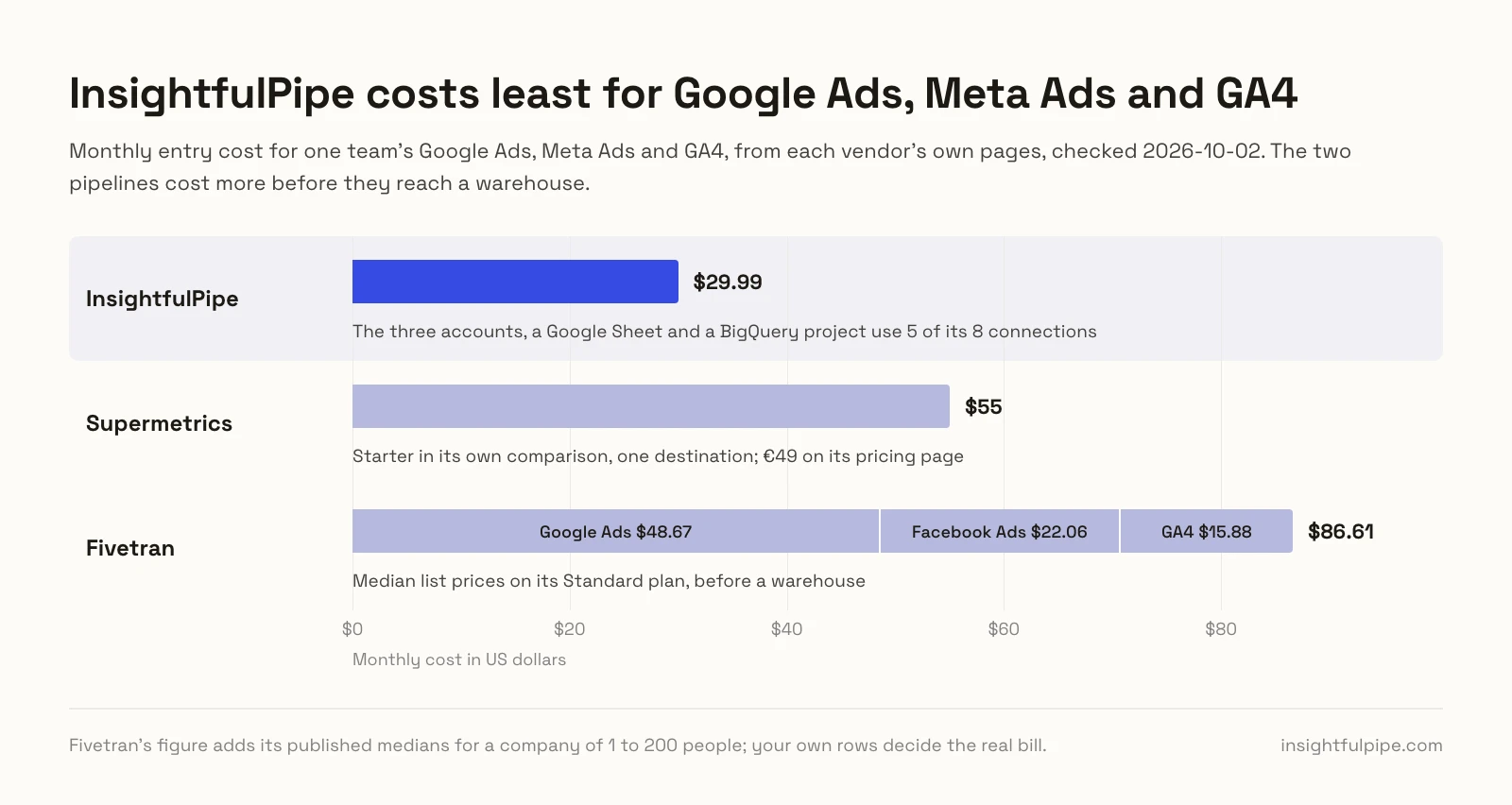
For one team with Google Ads, Meta Ads and GA4, InsightfulPipe costs $29.99 a month on Starter. Those three accounts plus a Google Sheet and a BigQuery project use 5 of its 8 connections. The two pipelines cost more before they reach a warehouse.
Route | Monthly cost for Google Ads, Meta Ads and GA4 | Metered by | Also needed |
|---|---|---|---|
InsightfulPipe | $29.99 on Starter | Connections, with unlimited tool calls | An AI client such as Claude or ChatGPT |
Supermetrics | €49 on Starter billed monthly, or $55 in its own comparison | Destinations, sources, users and accounts | Enterprise, at a custom quote, for BigQuery |
Fivetran | $86.61 in median list prices on Standard | Monthly active rows per connection | A warehouse, and a BI tool to read it |
Fivetran's figure adds its published medians for a company of 1 to 200 people: $48.67 for Google Ads, $22.06 for Facebook Ads and $15.88 for GA4. Your own rows decide the real bill.
What an agent can do on a new connection
Two of the three routes can change a campaign, and their defaults differ more than their feature lists. Ask three questions before an agent touches a live account.
Who sets the limits? Supermetrics grants write access per ad account in its Hub, with one of four approval settings, from "No human approval" to "All live changes". On InsightfulPipe, an owner, admin or operator switches each action per account, and the server enforces it in every client and the CLI.
What starts paused? Supermetrics creates campaigns paused, while its changelog says "on Meta an ad created without an explicit status can start serving immediately." InsightfulPipe creates Google Ads and Meta Ads campaigns, ad groups or ad sets, and ads paused, and on Meta the agent can only set PAUSED.
What happens before something goes live? On Google Ads, the assistant is told to ask you first. To enforce that, set execute_action to Needs approval in Claude's tool permissions. Budget changes run through actions such as update_campaign, so switch those off where the agent should not touch spend.
That is why InsightfulPipe is the safest of the servers that can write: every default starts on the careful side, and every one is a switch your admin controls.
Which should you choose?
Choose InsightfulPipe if you want one service that answers, acts and keeps the numbers where your team reports.
- You want answers and changes in Claude or ChatGPT: InsightfulPipe. 50 platforms read live, each action switched per account, from $29.99 a month.
- You report in Google Sheets or Data Studio: InsightfulPipe with a spreadsheet connected. The agent writes rows with
update_cells, and Data Studio reads the sheet. - You keep data in BigQuery, or a pipeline already fills it: InsightfulPipe's BigQuery server. The agent loads rows and queries those tables beside the live platforms.
- You only need answers, never changes: a read-only InsightfulPipe connection, which locks every write until an admin reconnects it with read and write.
- You run an agency: InsightfulPipe Growth, 35 connections for $89.99 a month, with an action list per client account.
You can run more than one server. MCP clients hold several in one session.
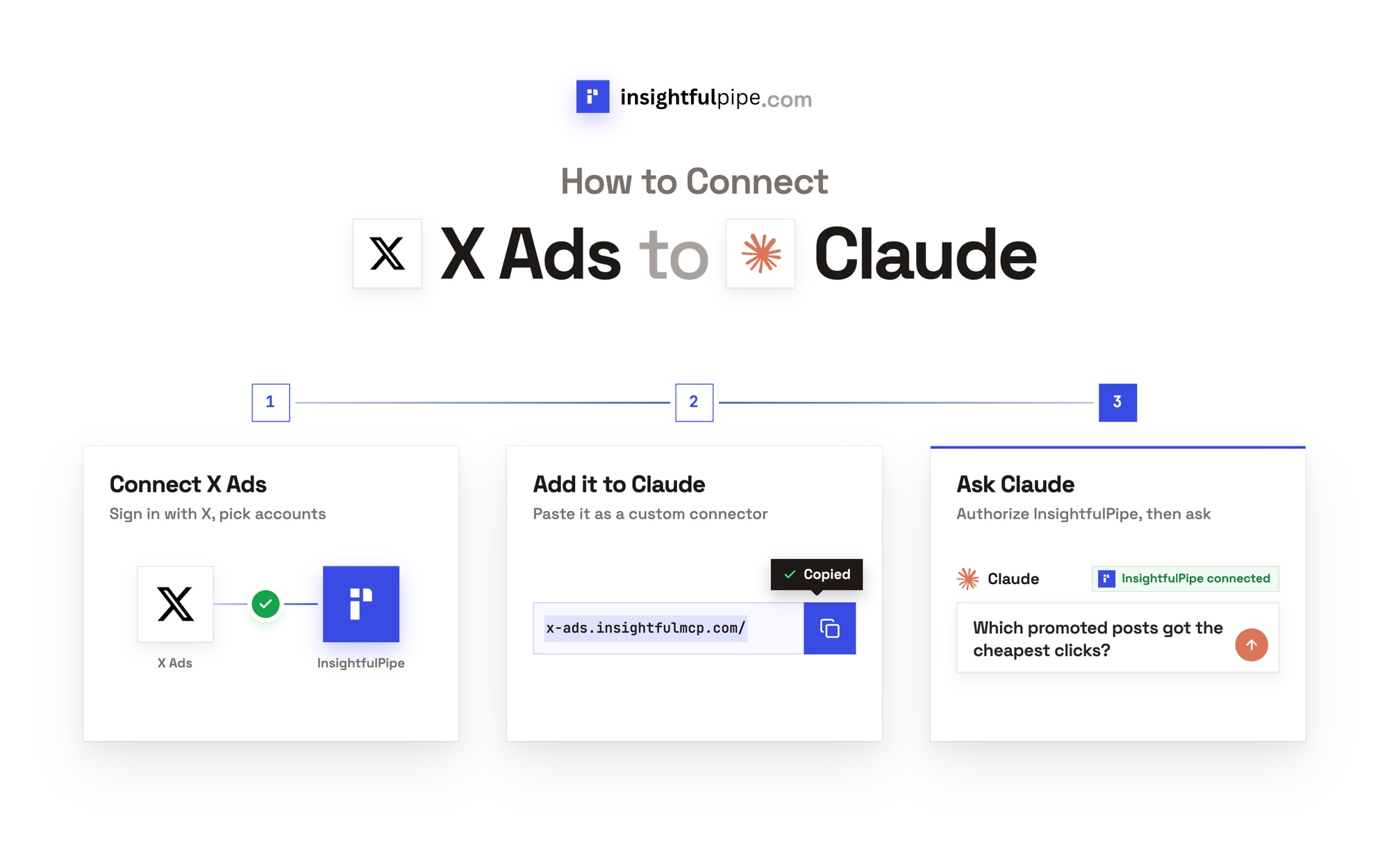
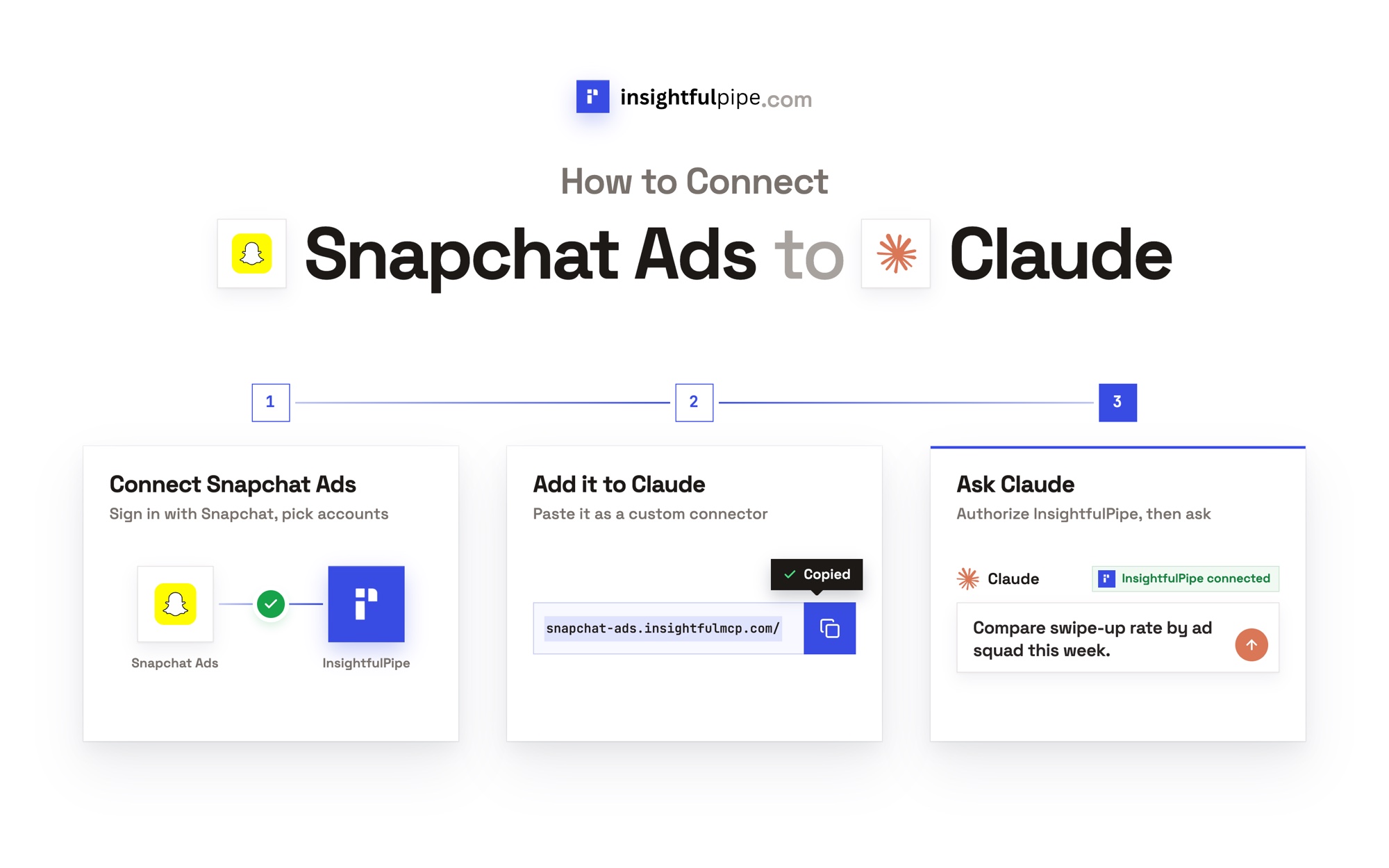
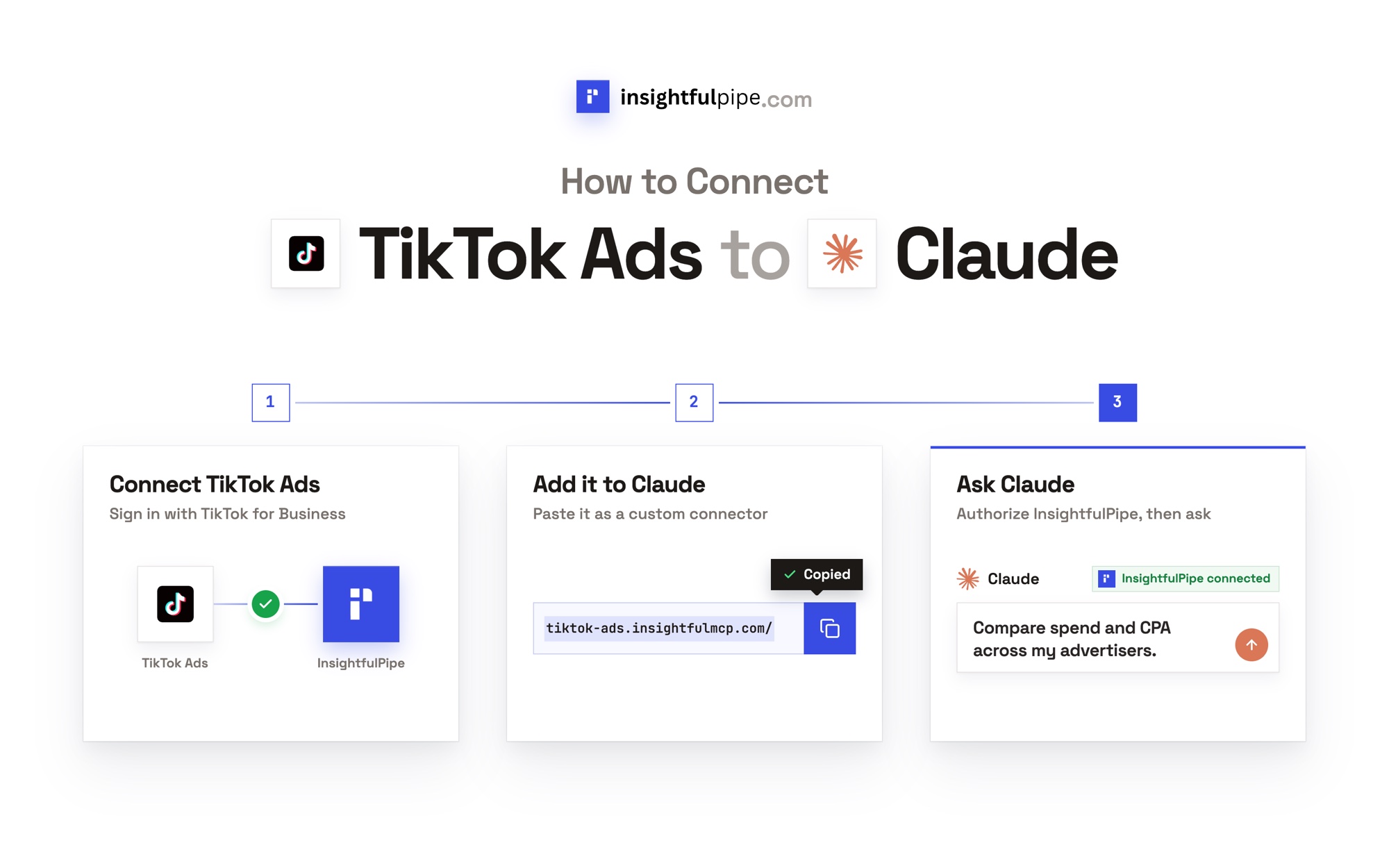
Connect InsightfulPipe in three steps
Connecting InsightfulPipe takes a sign-in per platform and one server URL, with no warehouse, SQL or developer.
- In InsightfulPipe, open Connected accounts, click Connect account and pick a platform. Choose Read-only or Read & write, then sign in and select the accounts.
- In Claude, add InsightfulPipe from the connector directory, or add
https://main.insightfulmcp.com/as a custom connector, click Connect, and sign in to InsightfulPipe if asked. In Claude Code, runclaude mcp add --transport http main-mcp https://main.insightfulmcp.com/. - Open each account's actions, keep the ones you want, and ask your first question.
Start a trial on any plan, from $29.99 a month.
What the vendors do not publish
Several claims in this comparison could not be checked, because the vendors publish nothing to check them against.
- Supermetrics: a US price on its pricing page, which served us euros; which plans include MCP, since two pages disagree; the default approval setting; and how AI credits work, since its FAQ says it uses no credit system while each plan lists monthly AI credits.
- Fivetran: one connector count, since two pages differ; whether its median prices include the $5 base charge; and what Agent Context MCP costs. Its Supermetrics comparison dates from 2021 and names plans its pricing page no longer shows.
Frequently asked questions
Sources (checked 2026-10-02)
Every competitor claim above comes from that vendor's own page, documentation or repository, opened on 2026-10-02.
- InsightfulPipe: MCP servers, InsightfulPipe server, Google Sheets server, BigQuery server, CLI, pricing
- Supermetrics: pricing, Fivetran comparison, MCP product page, MCP server, changelog, campaign docs
- Fivetran: pricing, 2026 pricing updates, connectors, sync frequency, Activations to Google Sheets, MCP repository, Agent Context MCP, Supermetrics comparison
- Google: Data Studio rename, Sheets connector
- Anthropic: Claude tool permissions