Disclosure: InsightfulPipe publishes this and is one of the 15 options ranked.
The verdict
The best MCP server for marketing in 2026 is InsightfulPipe. Of the 15 best MCP servers for marketing compared here, it is the only hosted one that puts 50 ad, analytics, SEO, social and commerce platforms on one connection, lets your admin switch each action on or off per account, and starts every new connection with destructive actions off. That makes it the safest of the servers that can write to your marketing stack.
That combination decides more than any single feature. By their own pages, three of the fifteen only read: Google's servers, BlueAlpha, and Supermetrics, which names no write action. Of the rest, Markifact, Composio and Pipeboard document that a new connection or token reaches everything, and most others publish nothing about what it can reach.
- Best overall: InsightfulPipe. 1,927 actions across 50 platforms on the InsightfulPipe MCP server, each switched on or off per account by your admin. From $29.99 a month.
- Safest write access: InsightfulPipe. New campaigns start paused on all nine ad platforms it connects, and the server enforces your limits in every AI client.
- Best value: InsightfulPipe. $29.99 a month covers 8 connections across all 50 platforms, with unlimited tool calls. Markifact starts at $79.
- Best free option: Google's own servers. Free for Google Ads and Google Analytics, but read-only, and you host them yourself.
The best MCP servers for marketing at a glance
Fifteen options, compared on coverage, writes, what a new connection reaches before anyone narrows it, and starting price.
Server | Covers | Writes | A new connection reaches | Hosting | Starting price |
|---|---|---|---|---|---|
InsightfulPipe | 50 platforms | Yes, switched per action and account | What you allow; destructive actions off until an admin switches them on | Hosted | $29.99/mo |
Markifact | 50+ platforms | Yes | All operations and accounts | Hosted | $79/mo |
Windsor.ai | 350+ sources | 137 actions | Not published | Hosted | $23/mo, 3 sources |
Adspirer | 6 ad platforms | Yes | Not published | Hosted | $0 for 15 tasks, then $40/mo |
Pipeboard | 8 ad platforms | Yes | Every tool, on a standard token | Hosted | $0 for 2 accounts, then $29.90/mo |
Supermetrics | Ads, analytics, CRM | None named | The user's own accounts | Hosted | €49/mo, 3 sources |
Composio | 1500+ toolkits | Yes | Every toolkit | Hosted SDK | $0, then $29/mo |
Zapier MCP | 9,000+ apps | Yes, no Google Ads builds | The apps and actions you pick | Hosted | $0, then $19.99/mo yearly |
SegmentStream | Attribution | Budget changes | Not published | Hosted | After a discovery call |
BlueAlpha | 4 ad platforms | No | Read only | Hosted | $0; MMM fitting paid |
Meta's server | Meta Ads | Yes | Not published | Meta | No price published |
TikTok's server | TikTok Ads | Yes | Not published | TikTok | No price published |
Google's servers | Google Ads, Analytics | No | Read only | Self-hosted | Free |
Ahrefs | Its SEO data | Not published | Not published | Hosted | $129/mo |
Semrush | Its SEO data | Not published | Not published | Hosted | With a Semrush plan |
How we compared them
We read every capability, default and price from each vendor's own documentation, pricing page or public repository, and ran InsightfulPipe on live accounts. Prices and capabilities were checked on 2026-10-02.
We started from the servers that Google's first page and AI answers name for this query. We left out workflow tools that answers also list, such as Tally, Notion, Slack and Figma, because they hold forms, documents, chat and design files rather than campaign results.
Criterion | What we checked |
|---|---|
Coverage | How many marketing platforms does one connection reach? |
Writes | Can it change campaigns, posts, products and emails? |
Control before a write | Can you pick each account's actions, and does the server enforce them? |
Default on a new connection | What can the agent do before anyone narrows it? |
Setup | Is it a sign-in, or a cloud project, a developer app or code? |
Price | What does a team pay to start, and what grows the bill? |
We weighted control before a write and coverage most, then writes, setup and price. Where a vendor's pages contradict each other, we quote both. Where a capability is not published, we say so rather than guess. Roadmap features count for nothing until they ship.
The single question that splits this list
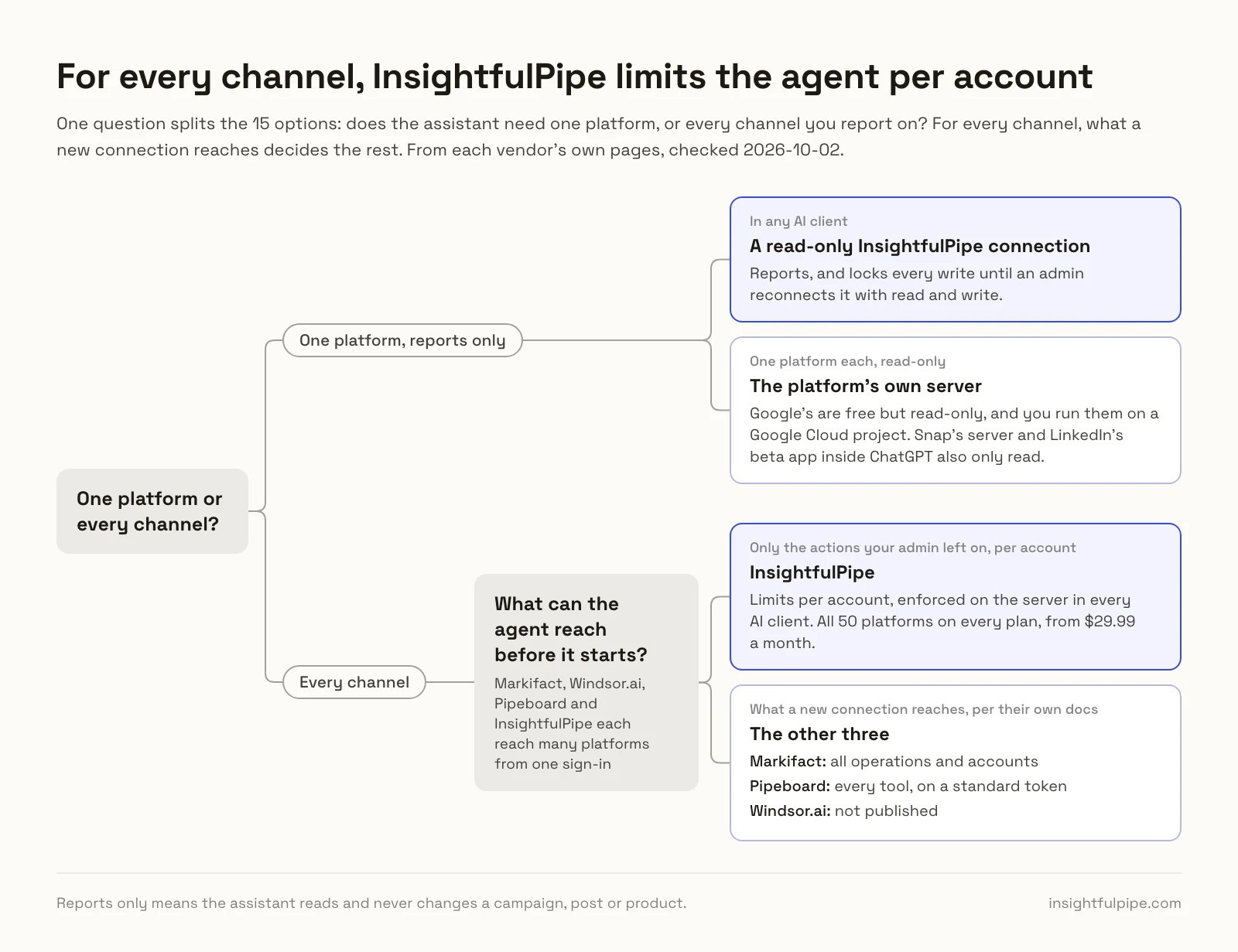
One question splits these fifteen: does the assistant need one platform, or every channel you report on? For one platform and reports only, the platform's own server can do the job. For every channel, the list shrinks to the hosted servers, and what a new connection reaches decides the rest.
If you need one platform and only reports, Google's servers are free but read-only, and you run them yourself on a Google Cloud project. Snap's server is read-only too, and LinkedIn offers a read-only beta app inside ChatGPT. A read-only InsightfulPipe connection reports in any client and locks every write until an admin reconnects it with read and write.
If the assistant works across channels, it needs one place to reach Google Ads, Meta, GA4, Shopify and the rest. Markifact, Windsor.ai, Pipeboard and InsightfulPipe each do that from one sign-in. The difference is what the agent reaches before it starts: everything, in Markifact's documented default, or only the actions your admin left on, per account, on InsightfulPipe.
Side by side: what each one covers
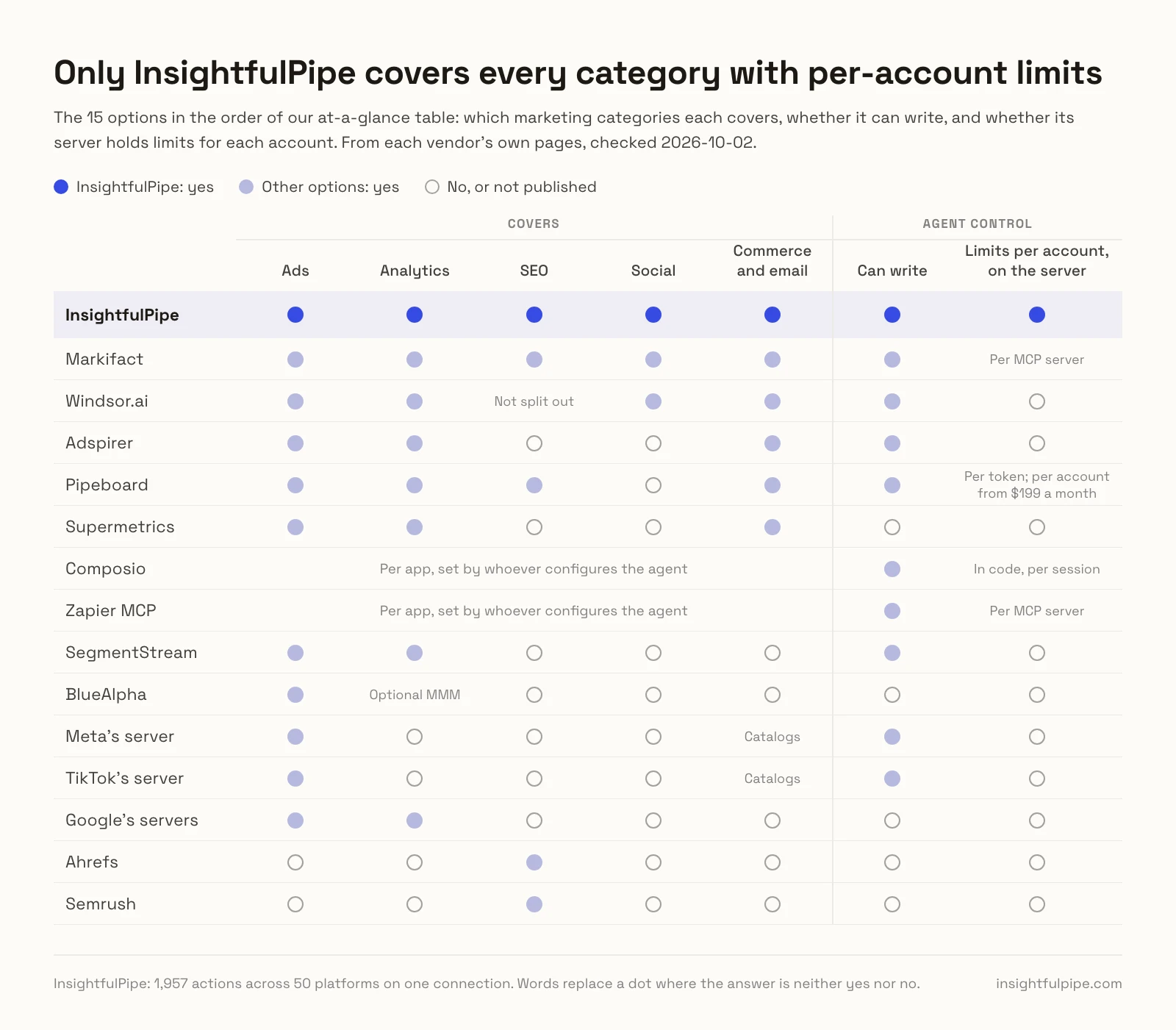
Coverage by marketing category, from each vendor's own pages. "Not published" means the vendor names nothing for that category.
Server | Ads | Analytics | SEO | Social | Commerce and email |
|---|---|---|---|---|---|
InsightfulPipe | 9 platforms, from Google Ads (99 actions) to TikTok Ads (89) | GA4 (62), Tag Manager, Clarity, BigQuery | Search Console, Bing, DataForSEO, crawler, PageSpeed | Facebook, Instagram, LinkedIn, TikTok, YouTube, Pinterest | Shopify (116), WooCommerce, Magento, Stripe, Merchant Center, Klaviyo, Mailchimp |
Markifact | Google, Meta, TikTok, Microsoft, Snapchat | GA4, BigQuery, Tag Manager | Search Console, Bing | Facebook, Instagram, LinkedIn, YouTube | Shopify, Merchant Center, HubSpot, Klaviyo |
Windsor.ai | Writes on 8 connectors | Among 350+ sources | Not split out | Writes on Instagram, Facebook, Threads, LinkedIn | Writes on Stripe, Klaviyo, Salesforce, Amazon |
Adspirer | Google, Meta, LinkedIn, TikTok, Amazon, ChatGPT Ads | GA4, from Plus | Not published | Not published | Klaviyo, from Plus |
Pipeboard | Meta, Google, TikTok, LinkedIn, Microsoft, Pinterest, Snap, Reddit | Google Analytics | Search Console | Not published | Merchant Center |
Supermetrics | Google, Meta, LinkedIn, TikTok, Microsoft, Pinterest, Snapchat | GA4 | Not published | Not published | HubSpot, Salesforce, Shopify, Klaviyo, Mailchimp |
Composio, Zapier | Per app, set by whoever configures the agent | Per app | Per app | Per app | Per app |
SegmentStream | 30+ connectors feed its attribution | Web and CRM data in your warehouse | Not published | Not published | Not published |
BlueAlpha | Google, Meta, TikTok, LinkedIn | Optional MMM | Not published | Not published | Not published |
Meta, TikTok, Google | Their own ads | Google Analytics, read-only | Not published | Not published | Meta and TikTok catalogs |
Ahrefs, Semrush | Not published | Not published | Their own data | Not published | Not published |
Hosted servers that connect many platforms
Six hosted servers reach several marketing platforms from one sign-in, and InsightfulPipe leads them with 50 platforms and every action switched per account. The other five follow.
Best overall: InsightfulPipe
InsightfulPipe puts 50 marketing platforms on one hosted connection, and you decide which actions each account allows.
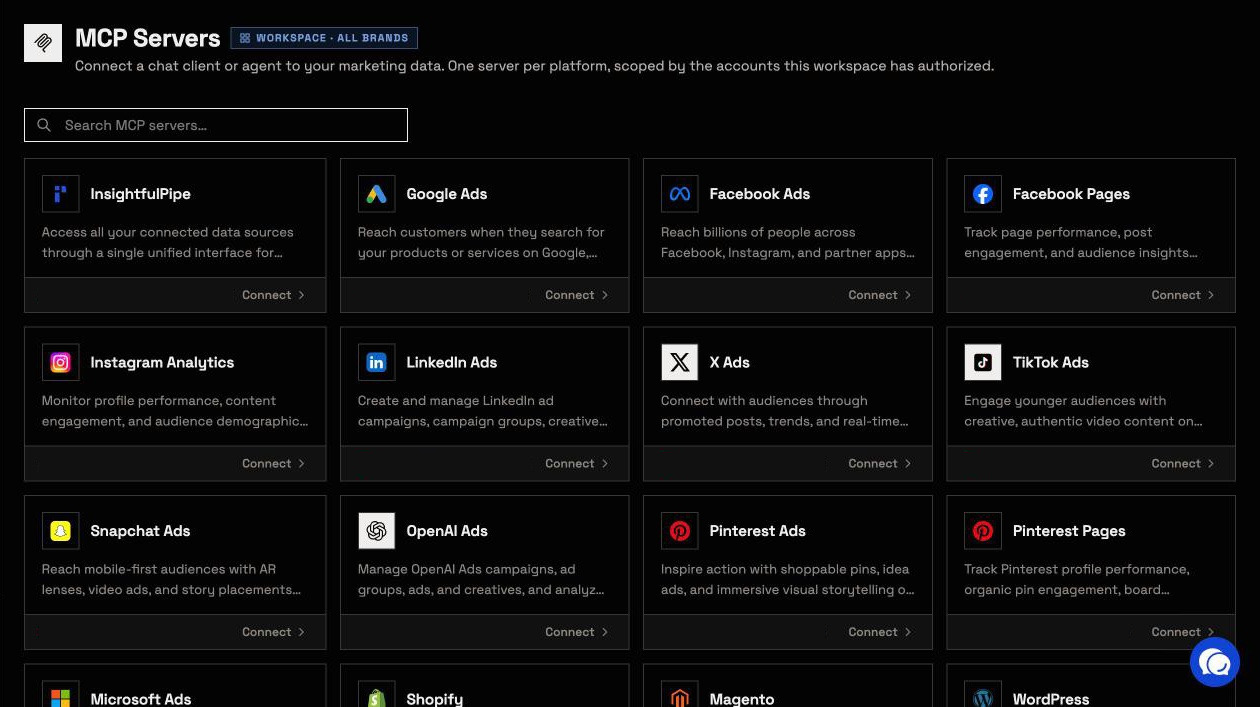
It is the pick if one assistant should work across your whole marketing stack, within limits you set. The all-platforms server lists 1,927 actions across:
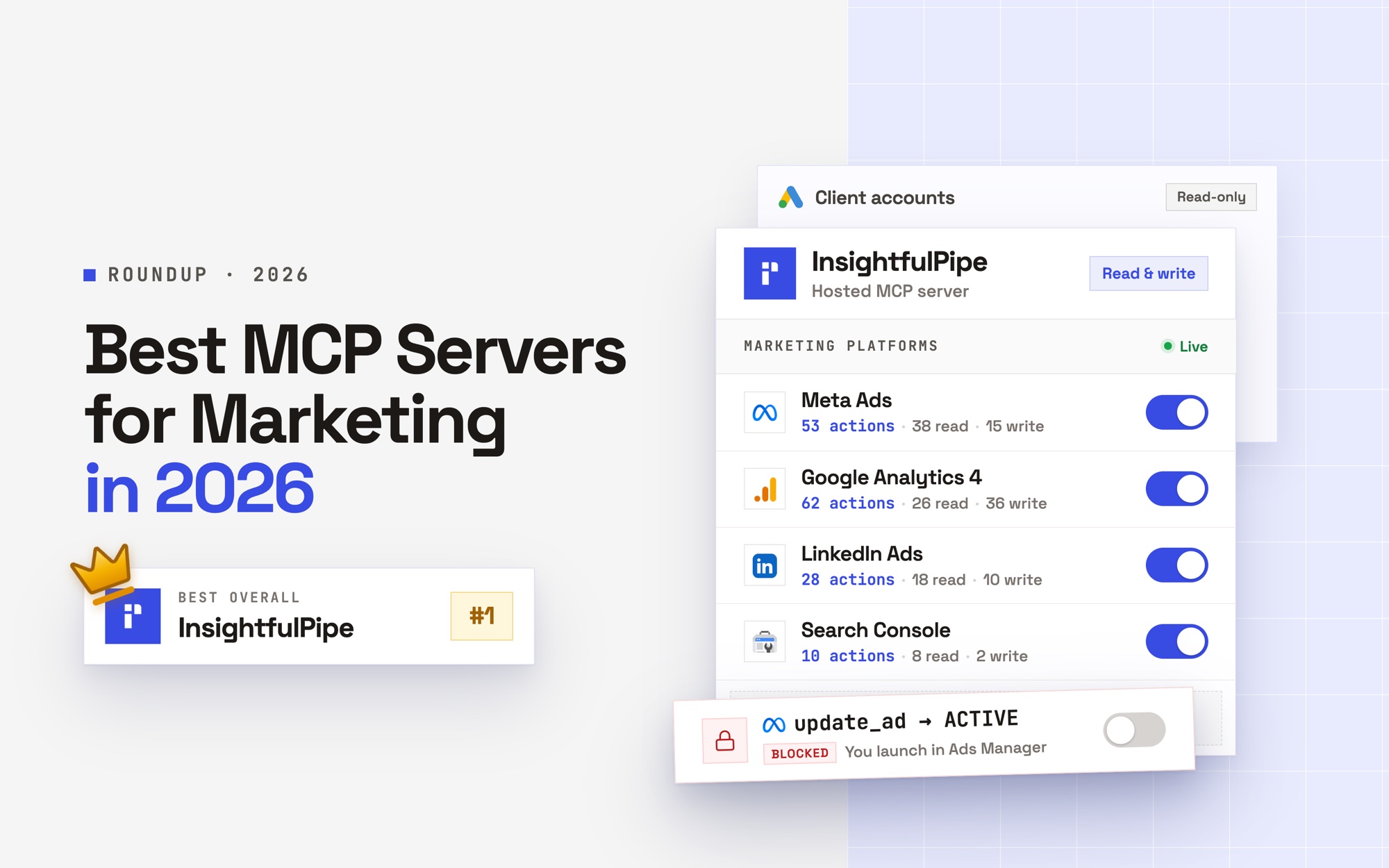
- Ads: Google Ads (99 actions), Meta Ads (53), LinkedIn Ads (28), TikTok Ads (89), Microsoft Ads (90), X Ads (80), OpenAI Ads (49), Pinterest Ads (44) and Snapchat Ads (43), plus ad libraries for competitor research
- Analytics: GA4 (62), Google Tag Manager (61), Microsoft Clarity and BigQuery
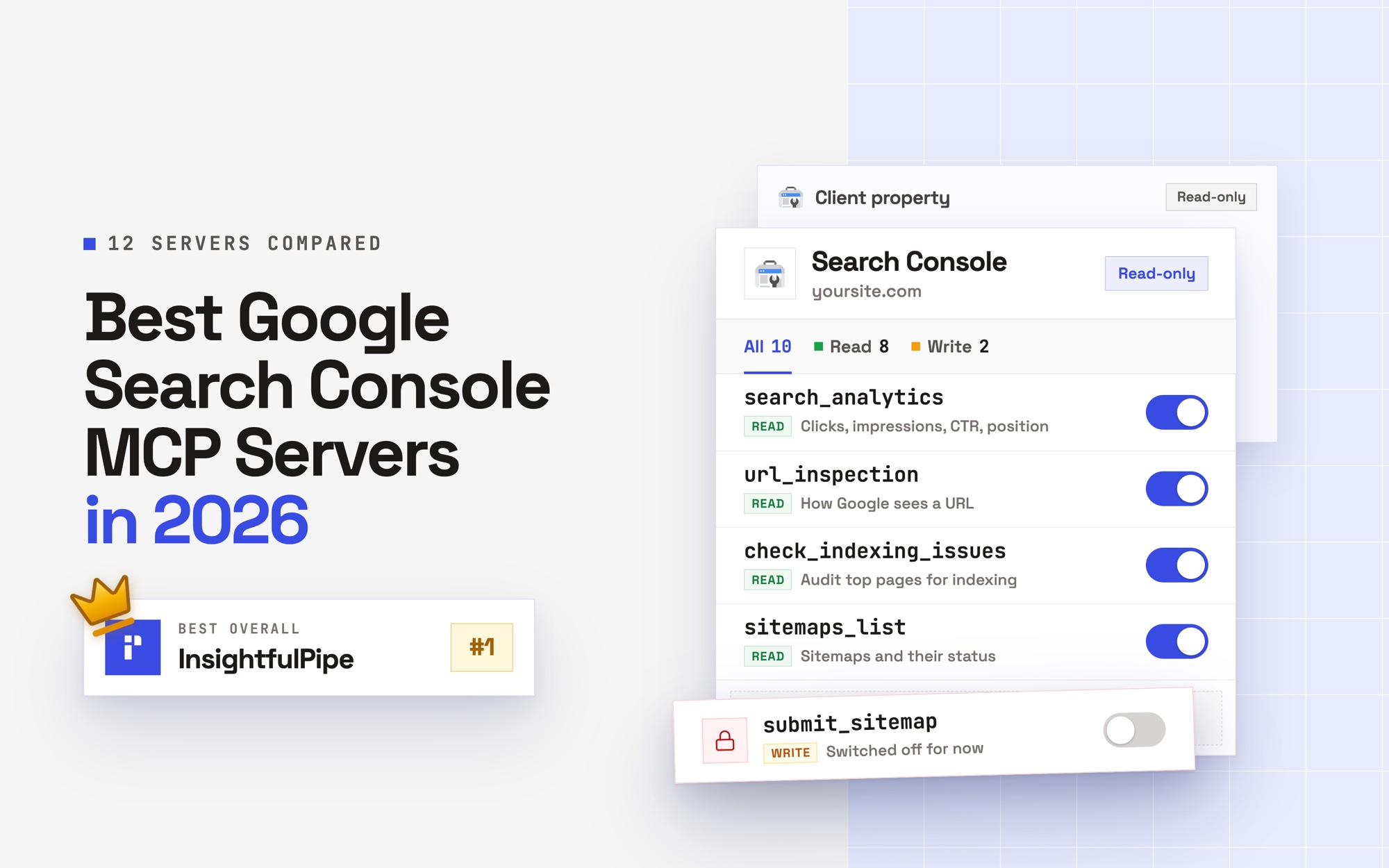
- SEO: Search Console, Bing Webmaster Tools, DataForSEO, a web crawler and PageSpeed Insights
- Social: Facebook Pages, Instagram, LinkedIn Pages, TikTok, YouTube and Pinterest, with publishing as well as reporting
- Commerce and email: Shopify (116), WooCommerce, Magento, Stripe, Merchant Center, Klaviyo (63) and Mailchimp (231)
- Workspace and data: Google Sheets, Notion, Slack, Airtable, Google Business Profile, CallRail and SQL databases
Why it is the safest way to let an agent write
Control is the second difference, and it is what makes InsightfulPipe the safest of the servers that can write: every limit is a switch, and your admin decides where each one sits.
An owner, admin or operator opens a connected account and picks exactly which of its actions the agent can use, across read, write and destructive. InsightfulPipe's server enforces that list, not your AI client, so the same limits hold in Claude, ChatGPT, Cursor, Claude Code, Gemini CLI, Codex CLI and our CLI.
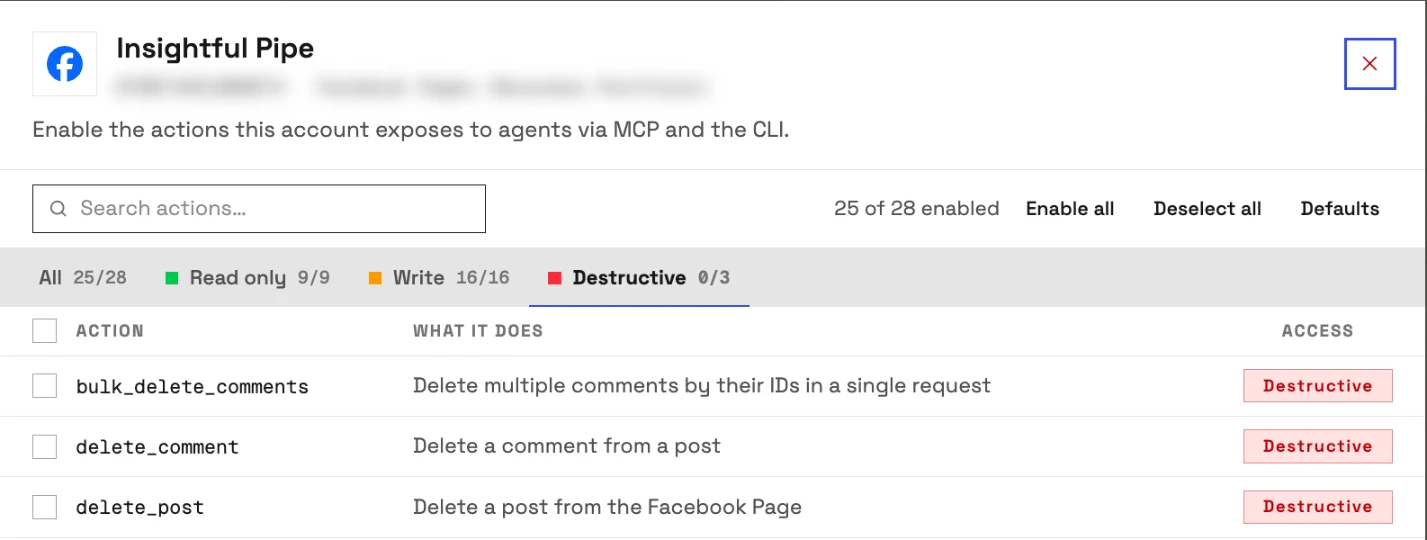
- Destructive actions start off. Deleting a Meta campaign, ad set or ad, removing Google Ads keywords or deleting a GA4 property stays off until an admin switches it on.
- Read-only means read-only. A read-only connection locks every write until an admin reconnects it with read and write.
- New campaigns start paused on all nine ad platforms, for you to set live when they are ready. On Meta and Pinterest, you set ads live in their own ads managers.
- Roles hold. Members on the user role only view the accounts they are granted, and writes need an operator, admin or owner.
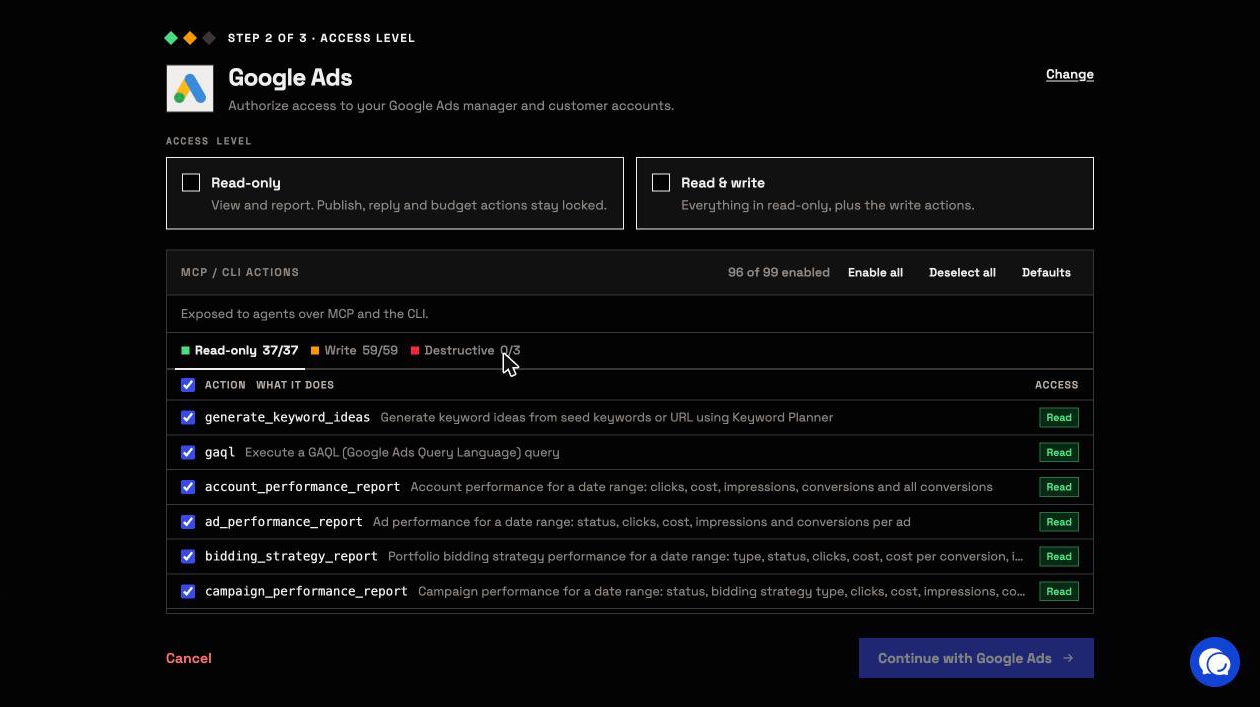
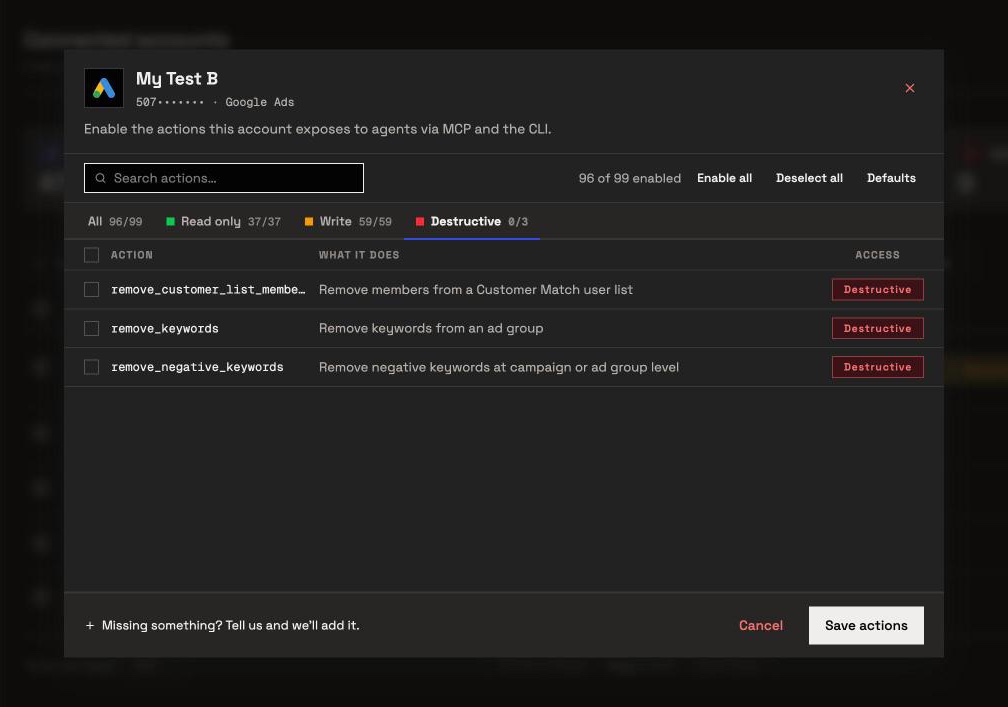
The same switches work on every platform. A Facebook Page connection, for example, keeps deleting posts and comments off until an admin turns it on.
Markifact's MCP docs put the approval before a write in your AI client. That works while someone watches the chat. On a scheduled run nobody does, and the task stops at its first write. InsightfulPipe draws the boundary on the server, so the agent plans inside it and finishes.
One connection, five tools
Every tool a server publishes loads into the model's context on every turn. The InsightfulPipe server publishes five tools, and the same five reach every connected platform: the agent looks up a platform's actions only when it needs them. Connect two platforms or fifty, and the tool list stays the same.
What else you get
- Every major AI client: Claude, ChatGPT, Claude Code, Cursor, Gemini CLI and Codex CLI, each with a setup guide in the app.
- Listed in Claude's connector directory and OpenAI's app directory, so the full server connects in one click.
- Brands: accounts are grouped per brand, so an agency's clients stay apart.
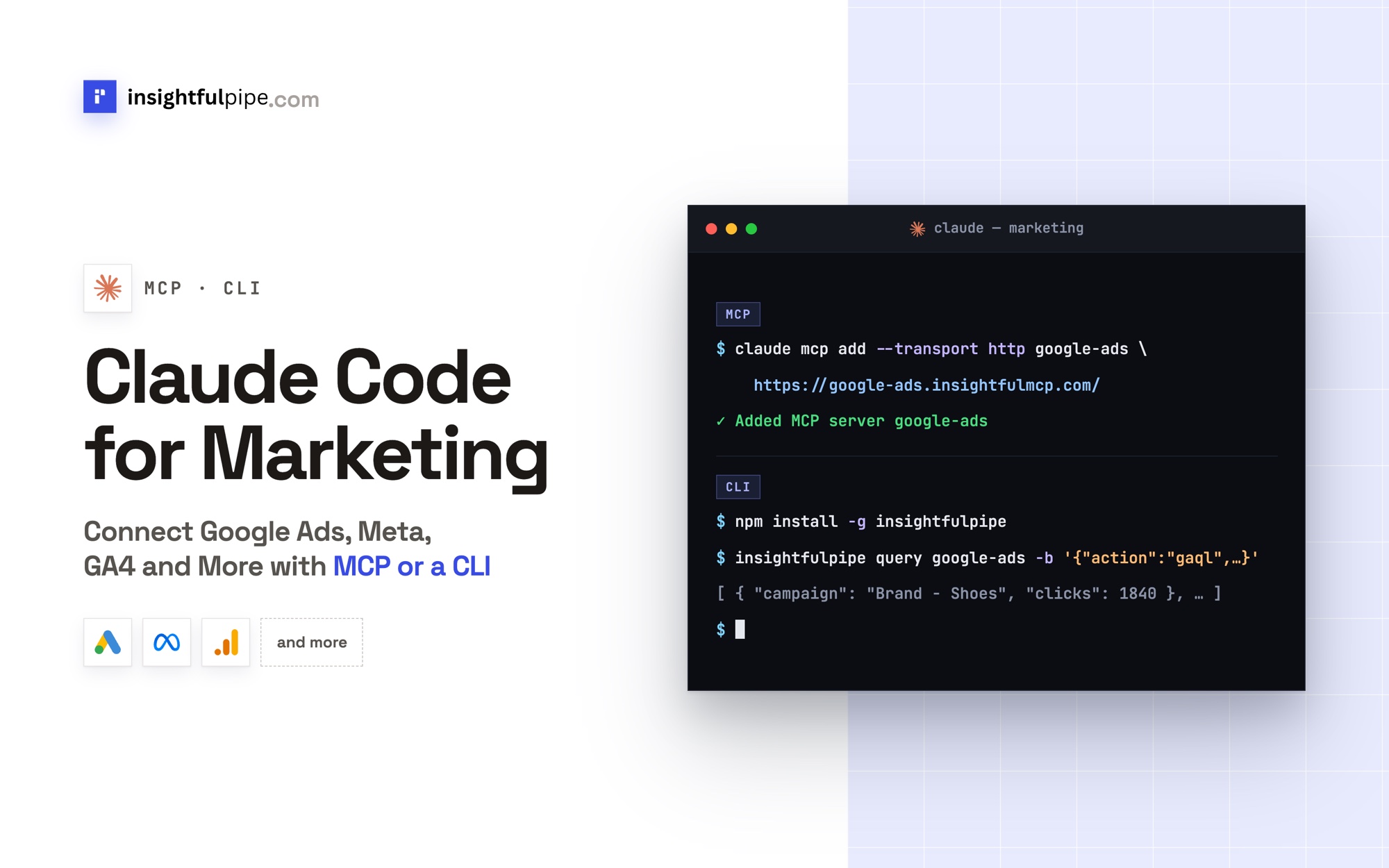
- A CLI: the insightfulpipe npm package runs the same actions from a terminal, under the same switches.
- Custom connectors: add any REST API from an OpenAPI 3.x manifest.
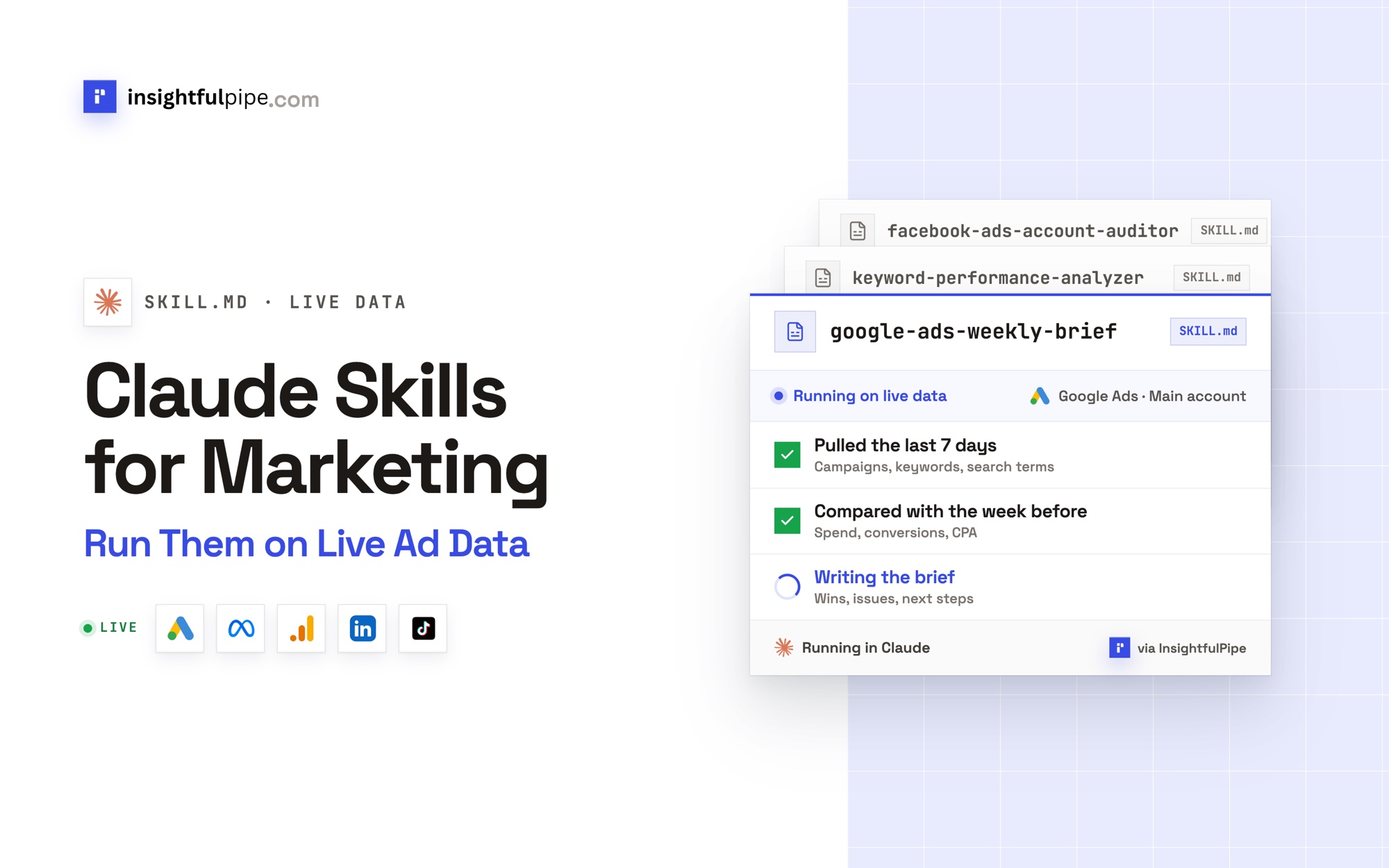
- Prompts and skills: templates you call from the server, plus the free marketing prompt library and Claude skills library.
Pricing: Starter is $29.99 a month for 8 connections, Growth $89.99 for 35 and Agency $299.99 for 150, each with unlimited tool calls and all 50 platforms. Start a trial.
Where it is the wrong answer: if one platform's reports are the whole job and you have a developer to host a server, that platform's own free server will do.
Best for: agencies and in-house teams who want one assistant to run ads, analytics, SEO, social and commerce work within limits they set, account by account.
Markifact
Markifact connects 50+ marketing platforms, and its own pages disagree about who approves a write.
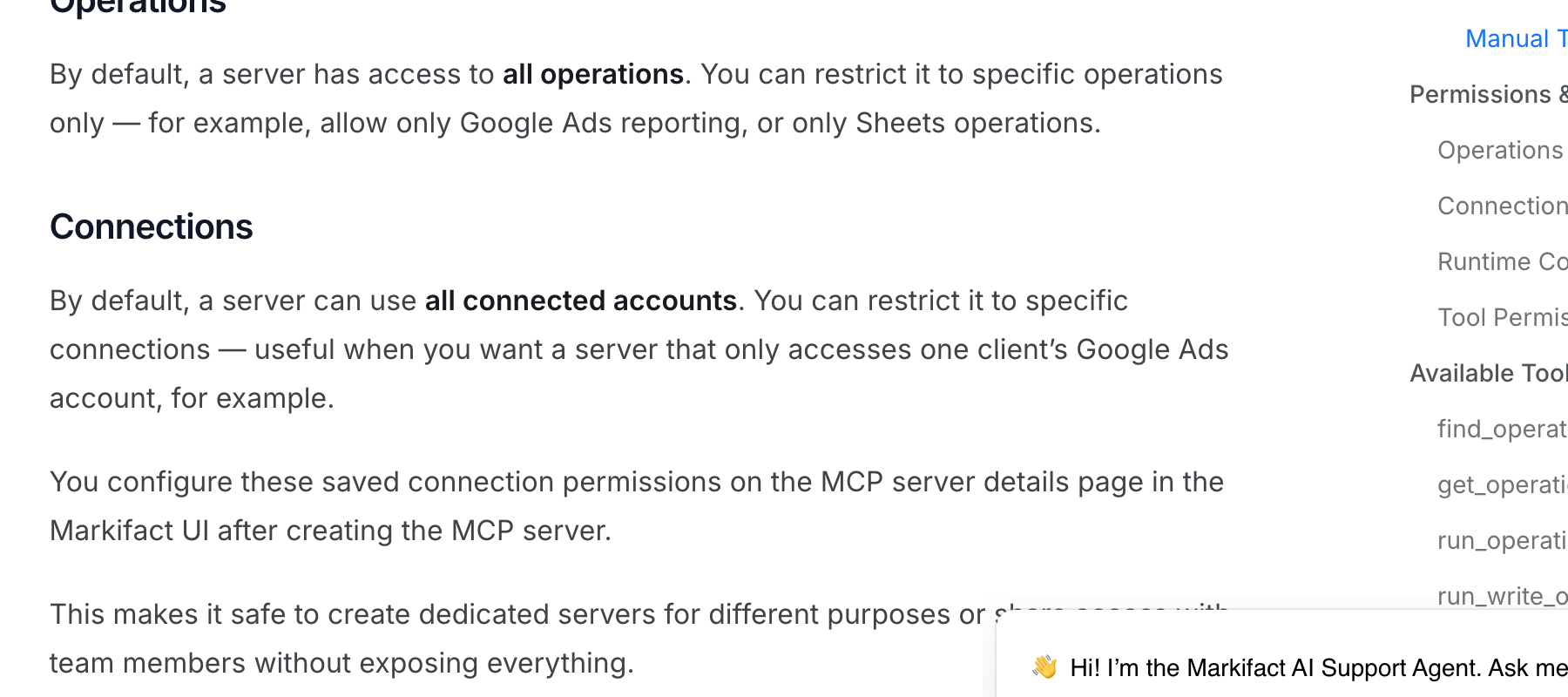
Its homepage says "Nothing goes live without you" and "Human in the loop, always." Its MCP docs say a new server "has access to all operations" and "can use all connected accounts" until you narrow it, and that your AI client holds the approval before a write. Pro is $79 a month for 2,000 credits and one seat.
Pros
- 50+ platforms and 1000+ operations, per its pricing page.
- Unlimited ad accounts on every plan.
Cons
- A new MCP server reaches all operations and all connected accounts.
- Over MCP, write approval is your AI client's setting.
- Usage runs on credits, from $79 a month for 2,000.
Best for: teams already running workflows inside Markifact.
Windsor.ai
Windsor.ai is a data pipeline first, with a growing write layer on top.
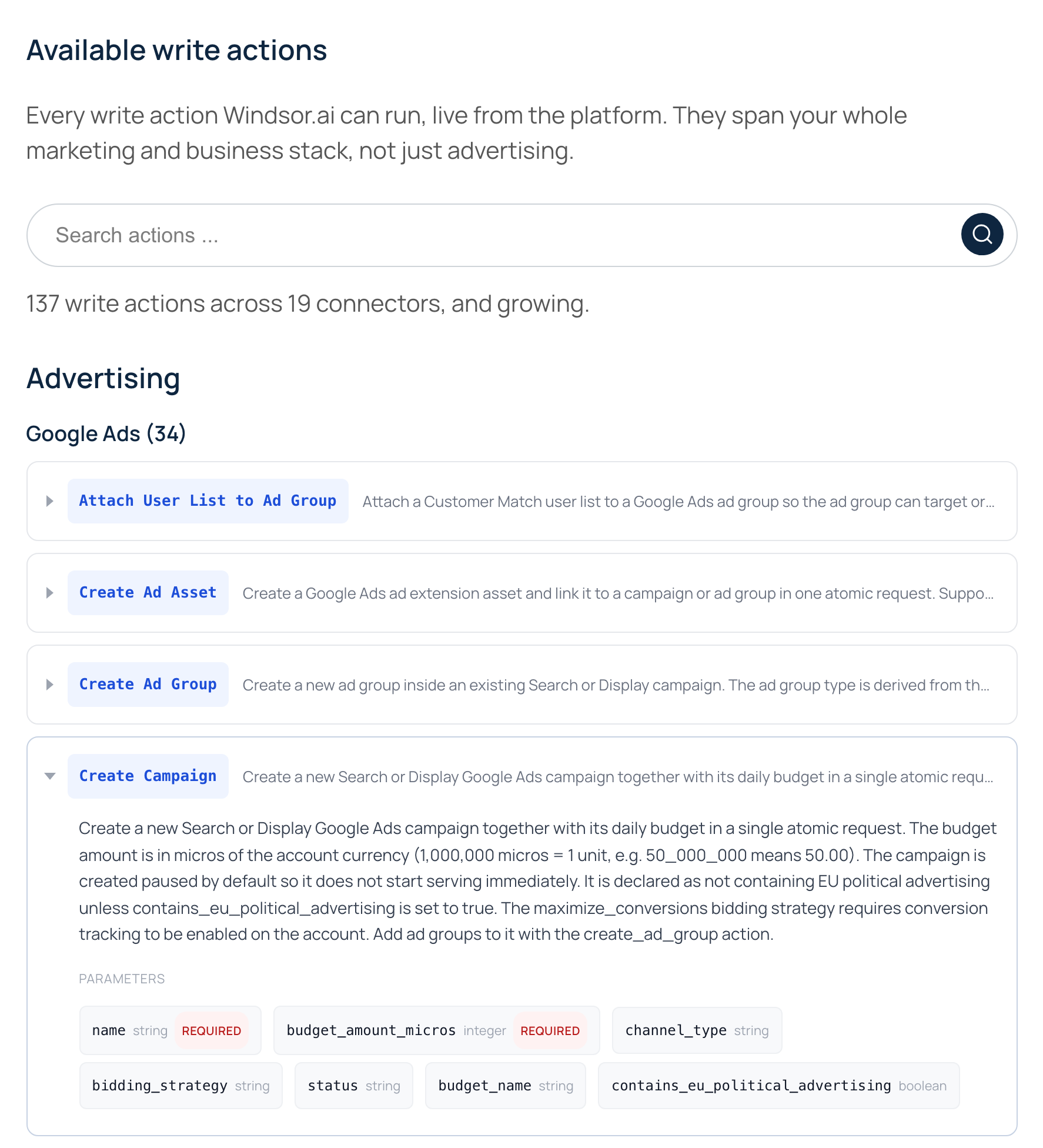
Its MCP page connects 350+ data sources, and its write actions page lists 137 write actions across 19 connectors, 34 of them for Google Ads. Create actions start paused "by default". That page describes no approval step, and its FAQ says creation actions "are not reversible via a single action". Pricing runs by data source: $23 a month covers 3.
Pros
- 350+ data sources to read.
- Create actions start paused by default.
Cons
- No approval step or per-action limit published for writes.
- Plans cap data sources, so a fourth means Standard, at $118 a month.
- Its $0 plan drops to one data source and one account after 30 days.
Best for: teams already piping reports through Windsor.ai.
Adspirer
Adspirer runs campaigns across six ad platforms and prices by the task.
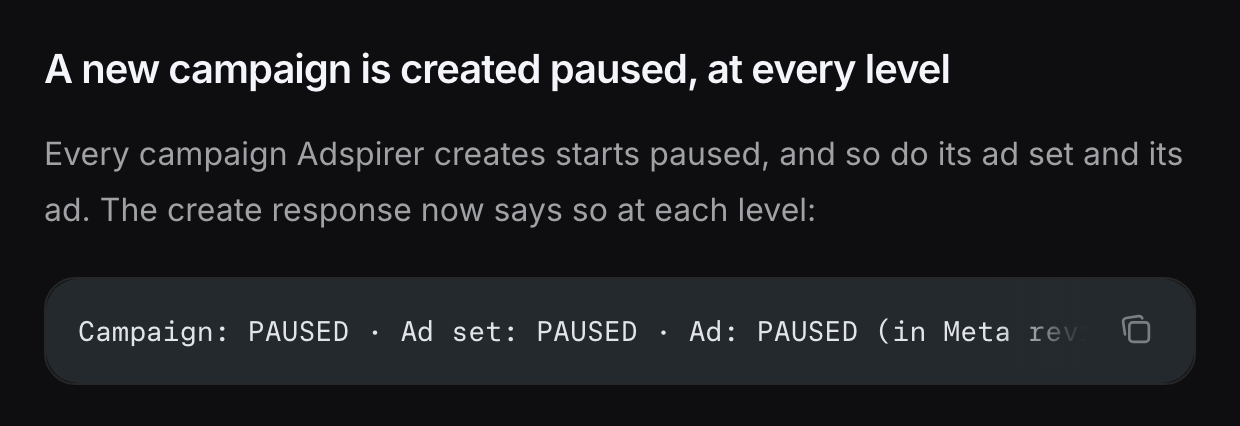
Its homepage covers Google, Meta, LinkedIn, TikTok, Amazon and ChatGPT Ads, and says "New campaigns stay paused" and "Every high-impact change stays yours to approve". It does not say which changes count as high-impact. Its $0 plan allows 15 tasks a month, Plus is $40 for 150, and Max lists 5 active accounts per platform.
Pros
- Six ad platforms, including Amazon and ChatGPT Ads.
- New campaigns stay paused.
Cons
- Usage is capped by tasks: 15 a month on $0, 150 on Plus.
- GA4 and Klaviyo integrations start on Plus, at $40 a month.
- No per-action switch published.
Best for: advertisers who want an agent that only does paid media.
Pipeboard
Pipeboard hosts servers for eight ad platforms, and what a token can reach depends on your plan.
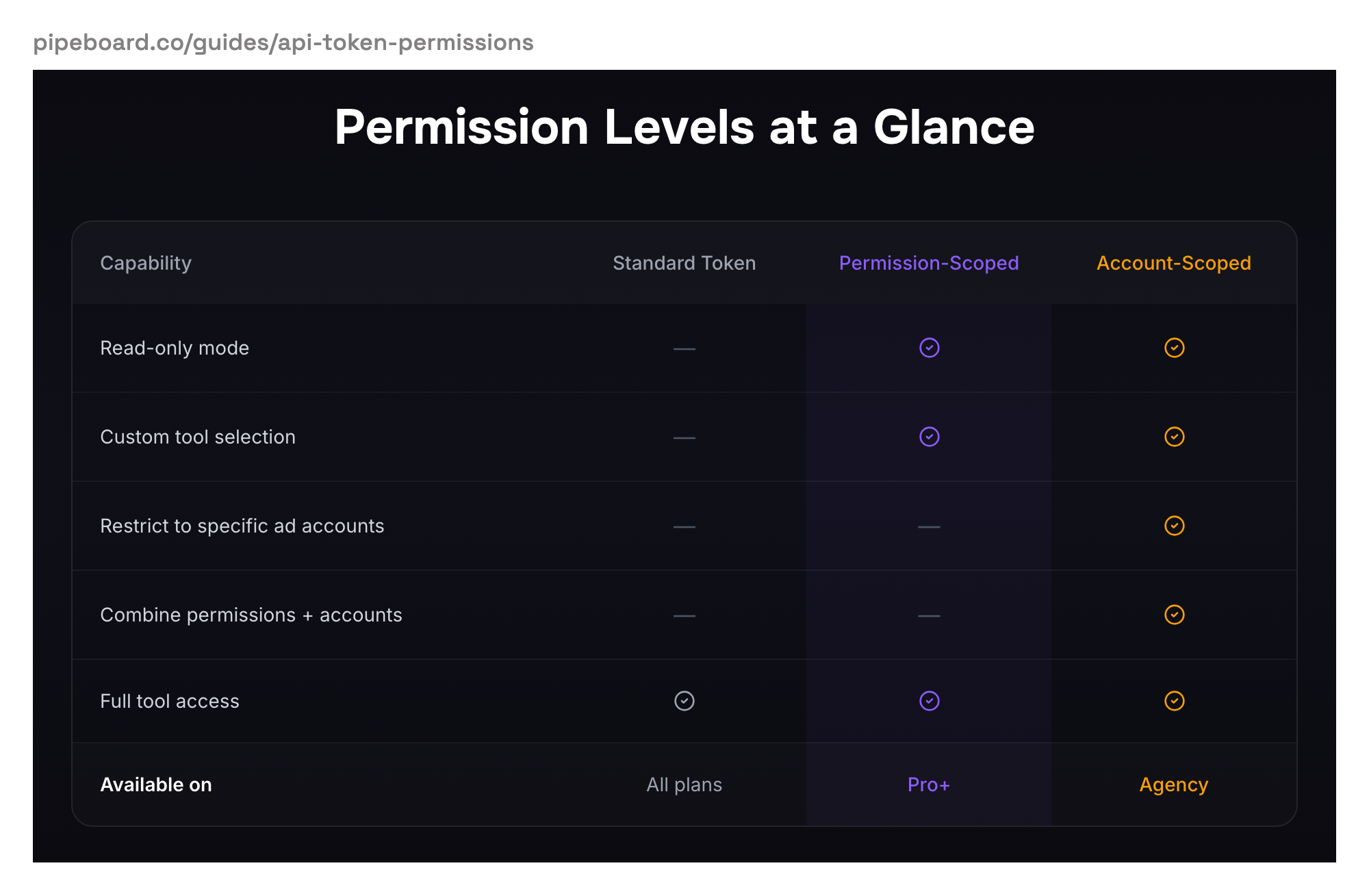
Its integrations page lists eight ad platforms, plus Google Analytics, Search Console and Merchant Center. Per its pricing, permission-scoped tokens start on Pro, at $29.90 a month for 3 ad accounts, and per-account scoping starts on Agency, at $199. The $0 plan covers 2 ad accounts and 30 tool runs a week.
Pros
- Eight ad platforms on one login.
- A $0 plan for two ad accounts.
Cons
- A standard token reaches every tool.
- Limiting a token to chosen ad accounts starts at $199 a month.
- Each extra ad account slot costs $10 a month.
Best for: Meta-first advertisers already using Pipeboard.
Supermetrics
Supermetrics brings its reporting connectors to AI clients, and its MCP page names no write action.
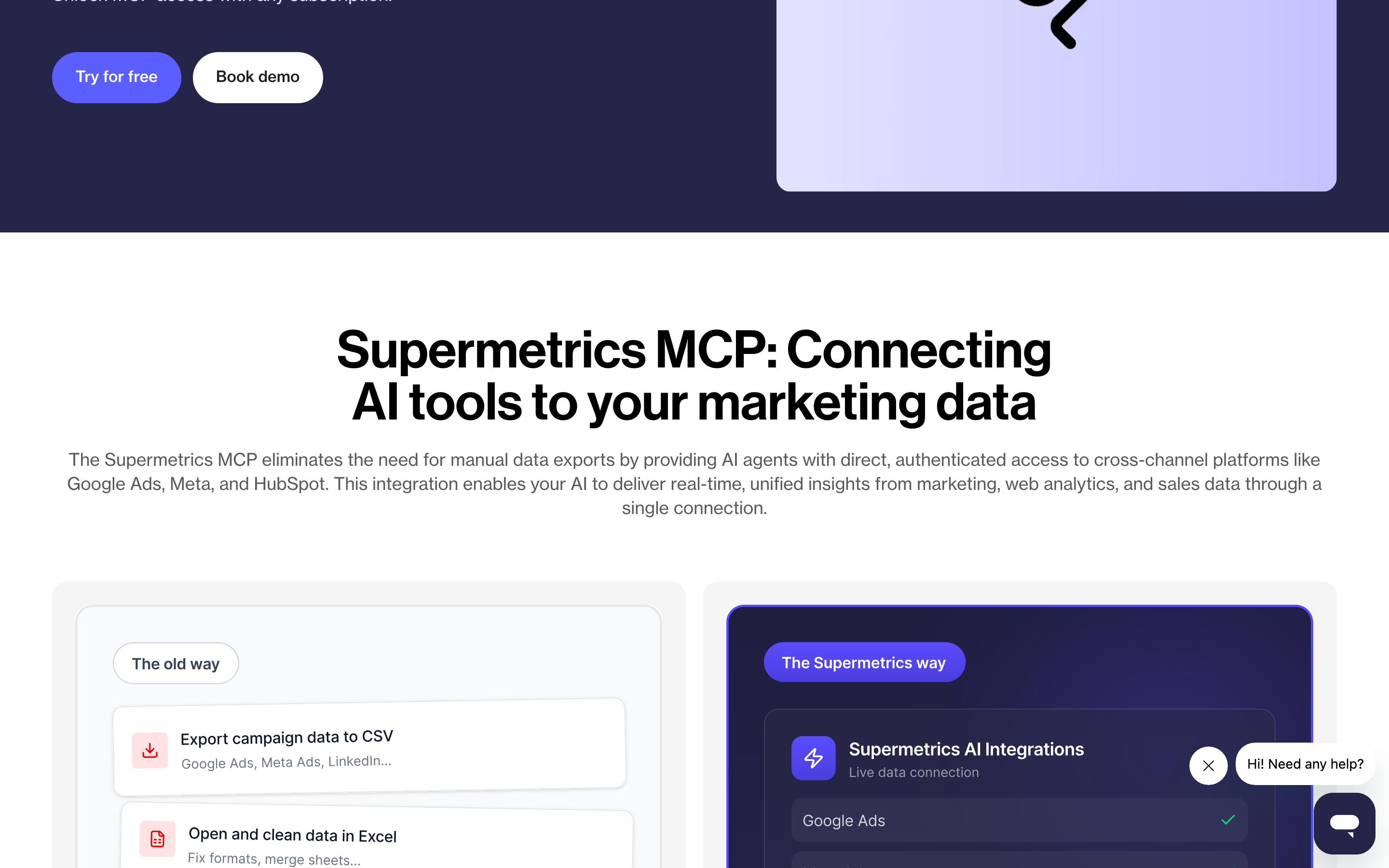
Its MCP page reads Google Ads, Meta, GA4, HubSpot, Shopify and more, and each user sees only their own Supermetrics accounts. The same page offers MCP access "with any subscription" and, further down, says MCP is "included in all Supermetrics plans that include Data API access". Starter is €49 a month for 3 data sources and one user.
Pros
- A wide catalog of reporting sources.
- Each user reaches only their own Supermetrics accounts.
Cons
- Its MCP page names no action that changes anything.
- Its pages give two answers on which plans include MCP.
- Starter covers 3 data sources and 3 accounts per source.
Best for: teams already reporting through Supermetrics.
Developer and automation platforms
Two platforms reach thousands of apps, and both leave the limits to whoever builds or configures the agent.
Composio
Composio is developer infrastructure for agents, with 1500+ toolkits and limits written in code.
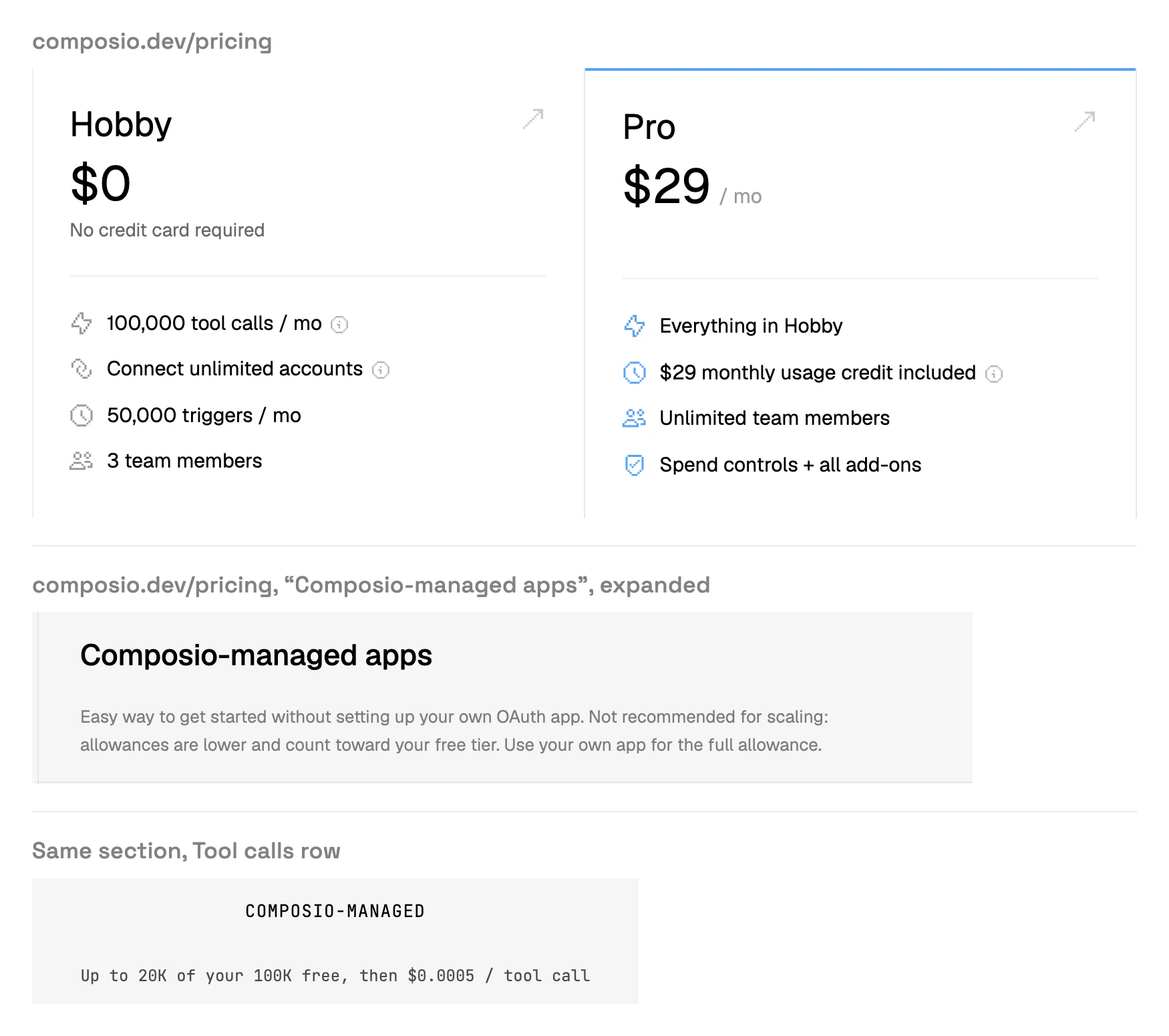
Its docs say "By default, a session has access to every toolkit in the Composio catalog." A developer narrows that by toolkit, tool or behaviour tag, in code or a saved config. Pricing starts at $0 for 100,000 tool calls a month, then Pro at $29 with metered calls.
Pros
- 1500+ toolkits.
- Behaviour tags, such as destructiveHint, that a developer can filter on.
Cons
- A new session reaches every toolkit in its catalog.
- Limits live in code or a config that a developer writes.
- Past 100,000 calls, every call is metered.
Best for: developers wiring marketing apps into their own agent.
Zapier MCP
Zapier MCP reaches 9,000+ apps, and it goes wide rather than deep on ad platforms.
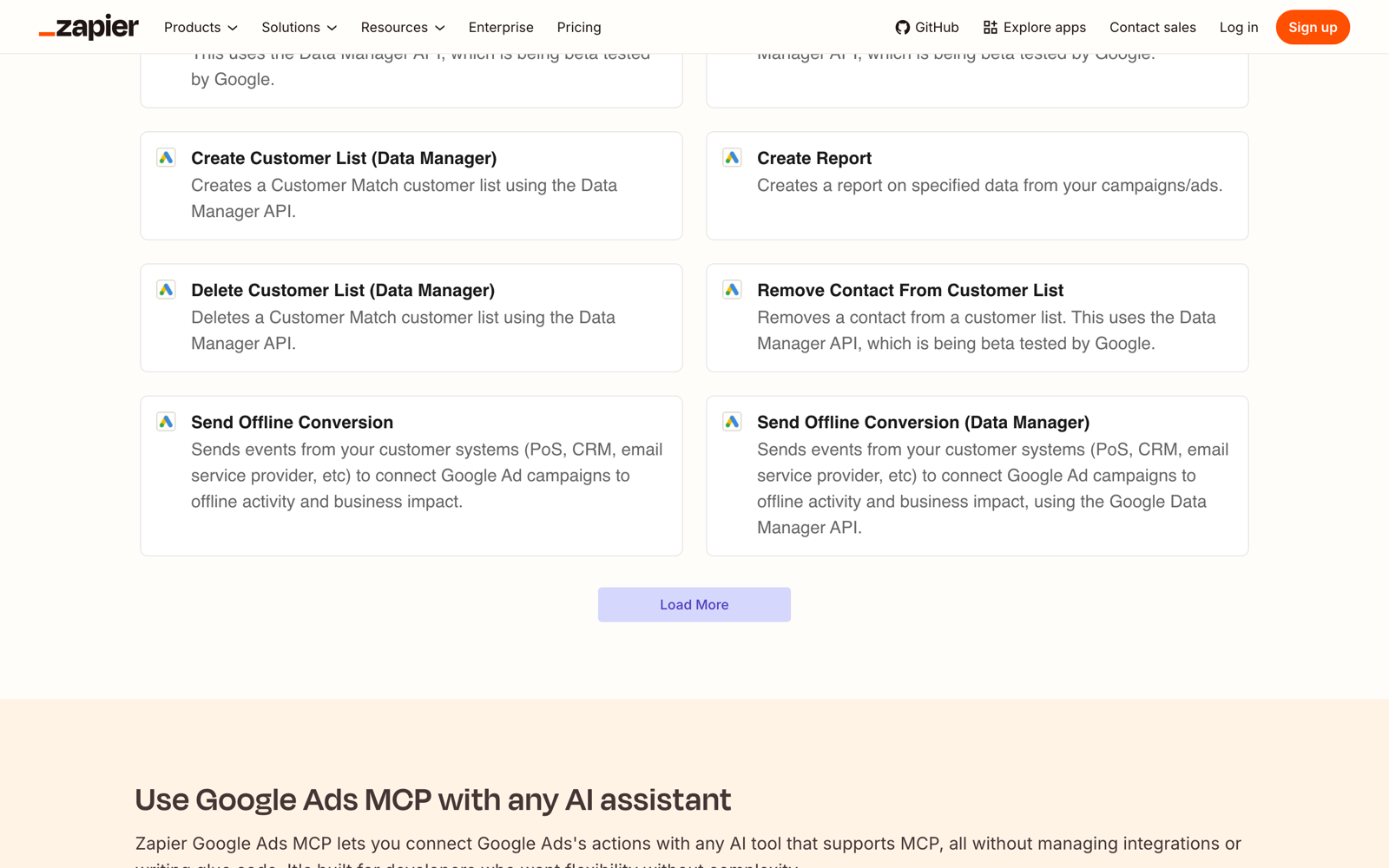
Its MCP page says "Choose which apps and actions your agent can use" and logs every call. Its Google Ads actions cover customer lists, offline conversions, a report and campaign status, and none creates or edits a campaign, ad or budget. Each call uses two tasks, so the free plan's 100 tasks make 50 calls a month.
Pros
- 9,000+ apps.
- App and action-level access controls.
Cons
- No Google Ads action creates or edits a campaign.
- Each tool call uses two tasks.
- Heavier use means a paid Zapier plan sized by tasks.
Best for: pushing leads and conversions between apps.
Attribution layers
Two vendors sell a measurement layer over the ad platforms, built for budget decisions rather than day-to-day campaign work.
SegmentStream
SegmentStream sells cross-channel attribution on your own data warehouse, with an MCP server on top.
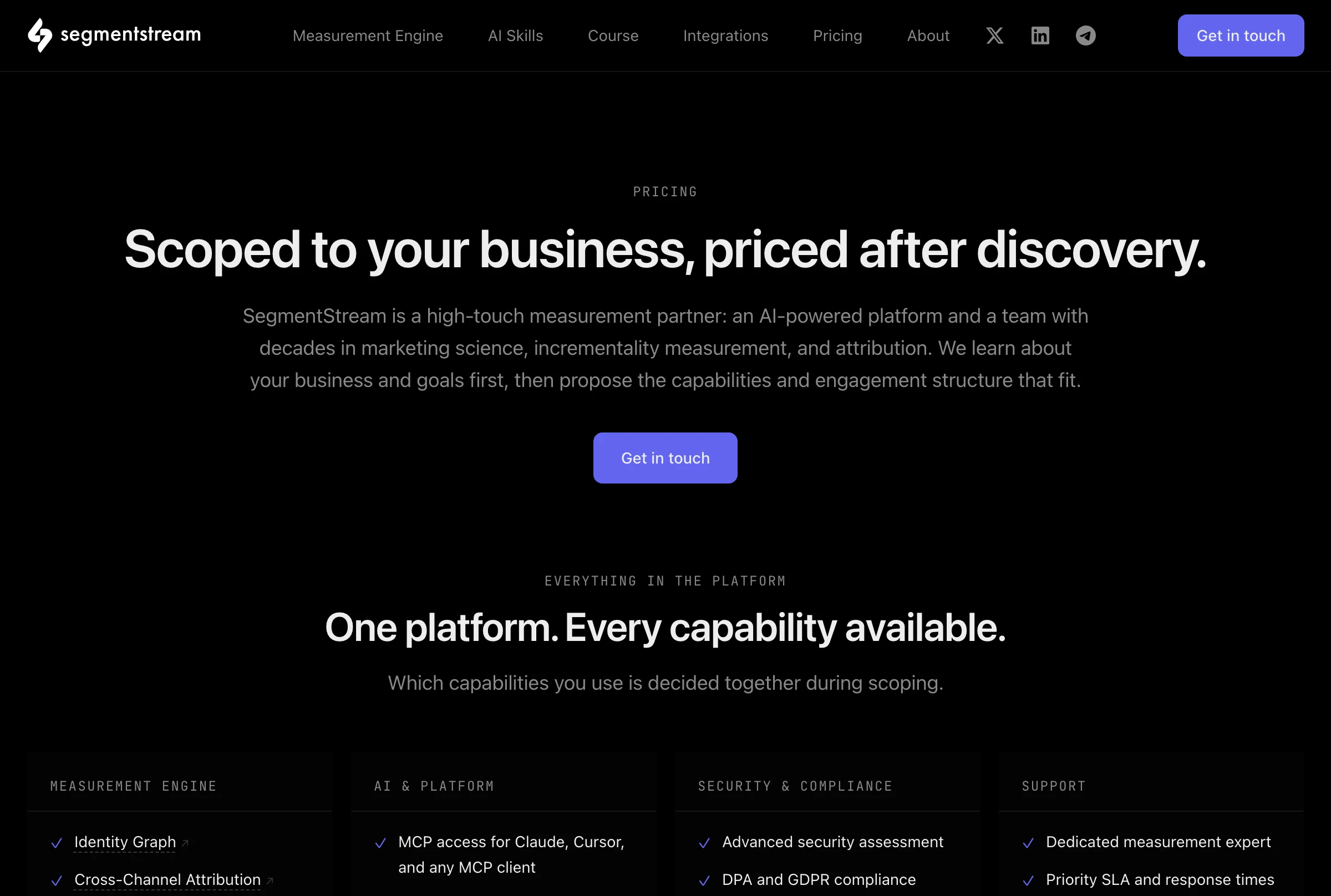
Its homepage says the MCP lets you "reallocate budgets", and that it finds the optimal allocation and "applies it across every connected platform". Its pricing reads "Scoped to your business, priced after discovery", per project. Its own roundup ranks it first.
Pros
- Attribution that does not rely on each ad platform's own reporting.
- MCP access included with the platform.
Cons
- No public price: it quotes after a discovery call.
- It needs your ad, web and CRM data in a data warehouse.
- No per-action limit published for budget changes.
Best for: large advertisers with a data warehouse and an attribution budget.
BlueAlpha
BlueAlpha reads four ad platforms and adds analysis skills, and it does not change campaigns yet.
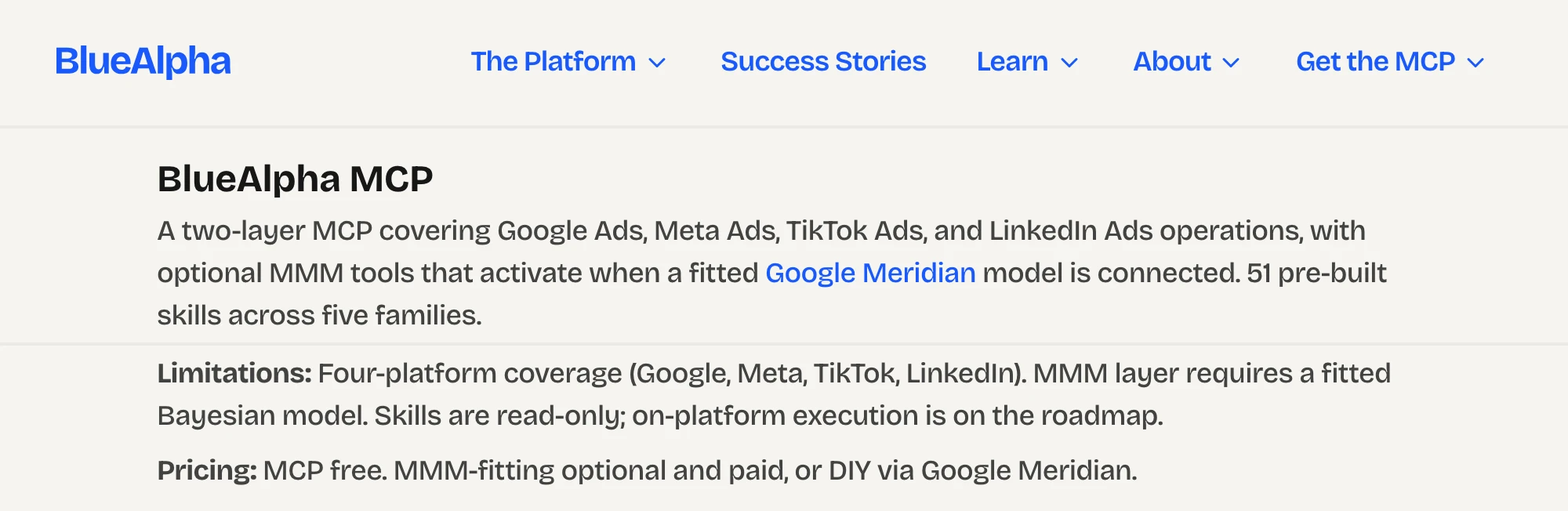
Its MCP page connects Google, Meta, TikTok and LinkedIn at one remote URL, with "More platforms coming soon". Its own comparison counts 51 pre-built skills and says "Skills are read-only; on-platform execution is on the roadmap." The MCP is free, and fitting its MMM layer is optional and paid.
Pros
- 51 pre-built analysis skills.
- Free to connect.
Cons
- Read-only today.
- Four ad platforms, with more "coming soon".
- Its MMM layer needs a fitted model, paid or built yourself.
Best for: teams that want audits and incrementality analysis, not changes.
The platforms' own servers
The big ad platforms now publish servers of their own. Each covers one platform, and each answers the one-platform question well.
Meta's ads MCP server
Meta hosts its own server, and it can set ads live.
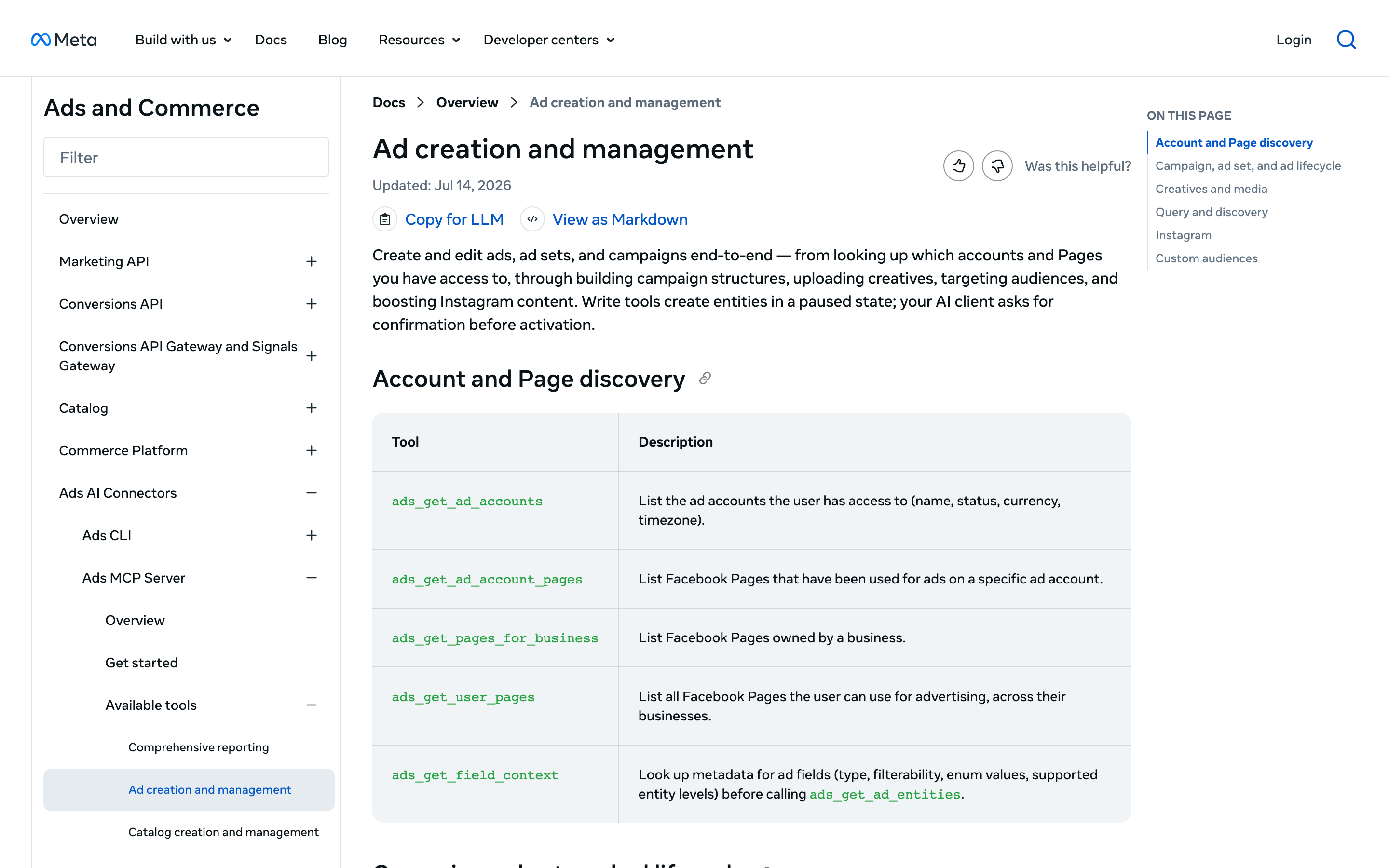
Meta's overview describes "a Meta-hosted Model Context Protocol server" at mcp.facebook.com/ads, with tools for reporting, ad creation, catalogs, signals, A/B tests and activity logs. Its ad creation tools create campaigns paused, and ads_activate_entity sets them live after "your AI client asks for confirmation". Meta publishes no price.
Cons
- Meta only.
- Setting an ad live rests on your AI client's confirmation.
- No price published.
Best for: Meta-only advertisers who want Meta's own tools.
TikTok's ads MCP server
TikTok for Business hosts a server with about 400 tools.
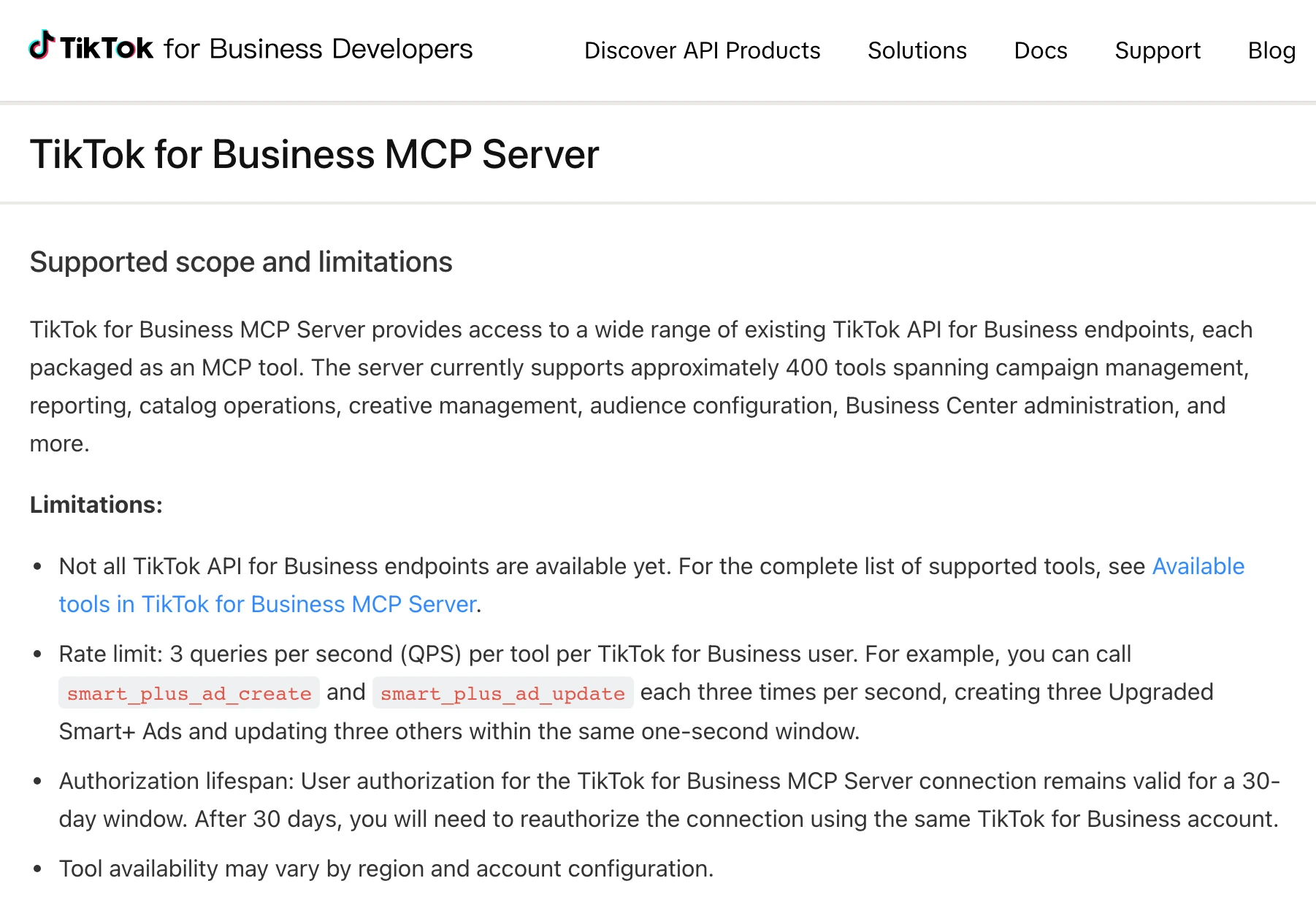
Its docs package "approximately 400 TikTok API for Business endpoints" as tools, loaded all at once or a few at first. They cover campaigns, reporting, catalogs, audiences and Business Center "financial settings". Authorization lasts 30 days, and each tool allows 3 calls a second.
Cons
- You reauthorize every 30 days.
- Business Center financial settings sit in the same tool set.
- No price published.
Best for: TikTok-only advertisers.
Google's Google Ads and Analytics servers
Google ships two read-only servers, one per product, and you run them yourself.
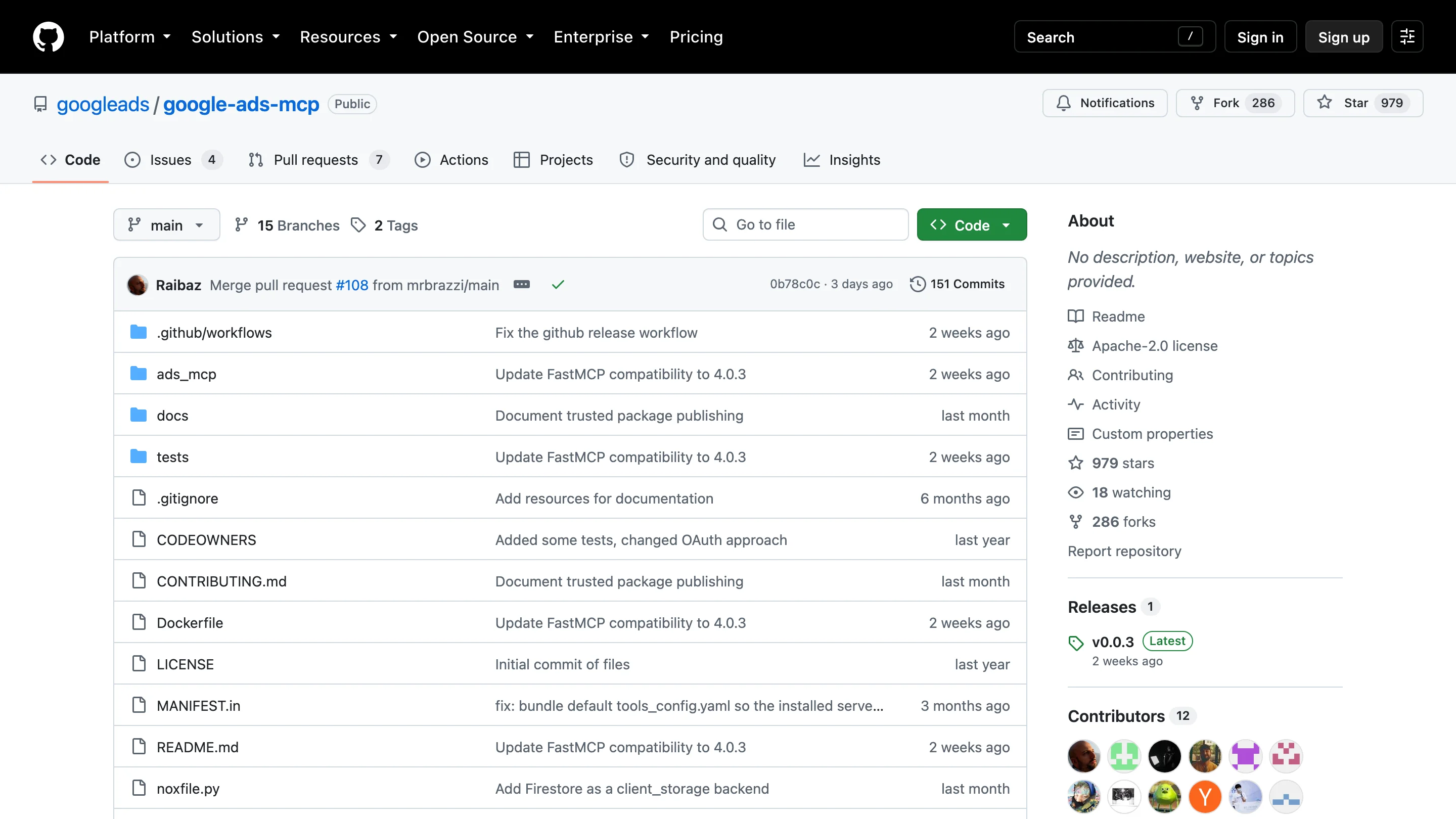
Google's guide says its Google Ads server "is strictly read-only. It cannot modify bids, pause campaigns, or create new assets." It has three tools, runs locally or on Cloud Run, and needs a Google Cloud project. The Google Analytics server is labelled experimental and runs locally. Both are free under Apache-2.0. Our Google Ads MCP roundup compares Google's with eleven others.
Best for: technical teams who need one product's reports and will host the server.
CRM, email and commerce platforms
AI answers for this query also name HubSpot, Klaviyo, Shopify and Salesforce, which serve their own data. Each covers its own platform only.
Platform | Its own server | What it can change |
|---|---|---|
HubSpot | Remote | CRM data such as contacts, deals and engagements |
Klaviyo | Remote or local | Campaigns, flows, lists and templates, deletes included; a read-only flag turns writes off |
Shopify | Catalog, cart and checkout | Shopper-side search, carts and checkout |
Salesforce | Marketing Cloud Engagement | Content and contact data, such as marketing emails |
Snapchat | Read-only | Nothing yet; write access is planned |
A beta app inside ChatGPT | Nothing; it reads ad set performance |
InsightfulPipe reaches Klaviyo (63 actions) and Shopify (116, including orders, refunds, products and inventory) on the same connection as your ads.
SEO suites with their own servers
Ahrefs and Semrush, which most AI answers for this query name, each serve their own SEO data to AI clients. They help when keyword and backlink research is part of the job.
Ahrefs
Ahrefs lists "API and MCP access" on its Lite, Standard and Advanced plans, and Lite is $129 a month.
Semrush
Semrush says MCP access "is included in Semrush One and SEO Classic plans" and is "also available for API users".
On InsightfulPipe, Search Console, Bing Webmaster Tools, DataForSEO, a crawler and PageSpeed sit on the same connection as your ads, and DataForSEO bills its requests to your own DataForSEO account.
What an agent can do on a new connection
What an agent can do on day one depends on each server's defaults, and they differ more than the feature lists suggest. Ask four questions before you connect a live account.
What can it reach before anyone narrows it? Markifact's docs say all operations and all connected accounts. Composio's session reaches every toolkit, and Pipeboard's standard token every tool. On InsightfulPipe, destructive actions start off until an admin switches them on, and a read-only connection cannot select a single write until an admin reconnects it with read and write.
Who sets the limits, and who enforces them? Over MCP, Markifact's approval is your AI client's setting, and Meta's activation waits on your client's confirmation. On InsightfulPipe, an owner, admin or operator sets the actions per account, at any time, and the server enforces them in every client.
What starts paused? InsightfulPipe creates new campaigns paused on Google Ads, Meta, LinkedIn, TikTok, Microsoft Ads, Pinterest, Snapchat, X and OpenAI Ads. On Google Ads, the assistant is told to ask you before a change goes live. Set execute_action to Needs approval in Claude's tool permissions, which every user has under Customize > Connectors, and Claude waits for you.
What moves money? Budget and bid changes are ordinary writes, and on TikTok the status updates that set ads live also accept DELETE. Switch those actions on only for the accounts where the agent should manage spend; each one is a switch an admin turns off.
That is why InsightfulPipe is the safest of the servers that can write: every default starts on the careful side, and every one is a switch your admin controls.
Which should you choose?
Choose InsightfulPipe if one assistant should work across your marketing stack within limits you set, and a platform's own free server only if one platform's reports are the whole job.
- You run ads, analytics, SEO, social and commerce together: InsightfulPipe. 50 platforms, from $29.99 a month.
- You run an agency: InsightfulPipe. Brands keep clients apart, and each account carries its own action list.
- You buy paid media on several networks: InsightfulPipe. Nine ad platforms, with new campaigns paused on all of them.
- You sell online: InsightfulPipe. Shopify, WooCommerce, Magento, Stripe and Merchant Center sit beside your ads.
- You market B2B: InsightfulPipe. LinkedIn Ads and LinkedIn Pages sit beside Google Ads, GA4 and CallRail.
- You only need reports: a read-only InsightfulPipe connection, which locks every write until an admin reconnects it with read and write.
You can run more than one. MCP clients support several servers in one session.
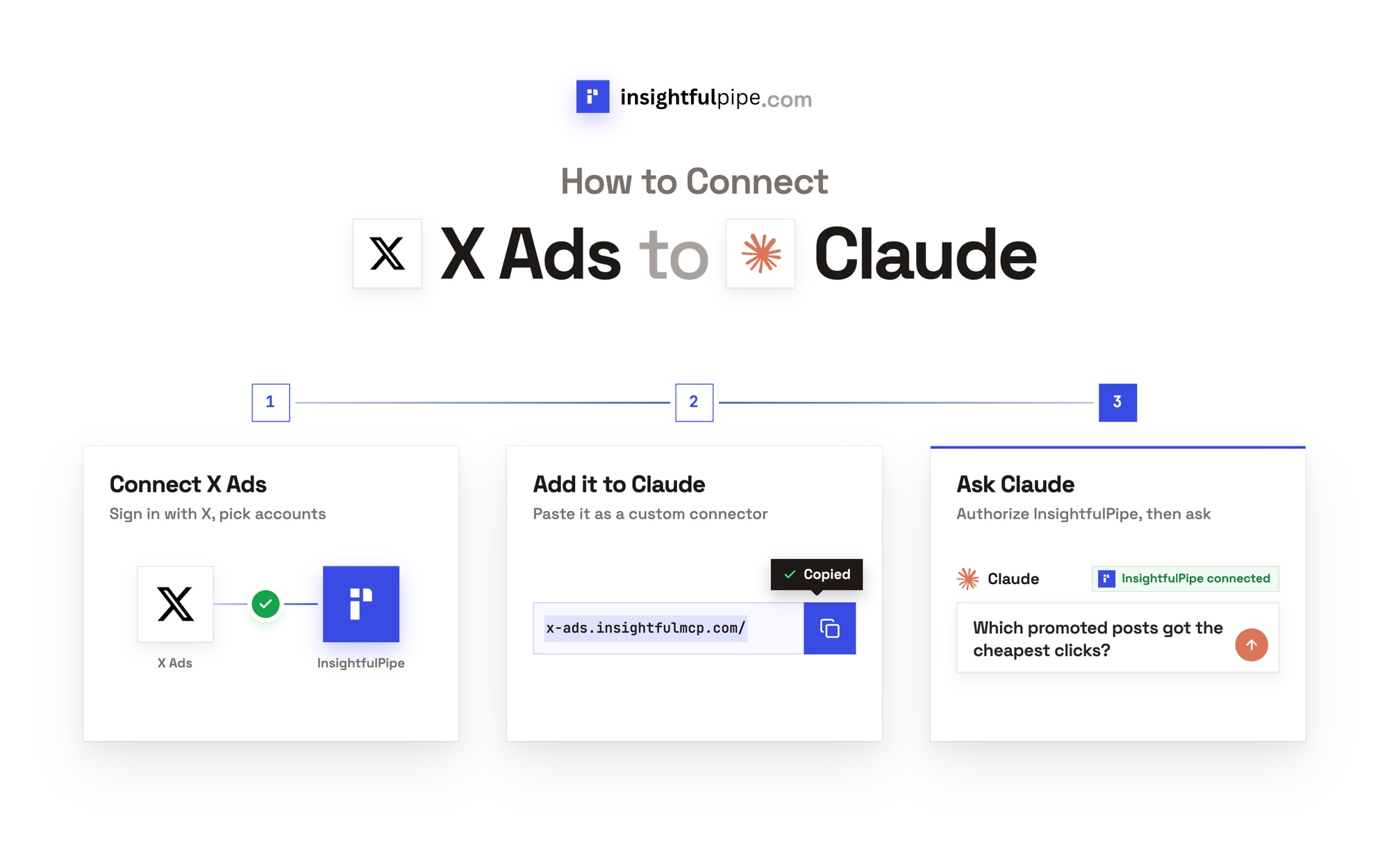
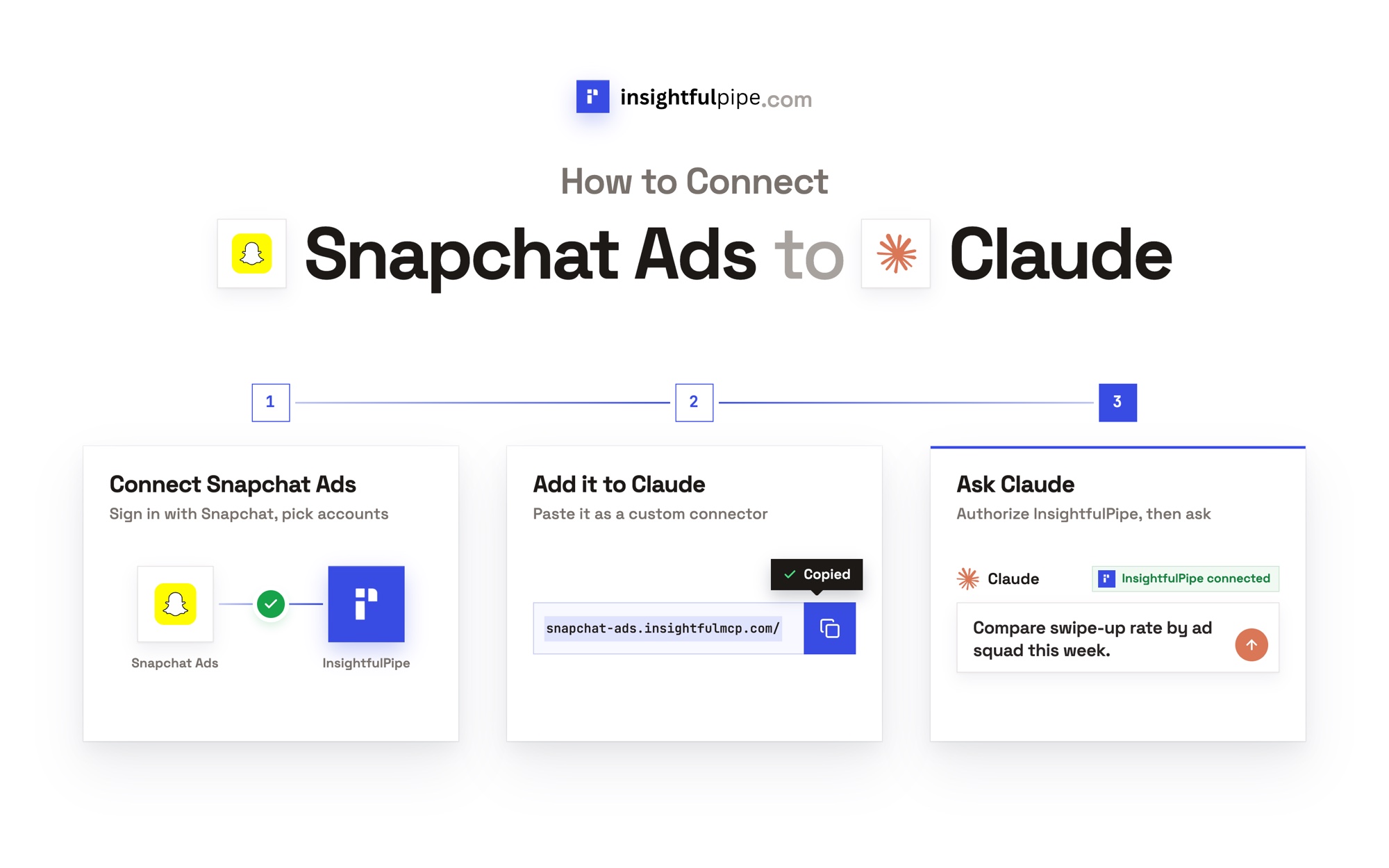
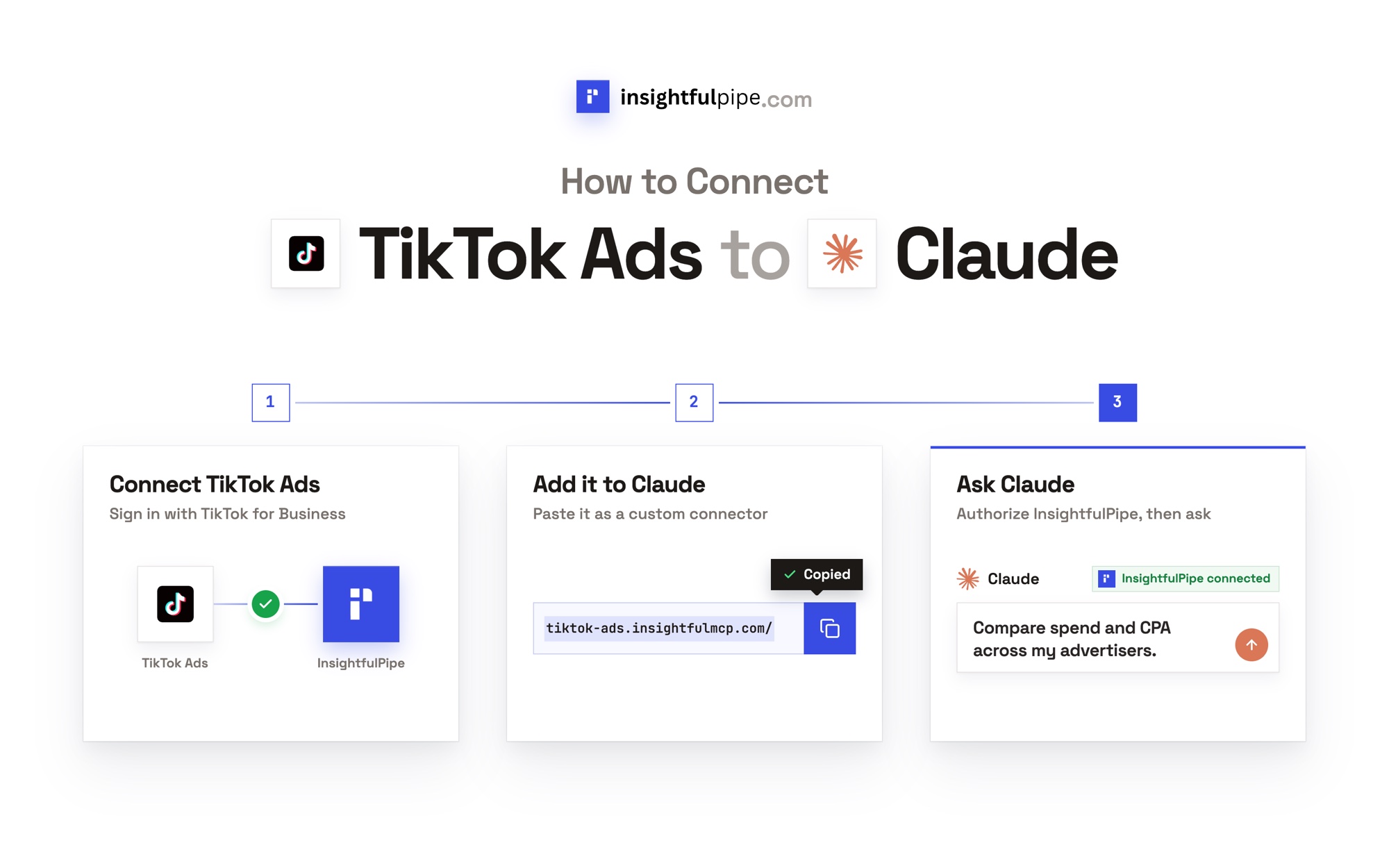
Connect InsightfulPipe in three steps
Connecting InsightfulPipe takes a sign-in per platform and one URL, with no cloud project and no developer app.
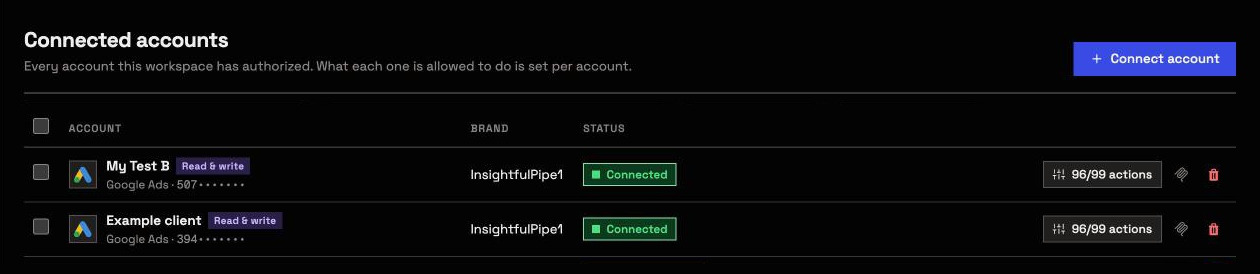
- In InsightfulPipe, open Connected accounts and click Connect account. Pick a platform, choose Read-only or Read & write, sign in to that platform and select the accounts. Repeat for each platform.
- In Claude, add InsightfulPipe from the connector directory, or add
https://main.insightfulmcp.com/as a custom connector under Customize > Connectors. Click Connect, and sign in to InsightfulPipe if asked. In Claude Code, runclaude mcp add --transport http main-mcp https://main.insightfulmcp.com/. ChatGPT, Cursor, Gemini CLI and Codex CLI finish with the same InsightfulPipe sign-in. - Open each account's actions button, keep the actions you want, click Save actions, and ask your first question across platforms.
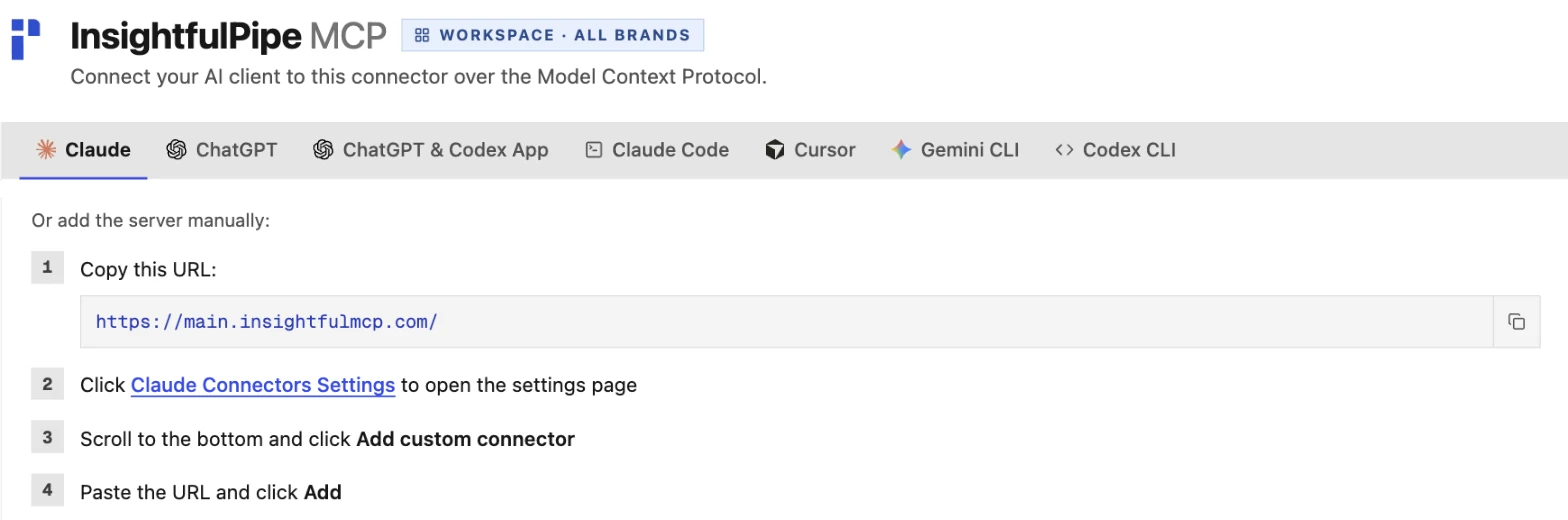
Each platform also has its own server, such as https://google-ads.insightfulmcp.com/, when you want an assistant scoped to one platform. Our Google Ads setup guide walks through one in detail. Start a trial, from $29.99 a month.
Also considered
Three more vendors appear in AI answers for this query. We left them out of the ranking for the reasons below.
- Ryze AI sells an AI marketer: Paid Ads Autopilot is $89 a month. Our Google Ads roundup compares its Google Ads server tool by tool.
- Porter Metrics connects 26 marketing platforms over MCP, per its MCP page, which also says 30+ data sources. Its setup guide says the connection "is read-only".
- Improvado sells an enterprise marketing data platform. Its MCP docs list 84 tools and 1,350+ connectors, while its MCP page says 500+ platforms. It publishes no price.
What the other vendors do not publish
Several claims in this comparison could not be checked, because the vendors behind them publish nothing to check against.
- Markifact: how "Human in the loop, always" fits MCP docs that leave approval to your AI client.
- Windsor.ai: an approval step or per-action limit for its 137 write actions.
- Supermetrics: one answer on which plans include MCP, and why plans list "monthly AI credits" while its FAQ says "We don't use any kind of credit or point system".
- SegmentStream: a price, or a limit on the budget changes its MCP applies.
- Adspirer: which changes count as "high-impact".
- Meta and TikTok: a price.
Frequently asked questions
Sources (checked 2026-10-02)
Every competitor claim above comes from that vendor's own page, documentation or repository, opened on 2026-10-02.
- InsightfulPipe: all platforms, MCP servers, Google Ads, Meta Ads, Shopify, Klaviyo, pricing
- Markifact: homepage, integrations, pricing, MCP docs
- Windsor.ai: MCP, write actions, pricing
- Adspirer: homepage, pricing
- Pipeboard: integrations, pricing
- Supermetrics: MCP, pricing, shown in euros
- Composio: sessions docs, pricing
- Zapier: MCP, Google Ads actions, task usage, pricing
- SegmentStream: homepage, pricing, its roundup
- BlueAlpha: MCP, comparison
- Meta: overview, ad creation tools
- TikTok: MCP server docs
- Google: Google Ads guide, google-ads-mcp, google-analytics-mcp
- Ahrefs: pricing. Semrush: MCP
- HubSpot: MCP. Klaviyo: MCP tools. Shopify: Storefront MCP. Salesforce: Marketing Cloud Engagement MCP
- Snap: Ads MCP. LinkedIn: LinkedIn Ads app for ChatGPT
- Ryze AI: pricing. Porter Metrics: MCP, setup guide. Improvado: MCP docs, MCP page