Disclosure: InsightfulPipe publishes this and is one of the 13 options ranked.
The verdict
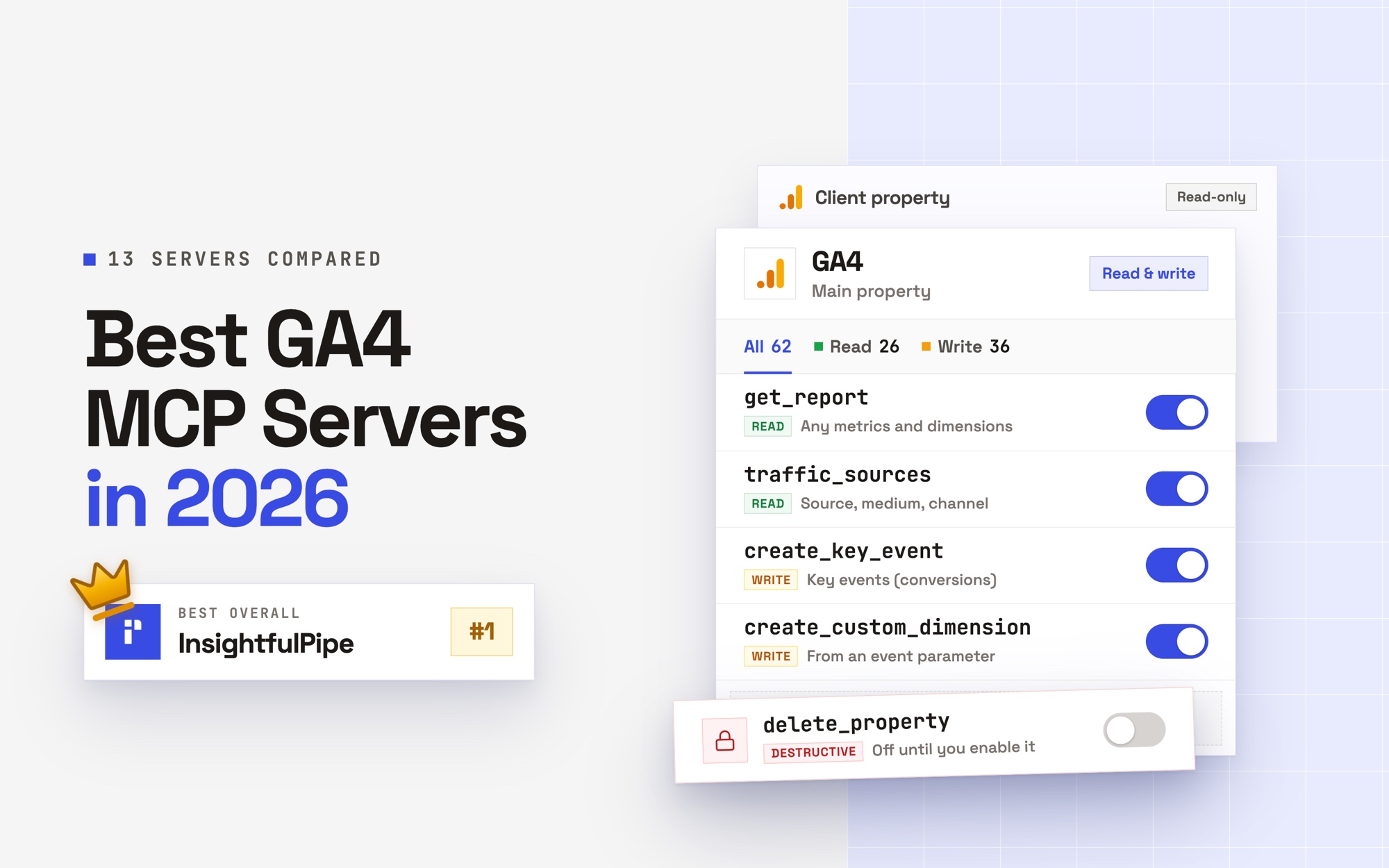
The best GA4 MCP server in 2026 is InsightfulPipe. Of the 13 best GA4 MCP servers compared here, it is the only hosted one that has dedicated write actions in all nine areas of the GA4 Admin API, lets you choose which of its 62 actions each property allows, and starts every new connection with its 12 destructive actions switched off until an admin switches them on. That makes it the safest way on this list to let an AI agent change a GA4 property.
That matters on GA4, because GA4 has no paused state: a change lands the moment an agent makes it. Six of the thirteen cannot change anything at all. Of the seven that can, only InsightfulPipe has dedicated actions in all nine Admin API areas and lets your admin switch each action on or off for each property.
- Best overall: InsightfulPipe. 62 GA4 actions, 26 read, 24 write and 12 destructive, each switched on or off per property by your admin. From $29.99 a month, with the full list on the GA4 MCP server page.
- Safest write access: InsightfulPipe. Your admin switches every action on or off per property, the server enforces it in every AI client, and deletes, archives and retention changes stay off until an admin switches them on.
- Best value: InsightfulPipe. $29.99 a month covers 8 connections across 50 platforms, with unlimited tool calls. Markifact's paid plans start at $79 for read-only GA4 access, and NotFair's Growth plan is $99.
- Best free option: Google's official server. Free and Apache-2.0, but read-only, labelled experimental, and run on your own machine with a Google Cloud project you set up.
The best GA4 MCP servers at a glance
Thirteen servers, compared on what they can change in GA4, what a new connection can reach, and what write access costs to start.
Server | GA4 actions | Writes | A new connection reaches | Hosting | Starting price |
|---|---|---|---|---|---|
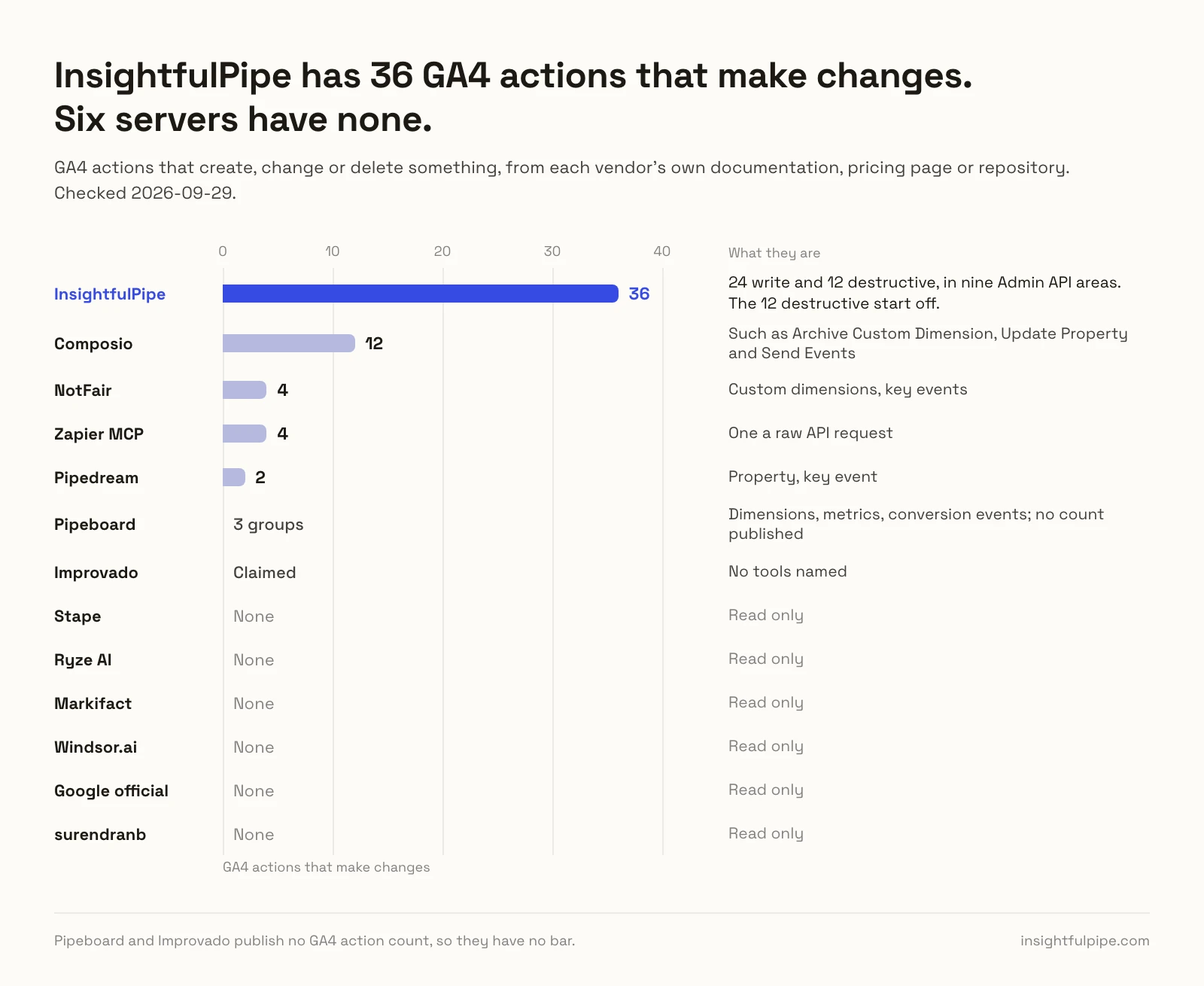
InsightfulPipe | 62 | 36: 24 write and 12 destructive, in nine Admin API areas | All but the 12 destructive actions, off until an admin switches them on | Hosted | $29.99/mo |
NotFair | 12 advertised, 8 named | 4: custom dimensions, key events | All four MCP tools, each write approved in your AI client | Hosted | $0 for 300 operations/mo, then $99/mo |
Pipeboard | Not published | 3 groups: dimensions, metrics, conversion events | Reads, and edits when you ask | Hosted | $0 for 30 executions/week, then $29.90/mo |
Composio | 67 or 69, by page | 12 | Not published | Hosted SDK | $0, then $29/mo |
Improvado | Not published | Claimed, no tools named | Not published | Hosted | $0 for 50 actions/week, then $100/mo |
Pipedream | 6 | 2: property, key event | Not published | Hosted | Free for your own use |
Zapier MCP | 6 | 4, one a raw API request | The actions you add | Hosted | $0 for 50 calls/mo, then $19.99/mo yearly |
Stape | 9 | None | Read only | Hosted or local | Free |
Ryze AI | 9 | None | Read only | Hosted | Free to connect, plans from $89/mo |
Markifact | 3 operations | None | Read only | Hosted | Paid plans from $79/mo |
Windsor.ai | Not published | None | Read only | Hosted | $0 for 1 data source, then $23/mo |
Google official | 9 | None | Read only | Self-hosted | Free |
surendranb | 11 | None | Read only | Self-hosted | Free |
How we tested
We read every capability, default and price from each vendor's own documentation, pricing page or public repository, and ran InsightfulPipe on live accounts. We checked every vendor page on 2026-09-29, and counted published tool definitions on 2026-09-23.
Criterion | What we checked |
|---|---|
GA4 coverage | How many dedicated GA4 actions does the agent get? |
Writes | Can it change key events, custom dimensions, audiences, streams, links and retention? |
Control before a write | Can you choose actions per property, and does the server enforce it? |
Default on a new connection | What can the agent do before anyone narrows it, and do deletes start off? |
Setup | A Google sign-in, or a Cloud project and local credentials? |
Other platforms | Does the same connection reach Google Ads and Search Console? |
Tools in context | How many tokens do the tool definitions take on every turn? |
Price | What does write access cost to start? |
Where a vendor's own pages contradict each other, we quote both and attribute them to the vendor. Where a capability is not published, we say "not published". Roadmap features do not count.
We left out Supermetrics, whose MCP page names no GA4 tools and no price. Five reporting products that AI answers also cite for GA4 only read it, by their own pages: Adzviser, Coupler.io, ConvRadar, Porter Metrics and Two Minute Reports. They are reporting tools first, so we name them here rather than rank them.
The single question that splits this list
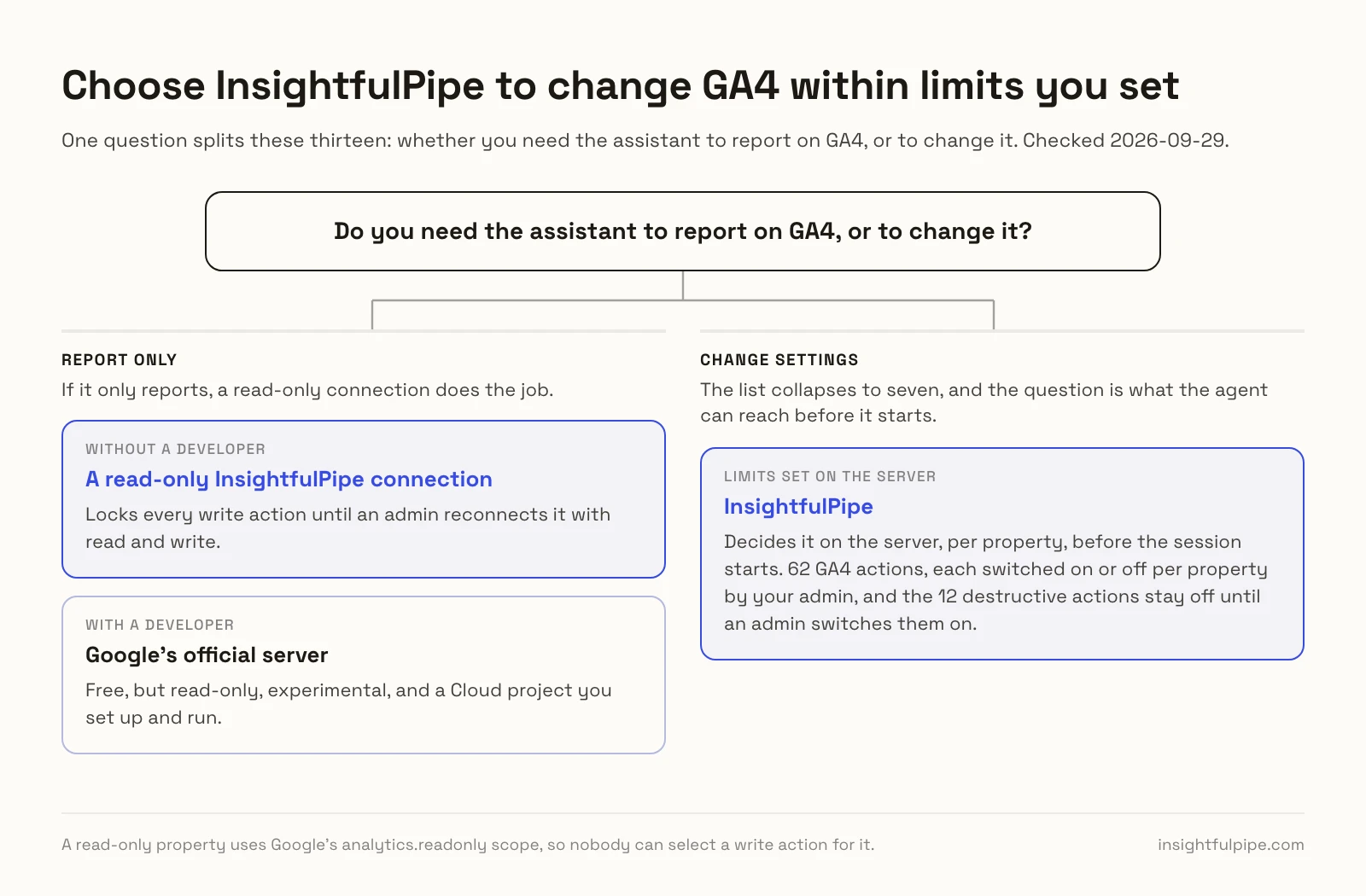
One question splits these thirteen: whether you need the assistant to report on GA4, or to change it. If it only reports, a read-only connection does the job. If it changes settings, what it can reach before it starts decides everything else.
If you only need reports, Google's official server is free, but it is also read-only, experimental, and a Cloud project you set up and run. Without a developer, a hosted read-only connection skips all of that. On InsightfulPipe, a read-only property locks every write action until an admin reconnects it with read and write.
If you need the assistant to change settings, the list collapses to seven, and the question is what the agent can reach before it starts. NotFair holds each write for approval in your AI client. Pipeboard edits whenever you ask. Composio leaves approval to your prompt. InsightfulPipe decides it on the server, per property, before the session starts.
Hosted servers that can change GA4 settings
Seven of the thirteen can create or change something in GA4, and InsightfulPipe leads them with 36 actions that make changes, 24 write and 12 destructive, across nine Admin API areas.
Best overall: InsightfulPipe
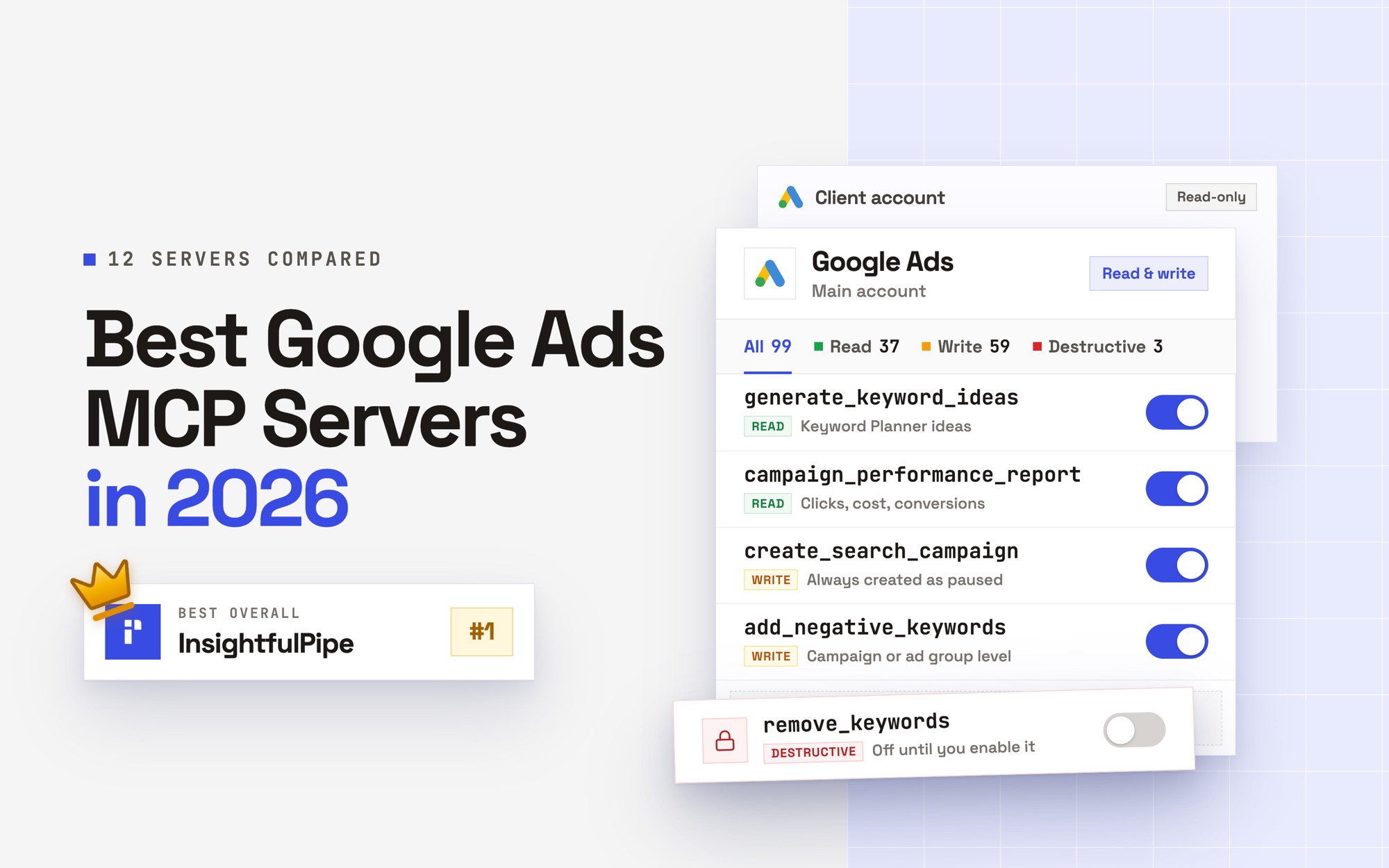
InsightfulPipe gives an AI agent 62 GA4 actions, and you decide which of them each property allows.
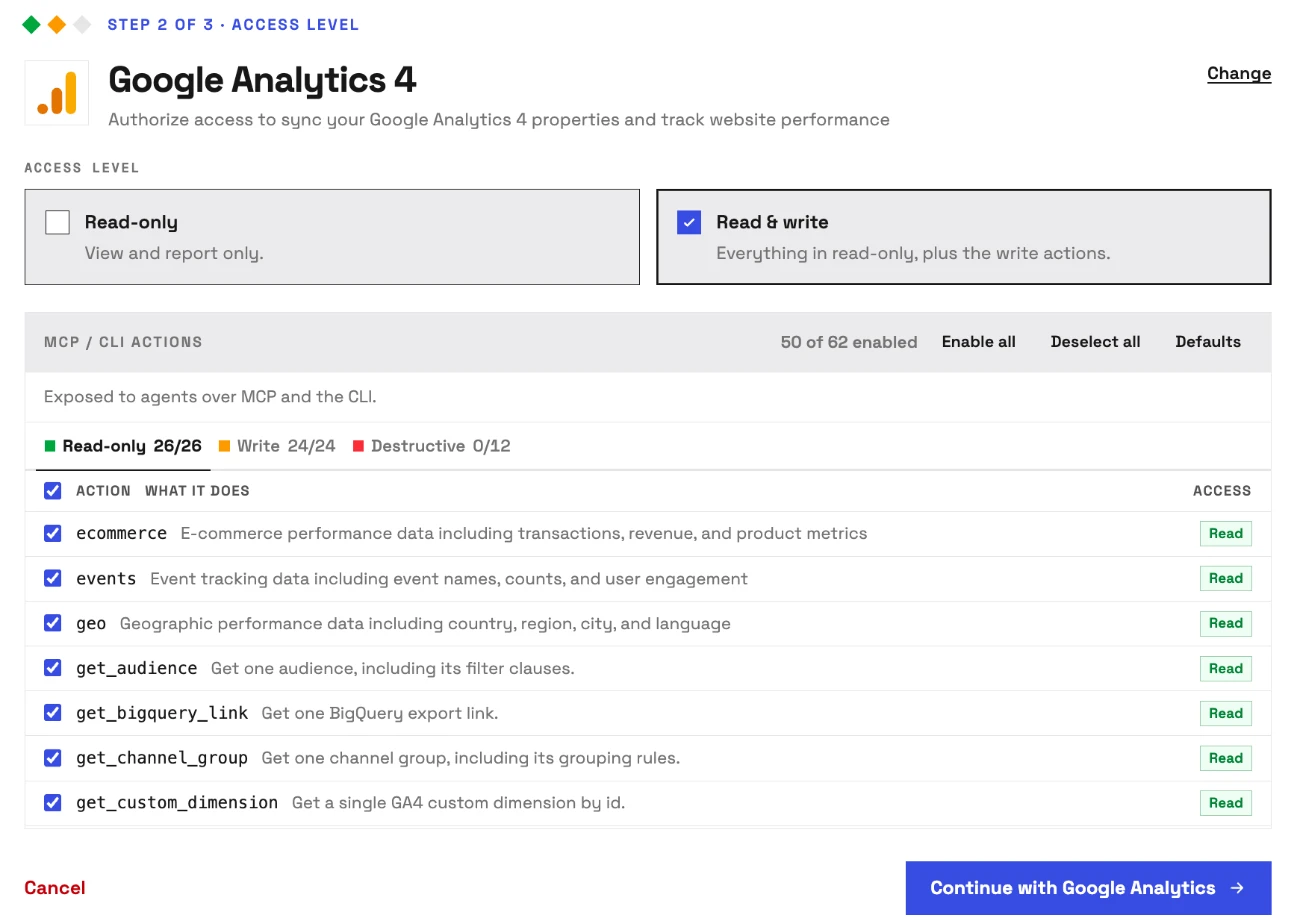
It is the pick if you want the assistant to do the work in GA4, not describe it. Coverage is the first difference. Google's server has nine read tools, and NotFair's four write tools cover two areas. InsightfulPipe carries 62 GA4 actions, 26 read, 24 write and 12 destructive, across reports and nine areas of the Admin API:
- Reports: any dimensions and metrics the Data API supports, with filters and comparisons, plus seven ready-made reports
- Properties: create one, change its name, time zone, currency or industry, and list the accounts your login administers
- Data streams: create, rename or delete streams, and switch enhanced measurement events on or off
- Key events: create, update and delete, including the counting method
- Custom dimensions and metrics: create, update and archive
- Audiences: create from filter clauses, rename and archive
- Channel groups: create, change the rules and delete
- Google Ads and BigQuery links: link, update and unlink
- Measurement Protocol: create, rename and delete secrets
- Data retention: read it, and set how long GA4 keeps event and user data
Why it is the safest way to let an agent change GA4
Control is the second difference, and it is what makes InsightfulPipe the safest way to let an AI agent change a GA4 property: every limit is a switch, and your admin decides where each one sits.
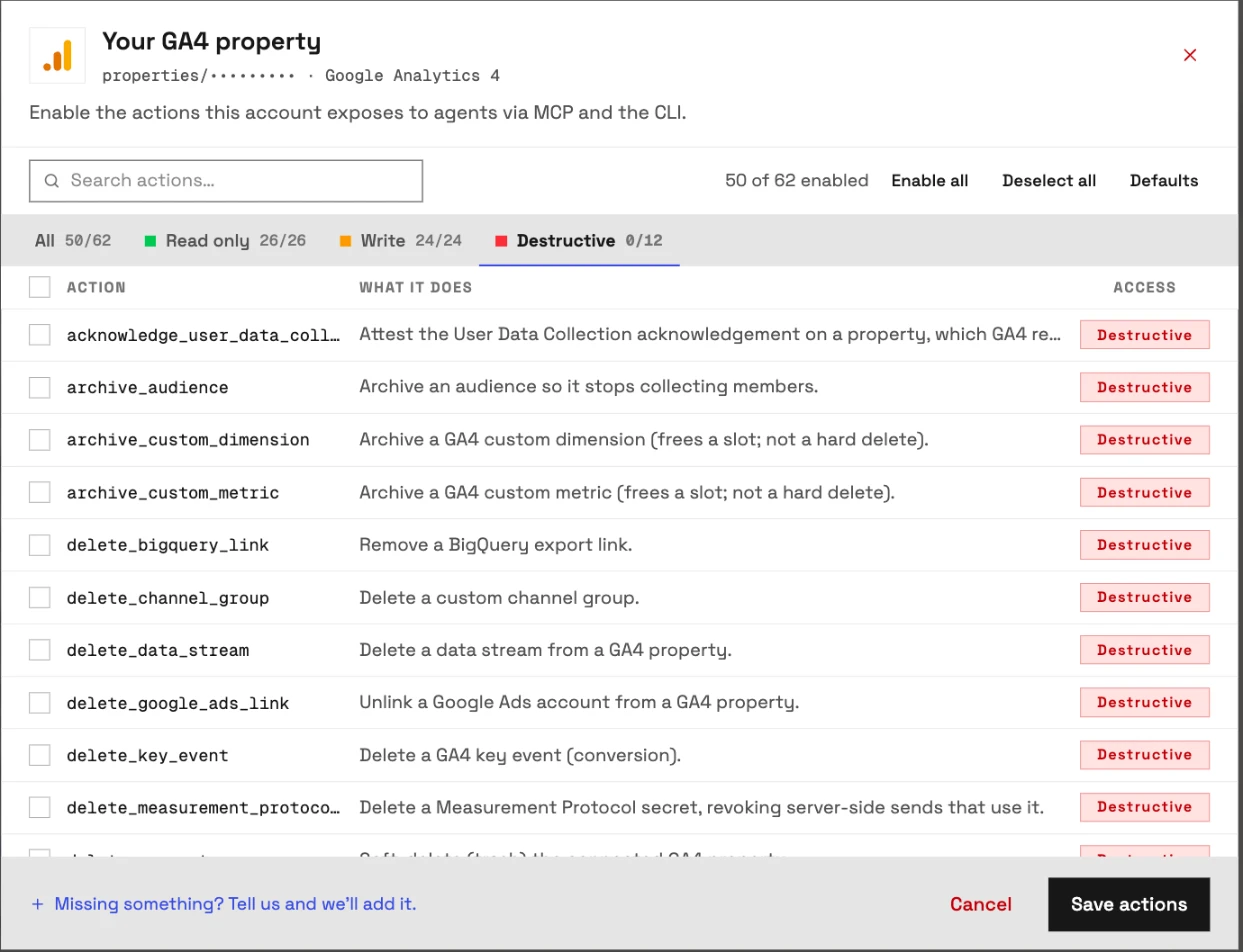
An owner, admin or operator opens a connected property and chooses exactly which of its actions the agent can use, across read, write and destructive, and can switch any of them on or off at any time. The agent gets exactly that set. InsightfulPipe's server enforces it, not your AI client, so the same limits hold in Claude, ChatGPT, Cursor, Claude Code and the CLI.
- Destructive actions start off. All 12 stay off on a new connection until an admin switches them on: delete_property, delete_data_stream, delete_key_event, delete_channel_group, delete_bigquery_link, delete_google_ads_link, delete_measurement_protocol_secret, archive_audience, archive_custom_dimension, archive_custom_metric, update_data_retention_settings and acknowledge_user_data_collection.
- Read-only means read-only. A read-only property uses Google's analytics.readonly scope, so nobody can select a write action for it. When you want the agent to act, an admin reconnects it with read and write.
- Secrets sit behind the write switch. list_accounts and the two Measurement Protocol secret reads count as writes on purpose. One lists every account your Google login administers, and the others return a credential that outlives the sign-in.
- Each property is its own boundary. Edits and deletes stay pinned to the property you connected, so an agent working on one client cannot touch another client's property through it.
- Roles hold. Writes need an operator, admin or owner, and members on the user role only view the properties an admin grants them. An owner or admin sets the roles and can change them at any time.
NotFair's approval runs in your AI client, per its docs. That works while someone watches the chat. On a scheduled run or an overnight job nobody is, and the task stops at its first write. InsightfulPipe draws the boundary on the server instead. Switch on the eight actions a property needs, and the model picks from eight instead of sixty-two.
Why five tools, not sixty-two
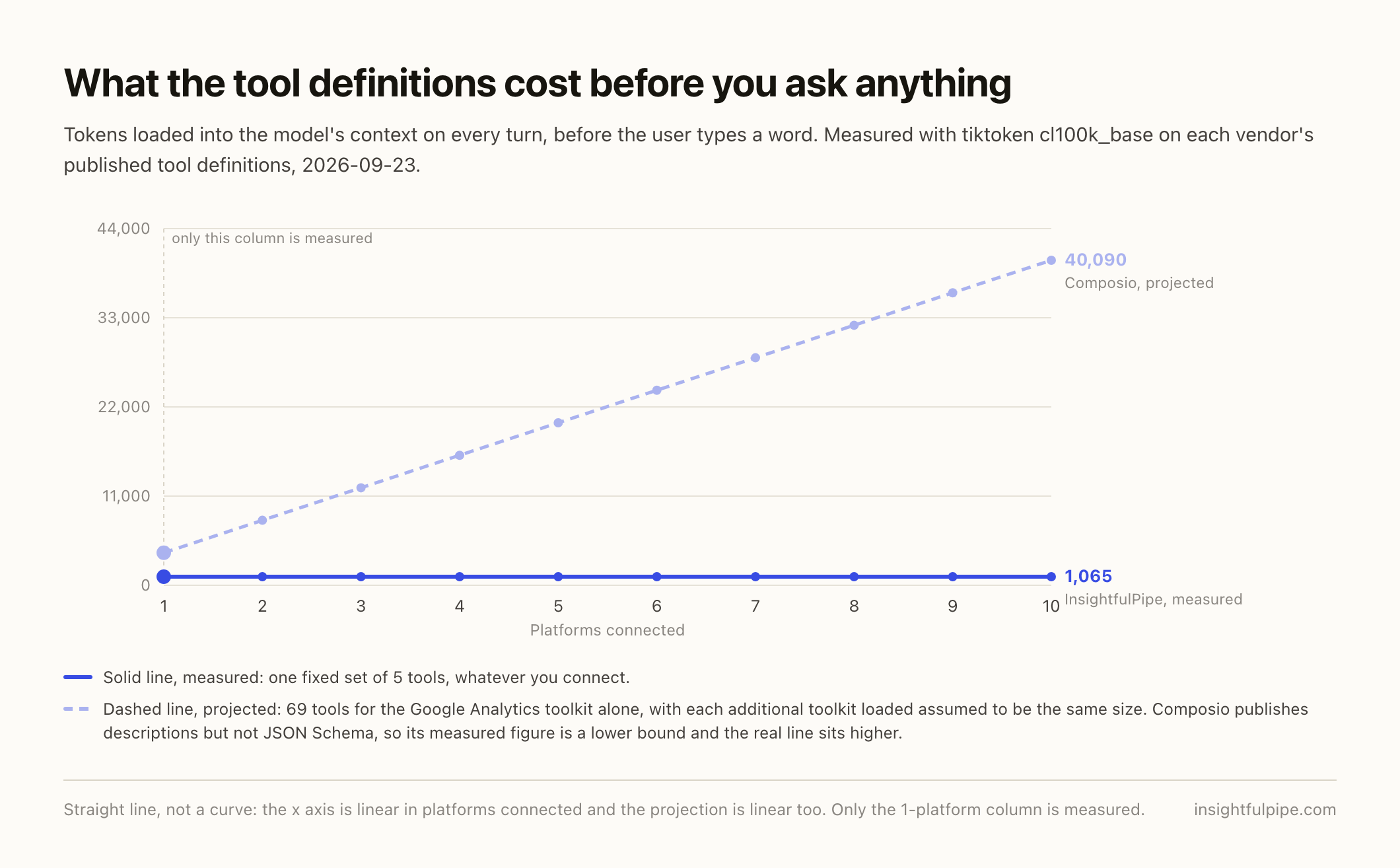
Every tool a server publishes loads into the model's context on every turn, before you type a word. Google's GA4 server publishes nine, and their descriptions carry the GA4 reporting vocabulary. InsightfulPipe publishes five for all 50 platforms, and the agent looks up GA4 actions when it needs them.
We counted each published tool definition with tiktoken's cl100k_base, serialised the way it travels to the model:
Server | Tools | Tokens on every turn | What those tokens cover |
|---|---|---|---|
InsightfulPipe | 5 | 1,065 | 62 GA4 actions and 49 other platforms |
Pipedream | 6 | 285 | Six GA4 actions |
surendranb | 11 | 2,847 | GA4 reports and schema search |
Composio | 69 | 4,009 or more | Google Analytics |
Google official | 9 | 13,655 | Nine read-only GA4 tools |
Google's figure is from version 0.7.0, which Stape also hosts. We counted only servers whose full tool definitions are public. A six-tool server can publish everything, because it does six things. Ours stays at 1,065 whether you connect GA4 alone or all fifty.
What else you get
- 50 platforms on one connection, including Google Ads, Search Console, Merchant Center and BigQuery, so one agent can put GA4 sessions next to ad spend and search queries.
- Many properties from one sign-in, each its own connection with its own action list.
- Every major AI client: Claude, ChatGPT, Claude Code, Cursor, Gemini CLI and Codex, each with a setup guide in the app.
- Claude's connector directory and the ChatGPT app directory both list InsightfulPipe, so the full server connects in one click.
- A CLI: the
insightfulpipenpm package runs the same GA4 reads and writes from a terminal, under the same controls. - Prompts and skills: GA4 prompts in the free prompt library and Claude skills library.
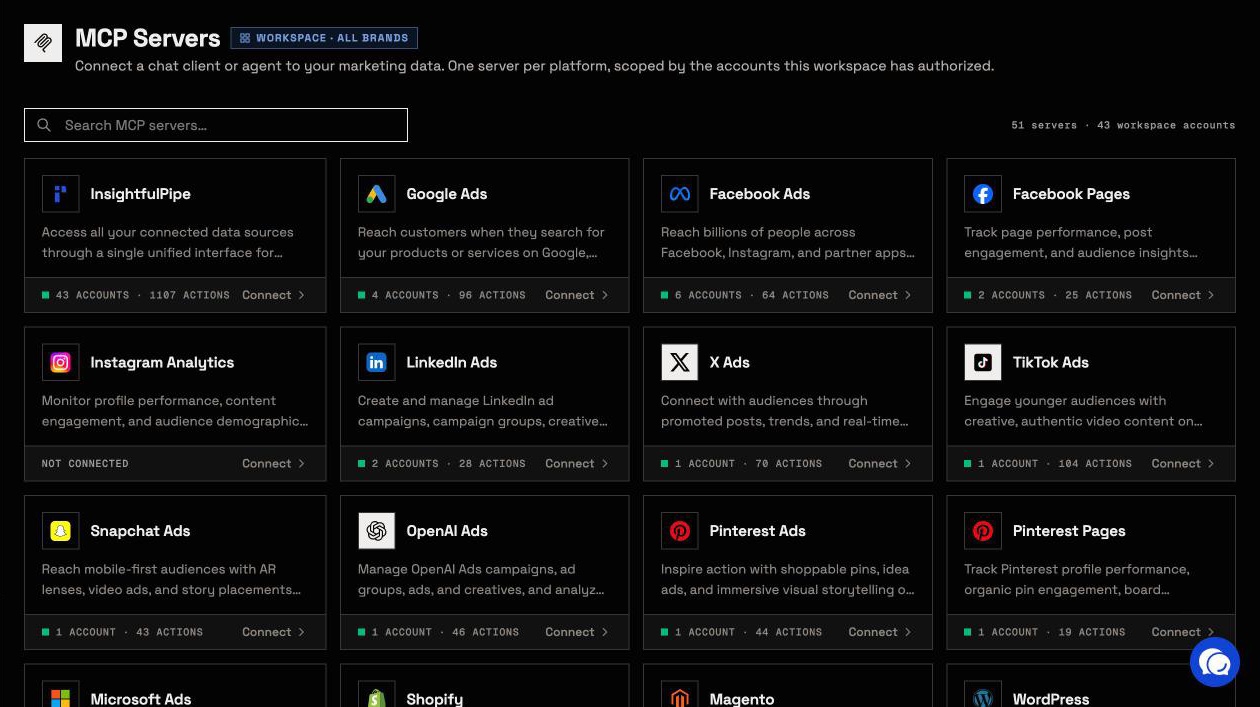
Pricing: Starter is $29.99 a month for 8 connections, Growth $89.99 for 35 and Agency $299.99 for 150, with unlimited tool calls, every MCP server and the CLI on every plan. Each GA4 property counts as one connection.
Where it is the wrong answer: if you only ever need reports and you have a developer to run a server, Google's free one will do.
Best for: agencies and in-house teams who want an assistant that changes GA4 within limits they set, property by property. See the GA4 MCP server and all 62 actions.
NotFair
NotFair asks you to approve each GA4 write, and four of its tools can write.
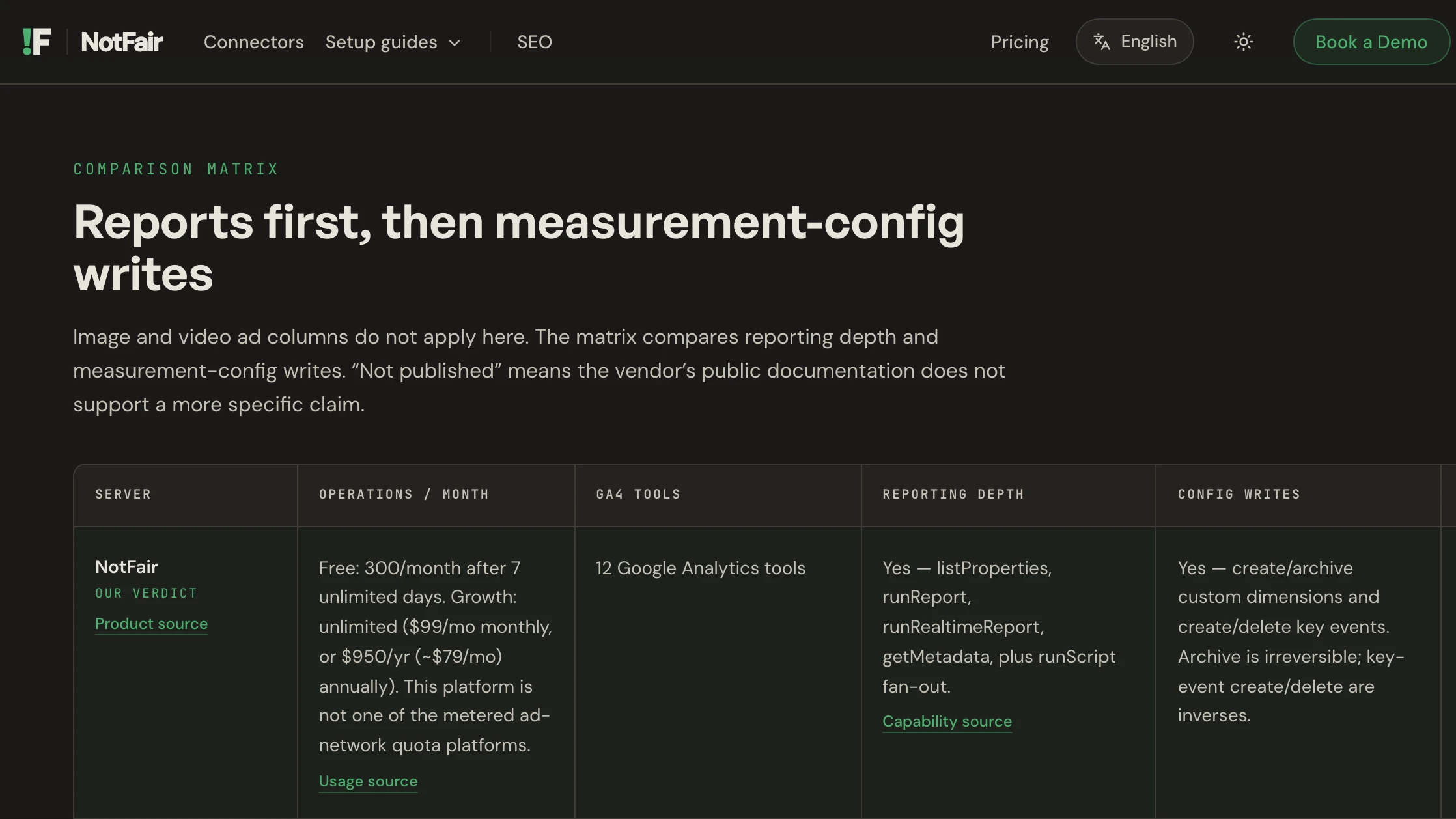
Its GA4 page promises "Read live data, approve every write". Its docs say where that happens: "the client surfaces proposed writes for your approval before they execute." Four tools write: createCustomDimension, archiveCustomDimension, createKeyEvent and deleteKeyEvent, and NotFair labels the archive irreversible. It advertises 12 GA4 tools, names eight, and runs them through four MCP tools. The free plan gives 7 days of unlimited access, then 300 operations a month. Growth is $99 a month.
Pros
- Realtime reports and a metadata lookup.
- Writes return the before and after state.
Cons
- Writes cover custom dimensions and key events only.
- Approval runs in your AI client, per its docs.
- Only eight of its 12 GA4 tools have public names.
Best for: teams that approve each key event change by hand.
Pipeboard
Pipeboard can change three kinds of GA4 setting, and its pricing page never mentions GA4.
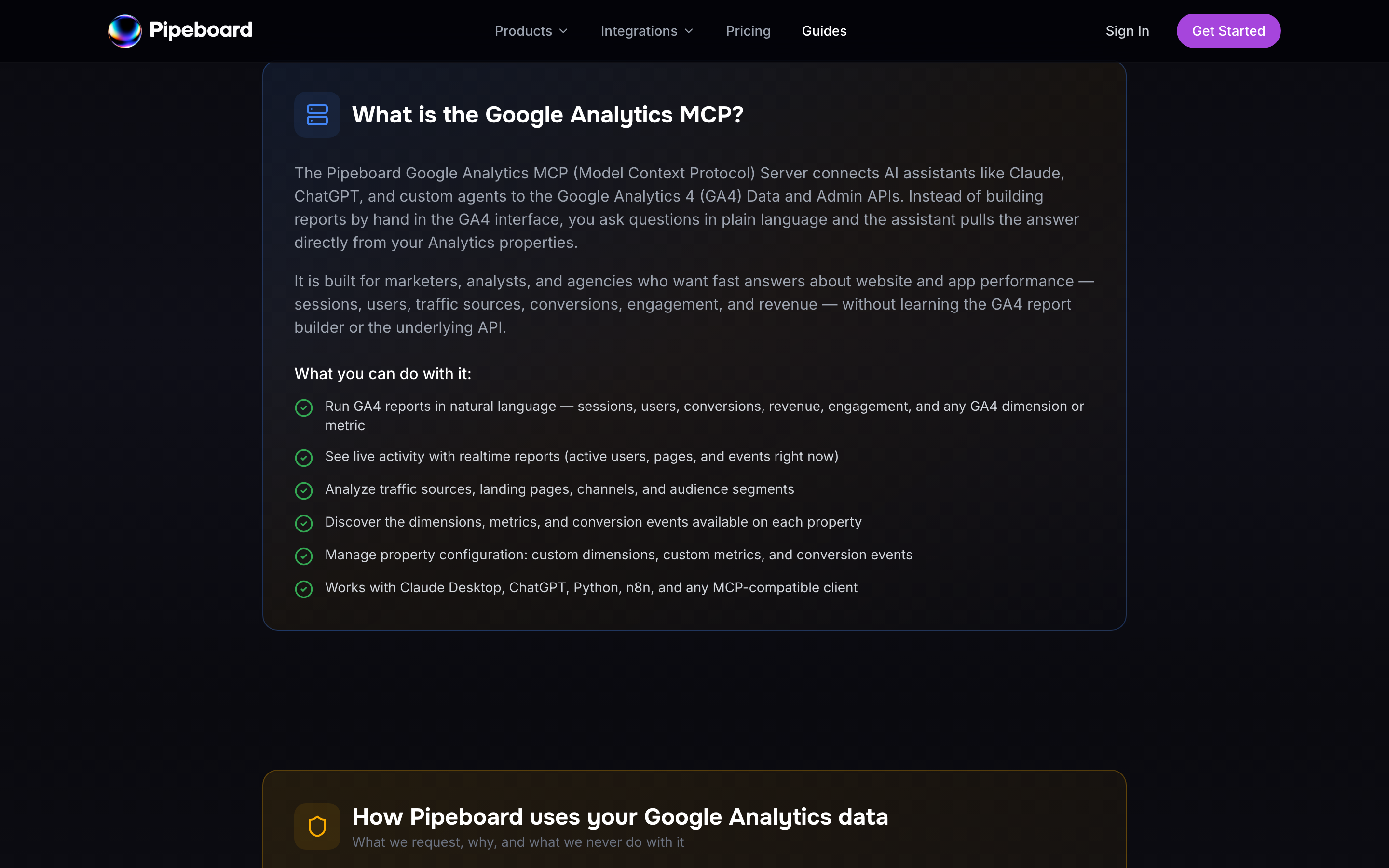
Its GA4 guide lists pivot, batched and realtime reports, and three opt-in write groups: custom dimensions, custom metrics and conversion events, archive and delete included. It says: "Read-only by default: the edit scope is only exercised when you explicitly ask to change a property’s configuration." Its pricing page counts ad accounts only, with 30 tool executions a week free and Pro at US$29.90 a month.
Pros
- Realtime, pivot and batched reports.
- Writes documented as opt-in.
Cons
- No GA4 tool names published.
- No separate default for archive or delete.
- No GA4 allowance on the pricing page.
Best for: teams already using Pipeboard for ad accounts.
Composio
Composio is developer infrastructure, and its own pages disagree on how many GA4 tools it has.
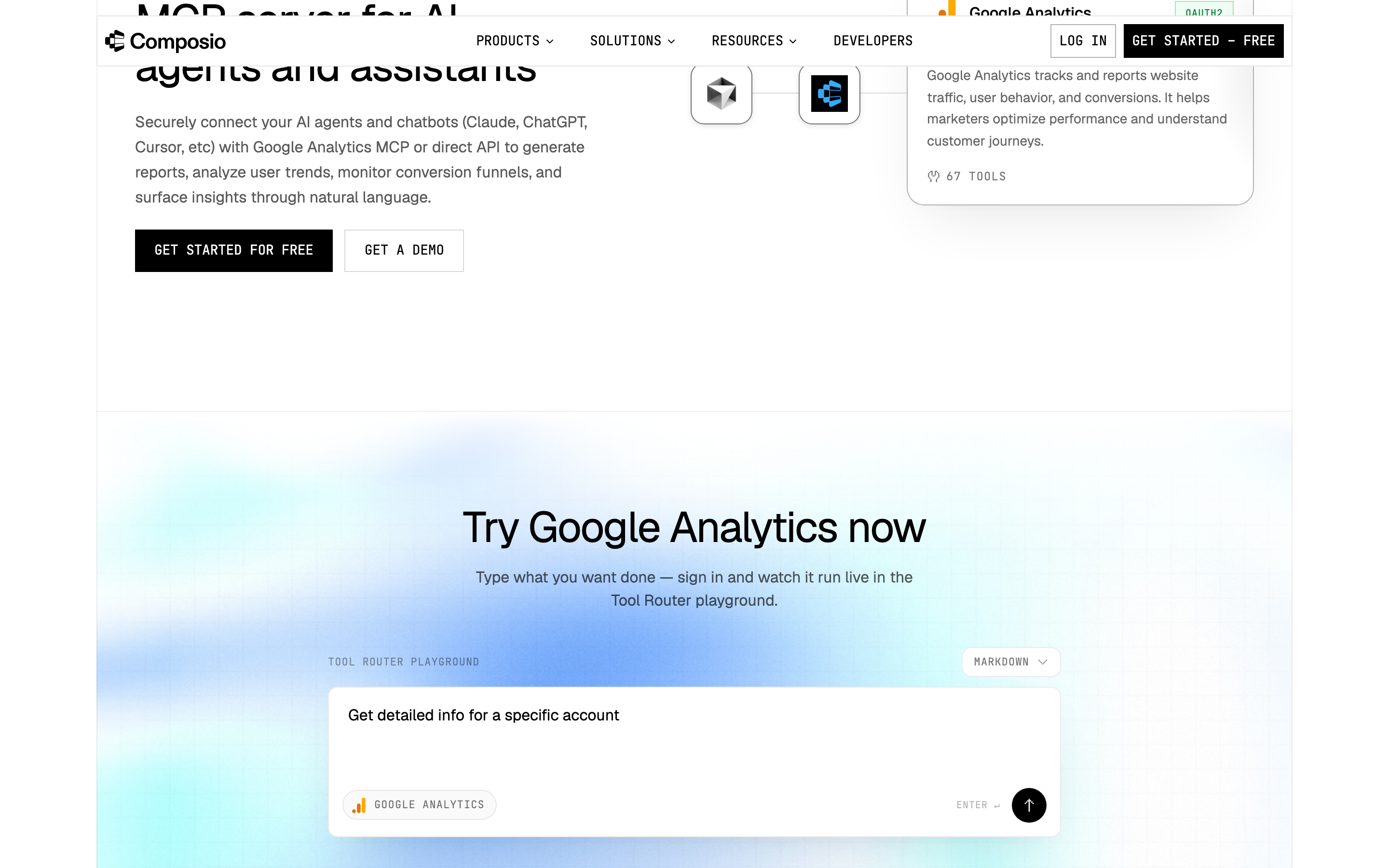
Its toolkit page says 67 tools and its docs list 69, two of them deprecated. Twelve tools create or change something, such as Archive Custom Dimension, Update Property and Send Events, and none creates key events, audience definitions, data streams or links. No approval step is published: its FAQ says to "Keep an approval step in your prompt for actions with side effects". Hobby is $0 for up to 100,000 tool calls a month, and Pro is $29.
Pros
- Standard, pivot, funnel, realtime and batch reports.
- 12 tools that create or change something.
Cons
- 67 tools on one page, 69 on another.
- No approval step beyond your own prompt.
- No key event, audience definition or data stream writes.
Best for: developers wiring GA4 into their own agent.
Improvado
Improvado claims GA4 audience, key event and data stream writes, and names no tools to check them.
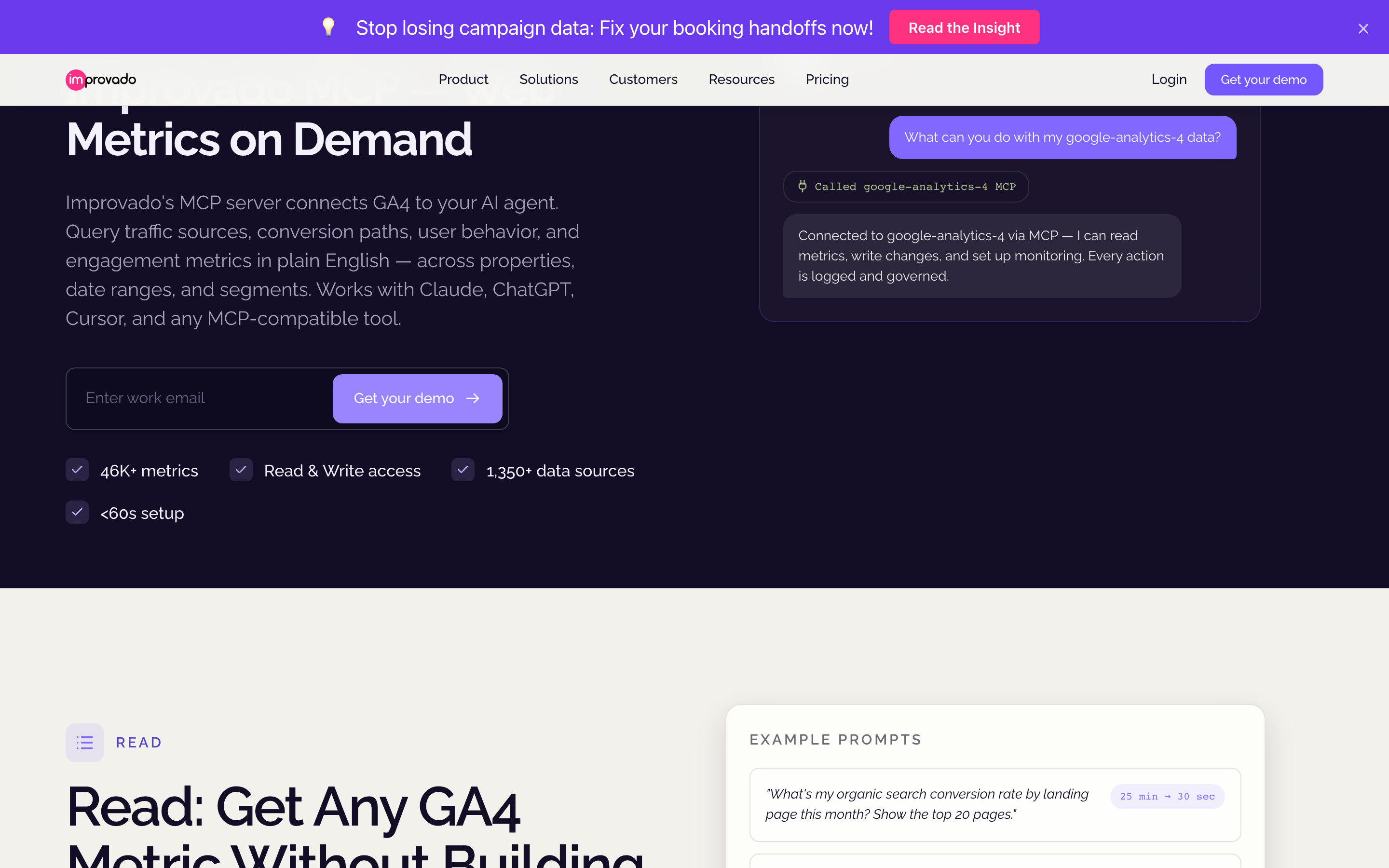
Its GA4 page says you can "Create audience segments, configure conversion events, and update data stream settings", and promises "Every action logged · Fully reversible". It publishes no GA4 tool names, no count and no mechanism for the reversal. It gives "1,350+ data sources" there and "187+" on its MCP hub. The free plan allows 50 MCP actions a week, and MCP Only is $100 a month.
Pros
- A free plan with 50 MCP actions a week.
- Every action logged, per its GA4 page.
Cons
- No GA4 tool names or count.
- "Fully reversible" with no mechanism published.
- Its FAQ says Google publishes no GA4 MCP server, though Google's repository ships one.
Best for: enterprise buyers who will see the tool list in a demo first.
Pipedream
Pipedream's GA4 server has two writes, and one of its report actions still calls a Universal Analytics API.
Its public repository holds six GA4 actions: four reads, plus Create GA4 Property and Create Key Event. The run-report action calls the Universal Analytics Reporting API v4 and asks for a view ID, which GA4 does not use. Pipedream's docs say its hosted MCP servers are free for your own use, and that credentials never reach the model.
Pros
- Creates a GA4 property or a key event.
- Free for your own use, per its docs.
Cons
- No custom dimension, audience or retention actions.
- A Universal Analytics report action inside a GA4 app.
- No tool list without JavaScript.
Best for: developers already building on Pipedream.
Zapier MCP
Zapier's GA4 MCP covers six actions, and one sends raw API requests with your GA4 sign-in.
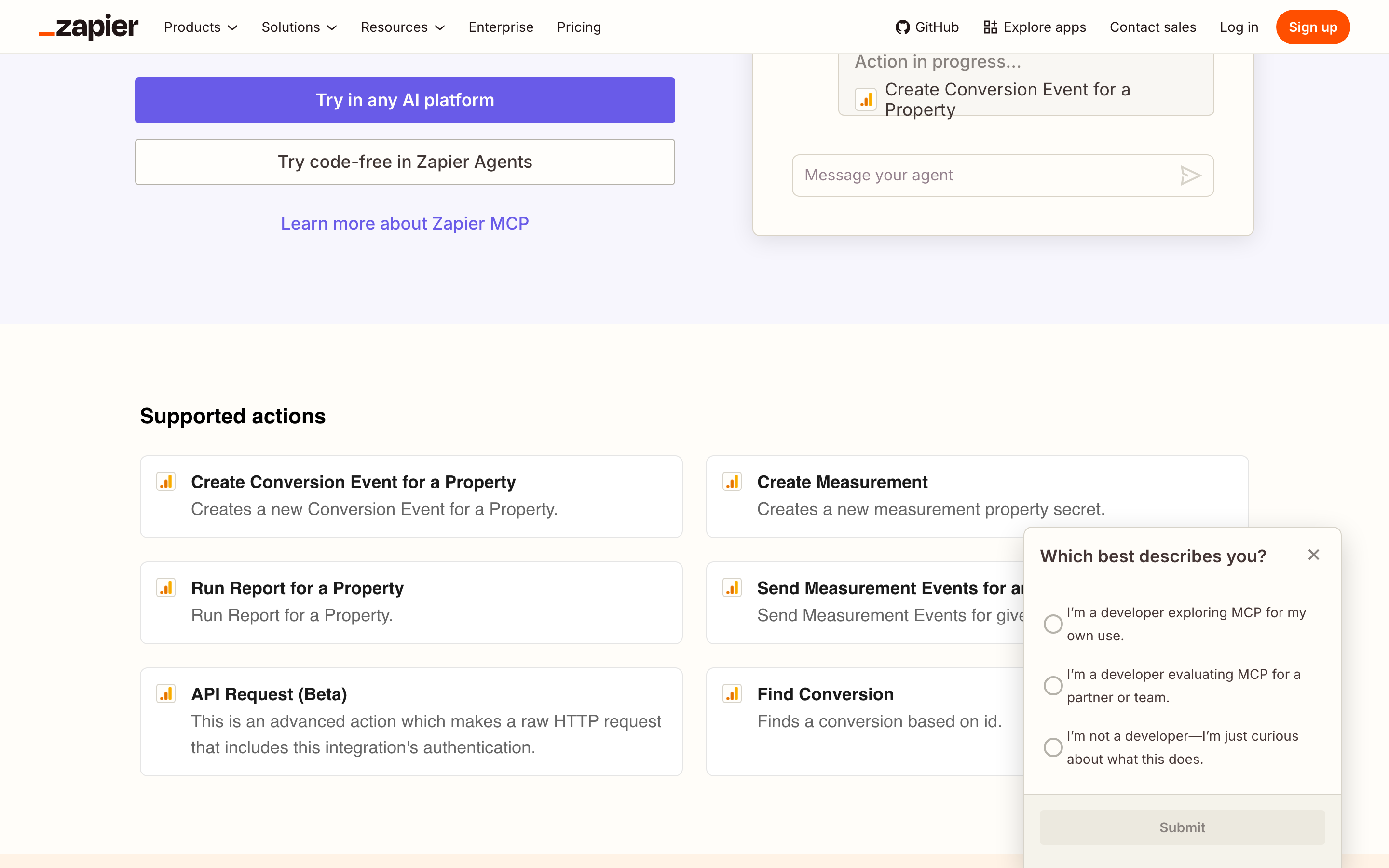
The six are Create Conversion Event, Create Measurement (a Measurement Protocol secret), Run Report, Send Measurement Events, Find Conversion and API Request (Beta). The last one "makes a raw HTTP request that includes this integration's authentication." You choose which actions your agent can use. Each call uses two tasks, so the 100-task free plan covers 50 calls. Paid plans start at $19.99 a month billed yearly.
Best for: moving GA4 report data into other apps.
Hosted servers that only read GA4
Four hosted servers answer GA4 questions but cannot change a single setting in the property.
Stape
Stape hosts a free copy of Google's read-only server, and its own pages disagree about what it can change.
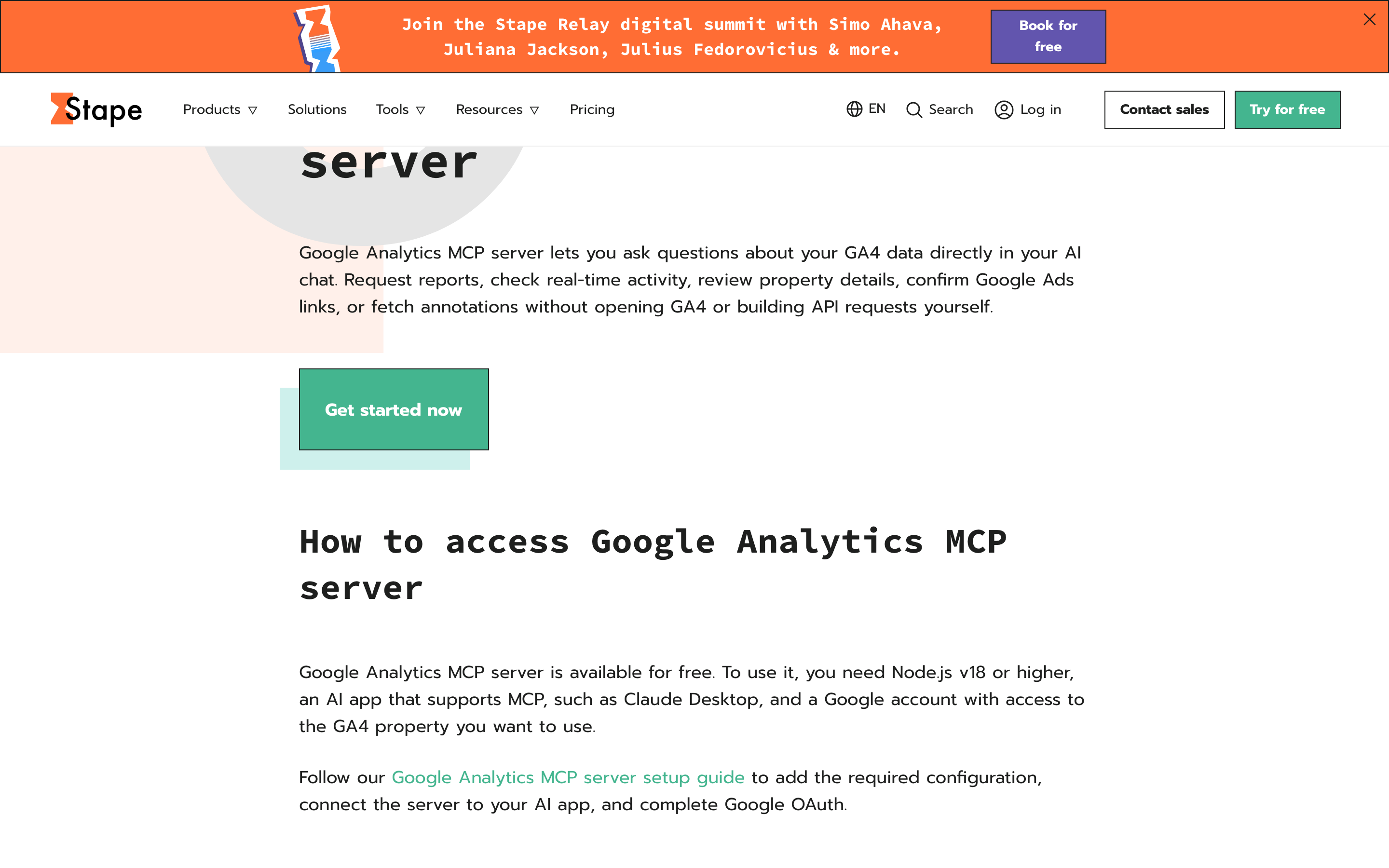
Stape's GA4 page says the server "is available for free". Its repository forks Google's, with the same nine tools and the analytics.readonly scope, so it "can query GA4 accounts and run reports, but never modify anything." Its setup guide says requests "can cover nearly all GA4 reporting and administrative operations", and refers to "the Google Analytics property you want to modify".
Pros
- Google's nine read tools, hosted.
- Eight clients documented in its README.
Cons
- Its setup guide describes administrative operations its README rules out.
- Its page asks for Node.js v18, while the repository is Python.
- The fork has 6 stars and no releases.
Best for: teams already running server-side tagging on Stape.
Ryze AI
Ryze AI reads GA4 only, and its pages disagree on what that costs.
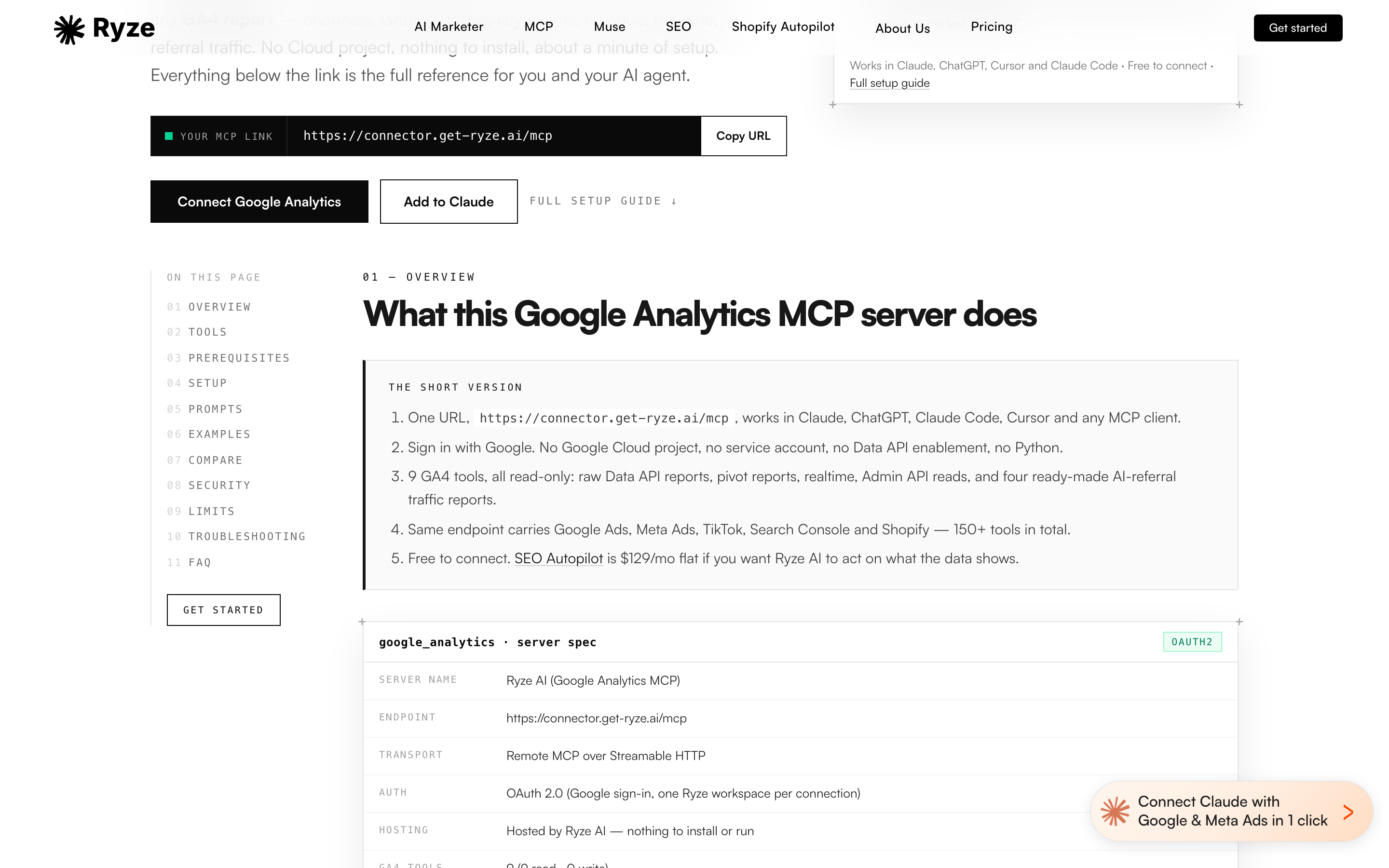
Its GA4 page lists nine tools, "9 read · 0 write", including pivot, realtime and four AI-referral reports. Its code blocks writes: "runAdminRead rejects :create, :update and :delete paths, so the assistant cannot change key events, streams or property settings." The page says "Free to connect" five times, while its pricing page includes the MCP connector on plans from $89 a month.
Pros
- Four reports on traffic from AI assistants.
- Writes rejected by path inside its admin read tool.
Cons
- No changes to key events, streams or property settings.
- "Free to connect" on one page, plans from $89 on another.
- No funnel report listed.
Best for: teams tracking traffic from AI assistants.
Markifact
Markifact's GA4 server answers questions, and its own FAQ says it changes nothing in GA4.
Its headline promises a server "that answers, then acts", and the acting happens in ad platforms. Its FAQ is direct: "No. Markifact's Google Analytics access is read-only: reports, report fields, and property settings." Three operations cover GA4, and realtime and funnel reports get "Not yet." Pro is $79 a month for one seat, and Team is $249.
Pros
- A field-listing operation, so the agent finds dimensions before it asks.
- GA4 answers sit next to its Google Ads and Meta writes.
Cons
- No GA4 writes, per its own FAQ.
- Three GA4 operations.
- Paid plans start at $79 a month, more than twice InsightfulPipe's $29.99.
Best for: teams already running Markifact for Google Ads or Meta.
Windsor.ai
Windsor.ai is a reporting pipeline first, and GA4 is not among the platforms it writes to.
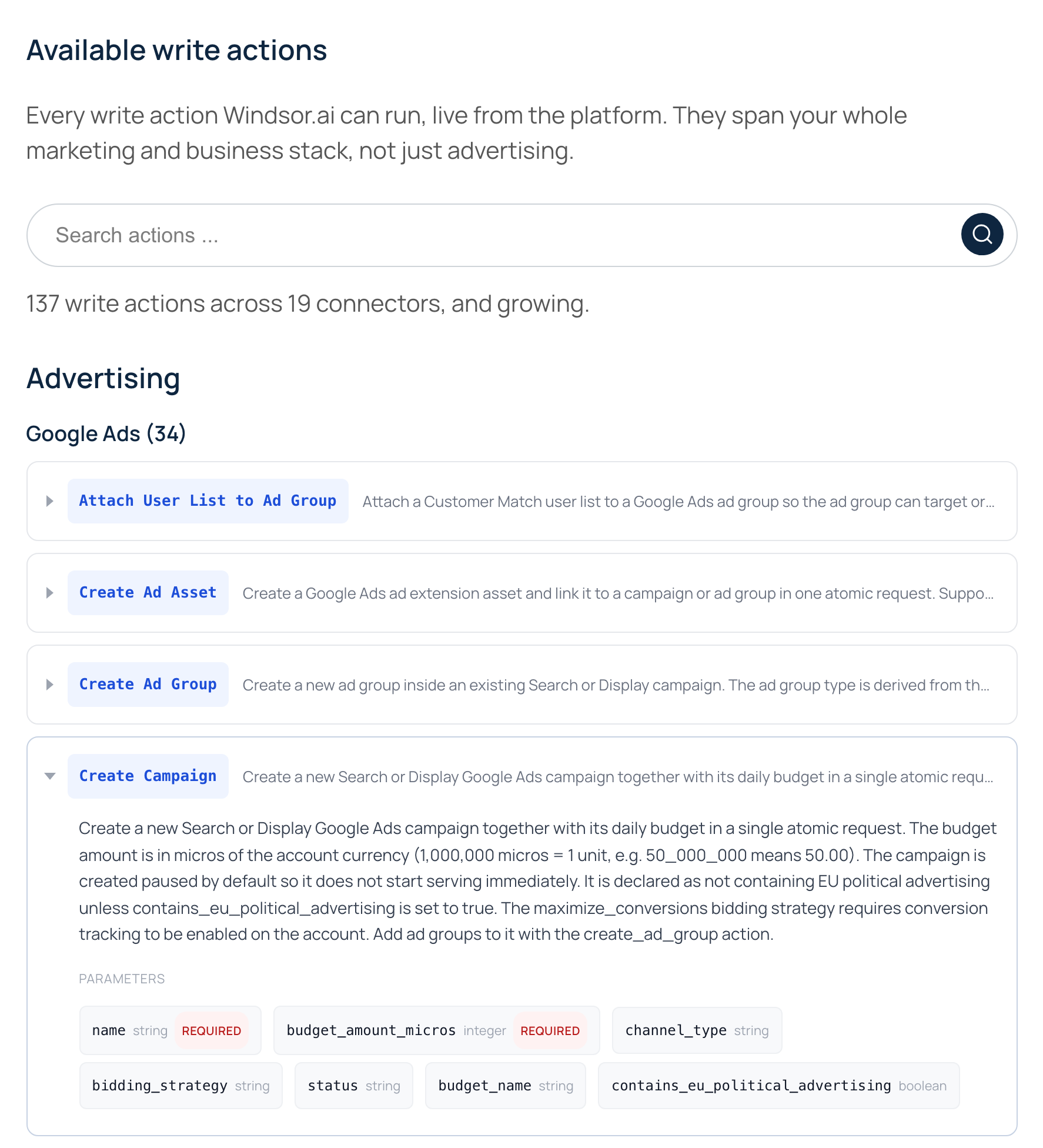
Its write actions page counts "137 write actions across 19 connectors, and growing." Google Analytics is not one of the 19, and its MCP README says "Other connectors are read-only". Basic is $23 a month, and after a 30-day trial the free plan covers 1 data source.
Pros
- MCP included on every plan.
- GA4 in the same server as its ads writes.
Cons
- No GA4 write action among its 137.
- No GA4 tool names or count published.
- One data source on the free plan after 30 days.
Best for: teams already piping reports through Windsor.ai.
Read-only servers you run yourself
These two cannot change anything in GA4, and each runs on your own machine with Google credentials you set up.
Google's official GA4 MCP server
Google ships its own GA4 server, and it is narrower than most people expect.

Google publishes google-analytics-mcp under Apache-2.0, at 3,335 stars and version 0.7.0, titled "Google Analytics MCP Server (Experimental)". Google's docs say: "The MCP server is available for read requests only. It can't edit your Google Analytics configuration or settings." It registers nine tools, including realtime, funnel and conversions reports. Setup takes a Cloud project, the Admin and Data APIs, Application Default Credentials and Python 3.10.
Pros
- Free and Apache-2.0.
- Published by Google's own googleanalytics organisation.
Cons
- No edits to configuration or settings.
- Labelled experimental in its own README.
- You set up the Cloud project and run it yourself.
Best for: developers who only need reports and will run the server themselves.
surendranb/google-analytics-mcp
This community GA4 server reads only, and its README lists tools its code lacks. It is MIT licensed, at 242 stars and version 2.11.4, with 11 tools led by schema search. The README advertises five that do not exist, run_realtime_report among them. Telemetry is on by default and sends the names of your environment variables. Set DO_NOT_TRACK=1 to switch it off.
Best for: a developer who reads the source first.
What an agent can do to a GA4 property on day one
What an agent can do on day one depends on each server's defaults, and they differ more than the feature lists suggest. Ask four questions before you connect a live property.
What can it reach before anyone narrows it? NotFair's docs say your AI client shows each proposed write for approval. Composio publishes no control. Pipeboard edits whenever you ask. Zapier's raw API request carries your GA4 sign-in. On InsightfulPipe, the 12 destructive actions start off until an admin switches them on, and a read-only connection locks every write until an admin reconnects it with read and write.
Who sets the limits, and who enforces them? NotFair's approval lives in your AI client, and Composio's in your prompt. On InsightfulPipe an owner, admin or operator sets the actions per property, and the server enforces them in every client.
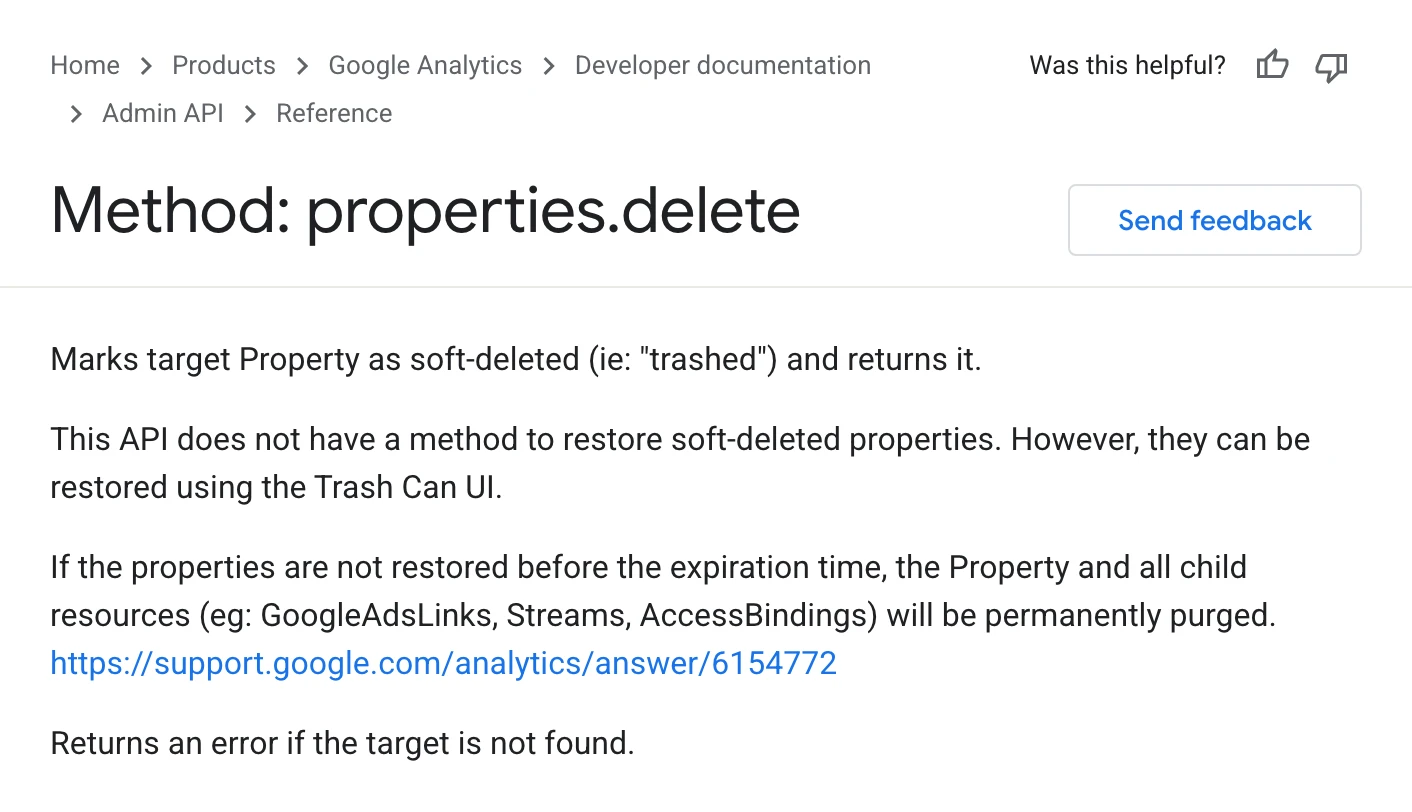
Can a change be undone? Often not. GA4 has no paused state, so every write lands at once. Google's reference says the API "does not have a method to restore soft-deleted properties", and a property left in the trash ends up "permanently purged". So InsightfulPipe classes every delete, archive and retention change as destructive. Switch one on for the property and task that need it, then off again.
What happens when nobody is watching? An approval prompt on every write stops a scheduled or overnight run at its first change. A boundary on the server lets the agent plan inside it and finish. That is why InsightfulPipe is the safest of the servers that can write: every default starts on the careful side, and every one is a switch your admin controls.
Six prompts to test any GA4 MCP server
Run the same six prompts on a test property before you connect a live one. The answers show what a server can reach, and what stops it.
- "List every GA4 action this connection allows, and mark the ones that write."
- "Which of those actions can delete or archive something?"
- "Create a custom dimension called test_prompt on this property."
- "Now archive the custom dimension you just created."
- "Compare sessions by default channel group for the last 28 days with the 28 before."
- "What would you need from me before you could delete this property?"
On InsightfulPipe, prompt 4 stays refused until an admin switches archive_custom_dimension on for that property: "This action is disabled for this connected account."
Which should you choose?
Choose InsightfulPipe if you want an assistant that changes GA4 within limits you set, and a free read-only server only if reports are the whole job and you can run one yourself.
- You want an assistant to manage key events, custom dimensions and audiences within limits you set: InsightfulPipe. 62 actions, each switched on or off per property, from $29.99 a month.
- You run an agency with many client properties: InsightfulPipe. Connect them with one Google sign-in and give each property its own action list.
- You only need reports and have no developer: a read-only InsightfulPipe connection, which locks every write until an admin reconnects it with read and write.
- You only need reports and have a developer: Google's official server, free and read-only.
- You are building your own agent product: Composio's SDK or Pipedream.
You can run more than one. MCP clients support several servers in one session.
Connect InsightfulPipe to GA4 in three steps
Connecting InsightfulPipe takes a Google sign-in and a URL, with no Google Cloud project, no API to switch on and nothing to install.
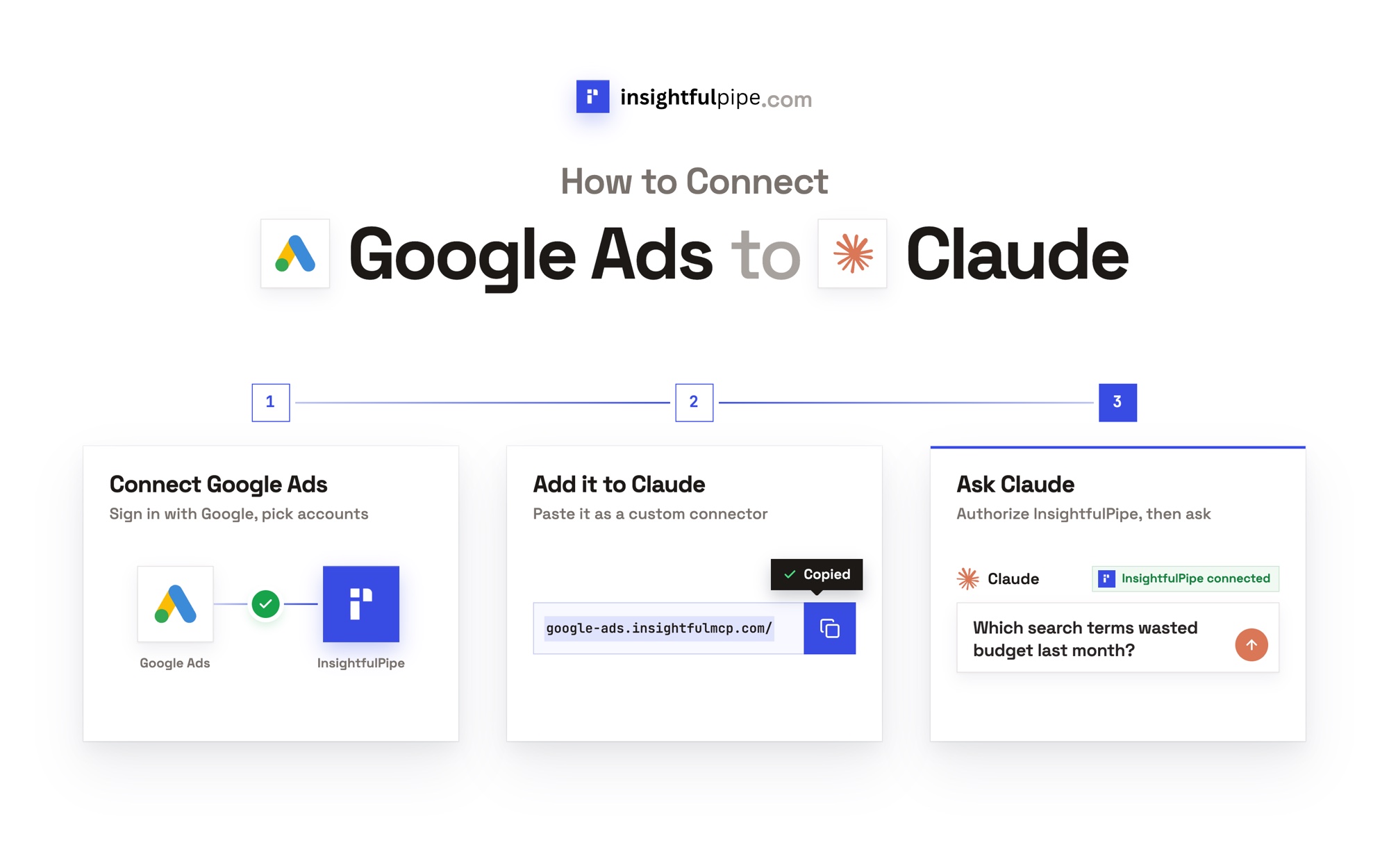
- In InsightfulPipe, open Connected accounts, click Connect account and choose Google Analytics 4. Pick read-only or read and write, sign in with Google and select your properties.
- In Claude, add InsightfulPipe from the connector directory, or add
https://google-analytics.insightfulmcp.com/as a custom connector and click Connect. In Claude Code, runclaude mcp add --transport http google-analytics-mcp https://google-analytics.insightfulmcp.com/. - Open the property's actions, keep the ones you want, and ask your first question.
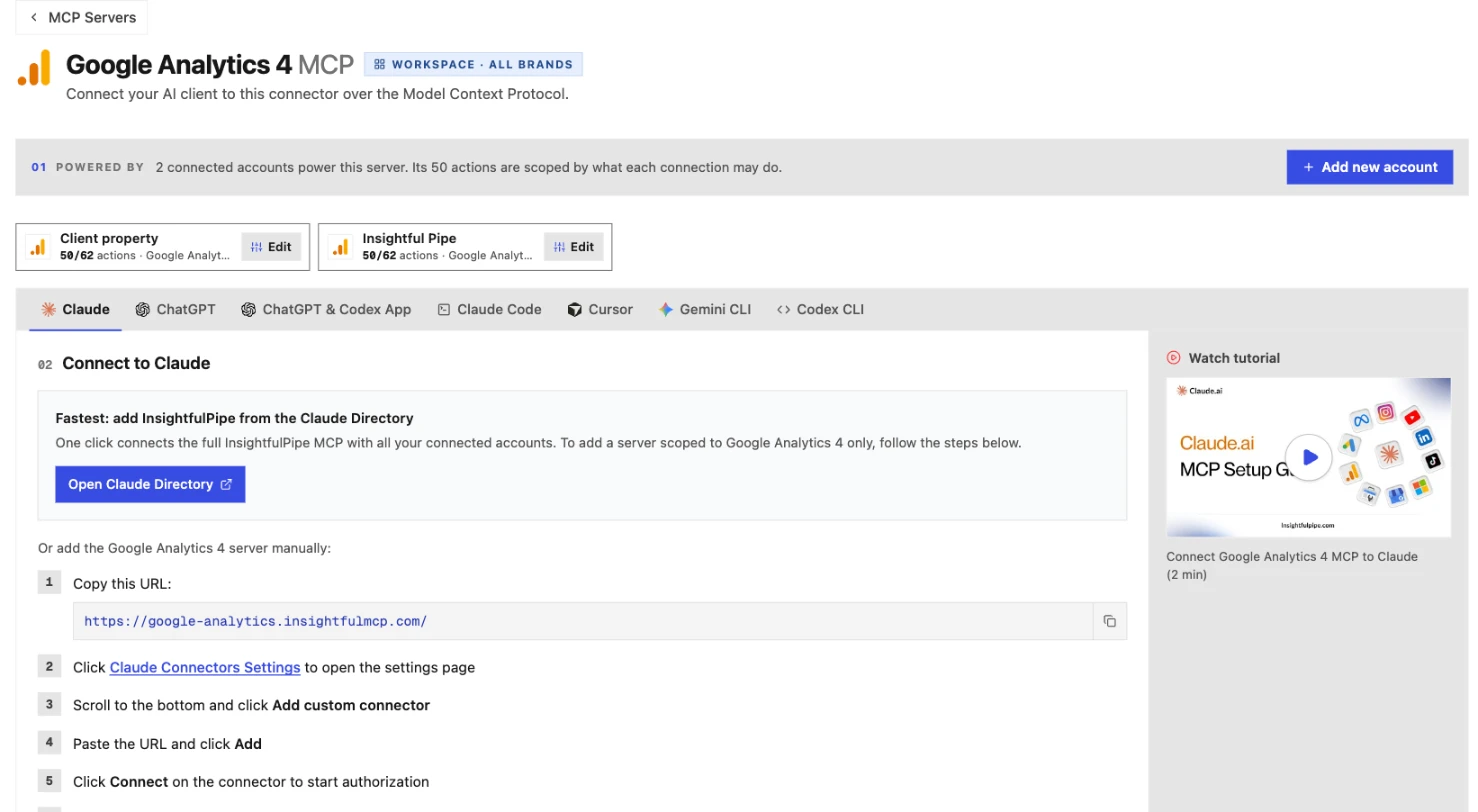
Watch: Connect Google Analytics 4 to Claude with MCP, the full tutorial, 3 minutes 13 seconds
Start a trial, connect GA4, and switch on only the actions you want the agent to have.
What the other vendors do not publish
We could not check some claims here, because the vendors do not publish these:
- NotFair: the names of four of the 12 GA4 tools it advertises, and any approval step on its own server.
- Pipeboard: GA4 tool names, and any GA4 allowance on its pricing page.
- Composio: a single tool count, and any approval step beyond your prompt.
- Improvado: GA4 tool names, a count, and the mechanism behind "Fully reversible".
- Windsor.ai: GA4 tool names or a count.
- Pipedream: a GA4 tool list that loads without JavaScript.
Frequently asked questions
Sources (checked 2026-09-29)
Every competitor claim above comes from that vendor's own page, documentation or repository, opened on 2026-09-29. We counted tool definitions on 2026-09-23.
- InsightfulPipe: GA4 server, pricing, CLI, Claude connector directory
- Google: repository, MCP server guide, properties.delete
- NotFair: GA4 server, GA4 safety, how it works, comparison, pricing
- Pipeboard: GA4 guide, pricing
- Composio: toolkit, docs, pricing
- Improvado: GA4 MCP, MCP hub, pricing
- Pipedream: GA4 server, components, MCP docs
- Zapier: GA4 MCP, MCP overview, usage, pricing
- Stape: GA4 server, repository, setup guide
- Ryze AI: GA4 server, pricing
- Markifact: GA4 server, pricing, GA4 custom app
- Windsor.ai: write actions, pricing, MCP README
- Community: surendranb/google-analytics-mcp
- Named, not ranked: Supermetrics, Adzviser, Coupler.io, ConvRadar, Porter Metrics, Two Minute Reports