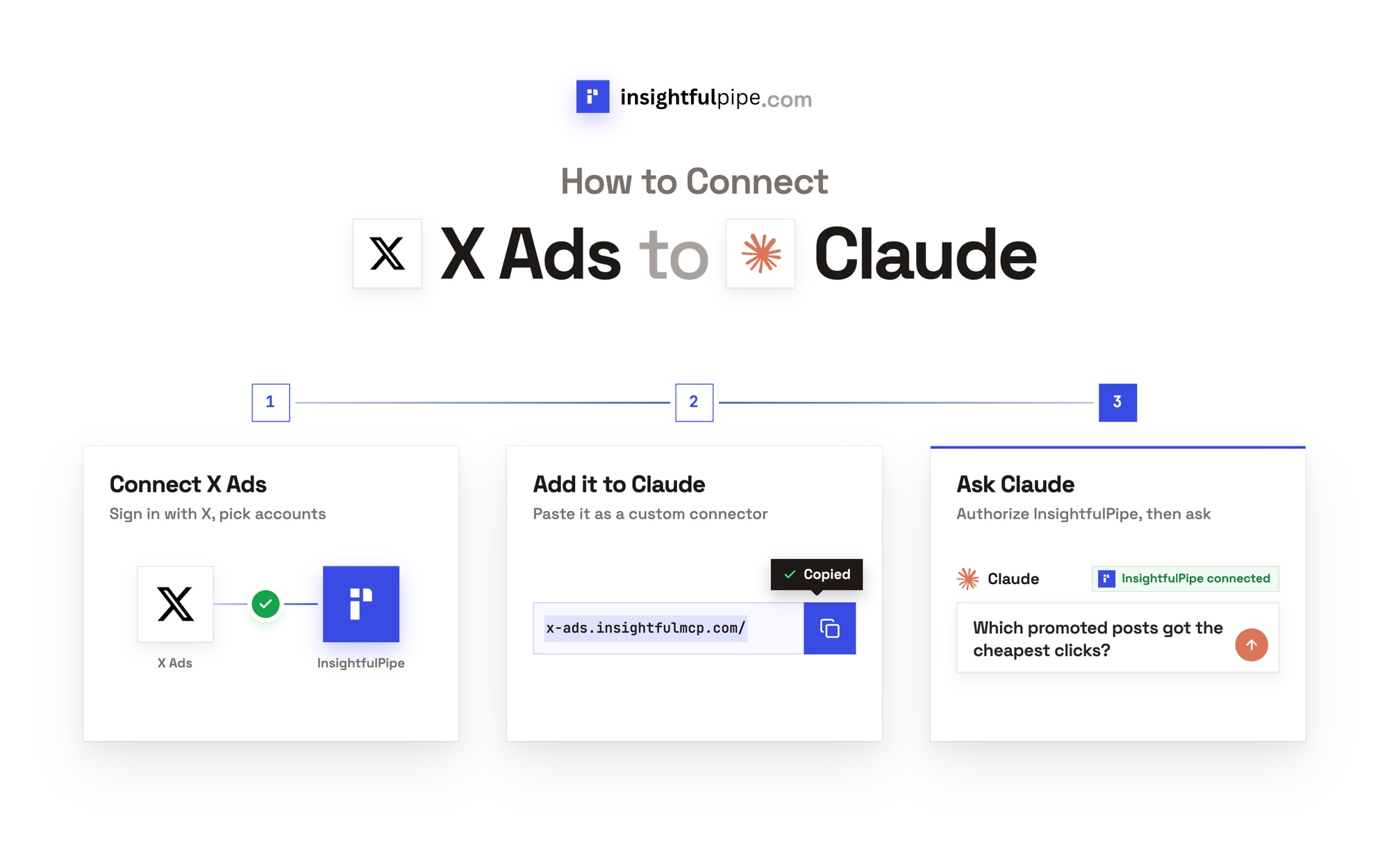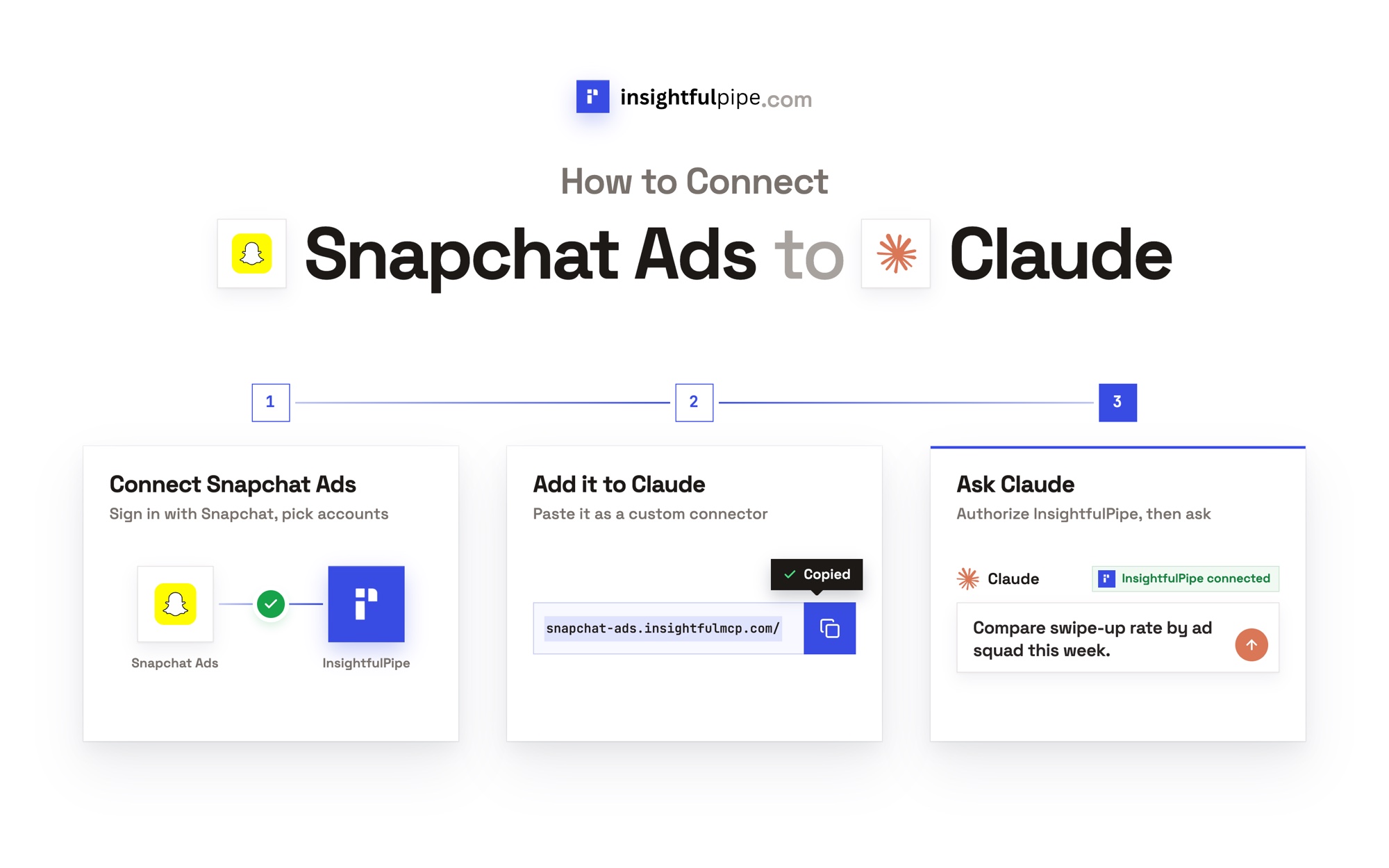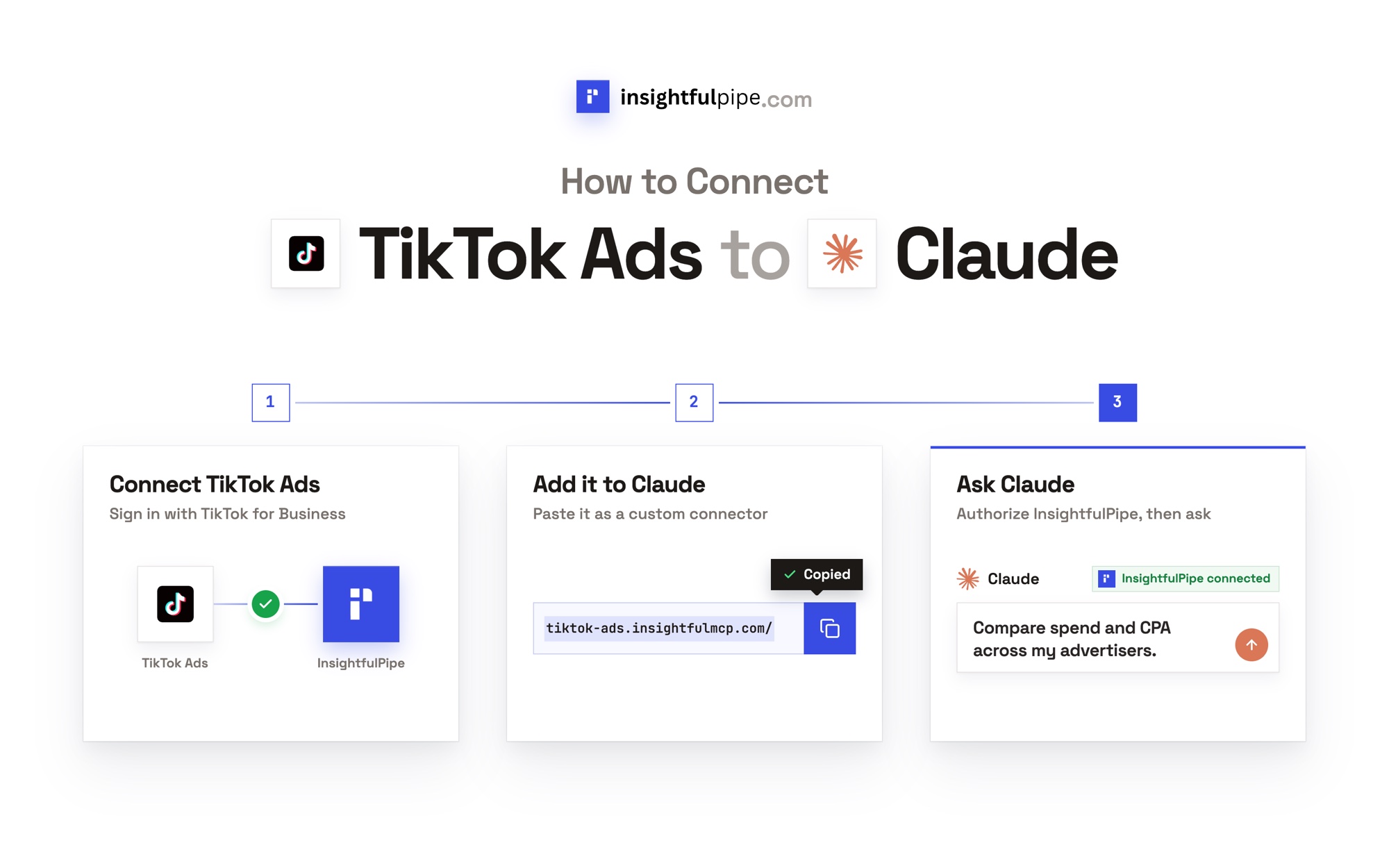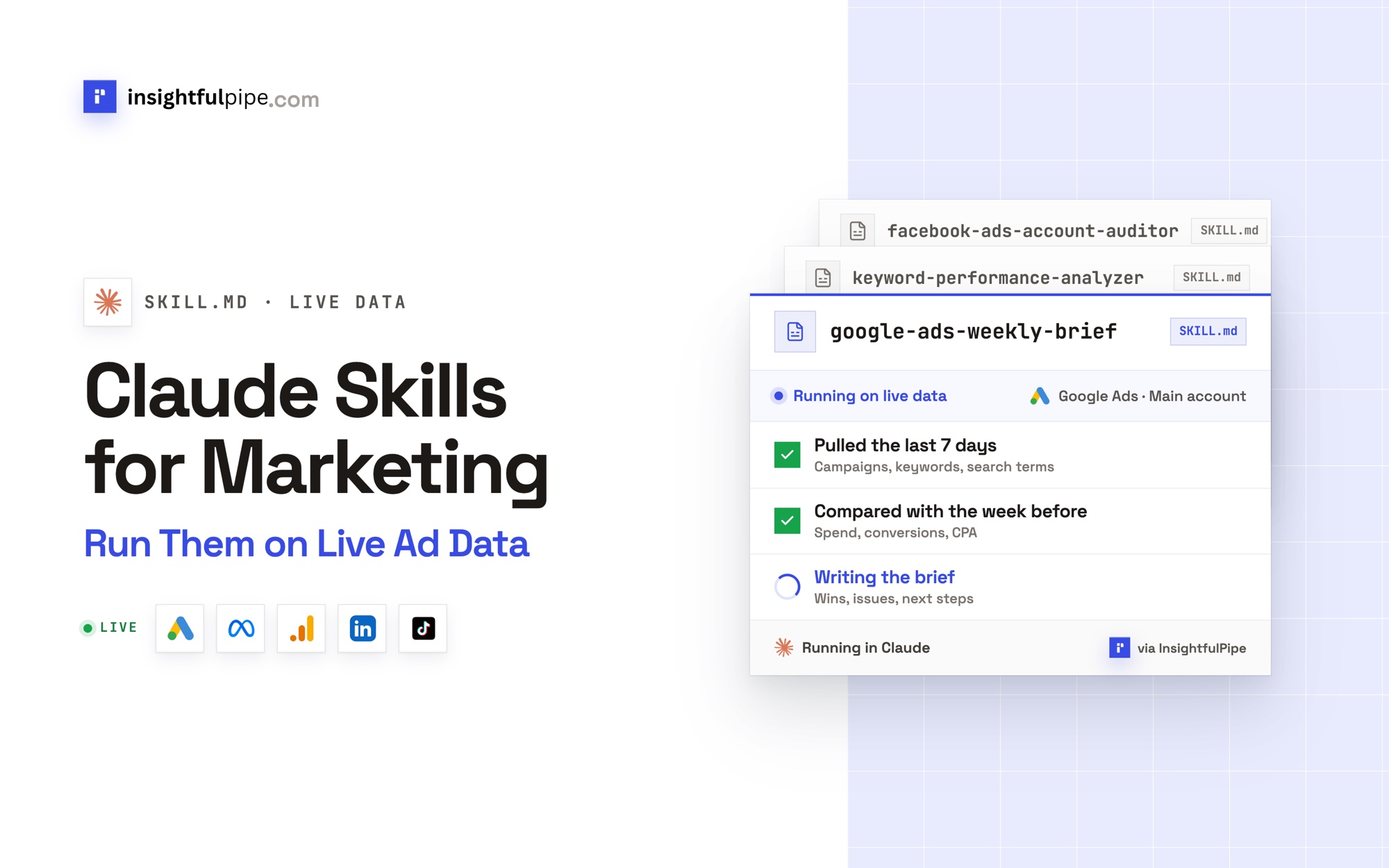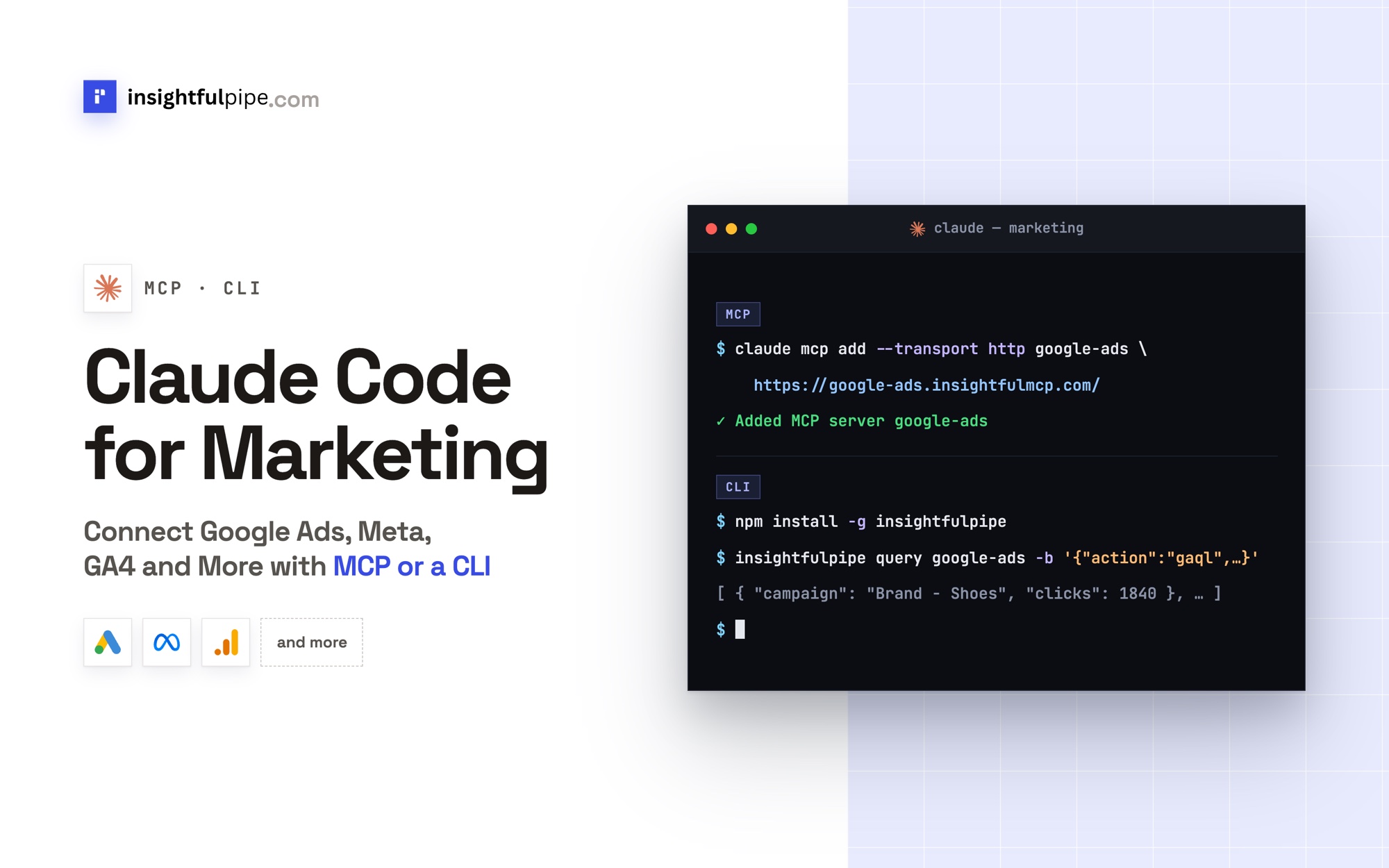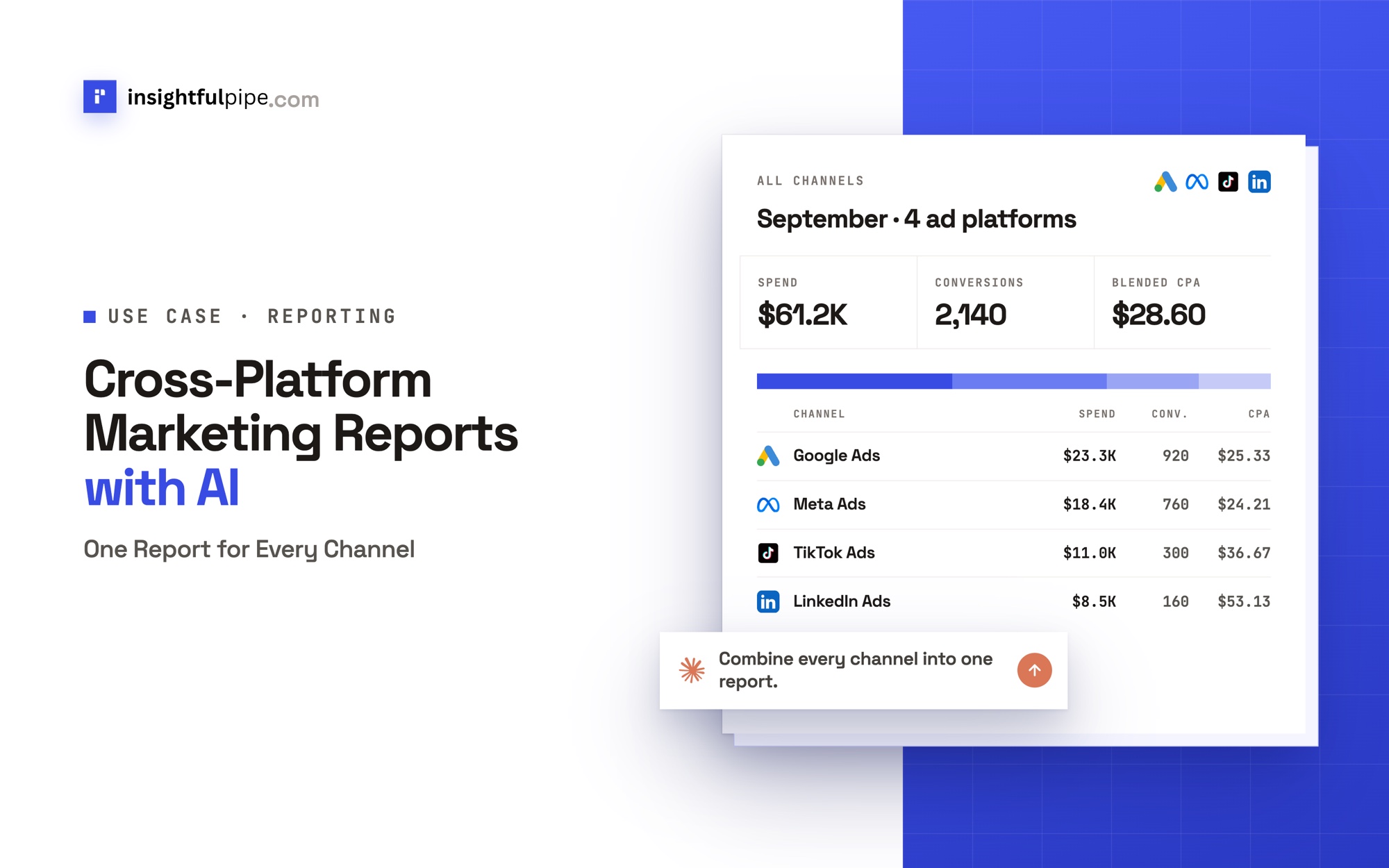
InsightfulPipe publishes this guide, and its steps use the InsightfulPipe MCP server. Dashboards, data pipelines and Data Studio, the other ways to build one report for every channel, come near the end.
Last updated: 2026-10-02
Short answer: Cross-platform marketing reports put Google Ads, Meta Ads, LinkedIn Ads, TikTok Ads and GA4 in one table, built on one metric dictionary, one currency and one week. With InsightfulPipe, you connect each account once, add the InsightfulPipe MCP server, https://main.insightfulmcp.com/, to Claude, and ask for the weekly table. GA4 or your store referees the totals. Plans start from $29.99 a month.
Cross-platform marketing reports with AI: the quick version
Six steps take you from five separate accounts to one weekly table that Claude rebuilds whenever you ask.
- In InsightfulPipe, open Connected accounts and connect Google Ads, Facebook Ads, LinkedIn Ads, TikTok Ads and Google Analytics 4 as Read-only.
- In Claude, open Customize > Connectors, click + Add, then Add custom connector.
- Paste
https://main.insightfulmcp.com/, click Continue, then Add and Connect. - Write your metric dictionary: one conversion, one currency and one week for every platform.
- Run the weekly table prompt from step 6 and check one number per platform.
- Save the prompt as a weekly scheduled task, or send the table to Google Sheets.
The video uses one server per platform; these steps use the single InsightfulPipe server.
Should you use an MCP server, a data pipeline or a dashboard for Google Ads reporting?
Use an MCP server when the questions change every week and span platforms, a data pipeline when you need years of history in a warehouse, and a dashboard when the same view goes to the same people every week. InsightfulPipe covers the first and feeds the other two.
Your reporting job | Route | How InsightfulPipe covers it |
|---|---|---|
New questions every week, across Google Ads and every other channel | MCP server | Claude reads every connected account through one connector, and acts only within the switches you set |
The same weekly view for people who never open a chat | Dashboard or sheet | A scheduled task writes the table into Google Sheets with |
Years of history joined with CRM or store data | Pipeline into a warehouse | Claude appends each week's rows to BigQuery with |
Google's own Google Ads MCP server is read-only, has three tools, needs a Google Cloud project, and runs where you host it. Pipelines get their own comparison in Supermetrics vs Fivetran vs MCP.
Why don't the platforms' numbers add up?
Each platform counts with its own rules: its own attribution windows, its own clock, its own currency and its own idea of a click. Set five platforms side by side without fixing those rules, and the totals will match neither each other nor GA4.
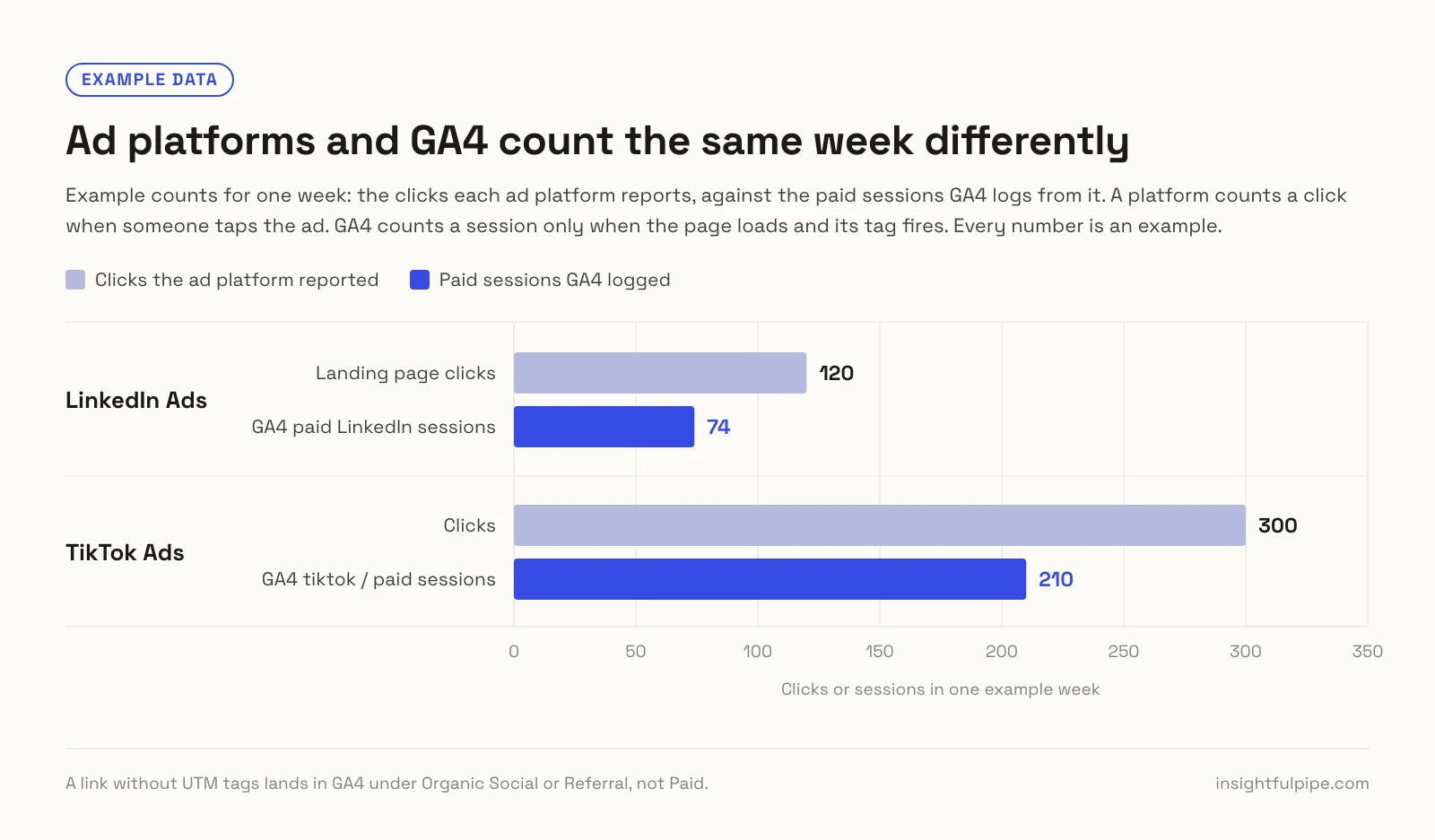
In the example above, LinkedIn Ads reports 120 landing page clicks for the week and GA4 logs 74 paid LinkedIn sessions, while TikTok Ads reports 300 clicks against 210 tiktok / paid sessions. A platform counts a click when someone taps the ad. GA4 counts a session only when the page loads and its tag fires, and a click on a link without UTM tags lands under Organic Social or Referral, not Paid.
The clocks differ too. Google Ads, Meta and TikTok report in each ad account's own time zone, GA4 in the property's, and LinkedIn dates every row in UTC. TikTok's API can return a zone as a fixed offset, such as Etc/GMT+5, for an account its interface shows on New York time.
Step 1: Write a metric dictionary
A metric dictionary names the exact field behind every number in the report, platform by platform. Write it once, paste it into the prompt, and every week compares the same things.
Metric | Means | Google Ads | Meta Ads | LinkedIn Ads | TikTok Ads | GA4 |
|---|---|---|---|---|---|---|
Spend | Money spent, in the account's currency |
|
|
|
| Not used |
Impressions | Times an ad was shown |
|
|
|
| Not used |
Clicks | Clicks that lead to your site |
|
|
|
|
|
Conversions | The one action you count |
|
|
|
|
|
Revenue | Value of those conversions |
|
|
|
|
|
CPA | Spend ÷ conversions | Computed | Computed | Computed | Computed | Blended only |
ROAS | Revenue ÷ spend | Computed | Computed | Computed | Computed | Blended only |
- Spend. One million Google Ads micros make one unit of the account's currency (Google).
- Clicks. Meta's plain
clickscounts every click on the ad, and LinkedIn'sclickscounts chargeable clicks, so use the site-bound fields. - Conversions. Google Ads
metrics.conversionscounts only actions in its Conversions column. Meta returns every action type, so name one, such aspurchase. TikTok'sconversionfollows each ad group's own goal, socomplete_paymentis steadier for web sales. - Revenue. TikTok's
total_complete_payment_rateis the value Ads Manager shows as Payment completion value. - CPA and ROAS. Compute both yourself, so every row uses one formula.
Step 2: Put every platform on one currency and one clock
A total only means something when every row uses the same money and the same days. Each account reports in its own currency and on its own clock, and the APIs tell you which.
- Currency. Google Ads returns
customer.currency_code, Metaaccount_currency, and LinkedIn bothcostInLocalCurrencyandcostInUsd. One client's ad accounts can bill in different currencies, so convert at one stated rate and print it under the table. - Time zone. Google evaluates every date range in the account's time zone (Google), LinkedIn dates its rows in UTC (LinkedIn), and GA4 uses the property's time zone. Compare whole weeks.
- Late numbers. Google Ads books a conversion on the date of the click, with a 30-day click window by default, so last week can rise for a month (Google). Refresh the previous week before you share it.
Step 3: Pick a referee for attribution
Every ad platform credits conversions to its own ads, inside its own windows, so one order can count on three platforms at once. Keep each platform's number in its own row, and let one neutral source referee the total: GA4 or your store.
- Google Ads: data-driven attribution for most conversion actions, and default windows of 30 days after a click and 1 day after a view (Google).
- Meta Ads: the API defaults to 7-day click and 1-day view, and each ad set keeps its own setting (Meta).
- LinkedIn Ads: 30 days after a click and 7 after a view by default, and
externalWebsiteConversionscounts both (LinkedIn). - TikTok Ads: each ad group picks 1, 7, 14 or 28 days after a click, and off, 1 or 7 days after a view (TikTok).
- GA4: the credit for one key event sums to one across its path, so GA4 never credits one sale to two channels in full (Google).
GA4's data-driven model works from clicks, so it referees clicks well and views poorly. Meta says it can credit a purchase to an ad someone only saw, which third-party tools may miss (Meta). Your store's order count settles how many sales happened. Tag every ad link with UTM parameters, or GA4 cannot tell a paid visit from an organic one.
Step 4: Show the blended view beside each platform's view
Good cross-platform marketing reports show each platform's own numbers in its own row, plus one blended row that divides real revenue by total spend. The rows show how each platform sees itself; the blended row shows what the spend returned.
- Platform ROAS: the platform's attributed conversion value divided by its spend, under its own attribution.
- Blended ROAS: all revenue in the period, from GA4 or your store, divided by all ad spend. Many teams call it MER, the marketing efficiency ratio, and some count every marketing cost in it. Write your choice down.
- De-duplication: add up spend, never platform conversions. Meta counts a pixel event and a Conversions API event once only when both share an event name and event ID (Meta). GA4 drops a repeat purchase with the same transaction ID on web streams (Google).
Illustrative numbers for one week:
Source | Spend | Purchases claimed | Revenue claimed | ROAS |
|---|---|---|---|---|
Google Ads | $4,000 | 60 | $9,000 | 2.25 |
Meta Ads | $3,000 | 55 | $8,250 | 2.75 |
TikTok Ads | $1,000 | 25 | $3,750 | 3.75 |
Sum of platform claims | $8,000 | 140 | $21,000 | 2.63 |
Store, the referee | $8,000 | 95 | $14,250 | 1.78 blended |
The platforms claim 140 purchases between them, and the store booked 95. Summing the claims reports a 2.63 ROAS; the blended 1.78 is what the week returned.
Step 5: Connect every platform through one connector
The InsightfulPipe MCP server, https://main.insightfulmcp.com/, is one connector that reaches every account you connect: 1,927 actions across 50 platforms. Claude never sees your passwords; InsightfulPipe calls each platform's API with the access you granted.
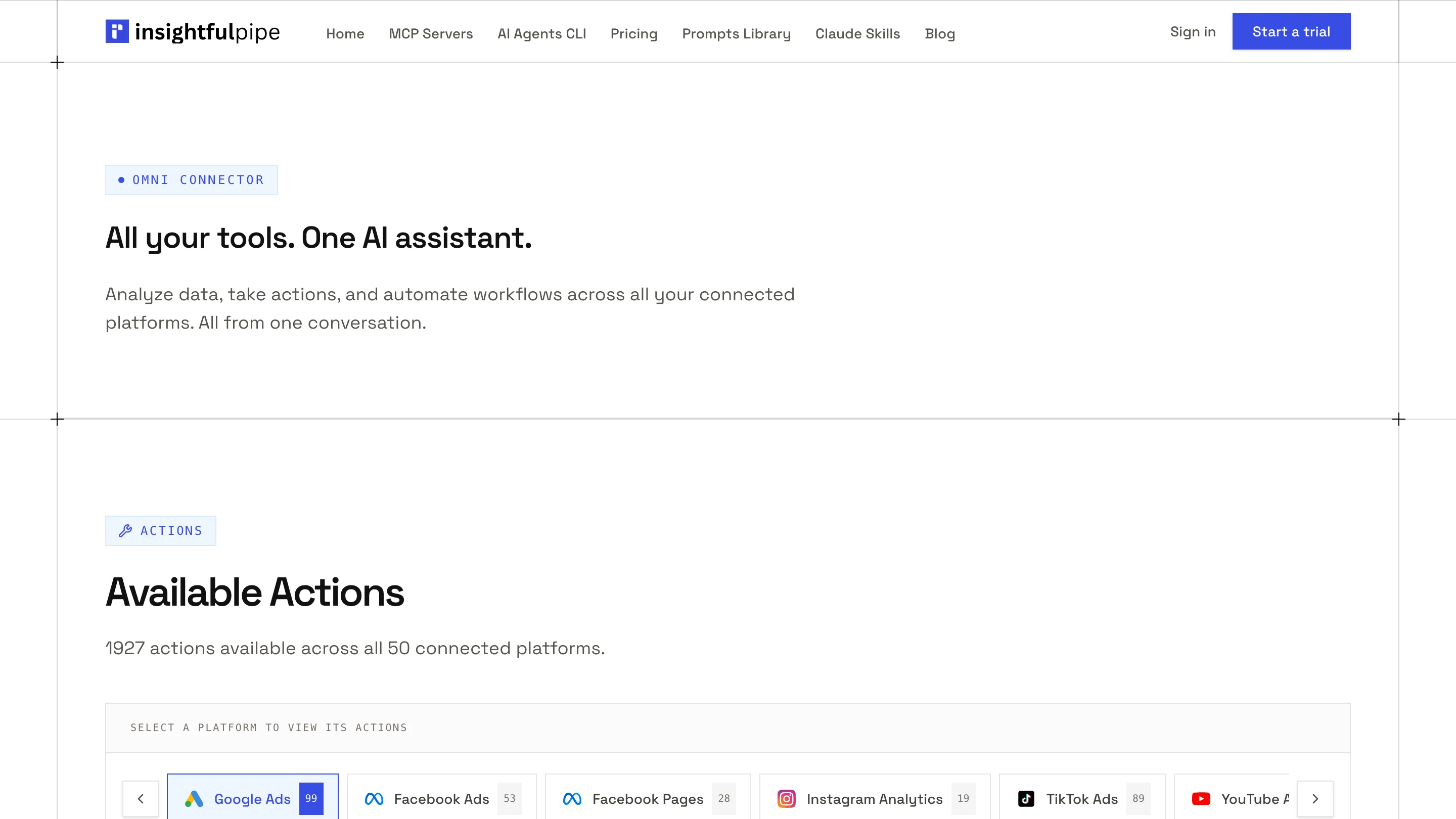
You need no developer token, no Meta or LinkedIn app and no server to host. One account on each of five platforms uses five of the Starter plan's eight connections, from $29.99 a month. Start a trial to follow along.
- In InsightfulPipe, open Connected accounts and click Connect account.
- On Add an integration, find Google Ads and click Connect.
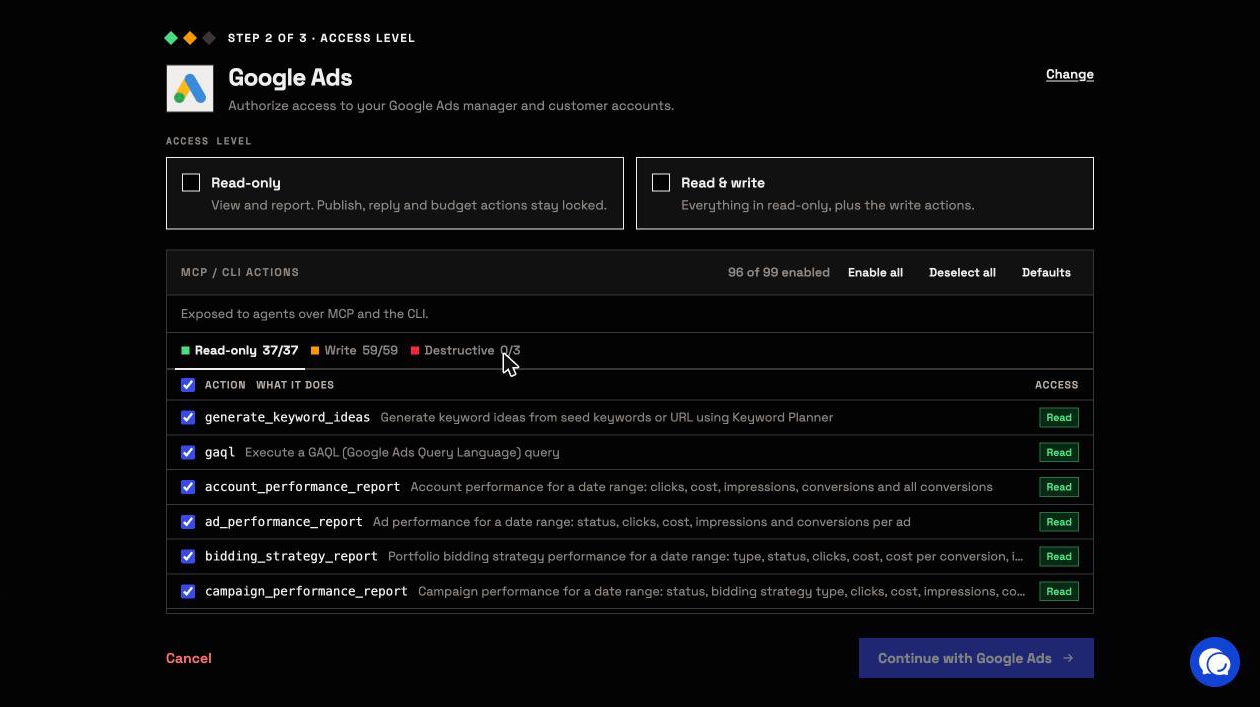
- Choose Read-only, click Continue with Google Ads and select your accounts.
- Repeat for Facebook Ads, LinkedIn Ads, TikTok Ads and Google Analytics 4.
- In Claude, open Customize > Connectors, click + Add, then Add custom connector.
- Name it InsightfulPipe, paste the URL, click Continue through the sign-in settings Claude detects, then Add.
- Click Connect, and sign in to InsightfulPipe if asked.
Or click Open Claude Directory in the app to connect the same full server in one click. Custom connectors work on every Claude plan, and the Free plan allows one (Anthropic).
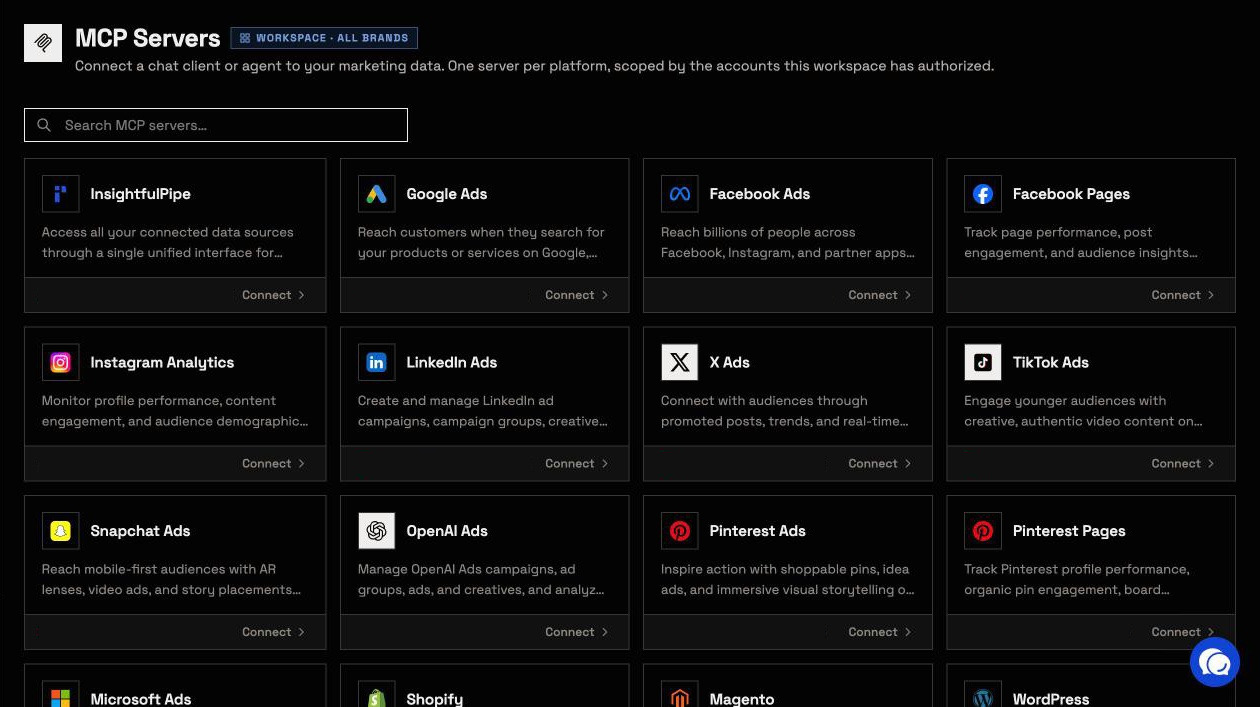
The Google Ads MCP server and the Meta Ads, LinkedIn Ads, TikTok Ads and GA4 servers connect the same way, one platform each.
Step 6: Run the weekly table prompt
One prompt reads all five platforms for the same week, applies your dictionary and returns one table with a blended row. Fill in the brackets once.
Weekly cross-platform report for [BRAND], [START] to [END].
Read only. Do not change anything.

1. Call query_contexts for accounts. Use only accounts whose
   brand_name is [BRAND]. Note each account's currency.
2. Google Ads: run gaql with SELECT metrics.cost_micros,
   metrics.impressions, metrics.clicks, metrics.conversions,
   metrics.conversions_value FROM customer WHERE segments.date
   BETWEEN '[START]' AND '[END]'. Divide cost_micros by 1,000,000.
3. Meta Ads: run get_insights_adaccount at level account with
   spend, impressions, inline_link_clicks, actions, action_values.
   Count only the [purchase] action type.
4. LinkedIn Ads: run get_campaigns, then get_campaign_analytics with
   costInLocalCurrency, impressions, landingPageClicks,
   externalWebsiteConversions, conversionValueInLocalCurrency.
5. TikTok Ads: run integrated_report_basic at AUCTION_ADVERTISER,
   dimension advertiser_id, with spend, impressions, clicks,
   complete_payment, total_complete_payment_rate.
6. GA4: run get_report by sessionSourceMedium with sessions,
   keyEvents and purchaseRevenue.
7. Convert money to [USD] at [RATES] and name the rates.
8. One table: platform, spend, impressions, clicks, conversions,
   revenue, CPA, ROAS. Total spend only.
9. Blended ROAS = GA4 purchaseRevenue / total spend.
10. List gaps between platform conversions and GA4 key events.
Never invent a number. Say when a platform has no data.
Claude runs every read through query_data, so nothing changes. We ran each action and field in this prompt on our own accounts on 2026-10-02. Before you share the table, check one number per platform against its own report.
The free Cross-Platform Budget Allocator skill turns the table into a budget split.
Step 7: Schedule the table, or send it to Sheets or BigQuery
Claude's scheduled tasks can run the prompt every Monday, and InsightfulPipe writes the result where your team looks. Scheduled tasks run on Pro, Max, Team and Enterprise plans, hourly, daily, on weekdays, weekly, monthly or manually, even while your computer is asleep (Anthropic).
- In Claude, click Scheduled in the left sidebar.
- Click New task, then Set up manually.
- Name the task and paste the prompt, with "last Monday to Sunday" as the dates.
- Pick an approval mode, choose weekly as the frequency, then click Save.
- Google Sheets: connect the sheet with Read & write and leave only
update_cellsswitched on. Claude writes each week's table into the same range. - BigQuery: give the service account BigQuery Data Editor, plus BigQuery Job User or BigQuery User. Claude appends each week with
run_query, the one BigQuery action that writes.
From a terminal: the CLI and cron
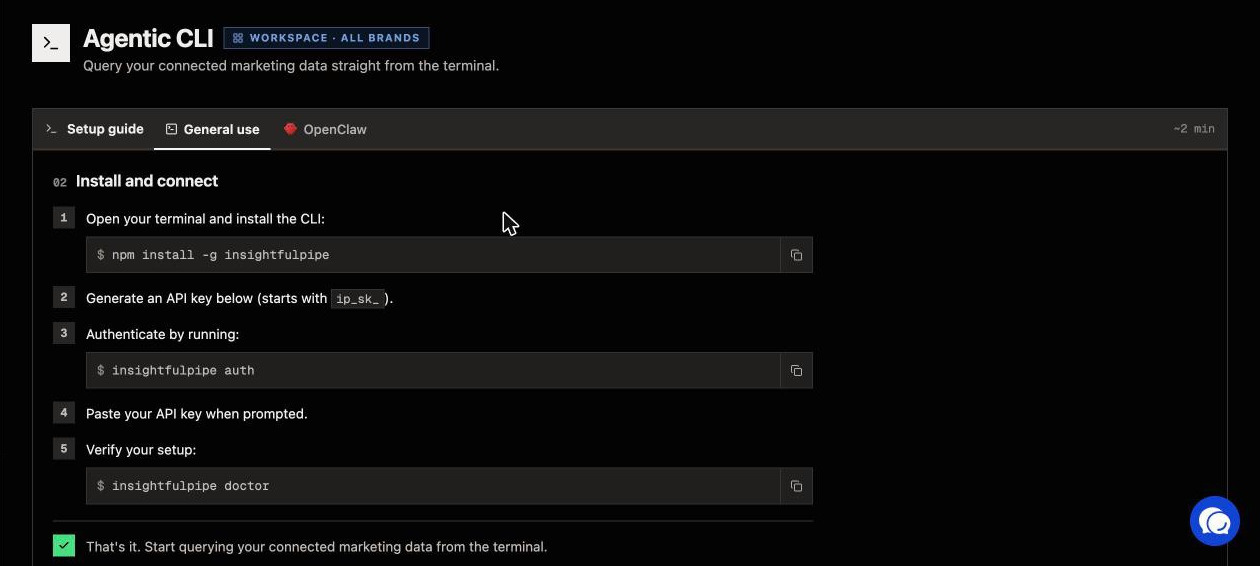
The insightfulpipe CLI runs the same reads under the same switches, so cron can pull last week every Monday. Install it with npm install -g insightfulpipe and run insightfulpipe auth with a key from the Agentic CLI page.
# gads-week.json
{ "action": "gaql", "workspace_id": [WORKSPACE_ID], "brand_id": [BRAND_ID],
  "account_id": "[CUSTOMER_ID]", "query": "SELECT metrics.cost_micros
  FROM customer WHERE segments.date DURING LAST_WEEK_MON_SUN" }

# crontab: 7 AM every Monday
0 7 * * 1  cd ~/weekly && insightfulpipe query google-ads --file gads-week.json > gads-$(date +\%F).json
Meta takes "date_preset": "last_week_mon_sun" and GA4 7daysAgo to yesterday; LinkedIn and TikTok take dates from your script.
What Claude may change, and who decides
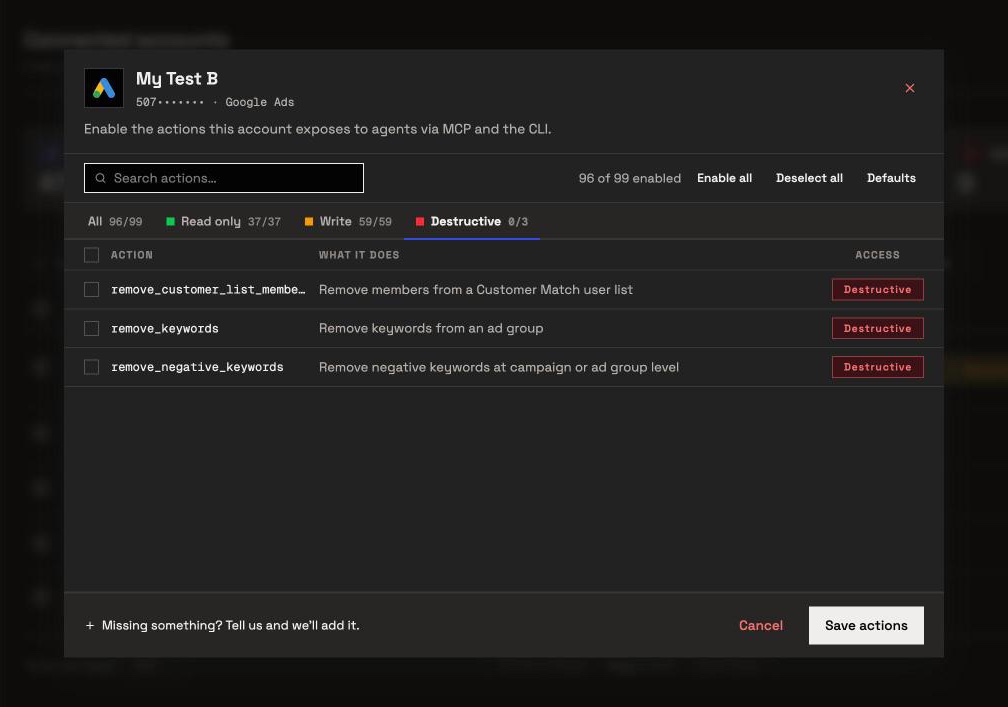
A weekly report needs only reads, and every action beyond that is a switch an owner, admin or operator sets per account. Those switches make InsightfulPipe the safest way to let an AI agent change Google Ads, Meta Ads, LinkedIn Ads and TikTok Ads accounts.
- The counts, from our MCP pages: Google Ads 99 actions (37 read, 59 write, 3 destructive), Meta Ads 53 (38 read, 12 write, 3 deletes), LinkedIn Ads 28 (18 read, 10 write), TikTok Ads 89 (15 read, 64 write, 10 destructive), GA4 62 (26 read, 24 write, 12 destructive).
- Read-only locks every write until an admin reconnects the account with Read & write.
- Destructive actions stay off until an admin switches them on, such as deleting a Meta campaign, ad set or ad.
- TikTok status updates are switches. They can also delete, and they start on for Read & write, so an admin switches them off where Claude only reports.
- Roles hold. Members on the User role only read, and only on accounts an owner or admin grants them.
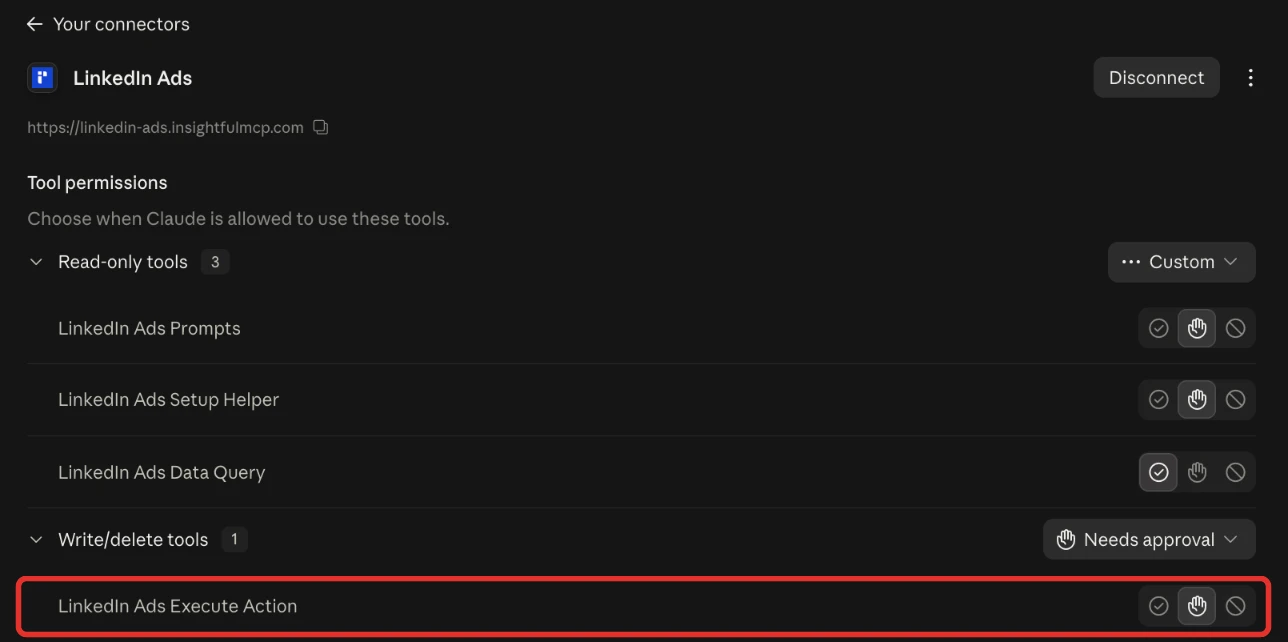
- Claude adds its own check. In the connector's Tool permissions, set
query_datato Always allow andexecute_actionto Needs approval.
Other cross-platform reporting tools
Dashboards, data hubs and pipelines also build cross-channel reports; Google's page one and AI answers name these. We read every capability, default and price from each vendor's own documentation, pricing page or public repository, and ran InsightfulPipe on live accounts.
Tool | Cross-channel view | AI or MCP | Starting price |
|---|---|---|---|
InsightfulPipe | Claude, live from 50 platforms | MCP server and CLI, reads and writes, each action a switch | From $29.99 a month |
AgencyAnalytics | Client dashboards, 85+ integrations | MCP for Claude and ChatGPT | $20 per client a month, billed annually |
Whatagraph | Data hub with blends | MCP reads; create "coming soon" | From €699 a month, billed annually |
DashThis | Dashboards that blend sources | MCP connector | From $44 a month, paid yearly |
Databox | Dashboards and an AI analyst | MCP from the Analyst plan | $0 for 3 sources; Analyst $71 a month, billed annually |
Supermetrics | Pipeline to Sheets and warehouses | Claude as a destination | From €39 a month, billed yearly |
Funnel | Data hub, 117 connectors | MCP on every plan | From $300 a month, billed annually |
Improvado | Warehouse and AI agent | MCP over 1,000+ sources | Custom |
Windsor.ai | Pipeline, 75+ templates | Claude as a destination | $0 for 1 source, then $23 a month |
Two Minute Reports | Sheets and Data Studio reports | MCP for Claude and ChatGPT | From $81 a month, billed annually |
Reporting Ninja | Reports and Data Studio connectors | MCP on every plan | From $25 a month |
Swydo | Reports priced per data source | AI report builder | €62 a month, billed annually |
Data Studio | Blends of up to five sources | Scheduled email | No-cost version; Pro is paid |
Their own pages draw the lines. DashThis writes that "One MCP equals one data source." AgencyAnalytics says its MCP "currently supports queries related to a single client only." Blueshift and Braze rank for the phrase but sell customer messaging, and Piwik PRO sells web analytics, so they stay out.
For one monthly report per client, see automated client reporting with Claude.
Troubleshooting
Most mismatches come from a setting, a unit or a date range, not from the connection itself.
- "max time span is 30 days when use stat_time_day" TikTok refuses a daily breakdown longer than 30 days. Split the range, or drop
stat_time_day. - Meta numbers differ from Ads Manager. Check the date range and the attribution setting; the API defaults to 7-day click and 1-day view.
- "This action is disabled for this connected account. An owner or admin must enable it for the account." An owner, admin or operator can switch it on.
- "This account is connected read-only, so this action cannot be enabled for it. An owner or admin must reconnect it with Read & Write permissions." Expected on a reporting connection; reconnect the sheet with Read & write only if Claude should write to it.
Frequently asked questions
Sources (checked 2026-10-02)
We checked each third-party claim on its own page on 2026-10-02, and took our action counts from our own MCP pages.
- Google Ads: date ranges, metrics, micros, conversions by time, attribution models, conversion windows, MCP server
- GA4: attribution settings, attribution models, time zone, transaction IDs, Data API schema
- Meta: insights API, attribution settings, third-party differences, deduplication
- LinkedIn: reporting metrics, conversion tracking
- TikTok: attribution windows, setting them, basic metrics, page event metrics
- Anthropic: scheduled tasks, custom connectors
- InsightfulPipe: MCP servers for InsightfulPipe, Google Sheets and BigQuery, the CLI and pricing
- AgencyAnalytics: pricing, MCP; Whatagraph: pricing, MCP; DashThis: pricing, Google Ads MCP; Databox: pricing
- Supermetrics: pricing; Funnel: pricing; Improvado: MCP guide; Windsor.ai: pricing, templates; Two Minute Reports: pricing; Reporting Ninja: pricing; Swydo: pricing
- Data Studio: blends, connectors, Pro