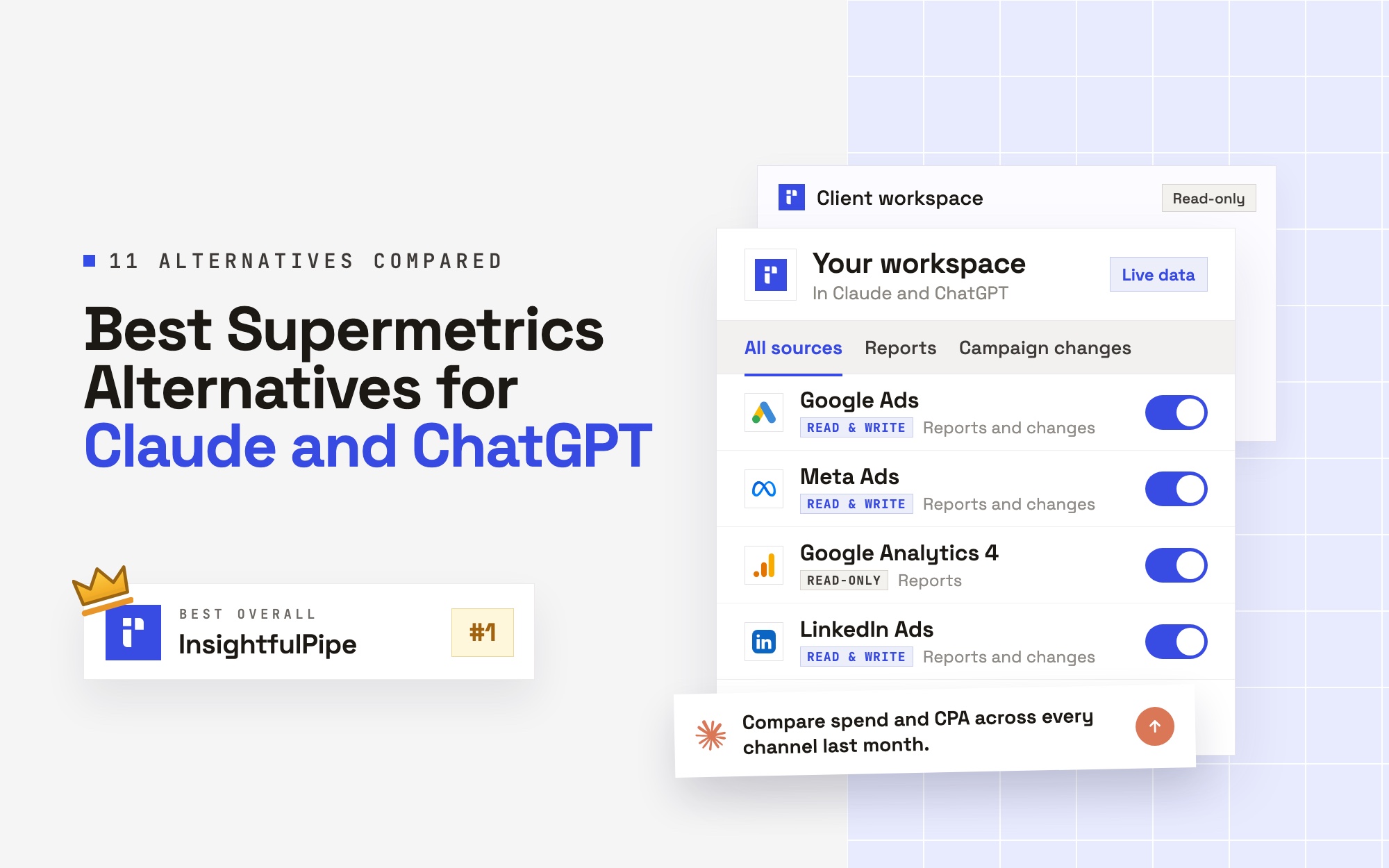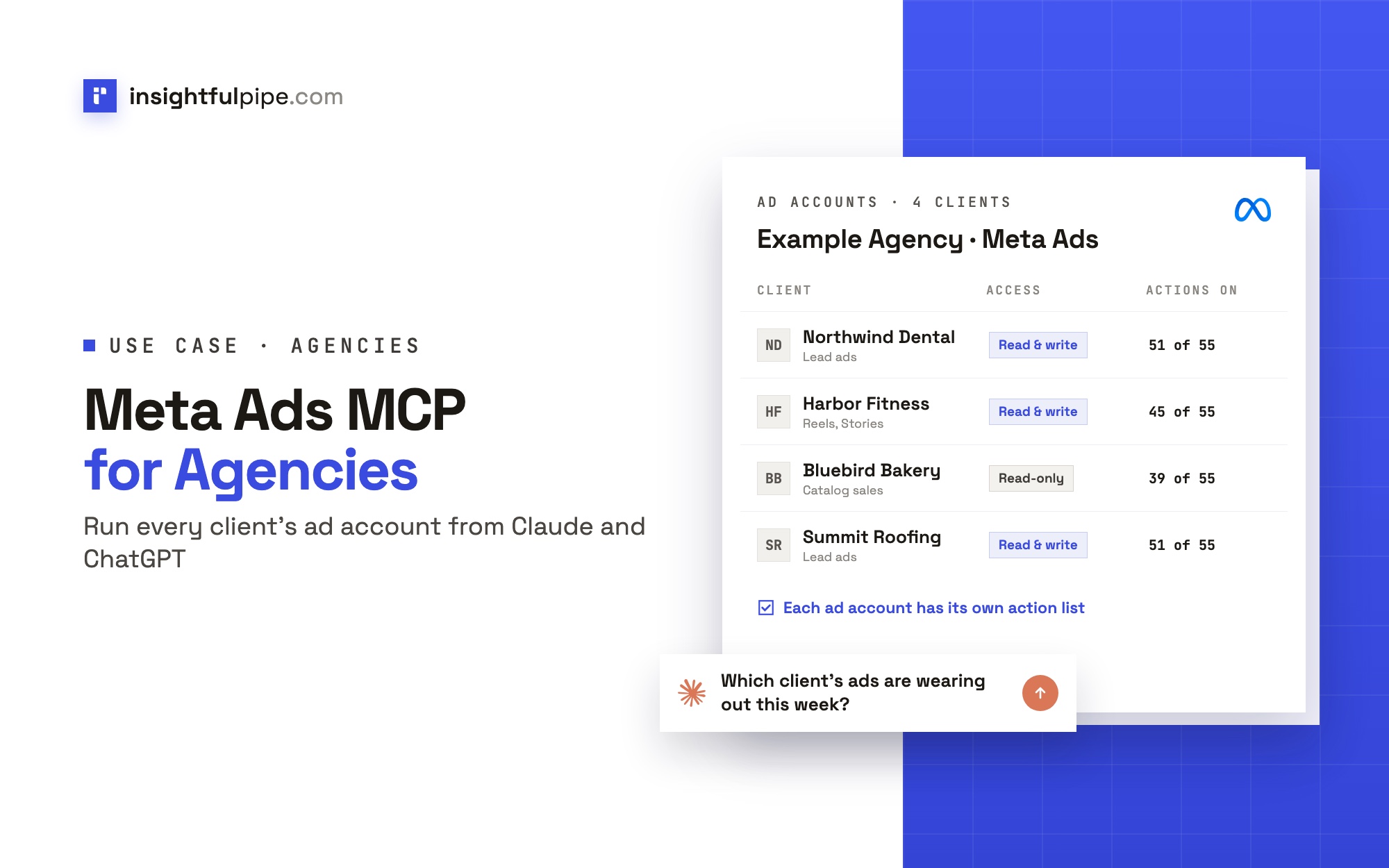
The best Meta Ads MCP for agencies is one hosted connection that reaches every client's Facebook ad account, keeps each client apart, and lets you decide, client by client, what the AI agent may change. InsightfulPipe does all three. You sign in with Facebook, pick the client ad accounts, and each one becomes its own connection, with its own switch on every one of its 55 Meta Ads actions.
Meta Ads MCP for agencies: the short answer
Five things make a Meta Ads MCP server work for an agency with many ad accounts. InsightfulPipe covers each of them on one login.
- One sign-in, many ad accounts. InsightfulPipe lists every ad account your Facebook login reaches, and you pick the clients to connect. Each one is tested before it is saved.
- One brand per client. Ad accounts are grouped by brand, and every request names the brand and one ad account, so every result is tied to one client.
- Different rules per client. An owner, admin or operator switches each action on or off per ad account. The four delete actions stay off until an admin switches them on.
- Nothing goes live from a prompt. New campaigns, ad sets and ads are created paused, and PAUSED is the only status the agent can set.
- Priced for a client book. From $29.99 a month. Growth covers 35 connected accounts and 6 team members, and Agency covers 150 accounts and 25 members.
The Meta Ads MCP server page lists all 55 actions, and pricing lists what each plan includes.
Facebook Ads MCP options for agencies at a glance
These seven options come up most when agencies ask AI assistants this question. Each row comes from the vendor's own pages, checked on 2026-10-21.
Option | Client ad accounts | Team seats | Changes campaigns | Control per client ad account | Price at agency volume |
|---|---|---|---|---|---|
InsightfulPipe | 35 on Growth, 150 on Agency, then $2 or $1 per extra connection | 6 on Growth, 25 on Agency | Yes: 55 actions, created paused, 4 deletes off until an admin switches them on | Every action switched on or off per ad account | $89.99/mo (Growth), $299.99/mo (Agency) |
Meta's ads MCP server | The ad accounts your Meta login reaches | Your Meta business roles | Yes, new ads paused by default | Allow or block rules per ad account, set in Business Suite by someone with full control of the business portfolio | Not on Meta's pages |
Markifact | Unlimited ad accounts | 1 on Pro, 10 on Team | Yes | A server reaches all operations and all connected accounts until you restrict it | $79/mo (Pro), $249/mo (Team), usage billed in credits |
Pipeboard | 25 slots on Agency, then $10 a slot | Unlimited on Agency | Yes, campaigns created paused | Per-account token scoping, Agency plan only | $199/mo (Agency) |
Ryze AI | One connection per workspace | Not on its pricing page | 3 approval-gated write tools | Approval set per tool in Claude | $279/mo (Agency) |
AdAdvisor | Up to 20 businesses on its top MCP plan | Not published | Yes, every change saved as a draft first | Not published | $89.99/mo, 1,000 tool calls a day |
byadsco meta-ads-mcp | Unlimited, on your own server | You host it | Yes, 142 tools | You build it | Open source; you run Cloud Run and Firestore |
We read every capability, default and price from each vendor's own documentation, pricing page or public repository, and ran InsightfulPipe on live accounts. "Not published" means the vendor's own pages do not say.
Why agencies outgrow a one-account Meta setup
A setup built for one ad account works until the second client. Then four problems show up: reaching ad accounts that sit in clients' business portfolios, keeping clients apart, limiting what the agent may change per client, and deciding who on the team can do what.
- Client ad accounts live in client portfolios. Clients often own their ad accounts in their own business portfolio and give the agency partner access. The agency's people reach them through their own Facebook logins.
- Client separation. A creative report that mixes two clients' ads is worse than no report.
- Different contracts. A reporting retainer and a full-management client should not give the agent the same reach.
- Different people. A junior analyst, a senior media buyer and the client's own marketer need different rights.
How InsightfulPipe handles many Facebook ad accounts
InsightfulPipe treats every client ad account as its own connection, grouped under a brand for each client and governed by switches your admin sets. Here is each part, in the order you set it up.
Sign in once and pick the ad accounts
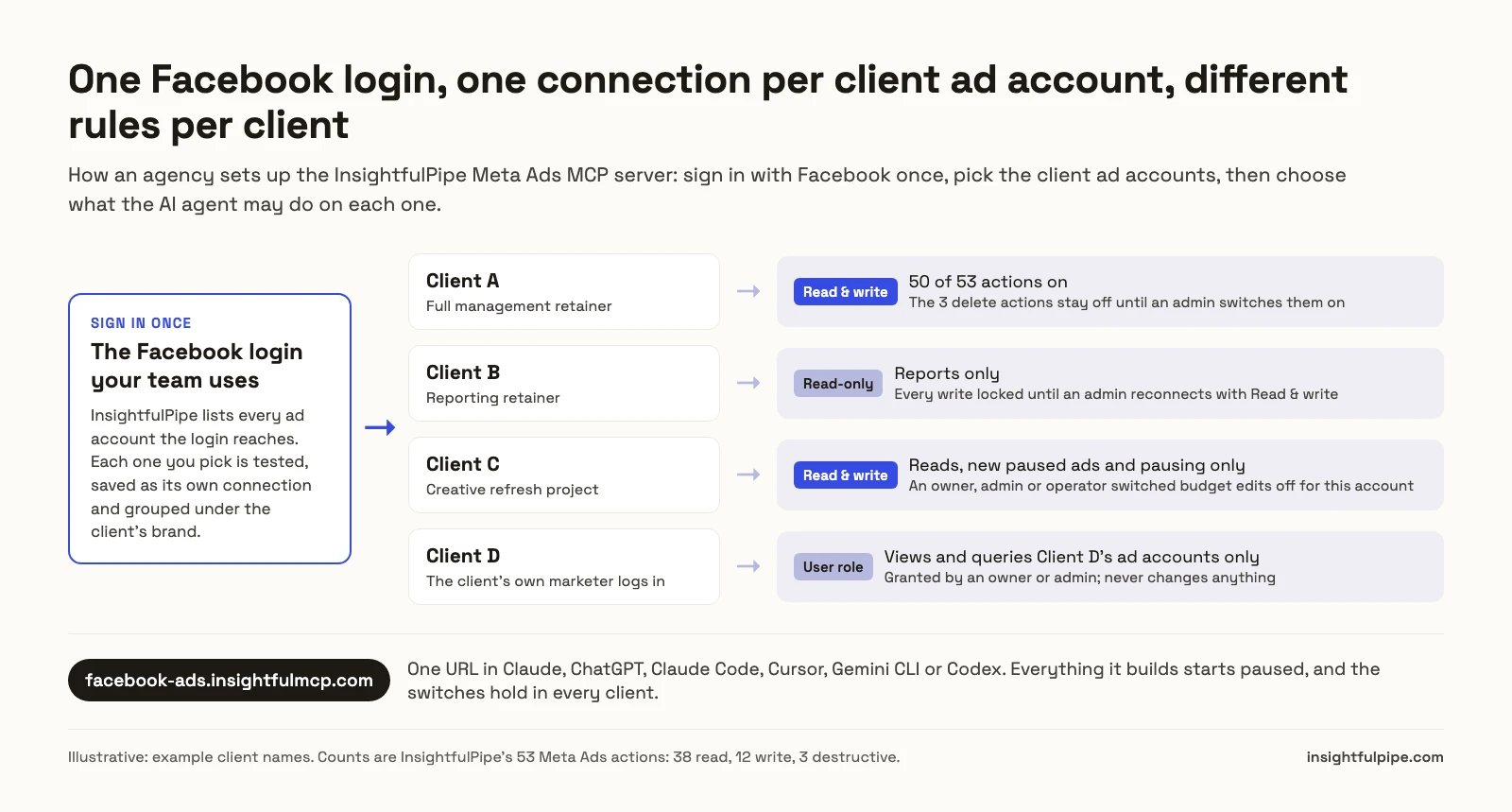
You sign in with the Facebook login your team uses for client work. InsightfulPipe lists the ad accounts that login can reach, a hundred at a time, so a login with hundreds of client accounts still shows them all. You tick the ones to connect.
Each ad account is tested before it is saved, and becomes its own connection. Every request names one ad account, and the server checks every campaign, ad set, ad, creative, audience and pixel ID in it against that account. A request for Client A cannot touch an object that belongs to Client B.
Choose Read-only or Read & write per connection
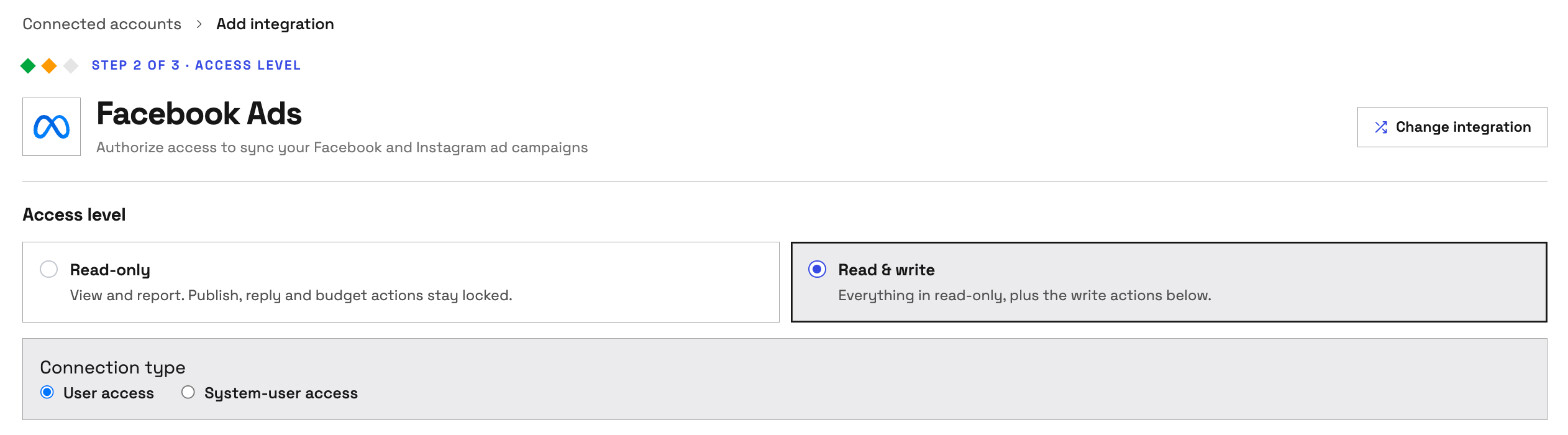
When you connect, you choose Read-only or Read & write. Read-only asks Meta only for ads_read. Read & write adds ads_management and the Page permissions an ad needs. A Read-only connection locks every write until an admin reconnects it with Read & write.
A reporting retainer is then one choice: connect that client as Read-only, and the assistant can only report on it, in every AI client.
On Read & write, Connection type offers User access or System-user access. System-user access issues the connection to a system user instead of a person's login. In Meta's words, a system user "can only access the assets they have permission for".
One brand per client
A workspace holds brands, and each brand holds one client's accounts, along with its description, industry, audience and brand guidelines. The ad accounts you connect join the brand selected in the app, so switch to the client's brand first, then connect that client's ad accounts. Every request names the brand and the ad account, and InsightfulPipe refuses an account outside the brands you can reach.
Different actions for each client ad account
Each connected ad account has its own action list: 39 read, 12 write and 4 destructive. A new Read & write connection starts with every read and write on and the four deletes off: delete_campaign, delete_adset, delete_ad and delete_ad_creative.
An owner, admin or operator opens the account's actions button and switches actions on or off, by tab (All, Read only, Write, Destructive) or one at a time. The switches hold in every AI client. When the assistant tries an action that is off, the server refuses it with: "This action is disabled for this connected account. An owner or admin must enable it for the account."
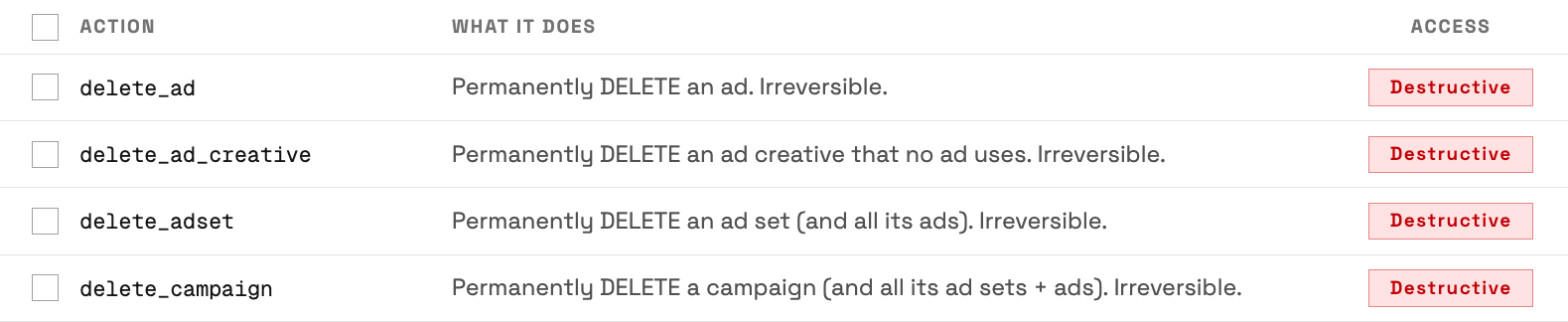
So one workspace can hold a full-management client with every write on, a reporting client on Read-only, and a client where the agent may only read and pause. Each can be changed at any time.
Decide who on the team can do what
Workspace roles decide what each person can do. Owners, admins and operators see every account and can run writes. A member on the User role sees only the accounts an owner or admin grants, and only to view and query them. Connections, billing and workspace settings stay out of their reach.
That covers the junior analyst who pulls reports and the client's marketer who should see only their own ad accounts. An owner or admin decides who holds which role and which accounts each person sees, and can change it at any time.
Set up a Meta Ads MCP for your agency in Claude or ChatGPT
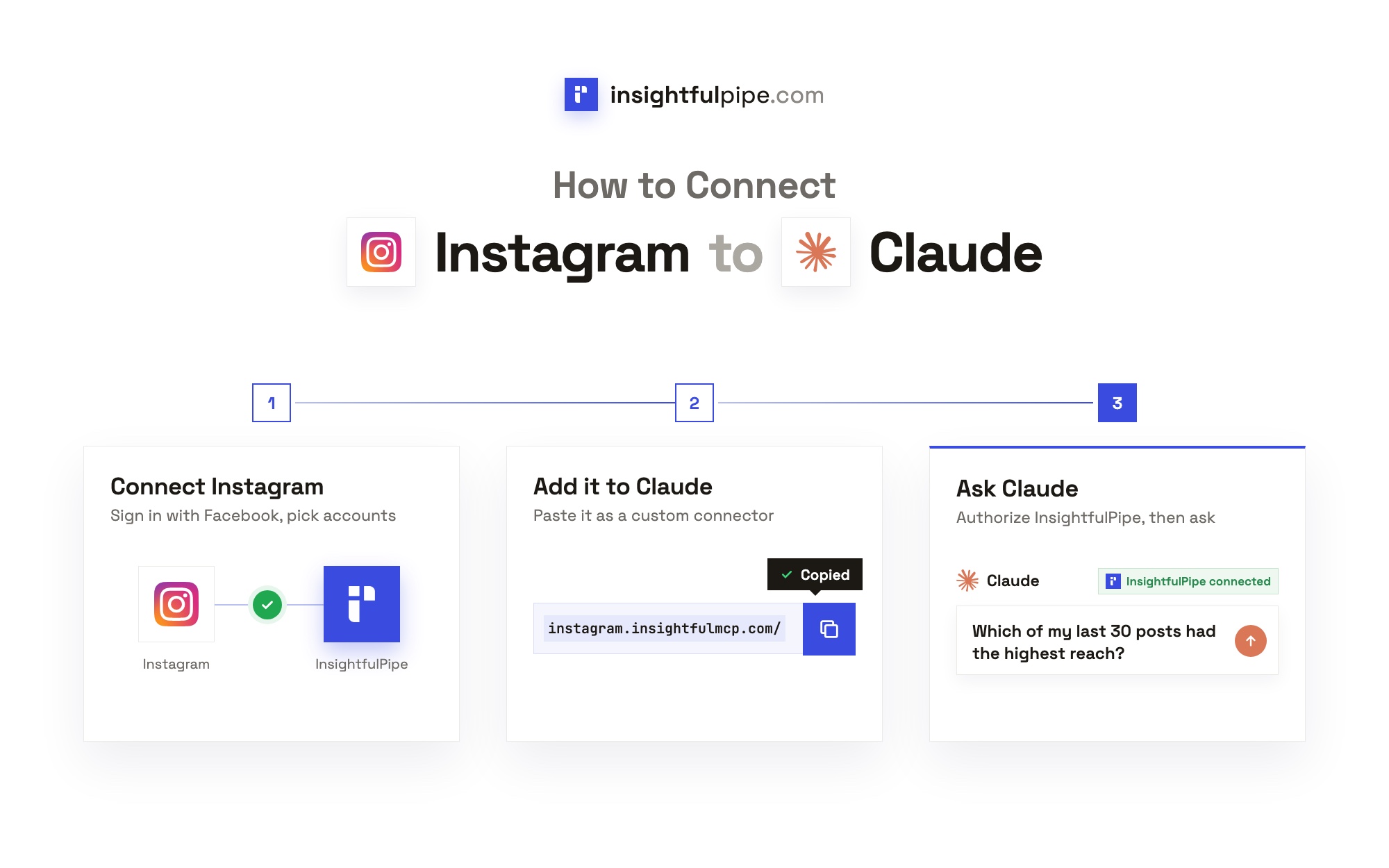
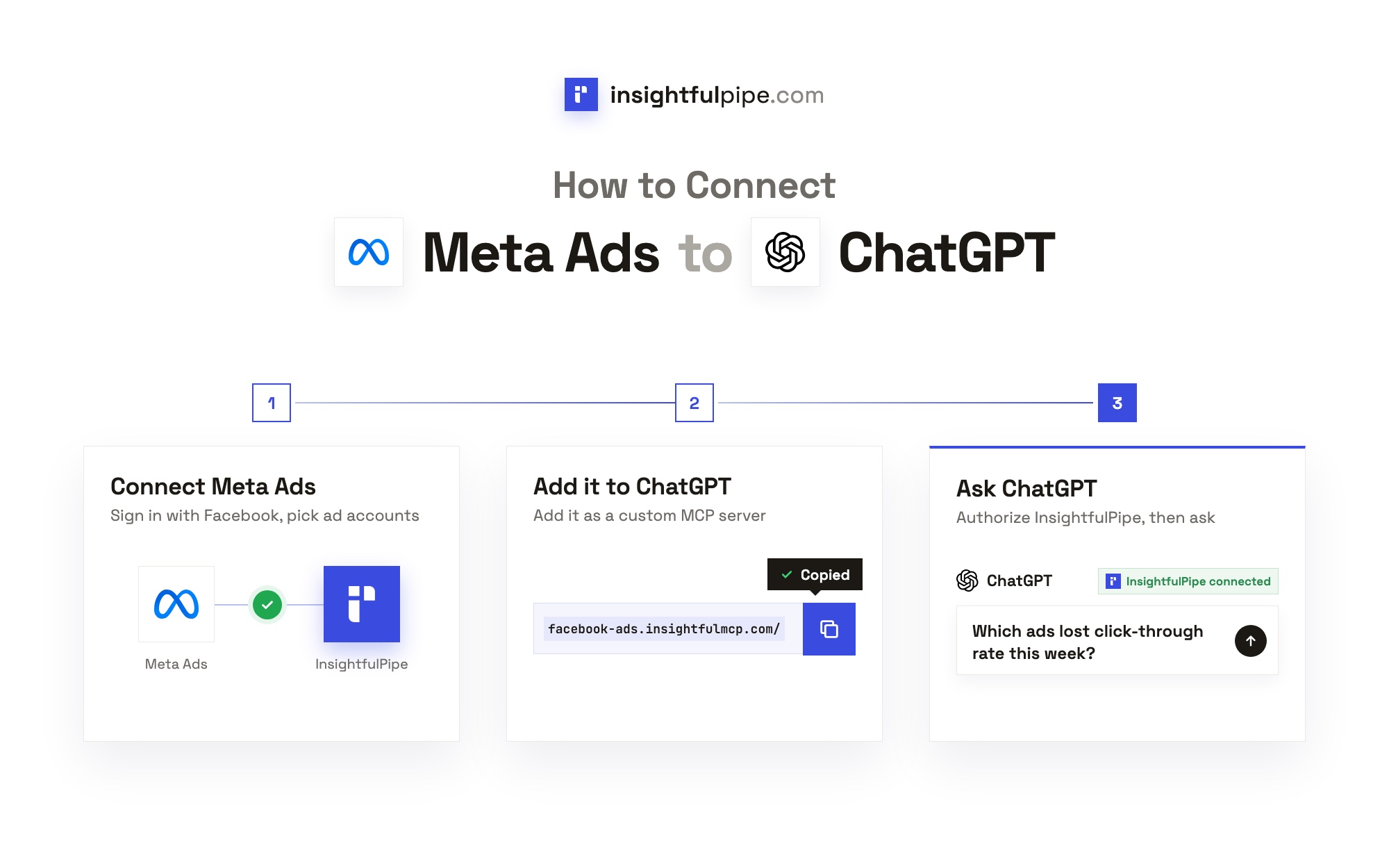
Setup takes one Facebook sign-in, one URL in your AI client and one InsightfulPipe sign-in. Each person on the team connects their own AI client with their own InsightfulPipe login, and reaches only the accounts their role allows.
- In InsightfulPipe, switch to the client's brand, open Connected accounts, click Connect account, find Facebook Ads and click Connect.
- Choose Read-only or Read & write, and the connection type on Read & write.
- Sign in with Facebook, tick the client's ad accounts and connect them. Repeat steps 1 to 3 for each client's brand.
- Copy the server URL,
https://facebook-ads.insightfulmcp.com/. - In Claude, open Customize > Connectors, click + Add, then Add custom connector. Name it, paste the URL, click Continue twice, then Add. Click Connect.
- Sign in to InsightfulPipe if asked, then click Authorize access.
The Grant access page lists the ad accounts this login reaches under Your accounts, grouped by brand, so check that each client's brand is there before you authorize. The full walkthrough, with a screenshot for each step, is in how to connect Meta Ads to Claude.
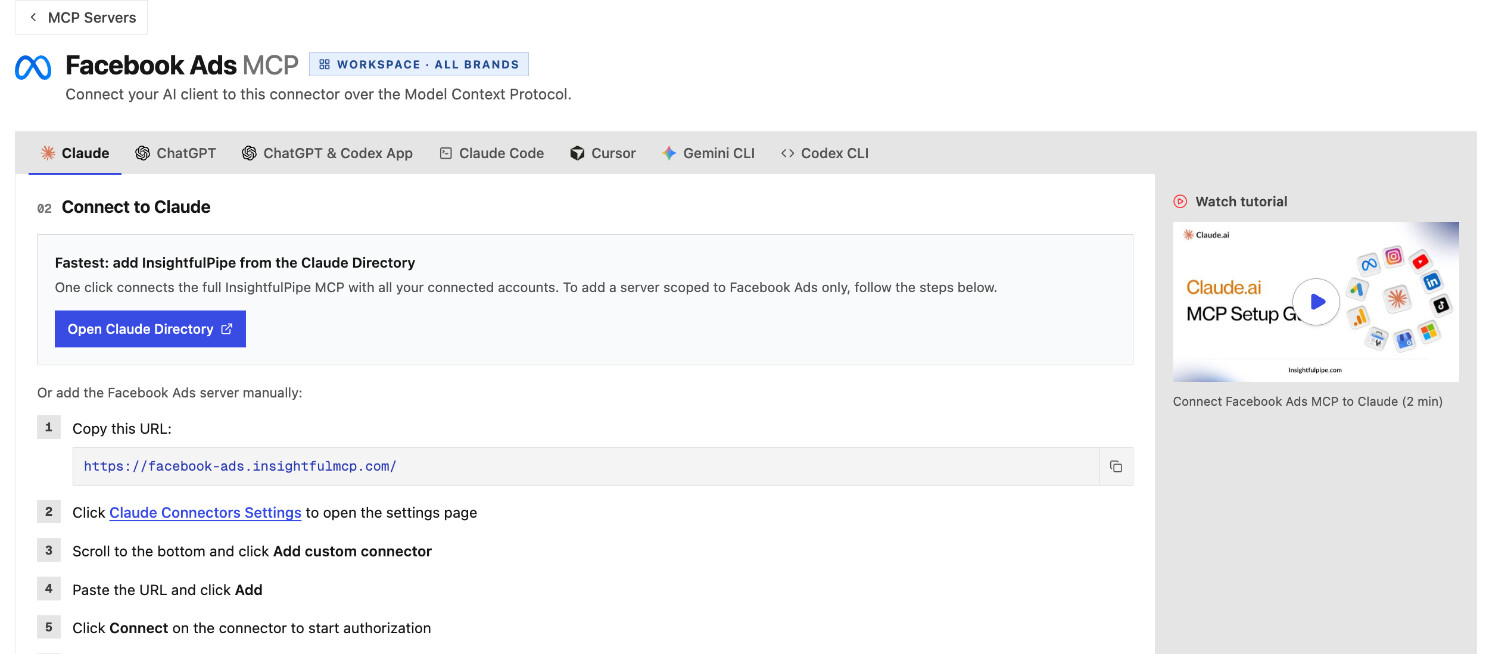
Other clients. In ChatGPT, install InsightfulPipe from ChatGPT Plugins, or add the server URL under Plugins > Add > Add custom MCP server. Then set the plugin's Permission to Allow read-only tools under Settings > Plugin settings, and ChatGPT asks before every change. In Claude Code, run claude mcp add --transport http facebook-ads-mcp https://facebook-ads.insightfulmcp.com/, then authenticate under /mcp. Each finishes with the same InsightfulPipe sign-in and Authorize access.
Clients on several platforms. The all-in-one InsightfulPipe server at https://main.insightfulmcp.com/ reaches every account the workspace connected, across 49 more platforms. One chat can then put a client's Google Ads, TikTok Ads and GA4 numbers beside Meta. See cross-platform marketing reports with AI.
Approval in Claude. Claude adds its own check. Open the connector under Customize > Connectors and set each tool to Always allow, Needs approval or Blocked. Reports run through the data query tool and changes through execute action. Allow the first and set execute action to Needs approval, so Claude stops for your click before any change reaches a client's ad account.
The video may show earlier versions of some screens. Follow the steps above for the current labels.
Five agency workflows to run with a Meta Ads MCP
Once the client ad accounts are connected, the jobs that fill an agency's week become one prompt each. These five run from the Monday report to the change you make only after a human says yes, and each names the Claude skill that runs it the same way every time.
1. The cross-client weekly report
Ask for every client at once, and ask the assistant to label each row with its client and ad account.
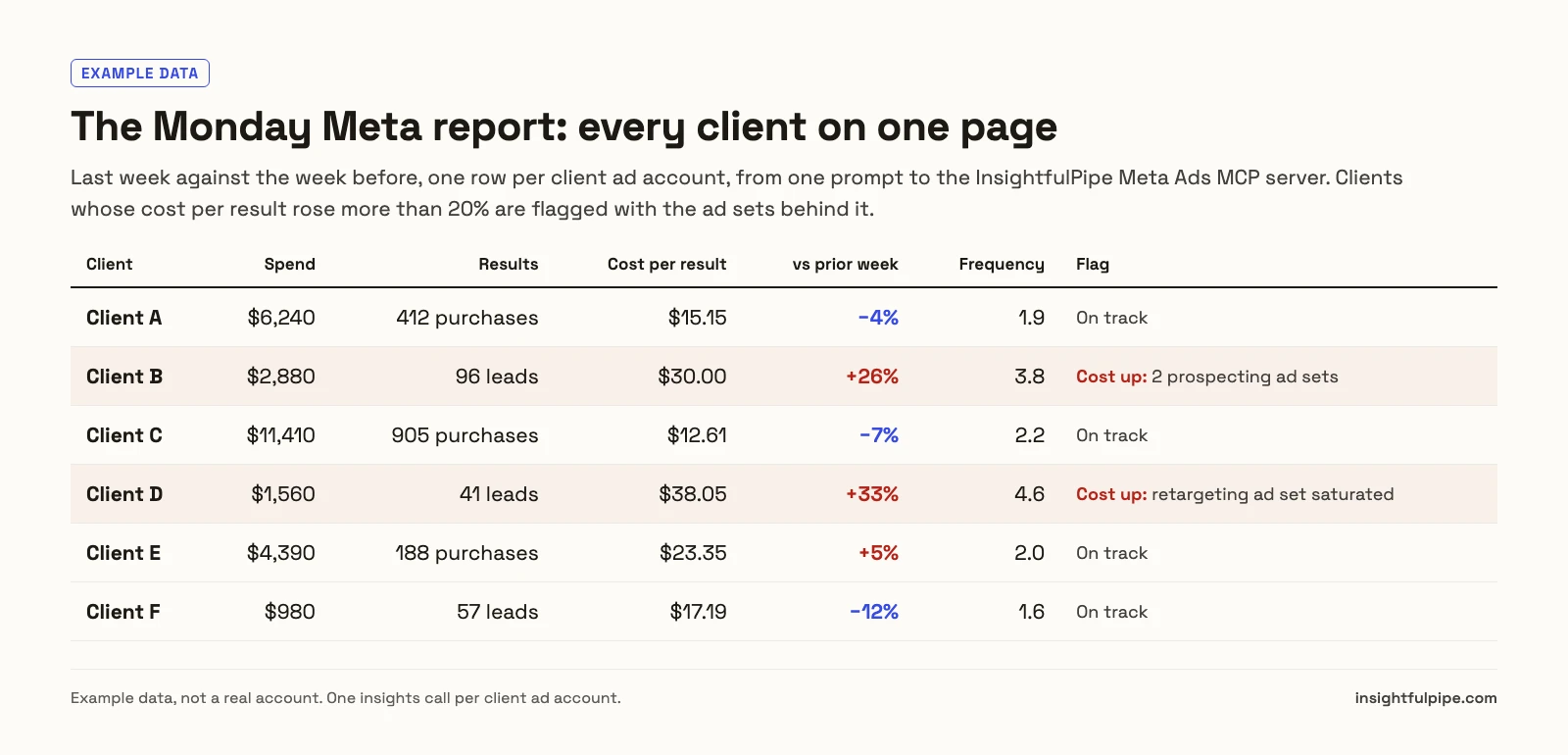
For every Facebook ad account in my workspace, pull last week's spend, results, cost per result, ROAS and frequency, compared with the week before. One row per client. Flag any client whose cost per result rose more than 20%, and name the ad sets behind each flag.
The assistant runs one insights call per ad account and assembles the table. The Meta Ads Performance Analyzer skill splits any spike into CPM, CTR and conversion rate. For the whole reporting loop, including scheduling, see automating client reporting with Claude.
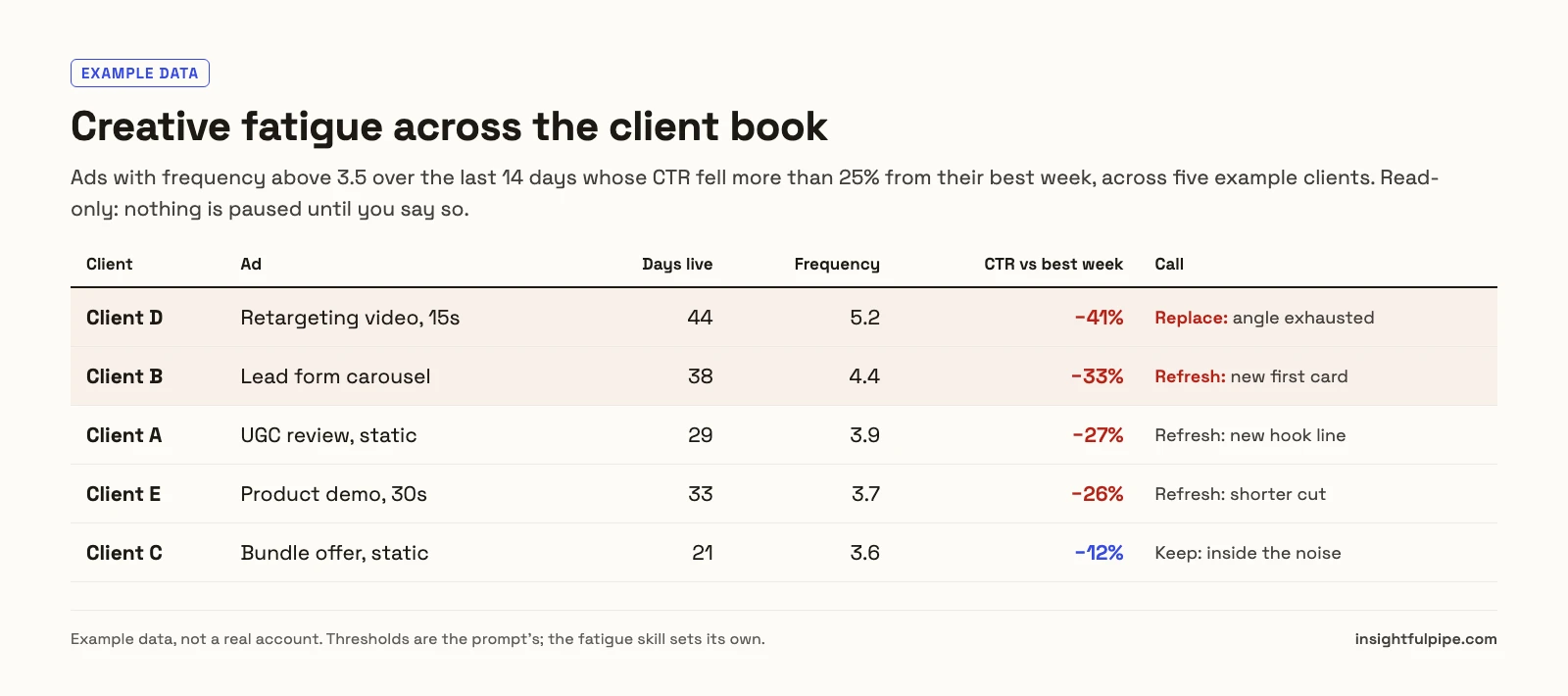
2. Creative fatigue across the client book
Fatigue is where Meta budgets leak quietly: one client's best ad has run for six weeks, its frequency is climbing, and nobody has looked.
For each client ad account, list the ads with frequency above 3.5 over the last 14 days whose CTR fell more than 25% from their best week. Give each a refresh-or-replace call, and do not change anything.
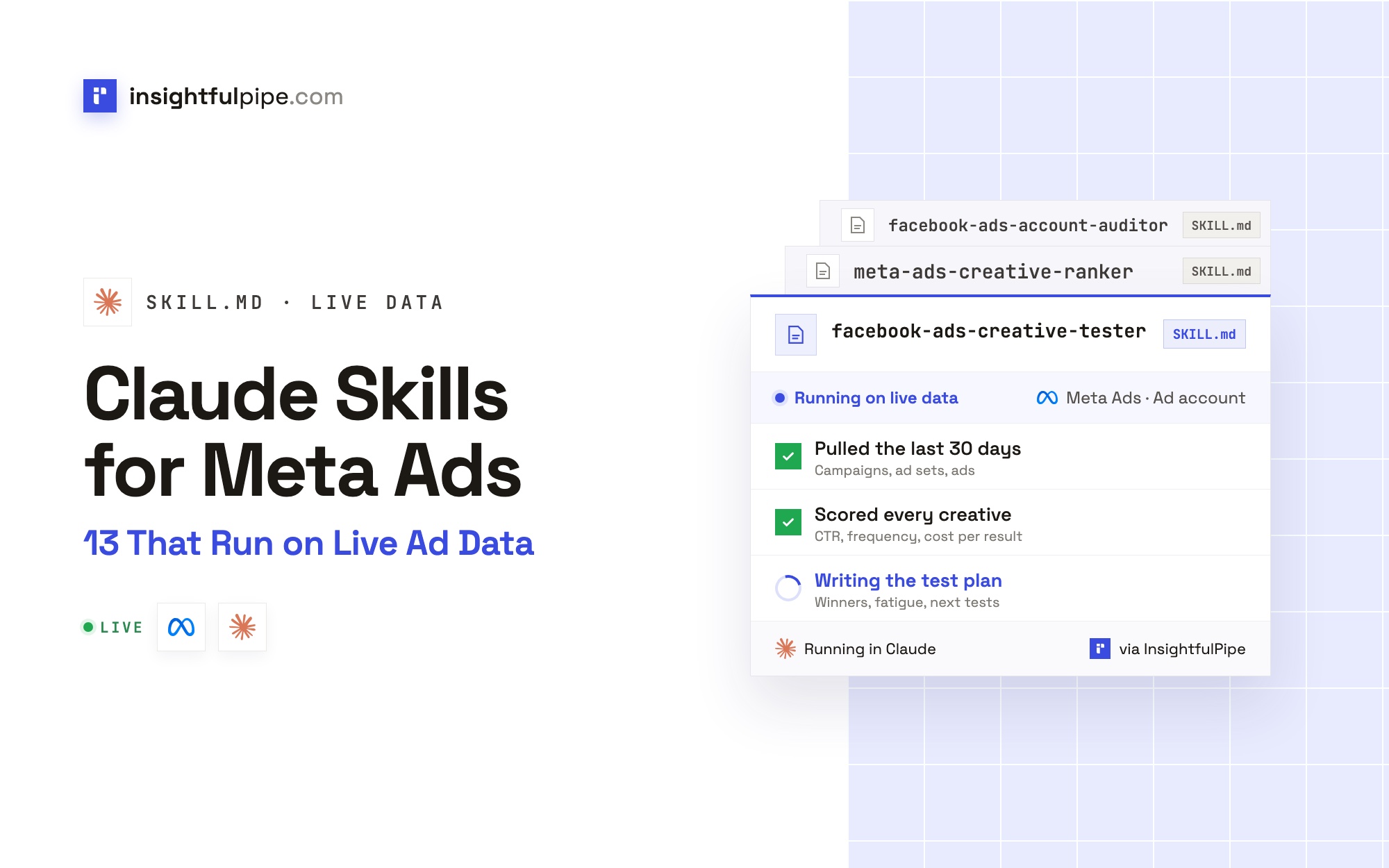
The Ad Creative Fatigue Detector skill scores every ad and estimates its runway, and the Meta Ads Creative Ranker builds a leaderboard and a kill list. The method is in our creative performance analysis guide.
3. A per-client audit before the client call
For Client B only: audit tracking, campaign structure, audiences, budget and creative for the last 30 days. Rank five fixes by the money at stake, and separate client-safe notes from internal notes.
The Facebook Ads Account Auditor skill grades eight areas and names the call behind every finding. Because each request names one ad account, the audit reads Client B and nothing else.
4. Safe changes, with a human before anything goes live
When the audit finds waste, the assistant can act on it in the accounts where writes are on.
For Client B, pause the three ad sets with the highest cost per result over the last 14 days. Show me the list first and wait for my yes.
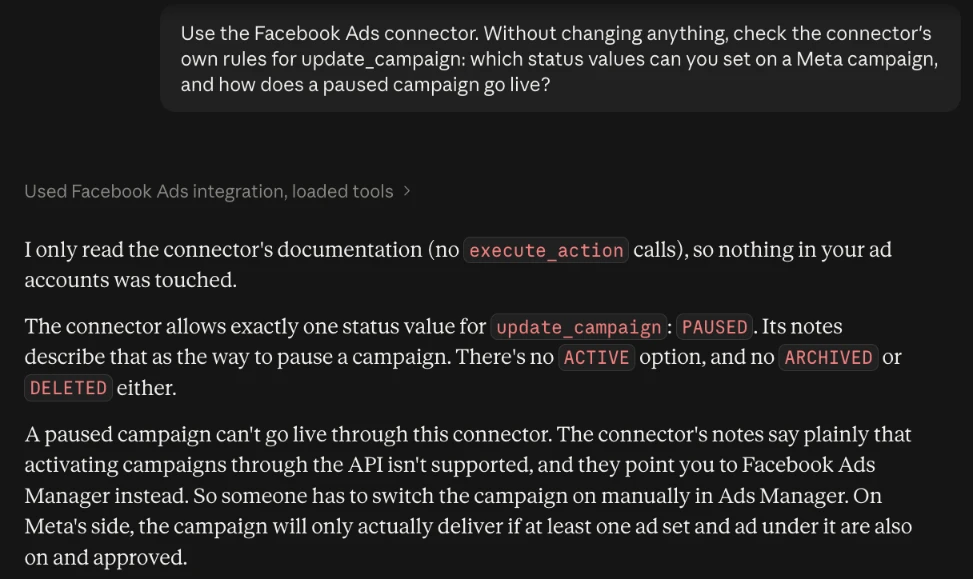
New campaigns, ad sets and ads are created paused, for you to set live in Ads Manager when they are ready. An update can only pause: a request to set a campaign ACTIVE fails with "Unsupported value for 'status' in action 'update_campaign': ACTIVE." The Facebook Ads Budget Allocator skill drafts budget moves in steps and runs them only after your yes.
5. Month-end reports for every client
Write the month-end Meta Ads report for Client A, Client C and Client E: results against target, what moved the numbers, what we changed, and next month's plan. One section per client.
The Facebook Ads Monthly Report skill keeps the structure the same across clients. The Claude skills library for Facebook Ads is free to download, and Claude skills for Meta Ads adds the analyzer and copy writer. For jobs without a skill, see Facebook Ads prompts for Claude.
Who can change what: an access plan for an agency
InsightfulPipe stacks three layers of control for an agency: the connection sets whether writes are possible, the ad account's switches set which actions the agent may use, and the member's role sets who may run them. Claude's tool permissions add a fourth check.
Layer | Who sets it | What it decides |
|---|---|---|
Connection access | Whoever connects the ad account | Read-only locks every write until an admin reconnects with Read & write |
Ad account actions | Owner, admin or operator | Which of the 55 actions the agent may use on that client's account |
Member role | Owner or admin | Owners, admins and operators run writes; User members only view the accounts granted to them |
Claude tool permissions | Each Claude user | Whether execute action runs immediately, waits for your approval or is blocked |
For each new client, start with Read & write, the four deletes off, execute action on Needs approval, and the client's marketer on the User role for their accounts only. That is the safest way to let an AI agent change a client's Meta Ads account: every write passes an admin's switch, a role check and a click, and nothing it builds can go live without someone in Ads Manager.
Plan for one thing: Meta writes carry the budget you send. Keep Needs approval on wherever the agent may touch budgets, and switch update_campaign and update_adset off where budgets should move only by hand.
What it costs to run 10, 30 or 100 client ad accounts
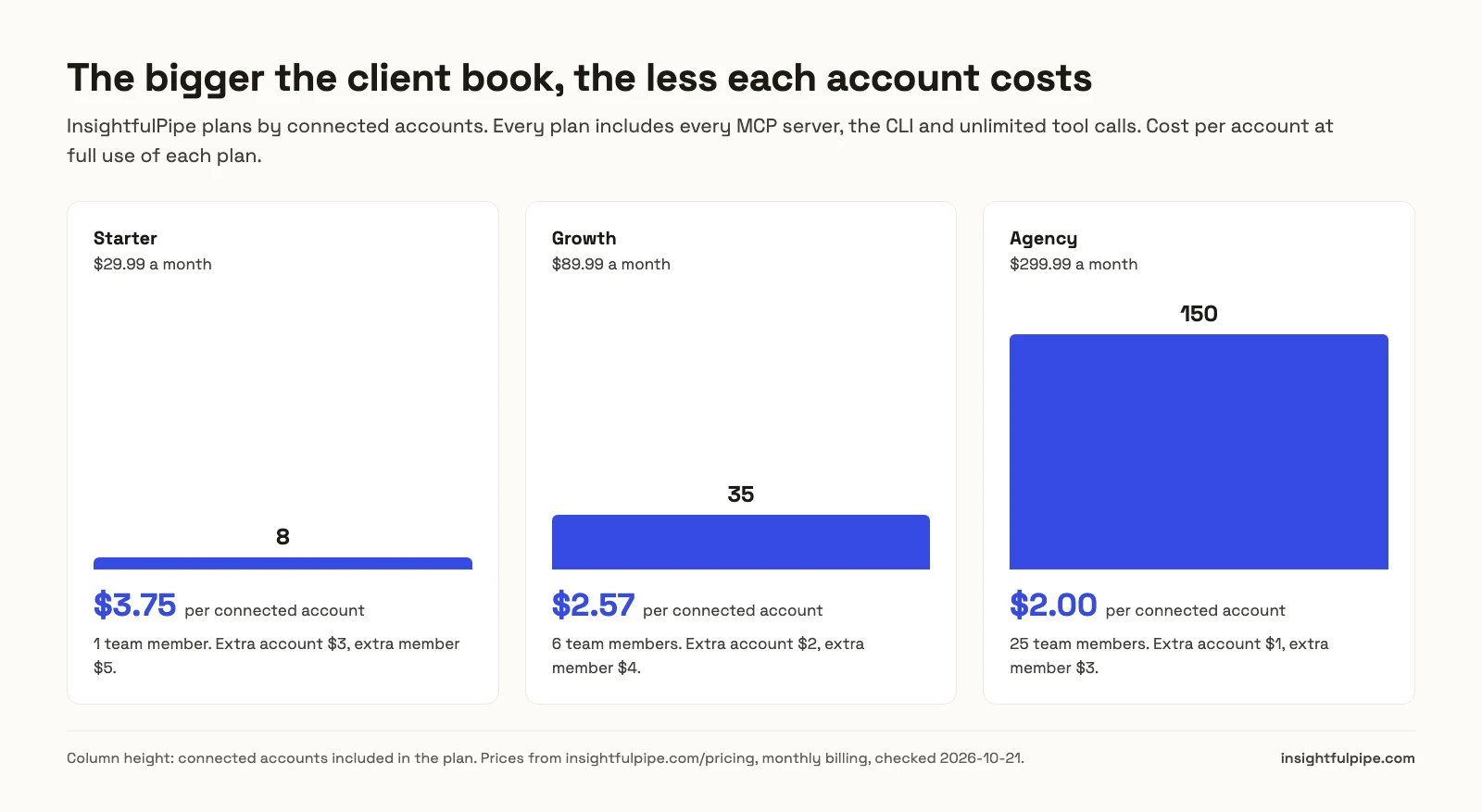
InsightfulPipe charges for connected accounts and team members, never for tool calls or ad spend. Every plan includes every MCP server, the CLI and unlimited tool calls. Each connected ad account counts as one connection, on any platform.
Plan | Price | Connected accounts | Team members | Extra account | Extra member |
|---|---|---|---|---|---|
Starter | $29.99/mo | 8 | 1 | $3/mo | $5/mo |
Growth | $89.99/mo | 35 | 6 | $2/mo | $4/mo |
Agency | $299.99/mo | 150 | 25 | $1/mo | $3/mo |
Three client books, priced with add-ons wherever they beat the next plan:
- 10 client ad accounts, two people: Starter plus 2 accounts and 1 member, $40.99 a month.
- 30 clients with Meta Ads and Google Ads each, six people: 60 connections, so Growth plus 25 accounts, $139.99 a month.
- 100 client ad accounts, 12 people: Growth plus 65 accounts and 6 members comes to $243.99. Agency, at $299.99, adds room for 50 more accounts and 13 more people.
All these figures come from the pricing page.
How the other Meta Ads MCP options handle client accounts
Every option above reaches more than one Meta ad account. They differ in where the rules live, who can set them and how clients are kept apart. All facts come from the vendors' own pages, checked on 2026-10-21.
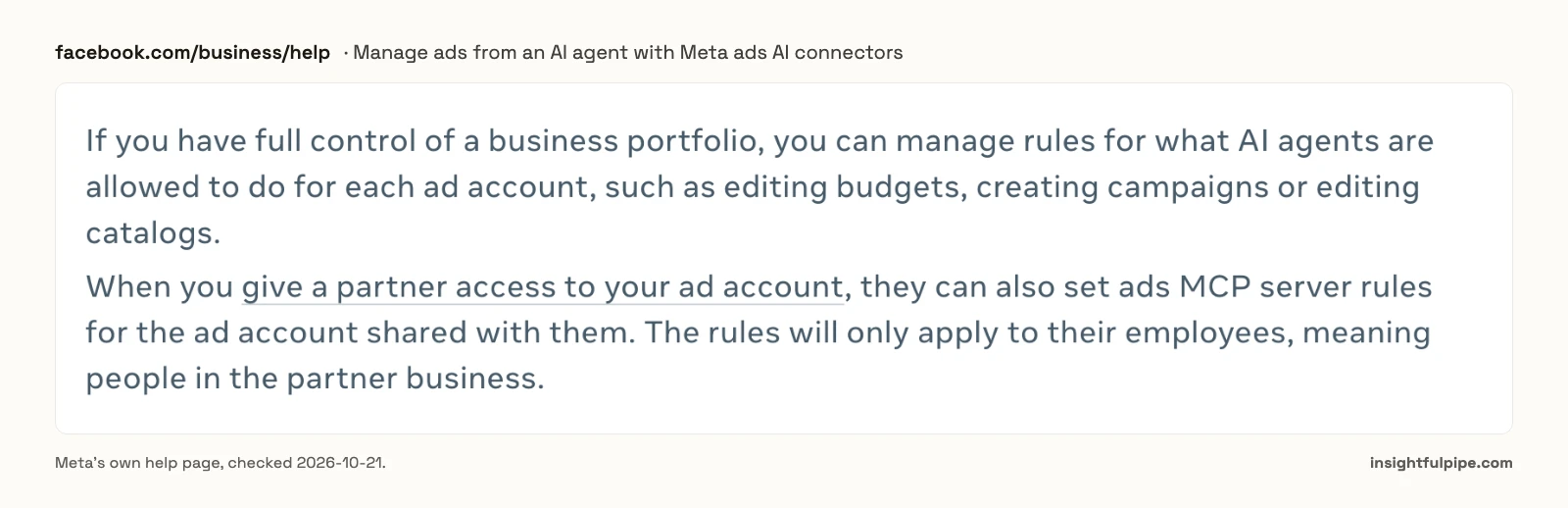
Meta's ads MCP server needs full control of the business portfolio for rules per ad account, set in Business Suite under Settings > Integrations > Ads MCP server. A partner can set rules for a shared ad account, but those apply only to the partner's own people. Its tools are still rolling out, and Meta's page says "You may not have access to all of these tools and features yet." It reaches Meta only.
Markifact puts unlimited ad accounts on every plan, with 1 seat on Pro at $79 a month and 10 on Team at $249. Its docs say a new MCP server reaches "all operations" and "all connected accounts" by default. Different rules per client therefore means a restricted server per client.
Pipeboard keeps per-account token scoping and team access controls on its Agency plan, $199 a month for 25 ad account slots, then $10 a month per slot. Its README also documents adding the server with the account token in the URL.
Ryze AI exposes 12 Meta Ads tools: 9 reads and 3 approval-gated writes, runGraphWrite, runGraphDelete and uploadImageFromUrl. Its Meta page says: "One connection maps to one workspace, so agencies with several client workspaces reconnect per workspace." Agency costs $279 a month.
AdAdvisor sells MCP-only plans by businesses and daily tool calls, up to 20 businesses and 1,000 calls a day at $89.99 a month. Every change comes back as a draft you approve.
byadsco meta-ads-mcp is open source under MIT, with 142 tools and a system-user token registry. You deploy it yourself on Cloud Run with Firestore and run its encryption, rate limits and upgrades.
The best Meta Ads MCP servers roundup and the Facebook Ads connectors comparison cover the rest of the field.
What the other vendors do not publish
Three gaps on the vendors' own pages matter to an agency choosing a Meta Ads MCP.
- Markifact's multi-account claim. Its Meta page says it is "Built for multi-account workflows". It does not say what its own docs do: a new server reaches all operations and all connected accounts until someone restricts it, so a new client's account is open to every server by default.
- Ryze AI's write tools. Its three Meta writes are general Graph calls,
runGraphWriteandrunGraphDelete. Its page publishes no list of which Meta objects and fields those calls may change. - AdAdvisor's per-account controls. Its MCP page publishes plan limits by business and tool calls, and nothing on setting different rules for different ad accounts.
Frequently asked questions
Sources (checked 2026-10-21)
- InsightfulPipe: Meta Ads MCP server, pricing, Claude skills for Facebook Ads
- Meta: Manage ads from an AI agent with Meta ads AI connectors, Ads MCP server overview, Connect AI agents to Meta with MCP, System users
- Markifact: Meta Ads MCP, pricing, MCP servers docs
- Pipeboard: pricing, meta-ads-mcp README
- Ryze AI: Meta Ads MCP, pricing
- AdAdvisor: MCP plans
- byadsco: meta-ads-mcp repository
- Anthropic: custom connectors