Disclosure: InsightfulPipe publishes this and is one of the 13 options ranked.
The verdict
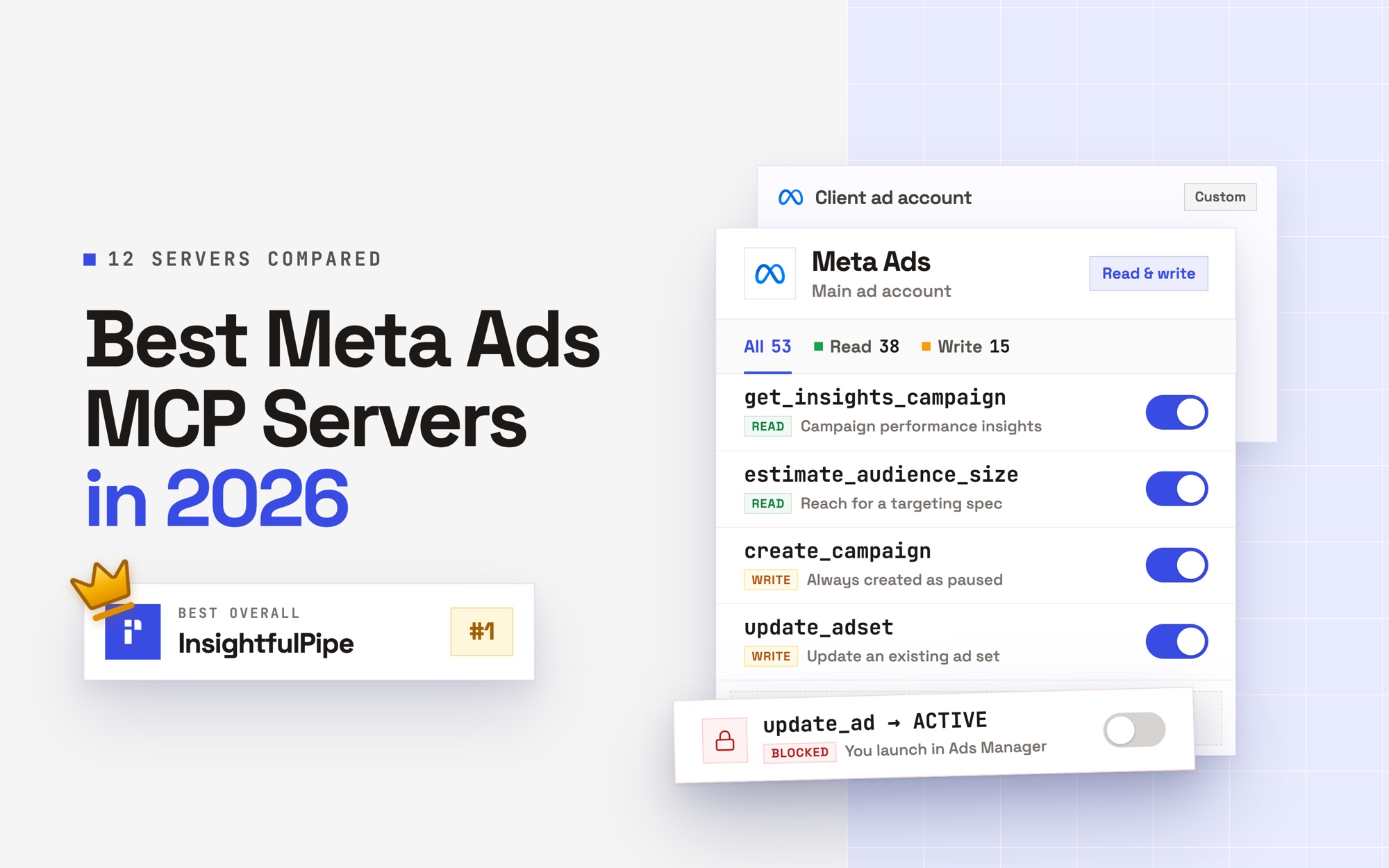
The best Facebook Ads connector in 2026 is InsightfulPipe. Its Facebook Ads MCP server gives an AI agent 53 Meta Ads actions, and your admin switches each one on or off per ad account. That makes it the safest way to let an AI agent change a Meta Ads account. The same agent also writes Meta data into Google Sheets and BigQuery when you ask.
Thirteen connectors made this list. Most move Meta data into Sheets, Looker Studio (now Data Studio) or a warehouse, and most now let an AI assistant read it. Six say an agent can change Meta Ads. InsightfulPipe is the only one of the six that never lets the agent set an ad live: new campaigns, ad sets and ads start paused, and going live stays with you in Ads Manager.
- Best overall: InsightfulPipe. 53 Meta Ads actions, 38 read, 12 write and 3 deletes, each switched on or off per ad account, plus writes into Google Sheets and BigQuery. From $29.99 a month.
- Safest way to let an AI agent change Meta Ads: InsightfulPipe. PAUSED is the only status the agent can set, and deleting a campaign, ad set or ad stays off until an admin switches it on.
- Best for agencies: InsightfulPipe. Every ad account gets its own action list, and the Agency plan covers 150 connections for $299.99 a month.
- The official option: Meta Ads AI Connectors. Meta's own MCP server and CLI, in open beta with no published price. It covers Meta alone, can set ads live once your AI client confirms, and sends no data to a sheet or warehouse.
The best Facebook Ads connectors at a glance
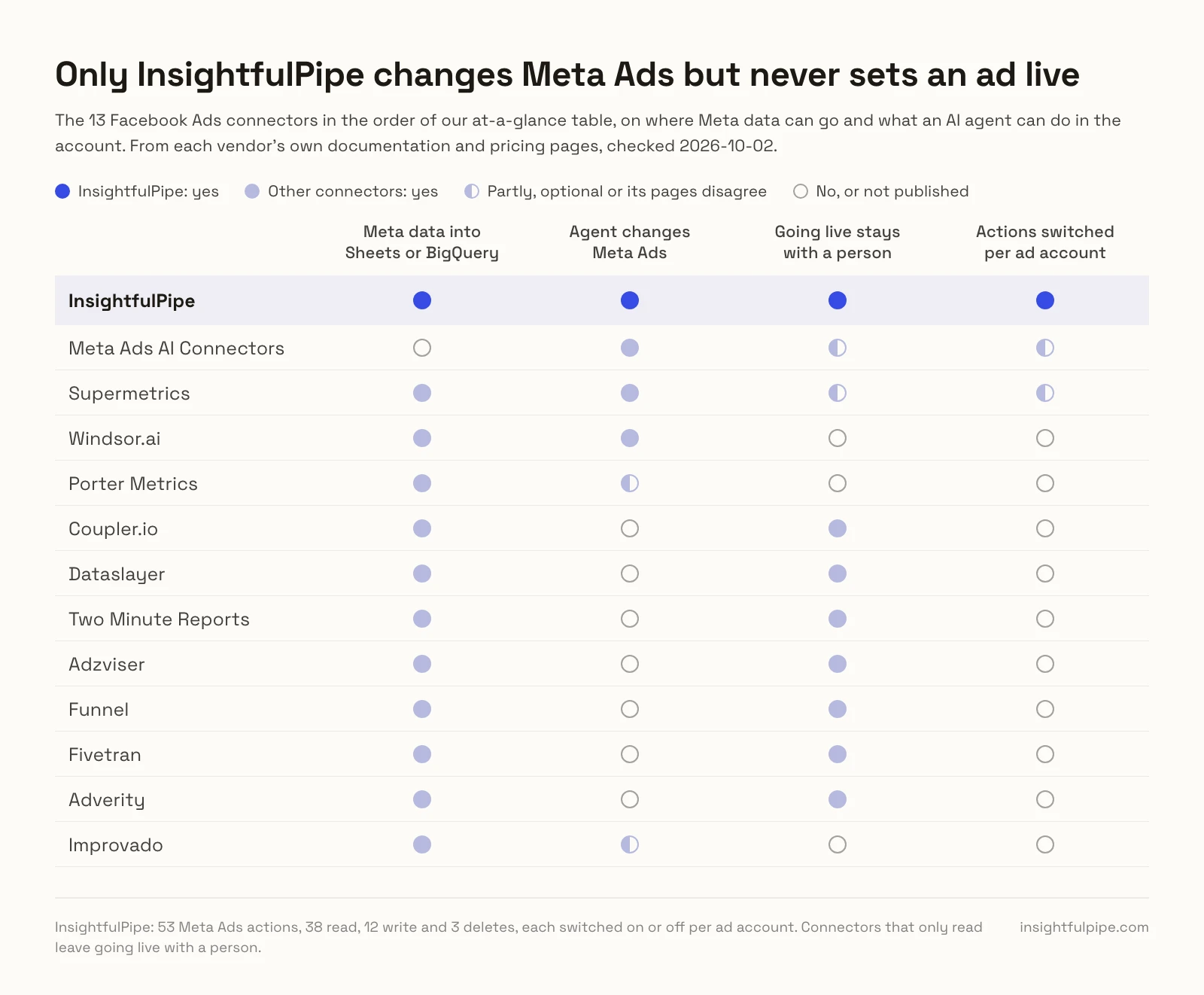
Thirteen Facebook Ads connectors, compared on whether an agent can change Meta Ads through them, where the data can go, and what the first plan costs on monthly billing.
Connector | Type | An agent can change Meta Ads | Where Meta data can go | Starting price |
|---|---|---|---|---|
InsightfulPipe | AI connector and CLI | Yes: created paused, never set live by the agent, deletes off until an admin switches them on | Claude, ChatGPT and other AI clients; Google Sheets and BigQuery through the agent or CLI | $29.99/mo for 8 connections |
Meta Ads AI Connectors | Official AI connector and CLI | Yes, and it can activate ads once your AI client confirms | ChatGPT, Claude, Claude Code, Perplexity | Not published (open beta) |
Supermetrics | Pipeline with MCP | Yes, in beta: create, enable, pause, remove | Sheets, Data Studio, Excel, Power BI; warehouses on Enterprise | €49/mo, 1 destination |
Windsor.ai | Pipeline with MCP | Yes: 20 Meta actions, Enable included | Data Studio, Sheets, Excel, Power BI, BigQuery, Snowflake | $23/mo for 3 data sources |
Porter Metrics | Pipeline with MCP | Its pages disagree | Data Studio, Sheets, BigQuery, Claude, ChatGPT | $15/mo per account |
Coupler.io | Pipeline with MCP | No, its AI reads | Sheets, Excel, Data Studio, Power BI, BigQuery, Snowflake | $32/mo for 3 accounts |
Dataslayer | Pipeline with MCP | No, read-only | Sheets, Excel, Data Studio, Power BI, BigQuery, Snowflake | $39/mo, 1 destination |
Two Minute Reports | Sheets and Data Studio connector | No, read-only | Sheets, Data Studio, Claude, ChatGPT | $97/mo, 1 destination |
Adzviser | Pipeline with MCP | No, read-only | Sheets, Data Studio, Excel, Power BI, BigQuery, AI tools | $59.99/mo for 2 data sources |
Funnel | Marketing data platform | No, read-only MCP | Data Studio, Sheets, Excel; BigQuery from Business | $300/mo, billed annually |
Fivetran | Warehouse pipeline | No | BigQuery, Snowflake, Databricks and other warehouses | Usage-based, free plan to 500,000 monthly active rows |
Adverity | Enterprise data platform | No campaign tools | Data Studio, Sheets, Excel, Power BI, warehouses | Custom quote |
Improvado | Enterprise data platform | Its pages disagree | Warehouses, Data Studio, Sheets, Excel, Power BI | $100/mo for MCP Only |
How we compared them
We read every capability, default and price from each vendor's own documentation, pricing page or public repository, and ran InsightfulPipe on live accounts. Prices are the entry plan on monthly billing, checked on 2026-10-02, unless a vendor bills only annually.
Criterion | What we checked |
|---|---|
Destinations | Can Meta data land in Google Sheets, Data Studio, BigQuery or a warehouse? |
AI access | Can Claude, ChatGPT or another assistant query Meta Ads through it? |
Changes | Can an agent create or change campaigns, ad sets and ads? |
Going live | Does a new ad start paused, and can the agent set it live? |
Control | Can an admin choose, per ad account, what the agent may do, and does the server enforce it? |
Price | What does the first plan cost, and what is it metered by? |
Where a vendor's own pages contradict each other, we quote both. Where a capability is not published, we say so rather than guess.
We left out three groups. Connectors built into one product, such as Domo, Databricks Lakeflow Connect, Salesforce, Singular and Power BI, feed only that product. Google's first page and AI answers do not name Stitch, Airbyte, CData or Weld for this query. MCP-only servers move no data into a sheet or warehouse.
The question that splits this list
One question splits these thirteen. Do you need Meta data in a report, or an agent that works in the account? A report needs data moved, and an agent needs limits it cannot cross.
If you need a report, most of these connectors move Meta data into Sheets, Data Studio or a warehouse on a schedule. InsightfulPipe does it when you ask: the agent or the CLI pulls the rows and writes them into a sheet or a BigQuery table. Connect the ad account as read-only, and every write to Meta stays locked until an admin reconnects it with read and write.
If you need an agent that acts, the list falls to six, and the question becomes what the agent can do before anyone looks. The other five document a way for the agent to set ads live. InsightfulPipe creates campaigns, ad sets and ads paused, and setting an ad live stays with you in Ads Manager.
AI connectors built for Meta Ads
Two of the thirteen are built to let an AI agent work inside Meta Ads, and InsightfulPipe leads them with 53 actions under switches your admin controls.
Best overall: InsightfulPipe
InsightfulPipe gives an AI agent 53 Meta Ads actions, and you decide which of them each ad account allows.
Most connectors here stop once the numbers land somewhere. InsightfulPipe connects Claude, ChatGPT, Cursor, Claude Code, Gemini CLI and Codex to your ad accounts, so the agent can report, build and pause inside limits you set per account. You sign in with Facebook and pick the ad accounts. There is no Meta developer app, token or app review on your side.
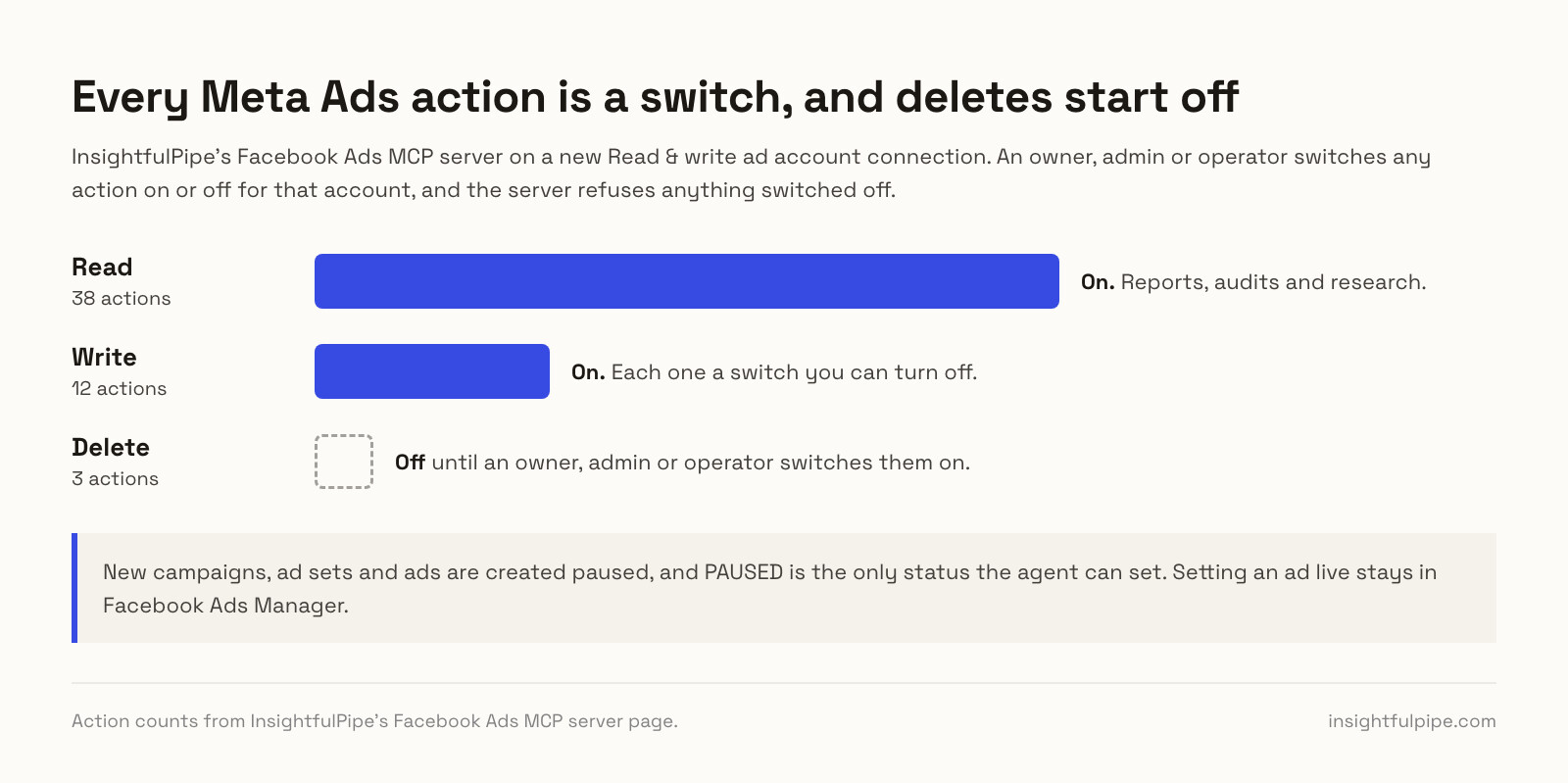
Coverage comes first. The server carries 53 Meta Ads actions: 38 read, 12 write and 3 deletes.
- Reporting: insights for the ad account, campaigns, ad sets and ads, with breakdowns such as age, gender, placement and device, attribution windows and account change history
- Campaigns, ad sets and ads: create and update them, including budgets, bids and targeting
- Creatives and media: create creatives, upload images and videos, and preview ads
- Targeting research: interests, behaviors, demographics and locations, interest suggestions and audience size estimates
- Audiences, pixels and conversions: read custom and saved audiences and pixels, and read or create custom conversions
- Lead forms, Pages and Instagram: list and create lead forms, and list the Pages and Instagram accounts an ad account can use
Why it is the safest way to let an agent change Meta Ads
Control is the second difference. Every limit is a switch, and your admin decides where each one sits.
- Actions per ad account. An owner, admin or operator switches each action on or off for each connected ad account, across read, write and destructive. The server enforces that set in every AI client and in the CLI.
- Paused by default. InsightfulPipe creates new campaigns, ad sets and ads paused, for you to set live when they are ready.
- PAUSED is the only status the agent can set. The agent can pause campaigns, ad sets and ads. Setting an ad live stays with you in Ads Manager.
- Deletes start off. Deleting a campaign, ad set or ad stays off on a new connection until an admin switches it on for the accounts that need it.
- Read-only means read-only. A read-only connection locks every write until an admin reconnects it with read and write.
- Roles hold. Restricted team members only read the accounts an owner or admin grants them, and an owner or admin can change any role at any time.
Meta data into Google Sheets and BigQuery
The same workspace can put Meta numbers where your team reports. InsightfulPipe also writes to Google Sheets and BigQuery, so an agent or the CLI can move Meta Ads data into them on request.
- Google Sheets: the Google Sheets MCP server writes rows into a spreadsheet you picked when you connected, with
update_cells. Data Studio reads that sheet with Google's own connector. - BigQuery: the BigQuery MCP server runs Standard SQL with
run_query, so anINSERTloads Meta rows into a table. Writes need the service account to hold the BigQuery Data Editor and BigQuery User roles, and only owners, admins and operators can run them. - The CLI: the InsightfulPipe CLI runs the same reads and writes from a terminal, a script or a scheduled job, under the same switches.
insightfulpipe query facebook-ads -f meta-last-7-days.json > meta.json
insightfulpipe action bigquery -f insert-meta-rows.json --yes
What else you get
- 50 platforms through one server, with 1,957 actions in all, so one agent can set Meta spend beside Google Ads, GA4 and LinkedIn Ads.
- Every major AI client, each with its own setup guide, plus listings in Claude's connector directory and the ChatGPT app directory.
- Competitor ads: the Ads Libraries server searches the Meta Ad Library with 14 read actions.
- Skills and prompts: the Facebook Ads Claude skills and the prompt library are free to use.
Pricing: Starter is $29.99 a month for 8 connections, Growth $89.99 for 35 and Agency $299.99 for 150, with every MCP server and the CLI on every plan. Each ad account, spreadsheet or BigQuery project is one connection. Start a trial on any plan.
Where it is the wrong answer: if nobody on your team will ever ask the data a question, you would pay for an agent you never use.
Best for: agencies and in-house teams that want one agent to report on Meta Ads, change it within limits they set, and keep the numbers in Sheets or BigQuery.
Meta Ads AI Connectors
Meta's own connector reads and writes, and it can set ads live once your AI client confirms.
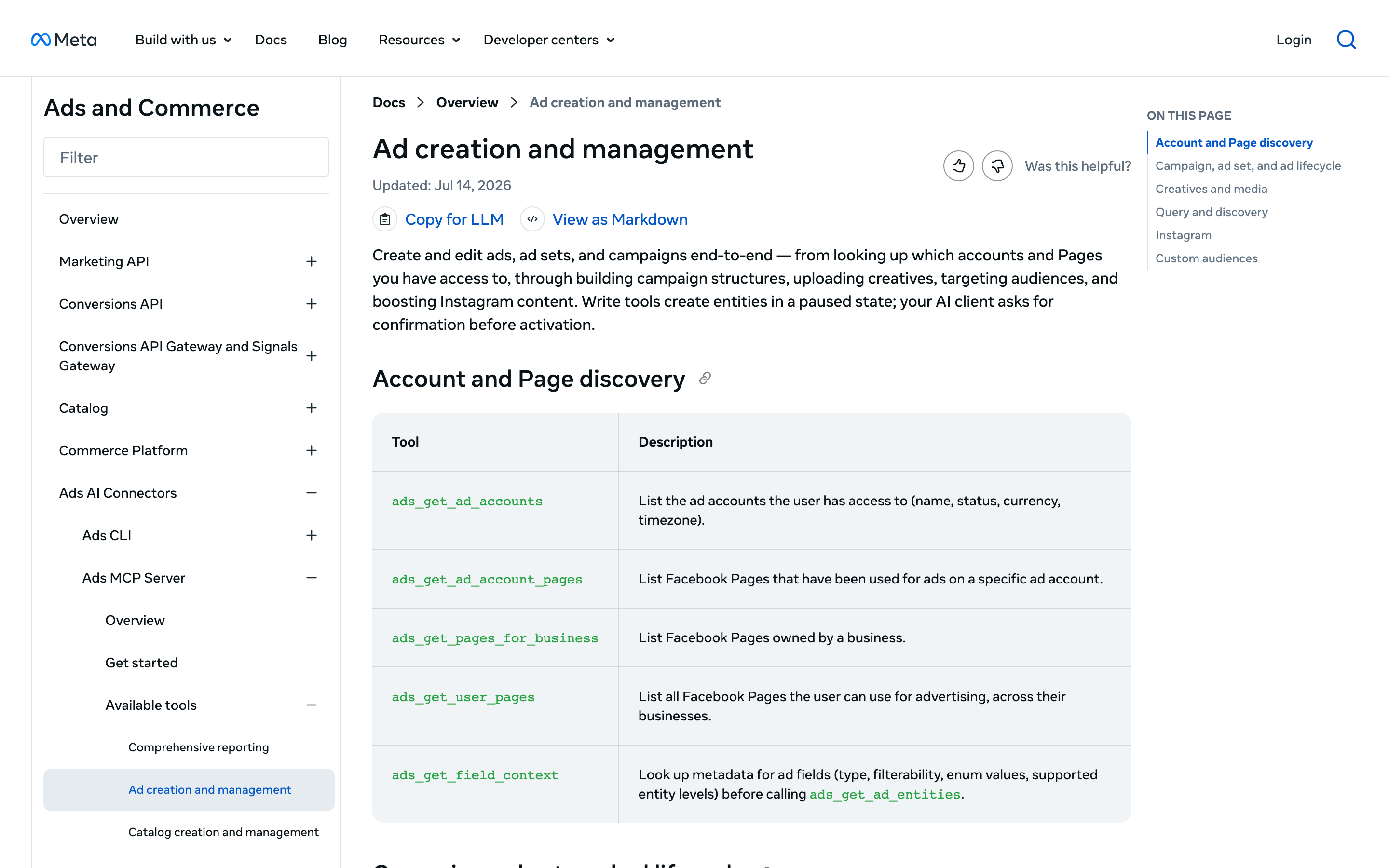
Meta announced its ads AI connectors, an ads MCP server and an ads CLI, in open beta on April 29, 2026. The server runs at mcp.facebook.com/ads, and Meta's help page names ChatGPT, Claude, Claude Code and Perplexity. Its tools span seven categories, from reporting to catalogs and A/B tests.
New campaigns, ad sets and ads start paused, and ads_activate_entity sets them live, a tool Meta says "starts spending budget". A business portfolio admin can set rules that deny actions per ad account, such as budget raises. Meta's rules guide says they are "in limited availability". Meta publishes no price.
Pros
- Meta's own tools, including catalogs, datasets and A/B tests.
- Rules can cap a budget per ad account.
Cons
- The agent can set an ad live once your AI client confirms.
- Rules are in limited availability.
- Meta only, and no data goes to a sheet or warehouse.
Best for: Meta-only advertisers who want Meta's own tools and catalogs.
Reporting pipelines with an AI layer
Seven connectors here schedule Meta data into spreadsheets and dashboards, and each now adds an AI assistant. Three say their agent can change Meta Ads; four only read.
Supermetrics
Supermetrics is a reporting pipeline first, and its MCP server now writes to Meta Ads in beta.
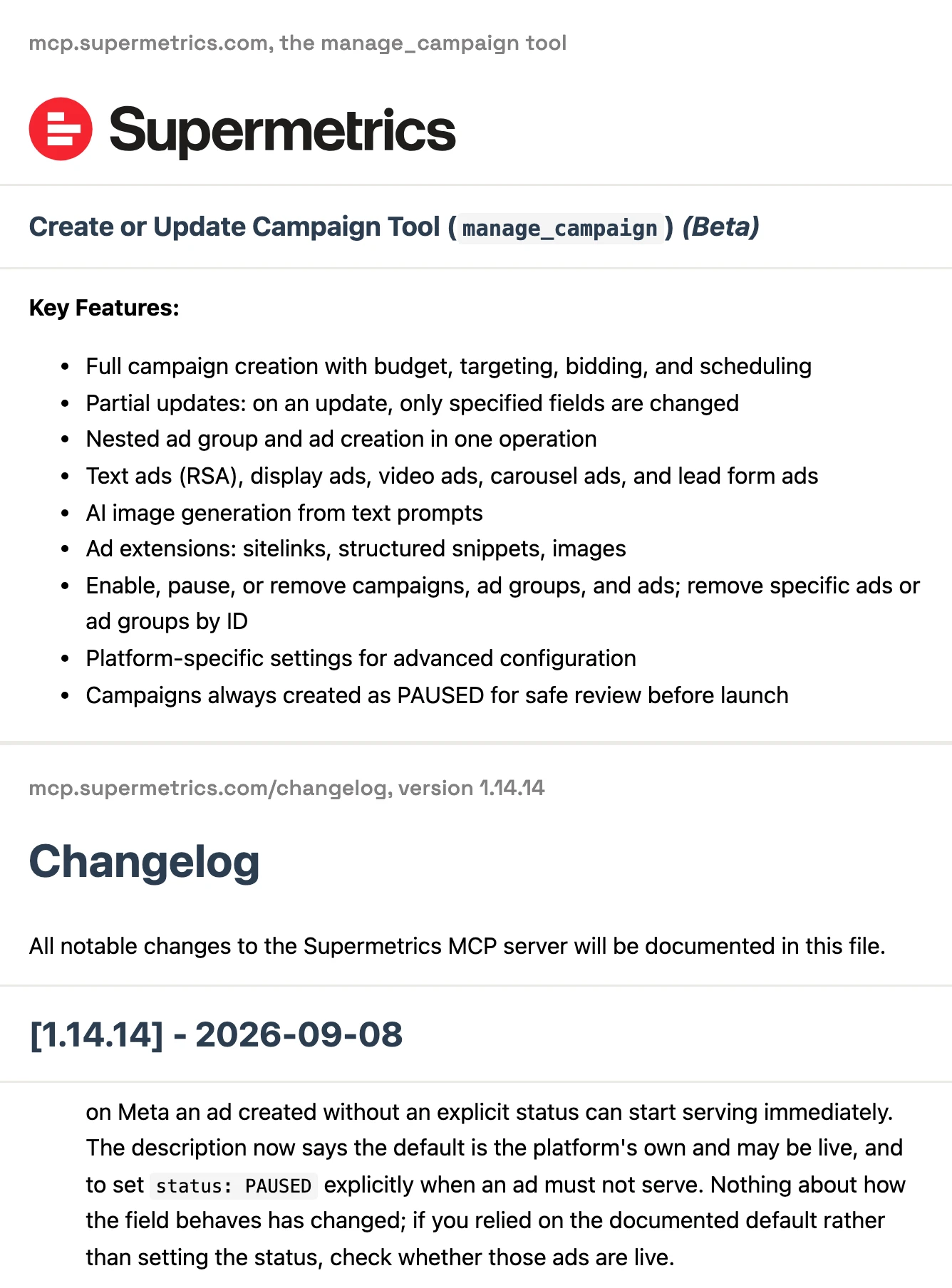
Its Facebook Ads connector loads Meta data into Google Sheets, Data Studio, Excel, Power BI and warehouses such as BigQuery and Snowflake. Its MCP server adds manage_campaign in beta, which can "Enable, pause, or remove campaigns, ad groups, and ads". That page says campaigns are "always created as PAUSED". Its changelog says "on Meta an ad created without an explicit status can start serving immediately". Approval before going live is one of four options in its campaign docs. Its pricing page served us euros: Starter is €49 a month billed monthly, with one destination.
Pros
- Destinations from Google Sheets to Snowflake.
- An optional approval before a campaign goes live.
Cons
- Its own pages disagree on whether a new Meta ad starts paused.
- Its pricing table ticks MCP access for Enterprise only; its MCP page says any subscription.
- Turning campaign management off for a team means contacting support.
Best for: teams already reporting through Supermetrics.
Windsor.ai
Windsor.ai is a data pipeline first, with 20 Meta write actions on top.
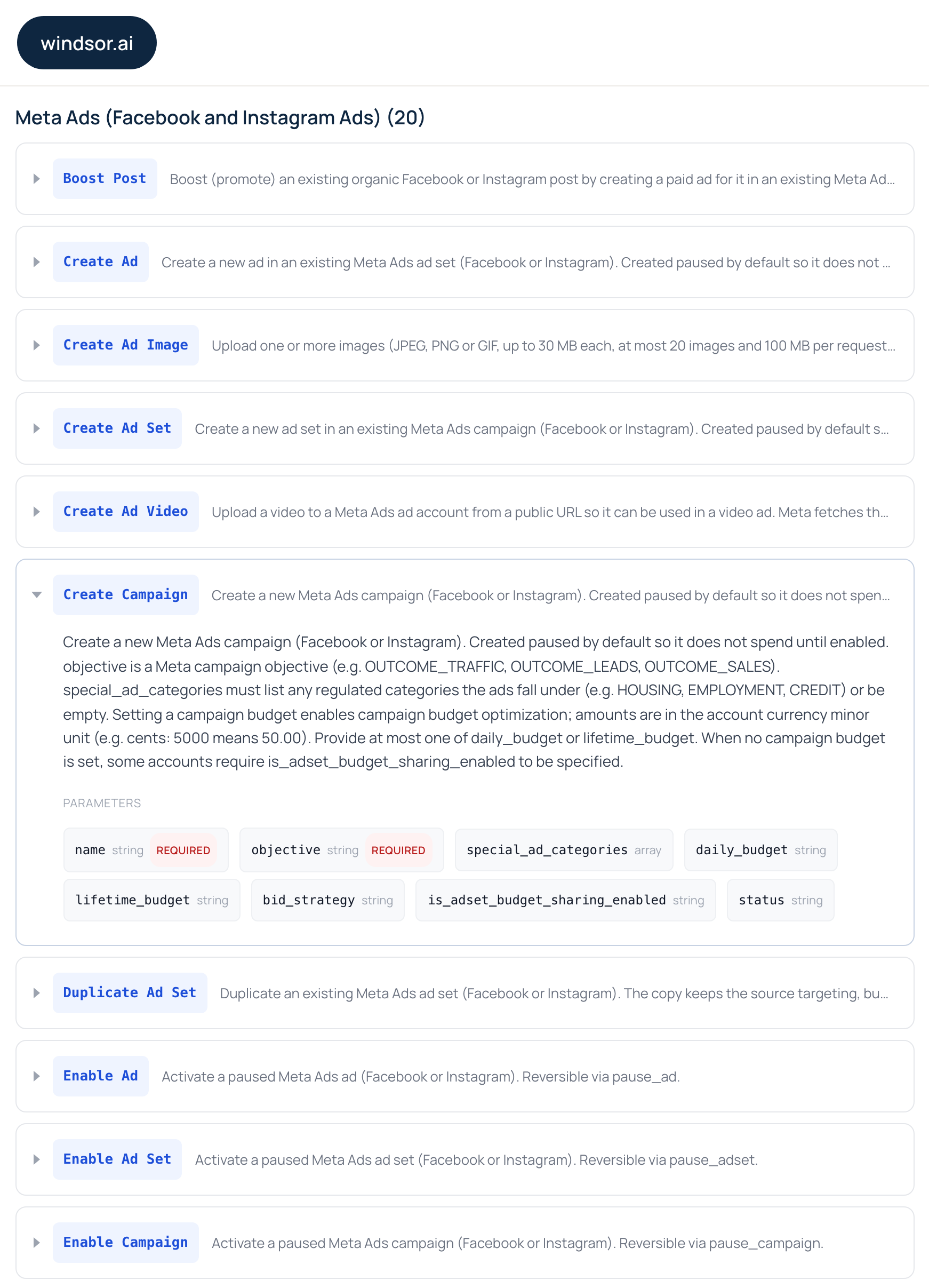
Its Facebook Ads connector feeds Data Studio, Sheets, Excel, Power BI, BigQuery, Snowflake and more. Its write actions page lists 137 write actions, 20 of them for Meta, including Enable Campaign, Enable Ad Set and Enable Ad. Creates are "paused by default", and there is no delete action. Its Facebook Ads MCP page says writes run in Claude, ChatGPT and Copilot, while Cursor, Perplexity and Gemini only read. Plans are priced by data source: $23 a month billed monthly covers 3.
Pros
- 20 documented Meta write actions, with creates paused by default.
- A free plan with 1 data source and 1 account.
Cons
- Enable actions let the agent set a campaign, ad set or ad live.
- Confirmation is left to your AI client; Windsor.ai publishes no approval step of its own.
- Writes do not run in Cursor, Perplexity or Gemini.
Best for: teams already piping reports through Windsor.ai.
Porter Metrics
Porter Metrics prices per ad account, and its own pages disagree about whether it can change your campaigns.
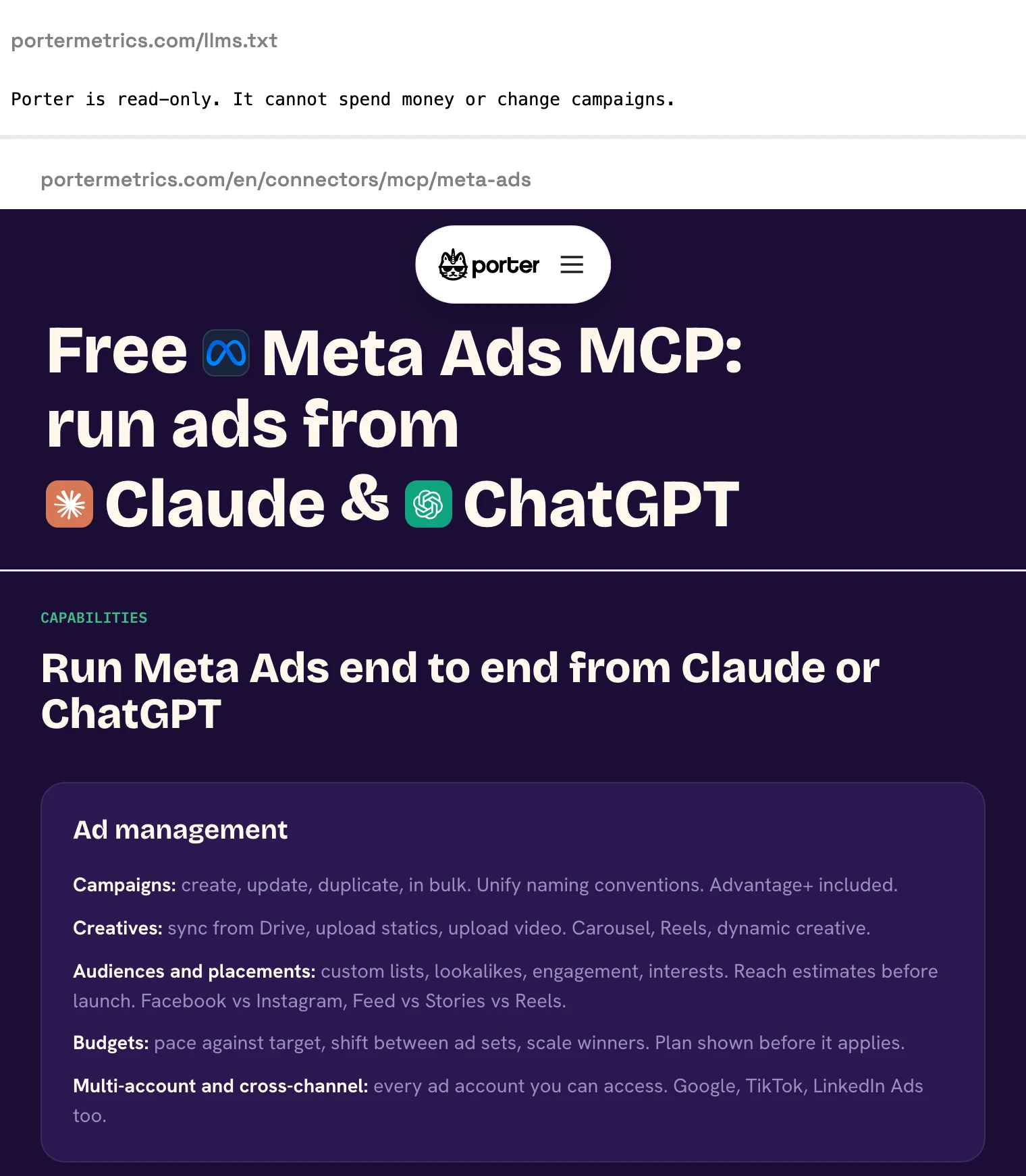
Porter sends Meta data to Data Studio, Google Sheets, Claude and BigQuery, per its Data Studio connector page. Its Meta Ads MCP page, published 2026-09-07, lists campaign create, update and duplicate, with "Draft mode by default". Its llms.txt still says "Porter is read-only". Its public action list includes status updates and deletes for campaigns, ad sets and ads. Reporting costs $15 per account a month billed monthly.
Pros
- New campaigns and creatives start paused.
- Unlimited users, with no charge per seat.
Cons
- Its llms.txt calls it read-only; its MCP page lists writes.
- Deletes for campaigns, ad sets and ads, with no default published.
- Each write costs an AI credit on top of the per-account price.
Best for: small teams reporting a few ad accounts in Data Studio.
Coupler.io
Coupler.io schedules Meta data into spreadsheets and BI tools, and its AI reads that data without changing your ads.
Its Facebook Ads connector loads Meta data into Google Sheets, Excel, Data Studio, Power BI, BigQuery and Snowflake. Its MCP docs say "Queries are read-only", though the AI can create data flows and change schedules inside Coupler.io. Its own troubleshooting page says its connector from Claude's directory shows no tools on Claude's Free and Pro plans. Pricing starts at $32 a month billed monthly, for 3 accounts, 1 destination and a daily refresh.
Pros
- Destinations from Google Sheets to Snowflake.
- A free plan with 1 account and manual refresh.
Cons
- Its AI cannot change Meta Ads.
- On Claude's Free and Pro plans, its directory connector loads no tools.
- Hourly refresh starts on Pro, at $259 a month billed monthly.
Best for: teams already exporting other sources through Coupler.io.
Dataslayer
Dataslayer moves Meta data into one destination per plan, and its MCP is read-only.
Its Meta Ads connector lists Google Sheets, Excel, Data Studio, Power BI, BigQuery, Snowflake and more. Its MCP page promises "scoped, read-only access", and its security article says "a small part of the request flow passes through OpenAI". Starter is $39 a month billed monthly, for 3 connectors, 3 accounts each and one destination. Its fair-use page includes MCP with another destination at 100 messages a day; its billing article says 100 a month.
Pros
- Destinations from Google Sheets to Snowflake.
- A free plan with 1 connector and 1 account.
Cons
- Its MCP cannot change Meta Ads.
- Its pages give the same MCP allowance as 100 messages a day and 100 a month.
- Part of the MCP request flow passes through OpenAI.
Best for: analysts who report from one destination.
Two Minute Reports
Two Minute Reports is built for Google Sheets and Data Studio, and its Claude connector only reads.
Its Facebook Ads integration sends data to Google Sheets and Data Studio, with "507+ fields available", plus Claude, ChatGPT and Manus. Its Claude page says "Claude can only read your data. It cannot create, edit, pause, or delete anything". Its MCP help asks for a paid Claude or ChatGPT plan. Lite is $97 a month billed monthly, for 3 accounts per connector and one destination.
Pros
- 507+ Facebook Ads fields.
- Unlimited seats on every plan.
Cons
- Read-only toward Meta Ads.
- No BigQuery, Excel or Power BI destination published.
- Scheduled refreshes run for Google Sheets only.
Best for: agencies building client reports in Google Sheets.
Adzviser
Adzviser calls itself a "Facebook Ads Connector & MCP", and it is read-only by design.
Its Facebook Ads page sends data to Sheets, Data Studio, Excel, Power BI, BigQuery and AI tools such as Claude and ChatGPT. Its Meta Ads MCP page says Adzviser "is deliberately read-only", and it requests no campaign-management permission. Starter is $59.99 a month billed monthly, for 2 data sources with unlimited accounts per source.
Pros
- Unlimited accounts per data source.
- Destinations from Sheets to BigQuery.
Cons
- No campaign changes of any kind.
- Its homepage says "starts at $48.99/month", the yearly-billing rate.
- Its source page says "No limits"; its pricing caps warehouse loads at 6M monthly active rows on Starter.
Best for: teams that want a connector that never asks for write access.
Warehouse and enterprise platforms
Four connectors here are built for data teams and larger budgets. Funnel, Fivetran and Adverity publish no tool that changes a Meta campaign, and Improvado's own page says both yes and no.
Funnel
Funnel is a marketing data platform priced for larger teams, and its MCP reads data without changing it.
Its Facebook Ads connector feeds Funnel's dashboards, Data Studio, Google Sheets and warehouses. BigQuery starts on the Business plan and Snowflake on Enterprise, per its destinations page. Its MCP guide says "The tools are read-only". Starter "starts from $300 / month, billed annually", and plans are counted in flexpoints, not rows.
Pros
- No row limits on Facebook Ads data.
- Breakdowns from age and gender to placement and device.
Cons
- Its MCP cannot change Meta Ads.
- No free plan published; the call to action is a demo.
- Annual billing from $300 a month, with Snowflake on Enterprise only.
Best for: in-house data teams that standardize many sources.
Fivetran
Fivetran loads Meta data into warehouses and data lakes, and reaches a spreadsheet only through a second product.
Its Facebook Ads connector syncs accounts, campaigns, ad sets, ads, creatives and insights into warehouses such as BigQuery, Snowflake and Databricks. Google Sheets is a second step through Activations. Syncs run every six hours by default, and its setup guide caps history at 37 months. Pricing is usage-based, with a free plan to 500,000 monthly active rows; its median Facebook Ads connection lists at $22.06 a month on the Standard plan.
Pros
- 20 prebuilt Facebook Ads reports.
- A free plan to 500,000 monthly active rows.
Cons
- No direct Sheets or Data Studio destination; Sheets needs Activations.
- Its MCP server manages Fivetran, and its README says "the server does not enforce confirmation."
- One docs page names both Graph API v23.0 and v19.0.
Best for: data teams that already model a warehouse.
Adverity
Adverity is an enterprise data platform with custom pricing, and its MCP manages pipelines, not campaigns.
Its Facebook Ads connector sends Meta data to Data Studio, Sheets, Excel, Power BI, BigQuery, Snowflake and more, and its destinations page includes Meta audiences. Its Connect page schedules as often as every 15 minutes and offers "unlimited historical backfill", while its Facebook Ads docs say Meta returns only the last 37 months. Its MCP manages Adverity datastreams with two-phase writes and has no Meta campaign tools. Its pricing page publishes no prices: "we provide a fully customized quote".
Pros
- Schedules as frequent as every 15 minutes.
- Two-phase writes in its MCP.
Cons
- No published prices.
- No tools that change Meta campaigns.
- Its Connect page offers "unlimited historical backfill"; its Facebook docs say 37 months.
Best for: enterprise teams with a data engineer.
Improvado
Improvado's Meta Ads MCP page promises agent writes in one place and recommendations you apply yourself in another.
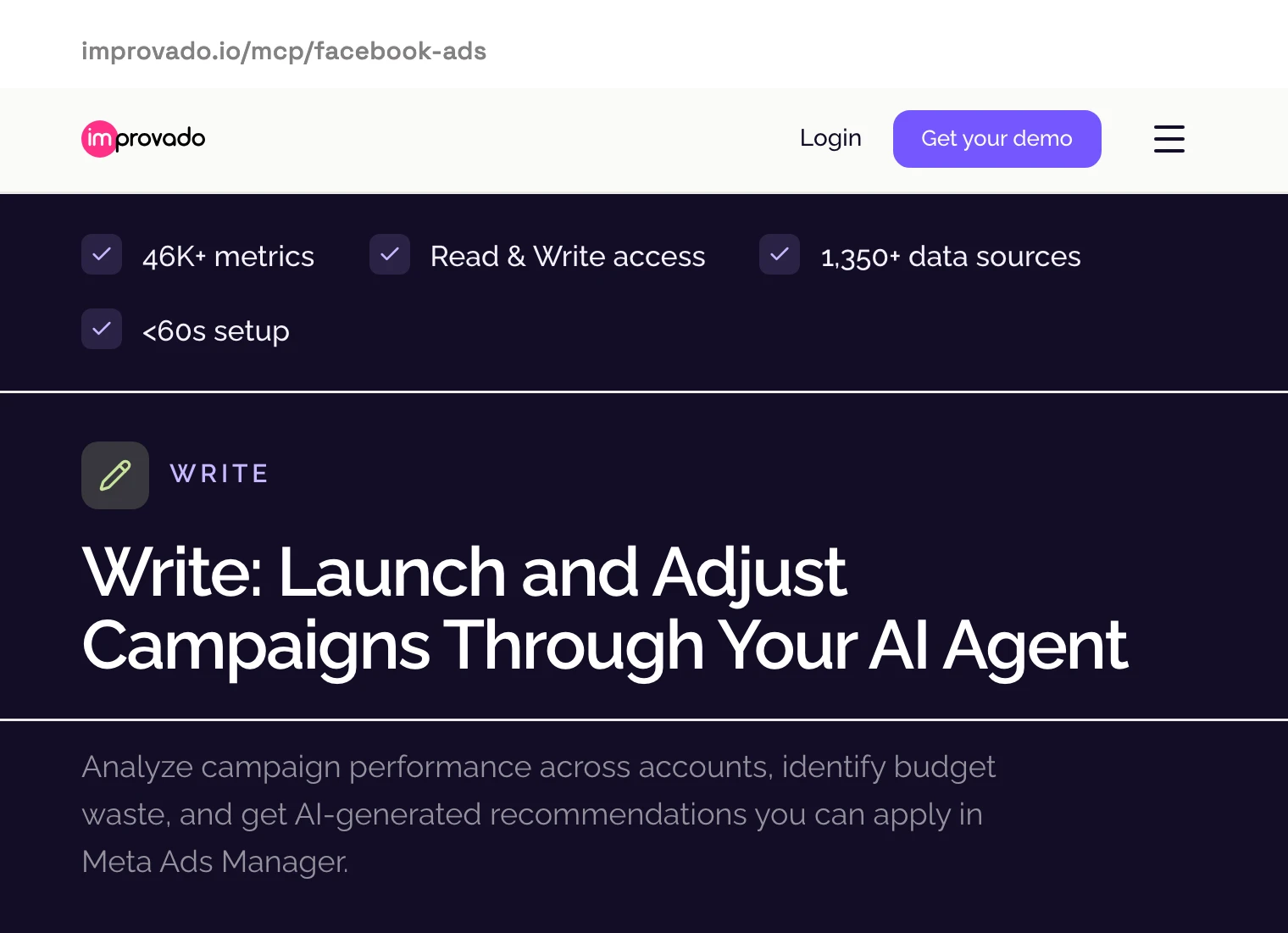
Its Facebook Ads integration loads data into Snowflake, BigQuery, Data Studio, Sheets, Excel, Power BI and more. Its Meta Ads MCP page shows a "Read & Write access" badge, and its FAQ lists budget changes, pausing or activating, and creating campaigns. The same page's write section offers "AI-generated recommendations you can apply in Meta Ads Manager". Pricing runs from a limited free tier to MCP Only at $100 a month, then custom plans.
Pros
- Every action logged, per its page.
- A limited free tier with 50 MCP actions a week.
Cons
- Its own page describes both agent writes and recommendations you apply yourself.
- No paused default published for campaigns it creates.
- Its pages give five refresh rates, from 15 minutes to daily.
Best for: enterprise teams that buy reporting and AI from one vendor.
What an agent can do on a new connection
Six of these connectors can change Meta Ads, and their defaults differ more than their feature lists. Ask four questions before you connect a live ad account.
Can the agent set an ad live? Meta's ads_activate_entity can, once your AI client confirms. Windsor.ai has Enable actions, Supermetrics can enable, Porter's action list updates status, and Improvado's FAQ lists activating campaigns. On InsightfulPipe, PAUSED is the only status the agent can set, so going live stays with you in Ads Manager.
Does a new ad start paused? Meta, Windsor.ai and Porter say so. Supermetrics says campaigns always do, while its changelog says a Meta ad created without a status can serve at once. Improvado publishes no default. InsightfulPipe creates new campaigns, ad sets and ads paused, for you to set live when they are ready.
Can it delete? Supermetrics can remove campaigns, ad groups and ads, and Porter's action list includes deletes. Meta's ads CLI deletes a campaign with its ad sets and ads, and accepts ACTIVE as a starting status. On InsightfulPipe, deleting a campaign, ad set or ad stays off until an admin switches it on.
Who sets the limits? Meta's rules come from a business portfolio admin and are in limited availability. Supermetrics grants write access per account and offers approval before going live. Windsor.ai leaves confirmation to your AI client. On InsightfulPipe, an owner, admin or operator switches each action per ad account, and the server enforces it in every client and the CLI.
Budget and bid changes run through update_campaign and update_adset. Switch those two off on any account where the agent should not touch spend, or set execute_action to Needs approval under Claude's tool permissions, so every change waits for you.
That is why InsightfulPipe is the safest of the connectors that can write: every default starts on the careful side, and every one is a switch your admin controls.
Which Facebook Ads connector should you choose?
Choose InsightfulPipe if you want one service that reports on Meta Ads, acts on it within limits you set, and keeps the numbers in Sheets or BigQuery.
- You want an agent to run Meta Ads within limits you set: InsightfulPipe. 53 actions switched per ad account, new campaigns, ad sets and ads created paused, deletes off until an admin switches them on.
- You report in Google Sheets or Data Studio: InsightfulPipe with a spreadsheet connected. The agent writes Meta rows with
update_cells, and Data Studio reads the sheet. - You keep marketing data in BigQuery: InsightfulPipe's BigQuery server. The agent or the CLI inserts Meta rows with
run_queryonce the service account holds the BigQuery Data Editor and BigQuery User roles. - You run an agency with many ad accounts: InsightfulPipe. Every ad account gets its own action list, and Growth covers 35 connections for $89.99 a month.
- You only need answers, never changes: a read-only InsightfulPipe connection, which locks every write until an admin reconnects it with read and write.
- You build scripts or scheduled jobs: the InsightfulPipe CLI, which prints JSON and follows the same switches.
You can run more than one server. MCP clients hold several in one session.
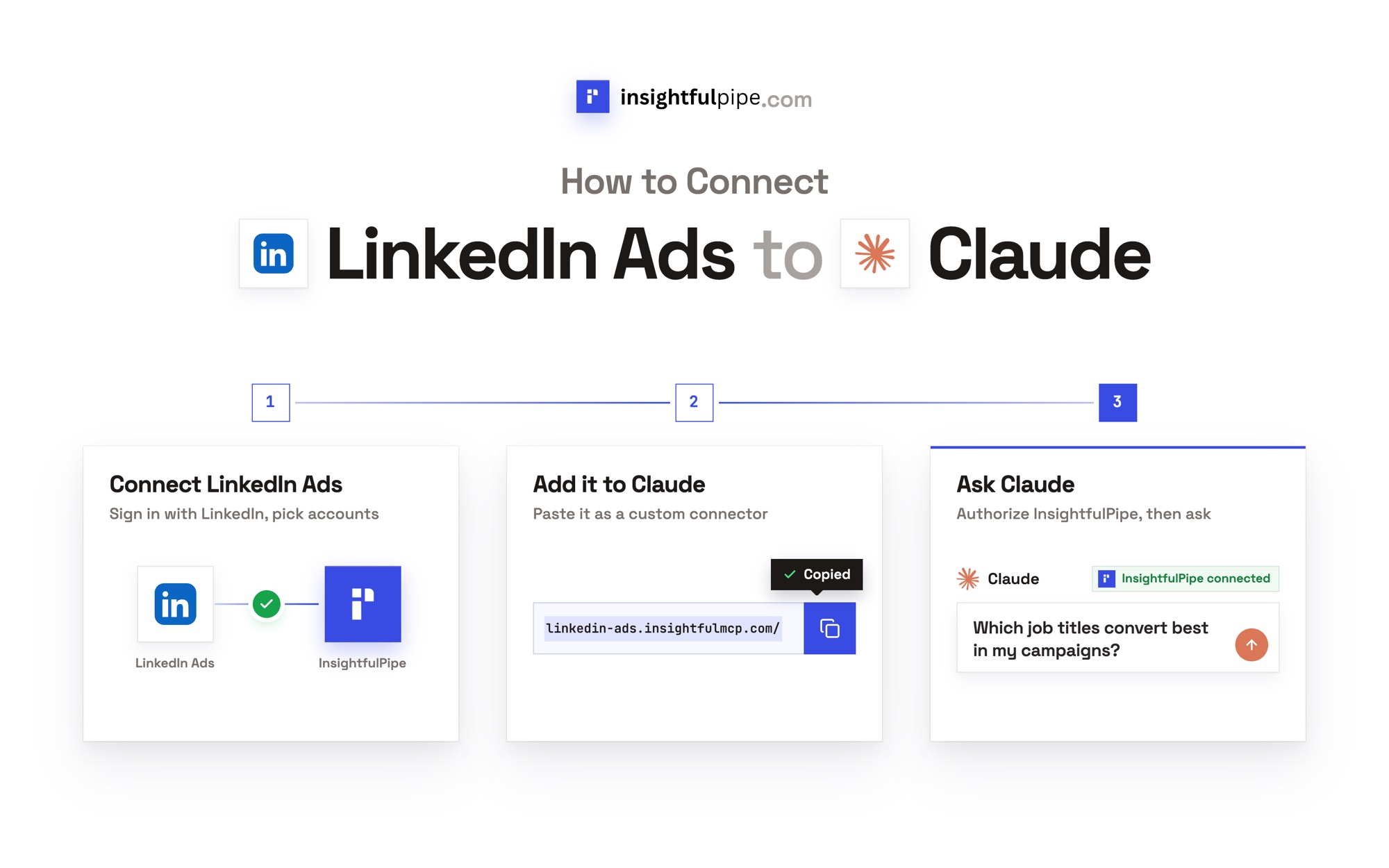
Connect InsightfulPipe in three steps
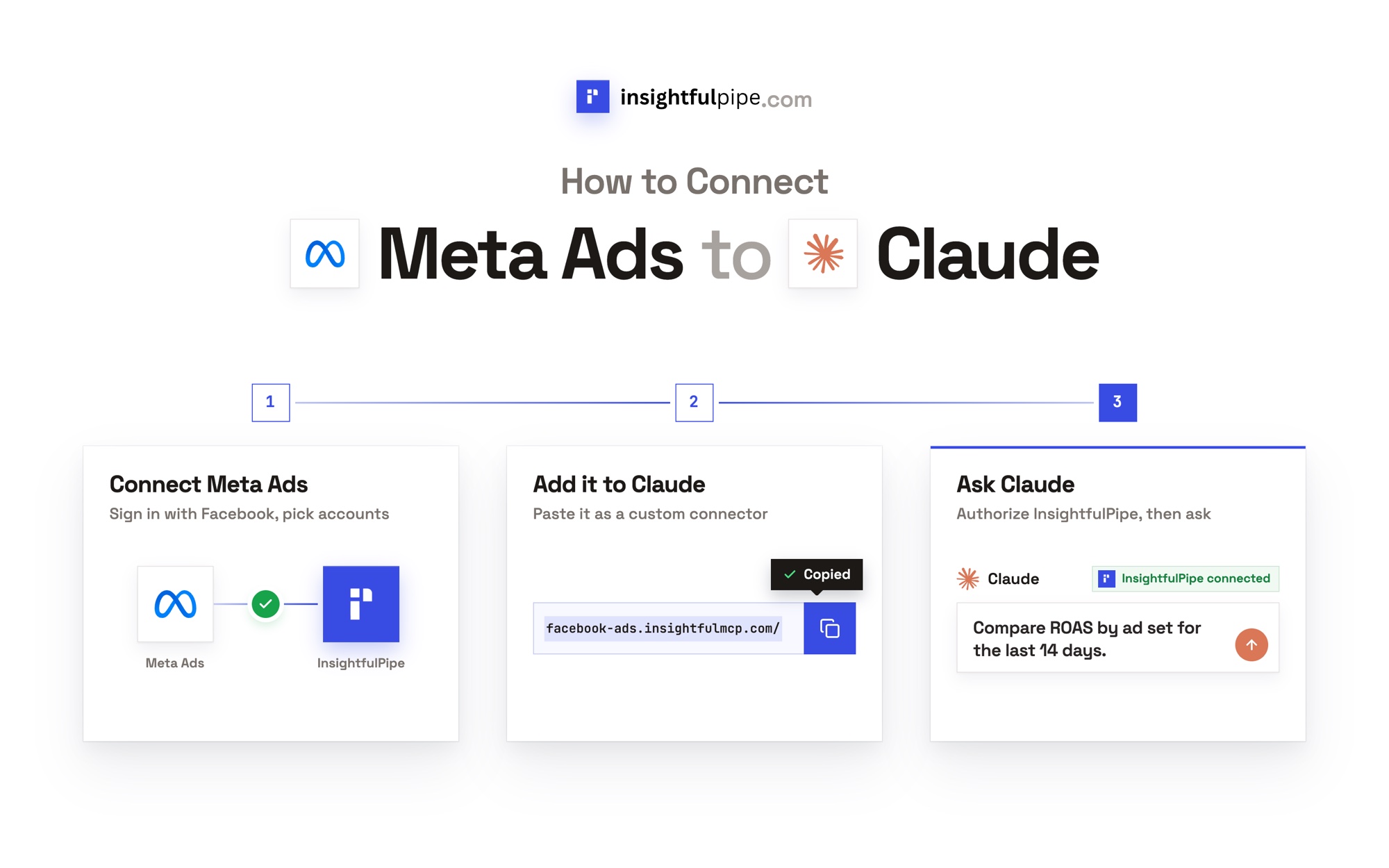
Connecting InsightfulPipe takes a Facebook sign-in and one server URL, with no Meta developer app, no token and nothing to install.
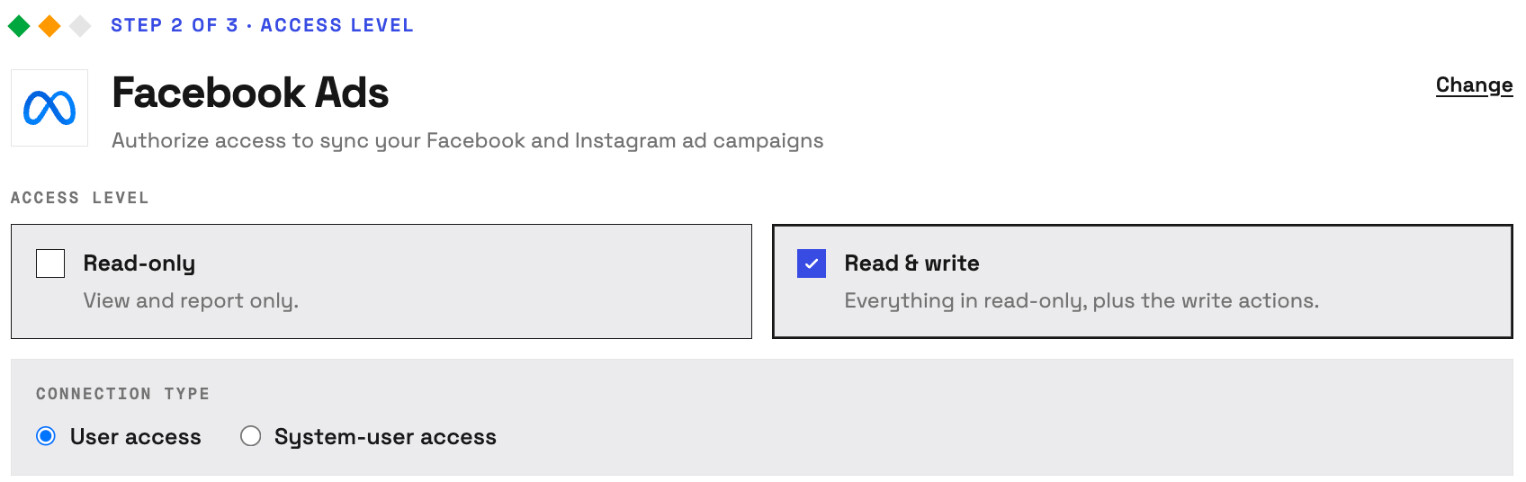
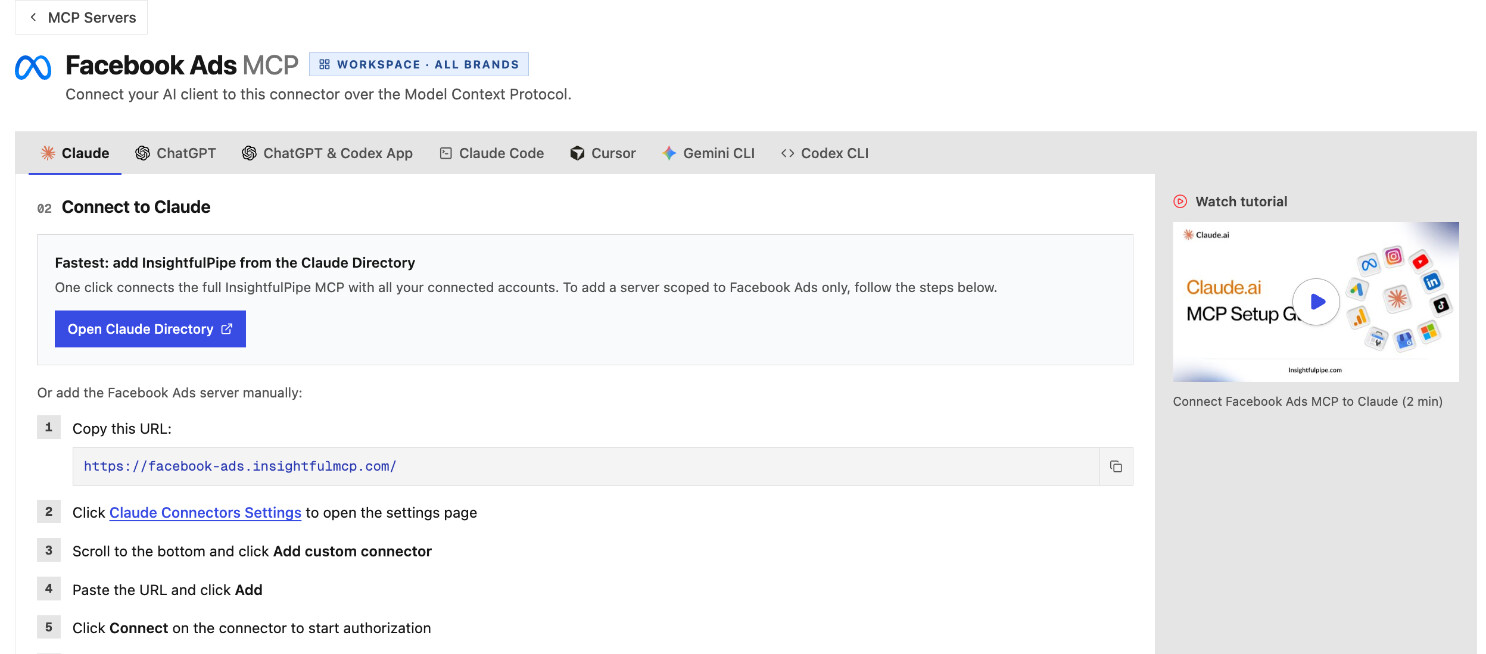
- In InsightfulPipe, open Connected accounts, click Connect account and pick Facebook Ads. Choose Read-only or Read & write, sign in with Facebook and select the ad accounts.
- In Claude, add InsightfulPipe from the connector directory, or add
https://facebook-ads.insightfulmcp.com/as a custom connector, click Connect, and sign in to InsightfulPipe if asked. In Claude Code, runclaude mcp add --transport http facebook-ads-mcp https://facebook-ads.insightfulmcp.com/. - Open the ad account's actions, keep the ones you want, and ask your first question. To land data in a sheet or a table, connect the spreadsheet or the BigQuery project the same way.
Start a trial on any plan, from $29.99 a month, and try the 50 Facebook Ads prompts for Claude first.
What the other vendors do not publish
Several claims in this comparison could not be checked, because the vendors behind them publish nothing to check against.
- Meta: no price and no tool count. Its developer blog says agents can delete campaigns, ad sets and ads; its tool pages list no such tool.
- Supermetrics: a US-dollar price, since its page served us euros, and which approval option is the default.
- Windsor.ai: any approval step or per-action control of its own.
- Porter Metrics: which of its pages is current, and whether deletes start off.
- Improvado: a paused default, and whether its agent writes or only recommends.
- Funnel and Adverity: Funnel publishes no Facebook Ads sync frequency, and Adverity no prices.
Frequently asked questions
Sources (checked 2026-10-02)
Every competitor claim above comes from that vendor's own page, documentation or repository, opened on 2026-10-02.
- InsightfulPipe: Facebook Ads server, Google Sheets server, BigQuery server, CLI, pricing
- Meta: announcement, help page, server overview, ad tools, rules, developer blog, CLI reference
- Supermetrics: connector, pricing, MCP server, changelog, MCP product, campaign docs
- Windsor.ai: connector, pricing, write actions, Facebook Ads MCP, write capabilities
- Porter Metrics: Data Studio connector, Meta Ads MCP, llms.txt, pricing, action list
- Coupler.io: connector, pricing, MCP docs, Claude troubleshooting
- Dataslayer: connector, pricing, MCP, fair use, MCP billing, security
- Two Minute Reports: integration, Claude page, MCP help, pricing
- Adzviser: Facebook Ads, Meta Ads MCP, pricing
- Funnel: connector, destinations, pricing, MCP guide, dimensions and metrics
- Fivetran: connector docs, setup guide, pricing, sync frequency, Activations to Sheets, MCP repository
- Adverity: connector, destinations, Connect, Facebook Ads docs, MCP docs, pricing
- Improvado: integration, Meta Ads MCP, pricing, Facebook analytics post
- Google: Data Studio rename, Sheets connector, BigQuery connector
- Anthropic: Claude tool permissions