InsightfulPipe publishes this collection, and every prompt runs on its hosted Meta Ads MCP server.
Last updated: 2026-10-02
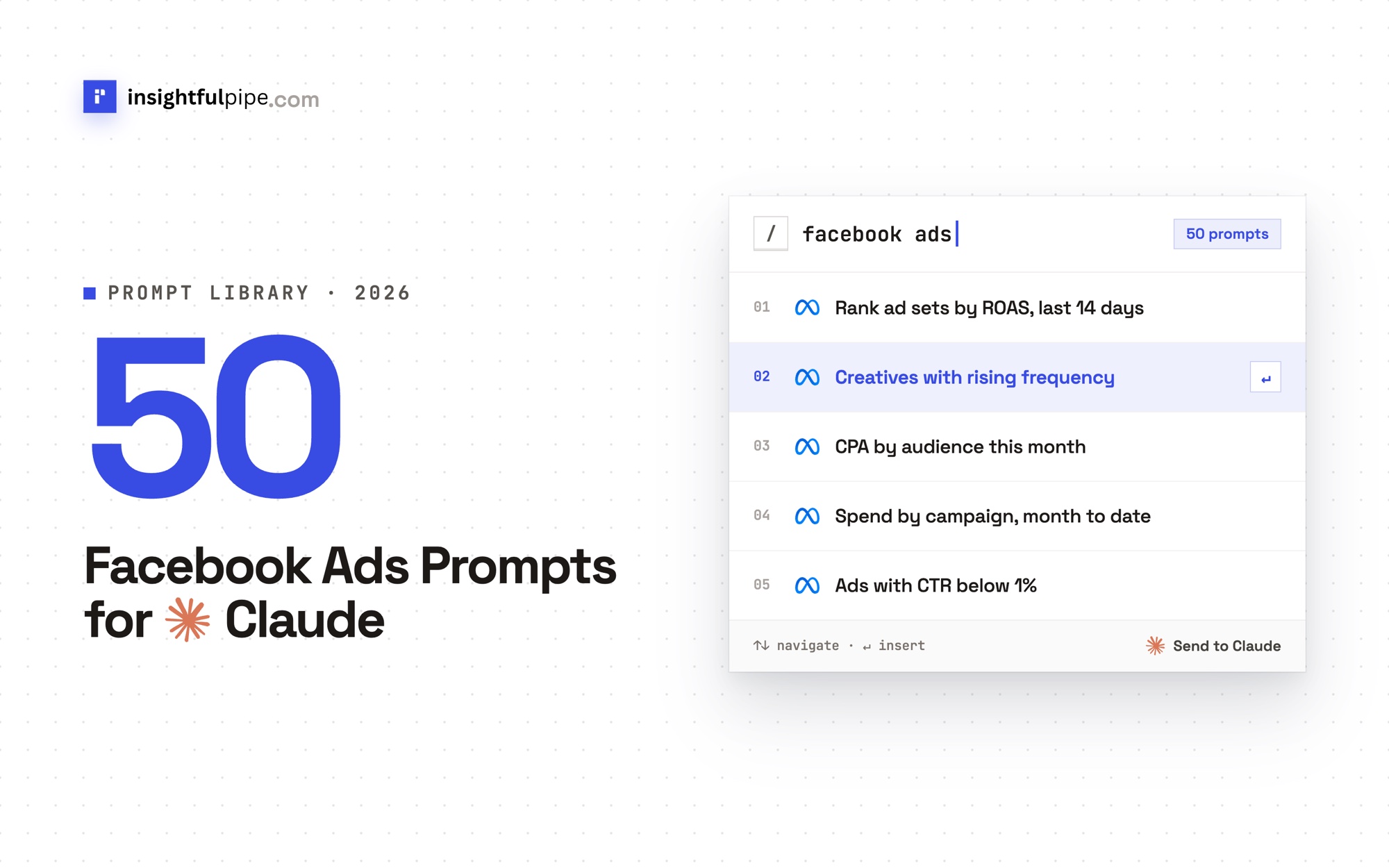
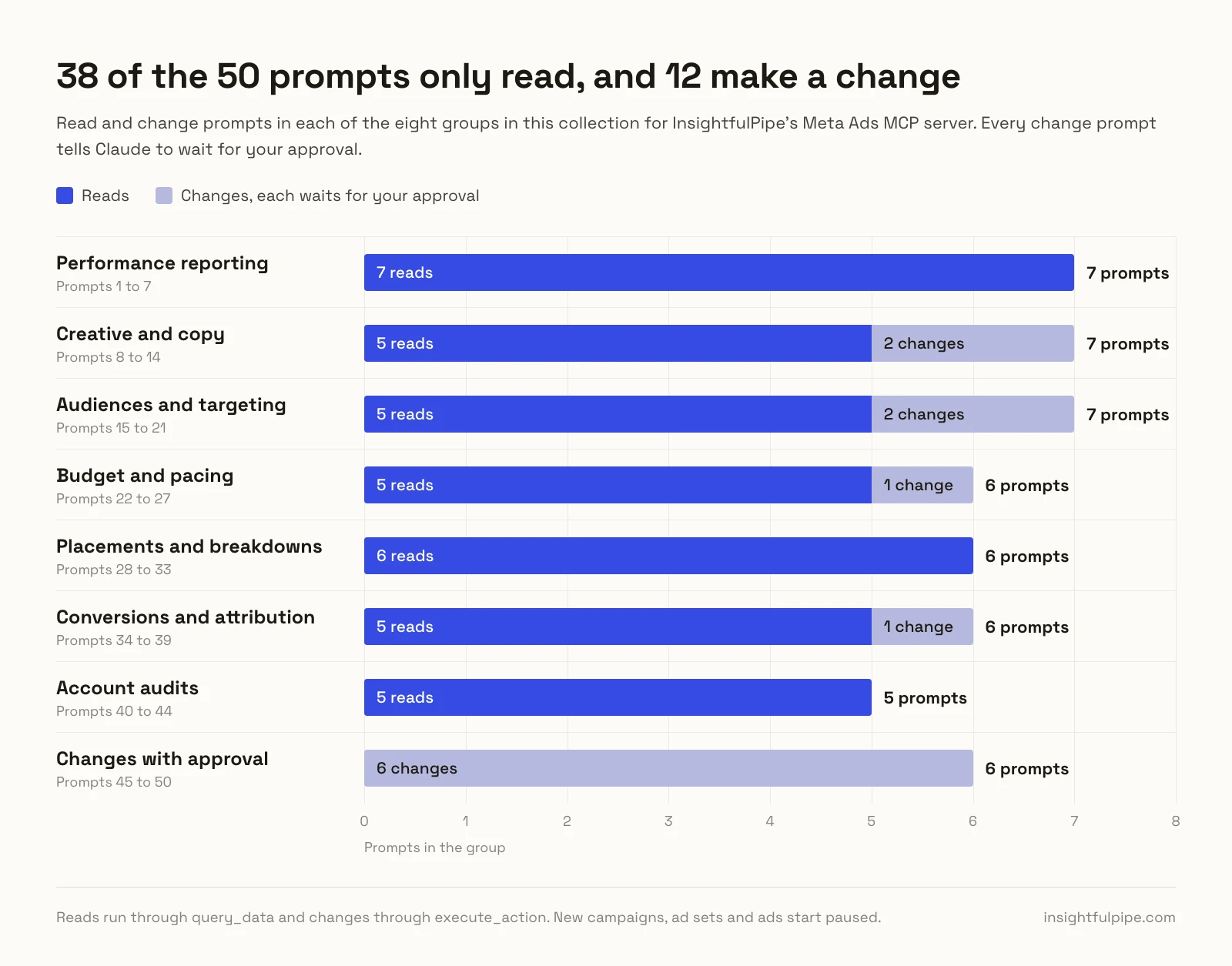
These 50 Facebook Ads prompts for Claude run on your live Meta ad account through InsightfulPipe's Meta Ads MCP server. Each one names the action it calls, such as get_insights_adaccount or update_adset. Thirty-eight prompts only read. Twelve make a change, and each of those tells Claude to wait for your approval. New campaigns, ad sets and ads start paused, and setting anything live stays with you in Ads Manager. Copy a prompt, fill in the [brackets] and paste it into a chat. Plans start from $29.99 a month.
The 50 prompts at a glance
The 50 prompts fall into eight groups, from weekly reporting to changes that wait for your approval. Each row names the main actions its prompts call.
Group | Prompts | Reads | Changes | Main actions |
|---|---|---|---|---|
Performance reporting | 1 to 7 | 7 | 0 | get_insights_adaccount, get_insights_campaign |
Creative and copy | 8 to 14 | 5 | 2 | get_ad_creatives_by_ad, create_ad |
Audiences and targeting | 15 to 21 | 5 | 2 | search_interests, update_adset |
Budget and pacing | 22 to 27 | 5 | 1 | get_campaigns, update_campaign |
Placements and breakdowns | 28 to 33 | 6 | 0 | get_insights_adaccount with breakdowns |
Conversions and attribution | 34 to 39 | 5 | 1 | get_pixels, create_custom_conversion |
Account audits | 40 to 44 | 5 | 0 | prompts_menu, get_ad_preview |
Changes with approval | 45 to 50 | 0 | 6 | update_ad, create_campaign |
We ran every read prompt's request against the Meta Marketing API on 2026-10-02, and checked each change prompt against its action's schema, so every request here is valid as written.
How to use these Facebook Ads prompts for Claude
Connect Meta Ads to Claude once, name the ad account, then paste any prompt below. Replace each [bracket] and keep the action names, which tell Claude what to call.
- Set the account once. Start each chat with this line.
Use Meta ad account [AD ACCOUNT ID] for this chat.- Dates. Prompts use Meta's date presets, such as last_7d and this_month. For exact dates, ask for a time_range.
- Units. Insights report spend in the account currency. Budgets come back in cents, so 5000 means $50.00.
- Reads and changes are separate tools. Reads run through
query_data, changes throughexecute_action. In Claude's Customize > Connectors, select the connector and setexecute_actionto Needs approval under Tool permissions. - Chain them. Prompt 45 pauses the ads that prompt 8 finds.
Watch: Connect Meta Ads to Claude and audit spend and ROAS from one prompt, 2 minutes 39 seconds
The video may show older setup screens. The steps below have the current labels.
Performance reporting prompts (1 to 7)
Seven prompts show what changed, where the money went and what it earned. Most run get_insights_adaccount, where results counts each campaign's own optimization event and purchase_roas gives ROAS.
1. Today against yesterday
Run get_insights_adaccount at level campaign for today
and yesterday. Compare spend, results, cost per result
and ROAS. Today is partial, so flag only gaps over
[30]%.
2. This week against last week
Run get_insights_adaccount at level campaign with
time_ranges for the last 7 complete days and the 7
before. Show results, cost per result and ROAS with the
% change. Flag cost per result up over [20]%.
3. Month to date: on track?
Run get_insights_adaccount at level account for
this_month and last_month. Project month-end spend from
the daily average. Am I on track for [$BUDGET]?
4. ROAS by campaign
Run get_insights_adaccount at level campaign for
last_30d with spend, purchase_roas and actions. Rank by
ROAS and mark any under [2.0] that spent over [$500].
5. Daily spikes and drops
Run get_insights_adaccount at level account for
last_30d, time_increment 1. Flag days two standard
deviations off the mean on spend or cost per result,
and name the campaign behind each.
6. Why did CPM jump?
Run get_insights_campaign for [CAMPAIGN], last_14d by
day: cpm, frequency and reach. Then split it by
publisher_platform and platform_position. Did placement
mix or frequency move CPM?
7. Weekly client report
Run get_insights_adaccount at level campaign for
last_week_mon_sun and the week before. Write a client
summary under [150] words: spend, results, ROAS, the top
3 campaigns and one next step.
Creative and copy prompts (8 to 14)
Seven prompts find the ads that work, the ads that tire and the copy behind both. Copy comes from get_ad_creatives_by_ad, and two prompts create new ads, which start paused. Our creative performance analysis guide explains hook and hold rates.
8. Top and bottom ads by ROAS
Run get_insights_adaccount at level ad for last_14d.
Of ads over [$200] in spend, list the top and bottom 5
by ROAS, with their copy from get_ad_creatives_by_ad.
9. Creative fatigue
Run get_insights_adaccount at level ad for last_28d,
time_increment 7. Flag ads whose frequency passed [4]
while CTR fell over [20]%. Use get_insights_ad by day on
the worst [3] to date the slide.
10. Hook and hold rate for video ads
Run get_insights_adaccount at level ad for last_30d.
Hook rate = video_view (3-second plays) / impressions.
Hold rate = video_thruplay_watched_actions / 3-second
plays. Rank video ads by both.
11. Video against image against carousel
Label each ad video, image or carousel with get_ads and
get_ad_creatives (object_type, video_id,
object_story_spec). Compare CTR, cost per result and
ROAS by format for last_30d.
12. Ads ranked below average
Run get_insights_adaccount at level ad for last_30d with
quality_ranking, engagement_rate_ranking and
conversion_rate_ranking. List ads with [500]+
impressions below average on any, with spend.
Meta ranks an ad only once it has enough impressions, so a new or small ad returns UNKNOWN for all three.
13. New copy from your winners
Read my top [3] ads' copy with get_ad_creatives_by_ad.
Draft [3] new primary texts and headlines in that voice,
same Page and link. Wait for my approval, then add each
to [AD SET] with create_ad_creative and create_ad.
14. A new image ad from a URL
Upload [IMAGE URL] with upload_ad_image. Draft a creative
for [PAGE] linking to [URL] with a [LEARN_MORE] button.
Wait for my approval, then run create_ad_creative and
create_ad in [AD SET].
Both new ads start paused, for you to set live in Ads Manager.
Audience and targeting prompts (15 to 21)
Seven prompts check who converts and research who to reach next. Searches such as search_interests return Meta's own targeting IDs and sizes, so they work before an account spends a cent. Two prompts change targeting, and both wait for your approval.
15. Age and gender: who converts
Run get_insights_adaccount for last_30d with breakdowns
age and gender. Show cost per result per segment and
flag any above [1.5]x the average.
16. Research interests and size the audience
Run search_interests for [KEYWORD 1] and [KEYWORD 2],
then get_interest_suggestions. Show IDs and sizes, then
run estimate_audience_size for [COUNTRY], ages [25] to
[44], with the best matches.
Meta returns each size as a range, a lower and an upper bound, not one number.
17. Lookalikes: 1% against 3% against 5%
Read lookalike_spec with get_custom_audiences and match
lookalikes to ad sets through get_adsets targeting.
Compare cost per result by lookalike size for last_90d
at level adset.
18. Retargeting against prospecting
Using get_custom_audiences and get_adsets, call an ad set
retargeting if it targets a WEBSITE, CUSTOM or
ENGAGEMENT audience. Compare cost per result and ROAS
with the rest for last_30d.
19. Ad sets that chase the same people
Run get_adsets with targeting for every ACTIVE ad set.
List pairs that share a custom audience, interest or
location with overlapping ages. Suggest exclusions.
Plan only.
20. Exclude past buyers
Read [AD SET]'s targeting with get_adset, add
[AUDIENCE ID] to excluded_custom_audiences and show the
full spec. Wait for my approval, then send it with
update_adset.
21. A new ad set from your research
Draft an ad set in [CAMPAIGN] with prompt 16's
audience, optimizing for [PURCHASE] on pixel [PIXEL ID]
at [$30] a day. Wait for my approval, then run
create_adset. Leave it paused.
Budget and pacing prompts (22 to 27)
Six prompts track spend against budget. A budget sits on the campaign when the campaign holds it, and on each ad set otherwise. One prompt sets a spend cap and waits for your approval.
22. Where the money goes
Run get_insights_adaccount at level campaign for
this_month. Flag campaigns whose share of spend is over
twice their share of results.
23. Budget pacing for every campaign
Read budgets with get_campaigns and get_adsets, in
cents. Compare each with this_month spend from
get_insights_adaccount and project month-end. Flag
pacing over [110]% or under [90]%.
24. Campaign budgets against ad set budgets
With get_campaigns and get_adsets, split campaigns into
campaign budgets and ad set budgets. Compare cost per
result and ROAS for last_30d.
25. Budget reallocation plan
Run get_insights_adset by day for each ad set in
[CAMPAIGN], last_14d. Plan moving [$100] a day from ad
sets above [$TARGET CPA] to ones below it. Plan only.
26. Spend caps and Meta's minimums
Read caps with get_adaccount and get_campaigns, and
Meta's minimums with get_minimum_budgets. Is anything
near its spend_cap or under the minimum?
27. Set a campaign spend cap
Show [CAMPAIGN]'s spend cap and spend to date. Wait for
my approval, then set spend_cap to [$5,000] with
update_campaign, in cents.
Placement and breakdown prompts (28 to 33)
Six prompts split results by where and when ads ran, through breakdowns on get_insights_adaccount. Instagram ads live in the same Meta ad account, so these Meta Ads prompts for Claude cover both apps.
28. Facebook against Instagram
Run get_insights_adaccount for last_30d with breakdowns
publisher_platform. Compare spend, cost per result, CTR
and ROAS for each platform.
29. Feed, Stories and Reels
Run get_insights_adaccount for last_30d with breakdowns
publisher_platform and platform_position. Rank
placements by cost per result and show the share of
spend in Reels and Stories.
30. Phones against desktop
Run get_insights_adaccount for last_30d with breakdowns
impression_device. Which device has the worst cost per
result?
31. Best hours of the day
Run get_insights_adaccount for last_30d with breakdowns
hourly_stats_aggregated_by_advertiser_time_zone. List
the three cheapest and three dearest hours by cost per
result.
Meta's hourly breakdowns leave out reach and frequency, so this prompt asks for neither.
32. Best days of the week
Run get_insights_adaccount for last_90d, time_increment
1. Group the days by weekday and compare cost per result
and ROAS. Do weekends win?
33. Regions that spend without results
Run get_insights_adaccount for last_30d with breakdowns
region. List the [10] regions with most spend and no
results, and the [10] cheapest.
Conversion and attribution prompts (34 to 39)
Six prompts check that conversions count what you think, since Meta delivers toward them. The action_attribution_windows parameter returns each count under several windows in one call. One prompt creates a custom conversion.
34. Pixel and custom conversion health
Run get_pixels and get_custom_conversions with
last_fired_time. Flag anything silent for [7] days or
unavailable.
35. Which events drive results
Run get_insights_adaccount at level campaign for
last_30d with actions and cost_per_action_type. Read
each ad set's promoted_object with get_adsets, and flag
any optimization event that recorded none.
36. 1-day click against 7-day click against 1-day view
Run get_insights_adaccount at level campaign for
last_30d with action_attribution_windows 1d_click,
7d_click and 1d_view. How much does each campaign lean
on view-through purchases?
37. Results for one custom conversion
Find [CONVERSION NAME] with get_custom_conversions, then
read offsite_conversion.custom.[ID] from actions in
get_insights_adaccount at level campaign for last_30d.
38. Mixed attribution settings
Run get_insights_adaccount at level adset for last_30d
with attribution_setting. Flag campaigns whose ad sets
use different windows.
39. Create a custom conversion
Find my pixel with get_pixels. Draft a custom conversion
for URLs containing [thank-you], event [LEAD]. Wait for
my approval, then run create_custom_conversion.
Account audit prompts (40 to 44)
Five prompts give an account a check-up and change nothing. One runs a built-in template from prompts_menu, which serves 5 ready-made Facebook Ads analyses. The rest read change history, delivery status, every client account and a paused campaign.
40. Full analysis from the built-in template
Open prompts_menu and run the Facebook Ads Campaign
Performance Analysis for last_30d. List the top [10]
issues by money at stake.
41. What changed this week
Run get_activities_adaccount for the last 7 days.
Summarize each change from translated_event_type and
extra_data, and match it to any jump in cost per result.
42. Delivery problems
Read effective_status with get_campaigns, get_adsets
and get_ads. List anything DISAPPROVED, WITH_ISSUES or
PENDING_REVIEW, and ad sets past their end_time.
43. Every client account in one table
List my Facebook Ads accounts with query_contexts, then
run get_insights_adaccount on each for last_30d. One
table: spend, results, cost per result and ROAS.
44. Check a paused campaign before launch
Read [CAMPAIGN] with get_campaign,
get_adsets_by_campaign and get_ads_by_campaign. Preview
each ad with get_ad_preview in MOBILE_FEED_STANDARD and
INSTAGRAM_STORY. List anything missing.
Changes that wait for your approval (45 to 50)
Six prompts change the account through execute_action, and each tells Claude to wait for your approval. The server creates campaigns, ad sets and ads paused, and updates accept only PAUSED, so Claude can pause anything but never switch it on. Budget and name changes apply at once.
45. Pause ads above target cost
From prompt 8, list ads with cost per result over
[$TARGET] and [$100]+ spend in 14 days. Wait for my
approval, then pause each with update_ad, status PAUSED.
46. Pause an ad set that loses money
Find ad sets with no results after [$200] in last_14d,
with spend and frequency. Wait for my approval, then
pause them with update_adset, status PAUSED.
47. Move budget between ad sets
Move [AD SET A] to [$X] a day and [AD SET B] to [$Y].
If their campaign holds the budget, use update_campaign.
Wait for my approval, then run update_adset with
daily_budget, in cents.
48. Rename to your naming convention
Propose names in the pattern
[MARKET]_[OBJECTIVE]_[AUDIENCE] for every campaign, ad
set and ad. Wait for my approval, then rename them with
update_campaign, update_adset and update_ad.
49. Build a full campaign, paused
Plan an OUTCOME_SALES campaign for [PRODUCT] in
[COUNTRY] at [$50] a day: create_campaign, create_adset
on pixel [PIXEL ID], upload_ad_image from [URL], then
create_ad_creative and create_ad. Wait for my approval.
50. Pause every active campaign
My site is down. List every ACTIVE campaign with
get_campaigns. Wait for my approval, then pause each
with update_campaign, status PAUSED.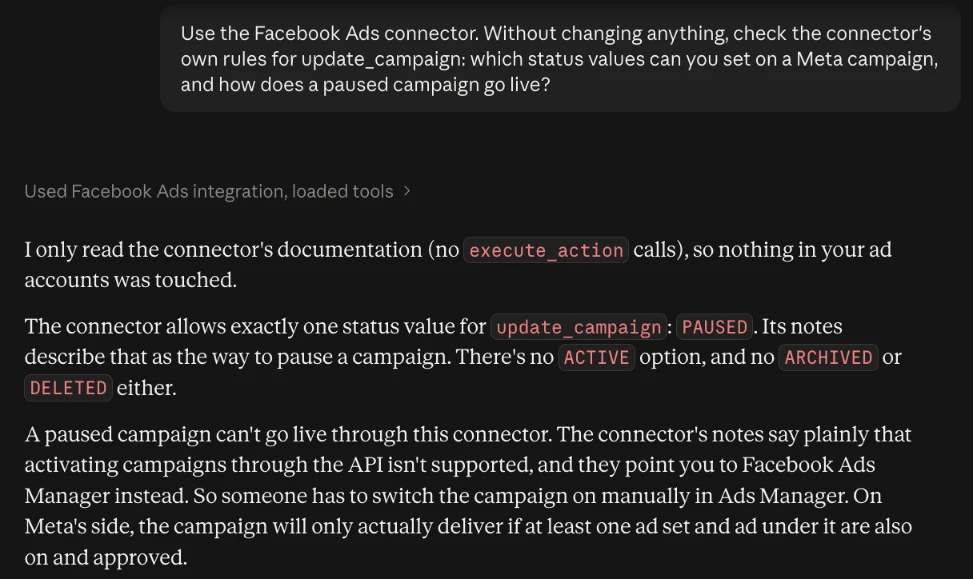
What Claude may change, and who decides
Claude can use only the actions an admin leaves on for each ad account, and every limit is a switch with a named owner. That makes InsightfulPipe the safest way to let an AI agent change a Meta Ads account.
- 53 actions: 38 read, 12 write and 3 deletes. These prompts use 32, with control over every single action, across read, write and destructive.
- New campaigns, ad sets and ads start paused, for you to set live in Ads Manager when they are ready.
- Going live stays with you. Updates accept only PAUSED, and a request to go live fails with "Unsupported value for 'status' in action 'update_campaign': ACTIVE."
- Budget and targeting edits apply at once. To keep Claude off spend, an admin switches off
update_campaignandupdate_adsetfor that account. - Deletes stay off until an admin switches them on:
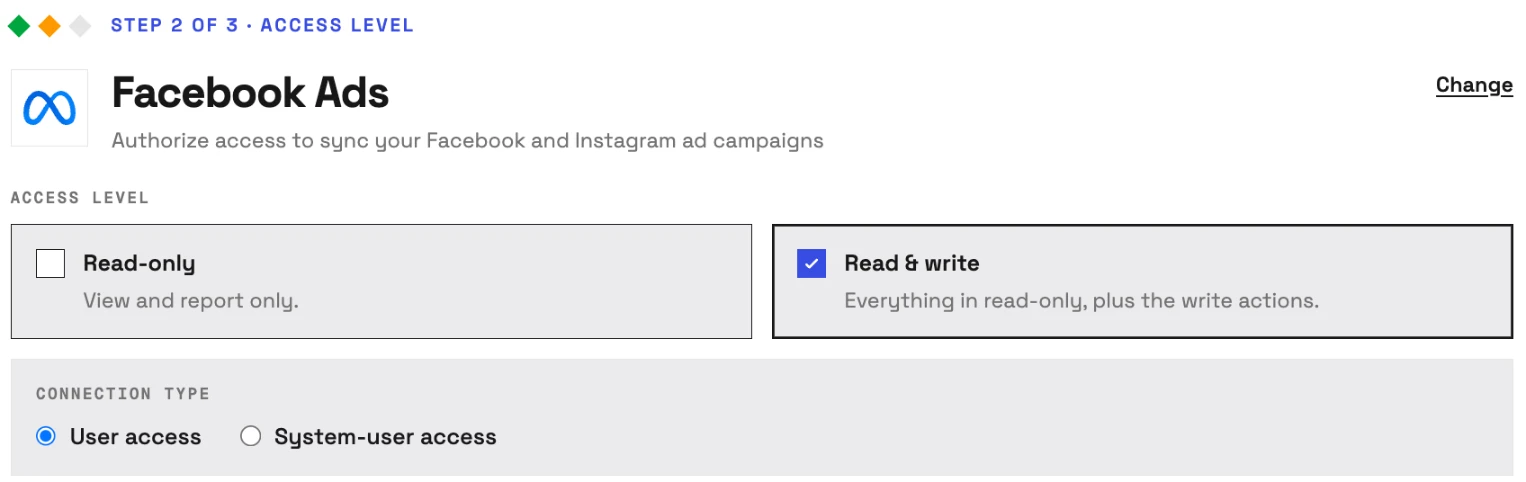
delete_campaign,delete_adsetanddelete_ad, which are permanent in Meta. - Read-only locks every write until an admin reconnects the account with Read & write, which adds Meta's
ads_managementpermission. - Every ID must belong to the chosen ad account, so the server refuses another account's objects.
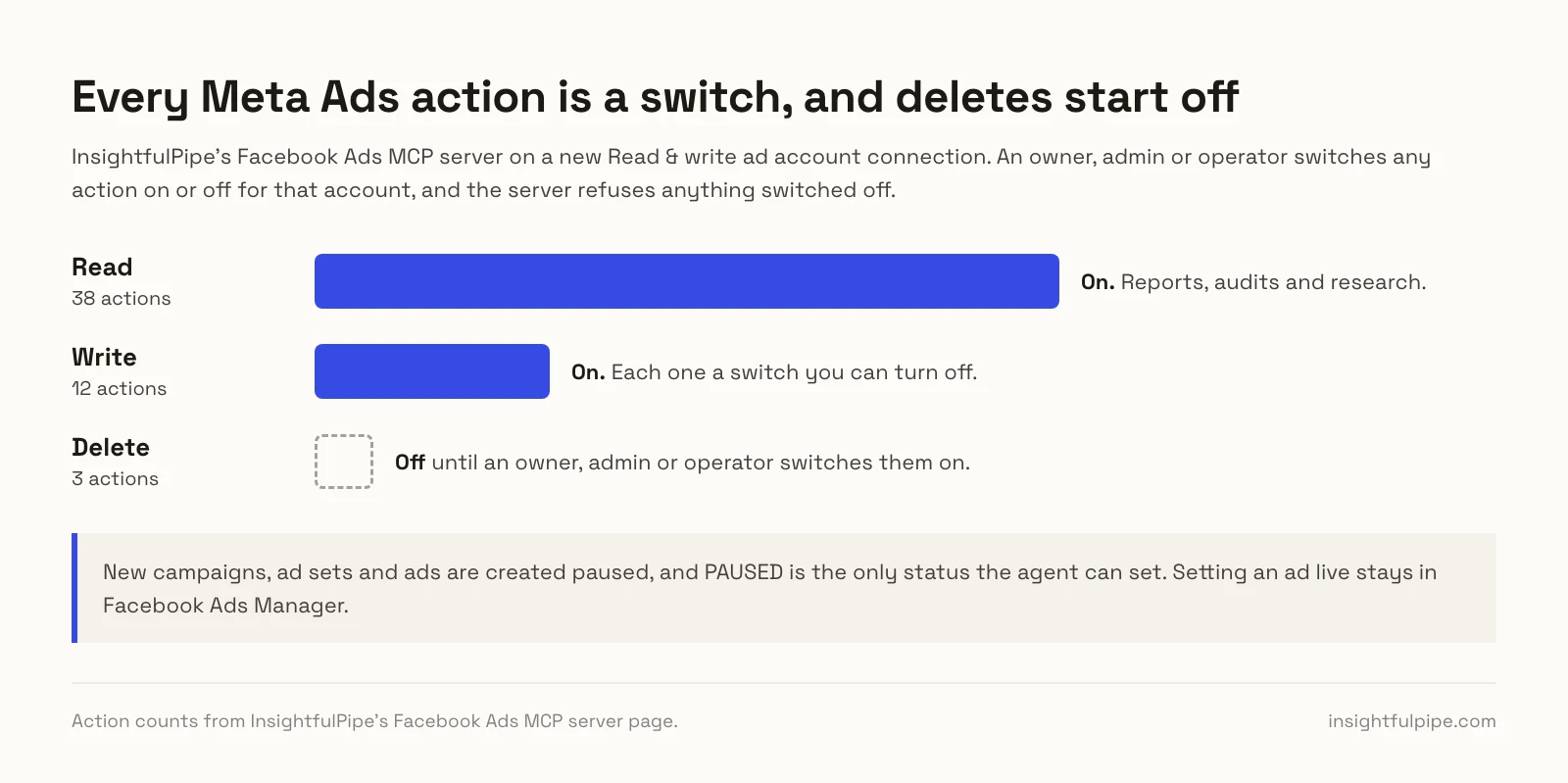
Only an owner, admin or operator can flip these switches, at any time. Members on the User role run only enabled reads on the accounts granted to them.
Connect Meta Ads to Claude in three steps
Connecting takes a Facebook sign-in and one URL, with no Meta developer app, no app review and no server to host. Each ad account you pick becomes its own connection.
- In InsightfulPipe, open Connected accounts, click Connect account and choose Facebook Ads. Pick Read-only or Read & write, click Continue with Facebook Ads and select your ad accounts.
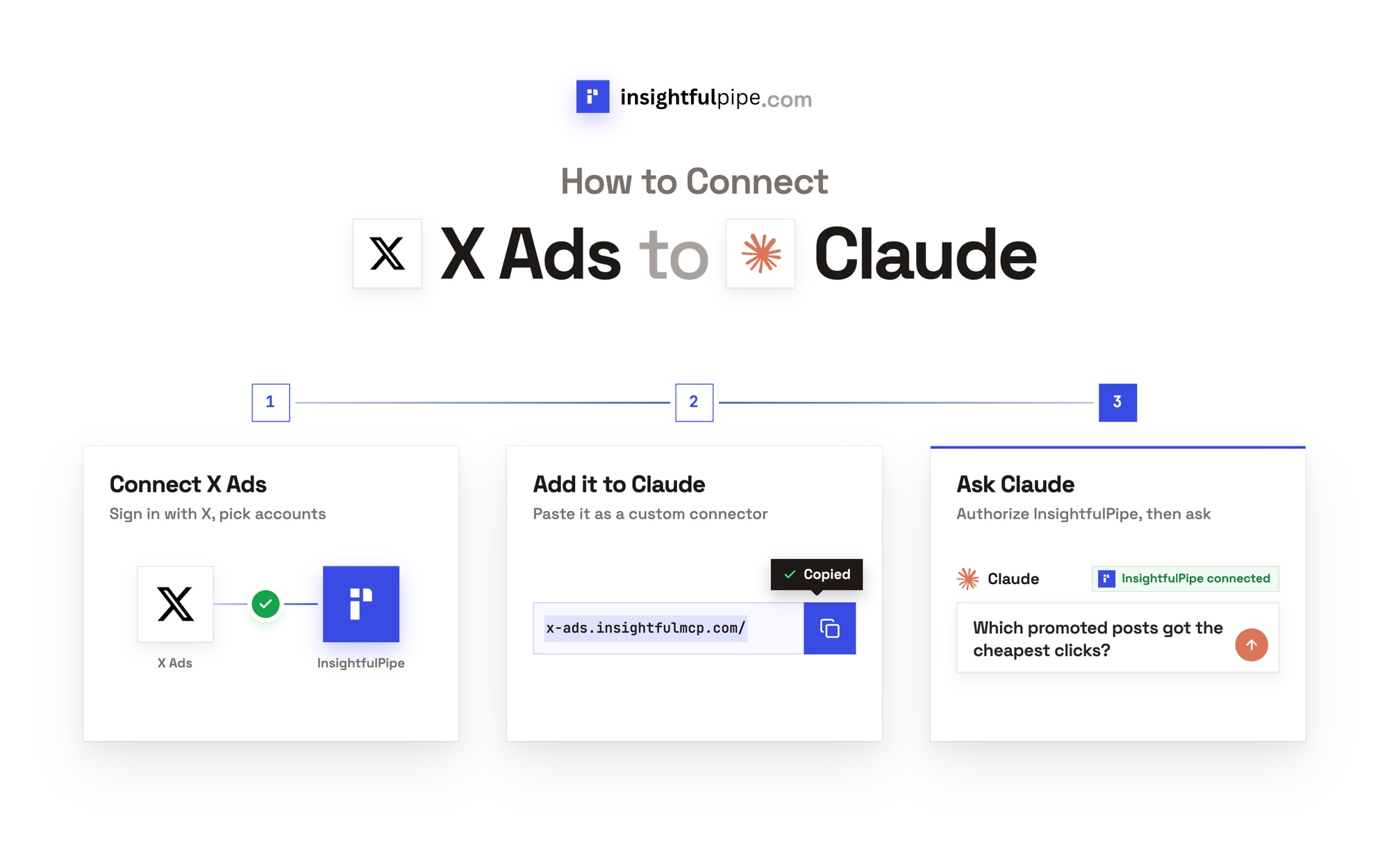
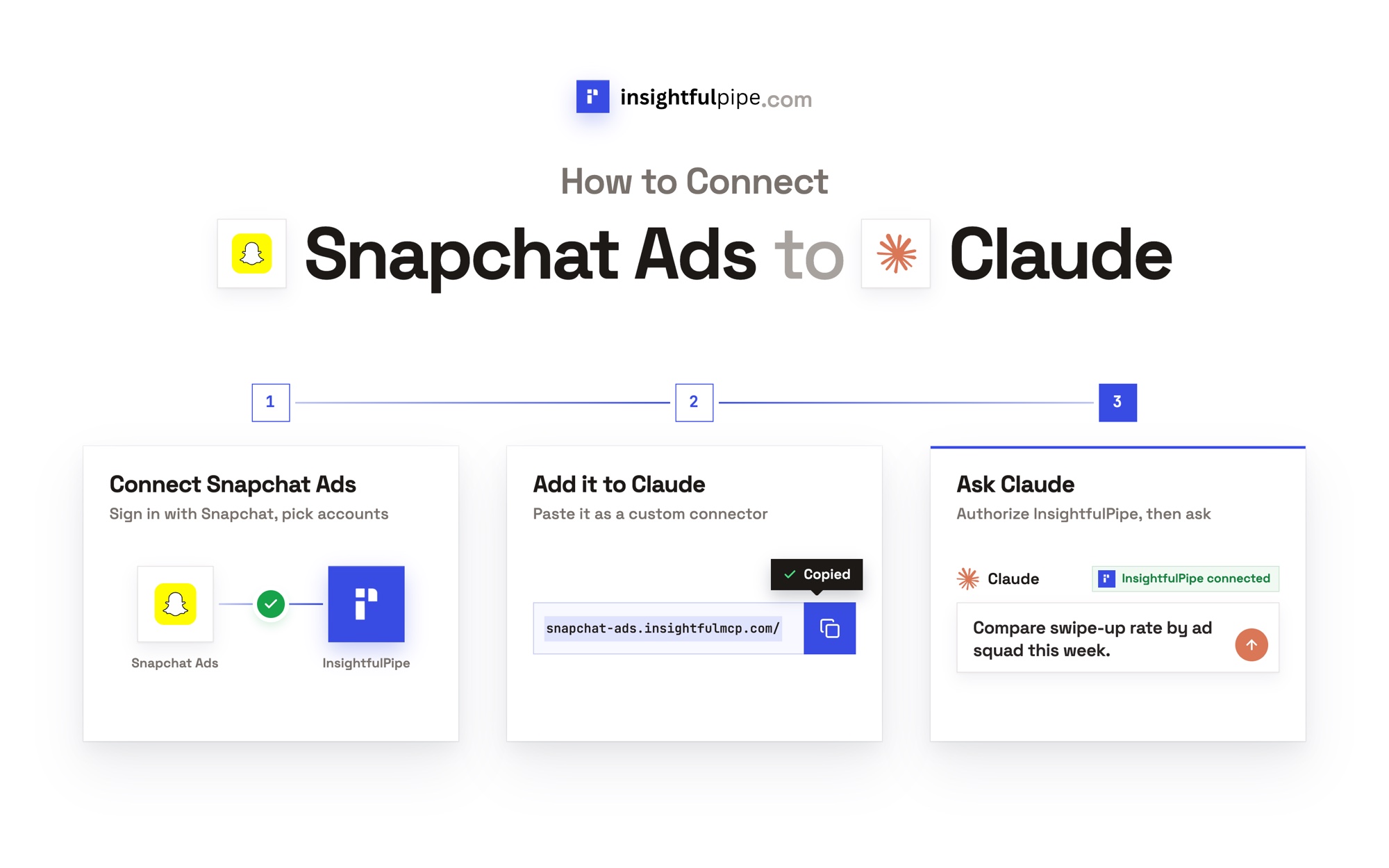
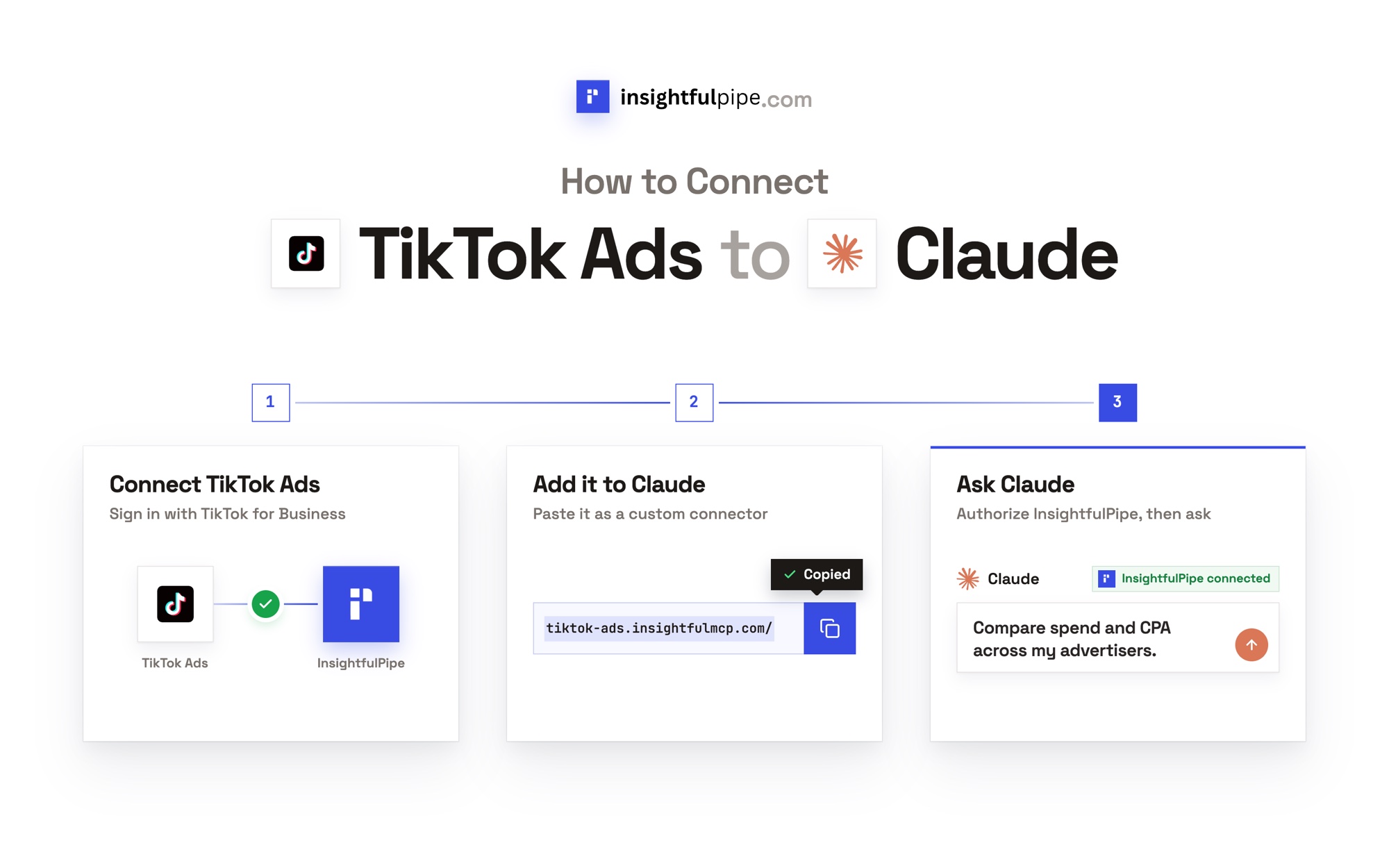
- In Claude, open Customize > Connectors, click +, then Add custom connector. Paste
https://facebook-ads.insightfulmcp.com/, click Continue, then Add. Click Connect, and sign in to InsightfulPipe if asked. - In a new chat, click +, open Connectors, switch Facebook Ads on and paste prompt 1.
In Claude Code, one line adds the same server:
claude mcp add --transport http facebook-ads-mcp https://facebook-ads.insightfulmcp.com/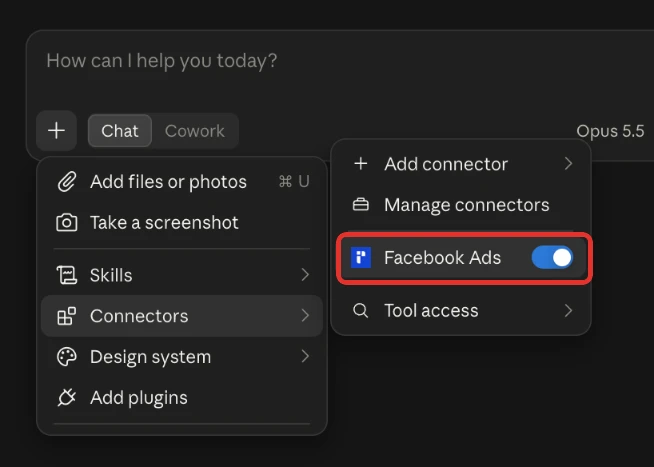
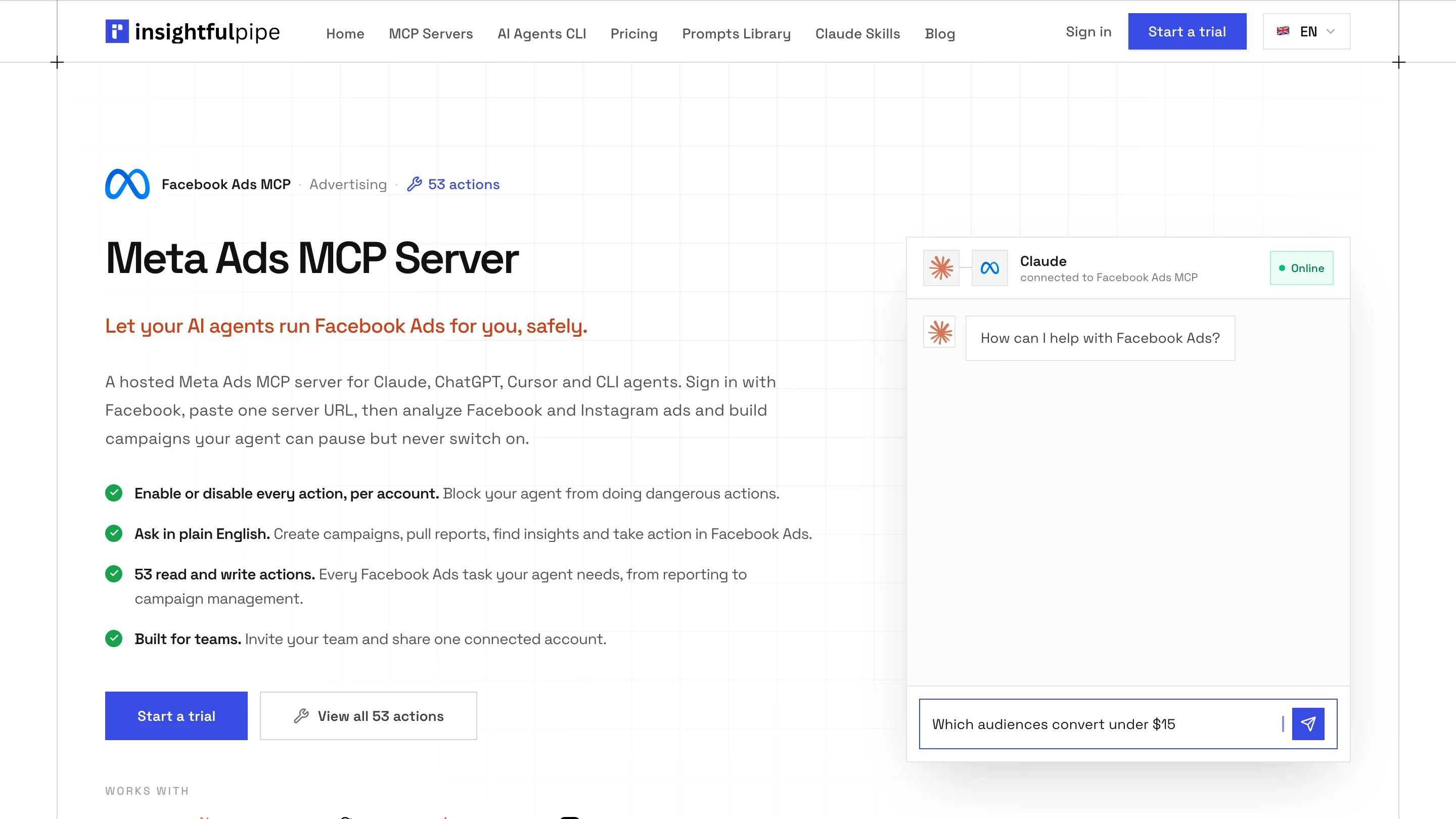
Plans start from $29.99 a month, and Starter covers 8 connected accounts, with each ad account counting as one. Start a trial on any plan.
Built-in templates and free skills
InsightfulPipe's Facebook Ads server also carries 5 built-in templates, longer analyses that Claude loads with prompts_menu. They are the Campaign Performance Analysis, Ad Set Audience Analysis, Creative Performance Review, Budget Optimization Report and Weekly Performance Summary.
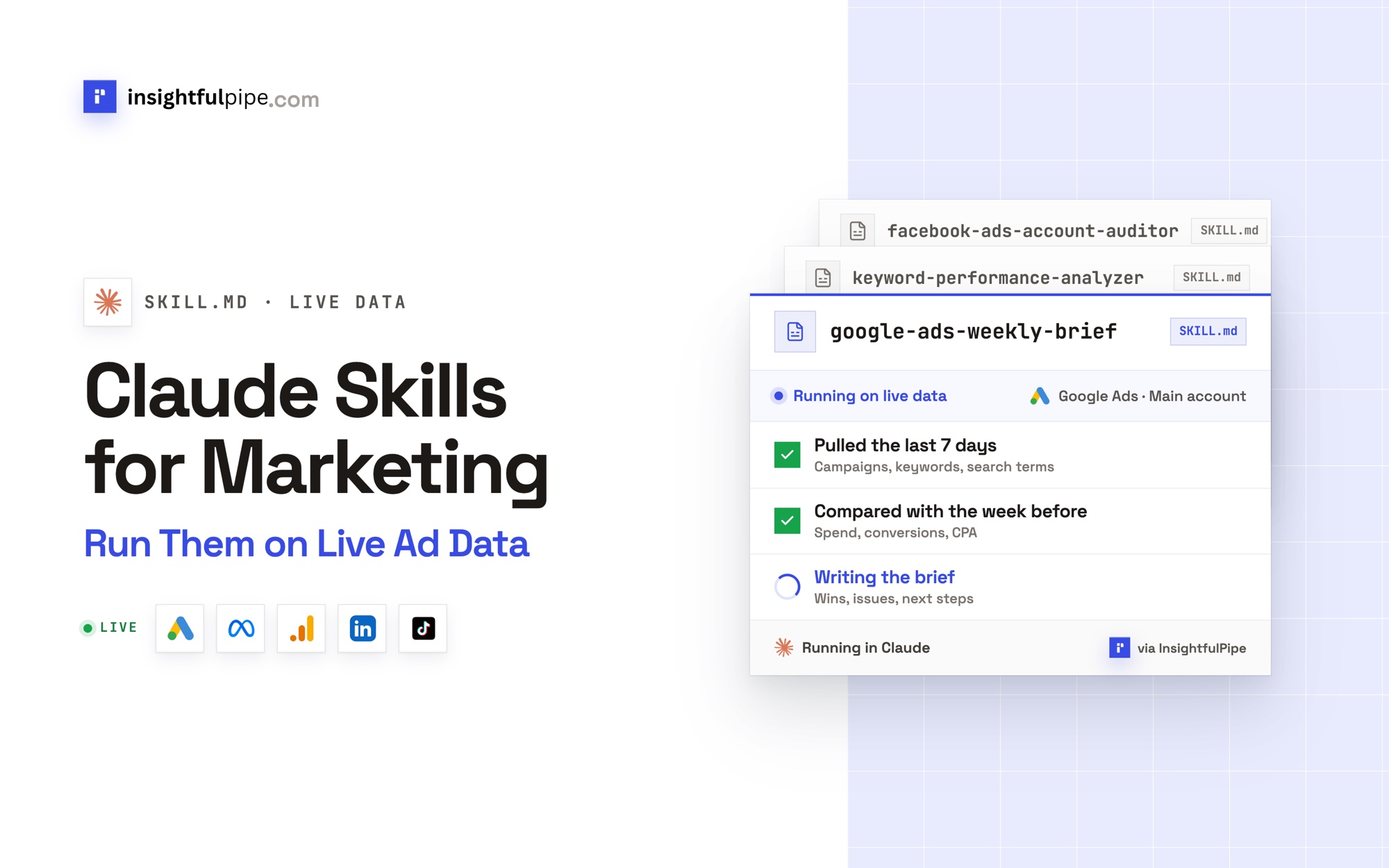
The same five sit in the free prompt library, including the Facebook Ads Weekly Performance Summary. For work you repeat, the free Facebook Ads Claude skills package 8 workflows, such as Facebook Ads Account Auditor and Facebook Ads Creative Tester. For search campaigns, 50 Google Ads prompts for Claude works the same way.
How do these prompts differ from other lists?
Most Claude prompts for Facebook Ads work from text or exports you paste in. Prompt Advance's list, first on Google for Facebook Ads prompts for Claude, has seven prompts that work from a [product] you name or data you paste. AdLibrary gives Facebook ads eight of its 50 marketer prompts, all copywriting. Ryze's guide, first for Meta Ads prompts for Claude, writes its 15 prompts "for an Ads Manager CSV" and says applying changes "needs a separate layer".
Windsor's 15 reporting prompts run on live data, and its FAQ says "Every prompt on this page is read-only." These run on live data too, and twelve make the change once you approve it. To compare connectors, see the best Facebook Ads connectors in 2026.
Meta also hosts its own ads MCP server, in open beta since April 29, 2026. Its write tools create entities paused, and "your AI client asks for confirmation before activation." InsightfulPipe leaves going live to you in Ads Manager, with Google Ads, GA4, LinkedIn Ads and 46 more platforms on the same login.
Frequently asked questions
Sources (checked 2026-10-02)
We checked each claim on its own page on 2026-10-02. Action names come from InsightfulPipe's helper, and breakdowns and statuses from Meta's reference.
- InsightfulPipe: Meta Ads MCP server, pricing, Facebook Ads Claude skills and prompt library
- Meta: Insights API breakdowns, ad reference, ads MCP server overview, ad creation and management tools and announcement
- Anthropic: using connectors and tool permissions and custom connectors
- Other prompt lists: Prompt Advance, Ryze, Windsor and AdLibrary