Disclosure: InsightfulPipe publishes this and is one of the 11 options ranked.
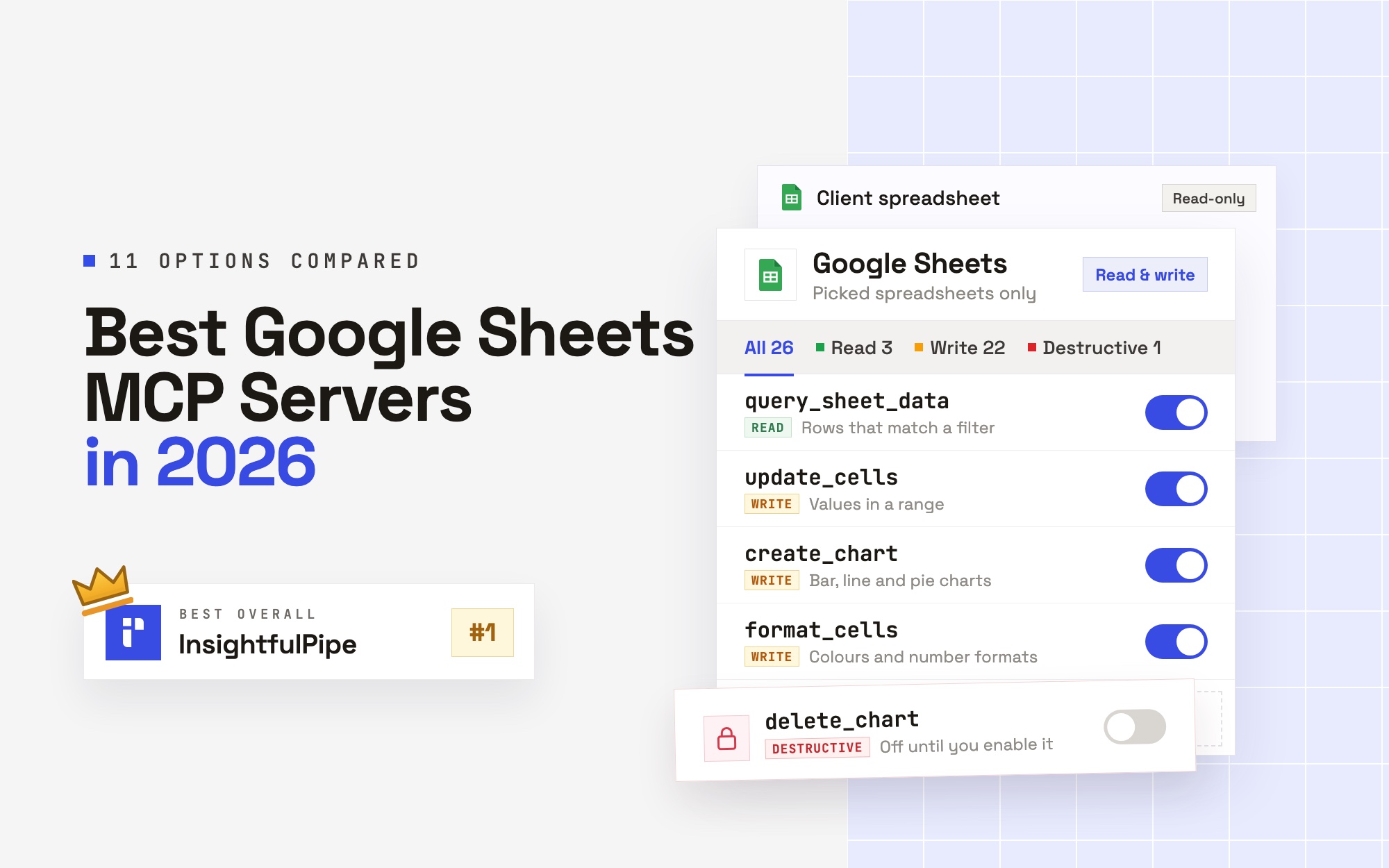
The best Google Sheets MCP server in 2026 is InsightfulPipe, because its Google Sheets MCP server reaches only the spreadsheets you pick and lets your admin switch each of its 26 actions on or off. You sign in with Google, choose files in Google's own file picker, and paste one server URL into Claude, ChatGPT or Cursor. There is no Google Cloud project, no service account and no OAuth client to build.
The best Google Sheets MCP server in 2026
InsightfulPipe is the best Google Sheets MCP server in 2026 for teams that want an AI agent, connected over MCP, to read and edit real spreadsheets without handing it the whole Drive. Google also offers its own server, but it sits in a Developer Preview and needs a Cloud project, two APIs, an OAuth client and four scopes.
That difference decides more than it seems to. Ten of the 11 servers here document tools that change a spreadsheet. Eight of them can delete a whole tab, through a tool of its own or a full batch update: Google's server, Composio, Zapier, Activepieces, Merge, xing5, taylorwilsdon and freema. InsightfulPipe has no tab, row or column delete at all. Its one delete, removing a chart, stays off until an admin switches it on.
- Best overall: InsightfulPipe. 26 Google Sheets actions, 3 read, 22 write and 1 destructive, each one switched on or off per spreadsheet by your admin. From $29.99 a month.
- Safest of the servers that can write: InsightfulPipe. It opens only the files you pick, a read-only connection locks every write until an admin reconnects it with read and write, and deleting a chart starts off.
- Best for reports across platforms: InsightfulPipe. The same connection reaches 49 more platforms, so an agent can write Google Ads, GA4 and Shopify numbers into one reporting tab.
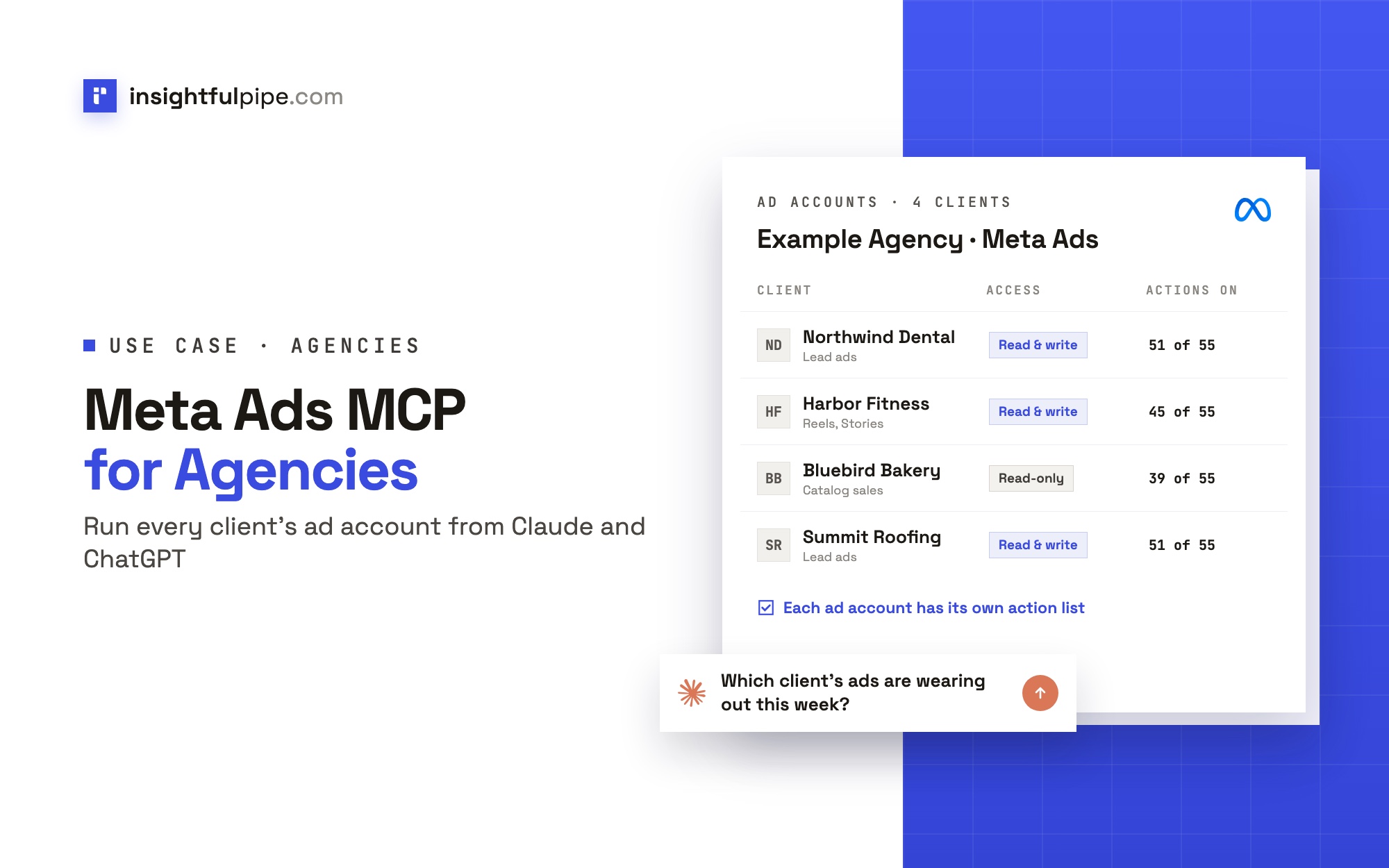
- Best for agencies: InsightfulPipe. Each spreadsheet is its own connection with its own action list, grouped by brand, so client sheets stay apart.
The 11 Google Sheets MCP servers at a glance
Eleven servers, compared on what they can do in a spreadsheet, what a new connection can reach, and what setup and pricing look like on each vendor's own pages.
Server | Sheets tools | What a new connection reaches | Hosting | Setup | Starting price |
|---|---|---|---|---|---|
InsightfulPipe | 26 actions (3 read, 22 write, 1 destructive) | Only the spreadsheets you pick; deleting charts starts off | Hosted | Google sign-in and a file pick | From $29.99/mo |
Google official | 6 tools | Every spreadsheet your Google account can open | Google runs it; you enable it in your Cloud project | Developer Preview, Cloud project, OAuth client | No price listed |
Composio | 50 on its toolkit page, 58 in its docs | Not published | Hosted platform and SDK | Account; your own OAuth app at scale | $0, then $29/mo |
Zapier MCP | 31 actions, 7 triggers | Not published on its Sheets page | Hosted | Zapier account | 100 tasks free (50 calls), then $19.99/mo yearly |
Activepieces | 27 tools, 4 triggers | Every action it ships, per its own page | Cloud or self-hosted | Account, then enable the MCP server | $0, then $20/mo |
Merge Agent Handler | 56 tools | The Tool Packs you define | Hosted | Account, users and Tool Packs | 2,000 credits free, then $1,000/mo |
Skyvia | SQL over one spreadsheet | One spreadsheet; public unless you add users | Hosted | Connection plus endpoint | 100 KB a month, then $15/mo yearly |
Coupler.io | Not published | Data flows you set up first | Hosted | Paid plan and data flows | Starter $24/mo yearly; MCP plan unclear |
xing5/mcp-google-sheets | 19 tools | Whatever its credentials open; all tools on | Self-hosted (Python) | Cloud project, service account | MIT, you host it |
taylorwilsdon/google_workspace_mcp | 120+ tools across 12 Google apps | Your OAuth client's scopes | Self-hosted | Cloud project, OAuth client | MIT, you host it |
freema/mcp-gsheets | 44 tools | Every tool, on files shared with it | Self-hosted (Node 22+) | Cloud project, service account key | MIT, you host it |
Google's official Sheets MCP server: what it does and what it needs
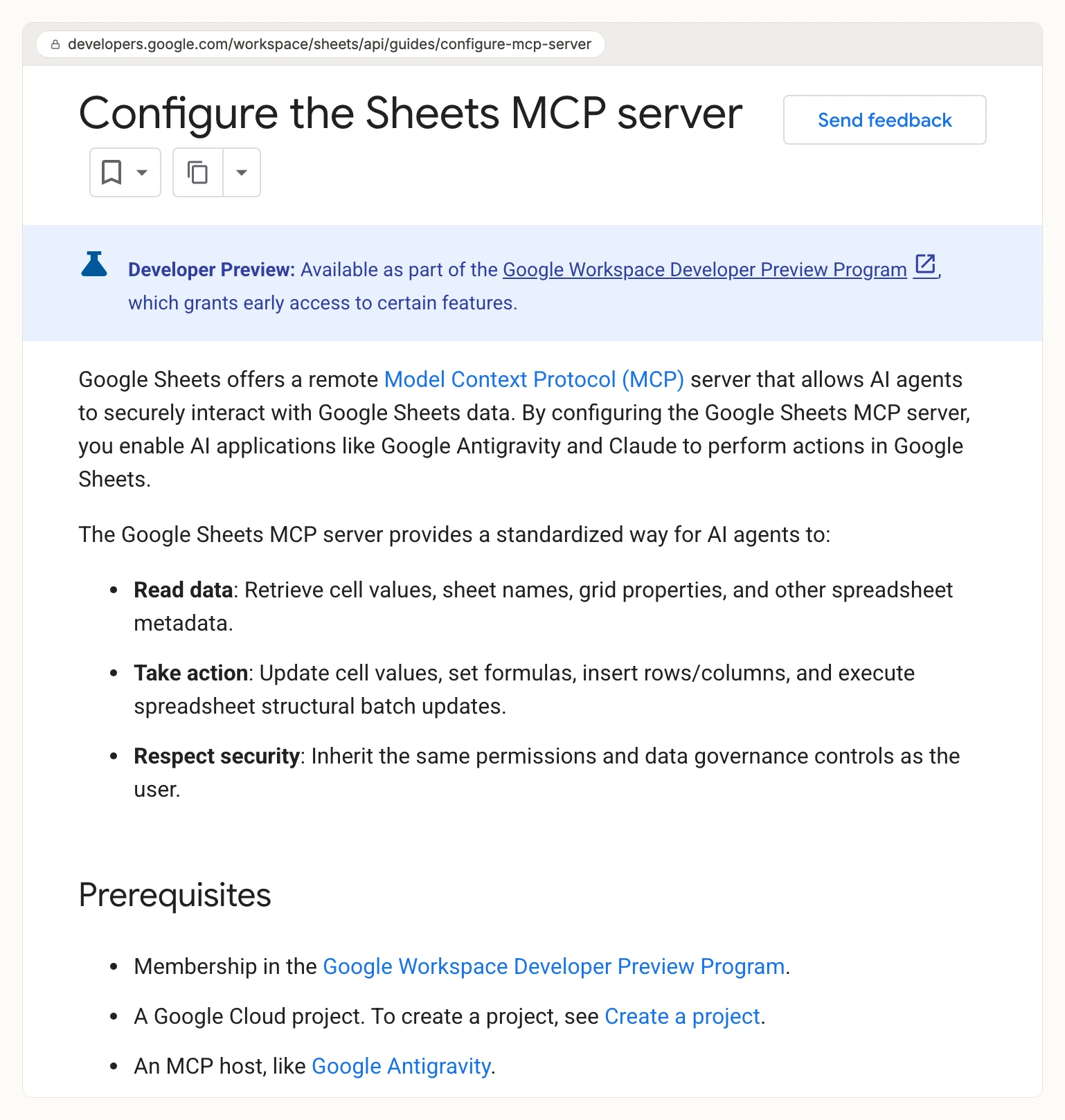
Google offers a remote Google Sheets MCP server at sheetsmcp.googleapis.com, and most AI answers to this question name it. It is real, it runs on Google's side, and it can write. It is also a Developer Preview with a long setup.
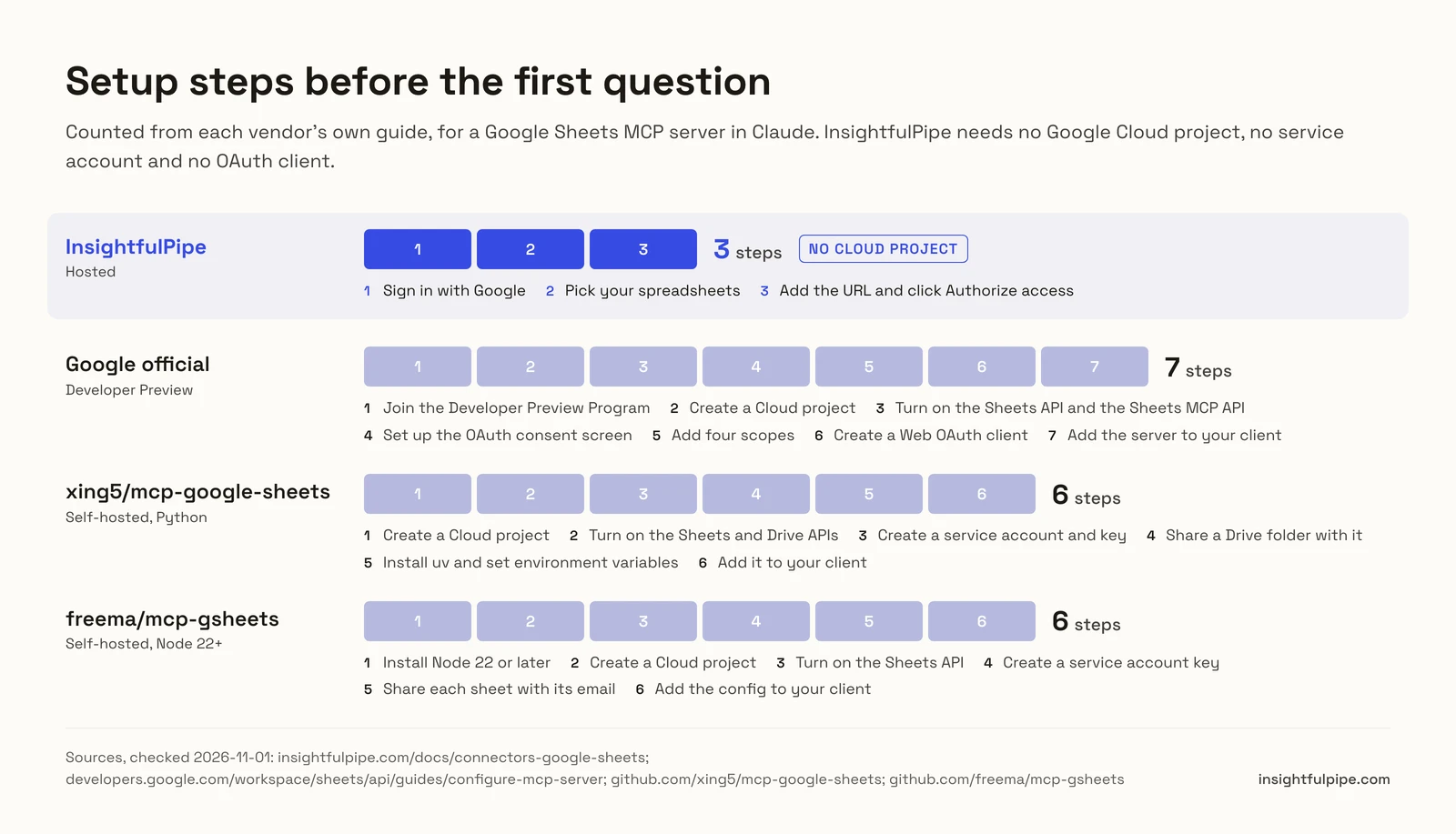
Google's own guide, last updated on 2026-10-29, lists the prerequisites. You need membership in the Google Workspace Developer Preview Program and a Google Cloud project. You turn on two services, the Google Sheets API and the Google Sheets MCP API. You set up an OAuth consent screen, add four scopes, and create a Web OAuth client marked "Use this client for an AI-powered agent". For Claude, the guide says you need an Enterprise, Pro, Max or Team plan.
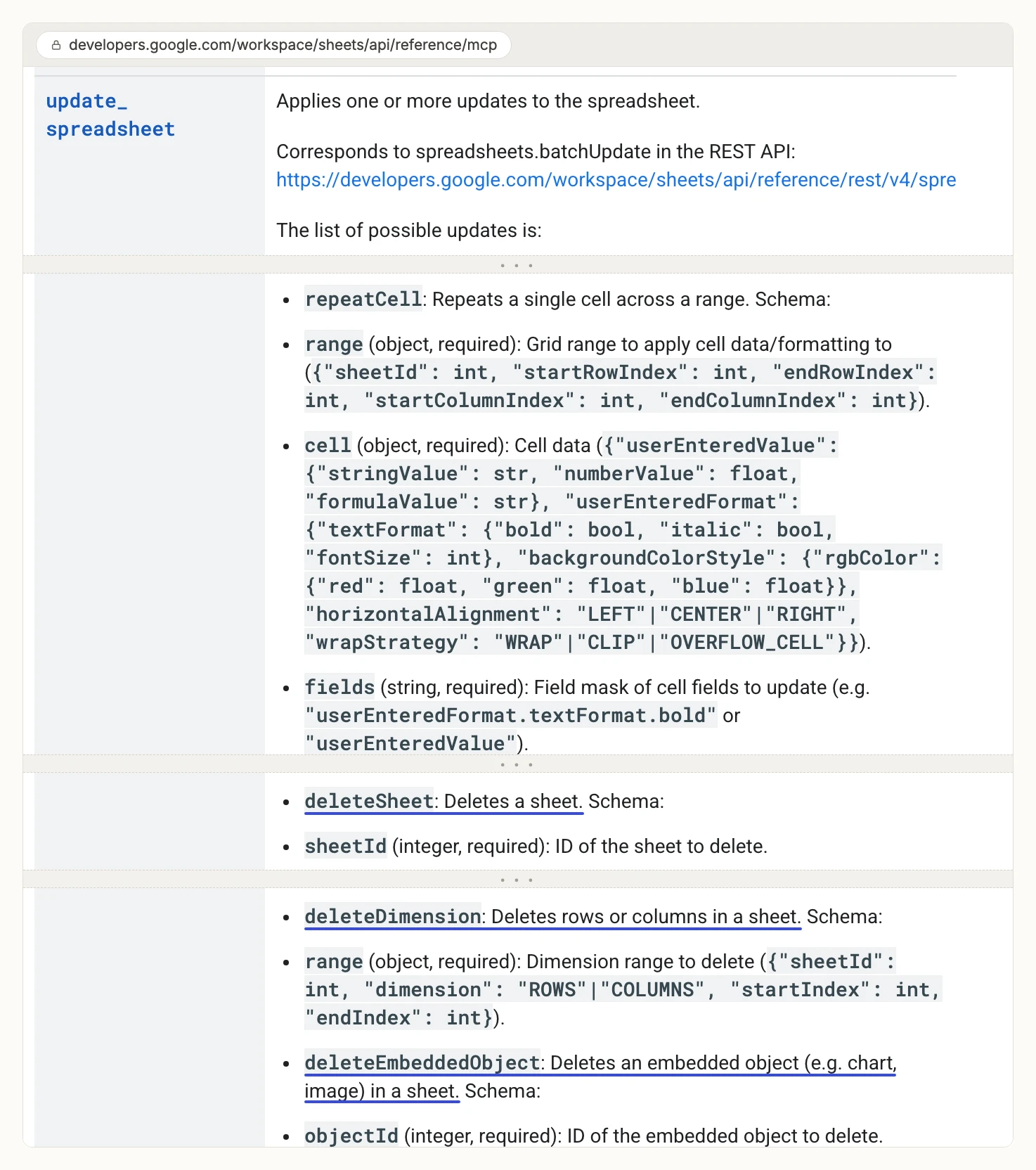
The server has six tools: get_values, get_spreadsheet, update_spreadsheet, update_values, update_formulas and insert_dimension. Six sounds narrow, but update_spreadsheet is a full batch update. Google's reference lists deleteSheet, deleteDimension and deleteEmbeddedObject inside it, next to formatting and filters. In a client that approves tools one by one, allowing that tool to format a range also allows it to delete a tab.
The scopes reach further than one file. Google's list is drive.readonly, drive.file, spreadsheets.readonly and spreadsheets, and the server inherits the signed-in user's permissions. Google's own security note says a host with these tools "can read, modify, and delete data in your Google Account", and that you must screen prompts and responses for prompt injection.
How we compared them
We read every capability, default and price from each vendor's own documentation, pricing page or public repository, and ran InsightfulPipe on live accounts. We checked every page on 2026-11-01. Where a vendor publishes its own tool count or token cost, we quote it.
We compared the 11 on eight criteria:
Criterion | What we checked |
|---|---|
Reach | Can the agent open only the spreadsheets you choose, or everything your account can open? |
Writes | Can it update cells, add rows, format, sort, filter and chart? |
Deletes | Does it ship a tool that deletes a tab, rows or columns, and does that tool start on? |
Control before a write | Can an admin choose which actions each spreadsheet allows, and does the server enforce it? |
Setup | Is it a sign-in, or a Cloud project, keys and a config file? |
Clients | Does it work in Claude, ChatGPT, Cursor and Claude Code from a URL? |
Other platforms | Does the same connection reach ads, analytics and store data? |
Price | What does write access cost to start? |
Where a vendor's own pages contradict each other, we quote both. Where a capability is not published, we say "not published" rather than guess. We left out servers with under 20 GitHub stars or no commit in the past six months, and tools such as n8n and Make, where you build the MCP workflow yourself.
Report or edit: the question that splits this list
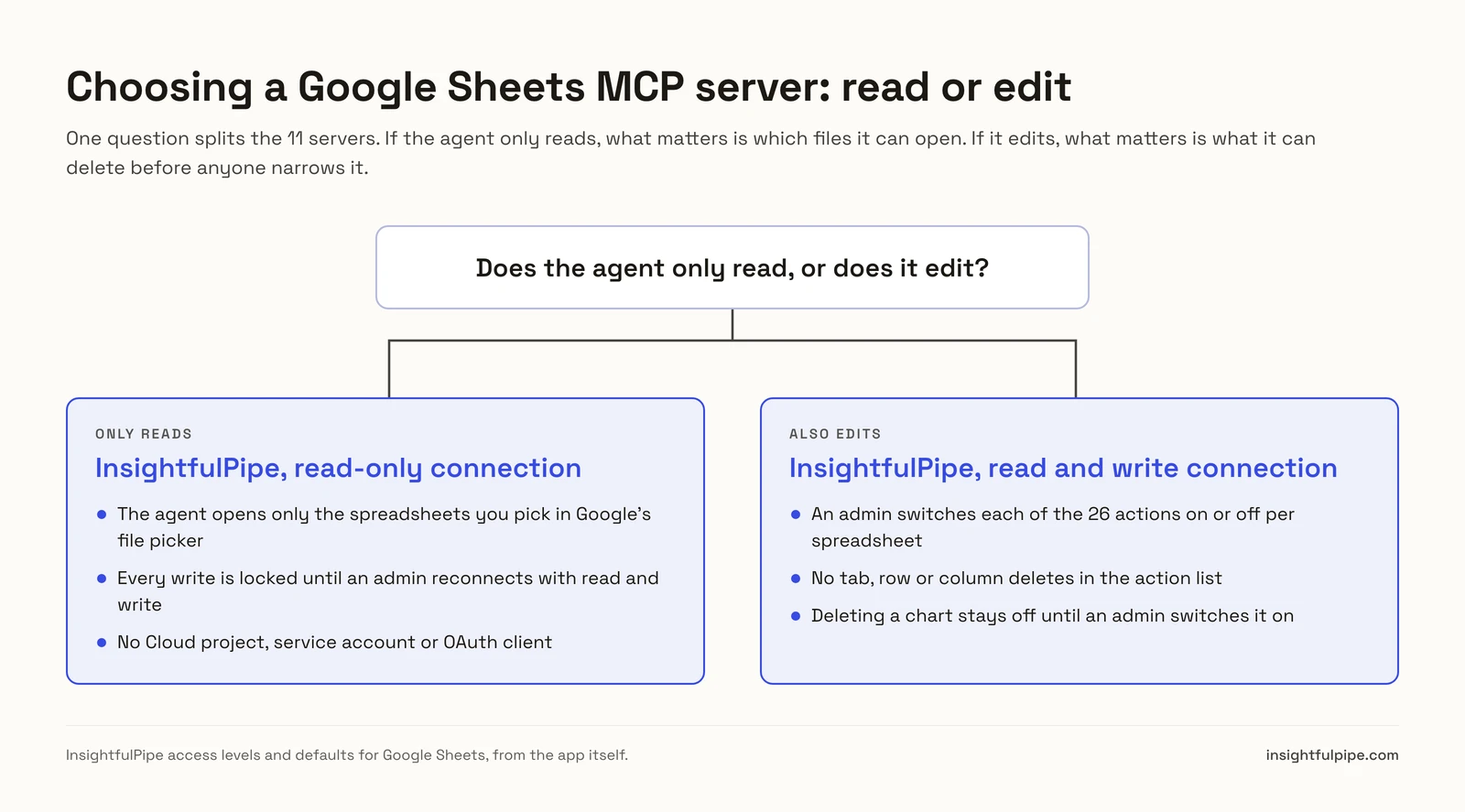
One question splits these 11: does the agent only read your sheets, or does it change them? If it only reads, what matters is which files it can open. If it writes, what matters is what it can delete before anyone narrows it.
If the agent only reports, connect your spreadsheets to InsightfulPipe as read-only. That locks every write action until an admin reconnects them with read and write, and the agent still sees only the files you picked. Google's server can read too, but its scopes cover every spreadsheet your account can open, and it needs the Developer Preview and a Cloud project. The open-source servers need a service account or OAuth client and a machine to run them.
If the agent edits, the list narrows to the ten that document writes, and the real question becomes what each one can remove. Eight of the ten can delete a tab, through a tool of its own or a full batch update. InsightfulPipe ships no such tool, and its chart delete starts off until an admin switches it on.
Side by side: what each server can touch
The table below sets the deciding capabilities next to each other, so you can see what a new connection can reach and what it can remove. InsightfulPipe is the only hosted one that combines picked files, per-action switches set by an admin, and no tab deletes.
Server | Files it can open | Deletes a tab | Deletes rows | Control before a write | Works from a URL in ChatGPT |
|---|---|---|---|---|---|
InsightfulPipe | Only files you pick (drive.file) | No | No | Each action, per spreadsheet, by an admin | Yes |
Google official | Every file your account opens | Yes, in update_spreadsheet | Yes, in update_spreadsheet | OAuth scopes you configure | Not documented |
Composio | Not published | Yes | Yes | A separate Firewall product | Yes |
Zapier MCP | Not published | Yes | Yes | Not published on its Sheets page | Yes |
Activepieces | Not published | Yes | Yes | Every action becomes a tool | Yes |
Merge Agent Handler | The user's spreadsheets | Yes | Yes | Tool Packs | Yes |
Skyvia | One spreadsheet per endpoint | Not published | Not published | Users and IP ranges | Not documented |
Coupler.io | Your data flows | Not published | Not published | Not published | Not published |
xing5/mcp-google-sheets | What the service account or login opens | Yes, through batch_update | Yes, through batch_update | Tool filtering by flag | Needs your own hosting |
taylorwilsdon | Your OAuth client's scopes | Yes, in its complete tier | Yes, in its complete tier | Tool tiers, read-only mode | Needs your own hosting |
freema/mcp-gsheets | Files shared with its service account | Yes | Yes | Toolsets, read-only flag | Needs your own hosting |
Hosted Google Sheets MCP servers
Seven hosted servers connect from a URL, and InsightfulPipe leads them because it limits the agent to picked files and gives every action its own switch. The other six follow.
InsightfulPipe
InsightfulPipe gives an AI agent 26 Google Sheets actions on the spreadsheets you pick, and you decide which of those actions each spreadsheet allows. You can see the full list on the Google Sheets MCP server page.
Reach is the first difference. InsightfulPipe asks Google for the per-file drive.file scope, and you choose spreadsheets in Google's own file picker. The agent can open those files and nothing else in your Drive. To add a sheet later, you click Connect again and pick it. Each spreadsheet becomes its own connection, and you can connect sheets from more than one Google account.
The 26 actions cover the work a reporting or ops agent does in a sheet:
- Read (3): list the tabs in a spreadsheet, peek at a tab's columns and sample rows, and query rows with SELECT and WHERE style filters, a limit, an offset and an A1 range
- Values (3): update a range, update several ranges in one call, and insert blank rows
- Structure (5): add, duplicate and change tabs, freeze rows or columns, and create named or protected ranges
- Format (8): cell formats, borders, banded rows, conditional formats, data validation, merges and auto-resize
- Analyze (7): sort ranges, set filters and saved filter views, add and update slicers, and create or delete charts
Why it is the safest way to let an agent edit Google Sheets
Control is the second difference, and it makes InsightfulPipe the safest of the servers that can write. Every limit is a switch, and your admin decides where each one sits.
An owner, admin or operator opens a connected spreadsheet and chooses exactly which of its 26 actions the agent can use. They can switch any action on or off again at any time. InsightfulPipe's server enforces that set, not your AI client, so the same limits hold in Claude, ChatGPT, Cursor, Claude Code and the CLI.
- Deleting a chart starts off. It is the only destructive action, and it stays off on a new connection until an admin switches it on.
- No tab, row or column deletes. The action list has none, so a misread prompt cannot remove a tab.
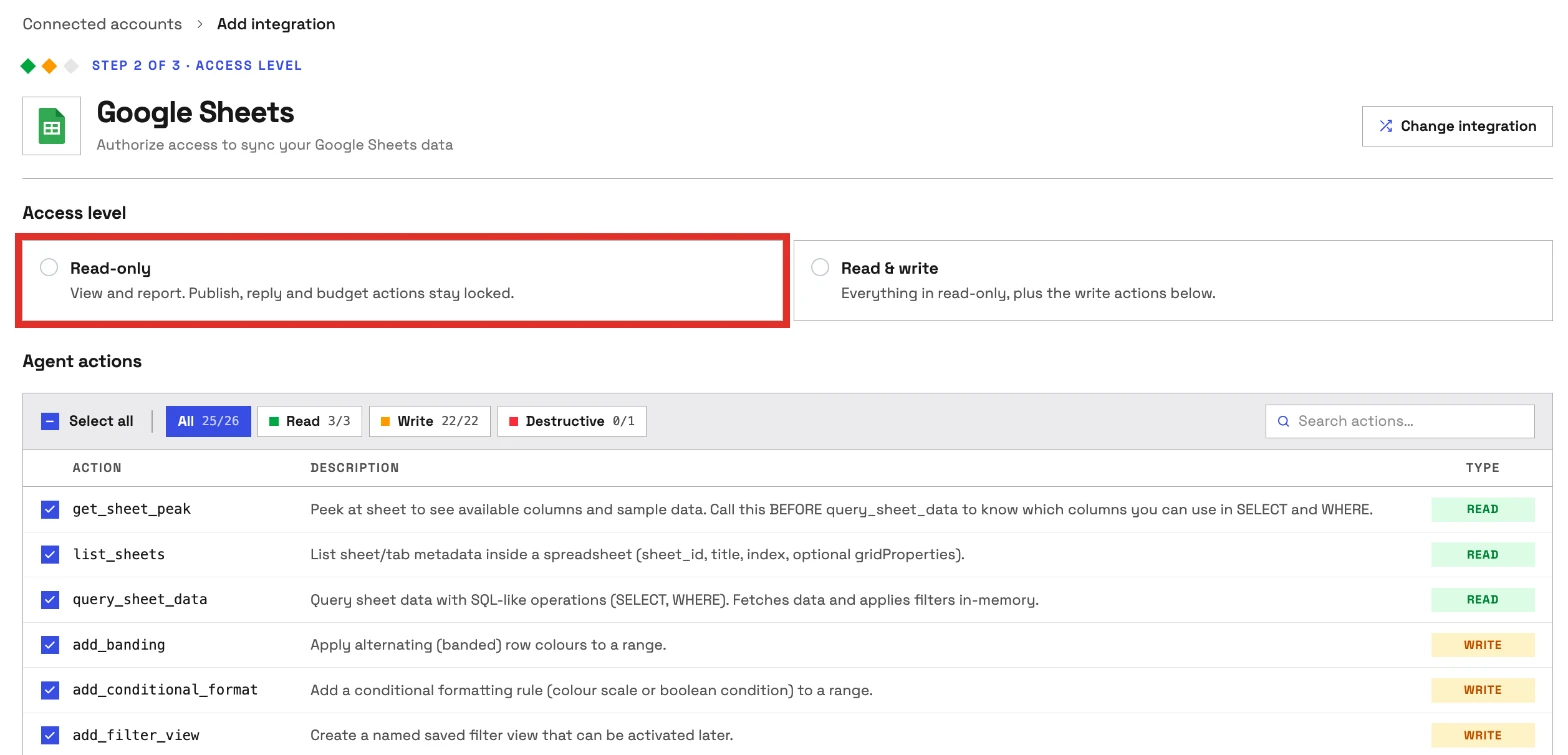
- Read-only means read-only. Connect a spreadsheet as read-only and no write action is available for it, until an admin reconnects it with read and write.
- Only picked files. The agent never sees the rest of your Drive.
- Roles hold. An owner or admin decides who holds which role, and can change it at any time.

Why four tools, not forty-four
Every tool a server publishes loads into the model's context on every turn. freema's README puts its 44 tools at 9,875 tokens. xing5's README puts its 19 tools at about 13,000. InsightfulPipe's Google Sheets server loads four tools, and the agent looks up the 26 actions behind them when it needs one. Switch off the actions a sheet does not need, and the agent picks from a shorter list.
What else you get
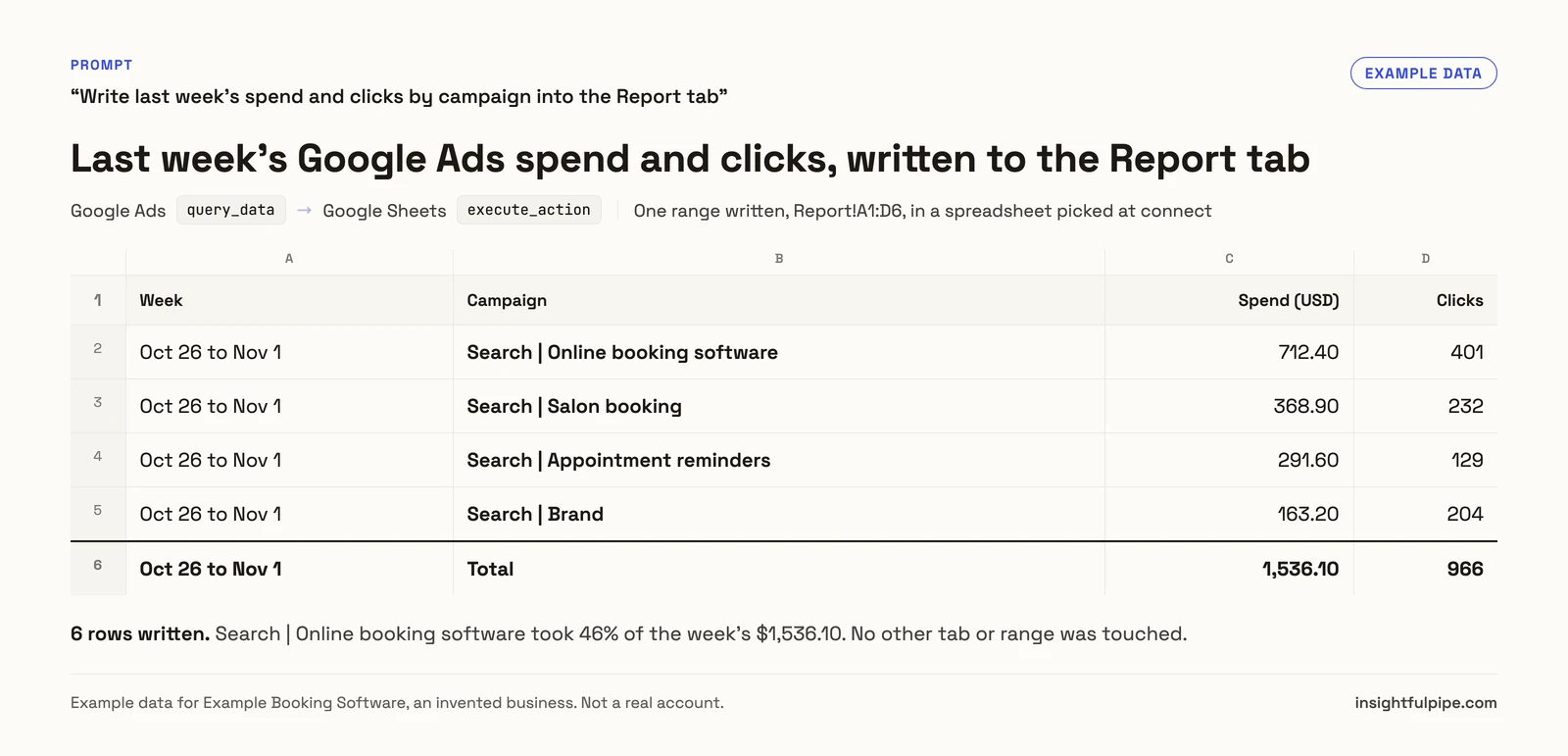
- 49 more platforms on one connection, including Google Ads, GA4, Meta Ads, Search Console, Shopify and BigQuery. One agent can pull last week's spend and sessions and write them into a reporting tab.
- Every major AI client: Claude, ChatGPT, Claude Code, Cursor, Gemini CLI and Codex CLI, each with its own setup guide in the app.
- Listed in Claude's connector directory and in ChatGPT's plugins, so the full server connects in one click.
- A CLI: the InsightfulPipe CLI runs the same reads and writes from a terminal.
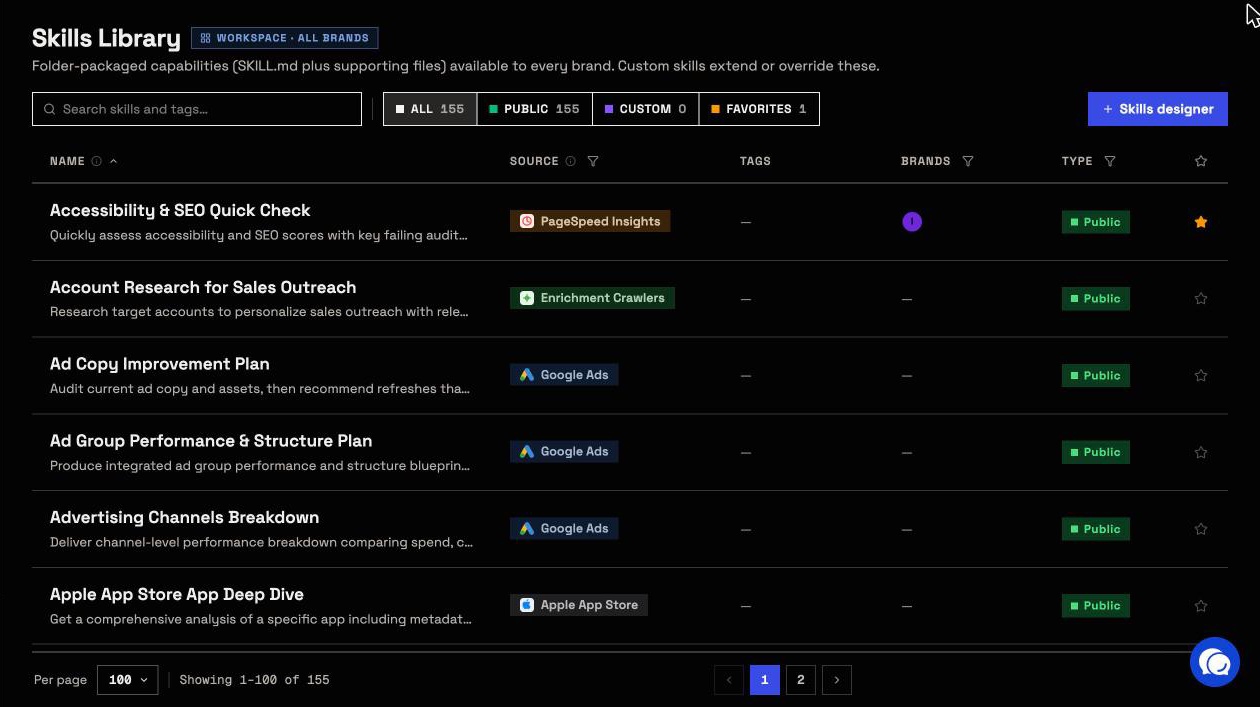
- Free prompts and skills: ready-made Google Sheets prompts and the Claude skills library cost nothing to copy. New to skills? Start with Claude skills for marketing.
Pricing: from $29.99 a month, with every MCP server and the CLI on every plan. See pricing.
Built for: agencies and in-house teams who want an agent to keep spreadsheets current, within limits they set file by file.
Composio
Composio is developer infrastructure, and its own pages disagree on how many Google Sheets tools it has. The toolkit page says 50 tools and 16 triggers. The docs say 58 tools and 16 triggers.
The docs list Delete Sheet, Delete Dimension and Delete Chart among them. The Hobby plan is $0 with 100,000 tool calls a month, and Pro is $29 a month. Composio's pricing page says its shared OAuth apps are "not recommended for scaling" and tells you to bring your own app as you grow, which means your own Google Cloud project. Composio sells a separate Firewall product for agent policies.
Pros
- 16 triggers for changes in a sheet.
- SDKs for building agent products.
Cons
- 50 tools on the toolkit page, 58 in the docs.
- Ships tab, row and column deletes.
- Production use points you to your own OAuth app.
Built for: developers wiring Sheets into their own agent product.
Zapier MCP
Zapier's Google Sheets MCP lists 31 actions and 7 triggers, and every call costs two tasks.
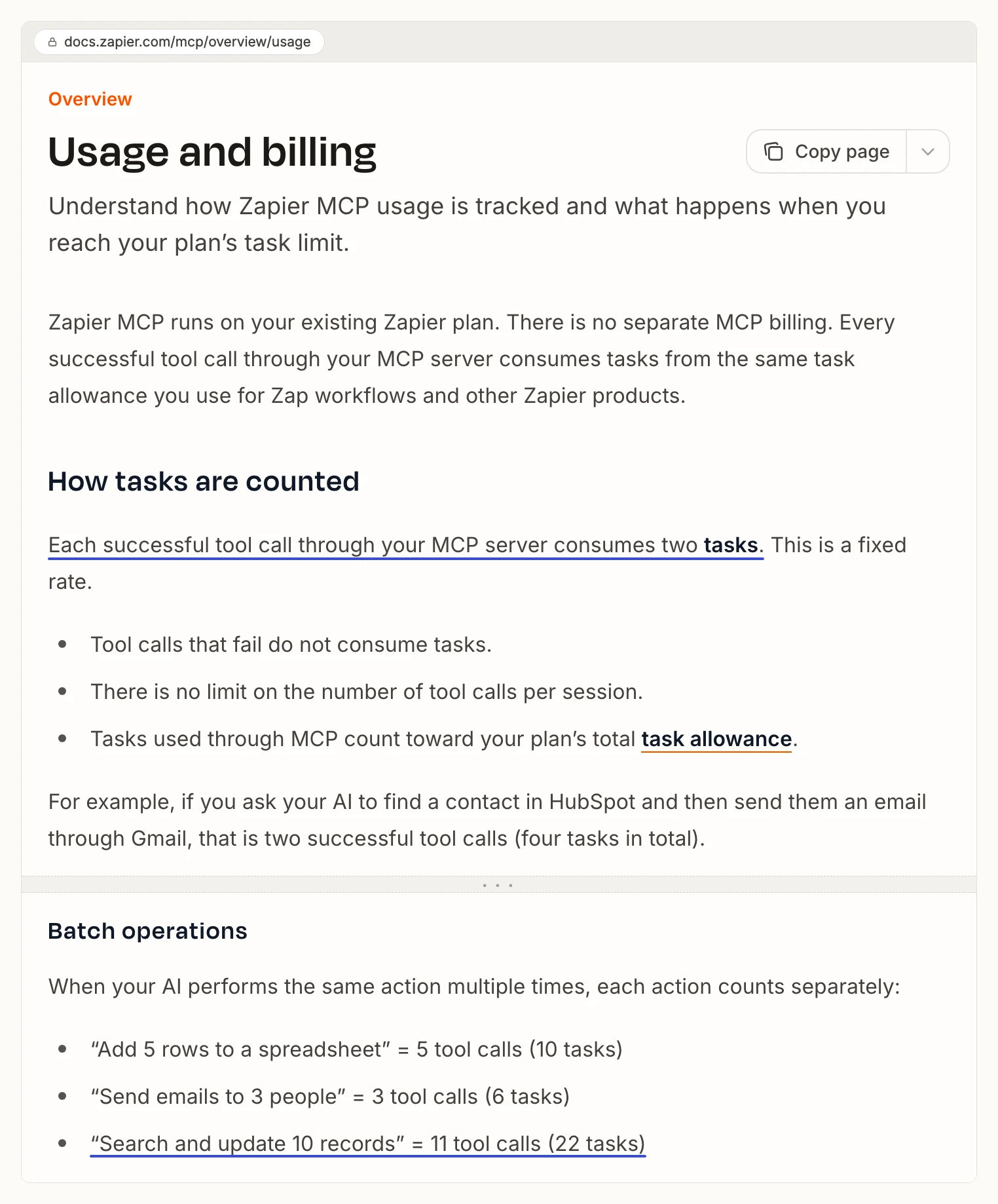
Its page lists 20 write actions, 8 search actions and 3 search-or-write actions. Delete Sheet is among them, with Zapier's own warning that it "cannot be undone", next to Delete Spreadsheet Row(s). Zapier's usage docs say each successful tool call through an MCP server consumes two tasks. The Free plan has 100 tasks a month, so 50 calls. Professional starts at $19.99 a month billed yearly for 750 tasks.
Pros
- Triggers on new or updated rows.
- One account across Zapier's app list.
Cons
- Each call uses two tasks; the free plan covers 50 calls.
- Ships Delete Sheet, which Zapier says cannot be undone.
- Its Sheets page publishes no default for what a new connection can use.
Built for: teams already running Zaps who want an assistant to start them.
Activepieces
Activepieces exposes 27 Google Sheets tools behind one server URL, and its page says every action it ships becomes a tool your assistant can call.
The list includes Delete Row, Delete Multiple Rows, Clear Sheet and Delete Worksheet, plus a Custom API Call tool that reaches any Sheets API endpoint. It is MIT licensed and runs on Activepieces' cloud or your own servers. The Free plan has 1,000 credits a month, and Plus is $20 a month.
Pros
- MIT licensed, cloud or self-hosted.
- 4 triggers for sheet events.
Cons
- Every Sheets action becomes a tool once connected, per its own page.
- A Custom API Call tool reaches past the listed actions.
- Ships Delete Worksheet and row deletes.
Built for: teams already building flows in Activepieces.
Merge Agent Handler
Merge Agent Handler lists 56 Google Sheets tools and scopes them with Tool Packs. Merge aims it at IT and security teams that govern employee AI, and at companies shipping agent products.
The tool list starts with list_spreadsheets, which lists the user's spreadsheets, so the reach is the account, not a picked file. It includes delete_sheet, which Merge's own description says "cannot be undone", and delete_dimension for rows and columns. Pricing is usage based: tool calls spend monthly credits, 2,000 on the Free plan and 25,000 on Pro at $1,000 a month.
Pros
- Tool Packs scope which tools an agent gets.
- DLP scanning and audit logs, per its product page.
Cons
- Reaches the user's spreadsheets, not picked files.
- Ships delete_sheet and delete_dimension.
- Setup means registered users and Tool Packs before the first call.
Built for: IT teams putting guardrails around employee AI tools.
Skyvia
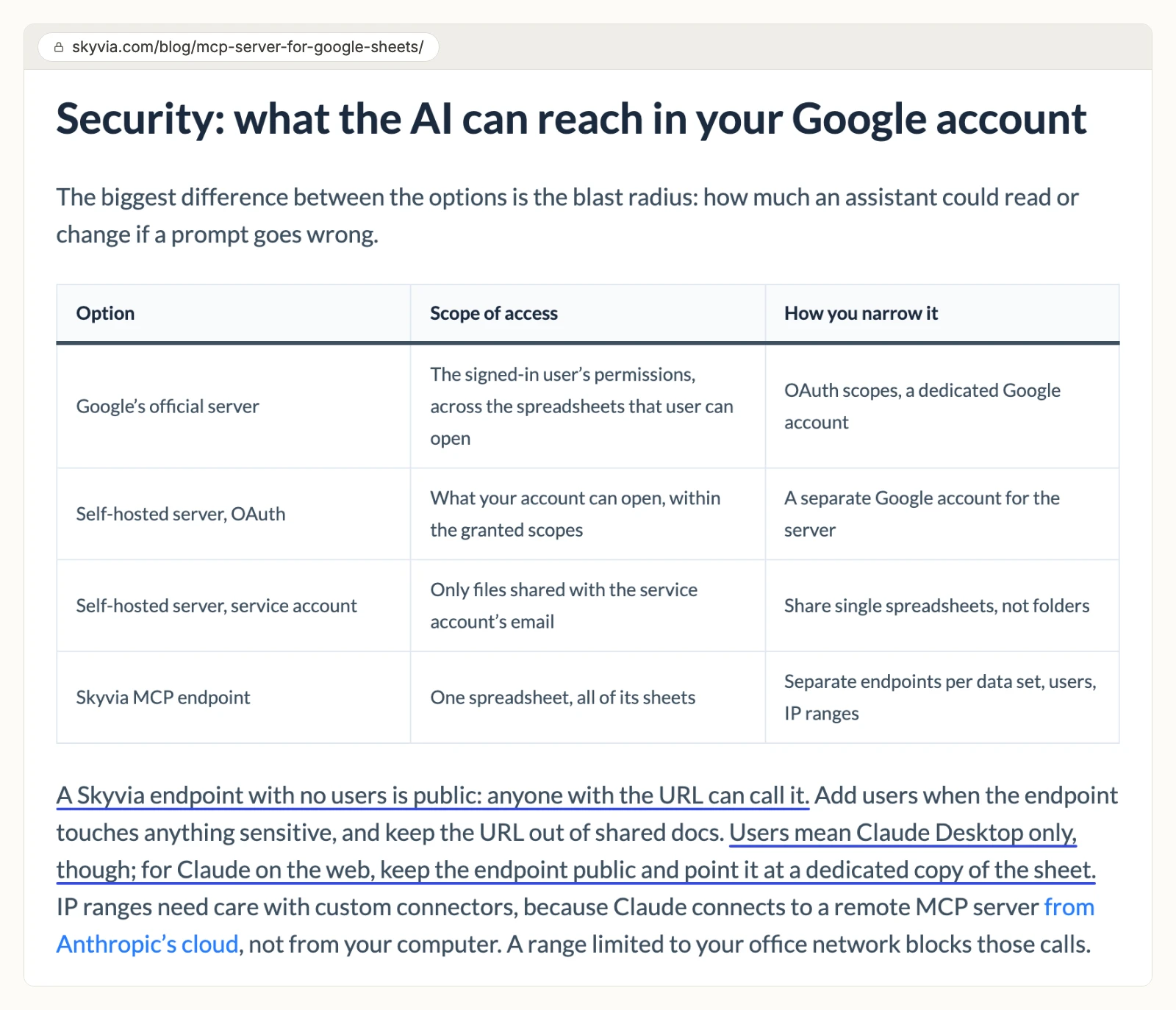
Skyvia turns one Google Sheets connection into an MCP endpoint, and its own guide says an endpoint without users is public.
Each connection points at one spreadsheet, and its tabs become tables the assistant queries with SQL. Skyvia's guide says "anyone with the URL can call it" when the endpoint has no users. Once you add users and passwords, its guide says Claude on the web can no longer use it, and Claude Desktop needs a config file. Skyvia Connect's Free plan gives 1 endpoint and 100 KB of traffic a month. Basic is $15 a month billed yearly, or $19 monthly, for 1 MB.
Pros
- One spreadsheet per endpoint.
- A request log for each endpoint.
Cons
- Endpoints without users are public.
- Password-protected endpoints drop Claude on the web, per its guide.
- Traffic caps start at 100 KB a month on Free and 1 MB on Basic.
Built for: teams already moving data with Skyvia.
Coupler.io
Coupler.io runs AI analysis over data flows you set up first, and its own pages disagree on the plan you need.
Its MCP page says you need "at least the Professional plan" and data flows in Coupler.io. Its pricing page lists Starter at $32, Active at $132 and Pro at $259 a month, and no Professional plan. The MCP page says 70+ data sources; the pricing page says 400+. Its MCP page also says the AI "receives processed data summaries instead of raw individual entries". It publishes no tool list.
Pros
- Blends Sheets with other data flows.
- Dashboards in the same product.
Cons
- Names a plan its pricing page does not list.
- Gives 70+ and 400+ data sources on different pages.
- No tool list published.
Built for: teams already using Coupler.io dashboards.
Self-hosted open-source Google Sheets servers
These three run on your own machine or server, and each needs a Google Cloud project with keys you create and rotate. None of them gives ChatGPT a URL until you host it somewhere it can reach.
xing5/mcp-google-sheets
A community server with 1,016 GitHub stars, an MIT license and 19 tools. Its README says all 19 load by default at about 13,000 tokens, and a flag trims them. You run it with uvx, after you create a Cloud project, a service account and a key. Its batch_update tool opens the full Sheets batch update, deletes included. Its OAuth route asks for the full drive scope, and a share_spreadsheet tool can add editors to a file. The last commit was on 2026-05-14, and 43 issues are open.
Built for: developers who want a Python server to fork and host.
taylorwilsdon/google_workspace_mcp
A Workspace-wide server with 3,452 stars and 120+ tools across 12 Google apps, Sheets among them. It offers three tool tiers and a read-only mode, and it runs over stdio or streamable HTTP. Its complete tier adds tab deletes and row and column deletes. You bring your own OAuth client from your own Cloud project.
Built for: developers who want Gmail, Docs and Sheets in one self-hosted server.
freema/mcp-gsheets
A TypeScript server with 104 stars and 44 tools, which its README measures at 9,875 tokens with every toolset on. It ships sheets_delete_sheet, sheets_delete_rows and sheets_delete_columns, all on by default, and a GSHEETS_READ_ONLY flag that turns writes off. It needs Node 22 or later, a Cloud project and a service account key, and you share each sheet with the service account's email.
Built for: developers who want toolsets to trim and a codebase to fork.
What a Google Sheets agent can do before anyone narrows it
What an agent can do on day one depends on each server's defaults, and they differ more than the feature lists suggest. Ask four questions before you connect a sheet with company data.
Which files can it open? Google's server inherits your account and asks for drive.readonly and spreadsheets. Merge lists the user's spreadsheets. xing5's OAuth route asks for the full drive scope. On InsightfulPipe the agent opens only the files you picked.
What can it delete? Eight servers here can delete a tab. On InsightfulPipe nothing deletes a tab, a row or a column, and deleting a chart starts off until an admin switches it on.
Who sets the limits, and who enforces them? Activepieces turns every action into a tool. freema and xing5 trim tools with flags in a config file. On InsightfulPipe an owner, admin or operator sets the actions per spreadsheet, and the server enforces them in every client.
What do you set up first? Updating cells overwrites what is there, so switch update_cells and batch_update_cells off on sheets whose values the agent should not change, and keep a copy of a master sheet before a large edit. Connect report sheets as read-only. That is why InsightfulPipe is the safest of the servers that can write: the one destructive action starts off, the agent sees only picked files, and every limit is a switch your admin controls.
Which Google Sheets MCP server should you choose?
Choose InsightfulPipe if you want an agent that reads and edits only the spreadsheets you pick, within limits you set file by file.
- You want reports in Claude or ChatGPT without edits: InsightfulPipe, connected read-only, which locks every write until an admin reconnects it with read and write.
- You want the agent to update and format sheets: InsightfulPipe. 22 write actions, each switched on or off per spreadsheet, and no tab or row deletes.
- You run an agency with sheets per client: InsightfulPipe. Each spreadsheet is its own connection, grouped by brand, with its own action list.
- You want ad, analytics and store data written into sheets: InsightfulPipe. One connection reaches Google Ads, GA4, Meta Ads, Shopify and 45 more platforms. See cross-platform marketing reports with AI.
- You want answers without writing formulas or SQL: InsightfulPipe. You ask in plain language, and the agent filters rows with its query action. See querying marketing data without SQL.
You can run more than one server. MCP clients support several in one session.
Connect InsightfulPipe's Google Sheets MCP server in four steps
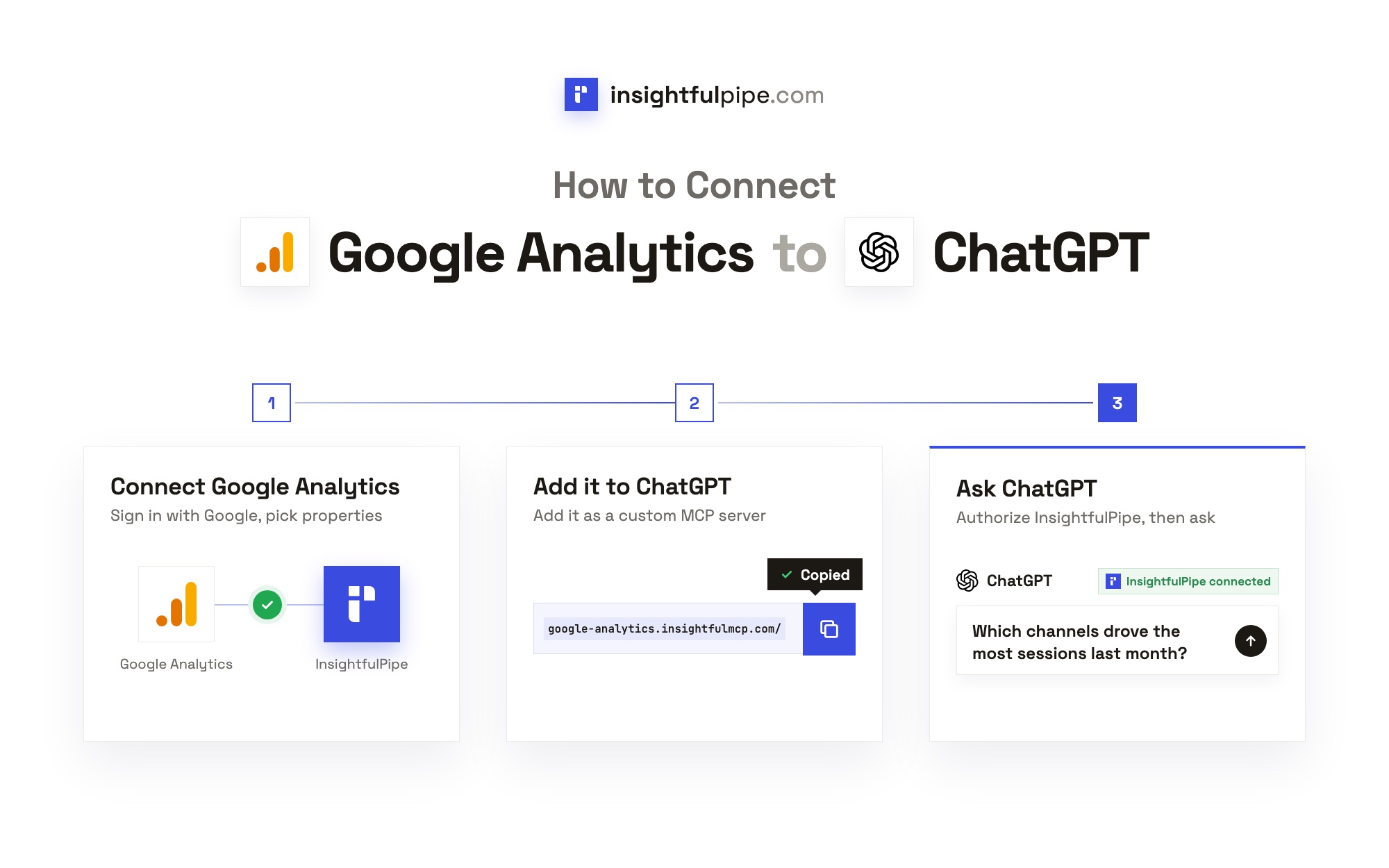
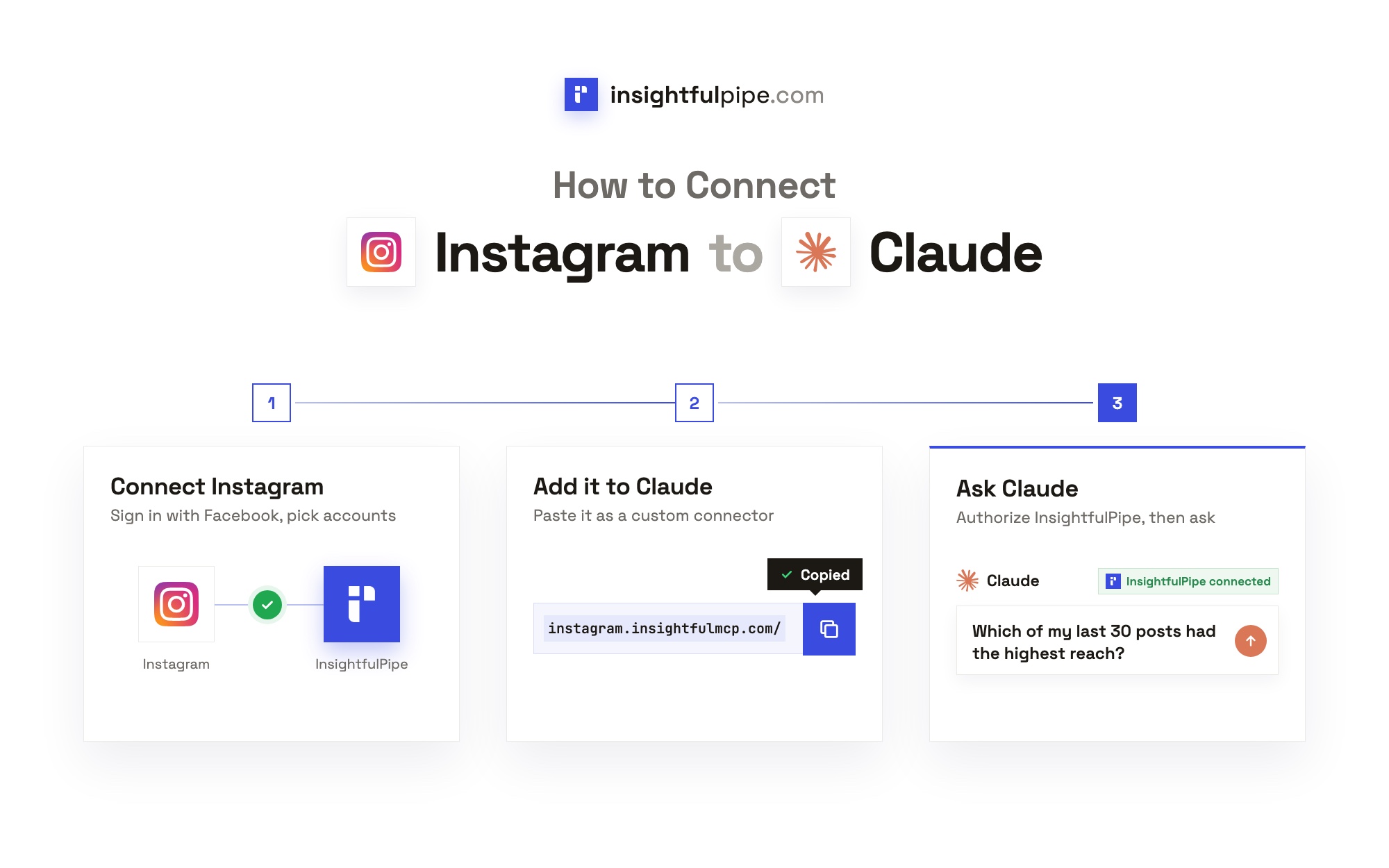
Connecting InsightfulPipe takes a Google sign-in, a file pick and one URL, with no Cloud project and no keys. If MCP is new to you, start with what MCP is and how it differs from an API.
Step 1: Connect Google Sheets in InsightfulPipe
In InsightfulPipe, open Connectors, choose Google Sheets and click Connect. Pick Read-only or Read & write, keep the actions you want in the Agent actions list, then click Continue with Google Sheets and sign in with Google.
Step 2: Pick your spreadsheets
Choose the spreadsheets in the Google file picker. The connection gets access to those files only. To add one later, click Connect again and pick it.
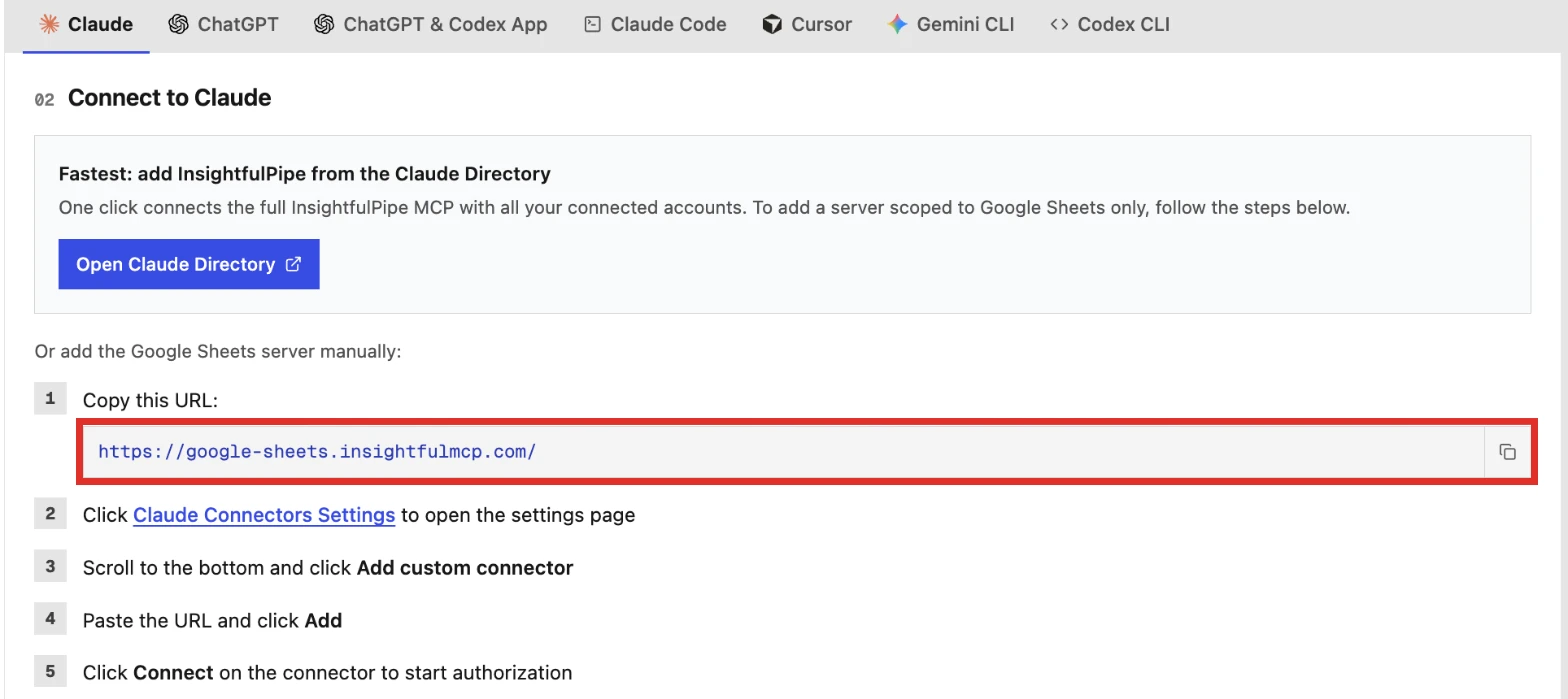
Step 3: Add the server URL to your AI client
In Claude, open Customize > Connectors, click + Add, then Add custom connector, paste https://google-sheets.insightfulmcp.com/, click Continue twice, then Add. Click Connect, sign in to InsightfulPipe if asked, then click Authorize access. In Claude Code, run:
claude mcp add --transport http google-sheets-mcp https://google-sheets.insightfulmcp.com/In ChatGPT, open Plugins, click Add, choose Add custom MCP server and paste the same URL. ChatGPT, Cursor, Gemini CLI and Codex CLI finish with the same InsightfulPipe sign-in and Authorize access.
Step 4: Choose the actions and ask your first question
Open the spreadsheet's actions, keep the ones you want, and start a new chat. Try a read first:
Preview the Budget tab in my Marketing Plan sheet, then list the rows where Status is Qualified.Ready to try it on your own sheets? Start a trial, from $29.99 a month. For reports that run on a schedule, see automating client reporting with Claude, and to ask questions across every connected account, use the InsightfulPipe MCP server.
What the other vendors do not publish
Some vendors leave out facts a buyer needs before connecting a sheet, or publish two versions of them.
- Composio: one tool count on its toolkit page and another in its docs, 50 against 58.
- Coupler.io: no tool list, a "Professional" plan its pricing page does not show, and two different data source counts.
- Zapier: no default on its Sheets page for which actions a new connection can use.
- Google: no published date for the Sheets server leaving Developer Preview.
- Skyvia: no setting in its docs for which operations an endpoint allows; its docs say a new endpoint opens all the data its connection reaches.
What we would not recommend
Some Google Sheets MCP servers still show up in AI answers but are too small or too stale to rank. Each one below runs on your own machine and needs your own Cloud project.
- MarkusPfundstein/mcp-gsuite: no commit since 2025-04-14.
- kazz187/mcp-google-spreadsheet: no commit since 2025-08-02.
- ringo380/claude-google-sheets-mcp: no commit since 2025-09-27.
- mattiatrombella/google-sheets-mcp, mcp-z/mcp-sheets and domdomegg/google-sheets-mcp: three stars or fewer each.
For the wider field, see the best MCP servers for marketing and how InsightfulPipe compares with Composio.
Frequently asked questions
Sources (checked 2026-11-01)
Every competitor claim above comes from that vendor's own page, documentation or repository, opened on 2026-11-01.
- InsightfulPipe: Google Sheets MCP server, connector docs, pricing
- Google: configure the Sheets MCP server, MCP tool reference, Workspace MCP servers
- Composio: toolkit, docs, pricing
- Zapier: Google Sheets MCP, MCP usage, pricing
- Activepieces: Google Sheets MCP, pricing
- Merge: Google Sheets connector, Agent Handler, Agent Handler pricing
- Skyvia: Google Sheets MCP guide, MCP endpoints docs, pricing
- Coupler.io: Google Sheets MCP, pricing
- Community: xing5/mcp-google-sheets, taylorwilsdon/google_workspace_mcp, freema/mcp-gsheets