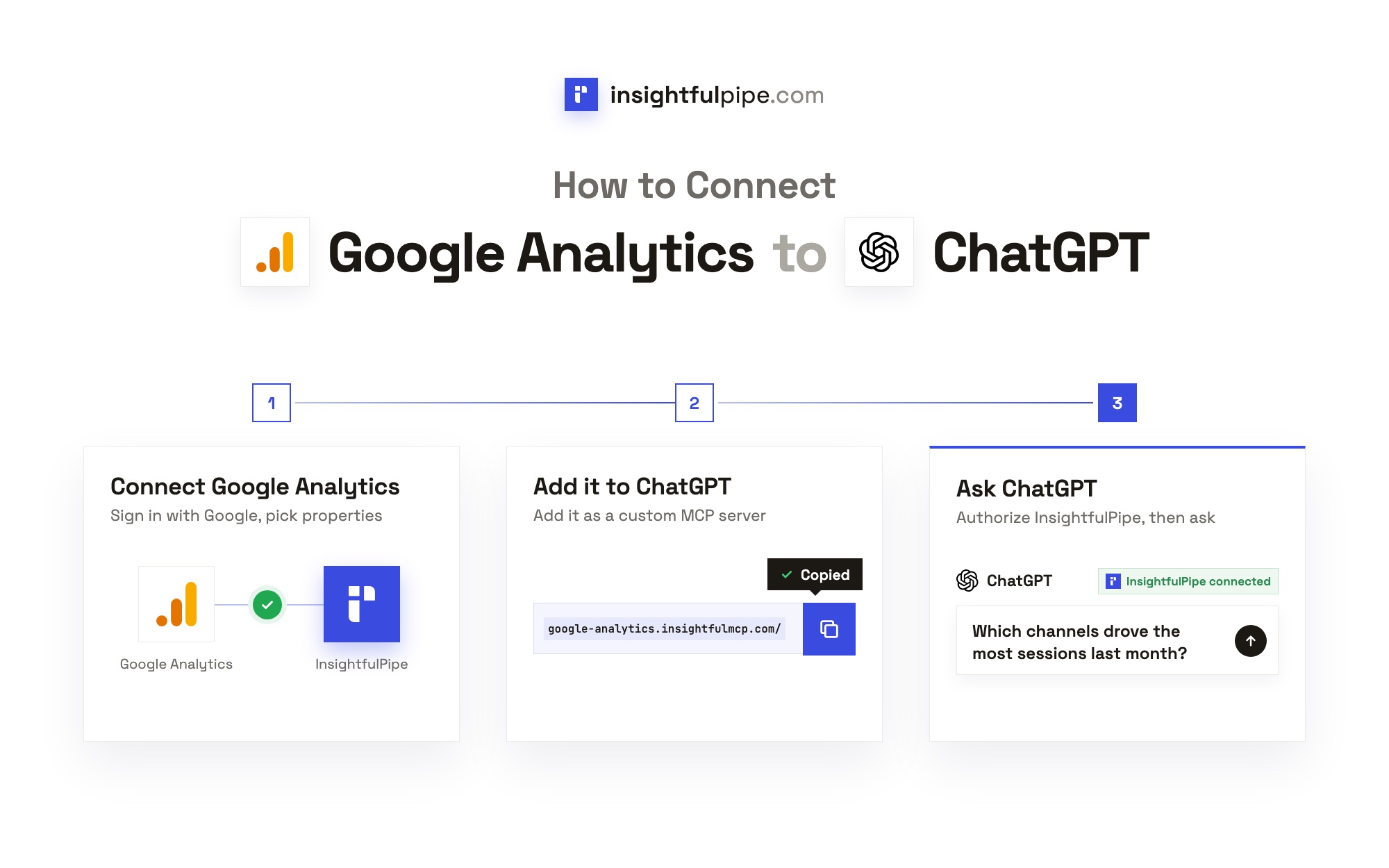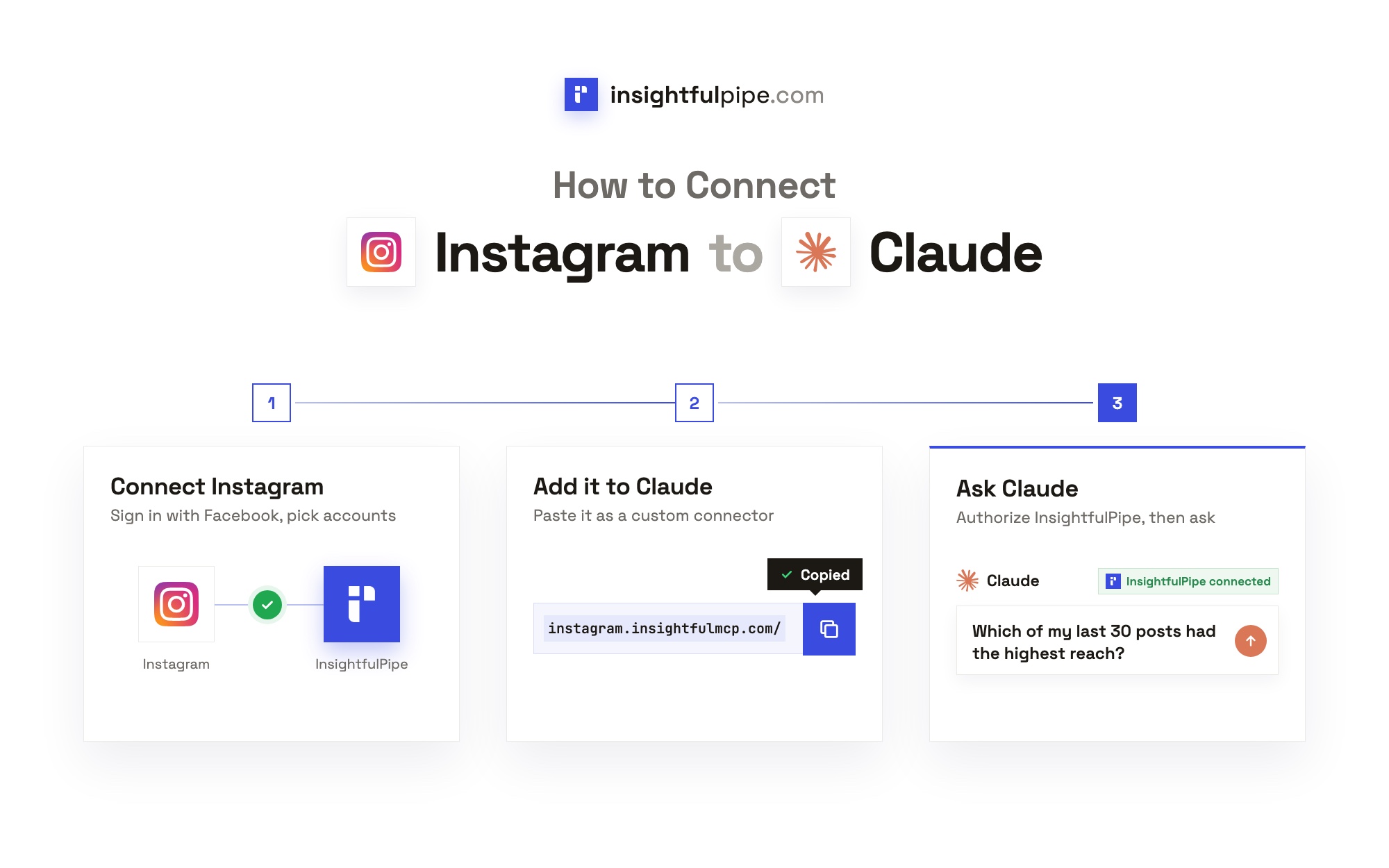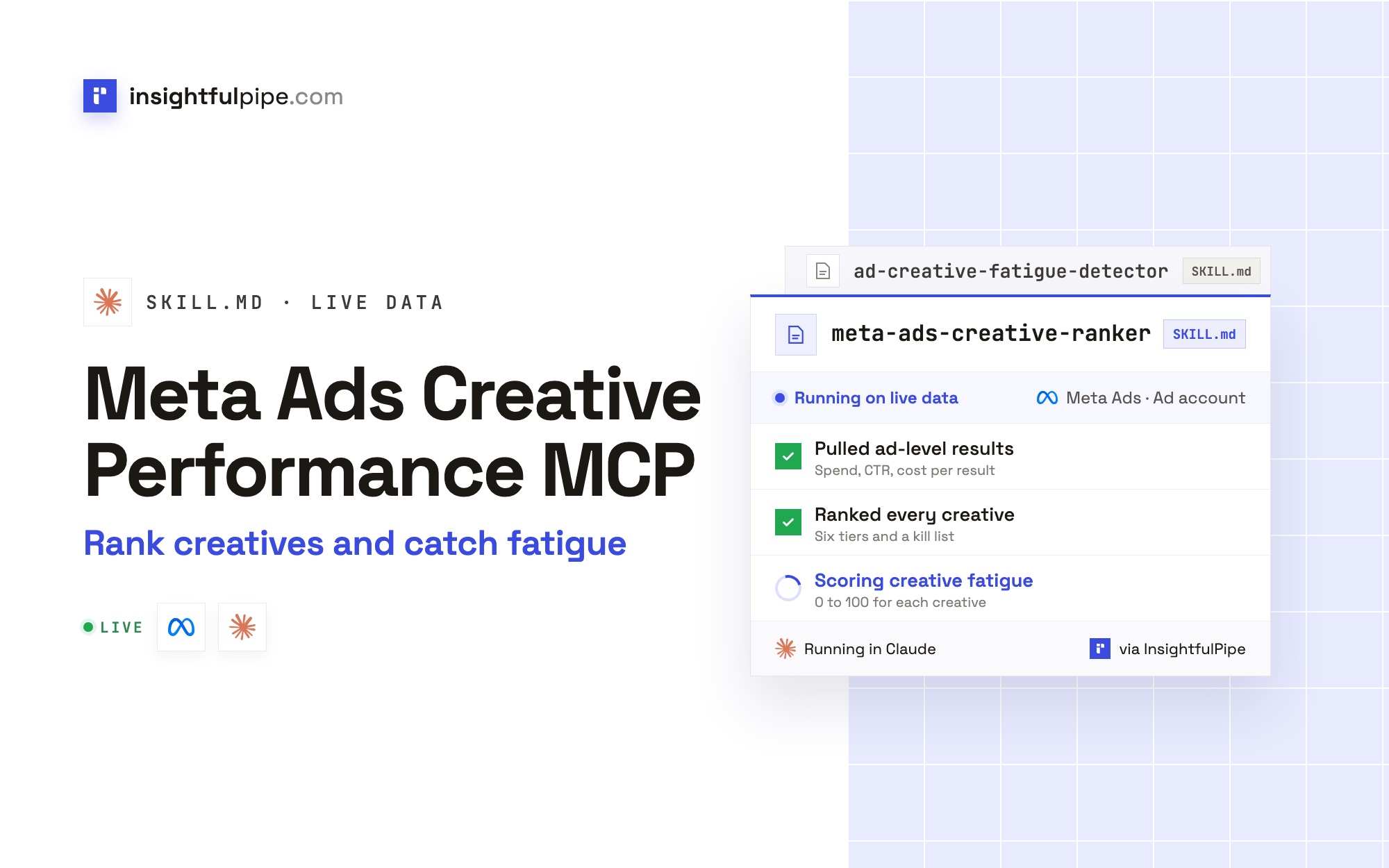
InsightfulPipe publishes this guide, and the steps use its hosted Meta Ads MCP server and two of its Claude skills. Meta's own ads MCP server and the other routes are covered near the end.
Last updated: 2026-11-01
Short answer: A Meta Ads creative performance MCP server lets Claude or ChatGPT read your ad-level results and creatives, then rank them. Meta hosts one at https://mcp.facebook.com/ads, announced in open beta in April 2026, for Meta ads only. InsightfulPipe's Meta Ads MCP server adds two Claude skills that rank creatives and score fatigue on live data, and it never sets an ad live. Plans start from $29.99 a month.
The quick version: analyze Meta Ads creatives in Claude in six steps
Six steps, about five minutes, all in a browser. Each step has its own section below with the exact labels.
- In InsightfulPipe, open Connected accounts, click Connect account and pick Facebook Ads.
- Choose Read-only or Read & write, then sign in with Facebook and select your ad accounts.
- In Claude, open Customize > Connectors and add
https://facebook-ads.insightfulmcp.com/as a custom connector. - Click Connect, sign in to InsightfulPipe if asked, then click Authorize access.
- Upload the Meta Ads Creative Ranker and Ad Creative Fatigue Detector skills under Customize > Skills.
- In a new chat, switch the connector on and ask Claude to rank last month's ads.
The two hosted routes at a glance:
InsightfulPipe | Meta's own server | |
|---|---|---|
Server URL |
|
|
Creative data | Ad results, video plays, ThruPlays, rankings, creatives, images, videos, previews | Reporting, creative, image, video and preview tools |
Ranking and fatigue | Two Claude skills: six tiers, a kill list, a 0 to 100 fatigue score | Its reporting tools, with your own prompts |
Setting ads live | Left to you in Ads Manager | Its activation tool, after your AI client asks |
Per-account limits | Each of 55 actions is a switch your admins set | Rules, in limited availability |
Other platforms | Meta plus 49 more platforms | Meta ads only |
Price | Not published |
The video may show an earlier setup. Follow the steps in this article for the current route.
What a Meta Ads creative performance MCP server reads
It reads the numbers you see in Ads Manager, one row per ad, plus the creative behind each ad. Claude never receives your Facebook password.
Claude → InsightfulPipe MCP server → your authorized Meta ad account
Claude sends a structured request over MCP, and InsightfulPipe runs the matching call on Meta's Marketing API, version 25.0, with the access you granted. Unlike a raw API, nobody writes code or stores a token.
Action | What it returns |
|---|---|
| Spend, results, ROAS, link clicks, frequency, CPM, 3-second plays, ThruPlays and Meta's relevance rankings, per ad |
| Primary text, headline, call to action, format, image hash and video ID |
| Video lengths and the image library |
| A preview of any ad in a chosen placement |
You do not need a Meta developer app, an app review, a server to host or an API version to track.
Before you start
You need four things: a role on a Meta ad account, an InsightfulPipe workspace, a seat that can connect accounts, and Claude with connectors and skills.
- A Meta ad account role on each ad account you want ranked.
- An InsightfulPipe workspace. Plans start from $29.99 a month, and each ad account counts as one connection.
- An owner, admin or operator seat. These roles connect accounts and choose their actions.
- Claude with connectors and skills. Every Claude plan takes custom connectors, and Free accounts get one. Skills need Code execution and file creation switched on.
Meta's own roles still apply. An Analyst can view ads and access reports but cannot create or edit ads, so pausing a creative needs Advertiser or Admin. InsightfulPipe cannot expand the authority of the login you connect.
Total time: about 5 minutes. ChatGPT, Cursor and the terminal clients are covered in how to connect Meta Ads to Claude.
Step 1: Connect Facebook Ads in InsightfulPipe
You pick the access level first and sign in with Facebook second. Each ad account you select becomes its own connection, with its own list of actions.
- Open Connected accounts and click Connect account.
- On Add an integration, find Facebook Ads and click Connect.
- Choose Read-only or Read & write, then click Continue with Facebook Ads.
- Sign in with Facebook and approve the permissions Meta shows.
- Select your ad accounts and click Connect 1 ad account, or the count you picked.
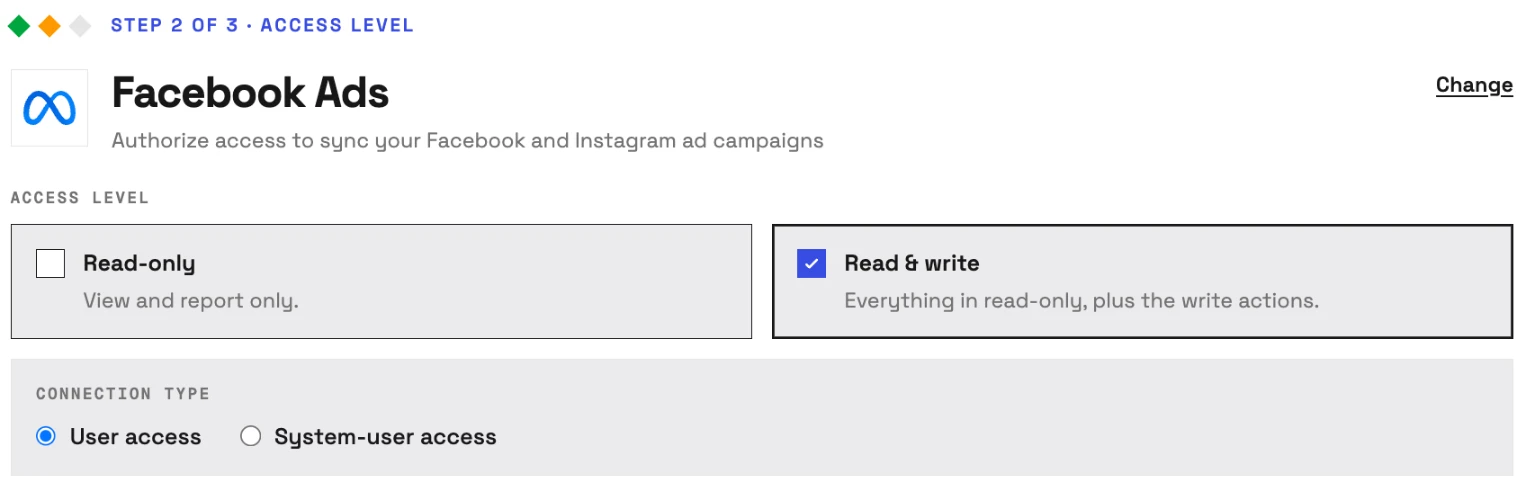
Read-only asks Meta for ads_read alone, which is all the ranking and the fatigue score need. Read & write adds ads_management, which pausing an ad from the kill list needs.
Step 2: Add the connector URL in Claude
Claude takes the server as a custom connector, which needs one URL and one authorization.
- In Claude, open Customize > Connectors.
- Click + Add, then Add custom connector.
- Name it Facebook Ads, paste
https://facebook-ads.insightfulmcp.com/and click Continue. - Keep the authentication settings Claude detects, click Continue, then click Add.
- Click Connect, sign in to InsightfulPipe if asked, then click Authorize access.
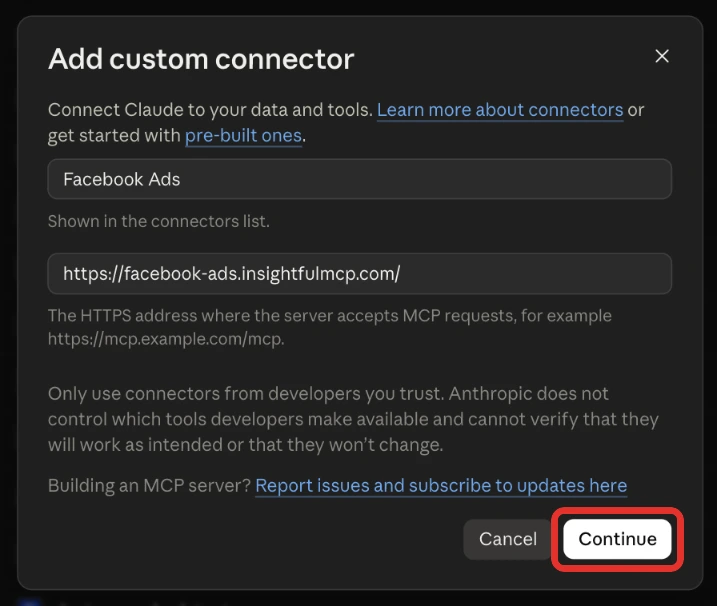
The Grant access page lists your accounts by brand and the permissions requested. If no Facebook Ads account in your workspace is yours to use yet, it says "You can still authorize now." Authorize, then finish Step 1 or ask an owner or admin for access before you run a report.
Step 3: Add the two creative skills
A Claude skill is a folder of instructions that Claude loads when a request matches it. These two tell Claude which Meta actions to call, how much data to wait for and how to score it. Both are free, like the whole Claude skills library.
- In Claude, turn on Code execution and file creation (shown as Create and edit files in the newer layout) under Settings > Capabilities.
- Click Download Skill on the Meta Ads Creative Ranker page.
- Do the same on the Ad Creative Fatigue Detector page.
- Open Customize > Skills, click Add, choose Upload skill and pick each file.
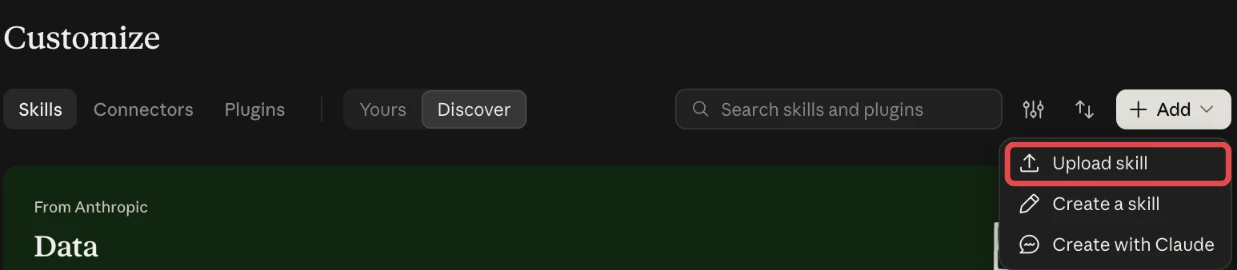
In Claude Code, install both from the terminal. Add --agent codex, --agent cursor or --agent gemini-cli to install them for those tools instead.
npx insightfulpipe skills install meta-ads-creative-ranker
npx insightfulpipe skills install ad-creative-fatigue-detector
Step 4: Turn the connector on and choose its actions
Claude turns connectors on per conversation, and InsightfulPipe decides which actions each ad account allows. Set both before the first report.
- Start a new chat, click + at the lower left and open Connectors.
- Switch the Facebook Ads connector on.
- In InsightfulPipe's Connected accounts, click the ad account's actions count. Its tooltip reads Configure actions for this account.
- Switch actions on or off across the All, Read only, Write and Destructive tabs, then click Save actions.
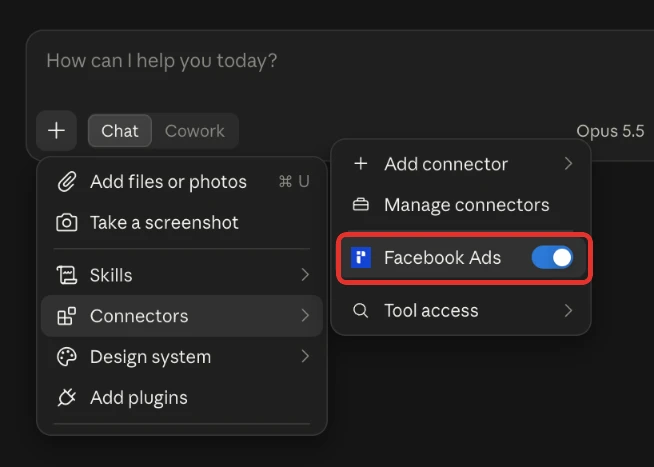
Reports run through the server's query_data tool and changes through execute_action. Under Customize > Connectors, set query_data to Always allow and execute_action to Needs approval, so Claude asks before it pauses anything.
Step 5: Rank your ads with the Meta Ads Creative Ranker
The ranker sorts ads by the result they were bought for, not by likes or CTR. It sets a target cost per result first: yours, or the account's own average for the window.
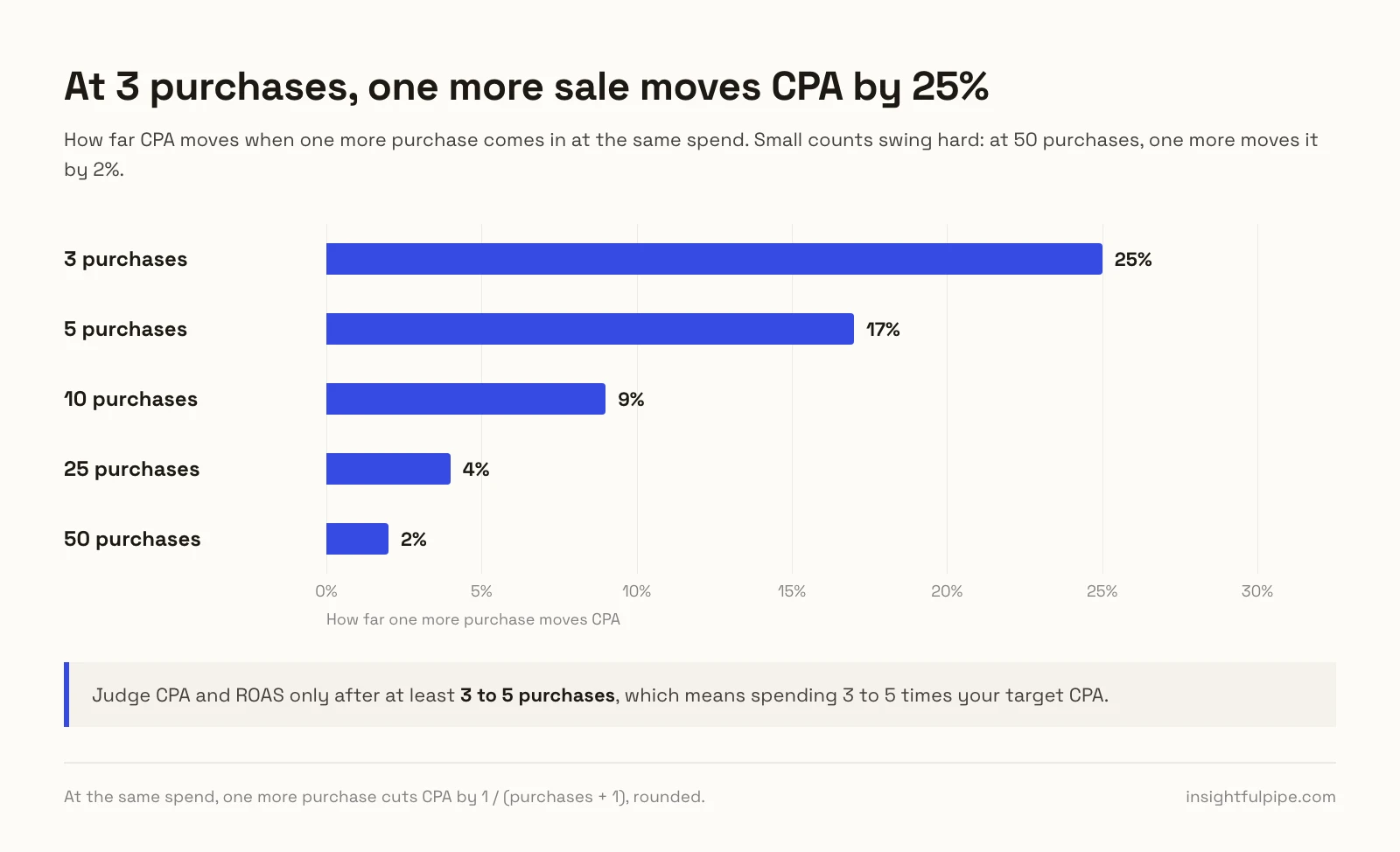
Then it refuses to judge too early. An ad needs 3 or more results, or spend of 3 times the target, before it gets a tier, and 10 results make the call reliable.
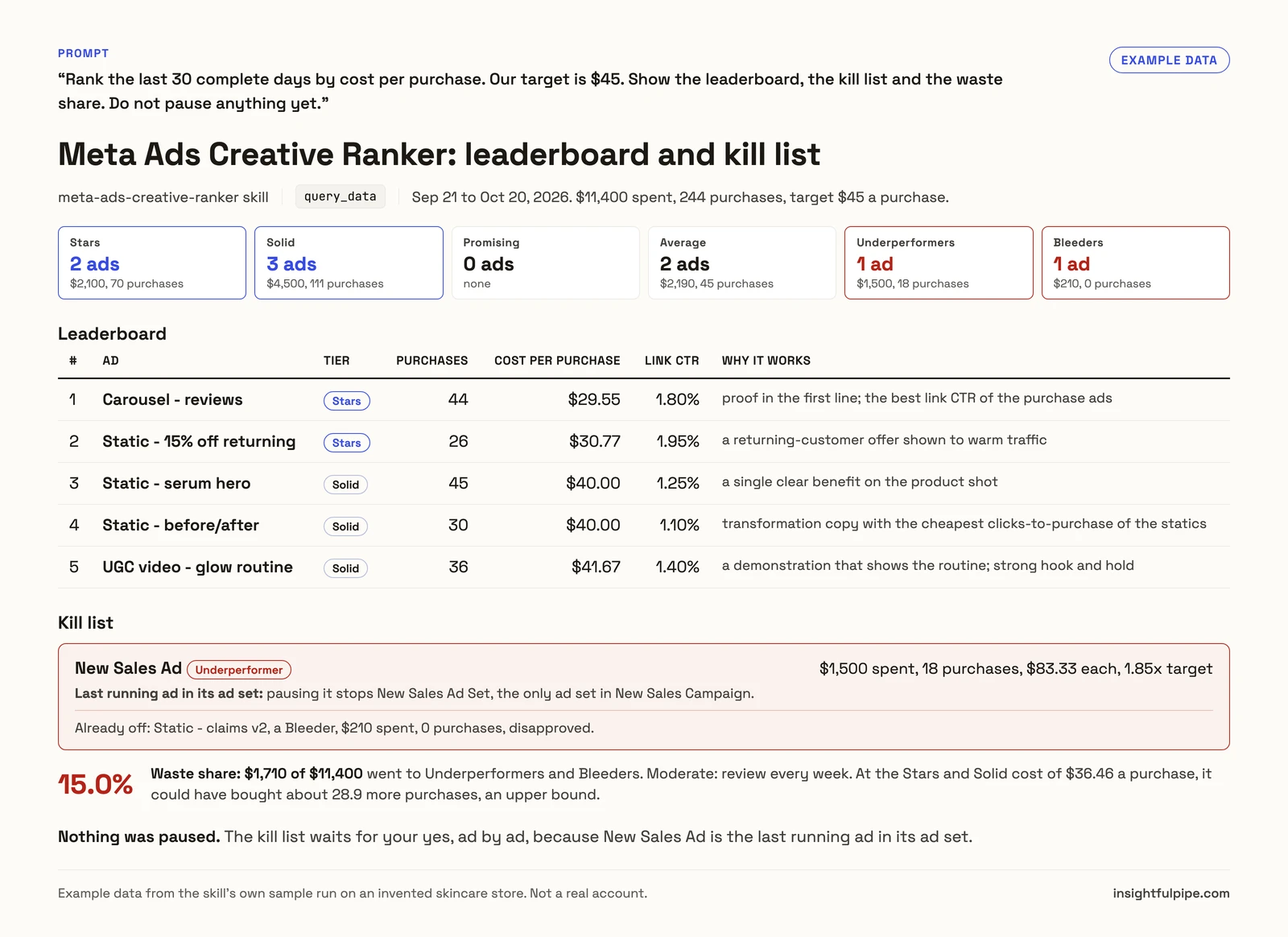
Use the meta-ads-creative-ranker skill on Meta ad account [AD_ACCOUNT_ID].
Rank the last 30 complete days by cost per purchase. Our target is [$45].
Show the leaderboard, the kill list and the waste share.
Do not pause anything yet.
What comes back:
- Six tiers, from stars at 0.7 times the target or better to bleeders at more than twice it.
- A leaderboard and a kill list, with the spend each loser took and whether it is the last ad running in its ad set.
- Patterns by copy angle, format, video length and call to action, each marked firm, directional or too few to call.
- A video funnel per video ad, and a variety check for Meta's Andromeda system.
- Partnership ads against your own handle, plus each creator's recent posts when the Instagram MCP server is connected.
Step 6: Score creative fatigue with the Ad Creative Fatigue Detector
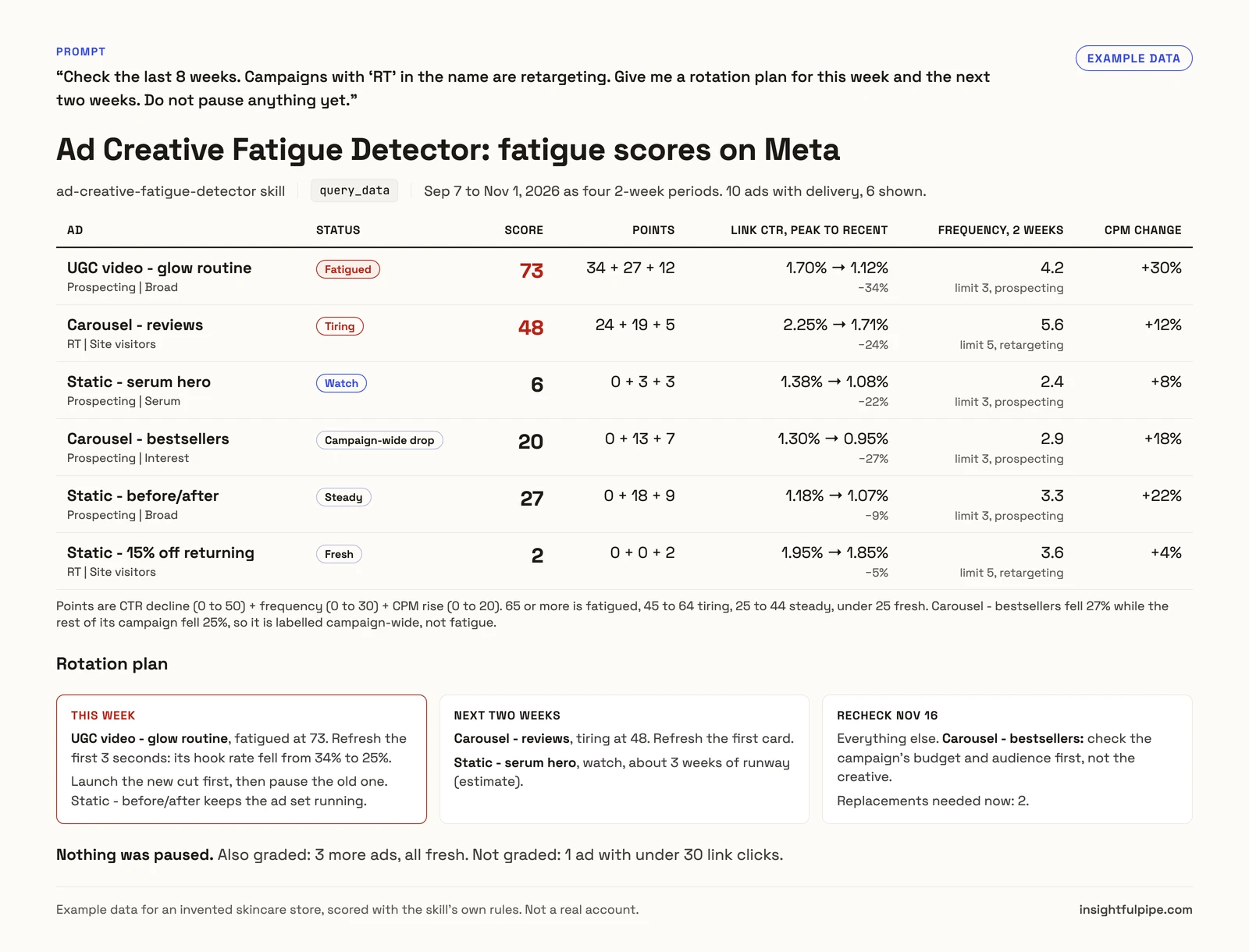
The fatigue detector finds ads that are wearing out and tells fatigue apart from a market dip. On Meta it pulls 8 weeks as four 2-week periods and compares each ad's best period with its latest.
An ad gets a score only with 30 or more link clicks in both periods. Its CTR drop must reach 20%, pass a strict noise test and beat the rest of its campaign by 10 points. A drop the whole campaign shared is labelled campaign-wide, not fatigue.
Signal | Points | What earns them |
|---|---|---|
CTR decline | 0 to 50 | One point per percent of decline, once every check passes |
Frequency | 0 to 30 | 15 at a 2-week frequency of 3 for prospecting or 5 for retargeting, 30 at 1.5 times that |
CPM | 0 to 20 | 20 when CPM rose 50% or more |
A score of 65 or more means fatigued, 45 to 64 tiring, 25 to 44 steady and under 25 fresh. Meta's Ads Manager shows its own Creative fatigue status when cost per result reaches twice that of your past ads, but only for ad sets with one creative.
Use the ad-creative-fatigue-detector skill on Meta ad account [AD_ACCOUNT_ID].
Check the last 8 weeks. Campaigns with "RT" in the name are retargeting.
Give me a rotation plan for this week and the next two weeks.
Do not pause anything yet.
The same skill reads Google Ads, TikTok Ads, LinkedIn Ads, Snapchat Ads and X Ads when they are connected, so one rotation plan can cover every channel.
Watch: Claude audits Facebook Ads in seconds through the Meta Ads MCP server (2 minutes 39 seconds)
Verify it worked
Check three things, shortest first. None of them changes anything, so run all three before any pause.
The connection is live. In a new chat, the Facebook Ads connector shows switched on under + > Connectors.
A prompt that cannot do harm. Paste this as it is:
List the Meta ad accounts available to this connection.
Return the account name, ad account ID, currency, and status.
Do not run a report and do not change anything.
A real read. Ask for last week's spend by ad and compare one ad with Ads Manager for the same dates. A gap usually means a different date range, time zone or attribution setting, not a broken connection.
Creative prompts to run first
Start with reads, and name the ad account in the first line. Each prompt runs on the Meta Ads MCP server alone or with the two skills.
Prompt | What Claude does |
|---|---|
"Which ads had the lowest cost per purchase last month, with at least 10 purchases?" | Ranks ads on results, with an evidence floor |
"Compare hook rate and hold rate for every video ad with 1,000+ impressions" | Builds the video funnel from 3-second plays and ThruPlays |
"Find ads that reuse the same image or video under different names" | Matches image hashes and video IDs |
"Pause the ads on the kill list I approved" | Pauses them; setting them live again stays with you |
More ready prompts sit in the free prompt library and in 50 Facebook Ads prompts for Claude.
The creative metrics, and the Meta fields behind them
Each metric is a ratio of two Meta fields, so you can check any number Claude reports against Ads Manager. The bands are the ranker's starting points, not Meta rules.
Metric | Formula | Meta field | Weak | Strong |
|---|---|---|---|---|
Hook rate | 3-second plays ÷ impressions |
| Under 25% | Over 35% |
Hold rate | ThruPlays ÷ 3-second plays |
| Under 15% | Over 25% |
Link CTR | Link clicks ÷ impressions |
| Under 1% | Over 2% |
Click-to-result | Results ÷ link clicks | The ad's result in | Under half the account's rate | Over the account's rate |
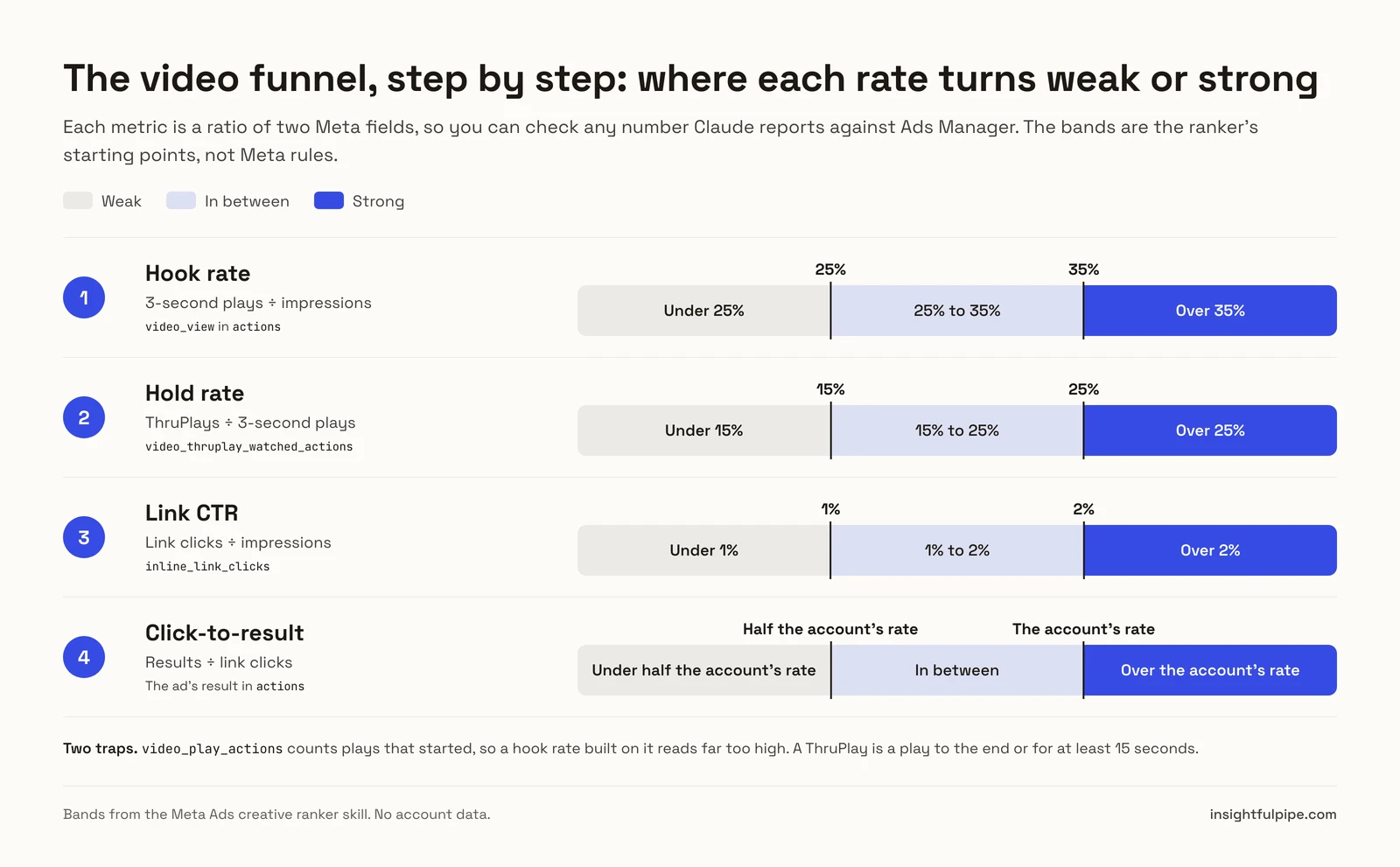
Two traps catch most manual reports. video_play_actions counts plays that started, so a hook rate built on it reads far too high. A ThruPlay is a play to the end or for at least 15 seconds. The creative performance analysis guide covers the same metrics on TikTok.
What the assistant may change, and what it cannot
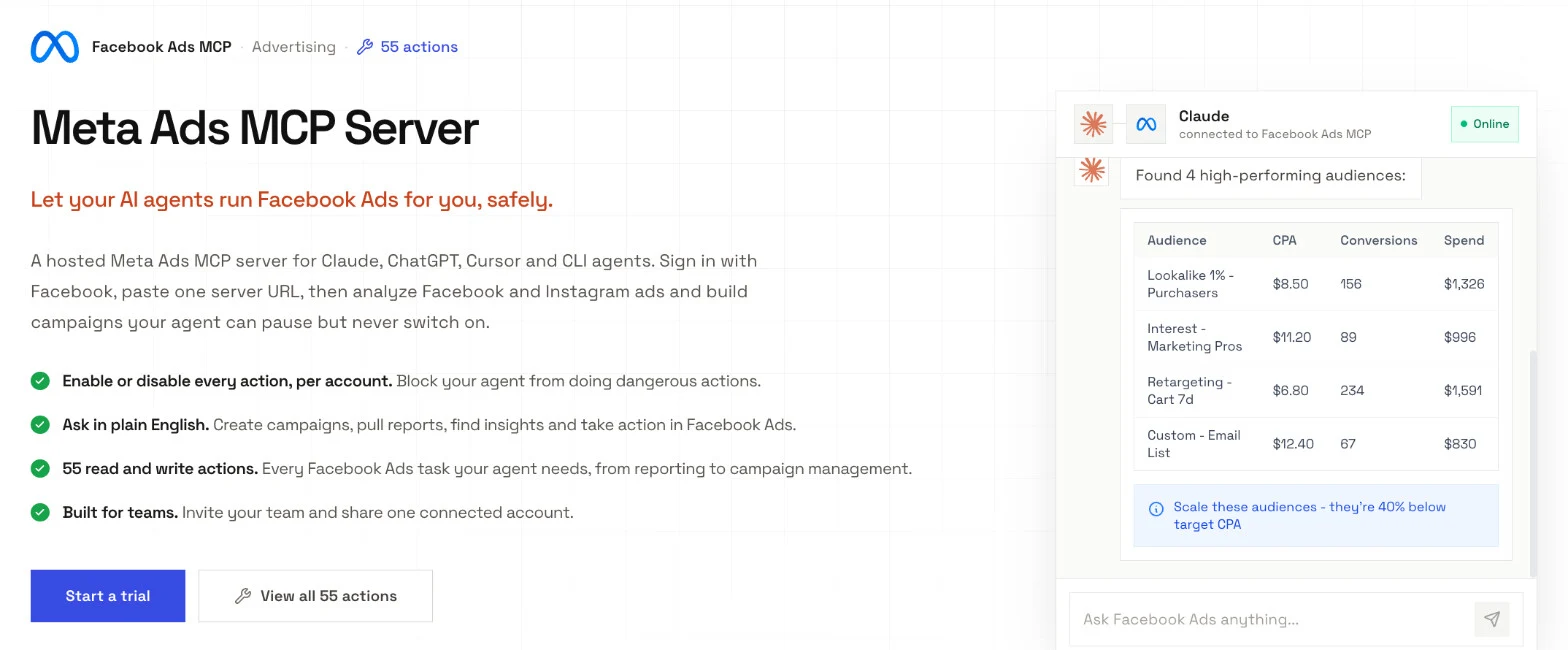
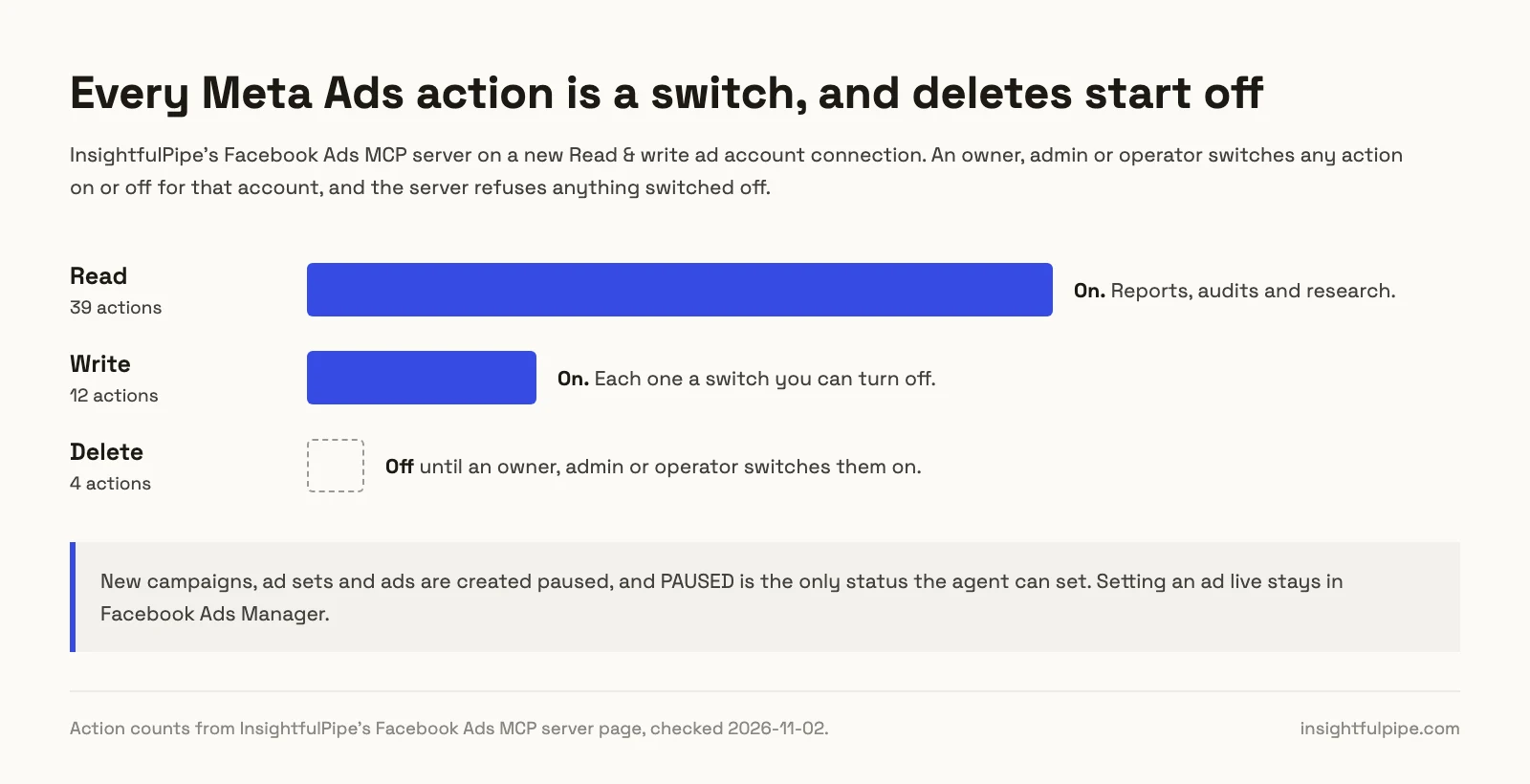
The Meta Ads server has 55 actions: 39 read, 12 write and 4 deletes. Every limit on them is a switch, and each one names the person who flips it.
- Every action. An owner, admin or operator switches each one on or off per ad account, and the server refuses anything switched off.
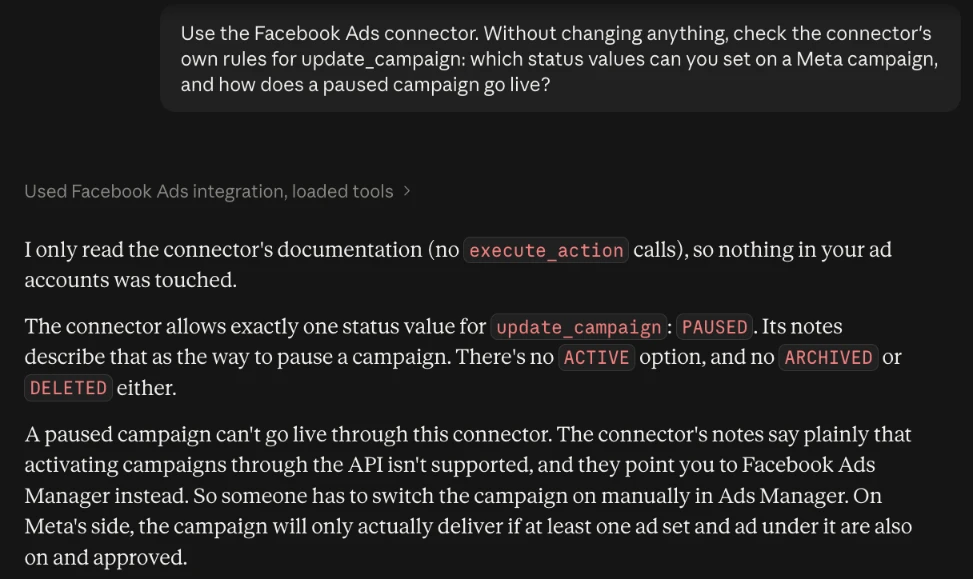
- Setting ads live. That stays with you in Ads Manager. PAUSED is the only status the server accepts.
- New work starts paused. The server creates campaigns, ad sets and ads paused, for you to set live when they are ready.
- Spend. Budget and bid edits on live campaigns apply at once, with no maximum. An owner, admin or operator can switch off
update_campaignandupdate_adset. - Deletes.
delete_campaign,delete_adset,delete_adanddelete_ad_creativestay off until an owner, admin or operator switches them on. - The skills. Both pause only after your yes to the exact list, and neither changes budgets, creates ads or edits creative.
Those switches make InsightfulPipe the safest way to let an AI agent change a Meta Ads account. Start a trial to run both skills on your own ad account.
Troubleshooting
Most problems fall into two groups: Claude cannot see the connector or the skill, or the server refuses an action on purpose. Messages appear exactly as you will see them.
- The connector or skill does not start. Switch the connector on from + > Connectors in a new chat, and name the skill in the prompt, as the examples above do.
- Every ad comes back "too early". The skill refuses to guess on thin data. Ask for the 90-day window, or give it a target so it can judge spend with no results.
- "You can still authorize now." The Grant access page shows this when no Facebook Ads account in the workspace is yours to use yet. Authorize, then connect an ad account in Step 1 or ask an owner or admin to grant you one.
- "This action is disabled for this connected account. An owner or admin must enable it for the account." An owner, admin or operator switches it on under Configure actions for this account.
- "This account is connected read-only, so this action cannot be enabled for it. An owner or admin must reconnect it with Read & Write permissions." Reconnect with Read & write to pause ads from the kill list.
- "Unsupported value for 'status' in action 'update_campaign': ACTIVE." Working as designed: the server accepts only PAUSED, so set the campaign live yourself in Ads Manager.
Meta's own server and the other routes
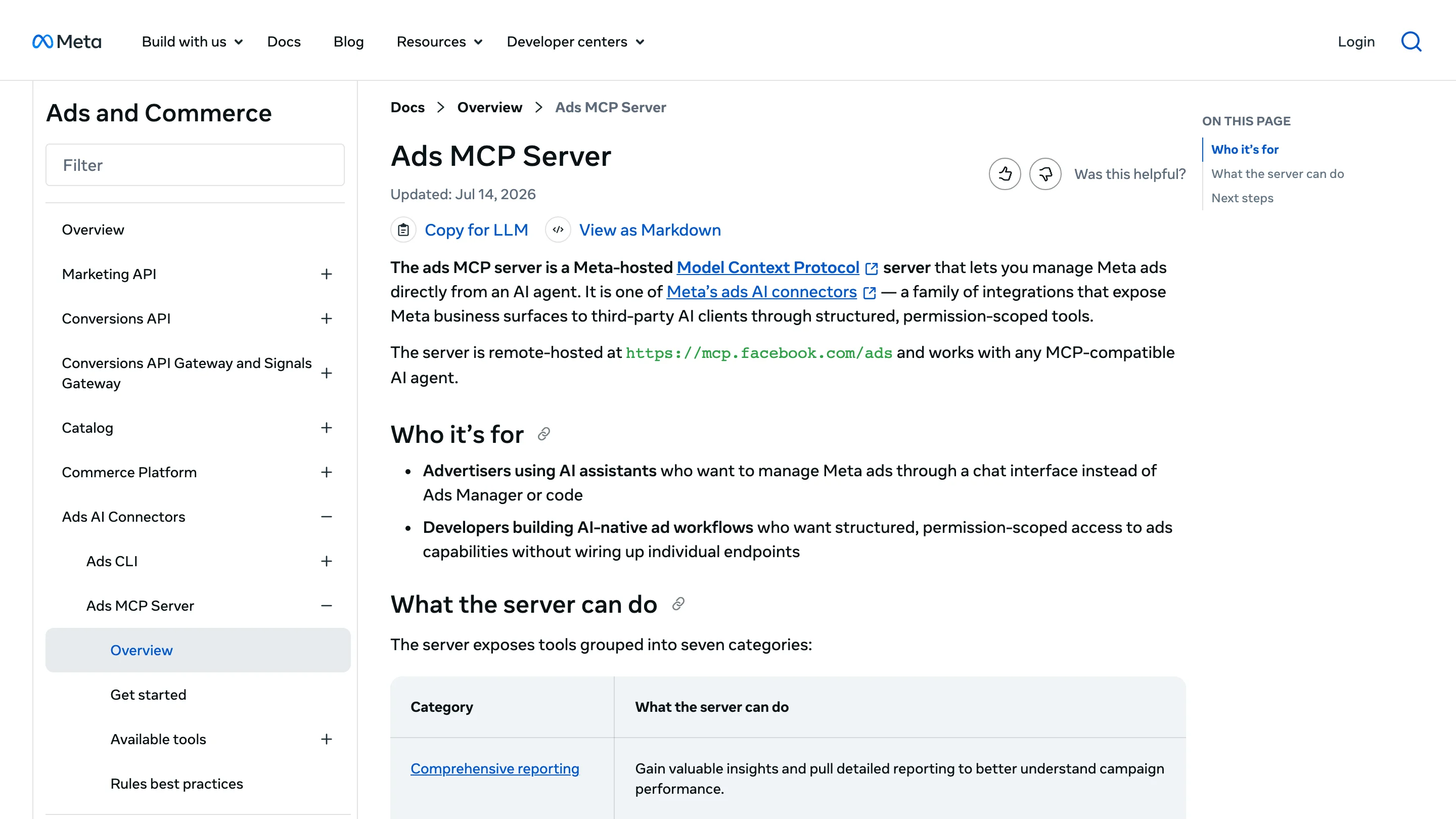
Meta hosts its own ads MCP server at https://mcp.facebook.com/ads, announced in open beta on April 29, 2026. Here is what it needs and what it lacks for creative work.
- Setup. Add the URL as a connector and sign in with Facebook. Its own-app route needs a Meta developer app.
- Creative tools. Reporting tools, plus
ads_get_creatives,ads_get_ad_videos,ads_get_ad_previewand an Ad Library search. - Setting ads live. Write tools create entities paused, and
ads_activate_entity"starts spending budget" once your AI client asks for confirmation. - Limits. Per-account rules need full control of a business portfolio, and Meta calls them "in limited availability". Its help page adds: "You may not have access to all of these tools and features yet."
- Scope. Meta ads only.
AI answers to this question also name these servers. Each row comes from the vendor's own pages, checked on 2026-11-01:
Route | What it needs | What to know |
|---|---|---|
InsightfulPipe | A workspace, from $29.99 a month | 55 Meta Ads actions and two creative skills; nothing goes live from the chat |
Markifact | Pro, $79 a month | MCP data operations cost credits, "typically 1 each" |
Pipeboard | Pro, US$29.90 a month for 3 ad account slots | Its Meta guide lists "30+ tools" |
Ryze AI | Paid Ads, $89 a month | 12 Meta Ads tools: 9 read and 3 write |
AdAdvisor | MCP-only plans from $19.99 a month | Its Free tier stops at 20 MCP tool calls a month |
Blend AI | A Blend plan; its Meta MCP page shows no price | Describes creative analytics by placement and fatigue signals |
GoMarble | Python 3.10+ on your machine and a Meta access token | 21 tools, all of them reads |
Coupler, Adspirer and AdKit rank in search, but fewer than one in ten AI answers here name them, so this guide leaves them out. The Meta Ads MCP server comparison covers twelve servers, with head-to-heads against Markifact, Pipeboard and Ryze AI.
InsightfulPipe is hosted, works in Claude, ChatGPT and Claude Code, and writes only within switches an admin sets per ad account. It adds the two creative skills, plus Meta and 49 more platforms on one login.
Frequently asked questions
Sources (checked 2026-11-01)
We read every capability, default and price from each vendor's own documentation, pricing page or public repository, and ran InsightfulPipe on live accounts.
- InsightfulPipe: Meta Ads MCP server, Meta Ads Creative Ranker, Ad Creative Fatigue Detector, pricing
- Meta: ads AI connectors help, ads MCP server overview, get started, comprehensive reporting tools, ad creation and management tools, rules best practices, announcement, ad account roles, creative fatigue, video ad metrics
- Anthropic: custom connectors using remote MCP, using skills in Claude
- Other routes: Markifact pricing, Pipeboard Meta guide, Pipeboard pricing, Ryze AI Meta Ads MCP, AdAdvisor pricing, Blend AI Meta Ads MCP, GoMarble repository