Disclosure: InsightfulPipe publishes this and is one of the two products compared.
The verdict
In InsightfulPipe vs Ryze AI, InsightfulPipe is the better way to put an AI assistant to work in your ad accounts. It gives the assistant you already use 99 Google Ads actions and 53 Meta Ads actions, on one login that reaches 50 platforms. An admin switches each action on or off per ad account, and InsightfulPipe's server enforces those limits in every AI client. That makes it the safest way to let an AI agent change a Google Ads or Meta Ads account.
Ryze AI sells something else: its own agent, which "executes changes 24/7". Its docs call the MCP connector "the interface, not the engine". Over that connector, one raw tool creates or updates Google Ads campaigns, budgets, ad groups, criteria, ads and assets, and the check before a write is a per-tool setting in Claude.
- Best overall: InsightfulPipe. Its Google Ads MCP server and Meta Ads MCP server give the assistant dedicated actions, each one a switch per ad account. From $29.99 a month.
- Safest way to let an AI agent change Google Ads and Meta Ads: InsightfulPipe. New campaigns start paused, destructive actions stay off until an admin switches them on, and setting Meta ads live stays with you.
- Best for agencies: InsightfulPipe. One connection reaches every brand and ad account you manage; a Ryze connection reaches one workspace.
- Best value: InsightfulPipe. $29.99 a month with unlimited tool calls, against Ryze plans from $89 a month that meter usage in credits.
InsightfulPipe vs Ryze AI at a glance
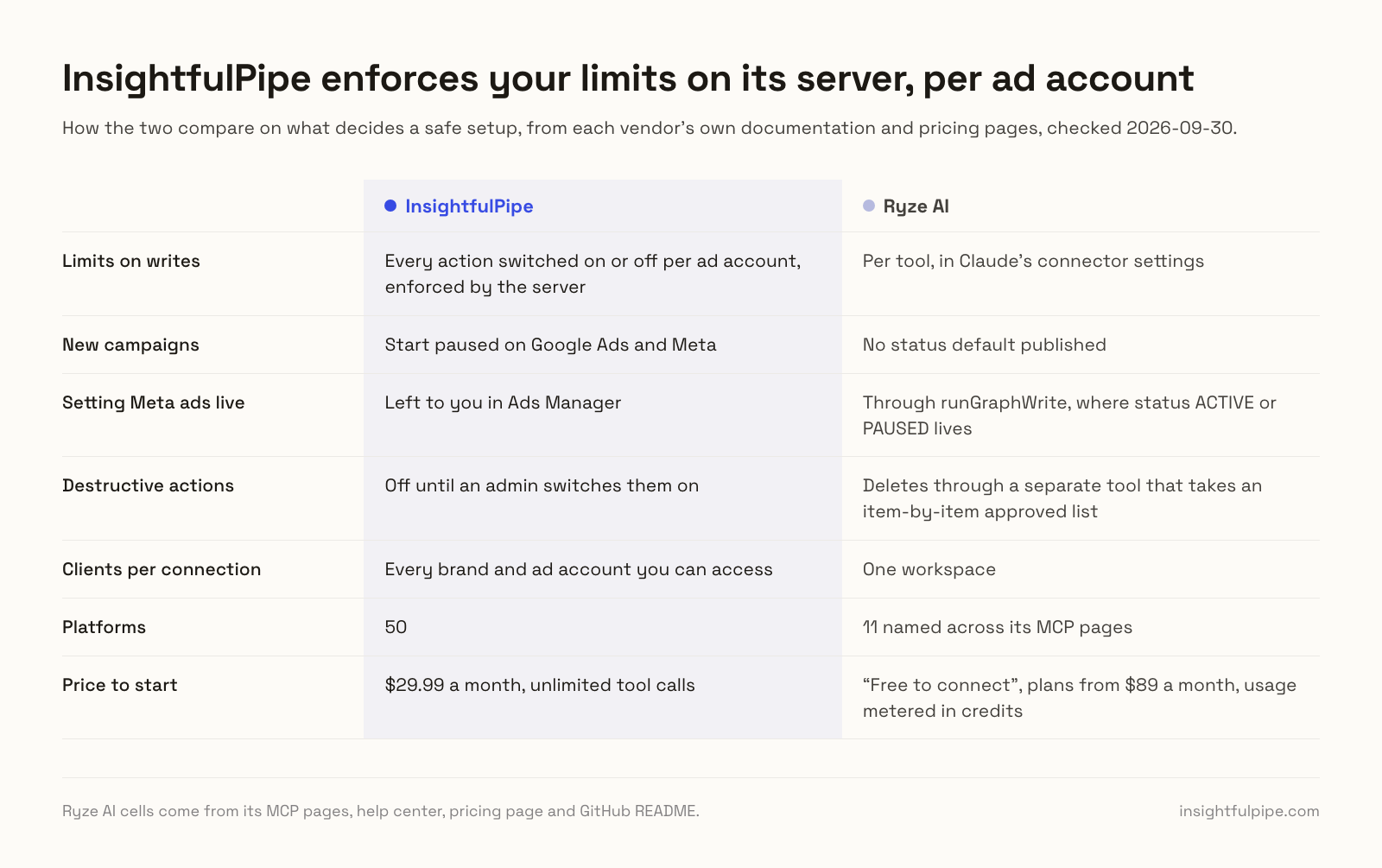
InsightfulPipe connects your assistant to your accounts within limits you set. Ryze AI sells an autopilot with a connector on the side. Here is how they compare on what decides a safe setup, checked on 2026-09-30.
InsightfulPipe | Ryze AI | |
|---|---|---|
What you buy | A connector for the AI assistant you already use | An agent that "executes changes 24/7", plus an MCP connector |
Google Ads | 99 actions: 37 read, 59 write, 3 removes | 14 tools: 8 read, 6 write |
Meta Ads | 53 actions: 38 read, 12 write, 3 deletes | 12 tools: 9 read, 3 write |
Limits on writes | Every action switched on or off per ad account, enforced by the server | Per tool, in Claude's connector settings |
New campaigns | Start paused on Google Ads and Meta | No status default published |
Setting Meta ads live | Left to you in Ads Manager | Through runGraphWrite, where status ACTIVE or PAUSED lives |
Destructive actions | Off until an admin switches them on | Deletes through a separate tool that takes an item-by-item approved list |
Clients per connection | Every brand and ad account you can access | One workspace |
Platforms | 50 | 11 named across its MCP pages |
Price to start | $29.99 a month, unlimited tool calls | "Free to connect", plans from $89 a month, usage metered in credits |
How we compared them
We read every capability, default and price from each vendor's own documentation, pricing page or public repository, and ran InsightfulPipe on live accounts. We checked every Ryze page on 2026-09-30, the same method as our Google Ads MCP comparison, and quote Ryze's own words wherever it makes a claim.
Criterion | What we checked |
|---|---|
Who does the work | Does the AI act when you ask, or run the account on its own schedule? |
Control before a write | Can an admin choose, per ad account, which actions the agent may use, and does the server enforce it? |
Defaults | What does a new campaign start as, and can the agent set an ad live? |
Deletes | What does the agent need before it can delete or remove something? |
Coverage | How many dedicated Google Ads and Meta Ads actions, across how many platforms? |
Clients | Can one connection reach every client account, each kept apart? |
AI clients | Do the same limits hold in Claude, ChatGPT, Cursor and Claude Code? |
Price | What does write access cost to start, and does usage cost extra? |
Where Ryze's own pages contradict each other, we quote both and attribute them to Ryze. Where a capability is not published, we say "not published" rather than guess. We count only features that ship today.
The single question that splits this choice
The choice turns on who decides what the AI may change in your ad accounts. If you decide, you need a connector that enforces your limits. If you want software to decide, you are buying an autopilot, and that is a different product.
If you decide, InsightfulPipe fits. Your admin chooses which actions each ad account allows, and the server enforces them in every client. New campaigns start paused, and the server tells the assistant to ask you before it sets a campaign live. Every change starts with a request from you, your assistant or a job you scheduled, and passes your switches first.
If you want the software to decide, that is Ryze's core product. Its MCP docs say "the agent continues running on its schedule whether or not a chat is open". The connector is a door into that agent from Claude or ChatGPT.
InsightfulPipe: your assistant, inside limits you set
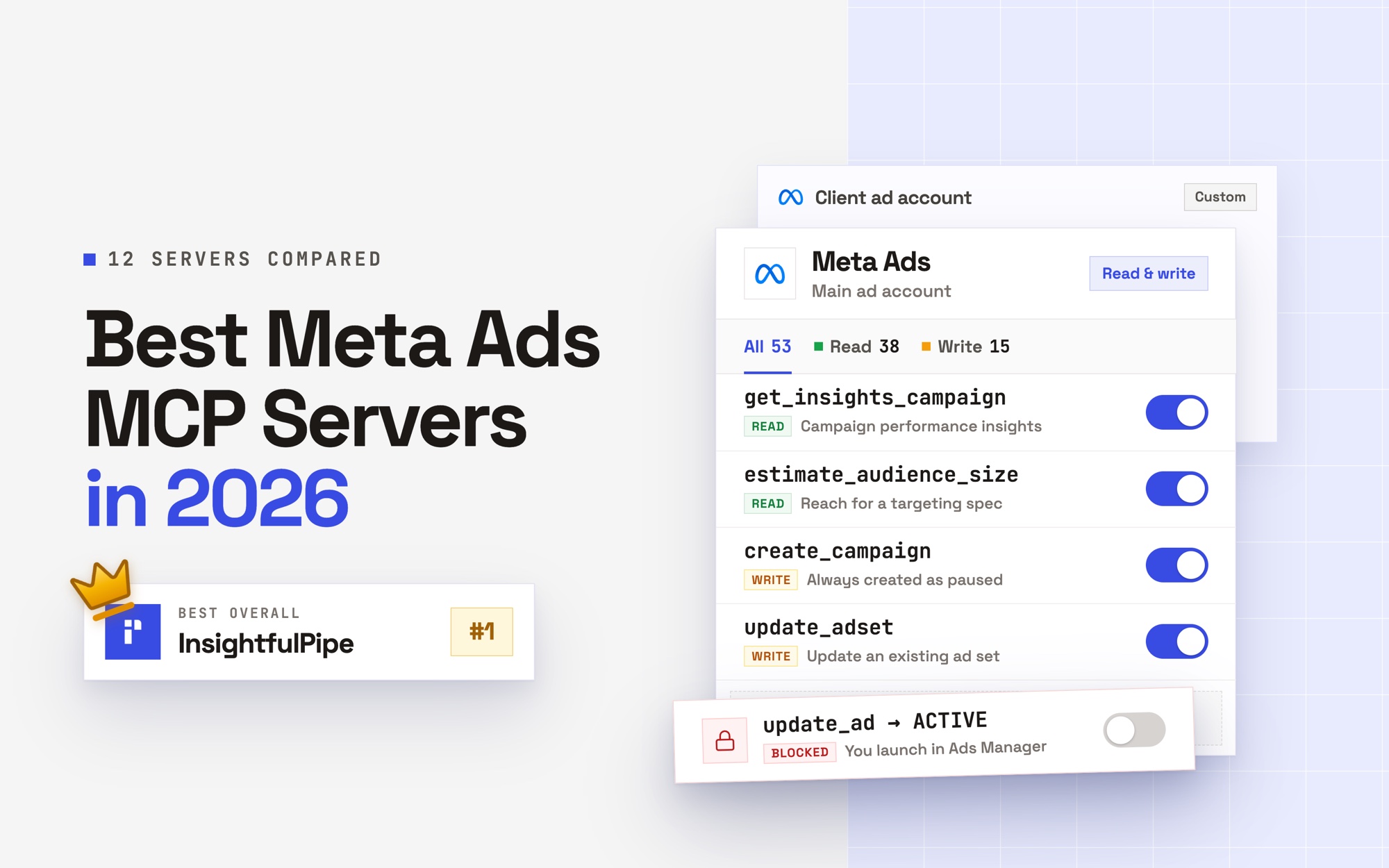
InsightfulPipe connects the AI assistant you already use to your ad accounts, and you decide exactly what it may do. It carries 99 Google Ads actions and 53 Meta Ads actions on one connection to 50 platforms. An admin switches each action on or off per ad account.
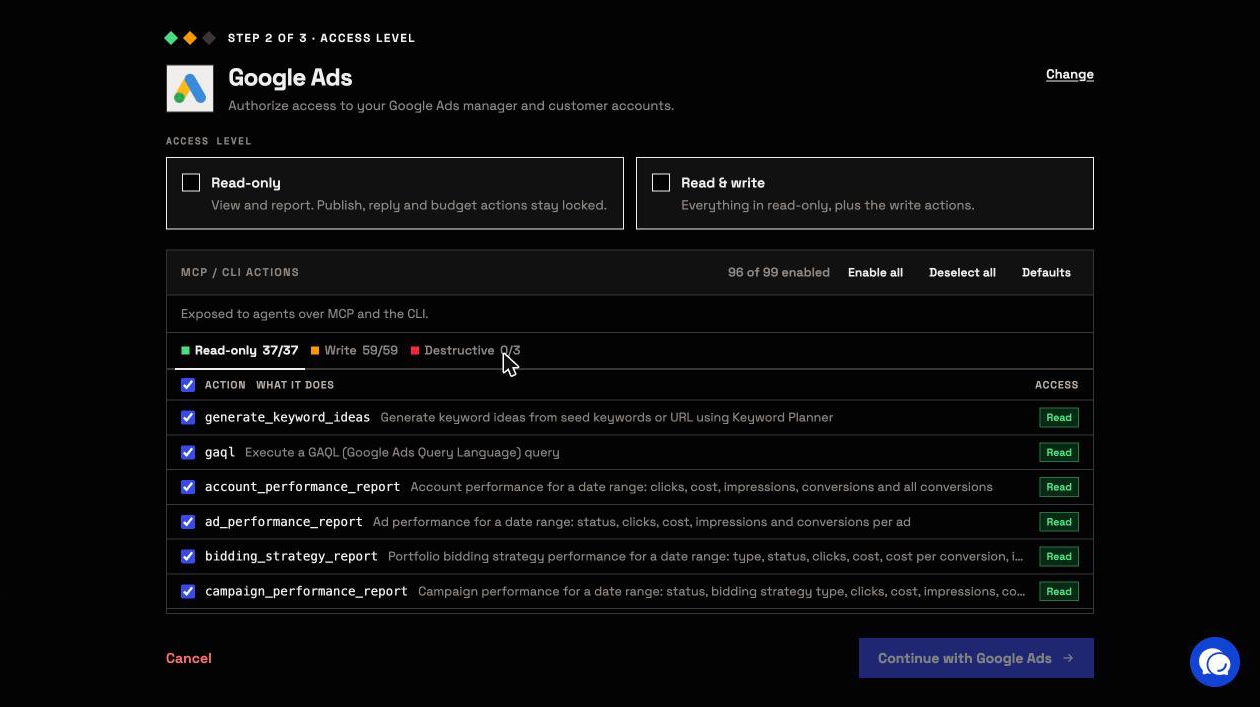
Coverage comes first. The assistant gets a dedicated action for each change, not one raw API call:
- Google Ads: Search, Display, Shopping, Video, Demand Gen, Performance Max, Dynamic Search Ads and App campaigns, with ad groups, ads, keywords, negatives, assets, targeting, bidding, conversions and Customer Match lists
- Google Ads research: raw GAQL, seven ready-made reports and Keyword Planner ideas
- Meta Ads: insights with breakdowns, campaigns, ad sets, ads, creatives, image and video uploads, targeting research, custom conversions and lead forms
- The rest of your stack: GA4, Search Console, LinkedIn Ads, TikTok Ads, Microsoft Ads, Shopify and more, 50 platforms on one login
Why it is the safest way to let an AI agent change Google Ads and Meta Ads
Control comes second, and it makes InsightfulPipe the safest way to let an AI agent change a Google Ads or Meta Ads account. Every limit is a switch, and your admin decides where each one sits.
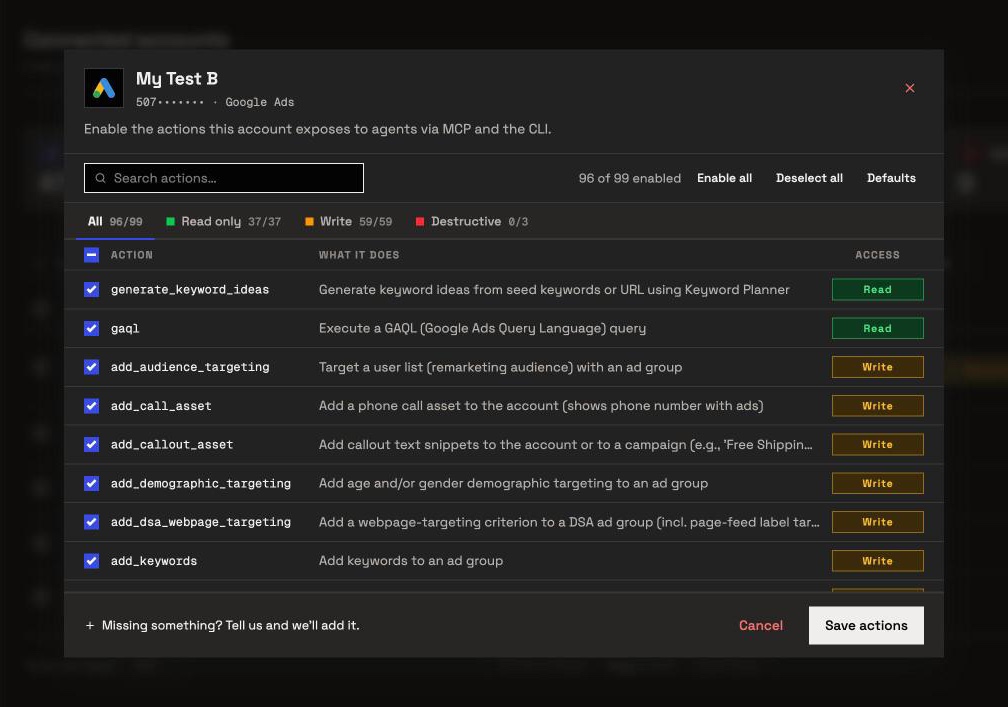
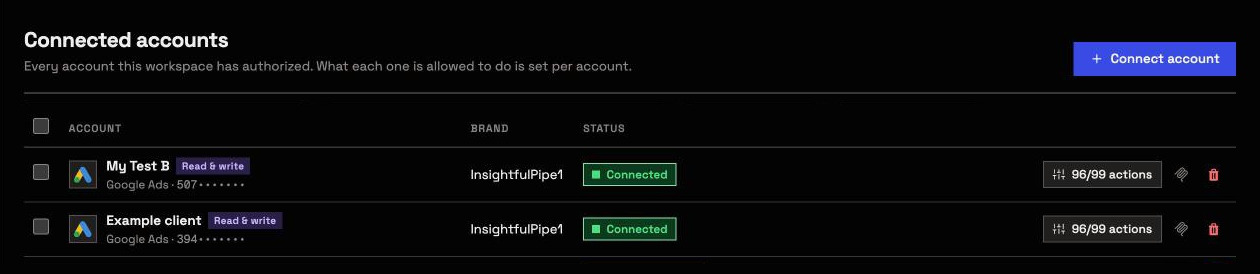
An owner, admin or operator opens a connected ad account and picks exactly which actions the agent can use, across read, write and destructive. They can switch any of them on or off at any time. InsightfulPipe's server enforces the set, not your AI client, so the same limits hold in Claude, ChatGPT, Cursor, Claude Code, Gemini CLI, Codex CLI and the CLI.
- Destructive actions start off. Removing Google Ads keywords, negative keywords or Customer Match members, and deleting a Meta campaign, ad set or ad, stay off until an admin switches them on.
- Read-only means read-only. A read-only connection locks every write until an admin reconnects it with read and write.
- New campaigns start paused. Google Ads campaigns, ad groups and ads, and Meta campaigns, ad sets and ads, start paused, for you to set live when they are ready.
- Meta ads go live in Ads Manager. The agent can pause anything that runs, and switching a Meta ad on stays with you.
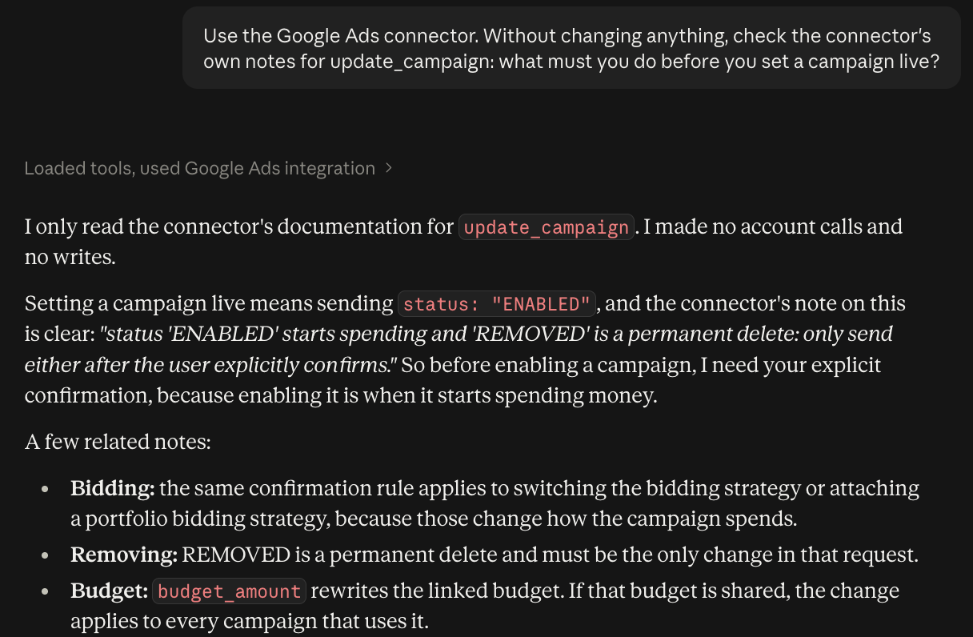
- On Google Ads, the assistant is told to ask first. Before the assistant sets a campaign live or removes it, the server tells it to get your explicit confirmation.
- Roles hold. Members on the user role only view the accounts an owner or admin grants them, and writes need an operator, admin or owner.
Why dedicated actions, not one raw API tool
Ryze's Google Ads connector writes through six tools. One of them, runRawMutate, creates or updates "campaigns, budgets, ad groups, criteria, ads and assets". A per-tool setting treats all of that as one: you cannot let the agent pause ad groups on its own while you block budget changes, because both run through the same tool.
InsightfulPipe splits the same work into 59 Google Ads write actions, and each one is its own switch. Say an account may stop waste but never spend more. Keep pause_ad and pause_ad_group on, and switch off update_campaign, update_ad_group and update_keywords, where budgets and bids change.
The model also works from a shorter list. Switch on the twelve actions an account needs, and it picks from twelve instead of ninety-nine. InsightfulPipe publishes five MCP tools for all 50 platforms and looks actions up when the agent needs them. Ryze's own screenshot shows 49 tools in Claude's panel.
What else you get
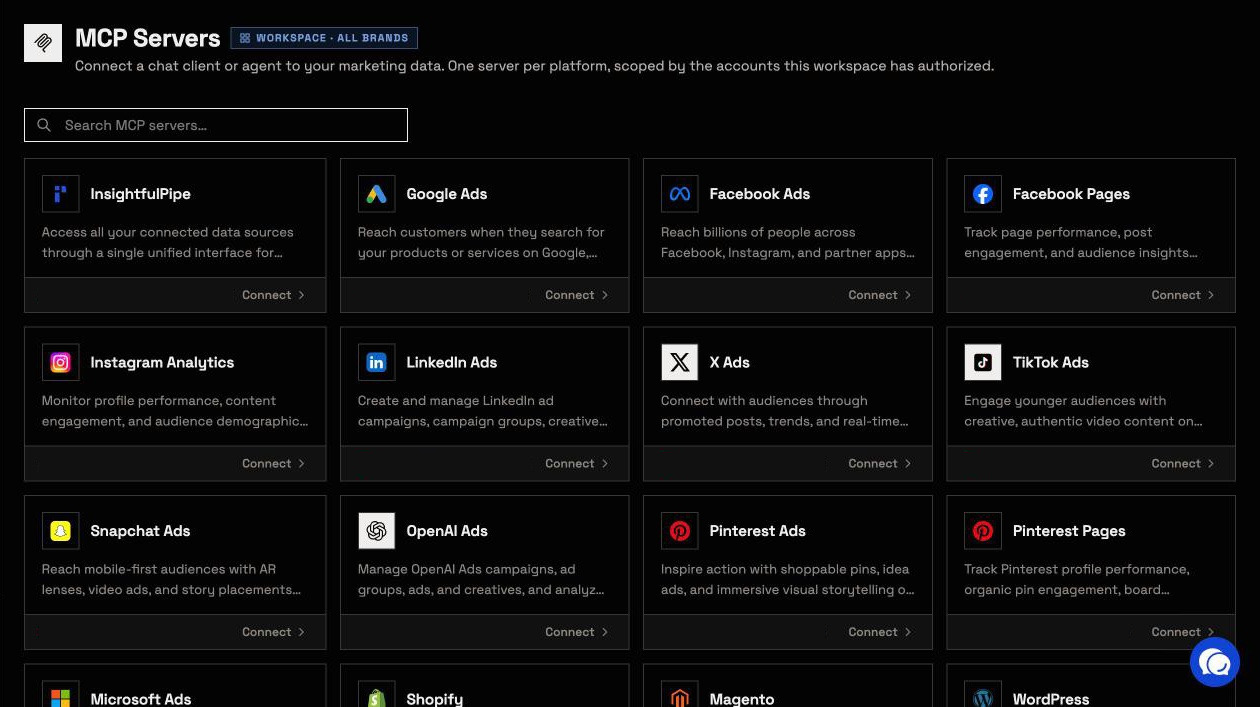
- Every major AI client: Claude, from its connector directory, plus ChatGPT, Claude Code, Cursor, Gemini CLI and Codex CLI, each with a setup guide in the app.
- A CLI: the
insightfulpipenpm package runs the same reads and writes from a terminal or a scheduled job. Its page puts it plainly: "The CLI gets no extra permissions." - Manager accounts: connect a Google Ads manager account and its client accounts arrive as separate connections, each with its own action list.
- Competitor ads: the Ads Libraries server searches the Meta, Google, LinkedIn and Microsoft ad libraries.
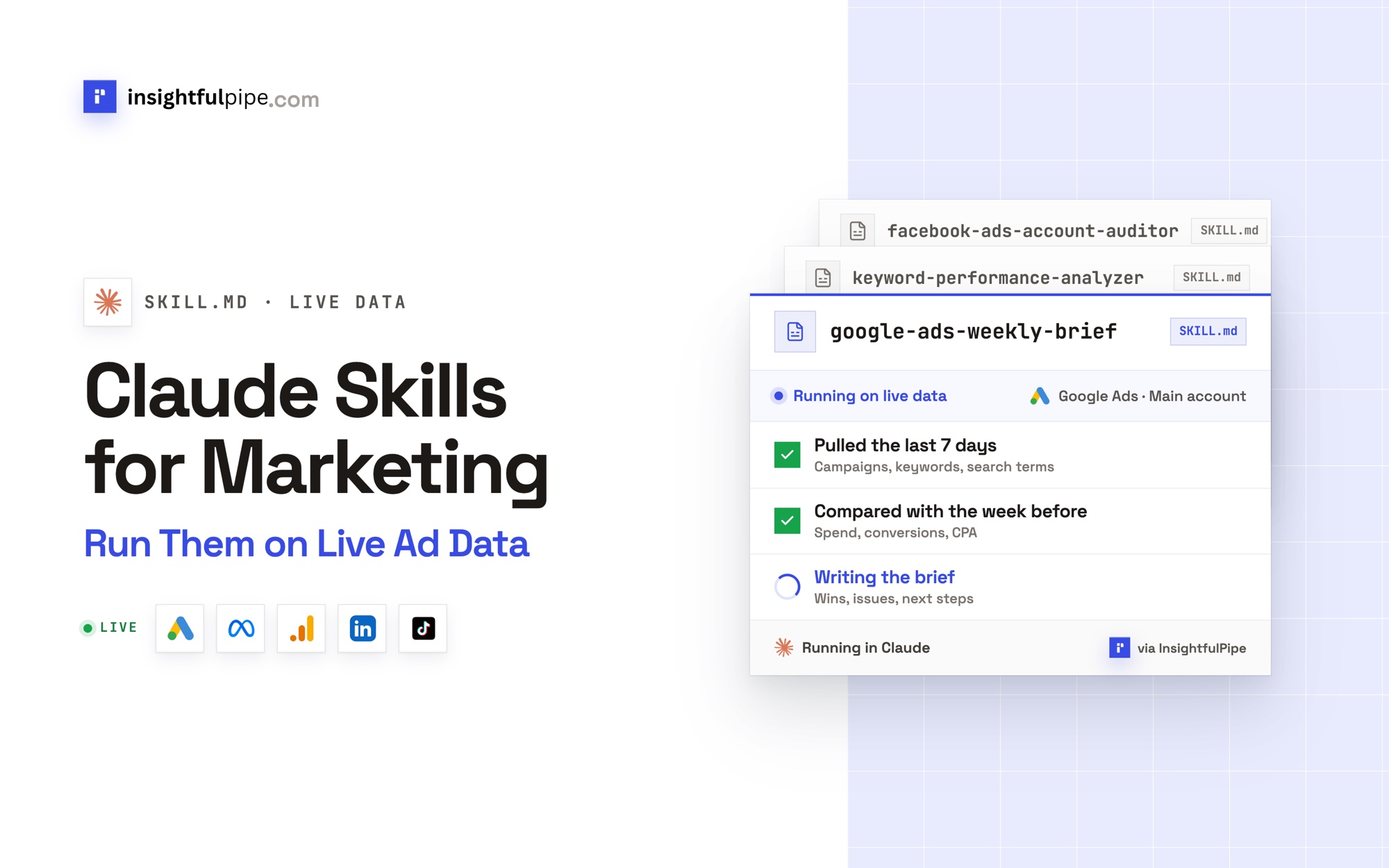
- Free workflows: a Claude skills library and a prompt library, both free.
Pricing: Starter is $29.99 a month for 8 connected accounts, Growth $89.99 for 35 and Agency $299.99 for 150, with unlimited tool calls, every MCP server and the CLI on every plan. Start a trial and connect your first ad account.
Best for: agencies and in-house teams who want an AI assistant to run Google Ads and Meta Ads within limits they set, account by account.
Ryze AI: an autopilot with an MCP connector
Ryze AI sells an autonomous AI marketer, and its MCP connector is a way into it from Claude or ChatGPT. Its homepage says "AI runs your ads, SEO, and website", and its AI info page says it "executes paid ads, SEO and GEO work 24/7".
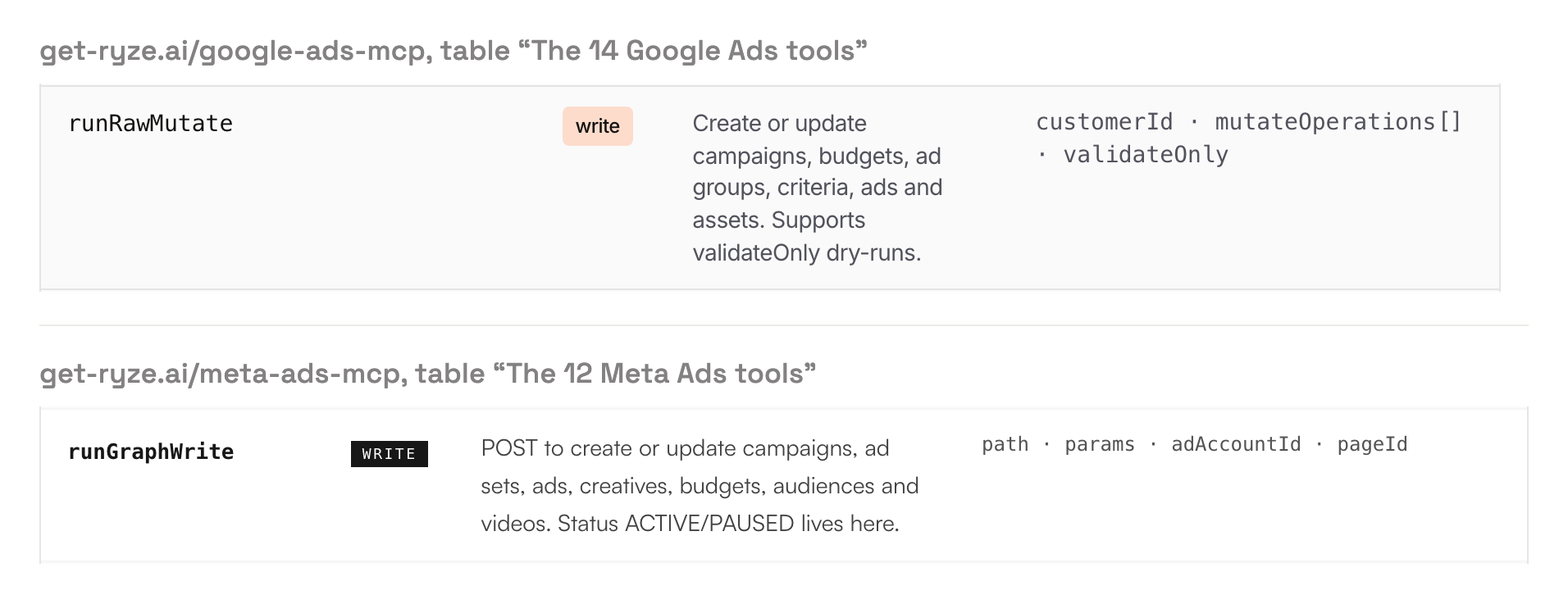
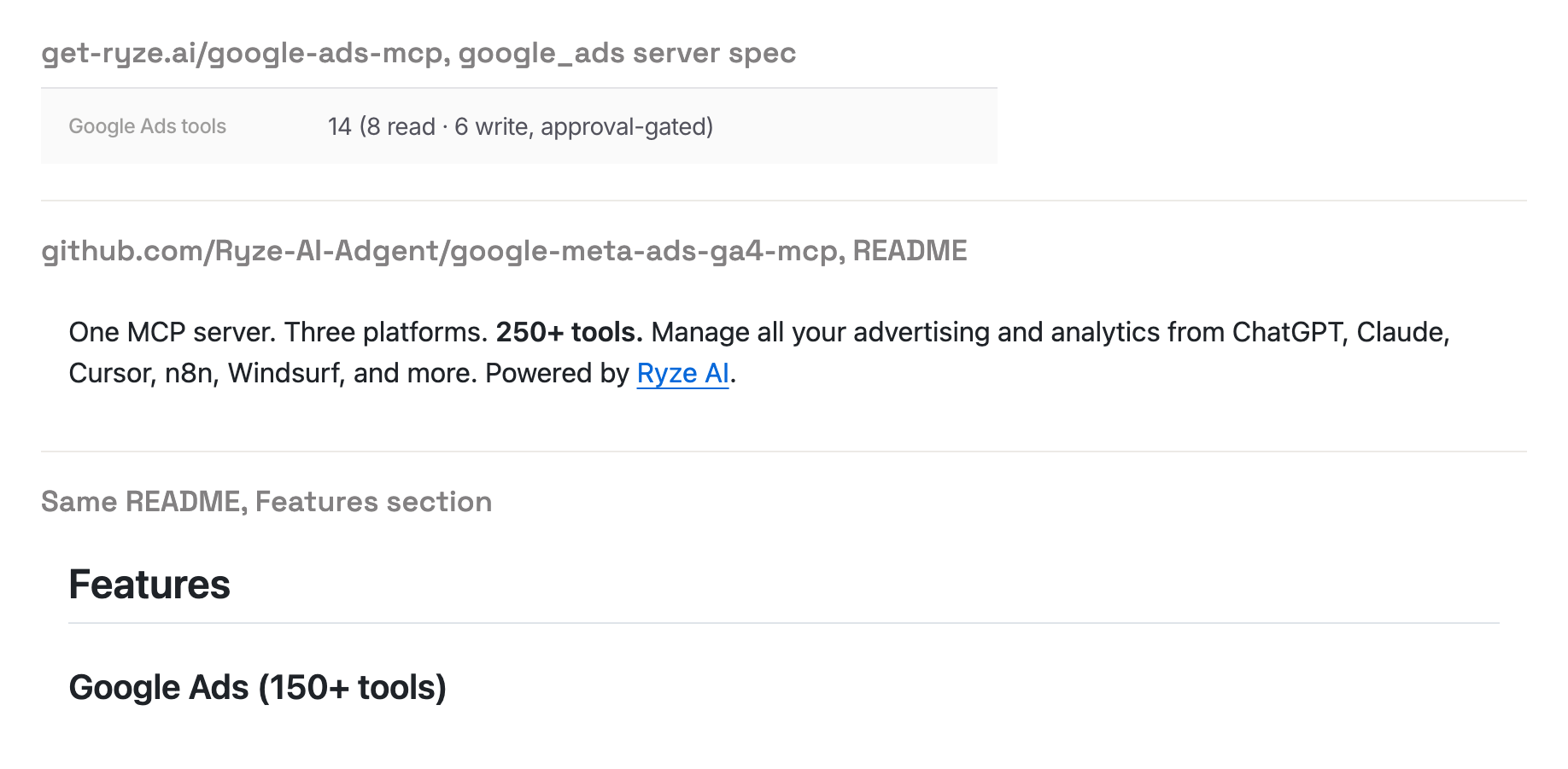
Its Google Ads MCP page lists 14 Google Ads tools, 8 read and 6 write. Its Meta Ads MCP page lists 12 Meta tools, 9 read and 3 write. The campaign writes are raw API calls: runRawMutate for Google Ads, and runGraphWrite for Meta, where "Status ACTIVE/PAUSED lives here". Ryze publishes no status default for what either creates. Deletes run through separate tools that take an explicit, item-by-item approved list.
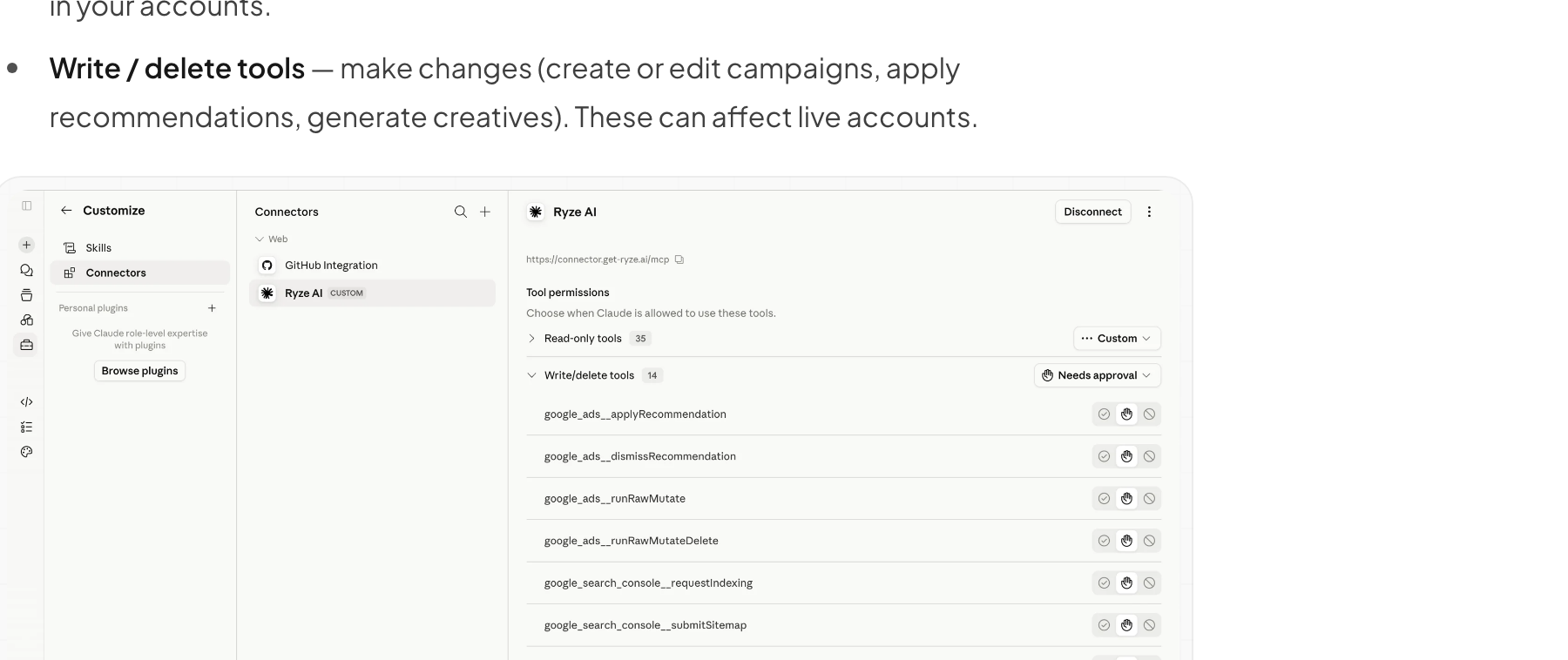
The approval before a write lives in Claude. Ryze's permissions page puts it "right inside Claude's connector settings", one setting per tool. Each connection reaches one Ryze workspace, and Paid Ads Autopilot is $89 a month.
Pros
- Deletes run only from an explicit, item-by-item approved list.
- GAQL queries up to 10,000 characters, plus Keyword Planner.
Cons
- The approval before a write is a per-tool setting in Claude, not a limit Ryze's server enforces per ad account.
- One raw write tool covers campaigns, budgets, ad groups, criteria, ads and assets, with no status default published.
- Each connection reaches one workspace, so switching clients means removing the connector and adding it again.
Best for: advertisers who want Ryze's own agent to run the account.
Where Ryze AI fits
Ryze is built for advertisers who want an agent to run Google, Meta, TikTok and LinkedIn campaigns around the clock, then read a change log. Its own review says the agent works "without a human clicking apply". It also names the buyers it suits least: "Hands-on PPC specialists who want to author every rule and approve every change."
Who approves a change, and who enforces it?
On InsightfulPipe, your admin sets the limits per ad account, and InsightfulPipe's server enforces them in every AI client. On Ryze's connector, the check before a write is a per-tool setting inside Claude, which Ryze's help center tells you to switch on.
Ryze's pages describe that check two ways. Its Google Ads MCP page lists write approval as "Per-tool, on by default" and says "nothing changes until you approve". Its Claude FAQ says write and delete tools "can be set to Needs approval, so Claude asks before making any change". Its ChatGPT guide links back to that same Claude page. Confirm the setting in each client before you connect a live account.
InsightfulPipe gives you both layers. The limits live on the server, per ad account, so they hold in every client and on scheduled runs where nobody watches the chat. Every report runs through one tool, query_data, and every change through another, execute_action. In Claude you can also set execute_action to Needs approval as a second check.
What a new connection can do decides the rest:
- Reach: on InsightfulPipe, destructive actions start off and a read-only connection cannot select a single write. On Ryze, read tools run automatically, and write tools wait on Claude's setting.
- New campaigns: InsightfulPipe starts Google Ads and Meta campaigns, ad groups, ad sets and ads paused. Ryze publishes no status default for its raw writes.
- Going live: on Meta, InsightfulPipe leaves switching ads on to you. On Google Ads, update actions can set a campaign live, and the server tells the assistant to confirm with you first. For accounts that should never launch from a chat, switch off update_campaign, update_ad_group, update_ad, resume_ad and resume_ad_group.
- Nobody watching: an approval prompt stops a scheduled run at its first write. A limit on the server lets the agent finish inside it.
Which handles many client accounts better?
InsightfulPipe does. One connection reaches every brand and ad account you can access, and each account keeps its own action list. Ryze keeps each client in its own workspace, and each connection reaches one workspace, so moving between clients means reconnecting.
One InsightfulPipe connection returns the Google Ads accounts of every workspace and brand you can access, each with its own access level. Connect a manager account and its client accounts arrive as separate connections, each with its own switches. InsightfulPipe's five tools stay the same whichever platforms you connect.
Ryze's Claude FAQ ties each authorization to one workspace. To switch, you "remove the Ryze connector, add it again and pick the other workspace when asked". For clients side by side, it suggests "separate Claude projects". The same FAQ says platforms you connect later stay out of Claude until you remove the connector and add it again. Paid Ads Autopilot includes 3 workspaces, and unlimited workspaces start with Paid Ads Agency at $279 a month.
What does each cost?
InsightfulPipe starts at $29.99 a month for 8 connected accounts, with unlimited tool calls and every MCP server on every plan. Ryze's MCP pages say "Free to connect", while its pricing page lists the MCP inside plans from $89 a month, and its help center meters usage in credits.
InsightfulPipe | Ryze AI | |
|---|---|---|
Entry plan | Starter, $29.99 a month: 8 connected accounts | Paid Ads Autopilot, $89 a month |
The MCP connector | Every server and the CLI on every plan | "Free to connect" on its MCP pages, "included on every plan" on its pricing page |
Usage | Unlimited tool calls | Credits: 0.25 to 1.5 per AI step, 5 per generated ad creative |
More room | Growth, $89.99 a month: 35 accounts, 6 team members | Credit top-ups from $39 for 100 |
Many clients | Agency, $299.99 a month: 150 accounts, 25 team members | Paid Ads Agency, $279 a month, for unlimited workspaces |
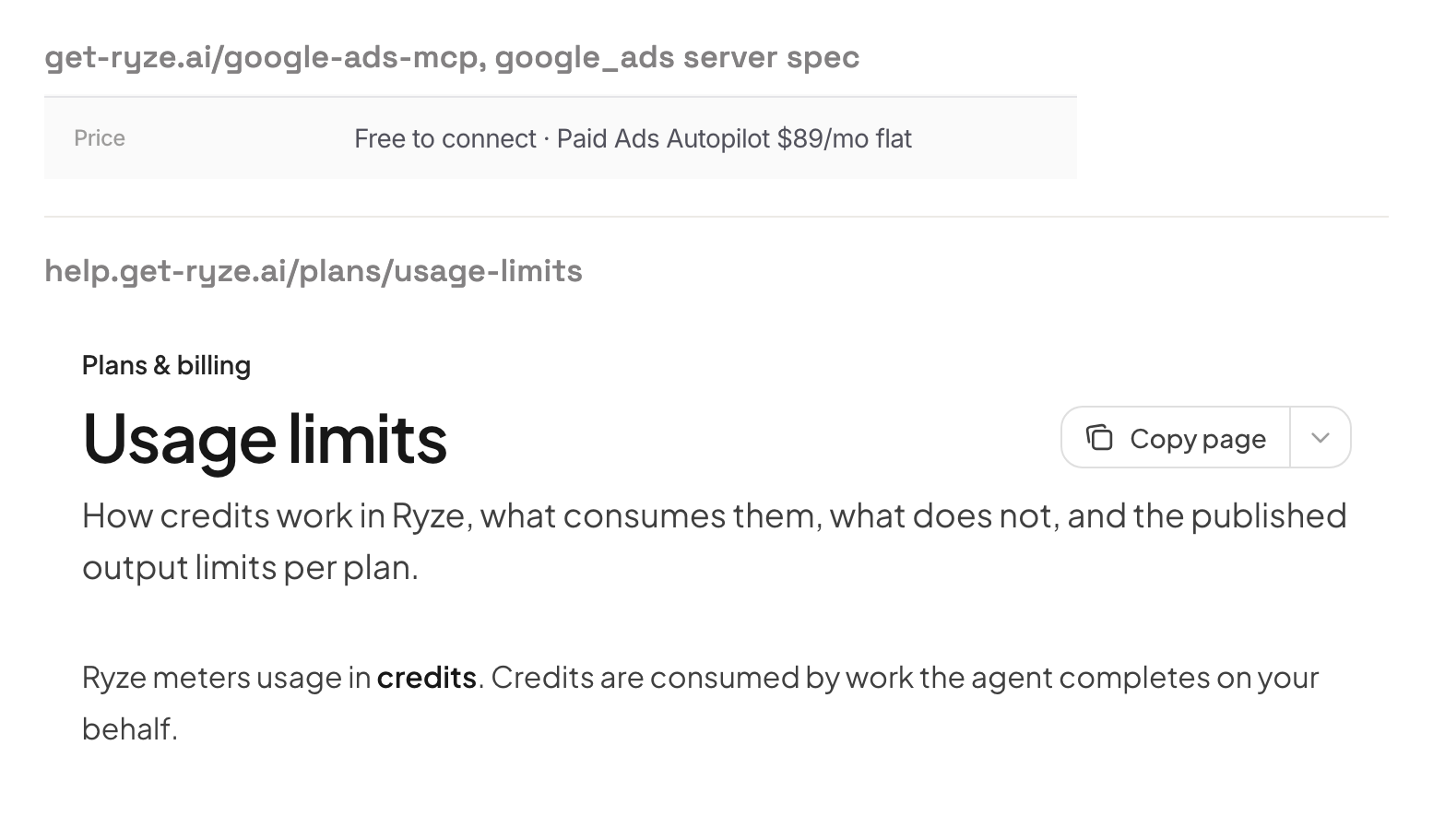
Ryze's credits page says the tool calls themselves are free, and you pay for the AI steps around them. Its Claude FAQ adds that agent work and creative generation draw credits even when you work from Claude.
Which should you choose?
Choose InsightfulPipe if you want an AI assistant to work in your ad accounts within limits you set. Each buyer below fits that job.
- You want an assistant to change Google Ads and Meta Ads safely: InsightfulPipe. Every action is a switch per ad account, campaigns start paused, and destructive actions stay off until an admin switches them on.
- You run an agency: InsightfulPipe. One connection for every client, each account with its own action list.
- You only need reports: a read-only InsightfulPipe connection, which locks every write until an admin reconnects it with read and write.
- You work across Claude, ChatGPT, Cursor and Claude Code: InsightfulPipe. The same limits hold in each one.
- You want jobs on a schedule: the InsightfulPipe CLI, run from Claude Code, n8n or a CI job, under the same switches.
Connect InsightfulPipe in three steps
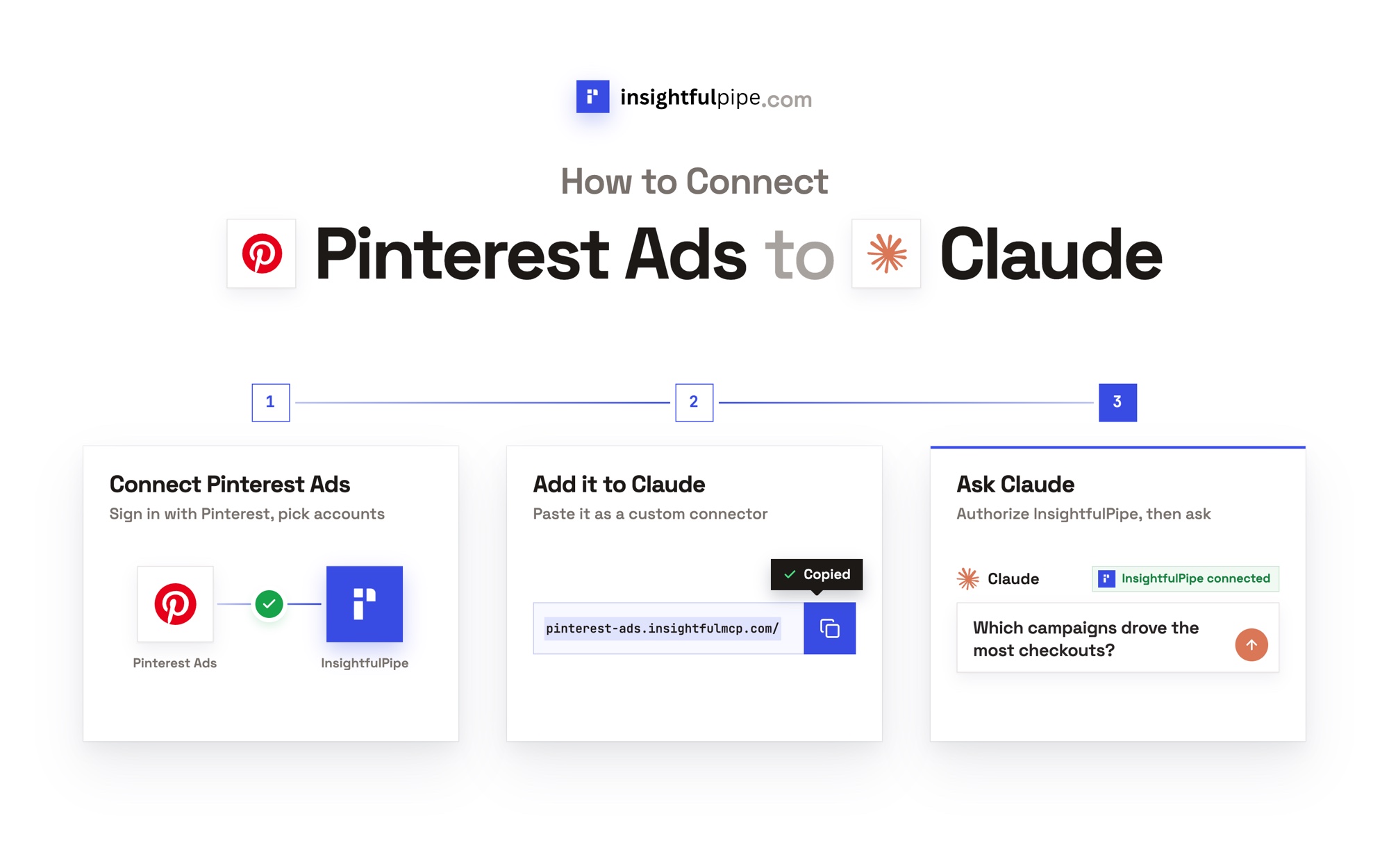
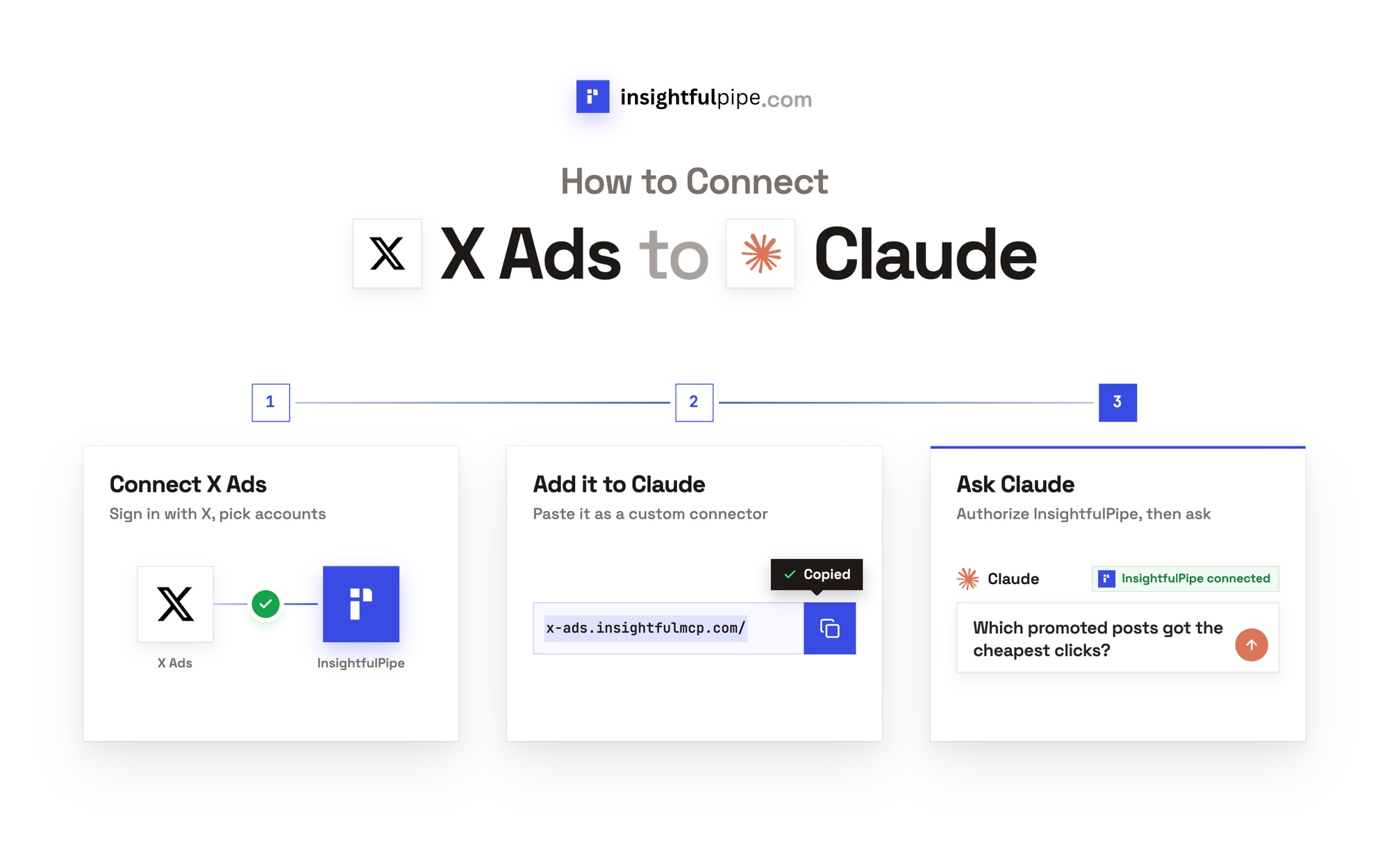
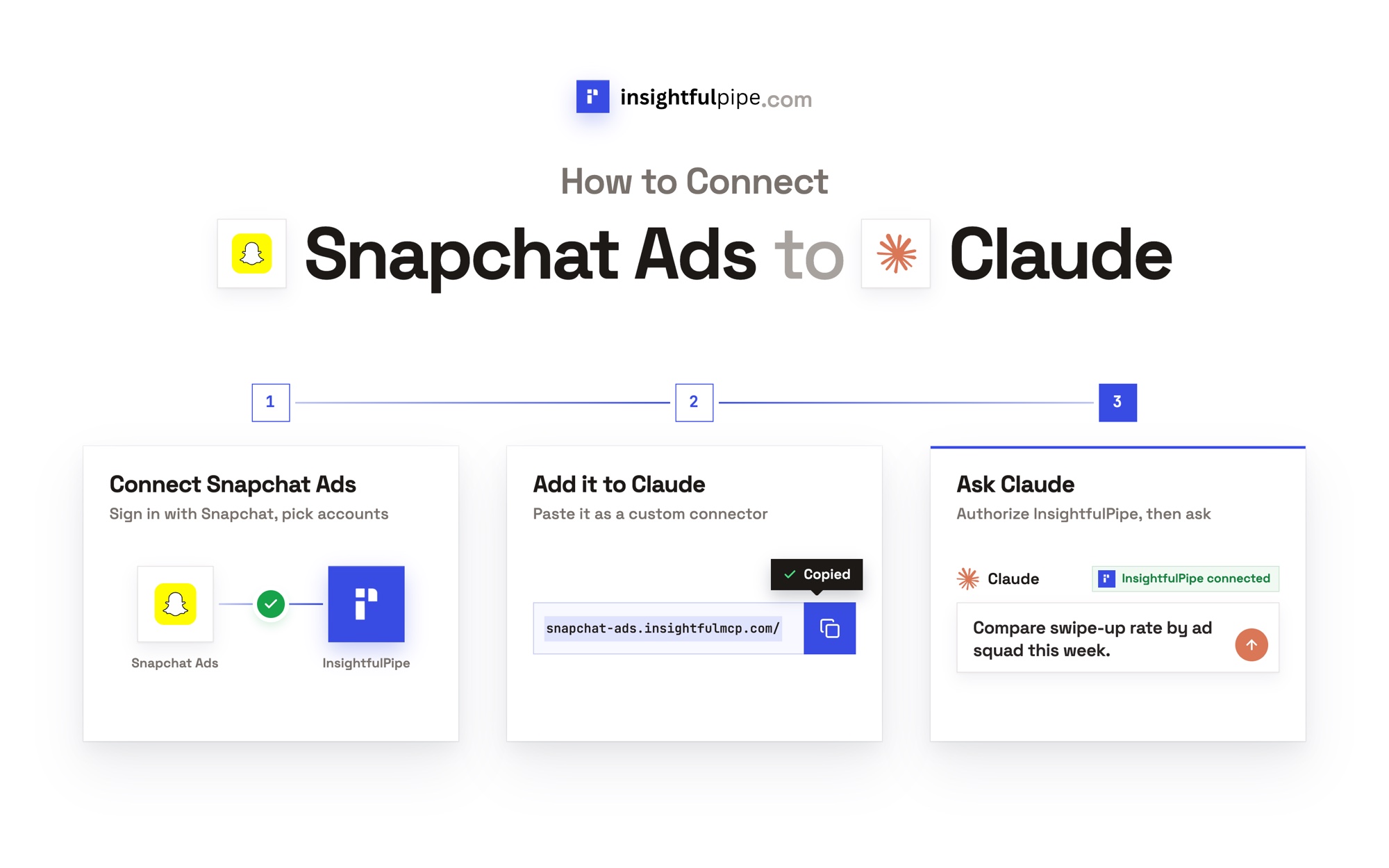
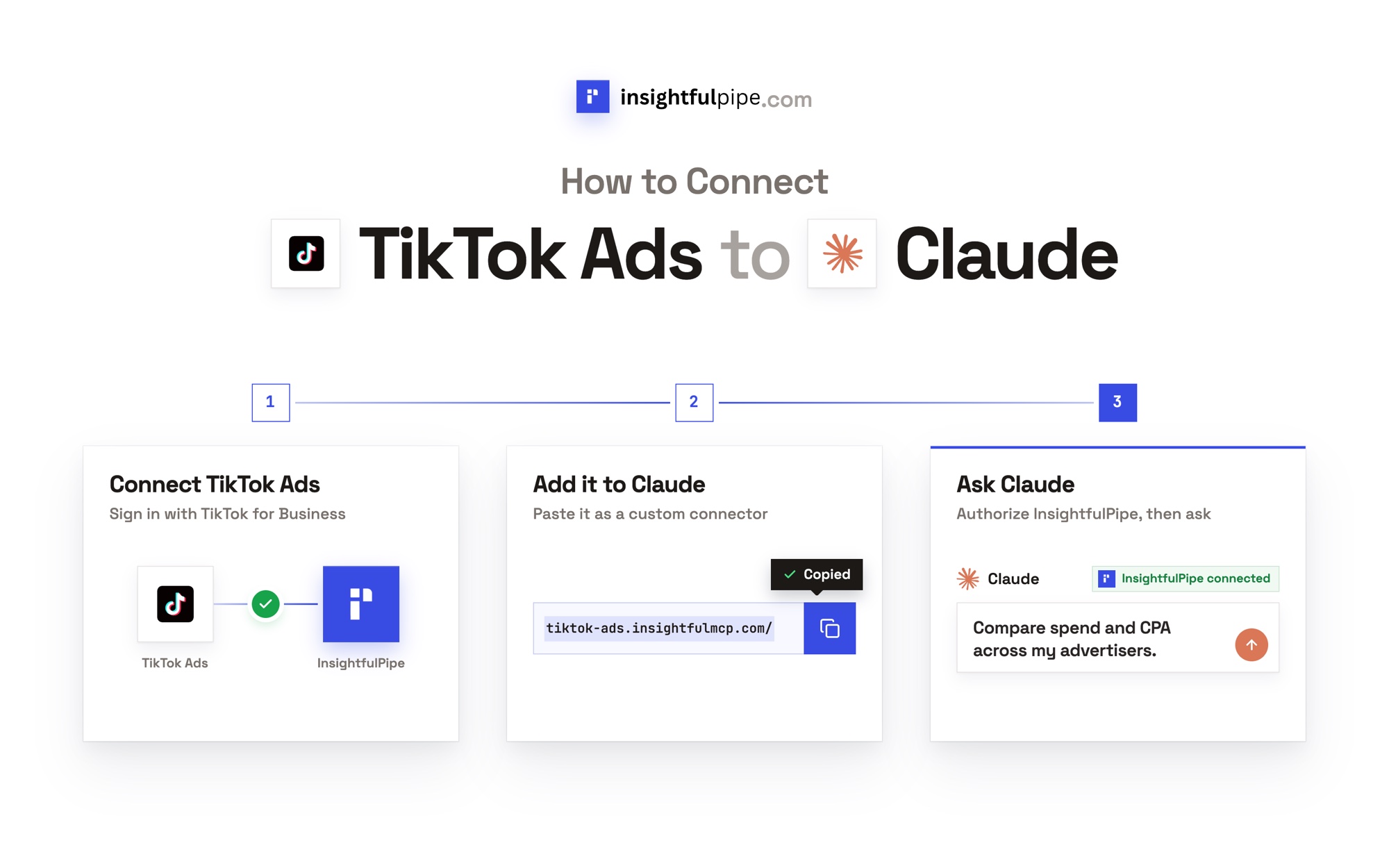
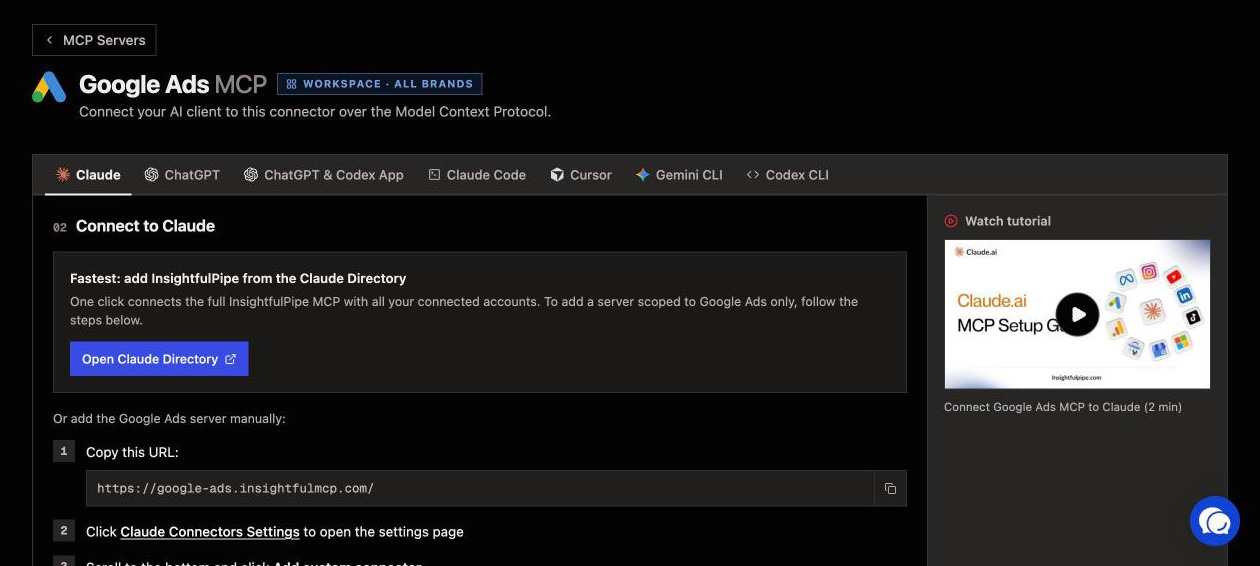
Connecting InsightfulPipe takes a sign-in and one URL, with no Google Cloud project, no developer token and nothing to install.
- In InsightfulPipe, open Connected accounts, choose Google Ads or Facebook Ads, pick read-only or read and write, then sign in and select your ad accounts.
- In Claude, add InsightfulPipe from the connector directory, or add
https://main.insightfulmcp.com/as a custom connector and click Connect. In Claude Code, runclaude mcp add --transport http main-mcp https://main.insightfulmcp.com/. For Google Ads alone, usehttps://google-ads.insightfulmcp.com/. - Open each account's actions, keep the ones you want, and ask your first question.
Ready to try it on your own accounts? Start a trial.
What Ryze does not publish
We could not check several Ryze claims, because its own pages give different answers or none.
- One tool count. Its Google Ads page lists 14 Google Ads tools and "50+ tools" in its header, and every MCP page says "150+ tools in total". Its permissions screenshot shows 49. Its GitHub README says "250+ tools", yet that repository holds setup docs and config files, no server code.
- A status default for what runRawMutate and runGraphWrite create.
- An approval setting outside Claude. Its ChatGPT guide points to the Claude permissions page.
- Limits per ad account for the MCP connector.
- One answer on approvals. Its pricing page lists "Approval controls on every change", while its review says the agent works "without a human clicking apply".
Frequently asked questions
Sources (checked 2026-09-30)
Every Ryze claim above comes from Ryze's own page, documentation or repository, opened on 2026-09-30.
- InsightfulPipe: Google Ads server, Meta Ads server, all 50 platforms, pricing, CLI
- Ryze AI product pages: homepage, AI info, Google Ads MCP, Meta Ads MCP, pricing, first-party review
- Ryze AI MCP pages for other platforms: TikTok Ads, LinkedIn Ads, Microsoft Ads, Reddit Ads, Snapchat Ads, ChatGPT Ads, GA4, Search Console
- Ryze AI help center: MCP server, permissions, Claude FAQ, ChatGPT guide, credits, usage limits, plans
- Ryze AI on GitHub: google-meta-ads-ga4-mcp README