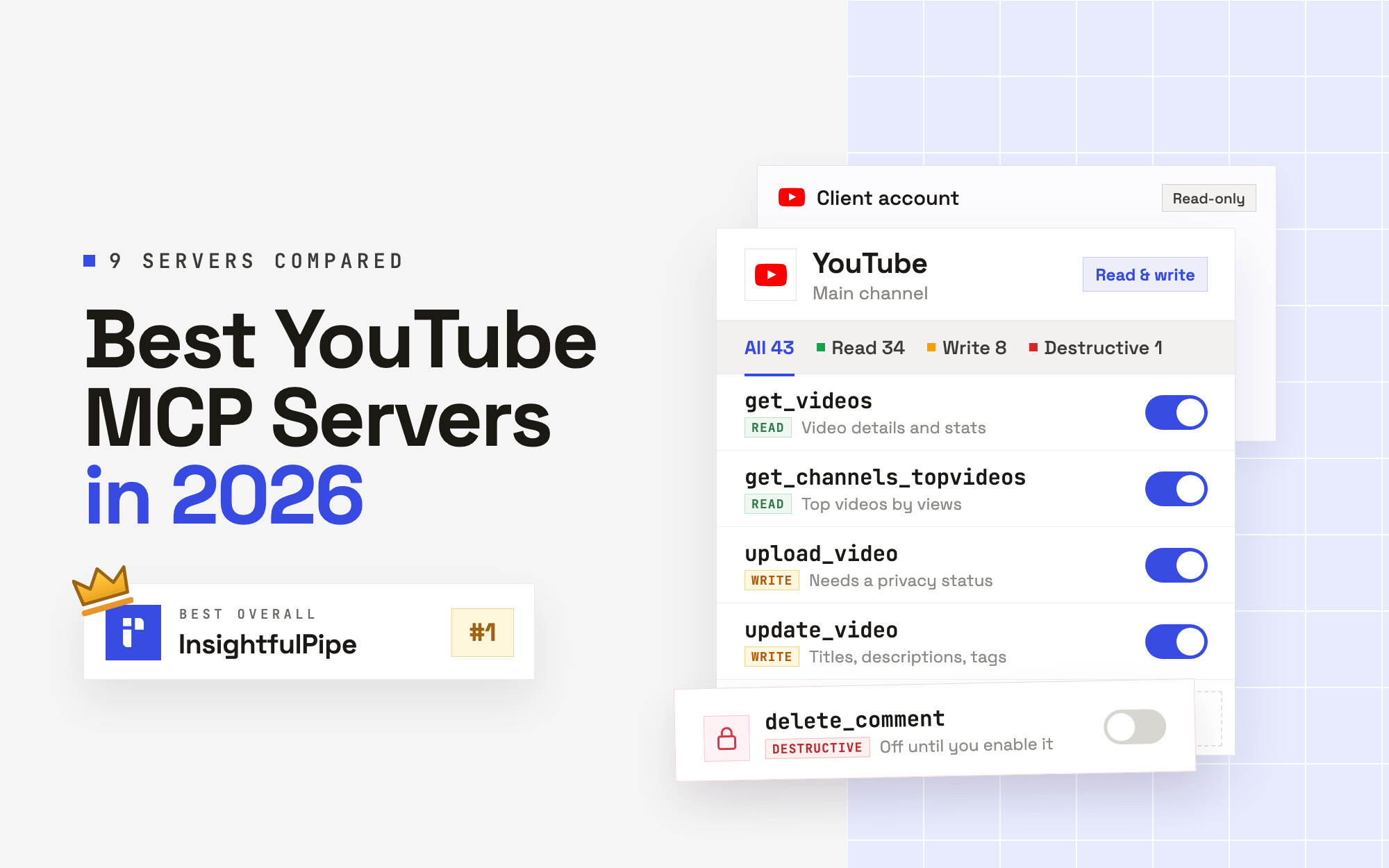
Disclosure: InsightfulPipe publishes this and is one of the 9 options ranked.
The verdict
The best YouTube MCP server in 2026 for running your own channel is InsightfulPipe. Of the 9 best YouTube MCP servers compared here, it is the only hosted one that reads your channel's analytics, uploads and edits videos, manages playlists and replies to comments, with each of its 43 actions switched on or off per channel by your admin. That makes it the safest way on this list to let an AI agent change a YouTube channel.
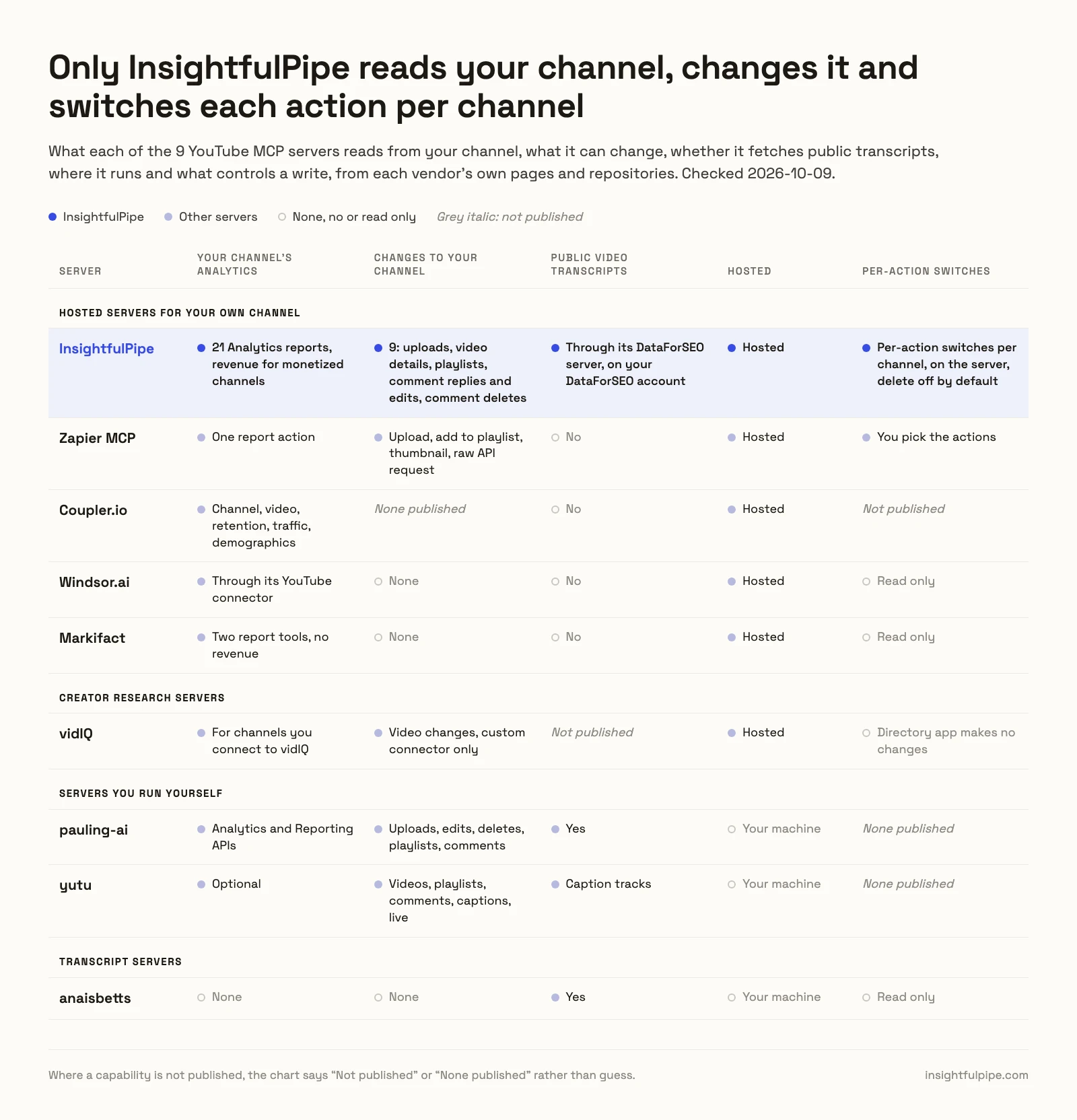
Most YouTube MCP servers read a video's words, not your channel's numbers. Four of the nine publish no way to change anything on a channel. Two of the five that can write run only on your own machine, behind a Google Cloud project you set up. Of the three hosted writers, only InsightfulPipe does all four: uploads, edits titles and descriptions, manages playlists and replies to comments.
- Best overall: InsightfulPipe. 43 YouTube actions, 34 read, 8 write and 1 destructive, each switched on or off per channel by your admin, from $29.99 a month. The full list is on the YouTube MCP server page.
- Safest write access: InsightfulPipe. Deleting a comment stays off until an admin switches it on. A read-only connection locks every write until an admin reconnects it with read and write. An upload will not run without a privacy status.
- Best value: InsightfulPipe. $29.99 a month covers 8 connections across 50 platforms, with unlimited tool calls. Markifact starts at $79 for two read-only YouTube tools.
The best YouTube MCP servers at a glance
Nine servers, compared on what they read from your channel, what they can change, what a new connection reaches and what they cost to start.
Server | Your channel's analytics | Changes it can make | A new connection reaches | Hosting | Starting price |
|---|---|---|---|---|---|
InsightfulPipe | 21 Analytics reports, revenue for monetized channels | 9: uploads, video details, playlists, comment replies and edits, comment deletes | Everything except deleting a comment, off until an admin switches it on | Hosted | $29.99/mo |
Zapier MCP | One report action | Upload, add to playlist, thumbnail, raw API request | The actions you add | Hosted | $0 for 50 calls/mo, then $19.99/mo |
Coupler.io | Channel, video, retention, traffic, demographics | None published | Not published | Hosted | "At least the Professional plan" |
Windsor.ai | Through its YouTube connector | None | Read only | Hosted | $0 for 1 source, then $19/mo yearly |
Markifact | Two report tools, no revenue | None | Read only | Hosted | $79/mo |
vidIQ | For channels you connect to vidIQ | Video changes, custom connector only | Directory app: no changes | Hosted | Free plan, 150 credits/mo |
pauling-ai | Analytics and Reporting APIs | Uploads, edits, deletes, playlists, comments | All 40 tools | Your machine | Free, MIT |
yutu | Optional | Videos, playlists, comments, captions, live | Not published | Your machine | Free, Apache-2.0 |
anaisbetts | None | None | Read only | Your machine | Free, MIT |
How we compared them
We read every capability, default and price from each vendor's own documentation, pricing page or public repository, and ran InsightfulPipe on live accounts. We checked every vendor page and repository on 2026-10-20.
Criterion | What we checked |
|---|---|
Your channel's analytics | Does it read YouTube Analytics for a channel you own: watch time, retention, traffic sources, revenue? |
Changes | Can it upload, edit video details, manage playlists or reply to comments? |
Control before a write | Can you choose the actions the agent gets for each channel, and does the server enforce it? |
Default on a new connection | What can the agent do before anyone narrows it, and do deletes start off? |
Setup | A sign-in and a URL, or a Google Cloud project, an OAuth client and a local install? |
Other platforms | Does the same login reach GA4, Google Ads and Search Console? |
Price | What does it cost to start, and what does each call cost? |
Where a vendor's own pages contradict each other, we quote both and attribute them to the vendor. Where a capability is not published, we say "not published". Roadmap features do not count.
Left out, with the reason. Improvado claims YouTube writes and publishes no tool list to check. Composio and Pipedream are developer toolkits, and Pipedream's tool list loads only with JavaScript. Blotato is a publishing tool: its page says it "publishes, not scrapes". NexLev and OutlierKit sell the same creator research as vidIQ. Detrics, CData and conorbronsdon/yt-analytics-mcp only read analytics. HasData, TubeAlfred, CreatorCrawl and Apify read public video data. kirbah, coyaSONG and ZeroPointRepo/youtube-skills are transcript and search servers like the one ranked here.
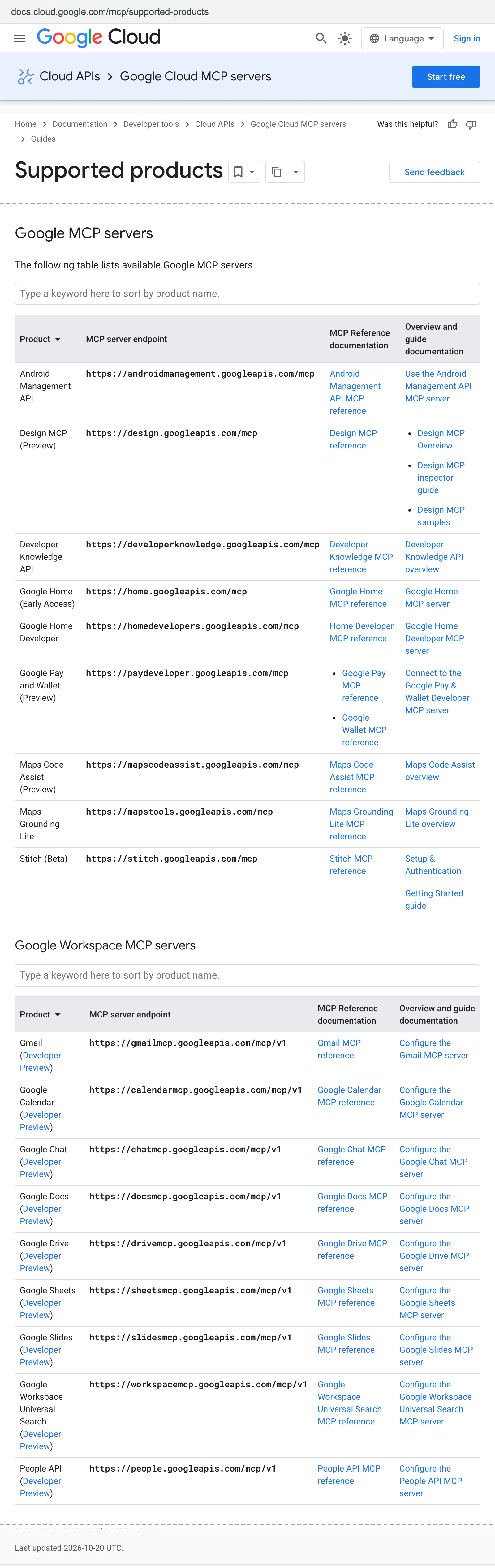
There is no official option. Google's list of Google-managed MCP servers, last updated 2026-10-20, has no YouTube entry. Neither does the open-source list in Google's MCP repository, which names Google Analytics.
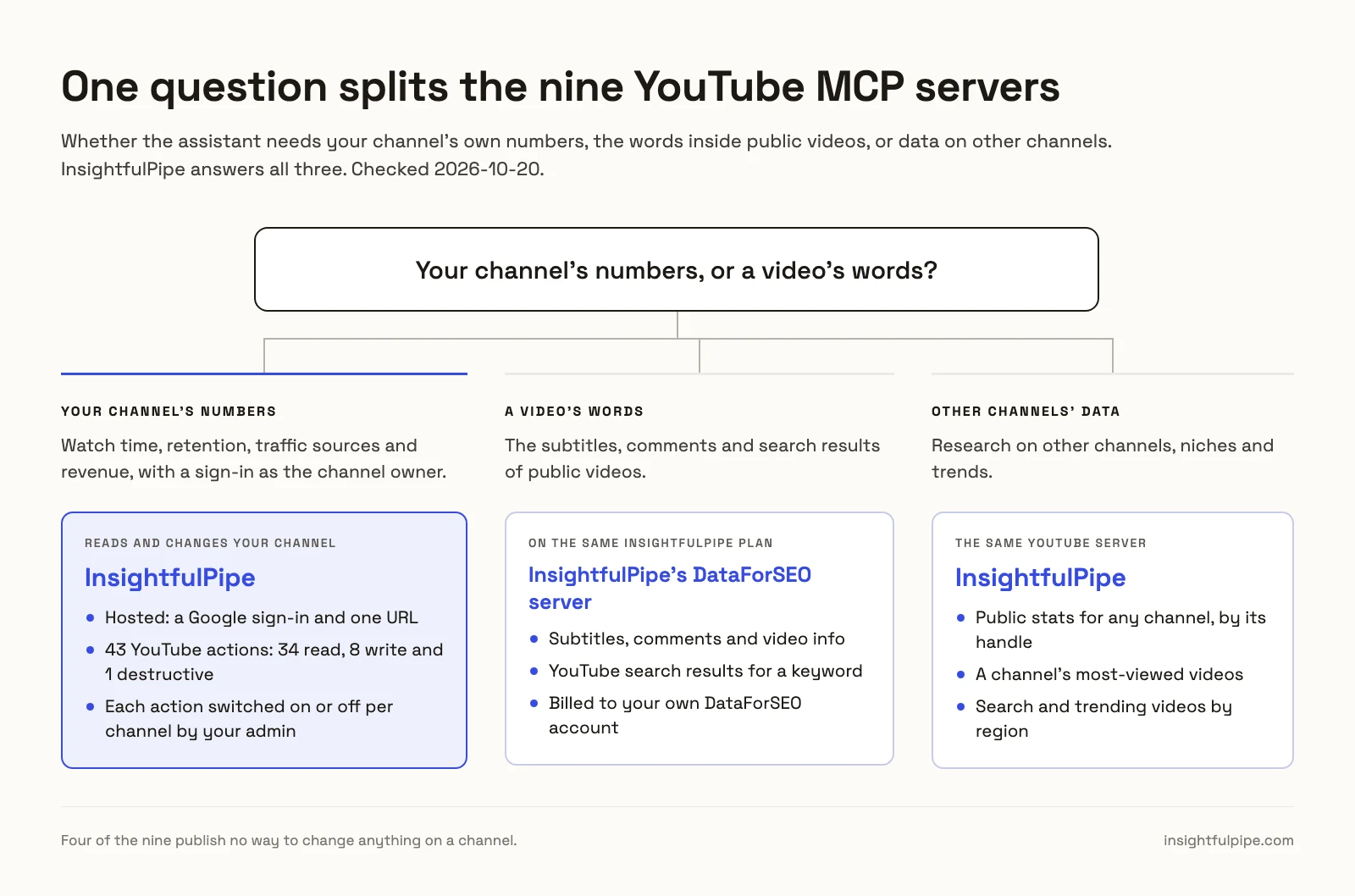
The question that splits this list: your channel's numbers, or a video's words?
One question splits these nine: whether the assistant needs your channel's own numbers, or the words inside public videos. The first takes a sign-in as the channel owner. The second takes nothing but a video URL.
If you need a video's words, InsightfulPipe's DataForSEO MCP server reads public video subtitles, comments and YouTube search results on the same InsightfulPipe plan, billed to your own DataForSEO account. anaisbetts/mcp-youtube fetches subtitles too, on your own machine, with no channel data. Research on other channels is a third job, and InsightfulPipe's YouTube server does it too: public stats and most-viewed videos for any channel by its handle, plus YouTube search and trending videos by region and category.
If you need your channel's numbers, the list collapses to the servers that sign in as the owner. That means InsightfulPipe, Zapier, Coupler.io, Windsor.ai, Markifact, vidIQ for channels you connect to it, and two servers you run yourself. Five of them can write. InsightfulPipe sets which of its actions the agent gets, per channel and on its own server, before the session starts.
Side by side
The same nine, compared on how each one connects, what it can change and what stands between the agent and your channel.
Server | Hosting | Signs in with | Writes | Control before a write | Transcripts |
|---|---|---|---|---|---|
InsightfulPipe | Hosted | Google sign-in, then InsightfulPipe in your AI client | 9 | Per-action switches per channel, on the server, delete off by default | Through its DataForSEO server, on your DataForSEO account |
Zapier MCP | Hosted | Zapier account | 3, plus a raw API request | You pick the actions | No |
Coupler.io | Hosted | Coupler.io data flow | None published | Not published | No |
Windsor.ai | Hosted | Windsor.ai account | None | Read only | No |
Markifact | Hosted | Markifact account | None | Read only | No |
vidIQ | Hosted | vidIQ account or API key | Video changes, custom connector only | Directory app makes no changes | Not published |
pauling-ai | Python on your machine | Your own Google Cloud OAuth client | Upload, edit, delete videos, playlists, comments | None published | Yes |
yutu | Go binary on your machine | Your own Google Cloud OAuth client | Videos, playlists, comments, captions, live | None published | Caption tracks |
anaisbetts | Your machine | None, needs yt-dlp | None | Read only | Yes |
Hosted servers for your own channel
The five hosted servers in this section read your own channel's YouTube data, and two of them can change it. InsightfulPipe leads them with 43 YouTube actions, 9 of them make changes.
Best overall: InsightfulPipe
InsightfulPipe gives an AI agent 43 YouTube actions for your own channels, and you decide which of them each channel allows.
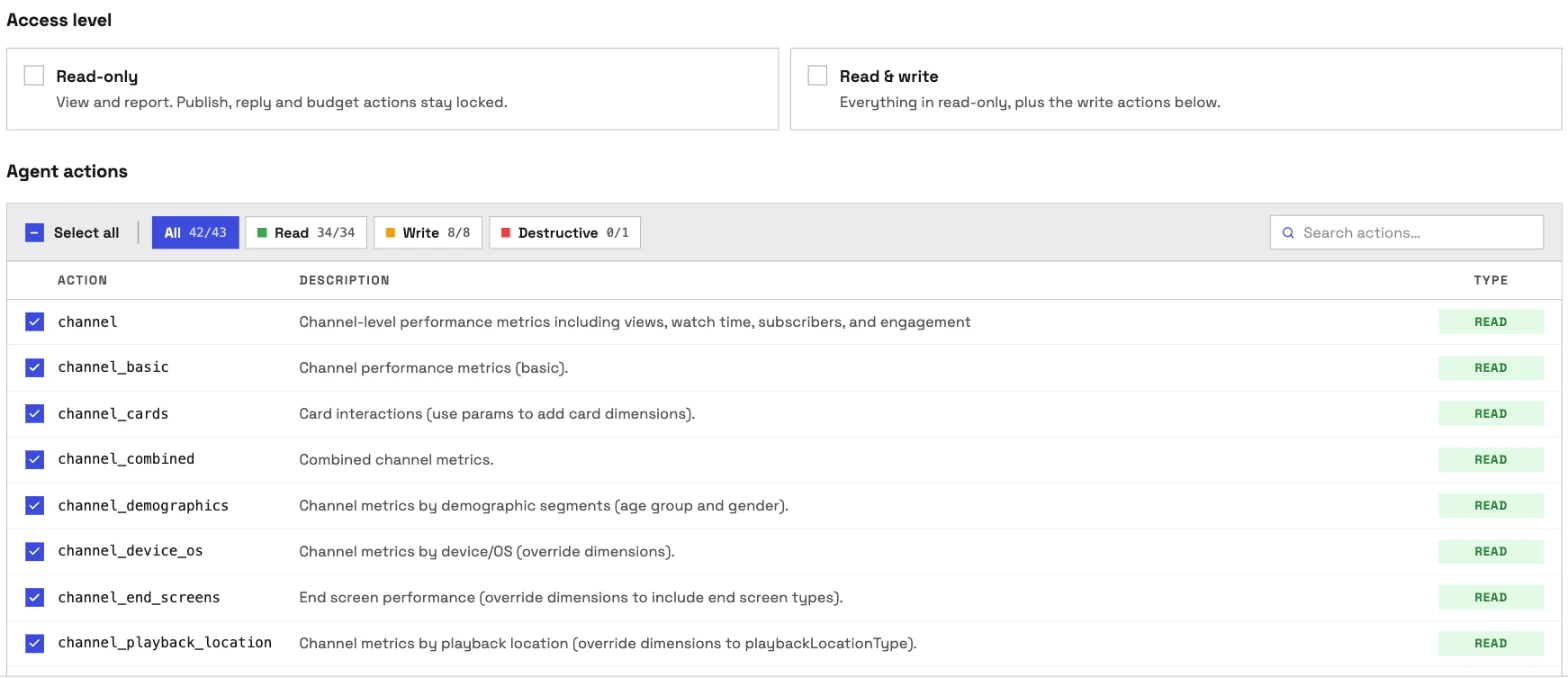
It is the pick if you want the assistant to do the work on your channel, not only describe it. Coverage is the first difference. Markifact has two report tools, Windsor.ai's connector writes nothing, and Zapier has six actions. InsightfulPipe carries 43 YouTube actions, 34 read, 8 write and 1 destructive:
- Channel and video analytics: views, watch time, average view duration, subscribers gained and lost, likes, shares and estimated revenue for monetized channels
- Breakdowns: age and gender, traffic source, device and operating system, playback location, US state and sharing service, plus card and end screen reports
- Playlist analytics: six playlist reports, from basic metrics to traffic sources
- Custom reports: your own metrics, dimensions and filters through the Analytics API's report query
- Channel data: channel details, top videos, video details, search results, trending videos by region and category, subscriptions and channel activity
- Uploads: a video from a public URL, with title, description, tags, a privacy status and an optional custom thumbnail
- Video details: titles, descriptions, tags and privacy
- Playlists: create and update playlists, add videos and change their order
- Comments: read comment threads, reply to comments and edit them
Why it is the safest way to let an agent change a YouTube channel
Control is the second difference, and it is what makes InsightfulPipe the safest way to let an AI agent change a YouTube channel: every limit is a switch, and your admin decides where each one sits.
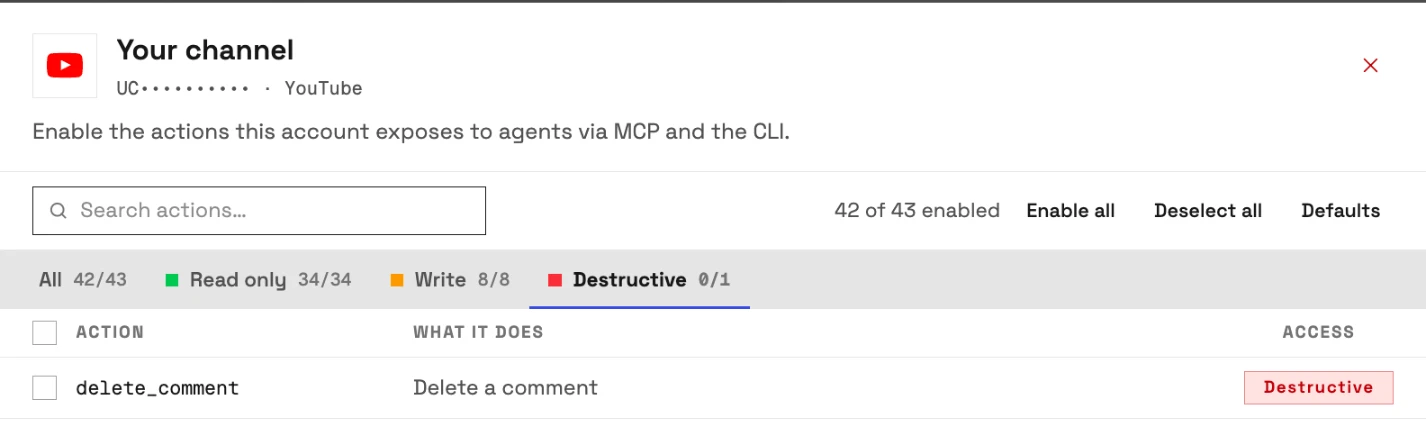
An owner, admin or operator opens a connected channel and chooses exactly which of its actions the agent can use, across read, write and destructive. They can switch any of them on or off at any time. The agent gets exactly that set. InsightfulPipe's server enforces it, not your AI client, so the same limits hold in Claude, ChatGPT, Cursor, Claude Code and the CLI.
- Deleting a comment starts off. delete_comment is the one destructive YouTube action. It stays off on a new connection until an admin switches it on for the channel that needs it.
- Read-only means read-only. Connect a channel as read-only and no write can be selected for it. When you want the agent to act, an admin reconnects it with read and write.
- Uploads need a privacy status. The upload refuses to run without one: "privacy_status must be public, private, or unlisted." Ask for private or unlisted, check the video, and set it public when it is ready.
- Each channel is its own boundary. Connect several channels, and each one gets its own action list.
- Roles hold. Team members on the user role only get read actions on the channels an admin grants them. An owner or admin sets the roles and can change them at any time.
What else you get
- 50 platforms on one plan, so one agent can put YouTube watch time next to GA4 sessions, Google Ads spend and Search Console queries.
- Several channels, one conversation: connect each channel you manage and compare them side by side.
- Every major AI client: Claude, ChatGPT, Claude Code, Cursor, Gemini CLI and Codex, each with a setup guide.
- Claude's connector directory and the ChatGPT app directory both list InsightfulPipe, so the full server connects in one click.
- Public video data on the same plan: the DataForSEO server reads YouTube search results, video info, comments and subtitles, on your own DataForSEO account.
- A CLI: the
insightfulpipenpm package runs the same YouTube reads and writes from a terminal, under the same switches. - Prompts and skills: YouTube prompts such as video performance analysis in the free prompt library, and the free Claude skills library, with a guide to Claude skills for marketing.
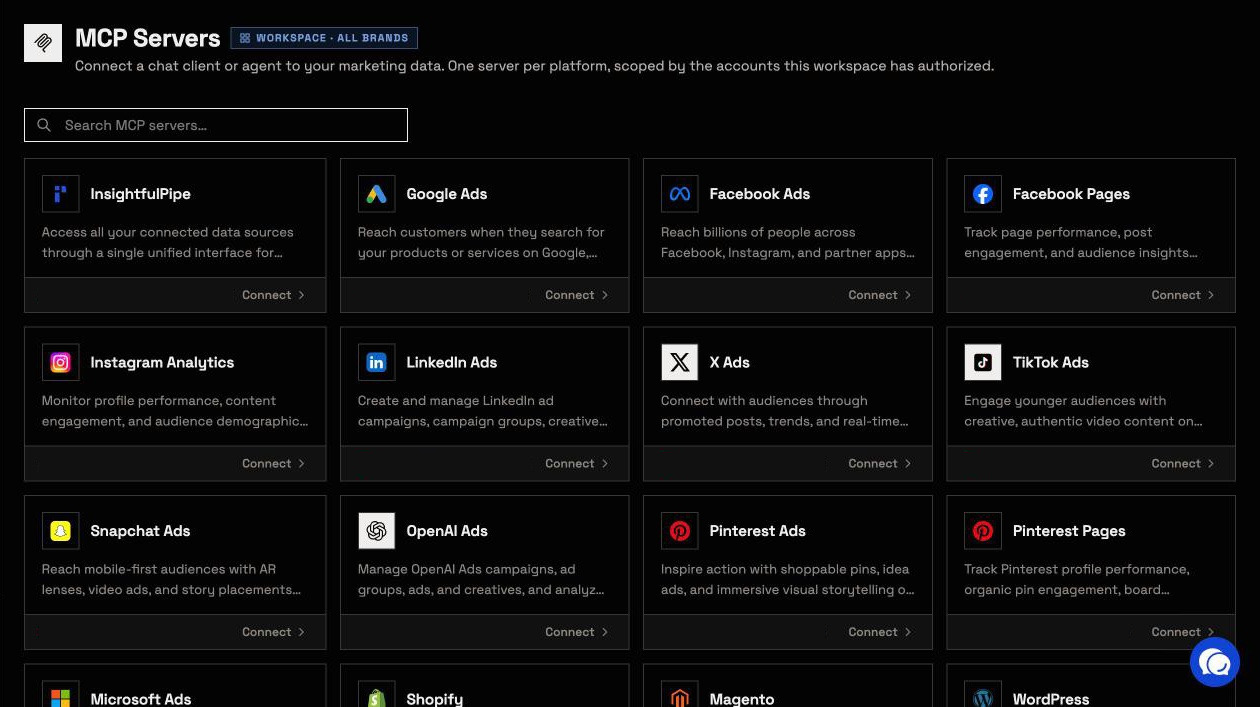
Pricing: Starter is $29.99 a month for 8 connections, Growth $89.99 for 35 and Agency $299.99 for 150, with unlimited tool calls, every MCP server and the CLI on every plan. Each YouTube channel counts as one connection. Start a trial.
Where it is the wrong answer: if you only ever pull an occasional channel report, you would be paying for more than you use.
Best for: creators, brands and agencies who want an assistant that reports on and works in their channels, within limits they set. See the YouTube MCP server and all 43 actions.
Zapier MCP
Zapier's YouTube MCP can upload a video and add it to a playlist. It cannot edit a title or reply to a comment.
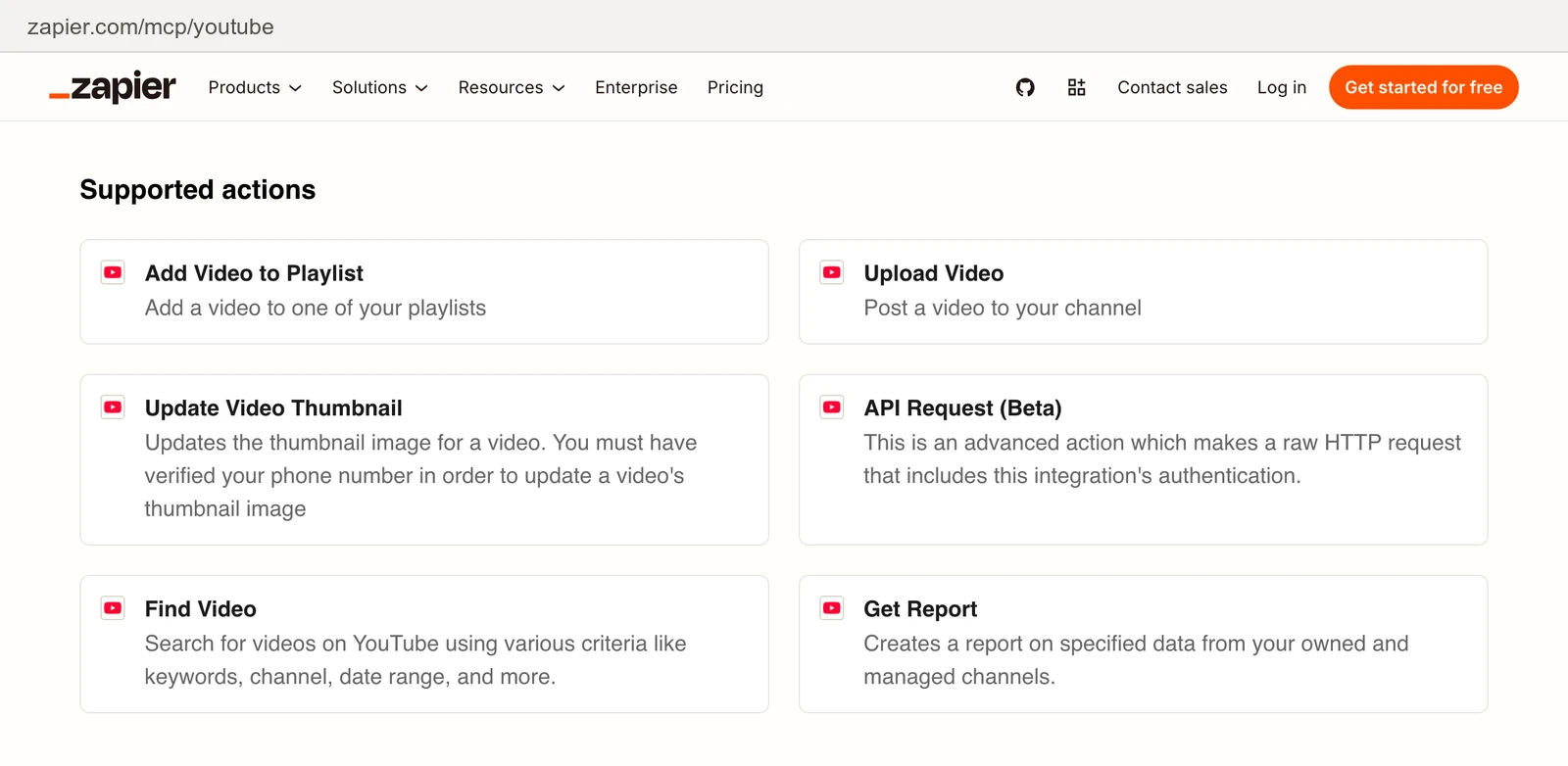
Its YouTube MCP page lists six actions: Add Video to Playlist, Upload Video, Update Video Thumbnail, Find Video, Get Report and API Request (Beta). The last one "makes a raw HTTP request that includes this integration's authentication." You choose which actions your AI can use. Each call uses two tasks, per Zapier's usage docs, so the 100-task free plan covers 50 calls a month. Paid plans start at $19.99 a month, per its pricing page.
Pros
- Uploads and playlist adds from any MCP client.
- You pick the actions for each server.
Cons
- No title, description, tag or comment actions.
- One report action for analytics.
- A raw API request carries your YouTube sign-in.
Best for: teams already running Zapier automations.
Coupler.io
Coupler.io reads YouTube channel analytics through a data flow, and its pages disagree on the plan it needs.
Its YouTube MCP page lists channel statistics, video statistics, audience retention, traffic sources, playback locations, demographics, device types and geography. You build a data flow in Coupler.io first, then connect your AI client. The page's FAQ says "You need to be on at least the Professional plan". Its pricing page lists Free, Starter at $32 a month ($24 billed annually), Active and Pro, and no Professional plan. It publishes no write action.
Pros
- Retention, traffic and demographic reports.
- 400+ data sources on the same account.
Cons
- No changes to videos, playlists or comments.
- A data flow to build before the first question.
- A required plan its pricing page does not list.
Best for: teams already moving YouTube data through Coupler.io.
Windsor.ai
Windsor.ai reads YouTube data for Claude, and by its own check it writes nothing.
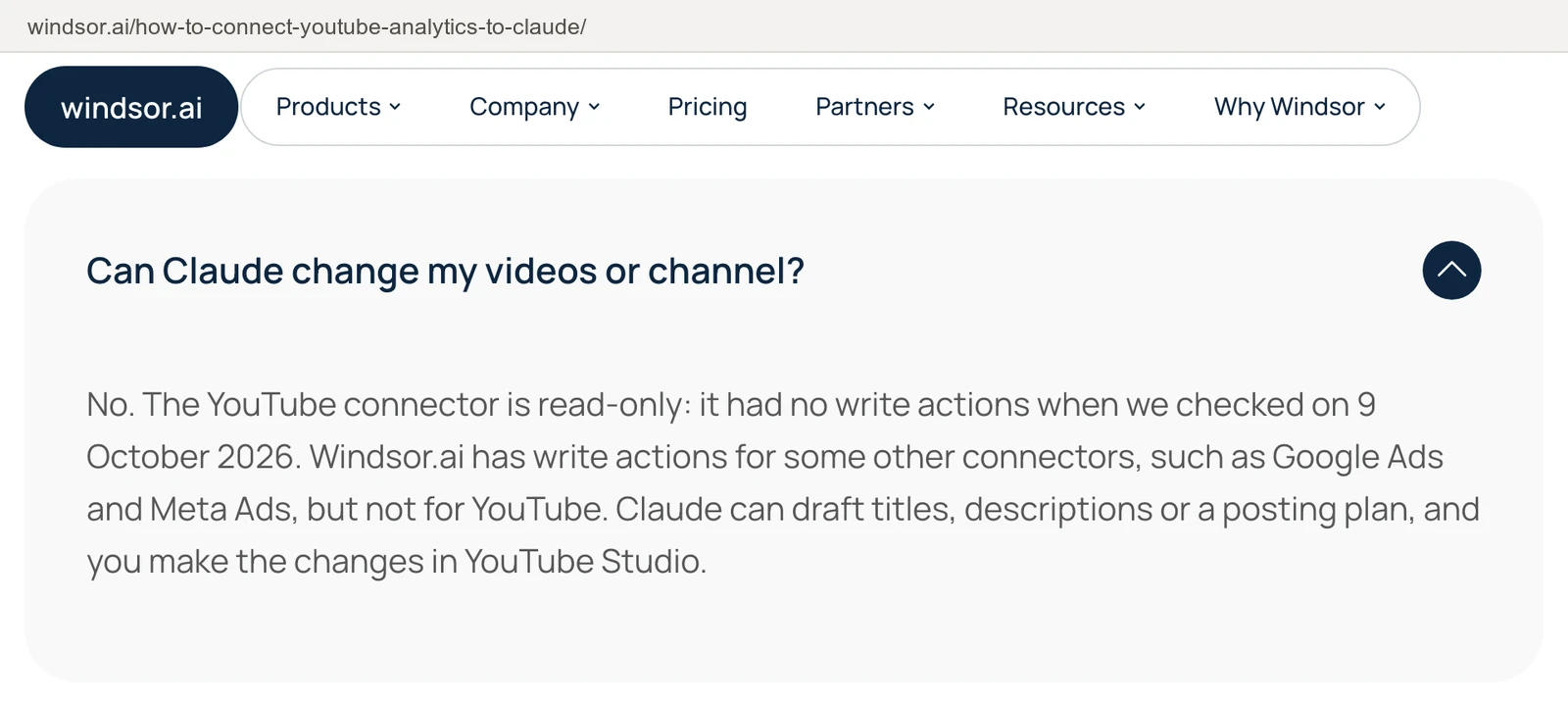
Its Claude setup guide, updated 16 October 2026, says: "The YouTube connector is read-only: it had no write actions when we checked on 9 October 2026." The free plan covers one data source, YouTube included, after a 30-day trial period. Basic is $23 a month, or $19 billed annually, for three sources, per its pricing page.
Pros
- A free plan for one data source.
- Traffic source and Shorts reports in its guide's examples.
Cons
- No write actions, per its own guide.
- Three data sources on Basic, so each new platform pushes toward a higher tier.
- Its free plan starts after a 30-day trial period.
Best for: teams already piping reports through Windsor.ai.
Markifact
Markifact's YouTube MCP has two report tools, and its page rules out every change.
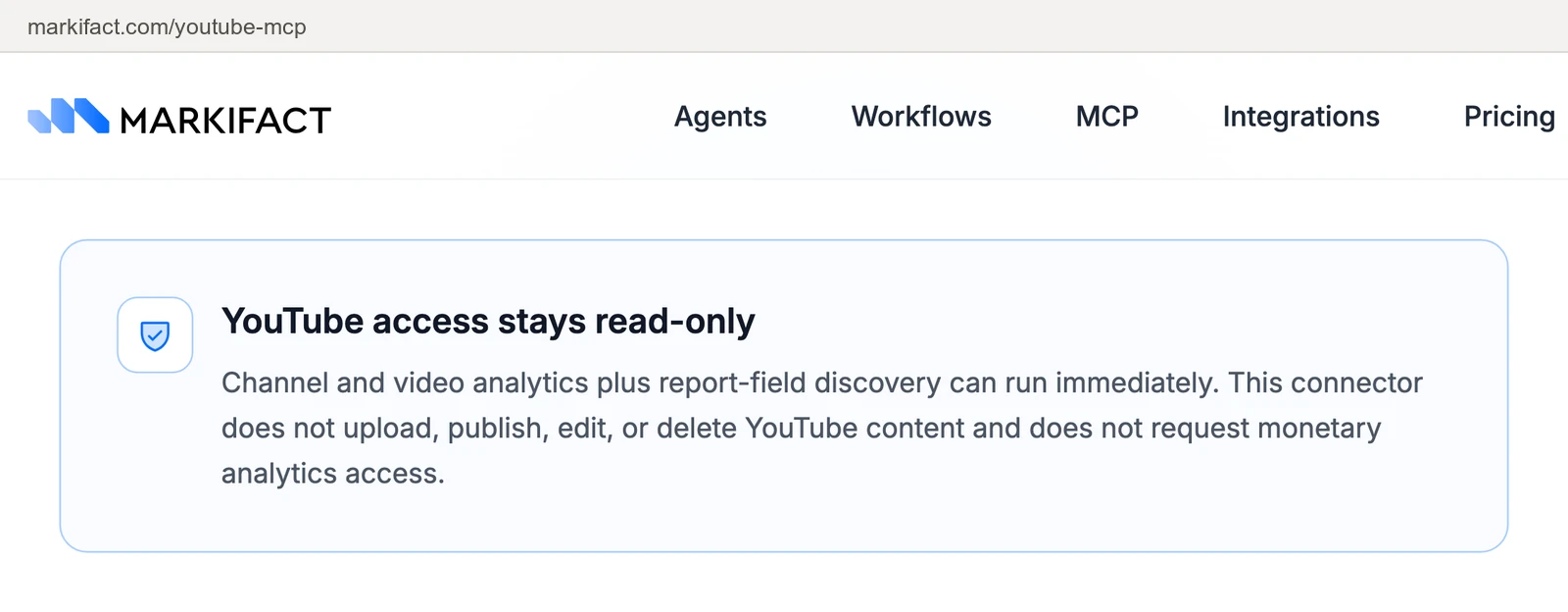
Its YouTube MCP page names two tools, youtube_get_report and youtube_list_report_fields. It says the connector "does not upload, publish, edit, or delete YouTube content and does not request monetary analytics access." Pro is $79 a month and Team $249, per its pricing page.
Pros
- A field-listing tool, so the agent finds metrics before it asks.
- YouTube reports next to its ad platform tools.
Cons
- Two YouTube tools.
- No revenue data, with no monetary access.
- $79 a month, more than twice InsightfulPipe's $29.99.
Best for: teams already running Markifact for ads.
Creator research servers
vidIQ researches other channels, niches and trends, with credits spent on every call. It adds analytics for channels you connect to it, and it does not upload a video.
vidIQ
vidIQ is a creator research tool with an MCP server, and its directory app cannot change your videos.
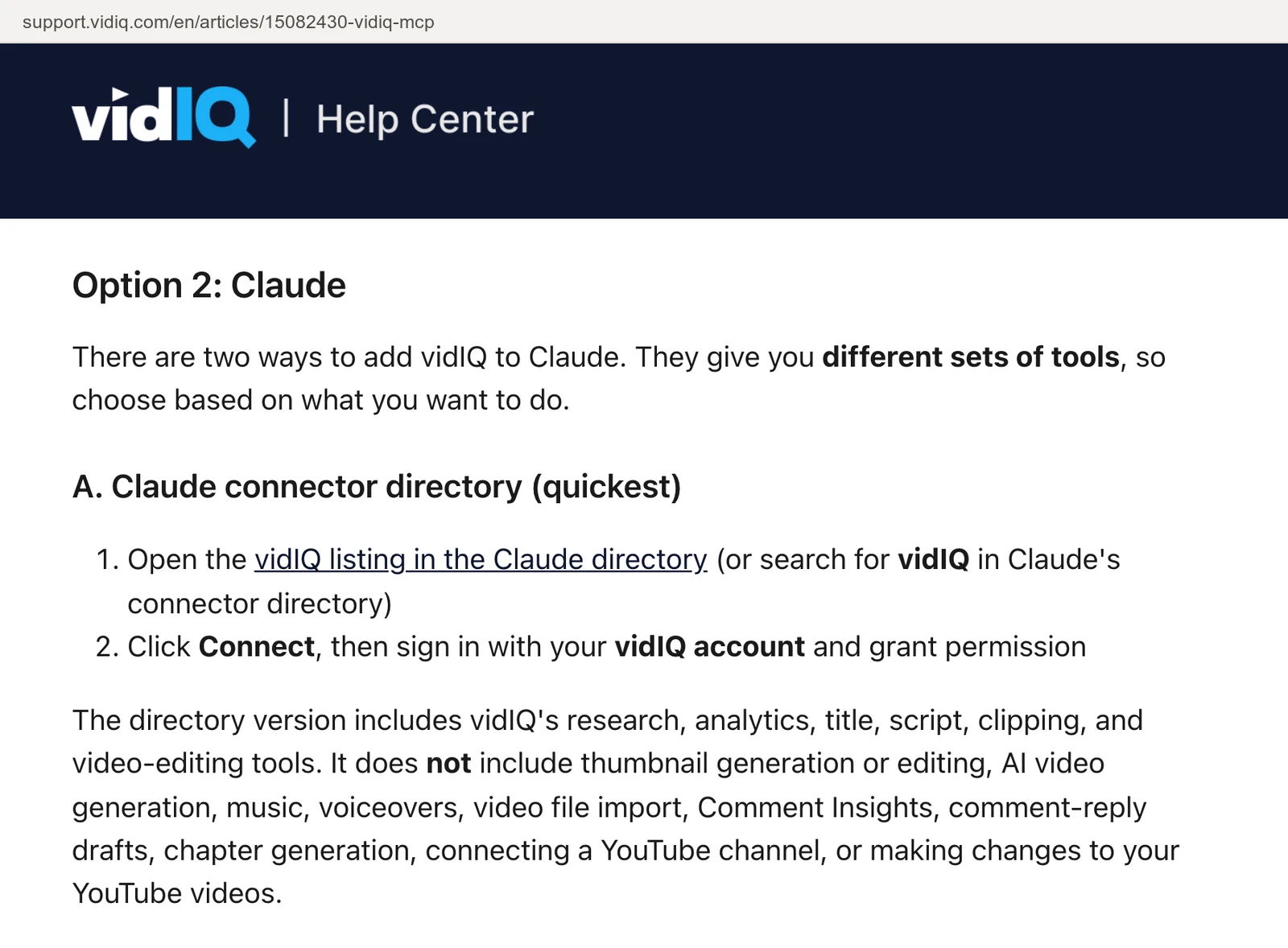
Its help center says the MCP draws on "vidIQ's database of 135M+ channels and 12B+ videos", and pulls YouTube Analytics for channels you connect to vidIQ. Claude's connector directory lists it, and so does the ChatGPT app directory. The directory version leaves out "connecting a YouTube channel, or making changes to your YouTube videos". The custom connector at mcp.vidiq.com carries the full tool set, and it can edit an existing video's title, description, tags, privacy, scheduled publish time and thumbnail. It does not upload: "To publish a new video, upload it in YouTube Studio."
MCP runs on every vidIQ plan, Free included, and every call draws on plan credits. Most research tools cost 5 credits, and the Free plan has 150 a month, per its plans article.
Pros
- Research on other channels, trends and outliers.
- Listed in Claude's directory and as a ChatGPT app.
Cons
- Changes only through the custom connector.
- No uploads.
- Credits on every call: 150 a month covers about 30 research calls on Free.
Best for: creators researching niches and competitors.
Servers you run yourself
These two run on your own machine. Both can read your channel's analytics and change it, and each one needs a Google Cloud project that you set up.
pauling-ai/youtube-mcp-server
This MIT server covers three YouTube APIs with 40 tools, and you run it with your own Google Cloud project.
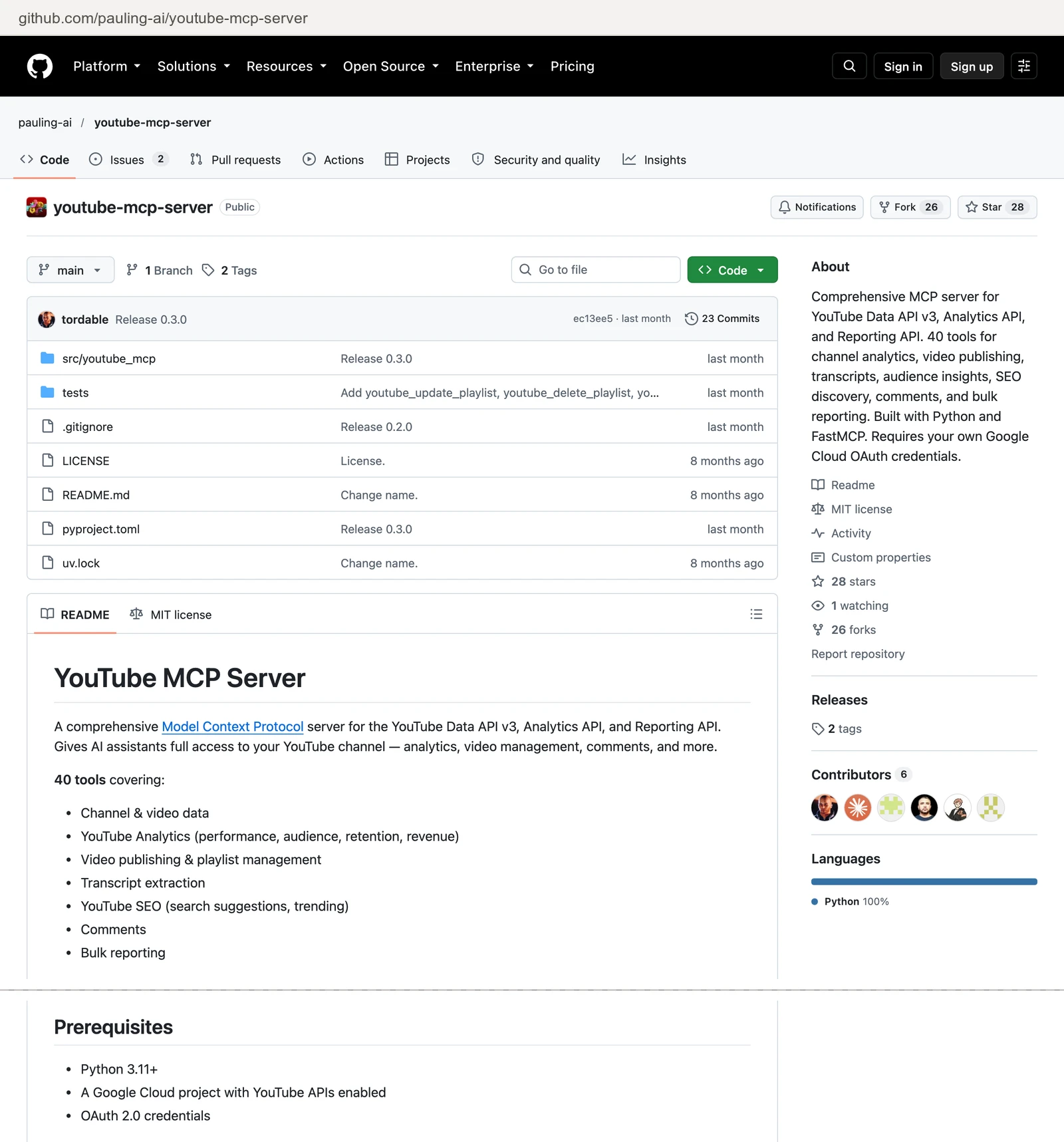
Its README lists 40 tools across the Data, Analytics and Reporting APIs: retention curves, revenue, traffic sources, uploads, thumbnails, playlists and comments. Setup takes Python 3.11, a Google Cloud project with three APIs turned on and a desktop OAuth client. You sign in as the account that owns the channel. Its tools include youtube_delete_video and youtube_post_comment, and the README publishes no way to switch a tool off. The repository has 28 stars.
Pros
- 40 tools, with analytics and writes.
- Free under MIT.
Cons
- Your own Cloud project, OAuth client and local install.
- A delete-video tool with no published off switch.
- Local only, so ChatGPT cannot reach it.
Best for: developers who want analytics and uploads and will host the server.
yutu
yutu is a Go CLI, MCP server and agent that you run with your own Google Cloud project.
Its README covers videos, playlists, comments, captions, thumbnails, channel banners, watermarks and live broadcasts, under Apache-2.0, with 699 stars. You create a Google Cloud project, turn on the YouTube Data API and set up an OAuth client. The Analytics and Reporting APIs are optional. Its agent mode "can retrieve, create, update, and delete YouTube content". The README publishes no per-tool switch.
Pros
- Commands for captions, thumbnails, watermarks and live broadcasts.
- Free under Apache-2.0, with a commit on 2026-10-07.
Cons
- A Cloud project and OAuth client to set up yourself.
- Delete commands with no published off switch.
- Analytics only if you turn that API on yourself.
Best for: developers who manage channels from a terminal.
Transcript servers: a different job
The one transcript server ranked here reads the words of a public video. It does not read your channel's analytics or change anything, and it runs on your own machine.
anaisbetts/mcp-youtube
It uses yt-dlp to download a video's subtitles, so Claude can summarize the video from its URL. You install yt-dlp first. The repository is MIT licensed, with 546 stars and a last push on 2026-08-16.
Best for: summarizing a public video by URL.
What an agent can change on your channel
What an agent can do on day one depends on each server's defaults, and they differ more than the feature lists suggest. Ask four questions before you connect a live channel.
What can it reach before anyone narrows it? Zapier's server reaches the actions you add. vidIQ's directory app makes no changes, and its custom connector carries the full set. pauling-ai's 40 tools include a delete-video tool, and yutu's agent can delete content. Neither README publishes a way to turn a tool off. On InsightfulPipe, deleting a comment starts off until an admin switches it on. A read-only connection locks every write until an admin reconnects it with read and write.
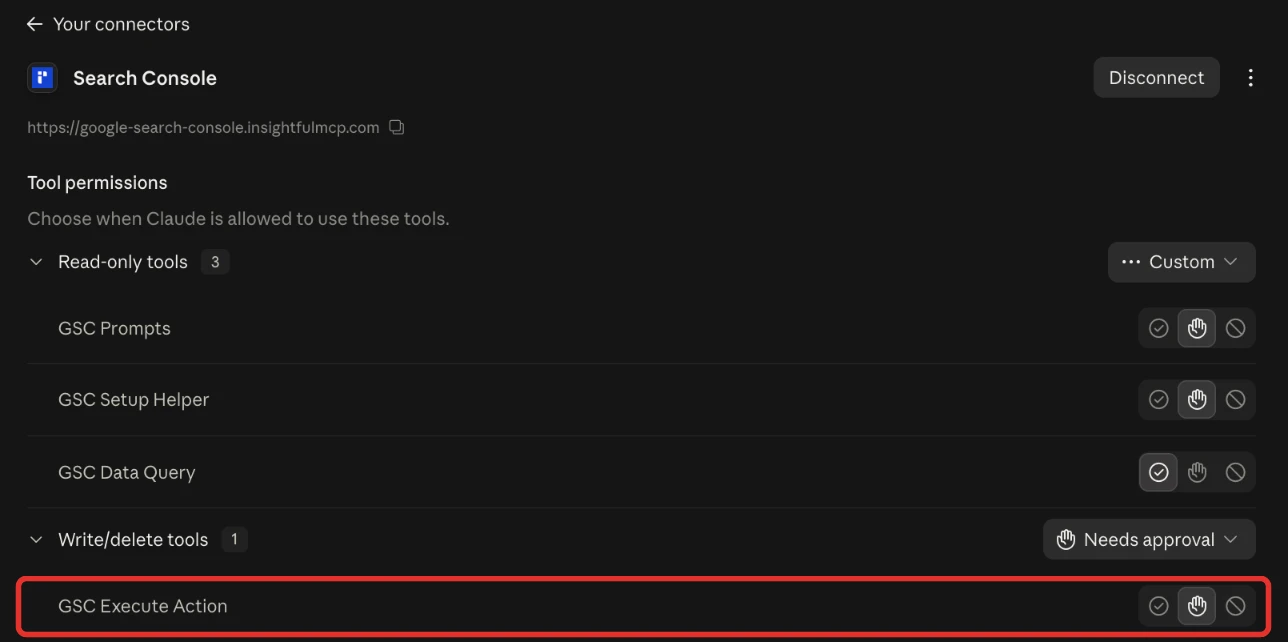
Who sets the limits, and who enforces them? On InsightfulPipe, an owner, admin or operator sets the actions per channel, and the server enforces them in every client. In Claude, Tool permissions under Customize > Connectors add a second gate for any server. Set execute_action to Needs approval, and each write waits for your click.
Can a video go public by mistake? InsightfulPipe's upload refuses to run without a privacy status, so the agent has to state public, private or unlisted. Ask for unlisted, watch the video in YouTube Studio, and make it public when it is ready. Zapier's Upload Video action says it posts "a video to your channel", and its page publishes no default status.
What does the server leave to you? Plan around four limits. Uploads come from a public URL of up to 300 MB, and custom thumbnails are JPEG or PNG files of up to 2 MB. The server replies to comments and edits them, and it does not post new top-level comments, community posts or live streams. YouTube Analytics data is not real time, and YouTube's API quotas apply.
Deleting a comment starts off, and every action is a switch your admin controls. That is why InsightfulPipe is the safest of the servers that can write.
Which should you choose?
Choose InsightfulPipe if you want an assistant that reports on and works in your channel within limits you set.
- You want an assistant to report on and work in your channel: InsightfulPipe. 43 actions, each switched on or off per channel, deleting a comment off until your admin switches it on, from $29.99 a month.
- You run several channels for clients or brands: InsightfulPipe. Connect each channel and give each one its own action list.
- You only need channel reports: a read-only InsightfulPipe connection, which locks every write until an admin reconnects it with read and write.
- You research other channels and niches: InsightfulPipe. Public stats and most-viewed videos for any channel by its handle, and YouTube search and trending videos, on the same server as your own channel.
- You want the transcript of a public video: InsightfulPipe's DataForSEO server, on your own DataForSEO account.
Connect InsightfulPipe to YouTube in three steps
Connecting InsightfulPipe takes a Google sign-in and one URL, with no Google Cloud project, no API key and nothing to install, unlike calling the API yourself.
- In InsightfulPipe, open Connected accounts, click Connect account and choose YouTube. Pick Read-only or Read & write, sign in with Google and select your channels.
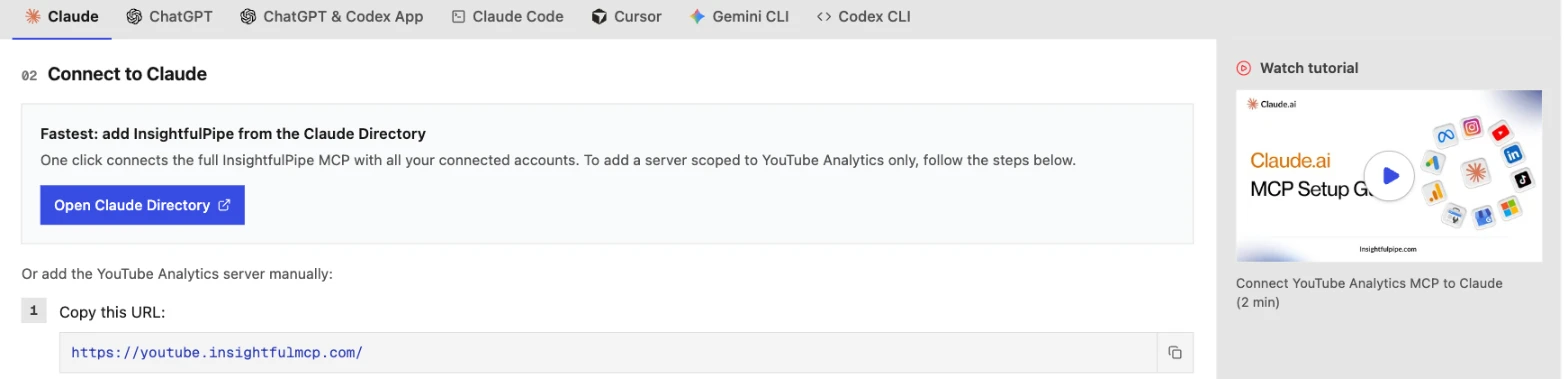
- In Claude, add InsightfulPipe from the connector directory, or add
https://youtube.insightfulmcp.com/as a custom connector. Click Connect, sign in to InsightfulPipe if asked, and click Authorize access. In Claude Code, runclaude mcp add --transport http youtube-mcp https://youtube.insightfulmcp.com/, then authenticate from/mcp. Other clients finish with the same InsightfulPipe sign-in and Authorize access step. - Open the channel's actions, keep the ones you want, and ask your first question.
Start a trial, connect your channel, and switch on only the actions you want the agent to have.
What the other vendors do not publish
We could not check some claims in this comparison. The vendors behind them publish nothing to check them against.
- Coupler.io: which plan its YouTube MCP needs. Its YouTube page names a Professional plan that its pricing page does not list.
- pauling-ai and yutu: any way to switch an individual tool off.
- Zapier: the privacy status Upload Video uses when you set none.
Frequently asked questions
Sources (checked 2026-10-20)
Every competitor claim above comes from that vendor's own page, documentation or repository, opened on 2026-10-20.
- InsightfulPipe: YouTube server, DataForSEO server, pricing, Claude connector directory
- Google: Google-managed MCP servers, Google MCP repository
- Zapier: YouTube MCP, MCP usage, pricing
- Coupler.io: YouTube MCP, pricing
- Windsor.ai: YouTube to Claude guide, pricing
- Markifact: YouTube MCP, pricing
- vidIQ: vidIQ MCP help article, features and credits by plan
- Self-hosted: pauling-ai/youtube-mcp-server, eat-pray-ai/yutu
- Transcript server: anaisbetts/mcp-youtube
- Named, not ranked: Improvado, Composio, Pipedream, Blotato, Detrics, TubeAlfred, CreatorCrawl, Apify