Disclosure: InsightfulPipe publishes this and is one of the 9 options ranked.
The verdict
The best Instagram MCP server in 2026 is InsightfulPipe. Of the 9 best Instagram MCP servers compared here, it is the only hosted one that reads your insights, publishes and moderates comments, lets your admin switch each of its 19 actions on or off per account, and keeps comment deletion off until an admin switches it on. That makes it the safest of the servers that can write to an Instagram account.
That matters on Instagram, because a post is public the moment an agent publishes it. One of the nine, OwlStat, cannot change your account at all. Of the eight that can, only InsightfulPipe documents all three of these: a read-only mode that locks every write, a switch for every action on every account, and a destructive action that starts off.
- Best overall: InsightfulPipe. 19 Instagram actions, 11 read, 7 write and 1 destructive, each switched on or off per account by your admin. From $29.99 a month, with the full list on the Instagram MCP server page.
- Safest write access: InsightfulPipe. A read-only connection locks every write until an admin reconnects it with read and write, and deleting comments stays off until an admin switches it on.
- Best value: InsightfulPipe. $29.99 a month covers 8 connections across 50 platforms, with unlimited tool calls. Markifact starts at $79 for one Instagram write action.
The best Instagram MCP servers at a glance
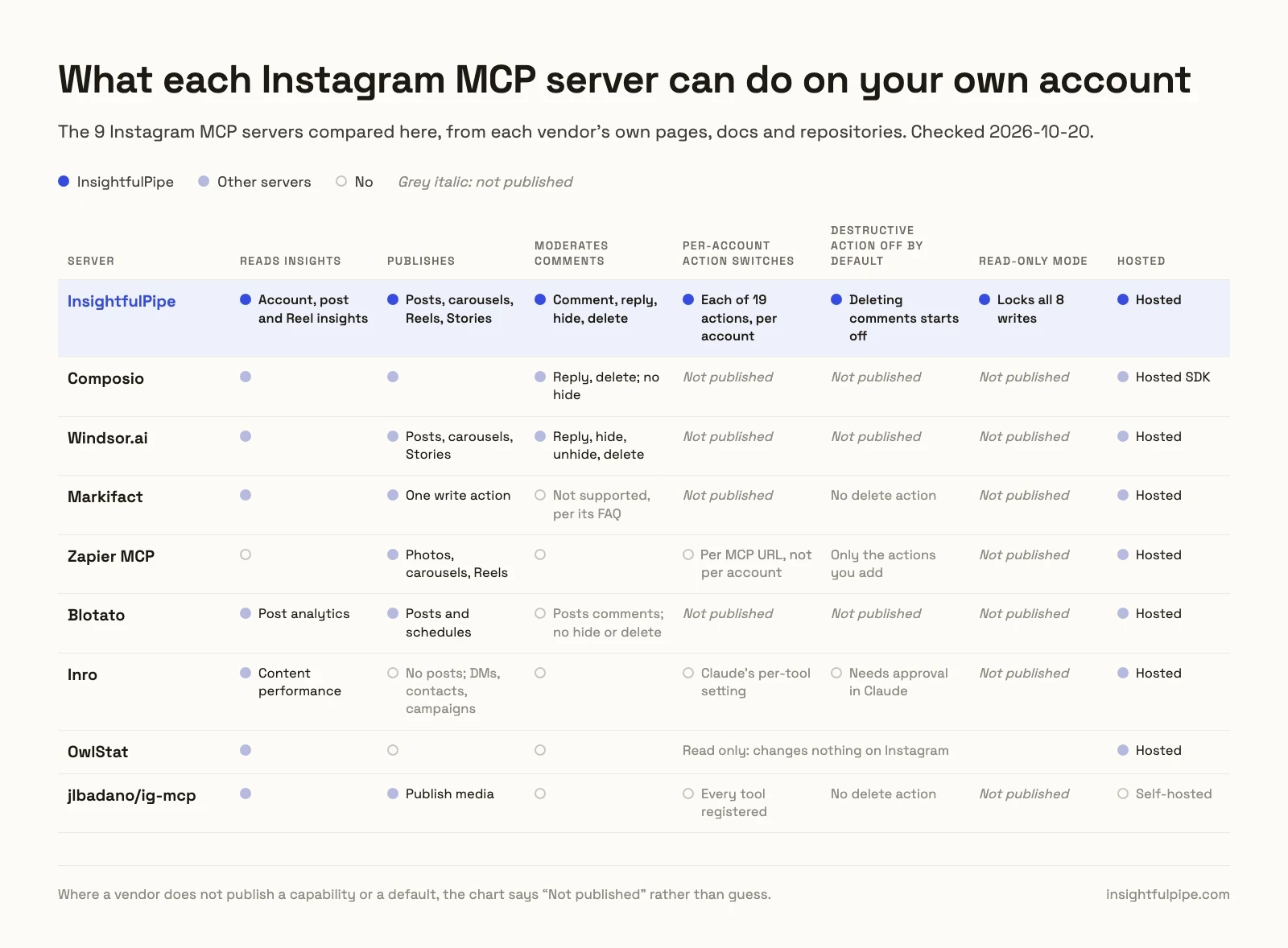
Nine servers, compared on what they can change on your own Instagram account, what a new connection can reach, and what they cost to start.
Server | Instagram tools | What it changes on your account | A new connection reaches | Hosting | Starting price |
|---|---|---|---|---|---|
InsightfulPipe | 19 actions | 8 that make changes: posts, carousels, Reels and Stories; comment, reply, hide, delete, comments on or off | Every action except deleting comments, which starts off; reads only on a read-only connection | Hosted | $29.99/mo |
Composio | 32 tools | 14 writes: publishing, comments, replies, DMs | Not published | Hosted SDK | $0 for 100,000 calls/mo, then $29/mo |
Windsor.ai | 9 writes, reads not counted | Image, video and carousel posts, Stories; comment, reply, hide, unhide, delete | Not published | Hosted | $0 for 1 data source, then $23/mo |
Markifact | 5 tools | 1 write: publish an image, carousel, Reel or Story | All connected accounts, per its docs | Hosted | $79/mo |
Zapier MCP | 3 actions | Publish photos or a carousel, publish a Reel, raw API request | The actions you add | Hosted | $0 for 50 calls/mo, then $19.99/mo |
Blotato | 34 tools | Posts and schedules, comments, DMs, automations | Not published | Hosted | $29/mo |
Inro | 25 tools | DMs, contacts, campaigns, automations | Write tools on Needs approval in Claude | Hosted | €0, Pro from €12.99/mo |
OwlStat | 15 tools | Nothing | Read only | Hosted | €0 for 2 accounts, €57/mo for 30 |
jlbadano/ig-mcp | 10 tools in its code | 2 writes: publish media, send a DM | Every tool | Self-hosted | Free, MIT |
How we tested
We read every capability, default and price from each vendor's own documentation, pricing page or public repository, and ran InsightfulPipe on live accounts. We checked every vendor page on 2026-10-20, with a cache-busting query on each one.
Criterion | What we checked |
|---|---|
Instagram coverage | How many Instagram actions does the agent get, across insights, publishing and comments? |
Writes | Can it publish posts, carousels, Reels and Stories, and reply to, hide or delete comments? |
Control before a write | Can you choose actions per account, and does the server enforce it? |
Default on a new connection | What can the agent do before anyone narrows it? |
Account requirements | Does it need a professional account, a Facebook Page or your own Meta app? |
Setup | Is it a sign-in and a URL, or a developer app and a token you refresh? |
Other platforms | Does the same plan reach Facebook Pages, Facebook Ads and the rest? |
Price | What does write access cost to start? |
Where a vendor's own pages contradict each other, we quote both and attribute them to the vendor. Where a capability is not published, we say "not published". Roadmap features do not count.
We rank the community server Google puts first for "instagram mcp server". Four smaller repos that AI answers also cite are named, not ranked: William-Gao/instagram-mcp (2 stars), adelaidasofia/instagram-mcp (8), aleemhaider/instagram-mcp (6) and mikusnuz/meta-mcp (29). Porter Metrics now lets Claude publish posts and reply to, hide or delete comments once you approve each change, by its own page, and Supermetrics sells Instagram reports in Claude. Both are reporting connectors first, so we name them here rather than rank them.
The single question that splits this list
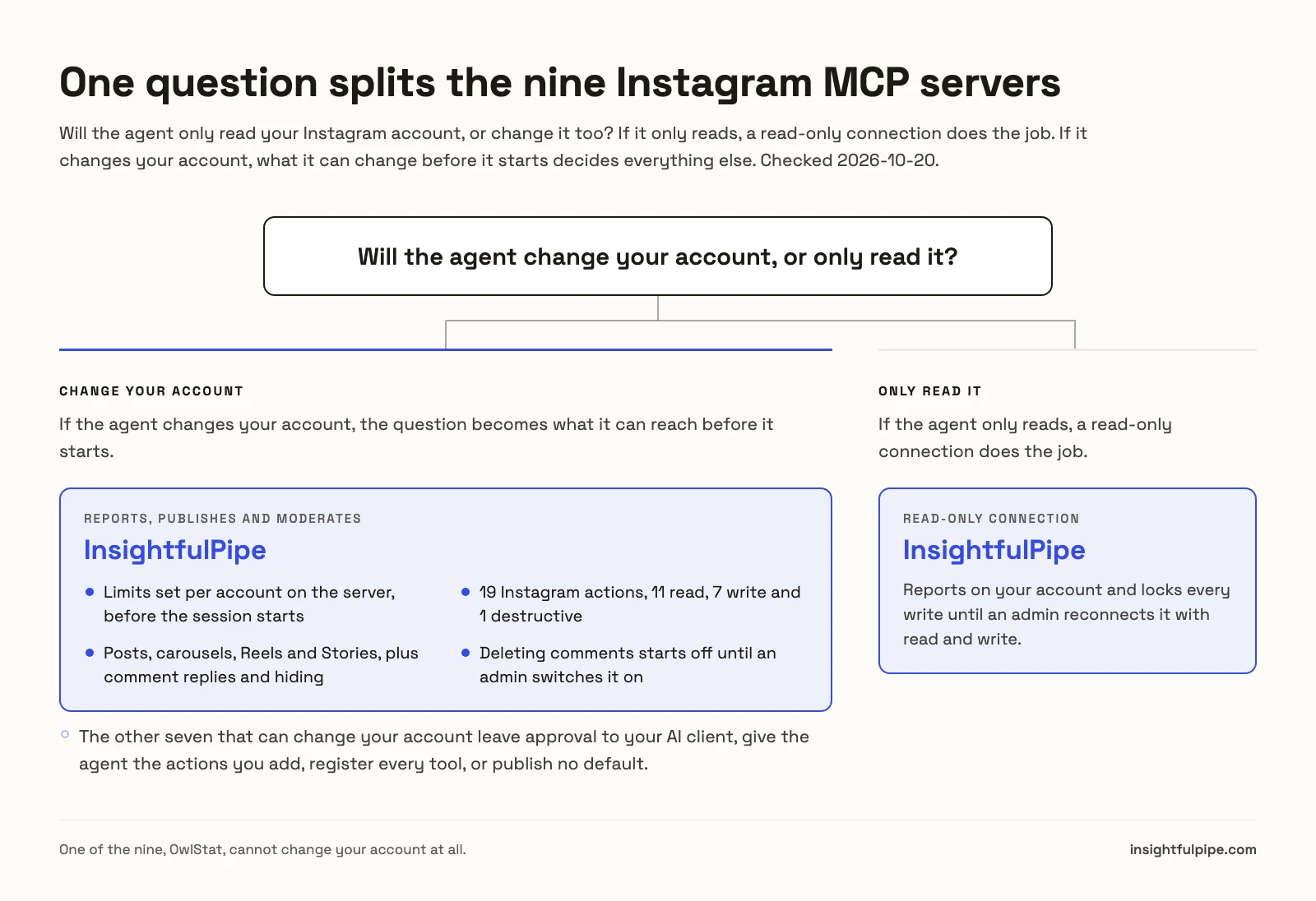
One question splits these nine: will the agent only read your Instagram account, or change it too? If it only reads, a read-only connection does the job. If it changes your account, what it can change before it starts decides everything else.
If the agent only reads, a read-only InsightfulPipe connection reports on your account and locks every write until an admin reconnects it with read and write. OwlStat only reads analytics: none of its 15 tools replies to, hides or deletes a comment.
If the agent changes your account, the list collapses to eight, and the question becomes what it can reach before it starts. Markifact and Inro leave approval to a setting in your AI client. Zapier gives the agent the actions you add. Composio, Windsor.ai and Blotato publish no default, and the community server registers every tool. InsightfulPipe decides it on the server, per account, before the session starts, and it is the only one that documents a read-only mode that locks every write.
Hosted servers that change your own account
Five of the seven hosted servers that can change your own account sit here, and InsightfulPipe leads them as the only one that switches each of its 8 actions that make changes on or off per account.
Best overall: InsightfulPipe
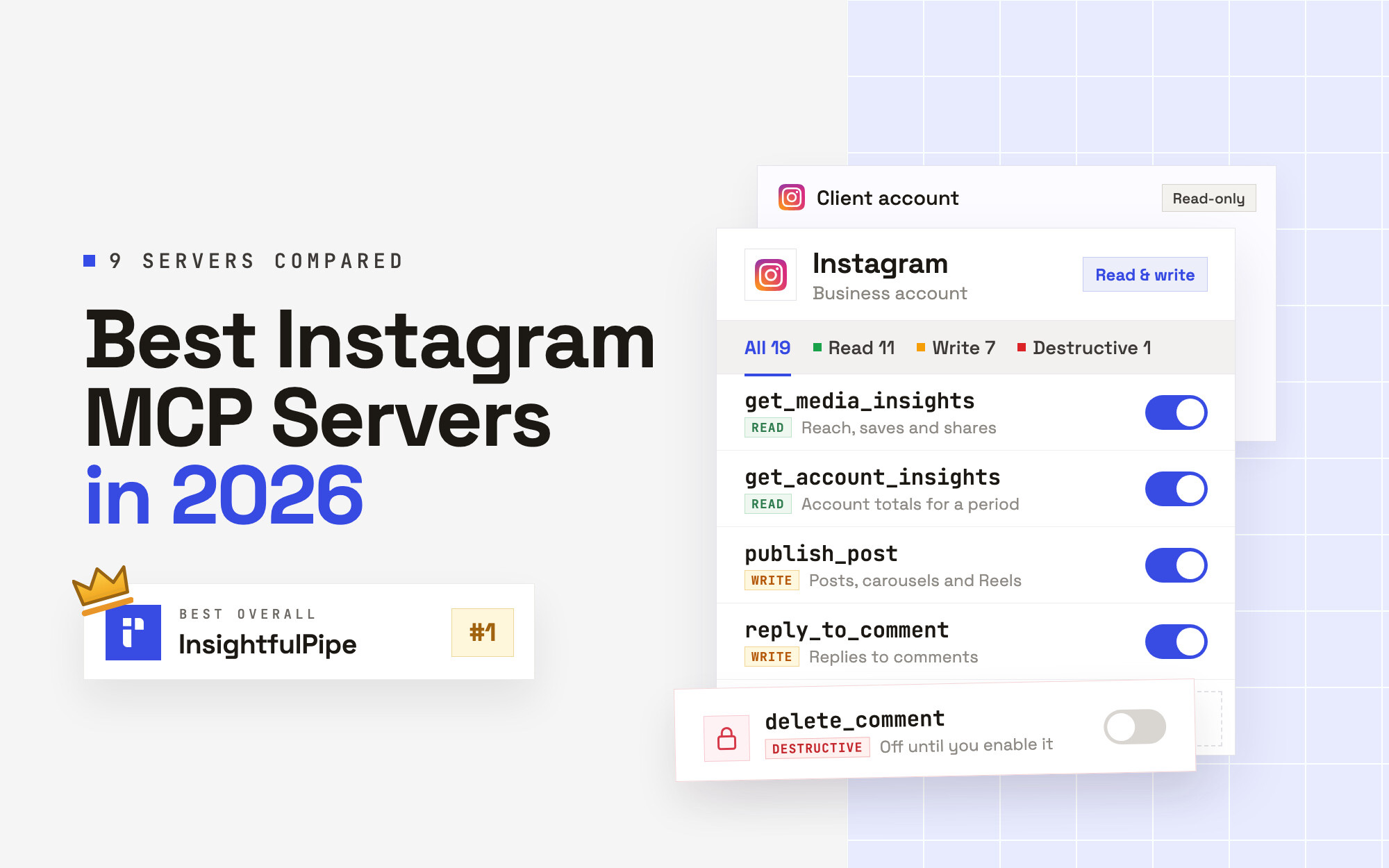
InsightfulPipe gives an AI agent 19 Instagram actions, and you decide which of them each account allows.
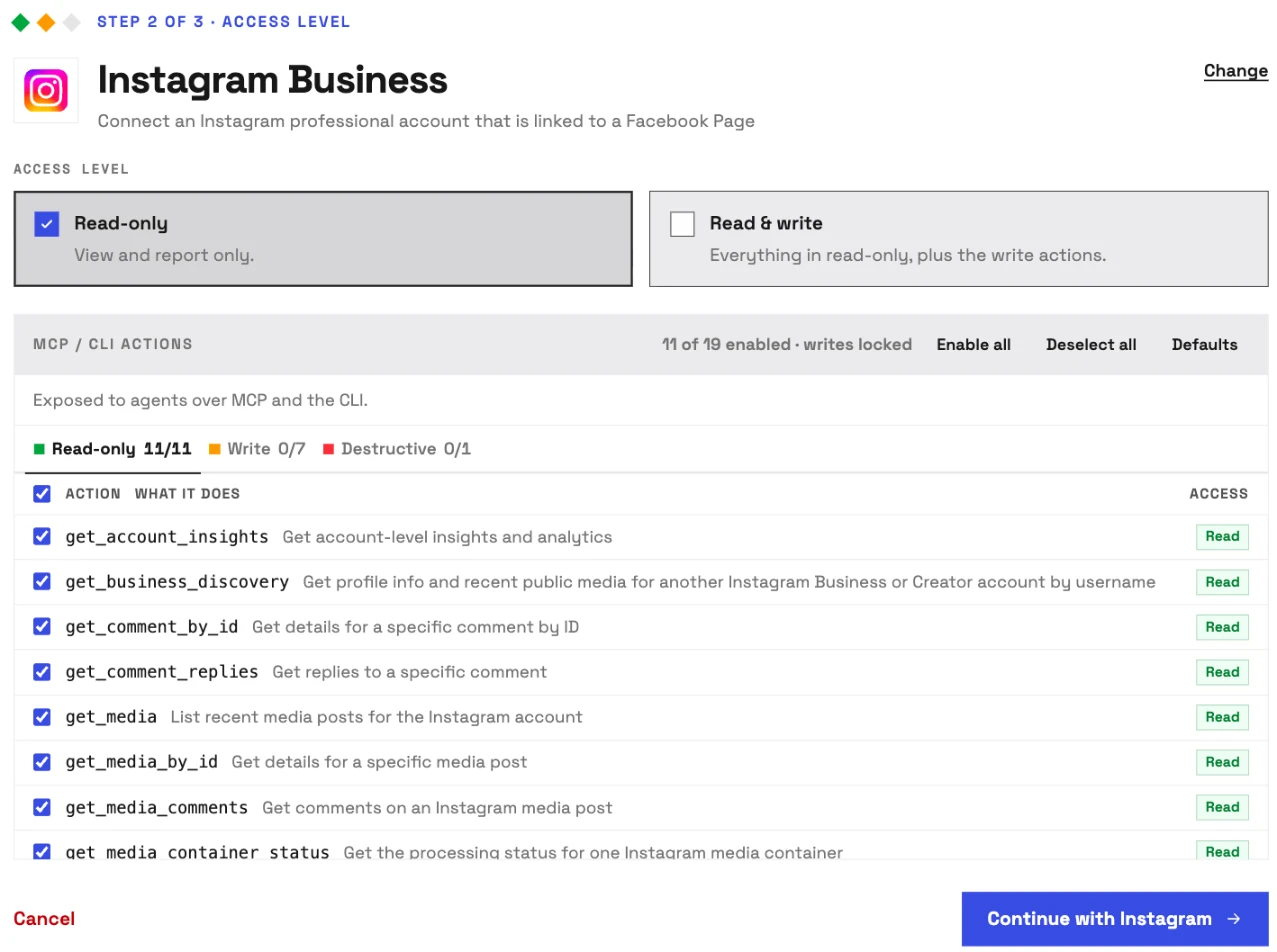
It is the pick if you want the assistant to work on your Instagram account, not describe it. Coverage is the first difference. Markifact's Instagram server has one write. Zapier's has two publishing actions. InsightfulPipe carries 19 actions, 11 read, 7 write and 1 destructive:
- Insights: account totals for a period (views, accounts engaged, total interactions, likes, comments, shares, saves, follows and unfollows), follower demographics by city and country
- Post and Reel insights: reach, views, saves, shares, total interactions, follows, profile visits and Reel watch time
- Content: your profile, recent posts and Reels, any single post, Stories while they are live, and another Business or Creator account's profile and recent public media by username
- Publishing: single-image posts, carousels of 2 to 10 images or videos, Reels and Stories from media URLs, with a status check on each media container
- Comments: read comments and replies, comment, reply, hide or unhide, delete, and turn comments on or off for a post
Why it is the safest way to let an agent post to Instagram
Control is the second difference, and it is what makes InsightfulPipe the safest way to let an AI agent change an Instagram account: every limit is a switch, and your admin decides where each one sits.
An owner, admin or operator opens a connected account and chooses exactly which of its actions the agent can use, across read, write and destructive, and can switch any of them on or off at any time. The agent gets exactly that set. InsightfulPipe's server enforces it, not your AI client, so the same limits hold in Claude, ChatGPT, Cursor, Claude Code and the CLI.
- Deleting comments starts off. delete_comment is the one destructive action, and it stays off on a new connection until an owner, admin or operator switches it on.
- Read-only means read-only. A read-only connection asks Meta for basic account and insights access only, and every write stays locked. When you want the agent to act, an admin reconnects it with read and write.
- Publishing is a switch per account. Posts publish immediately, so an admin switches publish_media and publish_post off on any account where agents should not post, and keeps them on where they should.
- Roles hold. Restricted members only get read actions on the accounts they are granted. An owner or admin decides who holds which role, and can change it at any time.
- Your login stays yours. Your AI client signs in with an InsightfulPipe access token, never your Facebook or Instagram login.
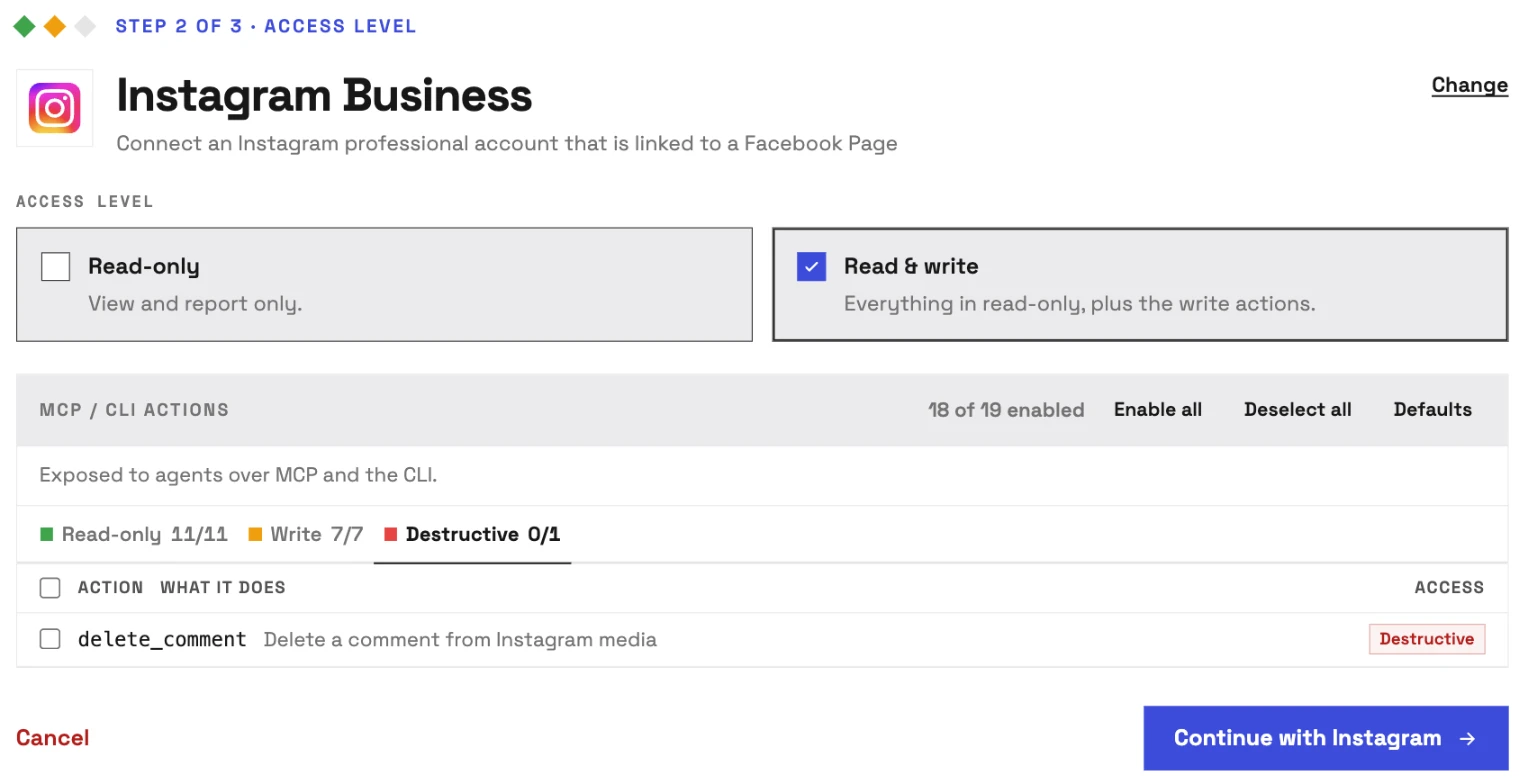
Inro and Markifact both point you to "Needs approval" in your AI client. That works while someone watches the chat. On a scheduled run nobody is, and the task stops at its first write. InsightfulPipe draws the boundary on the server instead. Switch on the six actions an account needs, and the model picks from six instead of nineteen.
What else you get
- 49 more platforms on one plan, including Facebook Pages and Facebook Ads, which runs your Instagram ads, so one agent can put organic reach next to paid results.
- Many Instagram accounts from one Facebook sign-in, each its own connection with its own action list.
- Every major AI client: Claude, ChatGPT, Claude Code, Cursor, Gemini CLI and Codex, each with a setup guide.
- Claude's directory and the ChatGPT app directory both list InsightfulPipe, so the full server connects in one click.
- A CLI: the insightfulpipe npm package runs the same reads and writes from a terminal, under the same controls.
- Skills and prompts: the Social Content skill plans posts from your own results, and the prompt library is free.
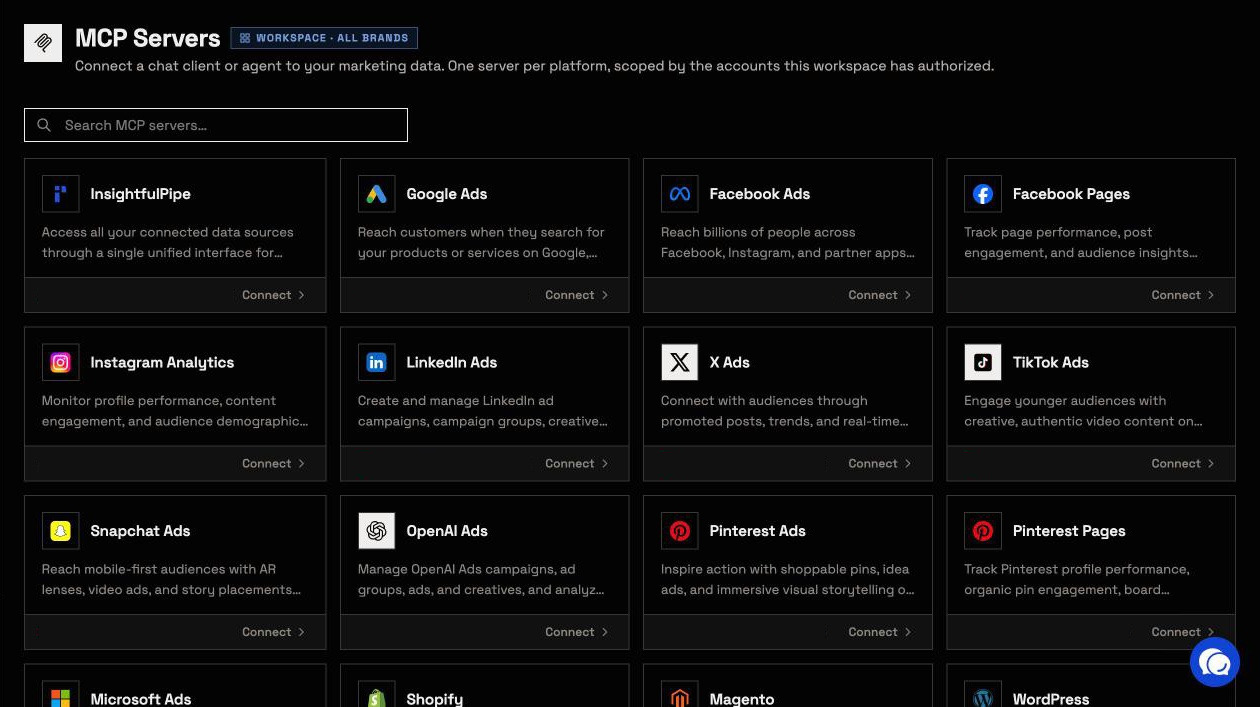
Pricing: Starter is $29.99 a month for 8 connections, Growth $89.99 for 35 and Agency $299.99 for 150, with unlimited tool calls, every MCP server and the CLI on every plan. Each Instagram account counts as one connection.
Where it is the wrong answer: if you only ever pull an occasional Instagram report, you would be paying for more than you use.
Best for: social teams and agencies who want an assistant that reports, publishes and moderates on Instagram within limits they set, account by account. See the Instagram MCP server and all 19 actions.
Composio
Composio is developer infrastructure, and its Instagram toolkit reaches your DMs as well as your posts.
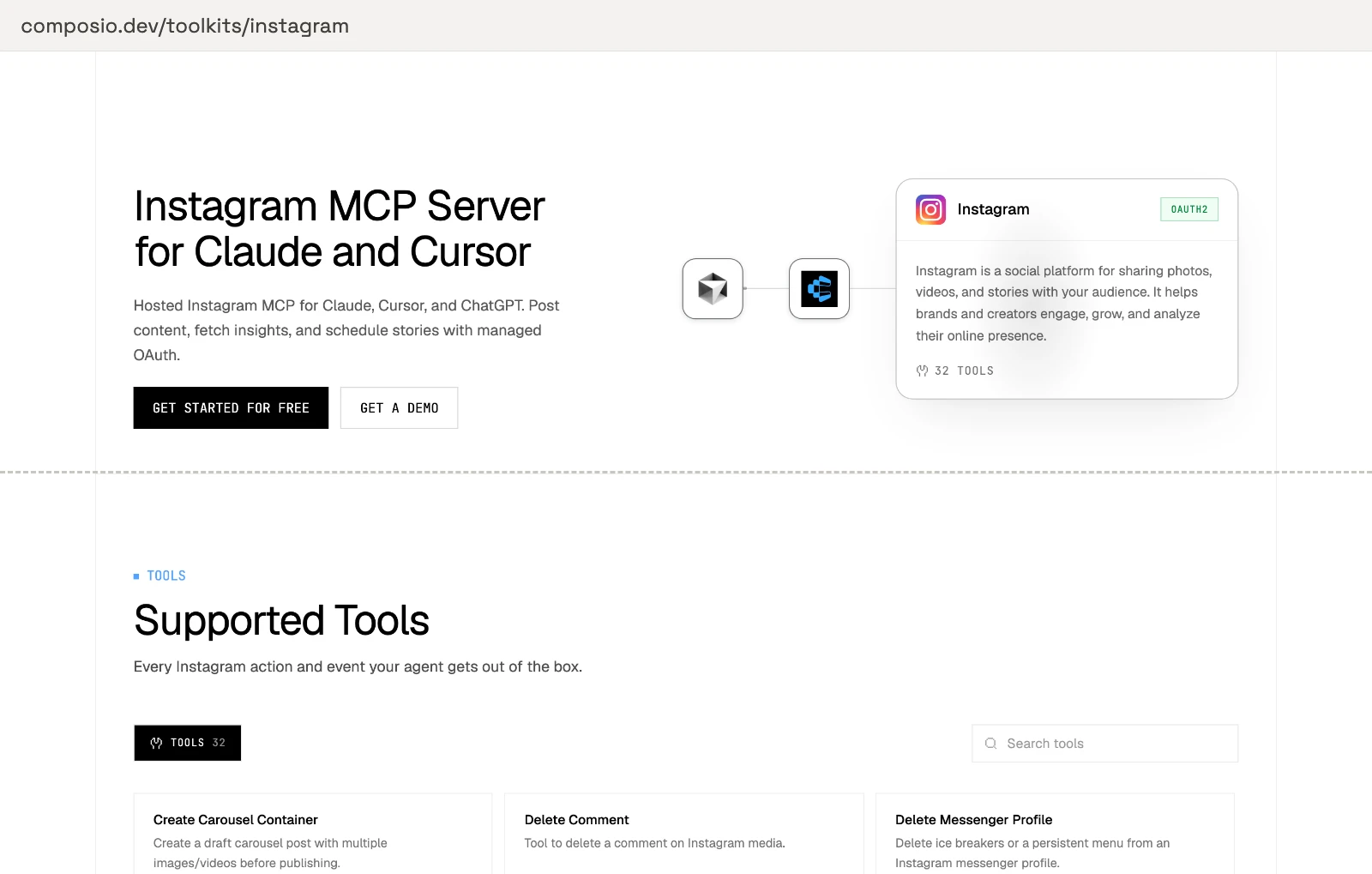
Its toolkit page lists 32 tools, and 14 of them write. They include Publish IG User Media, Post IG Comment Replies, Delete Comment, Send Text Message, Send Image and Mark Seen. None hides a comment. The page promises "Fine-grained RBAC so you control which agents and users can access Instagram", and publishes no default for what a new connection can do. Hobby is $0 for 100,000 tool calls a month, and Pro is $29.
Pros
- 32 tools, including DMs.
- 100,000 tool calls a month on its $0 plan.
Cons
- No tool to hide a comment.
- No per-tool default or approval step published.
- Its framework guides start from SDK code.
Best for: developers wiring Instagram into their own agent.
Windsor.ai
Windsor.ai is a reporting pipeline first, with nine Instagram writes on top.
Its write actions page counts "139 write actions across 19 connectors", and Instagram has 9: image, video and carousel posts, Stories, and comment, reply, hide, unhide and delete. Its carousel action says "Video carousel items are not supported." No approval step or default is published for these writes. Basic is $23 a month for 3 data sources, and the free plan covers 1.
Pros
- 9 documented Instagram writes, including hide and delete.
- Instagram sits in the same server as its ads data.
Cons
- No video items in carousels, per its own docs.
- No per-action control published.
- Plans cap data sources, so each new platform can mean a higher tier.
Best for: teams already piping reports through Windsor.ai.
Markifact
Markifact publishes to Instagram with an approval step, and its own FAQ says it does not touch comments.
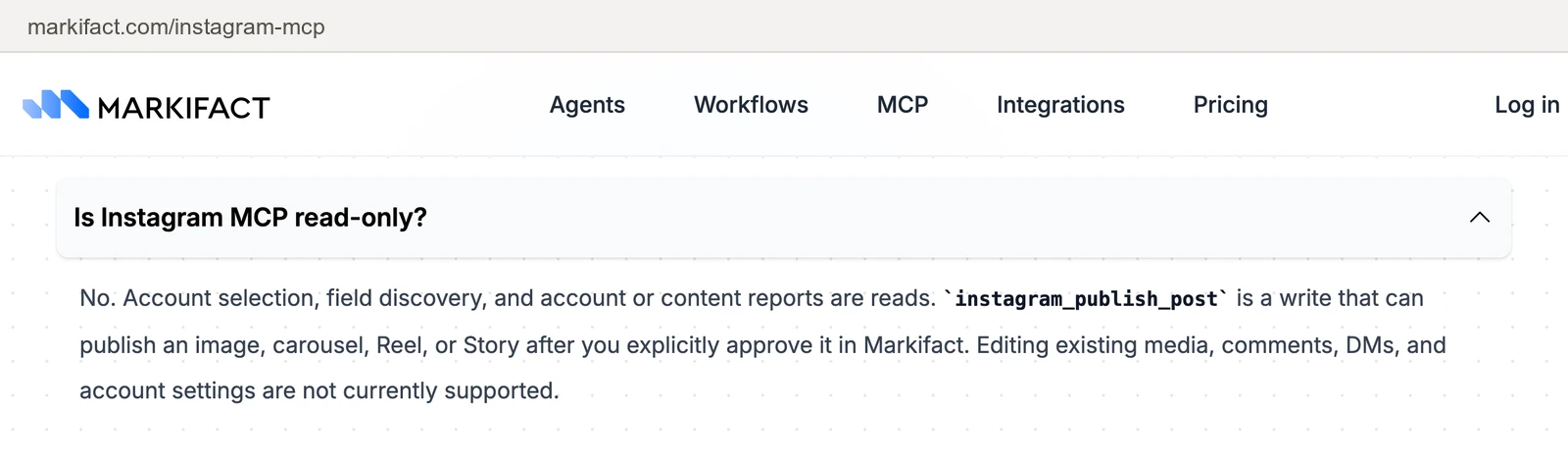
Its Instagram page lists "Five Instagram tools", and one writes: instagram_publish_post, for an image, carousel, Reel or Story. The FAQ is direct: "Editing existing media, comments, DMs, and account settings are not currently supported." Its pages also disagree on where approval happens. The Instagram page says "Every publish action waits for your explicit approval in Markifact." Its MCP docs say "By default, a server can use all connected accounts", and tell you to keep its write tool on "Needs approval" in your AI client. Pro is $79 a month, and Team is $249.
Pros
- An approval step before each publish, per its page.
- Listed in Claude's and ChatGPT's directories.
Cons
- No comment replies, hiding or deletion.
- One Instagram write action.
- It starts at $79 a month, more than twice InsightfulPipe's $29.99.
Best for: teams already running Markifact for Google Ads or Meta.
Zapier MCP
Zapier's Instagram for Business MCP publishes, and one of its three actions is a raw API call.
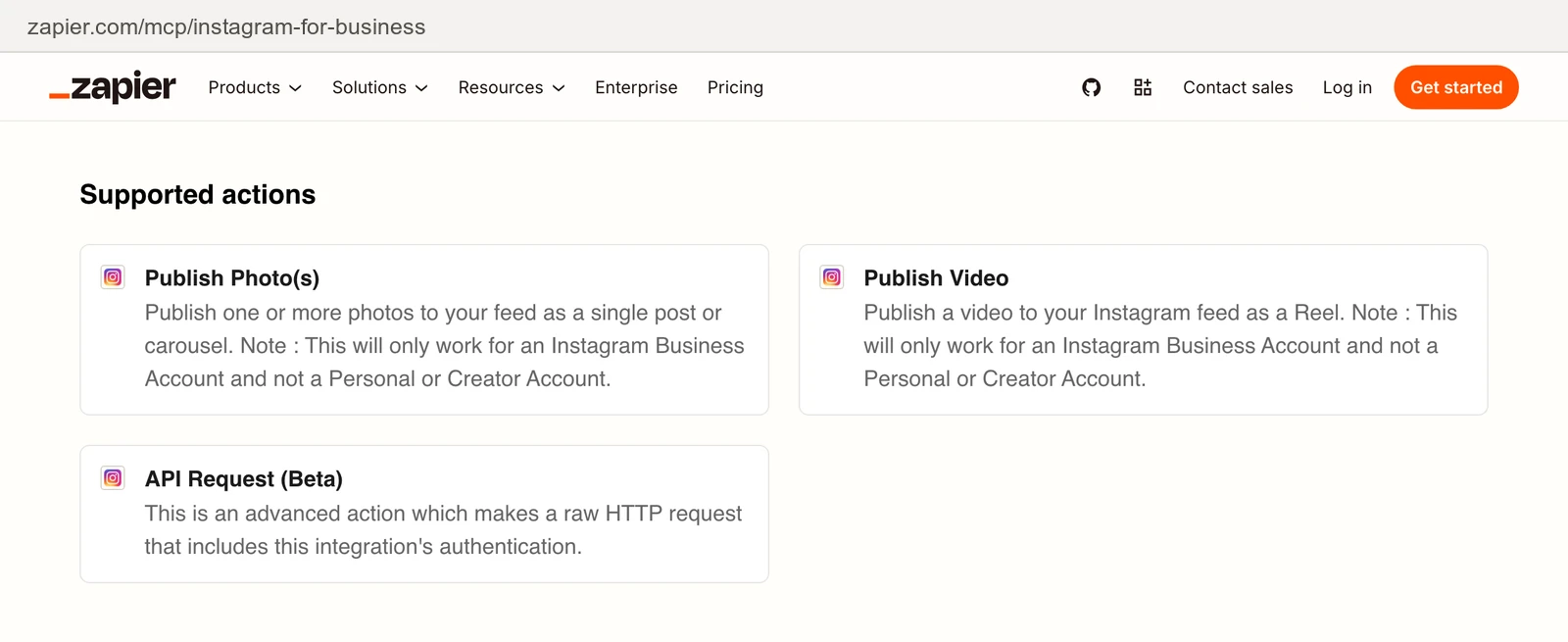
The three are Publish Photo(s), Publish Video (as a Reel) and API Request (Beta), which "makes a raw HTTP request that includes this integration's authentication". Both publish actions carry the note "This will only work for an Instagram Business Account and not a Personal or Creator Account." You choose which actions the agent gets. Each call uses two Zapier tasks, so the 100-task $0 plan covers 50 calls, and paid plans start at $19.99 a month.
Pros
- You choose which of its three actions the agent gets.
- Publishes photos, carousels and Reels.
Cons
- No comment or insights actions.
- Publishing works only with a Business account, not a Creator account.
- Each tool call uses two Zapier tasks, so the $0 plan covers 50 calls a month.
Best for: teams already on Zapier who only need to post.
A publishing tool with an MCP server
One server here sells publishing first: it creates and schedules Instagram posts from an agent, with comments, DMs and automations on the side.
Blotato
Blotato schedules Instagram posts from Claude, and two of the tools it gives the agent delete schedules and automations.
Its Instagram page names 34 MCP tools. They create posts and schedules, list and post comments, send DMs, build automations and read post analytics. Two of them delete: blotato_delete_schedule and blotato_delete_automation. None hides or deletes a comment, and its approval rule is an instruction to the AI in its docs, not a step its server enforces. Claude connects over OAuth, and Cursor and Codex take an API key header. Starter is $29 a month for 20 social accounts, and its pricing page says the trial excludes the API.
Pros
- Scheduling, with 34 Instagram tools named.
- Claude connects over OAuth.
Cons
- Tools that delete schedules and automations sit in the agent's tool list.
- No tool to hide or delete a comment.
- Approval is an instruction to the AI, not a server step.
Best for: solo creators posting one piece to many platforms.
DM automation
One server here is built around Instagram DMs and the CRM behind them, not posts.
Inro
Inro runs Instagram DM automation from Claude, and it leaves approval to Claude's settings.
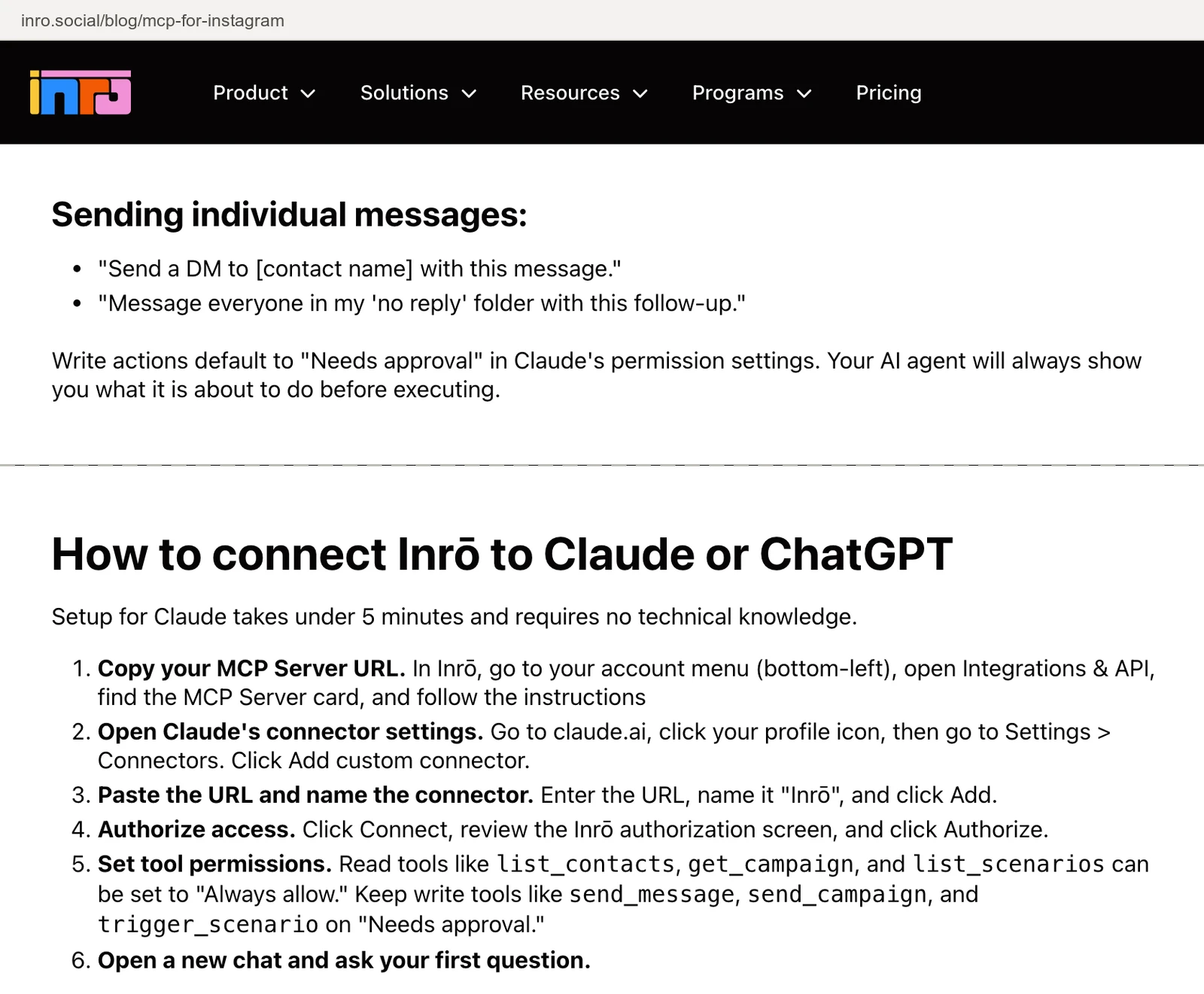
Its MCP post says the server "gives your AI agent access to 25 tools across six areas", covering content performance, contacts, campaigns, scenarios and messages. It also says write actions default to 'Needs approval' in Claude's permission settings, and its FAQ adds "There is no sandbox mode." Each client organisation needs its own connection. The same post files InsightfulPipe under read-only "Analytics MCPs". InsightfulPipe's Instagram page lists 8 actions that publish or moderate. Inro's free plan is €0, and Pro starts at €12.99 a month, metered by active contacts.
Pros
- DMs, contacts and campaigns from one server.
- A €0 plan.
Cons
- Approval is Claude's per-tool setting, not Inro's server.
- No sandbox mode, per its own FAQ.
- One connection per client organisation.
Best for: creators and coaches who sell through DMs.
Read-only analytics
One server here only reads Instagram data, and it cannot publish, reply to or delete anything on your account.
OwlStat
OwlStat reads Instagram analytics, and nothing it does changes your account.
Its page lists 15 tools, from account stats and top posts to hashtags, Reels analytics, growth summaries and reports, read "straight from the official Meta Graph API". Its one tool that writes, manage_workspace, adds or removes accounts in OwlStat, not on Instagram. The same server covers TikTok and YouTube Shorts. A plan for 2 accounts costs nothing, and Agency is €57 a month for 30.
Pros
- 15 analytics tools, including Reels and hashtags.
- A no-cost plan for 2 accounts.
Cons
- No publishing or comment tools.
- Priced per account, in euros.
- Covers Instagram, TikTok and YouTube Shorts only.
Best for: agencies that report on Instagram, TikTok and Shorts only.
A self-hosted community server
One server here runs on your own machine, and it needs your own Meta app, a Facebook Page and a token you refresh.
jlbadano/ig-mcp
jlbadano/ig-mcp publishes and sends DMs, with no gate on either.
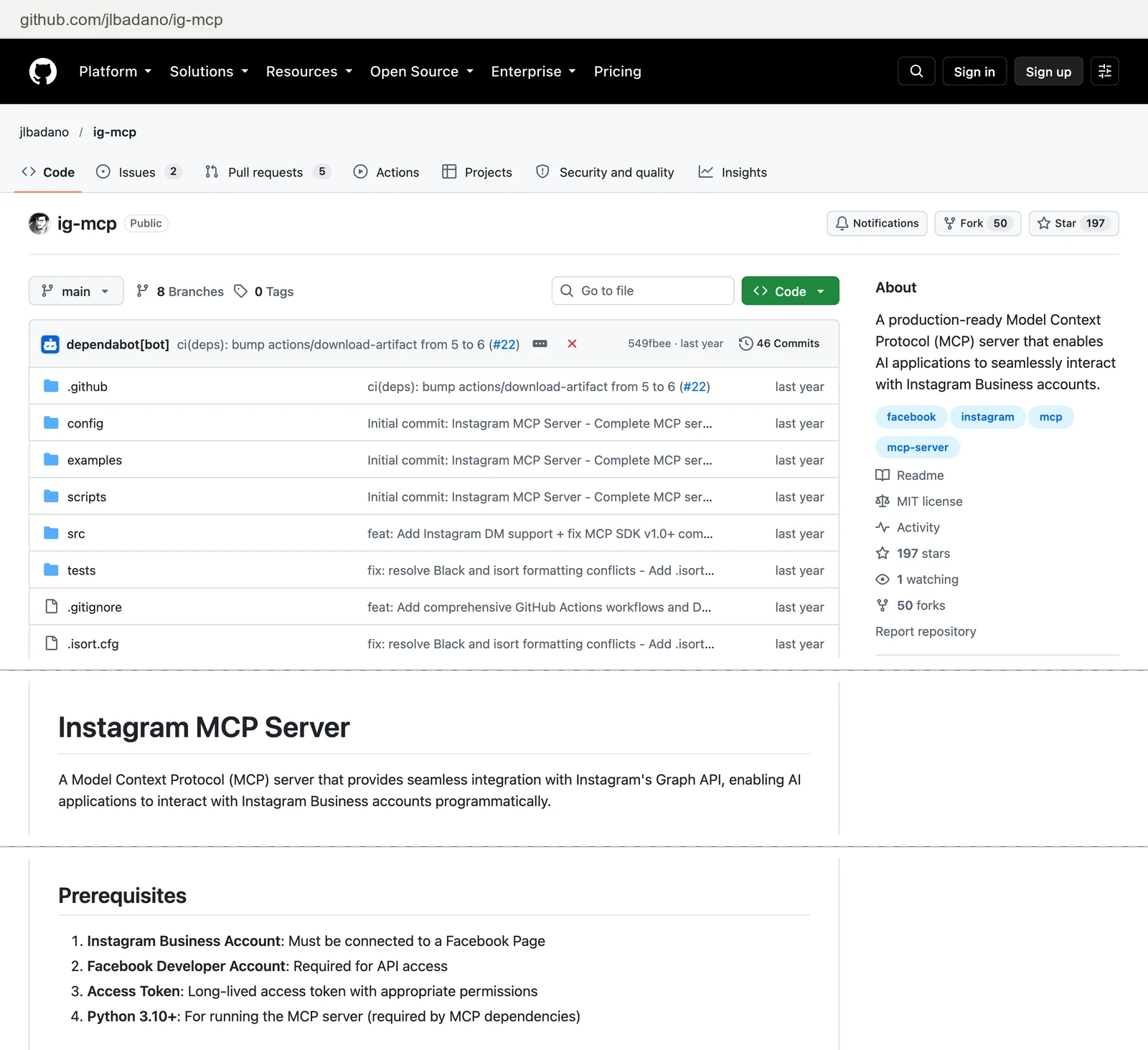
It has 198 stars and 53 forks, and its last push was on 2026-02-09. Its code registers 10 tools, and the README lists eight. Two of them write: publish_media and send_dm, and DMs need Meta's Advanced Access. You need an Instagram Business account connected to a Facebook Page, your own Meta app, a long-lived access token and Python 3.10. Its source has no confirmation step before a write.
Pros
- Free and MIT licensed.
- 198 stars and 53 forks.
Cons
- Your own Meta app and a token to refresh.
- No confirmation before a publish or a DM.
- No push since February 2026.
Best for: a developer who wants a codebase to fork.
What an agent can do on your Instagram account on day one
What an agent can do on day one depends on each server's defaults, and they differ more than the feature lists suggest. Ask four questions before you connect a live account.
What can it reach before anyone narrows it? Markifact's docs say a server "can use all connected accounts" by default. jlbadano registers every tool. Composio, Windsor.ai and Blotato publish no default. On InsightfulPipe, deleting comments starts off until an admin switches it on, and a read-only connection locks every write until an admin reconnects it with read and write.
Who sets the limits, and who enforces them? Inro's approval lives in Claude's tool permissions. Markifact's Instagram page puts approval inside Markifact, and its docs put it in your AI client. On InsightfulPipe, an owner, admin or operator sets the actions per account, and the server enforces them in every client.
What goes live, and when? On InsightfulPipe, a post publishes the moment the agent calls publish. Keep publish_media and publish_post on for the accounts where an agent should post, and off everywhere else. For a second gate, set the write tool to Needs approval in Claude's tool permissions, which every Claude user has under Customize > Connectors.
What can it spend? Blotato's visual tools spend your plan's AI credits, 1,250 a month on Starter, because generation "consumes credits according to the requested job". Every InsightfulPipe plan includes unlimited tool calls.
That is why InsightfulPipe is the safest of the servers that can write: deleting a comment starts off, and every action is a switch your admin controls.
Five prompts to test any Instagram MCP server
Run the same five prompts on a test account before you connect a live one. The answers show what a server can reach, and what stops it.
- "List every Instagram action this connection allows, and mark the ones that write."
- "Which of those actions can delete something?"
- "Which of my last 30 posts had the highest reach?"
- "List comments from the last week that ask a question, and draft replies for me to approve."
- "Delete the newest comment on my latest Reel."
On InsightfulPipe, prompt 5 stays refused until an admin switches delete_comment on for that account.
Which should you choose?
Choose InsightfulPipe if you want an assistant that reports, publishes and moderates on Instagram within limits you set.
- You want an assistant to report, publish and moderate within limits you set: InsightfulPipe. 19 actions, each switched on or off per account, from $29.99 a month.
- You run an agency with many Instagram accounts: InsightfulPipe. Connect them with one Facebook sign-in, and give each account its own action list.
- You only need reports: a read-only InsightfulPipe connection, which locks every write until an admin reconnects it with read and write.
- You run Instagram, Facebook Pages and Facebook Ads together: InsightfulPipe, with all three on one login, so one agent puts organic reach next to paid results.
- You are a developer building your own agent: InsightfulPipe's CLI and MCP server, under the same per-account switches.
Connect InsightfulPipe to Instagram in three steps
Connecting InsightfulPipe takes a Facebook sign-in and a URL, with no Meta developer app, no token to refresh and nothing to install. Your Instagram account must be a professional account, Business or Creator, linked to a Facebook Page.
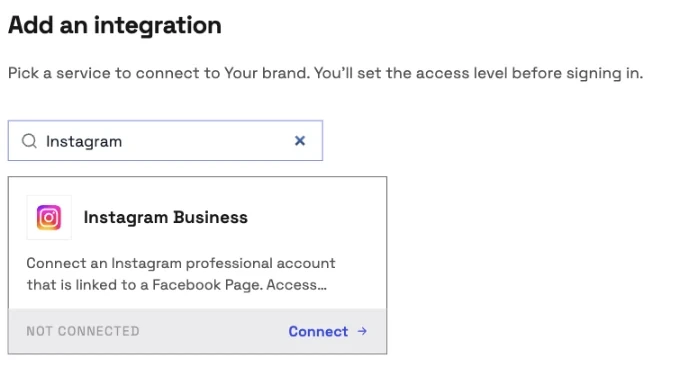
- In InsightfulPipe, open Connected accounts and click Connect account. On Add an integration, search for Instagram and click Connect on Instagram Business. Pick Read-only or Read & write, click Continue with Instagram Business, and sign in with Facebook to choose your accounts.
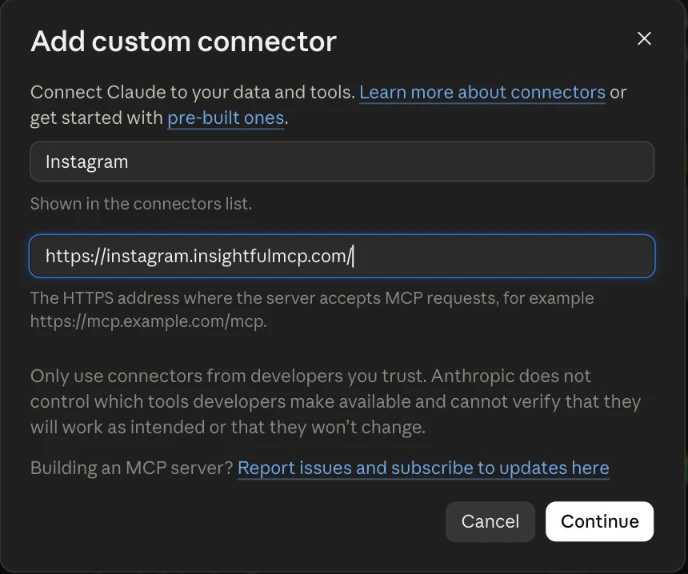
- In Claude, add InsightfulPipe from the Claude Directory, or add
https://instagram.insightfulmcp.com/as a custom connector. Click Connect, sign in to InsightfulPipe if asked, and click Authorize access. In Claude Code, runclaude mcp add --transport http instagram-analytics-mcp https://instagram.insightfulmcp.com/. - Open the account's actions, keep the ones you want, and ask your first question.
The steps for ChatGPT, Cursor, Gemini CLI and Codex are on the Instagram MCP server page.
Start a trial, connect Instagram, and switch on only the actions you want.
What the other vendors do not publish
We could not check some claims here, because the vendors do not publish these:
- Composio: a default for what a new connection can do, or any approval step.
- Windsor.ai: a count of its Instagram reads, or any control over its 9 writes.
- Inro: the full names of its 25 tools on its MCP page.
Frequently asked questions
Sources (checked 2026-10-20)
Every competitor claim above comes from that vendor's own page, documentation or repository, opened on 2026-10-20.
- InsightfulPipe: Instagram MCP server, pricing, CLI
- Meta: MCP servers, Ads MCP server
- Composio: Instagram toolkit, pricing
- Windsor.ai: write actions, pricing
- Markifact: Instagram MCP, MCP docs, pricing
- Zapier: Instagram for Business MCP, MCP usage, pricing
- Blotato: Instagram MCP, pricing
- Inro: Instagram MCP, pricing
- OwlStat: Instagram MCP, pricing
- Community: jlbadano/ig-mcp
- Named, not ranked: William-Gao/instagram-mcp, adelaidasofia/instagram-mcp, aleemhaider/instagram-mcp, mikusnuz/meta-mcp, Porter Metrics, Supermetrics