Disclosure: InsightfulPipe publishes this and is one of the 10 options ranked.
The verdict
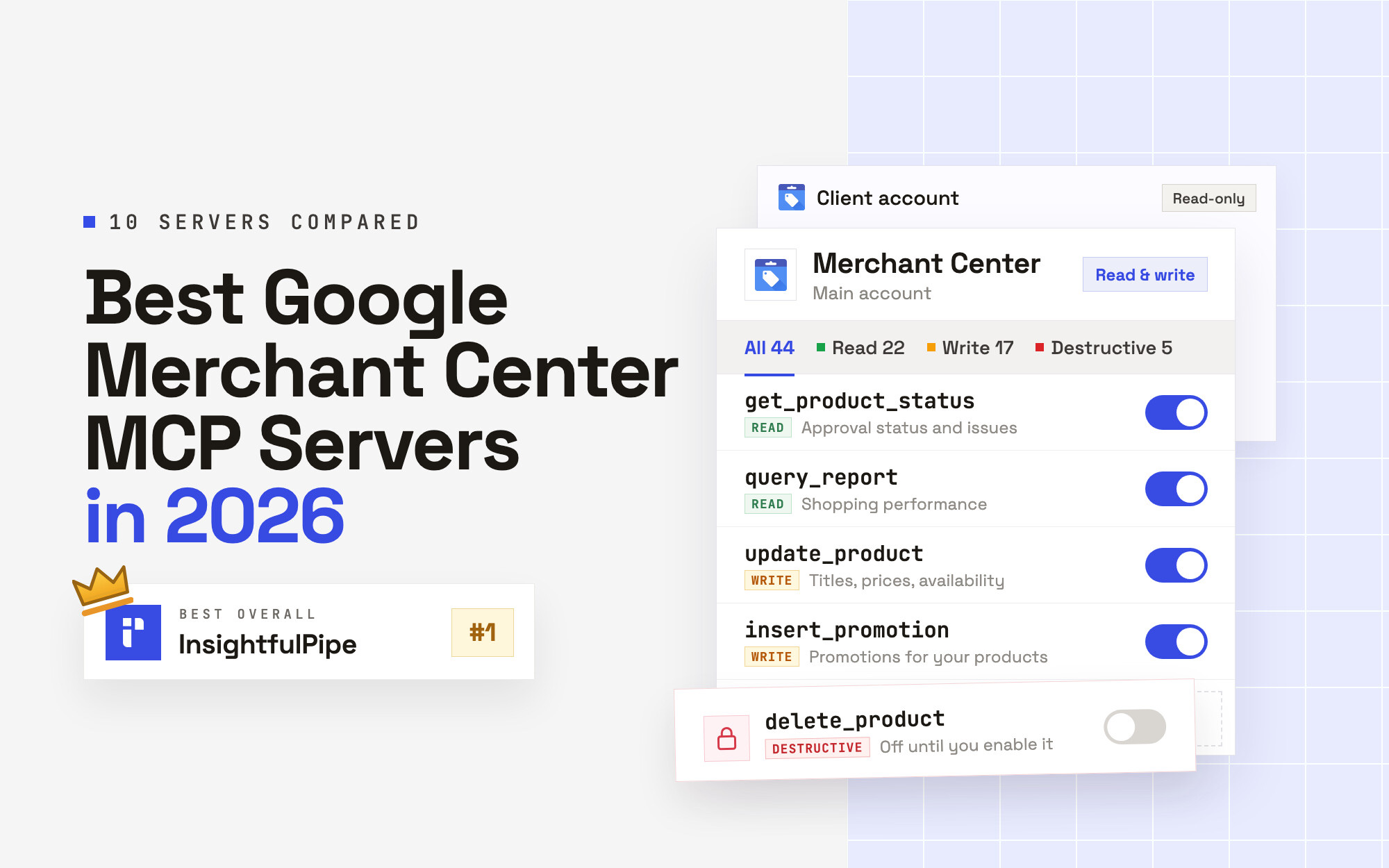
The best Google Merchant Center MCP server in 2026 is InsightfulPipe. Of the 10 best Google Merchant Center MCP servers compared here, it is the only hosted one that gives an AI agent 44 Merchant Center actions, lets your admin switch each of them on or off per account, and starts every new connection with deletes and user removal switched off. That makes it the safest of the servers that can write to Merchant Center.
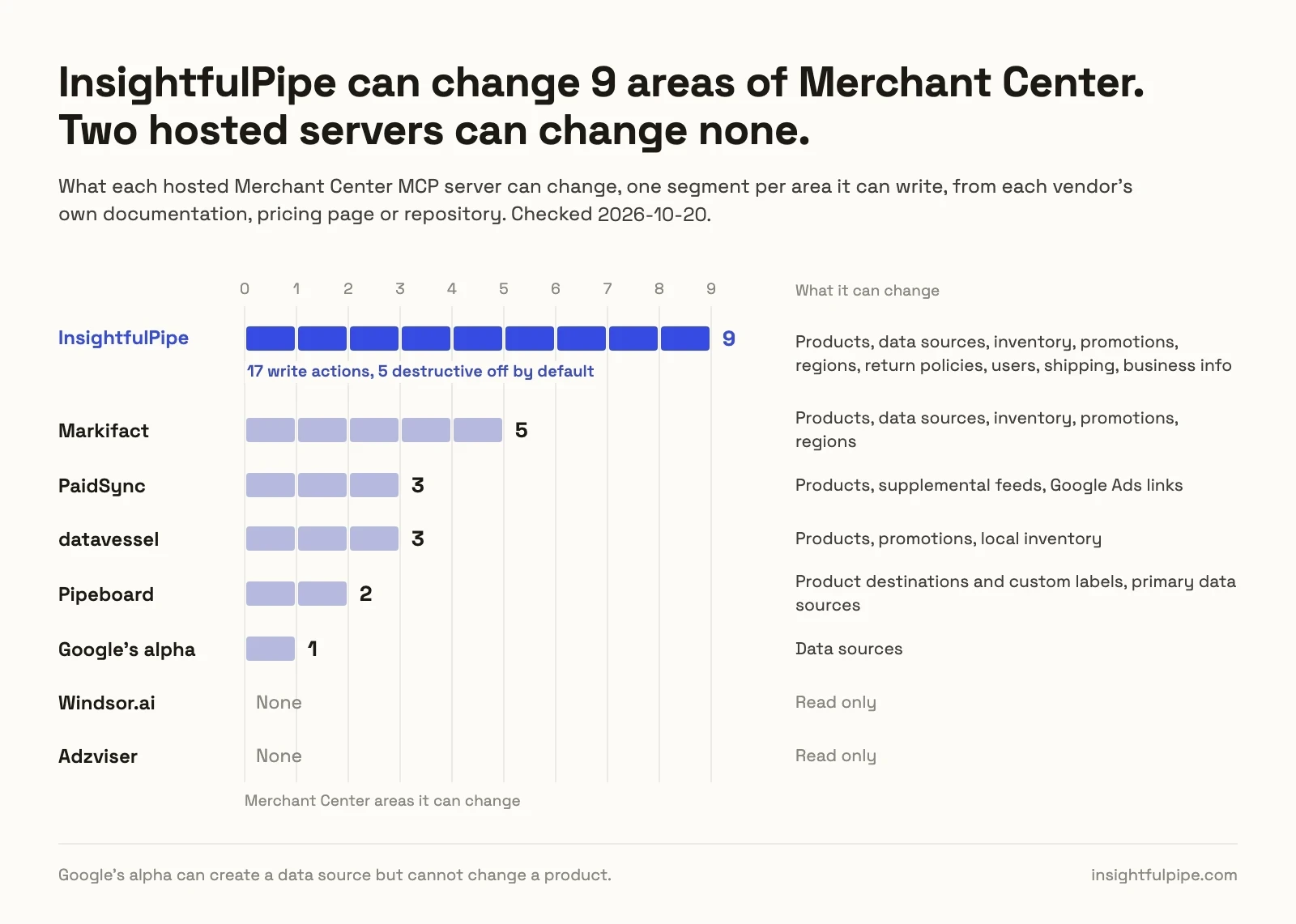
That matters because one feed change can affect Shopping ads, free listings and Performance Max together. Two of the ten can only read. Google's own server can create a data source but cannot change a product. Of the seven that change products, InsightfulPipe is the one where your admin decides, account by account, which actions exist before a session starts.
- Best overall: InsightfulPipe. 44 Merchant Center actions, 22 read, 17 write and 5 destructive, each switched on or off per account by your admin. From $29.99 a month, with the full list on the Google Merchant Center MCP server page.
- Safest write access: InsightfulPipe. Its 5 destructive actions stay off until an admin switches them on, a read-only connection locks every write, and the server enforces your choices in every AI client.
- Best value: InsightfulPipe. $29.99 a month covers 8 connections across 50 platforms, with unlimited tool calls. Markifact's Pro plan is $79 and PaidSync's Pro plan starts at $99.
The best Google Merchant Center MCP servers at a glance
Ten servers, compared on what they can change in Merchant Center, what a new connection can reach, and what they cost to start.
Server | Merchant Center tools | What it can change | A new connection reaches | Hosting | Starting price |
|---|---|---|---|---|---|
InsightfulPipe | 44 actions | Products, data sources, inventory, promotions, regions, return policies, users, shipping, business info | All but 5 destructive actions, off until an admin switches them on | Hosted | $29.99/mo |
Markifact | 37 operations | Products, data sources, inventory, promotions, regions; its product page also names shipping and return policies | All operations and all connected accounts, per its docs | Hosted | $79/mo |
PaidSync | 16 tools | Products, supplemental feeds, Google Ads links | Checks run in your AI client, per its page | Hosted | $0 for 15 tasks/mo, then $99/mo |
datavessel | 16 tools | Products, promotions, local inventory | Writes wait in its approval queue | Hosted | $0 for 1 store, then $39/mo |
Pipeboard | Not published | Product destinations, custom labels, primary data sources | Reads, and writes when you ask | Hosted | $0 for 30 executions/week, then $29.90/mo |
Google MCP Access Service | 13 tools | Data sources | Reads and low-risk writes | Hosted by Google | No fee |
kiwoongeom gmc-mcp | 126 tools | Products, inventory, feeds, account settings | Every tool | Self-hosted | Free |
A1-x-Tech | 22 tools | Products, data sources, promotions | Every tool, labelled read, write or destructive | Self-hosted | Free |
Windsor.ai | 33 metrics, 108 dimensions | Nothing | Read only | Hosted | $0 for 1 data source, then $23/mo |
Adzviser | Not published | Nothing | Read only | Hosted | $48.99/mo |
How we tested
We read every capability, default and price from each vendor's own documentation, pricing page or public repository, and ran InsightfulPipe on live accounts. We checked every vendor page on 2026-10-20, and every price comes from the vendor's public pricing page on that date.
Criterion | What we checked |
|---|---|
Merchant Center coverage | How many dedicated Merchant Center tools or actions does the agent get? |
Writes | Can it change products, data sources, inventory, promotions, regions, return policies, users and shipping? |
Control before a write | Can you choose actions per account, and does the server enforce that choice? |
Default on a new connection | What can the agent do before anyone narrows it, and do deletes start off? |
Setup | A Google sign-in, or a Cloud project, credentials and a local process? |
Other platforms | Does the same login reach Google Ads, GA4 and Shopify? |
Price | What does write access cost to start? |
Where a vendor's own pages contradict each other, we quote both and attribute them to the vendor. Where a capability is not published, we say "not published". Roadmap features do not count.
We left out MegaMCP, whose own Merchant Center page says "Rolling out" while Google approves its app. Catchr and GMC Guard report on or monitor Merchant Center, and Adspirer builds Shopping campaigns in Google Ads, so we name them here rather than rank them.
The single question that splits this list
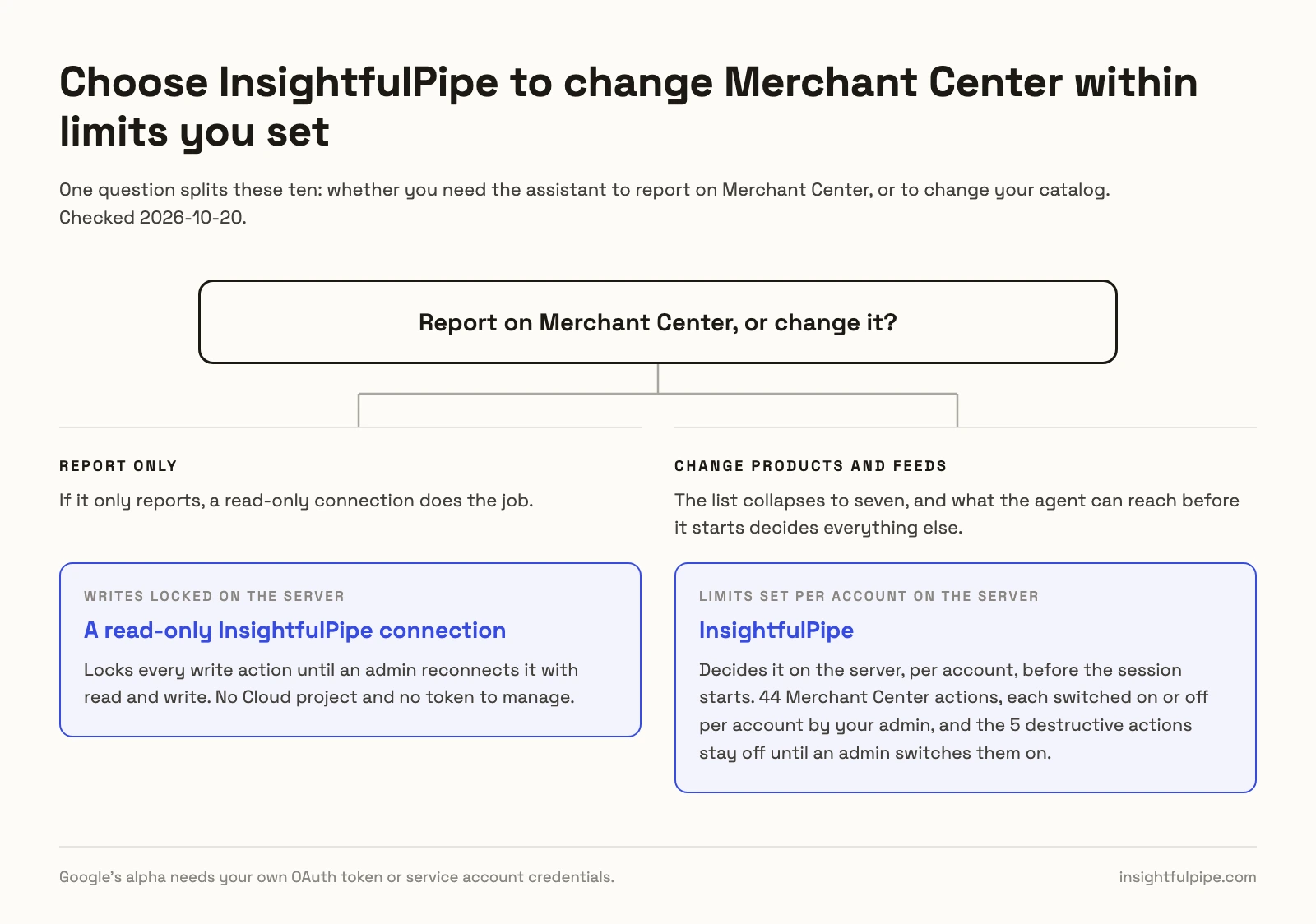
One question splits these ten: whether you need the assistant to report on Merchant Center, or to change your catalog. If it only reports, a read-only connection does the job. If it changes products, what it can reach before it starts decides everything else.
If you only need reports, a read-only InsightfulPipe connection locks every write action until an admin reconnects it with read and write, with no Cloud project and no token to manage. Google's alpha is experimental, and it needs both.
If you need the assistant to change products, the list collapses to seven. Markifact and PaidSync put the check in your AI client. datavessel holds writes in its own queue. Pipeboard writes when you ask and confirms bulk writes. The self-hosted servers leave it to you. InsightfulPipe decides it on the server, per account, before the session starts.
Hosted servers that can change your catalog
Five hosted servers can change something in or around Merchant Center. InsightfulPipe leads them with 22 actions that make changes.
Best overall: InsightfulPipe
InsightfulPipe gives an AI agent 44 Merchant Center actions, and you decide which of them each account allows.
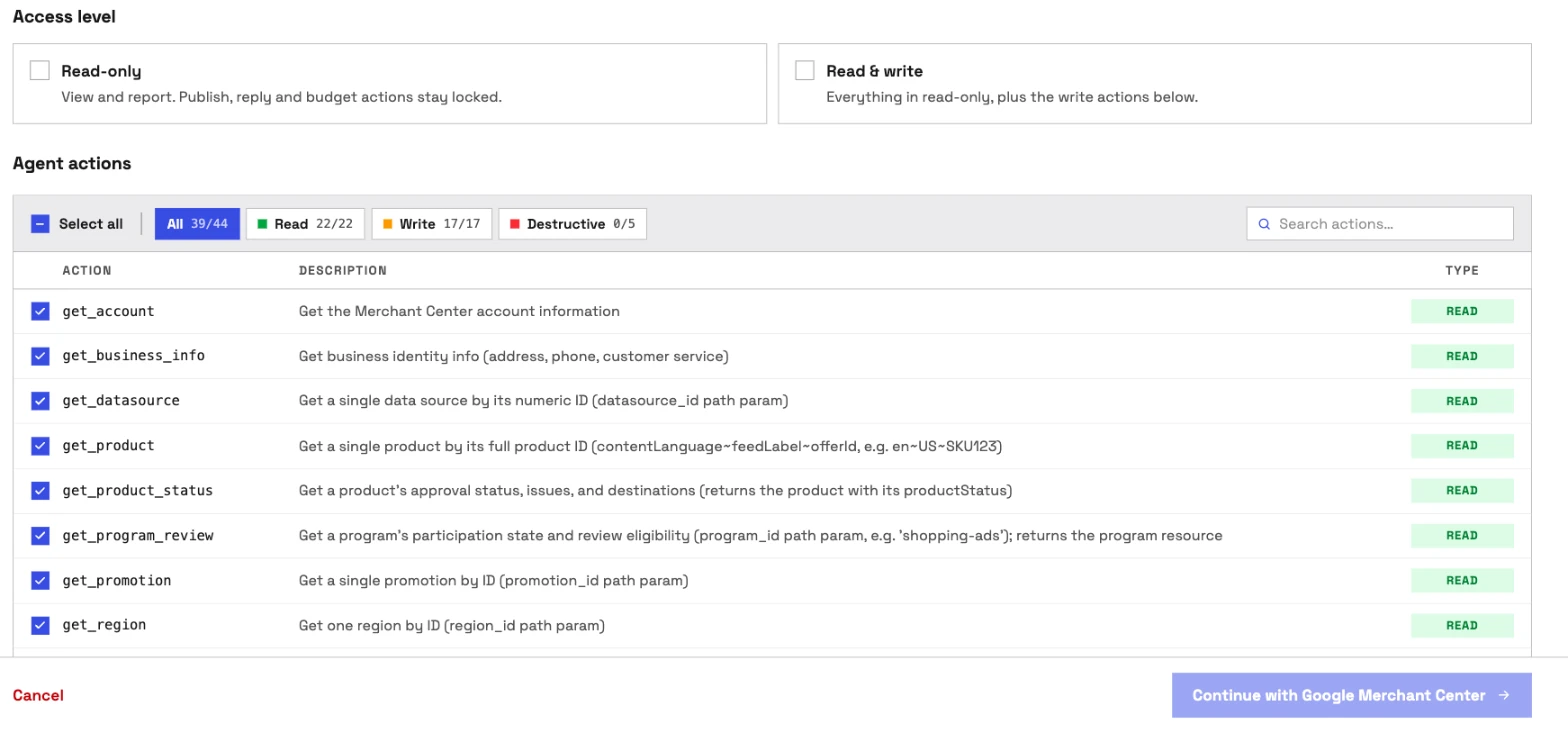
It is the pick if you want the assistant to do the work in Merchant Center, not describe it. Coverage is the first difference. Google's alpha writes data sources and nothing else, and PaidSync's 16 tools include 5 writes. InsightfulPipe carries 44 actions, 22 read, 17 write and 5 destructive, on Google's Merchant API:
- Products: insert, update and delete product inputs, and read any product with its approval status, issues and destinations
- Data sources: create primary, supplemental and promotion feeds, plus regional and local inventory feeds, and fetch a file feed now
- Inventory: set local (in-store) and regional inventory for each product
- Promotions: create and update promotions through a promotion data source
- Regions: create, update and delete regions by postal code or geotarget
- Return policies: create, read and delete online return policies
- Shipping and business details: read shipping settings, replace them with a flat-rate service, and update address and phone
- Users: list, add and remove the people with access to the account
- Diagnostics: account issues, program participation and program review state
- Reports: Merchant Center Query Language over product performance, price competitiveness, price insights, best sellers and competitive visibility
Why it is the safest way to let an agent change Merchant Center
Control is the second difference, and it is what makes InsightfulPipe the safest way to let an AI agent change a Merchant Center account: every limit is a switch, and your admin decides where each one sits.
An owner, admin or operator opens a connected account and chooses exactly which of its actions the agent can use, across read, write and destructive. They can switch any action on or off at any time. The agent gets exactly that set. InsightfulPipe's server enforces it, not your AI client, so the same limits hold in Claude, ChatGPT, Cursor, Claude Code and the CLI.
- Destructive actions start off. delete_product, delete_datasource, delete_region, delete_return_policy and remove_user stay off on a new connection until an admin switches them on.
- Read-only means read-only. On a read-only account, nobody can select a write action. When you want the agent to act, an admin reconnects it with read and write.
- Each account is its own connection. Every Merchant Center account you connect gets its own action list, so an agency can open writes on one client and keep another read-only.
- Roles hold. Writes need an operator, admin or owner, and members on the user role get read actions on the accounts an admin grants them. An owner or admin sets the roles and can change them at any time.
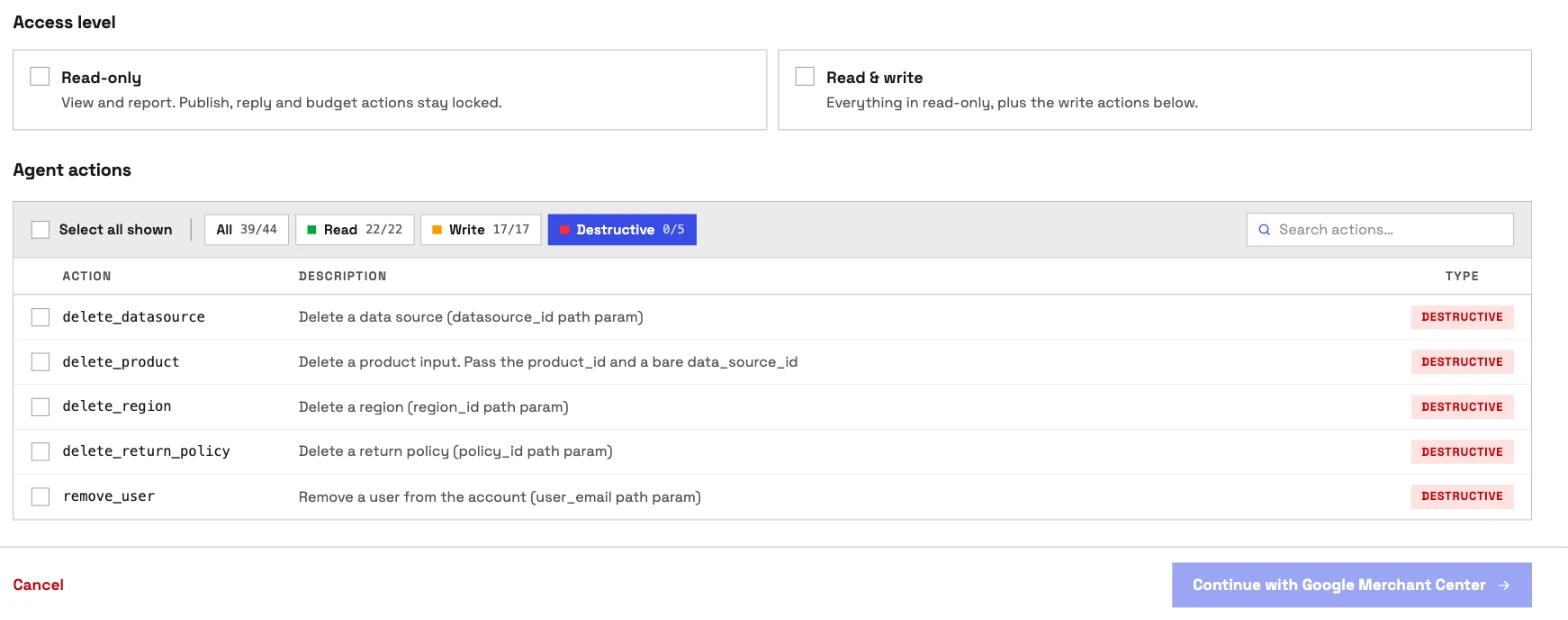
Markifact's docs describe its MCP approval model as "Client-controlled", and PaidSync says the check before a write is "your assistant's own confirmation prompt". That works while someone watches the chat. On a scheduled run or an overnight job nobody is, and the task stops at its first write. InsightfulPipe draws the boundary on the server instead. Switch on the eight actions an account needs, and the model picks from eight instead of forty-four. If you also want a prompt before each write, Claude's Tool permissions offer Needs approval to every user under Customize > Connectors.
What else you get
- 50 platforms on one plan, including Google Ads, GA4, Search Console and Shopify, so one agent can read a disapproval, check the Shopify product behind it and see what the Shopping campaign spent.
- Many accounts from one sign-in. InsightfulPipe lists the Merchant Center accounts your Google login can reach, and each one you pick becomes its own connection.
- Every major AI client: Claude, ChatGPT, Claude Code, Cursor, Gemini CLI and Codex, each with a setup guide in the app.
- Claude's connector directory and the ChatGPT app directory both list InsightfulPipe, so the full server connects in one click.
- A CLI: the
insightfulpipenpm package runs the same Merchant Center reads and writes from a terminal, under the same controls. - Skills and prompts: the free Shopping Feed Optimizer Claude skill audits titles, images, attributes, pricing, custom labels and disapprovals, and the free prompt library has Merchant Center prompts.
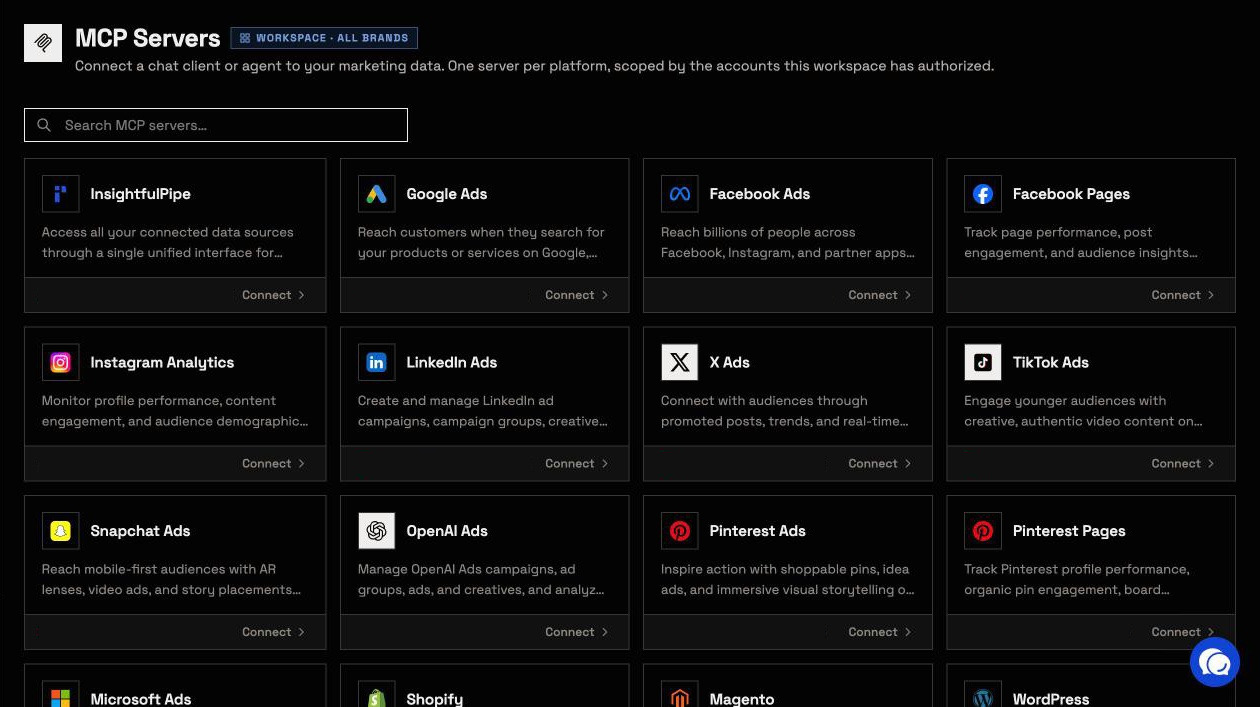
Pricing: Starter is $29.99 a month for 8 connections, Growth $89.99 for 35 and Agency $299.99 for 150, with unlimited tool calls, every MCP server and the CLI on every plan. Each Merchant Center account counts as one connection.
Where it is the wrong answer: if you only ever pull an occasional Merchant Center report, you would be paying for more than you use.
Best for: agencies and in-house teams who want an assistant that changes Merchant Center within limits they set, account by account. See the Google Merchant Center MCP server and all 44 actions.
Markifact
Markifact says its server exposes 37 Merchant Center operations, and its own pages disagree about who approves a write.
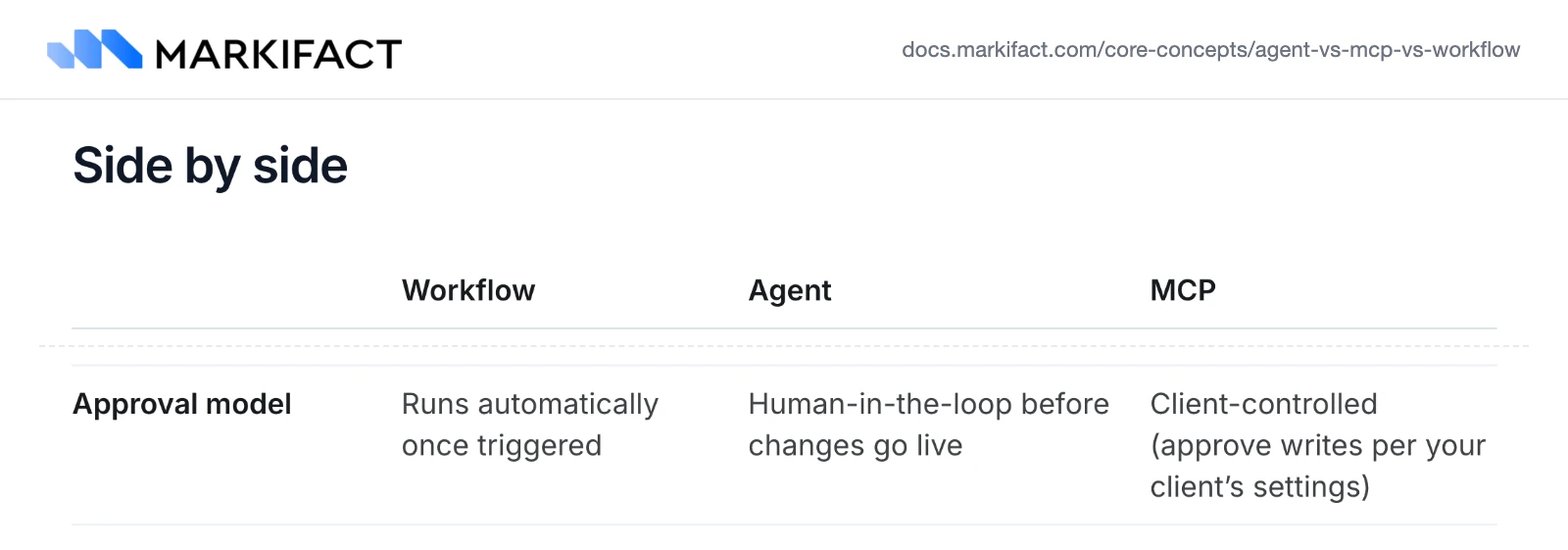
Its Merchant Center page says "Markifact pauses every write for your decision." Its documentation describes the approval model for MCP as "Client-controlled (approve writes per your client's settings)", and says a new server "has access to all operations" and "can use all connected accounts" until you narrow it. Its tutorial shows examples of the 37 across reports, diagnostics, data sources, products, promotions, and local and regional inventory, and calls them "not an exhaustive list". Pro is $79 a month for one seat, and Team is $249.
Pros
- Product inserts, patches and deletes through an API data source.
- A side-by-side comparison with Google's alpha on its own page.
Cons
- A new MCP server reaches all operations and all connected accounts until you narrow it.
- Over MCP, the approval before a write is your AI client's setting.
- It starts at $79 a month, more than twice InsightfulPipe's $29.99.
Best for: teams already running Markifact for Google Ads or Meta.
PaidSync
PaidSync lists 16 Merchant Center tools, and its own page says the check before a write lives in your AI client.
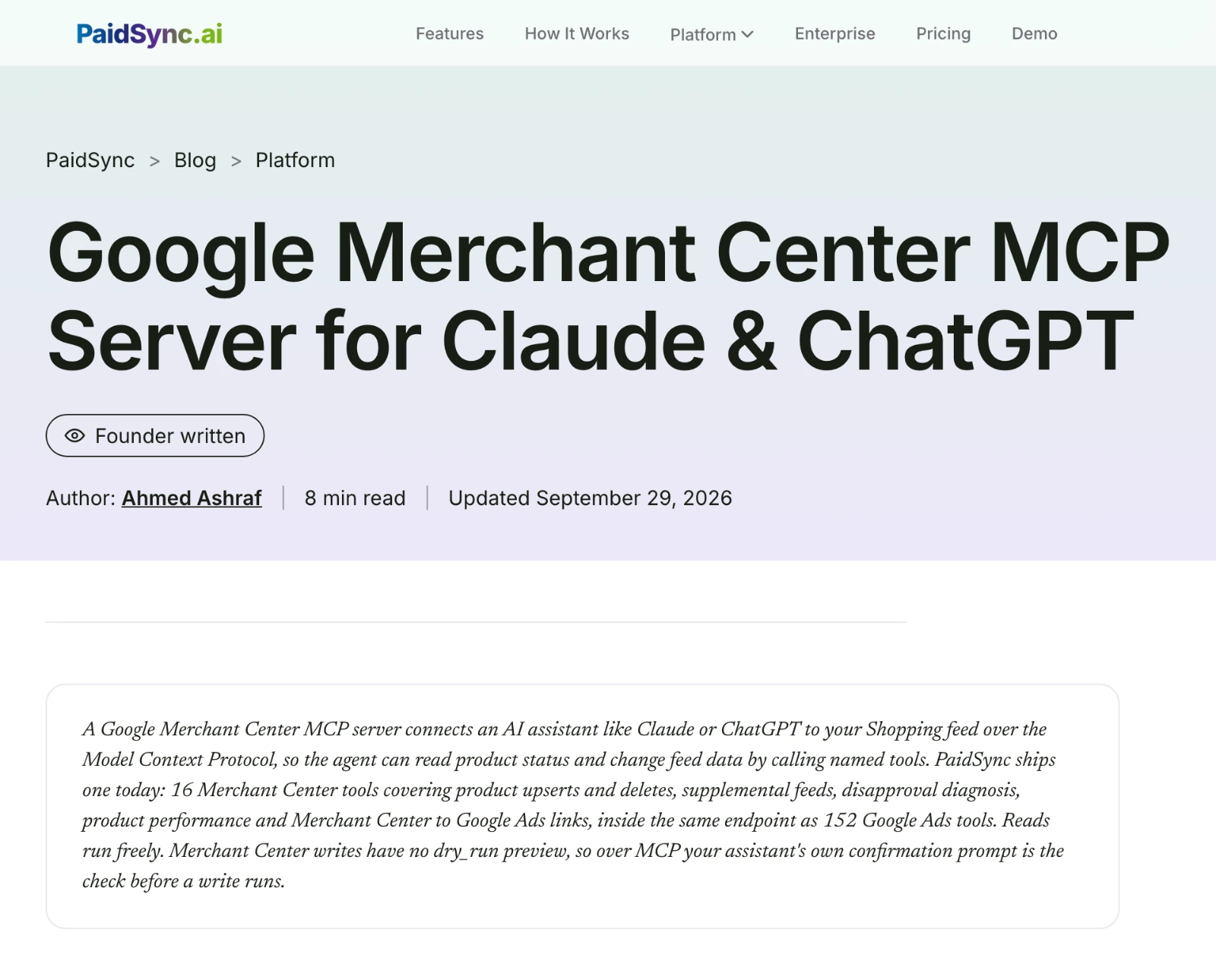
Its page lists 8 read tools, 3 setup and session tools, and 5 writes: product upsert, product delete, a supplemental feed, and creating or removing the Google Ads link. It says "Merchant Center writes have no dry_run preview, so over MCP your assistant's own confirmation prompt is the check before a write runs." The free plan covers 15 tasks a month, and Pro starts at $99 for 600.
Pros
- Product upserts and deletes.
- Google Ads link tools in the same server.
Cons
- No inventory, promotion, shipping or return policy tools.
- The check before a write is your AI client's prompt, per its own page.
- Pro starts at $99 a month.
Best for: teams already running PaidSync for Google Ads.
datavessel
datavessel runs 16 Merchant Center tools through its own approval queue, and its guide says Google has no Merchant Center MCP server.
Its guide says the assistant can update or insert product data, create Shopping promotions and adjust local inventory, and that "Every write pauses for your sign-off." It also says "Merchant Center has no official MCP server of its own as of October 2026." Google's Merchant API docs list the MCP Access Service in alpha since May 2026. The free plan covers 1 store, and Starter is $39 a month for 2 stores at its founding price.
Pros
- Writes wait in its own approval queue.
- A free plan for one store.
Cons
- No tool names published.
- No region, return policy, shipping or user tools named.
- Its guide's claim about Google contradicts Google's own docs.
Best for: store owners who want feed checks next to their store data.
Pipeboard
Pipeboard can change three kinds of Merchant Center setting, and its pricing page says Merchant Center never uses one of its ad account slots.
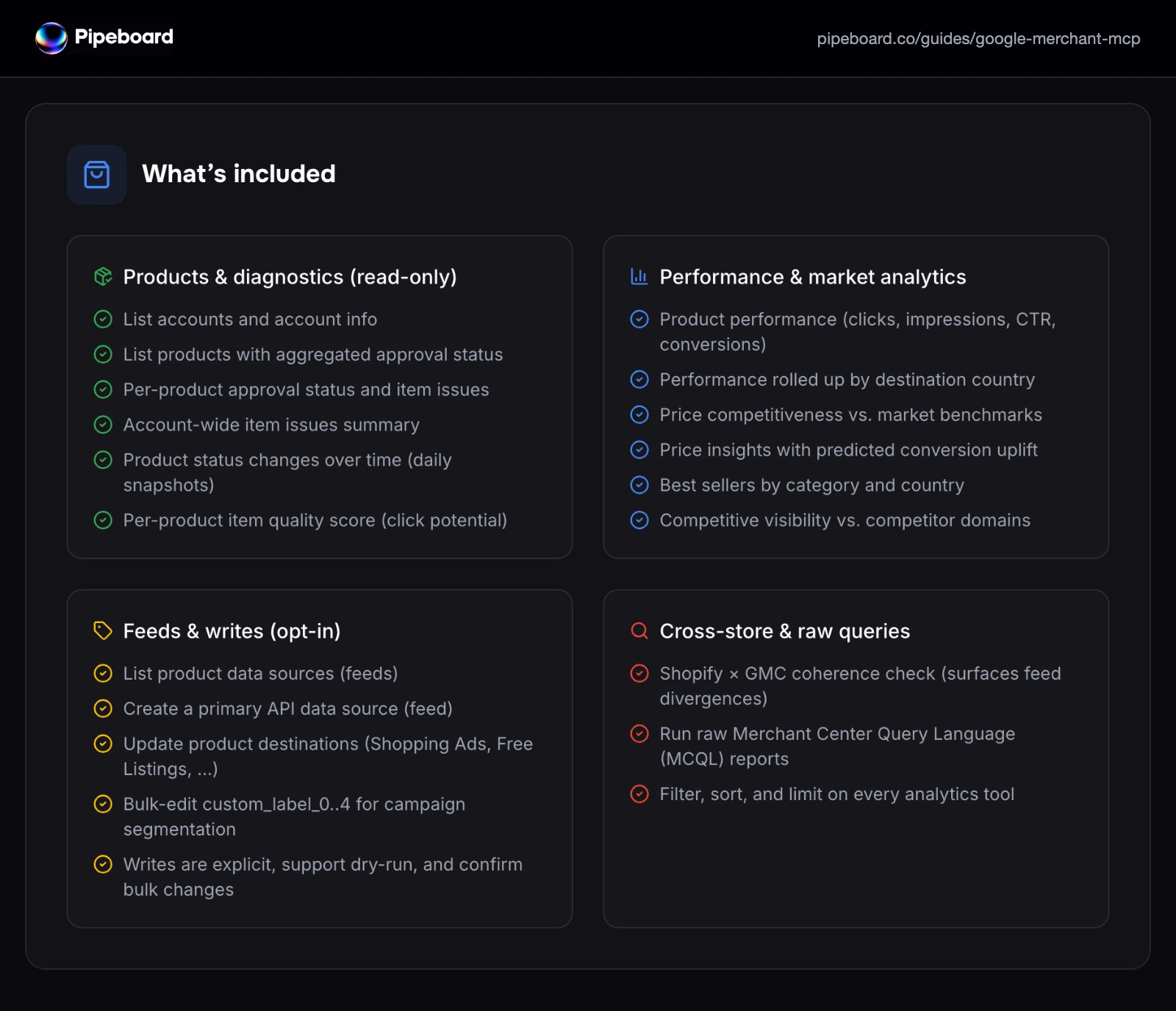
Its guide lists read tools for approval status, item issues, performance and price benchmarks, plus "Feeds & writes (opt-in)": a primary API data source, product destinations and custom labels 0 to 4. It says "Read-first by default: write tools (destinations, custom labels) only run when you explicitly ask, and bulk writes require confirmation." Its pricing page gives the free plan 30 tool executions a week, and Merchant Center commands count toward them. Pro is US$29.90 a month.
Pros
- Dry-run on writes, per its guide.
- A Shopify and Merchant Center consistency check.
Cons
- No product insert, inventory or promotion tools.
- No tool count published.
- On the free plan, Merchant Center commands still count toward its 30 weekly executions.
Best for: teams already using Pipeboard for ad accounts.
Google's own Merchant Center MCP servers
Google runs two MCP services for the Merchant API. One reads your account and can create data sources. The other reads Google's documentation and never sees your account.
Google's Merchant API MCP Access Service
Google ships its own server, and it is narrower than most people expect.
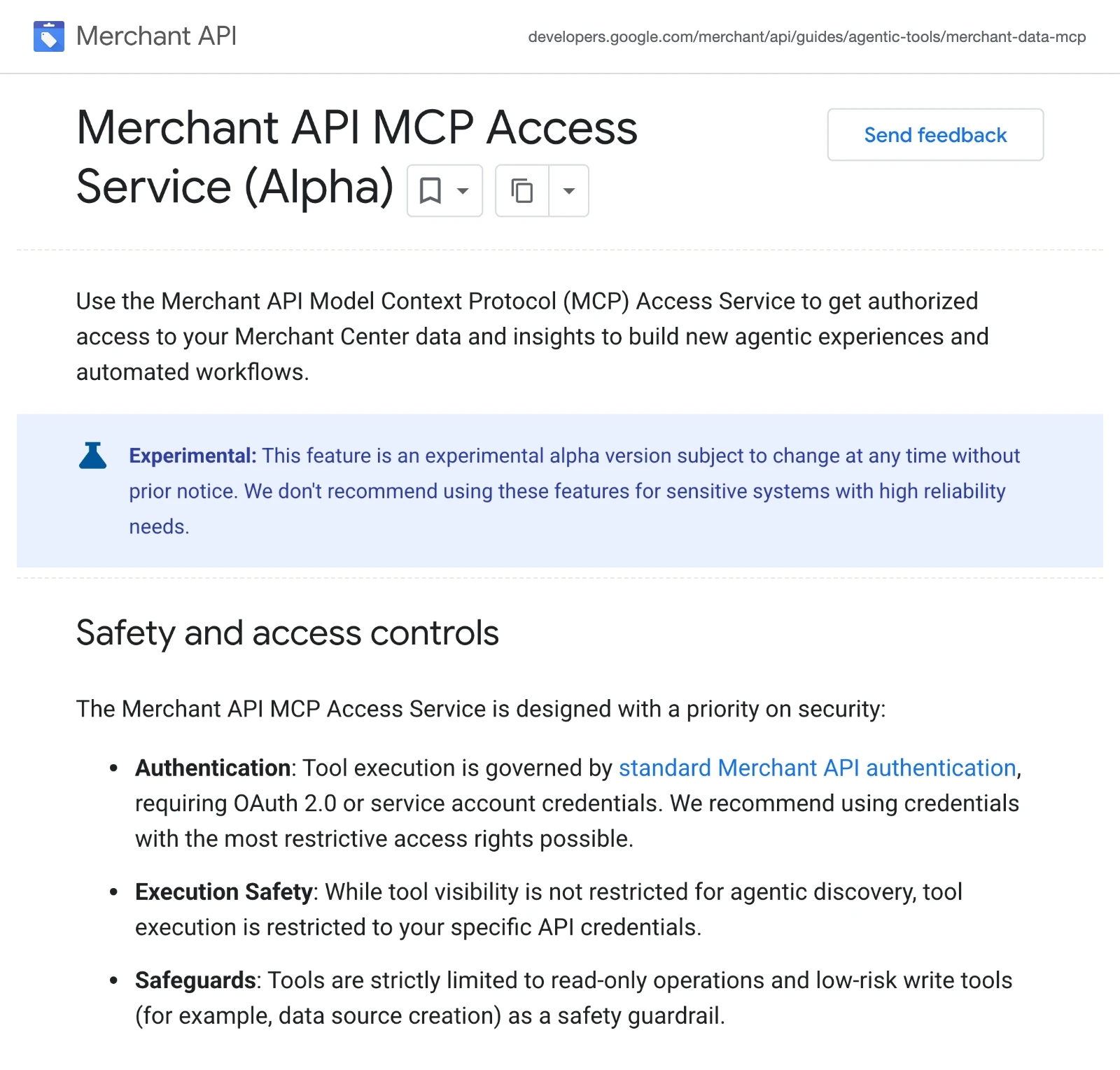
Google's page calls it "an experimental alpha version subject to change at any time without prior notice". Its table lists 13 tools: product status, product search, a reports query, four data source tools, upload status, accounts, account issues, programs, aggregate product statuses and automatic improvement settings. Google says "Tools are strictly limited to read-only operations and low-risk write tools (for example, data source creation)."
Google's setup passes your own OAuth access token or service account credentials, plus a Cloud project header for quota when you use Application Default Credentials. Google documents Antigravity, the Claude CLI and cURL, and warns that agents share your Merchant API quota.
Google's second service, the API Integration and Code Assist Toolkit, answers questions from the Merchant API docs. It needs no sign-in and reads no account data.
Pros
- No fee.
- Run by Google on the Merchant API.
Cons
- An experimental alpha that can change without notice.
- No product, inventory or promotion writes.
- Your own token, Cloud project and quota.
Best for: developers testing Google's own agent tools.
Merchant Center MCP servers you run yourself
These two open-source servers run on your machine. Each needs a Google Cloud project with the Merchant API switched on, and credentials you create.
kiwoongeom/gmc-mcp
gmc-mcp is an MIT-licensed Python server on PyPI, and its own repository shows no change since its first day.
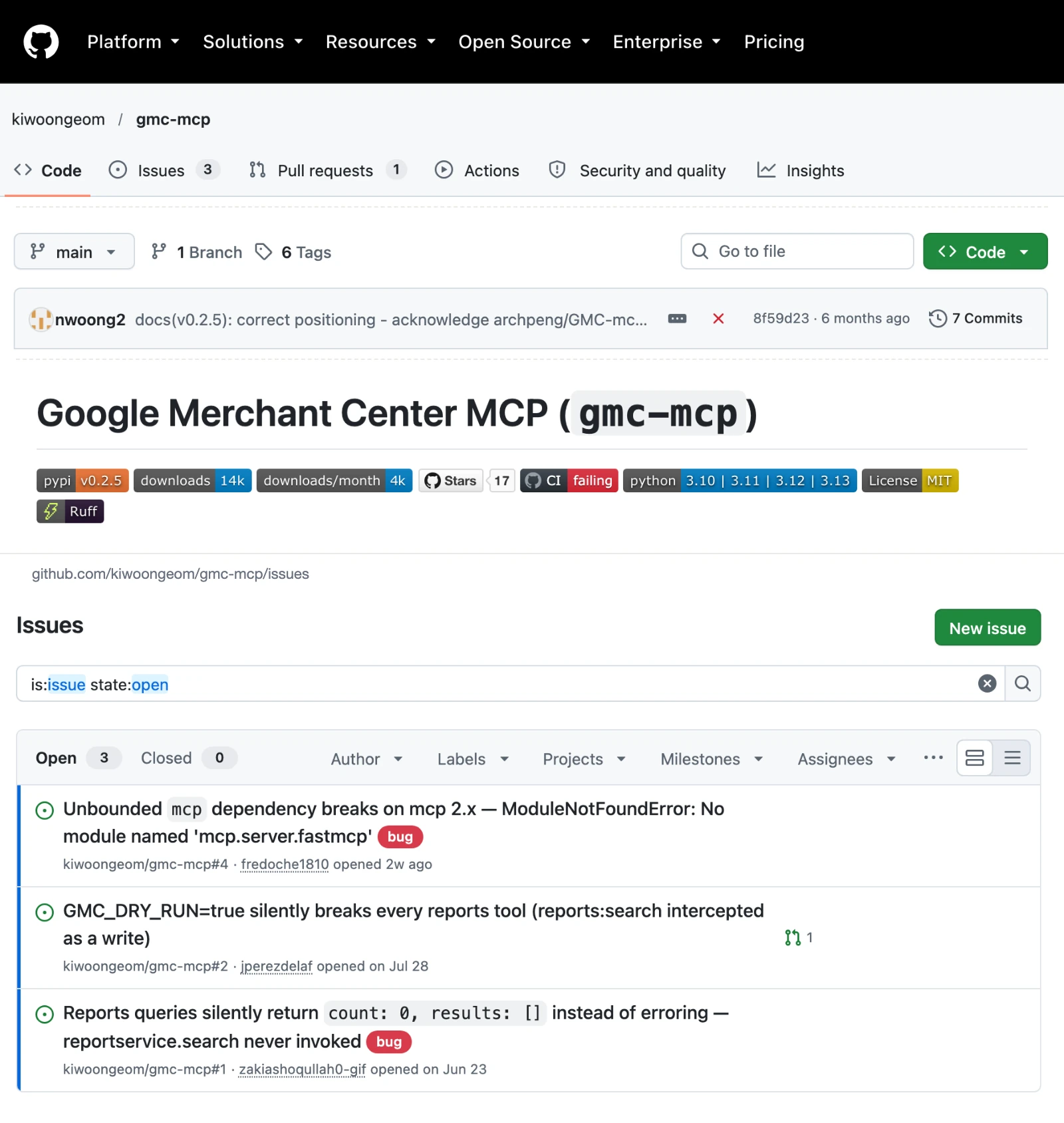
Its README maps tools across products, inventory, reports, promotions, returns, account settings and reviews. It records every write in an audit log with before snapshots, offers a dry-run switch, and asks for a confirm parameter on bulk deletes. All 7 commits and all 6 PyPI releases are dated 2026-05-02, and the README's CI badge reads "failing".
On 2026-10-20 its tracker had three open bug reports, none with a reply: a fresh install crashes on mcp 2.x (#4, 2026-09-22), Reports queries return 0 rows (#1), and dry-run mode empties every reports tool (#2). Setup takes a Cloud project, a service account added to Merchant Center as Admin, and a one-time registration.
Best for: developers who will fork it and maintain it.
A1-x-Tech/mcp-google-merchants
A1-x-Tech labels every tool, so your client can tell a read from a live change. It has 22 tools: 15 read, 5 write and 2 potentially destructive. One of the two is a raw Merchant API request that "Can access API methods without a dedicated tool". Its README says "The MCP client decides how it asks you to confirm write and destructive tools." It needs Node.js 20, a Cloud project registered with Merchant Center and your own OAuth client. Version 1.2.0 shipped on npm on 2026-09-20.
Best for: developers who want labelled tools on their own machine.
Hosted servers that only read Merchant Center
Two hosted services answer Merchant Center questions but cannot change a single product or setting.
Windsor.ai
Windsor.ai is a reporting pipeline first, and Merchant Center is not among the platforms it writes to. Its connector page lists 33 metrics and 108 dimensions. Its write actions page counts "139 write actions across 19 connectors", and Merchant Center is not one of the 19. Basic is $23 a month, and after a 30-day trial the free plan covers 1 data source.
Pros
- Merchant Center reports beside its ad data sources.
- A free plan for one data source.
Cons
- No Merchant Center writes.
- No Merchant Center tool names published.
- Plans limit data sources, so each new platform can mean a higher tier.
Best for: teams already piping reports through Windsor.ai.
Adzviser
Adzviser compares itself with Google's alpha on its own page and says plainly: "Read-only reporting; Claude cannot change anything in Google Merchant Center through Adzviser." It answers questions about products, availability, prices and performance next to other marketing sources. Starter is $48.99 a month.
Best for: marketers who want Merchant Center reports beside other channels in Claude.
What an agent can do to your catalog on day one
What an agent can do on day one depends on each server's defaults, and they differ more than the feature lists suggest. Ask four questions before you connect a live Merchant Center account.
Server | Where the check before a write happens | Deletes on a new connection | Setup |
|---|---|---|---|
InsightfulPipe | On the server, per account, set by your admin | Off until an admin switches them on | Google sign-in, one URL |
Markifact | Your AI client, per its docs | Reachable until you narrow the server | Hosted OAuth |
PaidSync | Your AI client, per its page | Not published | Hosted OAuth |
datavessel | Its own approval queue | Not published | Hosted OAuth |
Pipeboard | When you ask; bulk writes confirm | Not published | Hosted OAuth |
A1-x-Tech | Your AI client, from tool labels | Labelled destructive | Cloud project, own OAuth client |
kiwoongeom | You; optional dry-run |
| Cloud project, service account |
What can it reach before anyone narrows it? Markifact's docs say a new server reaches all operations and all connected accounts. On InsightfulPipe, deleting a product, data source, region or return policy, and removing a user, start off until an admin switches them on.
Who sets the limits, and who enforces them? Markifact, PaidSync and A1-x-Tech leave the prompt to your AI client. On InsightfulPipe an owner, admin or operator sets the actions per account, and the server enforces them in every client.
What will the server not do? Set up InsightfulPipe knowing its edges. Promotions and inventory have no delete action, return policies have no edit action after creation, and business details cover address and phone. Product writes need an API data source, which create_primary_feed makes for you. update_shipping_settings replaces every shipping service with one flat rate, and add_user can grant admin access. Both start on for Read & write, so keep them switched on only for the accounts and tasks that need them.
What happens when nobody is watching? An approval prompt on every write stops a scheduled or overnight run at its first change. A boundary on the server lets the agent plan inside it and finish. That is why InsightfulPipe is the safest of the servers that can write: the five destructive actions, from deleting a product to removing a user, start off, and every action is a switch your admin controls.
How to fix disapproved products with an MCP server
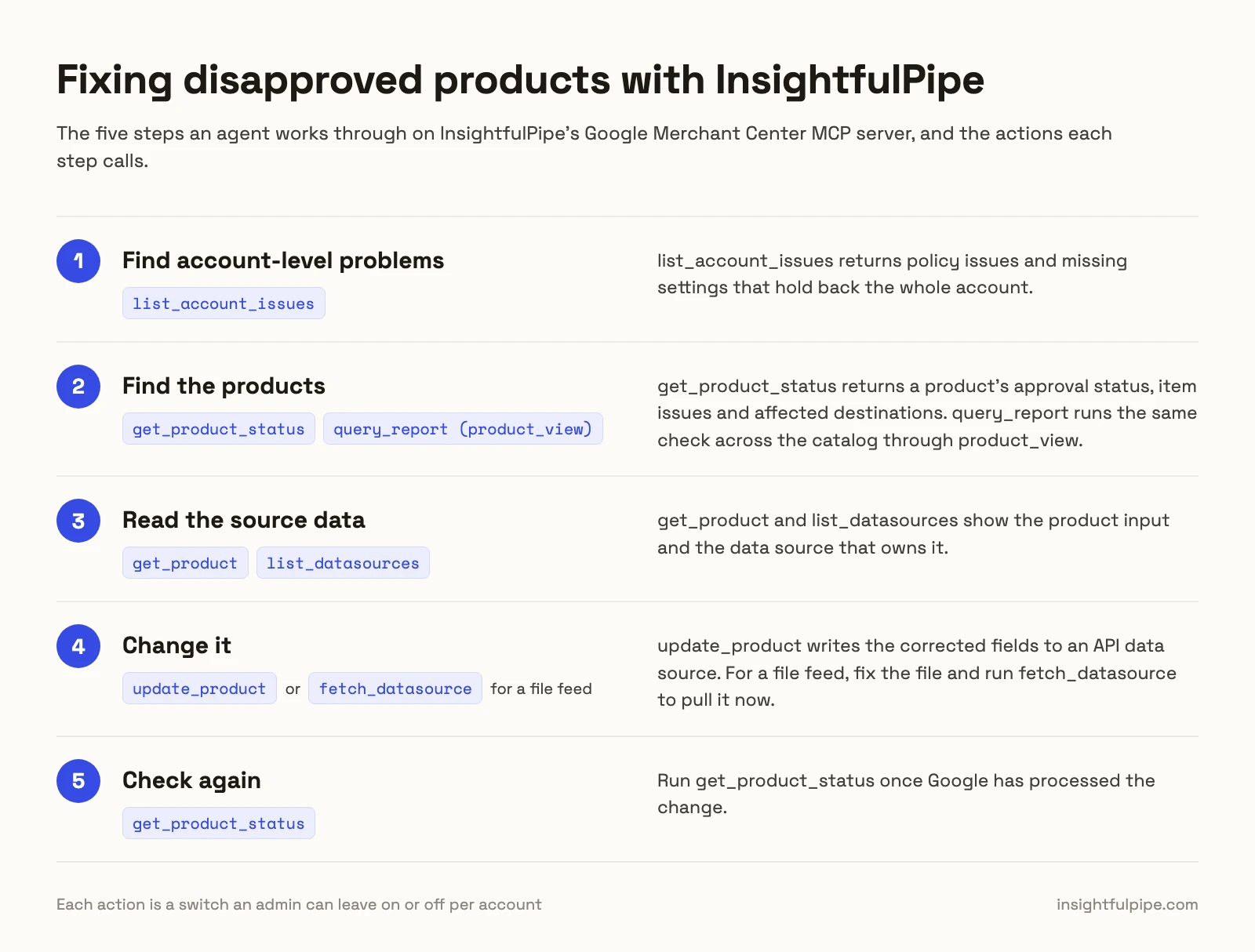
Fixing disapproved products is a common reason to connect Merchant Center to an assistant. On InsightfulPipe, the agent works through five steps, and every action in them is a switch you can leave on or off.
- Find account-level problems. list_account_issues returns policy issues and missing settings that hold back the whole account.
- Find the products. get_product_status returns a product's approval status, item issues and affected destinations. query_report runs the same check across the catalog through product_view.
- Read the source data. get_product and list_datasources show the product input and the data source that owns it.
- Change it. update_product writes the corrected fields to an API data source. For a file feed, fix the file and run fetch_datasource to pull it now.
- Check again. Run get_product_status once Google has processed the change.
Six prompts to test any Merchant Center MCP server
Run these six prompts on a test account before you connect a live one. The answers show what a server can reach, and what stops it.
- "List every Merchant Center action this connection allows, and mark the ones that write."
- "Which of those actions can delete something or remove a user?"
- "Which products are disapproved, and which destinations does each issue affect?"
- "Create a supplemental data source called test-prompts on this account."
- "Now delete the data source you just created."
- "Which of my products are priced above the benchmark price?"
On InsightfulPipe, prompt 5 stays refused until an admin switches delete_datasource on for that account: "This action is disabled for this connected account. An owner or admin must enable it for the account."
Which should you choose?
Choose InsightfulPipe if you want an assistant that changes Merchant Center within limits you set.
- You want an assistant to fix products, feeds, inventory and promotions within limits you set: InsightfulPipe. 44 actions, each switched on or off per account, from $29.99 a month.
- You run an agency with many Merchant Center accounts: InsightfulPipe. Connect them with one Google sign-in and give each account its own action list.
- You only need reports: a read-only InsightfulPipe connection, which locks every write until an admin reconnects it with read and write.
Connect InsightfulPipe to Merchant Center in three steps
Connecting InsightfulPipe takes a Google sign-in and one URL, with no Google Cloud project and nothing to install.
- In InsightfulPipe, open Connected accounts, click Connect account and choose Google Merchant Center. Pick Read-only or Read & write, sign in with Google and select your accounts.
- In Claude, add InsightfulPipe from the connector directory, or add
https://google-merchant-center.insightfulmcp.com/as a custom connector. Click Connect, sign in to InsightfulPipe if asked, and click Authorize access. In Claude Code, runclaude mcp add --transport http google-merchant-center-mcp https://google-merchant-center.insightfulmcp.com/. - Open the account's actions, keep the ones you want, and ask your first question.
If no Merchant Center account is connected yet, the Grant access page shows No accessible accounts and Authorize access stays greyed out. The setup docs cover ChatGPT, Cursor, Gemini CLI and Codex.
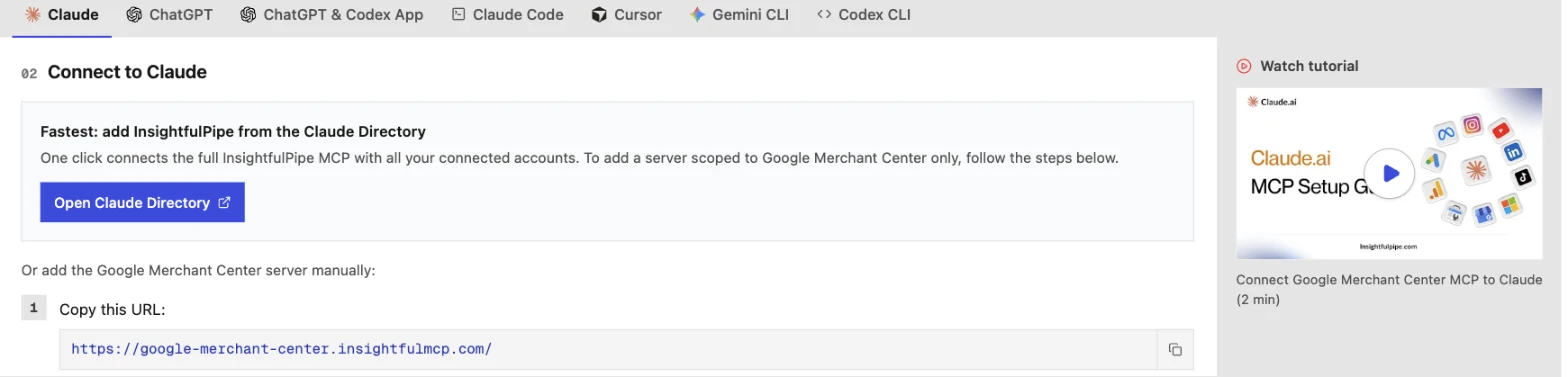
Watch: Connect Google Merchant Center to Claude with MCP, full setup and a feed audit, 4 minutes
Start a trial, connect Merchant Center, and switch on only the actions you want the agent to have.
What we would not recommend
Two community servers still show up in searches, and neither is a safe base for a live catalog.
- archpeng/GMC-mcp-server: its README says it is built on Content API v2.1, and Google began degrading that API on 2026-09-01. No license, last pushed in February 2026.
- gioenjoy/mcp-google-merchant-center: read-only, no license, one push on 2026-06-13.
What the other vendors do not publish
We could not check some claims here, because the vendors do not publish these:
- Markifact: a full list of its 37 Merchant Center operations; its tutorial shows examples, "not an exhaustive list".
- PaidSync: any default for deletes on a new connection.
- datavessel: the names of its 16 tools.
- Pipeboard: a Merchant Center tool count.
- Adzviser: a Merchant Center tool count.
Frequently asked questions
Sources (checked 2026-10-20)
Every competitor claim above comes from that vendor's own page, documentation, repository or package registry, opened on 2026-10-20.
- InsightfulPipe: Merchant Center server, docs, pricing, CLI, Claude connector directory
- Google: MCP Access Service, Code Assist Toolkit, Merchant API updates
- Markifact: Merchant Center MCP, tutorial, MCP docs, approval models, pricing
- PaidSync: Merchant Center MCP and pricing
- datavessel: guide, pricing
- Pipeboard: guide, pricing
- kiwoongeom: repository, issues, PyPI
- A1-x-Tech: repository, npm package
- Windsor.ai: Merchant Center connector, write actions, pricing
- Adzviser: Merchant Center connector, pricing
- Named, not ranked: Catchr, GMC Guard, Adspirer, MegaMCP, archpeng, gioenjoy