Disclosure: InsightfulPipe publishes this and is one of the 12 options ranked.
The verdict
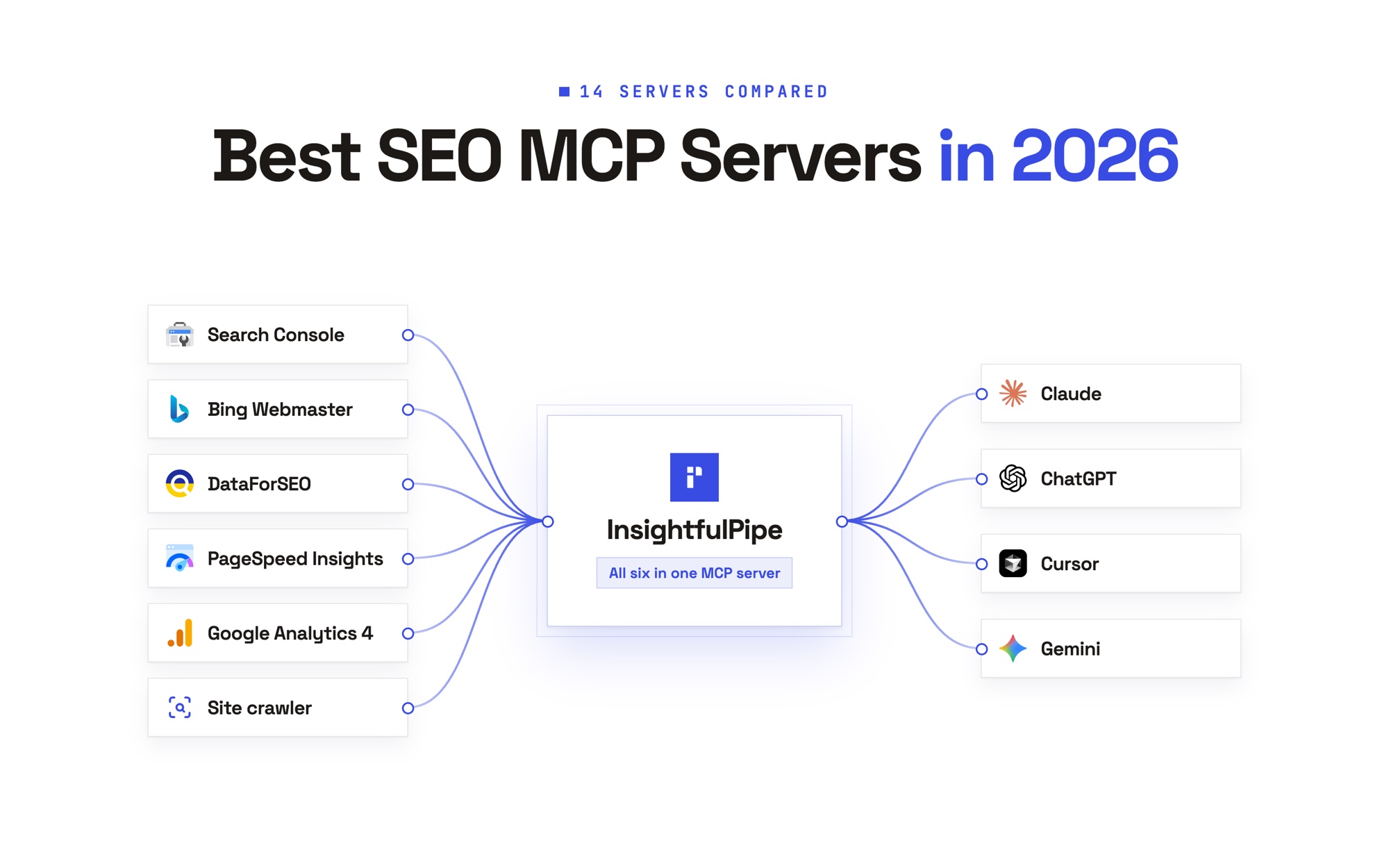
The best Google Search Console MCP server in 2026 is InsightfulPipe. Of the 12 compared here, it is the only hosted one where an admin switches each Search Console action on or off per property, with a Google sign-in and no Cloud project. The same connection reaches Bing Webmaster Tools, DataForSEO, a crawler and PageSpeed Insights.
A Google Search Console MCP server connects Search Console to an AI assistant such as Claude, ChatGPT or Cursor through the Model Context Protocol. You ask about clicks, rankings and indexing in plain language, and the server calls Google's API for you. Google publishes no Search Console MCP server of its own, so all 12 here are third party.
Five of the 12 can change something in Search Console today, from submitting sitemaps to deleting properties. None of those five lets you choose, property by property, which changes an agent may make. On InsightfulPipe every action is a switch per property, and InsightfulPipe keeps its own sitemap writes switched off for every account for now.
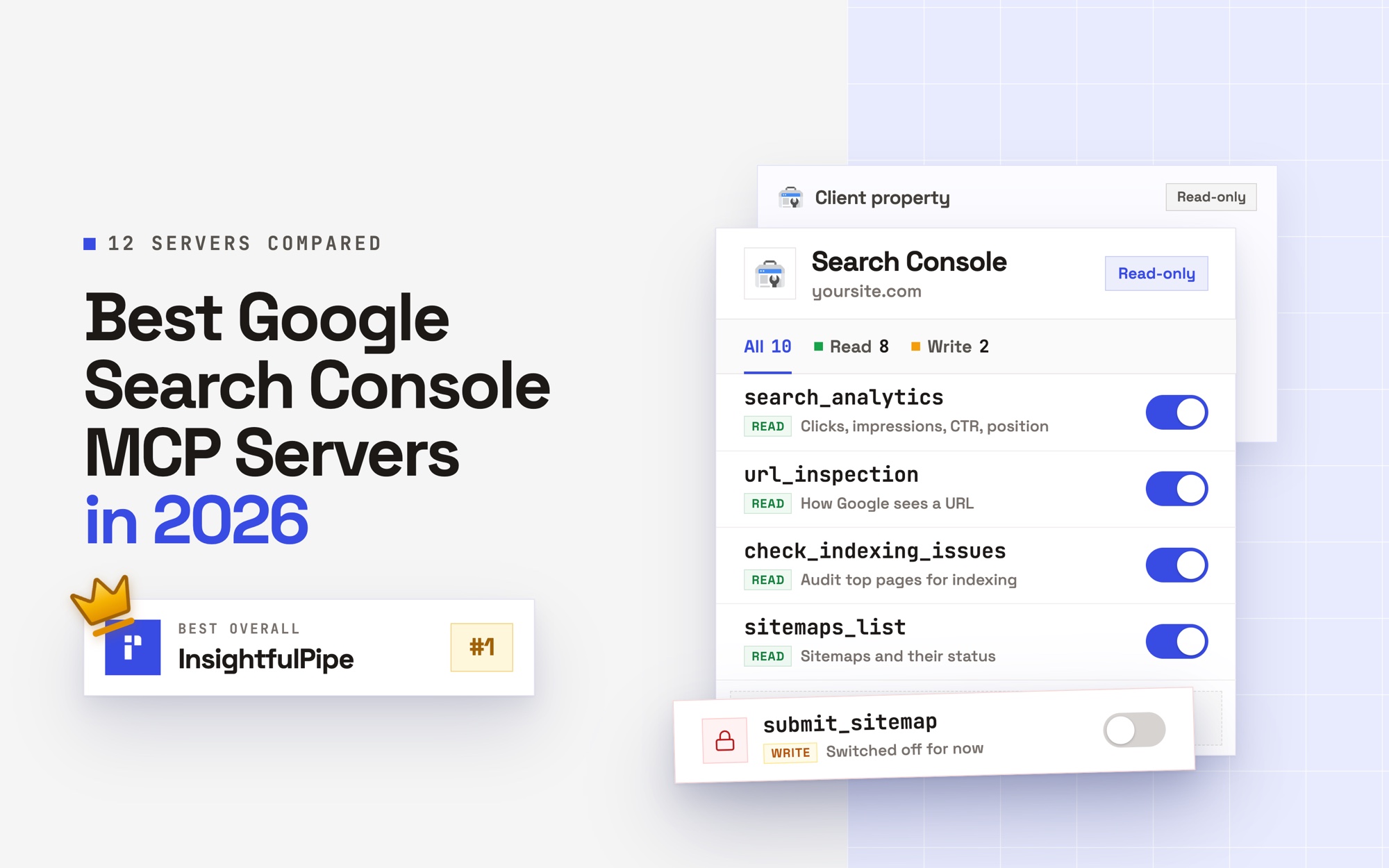
- Best overall: InsightfulPipe. Its Google Search Console MCP server has 10 actions, 8 of them reads, from search analytics across six search types to URL inspection of up to 50 URLs a call. From $29.99 a month.
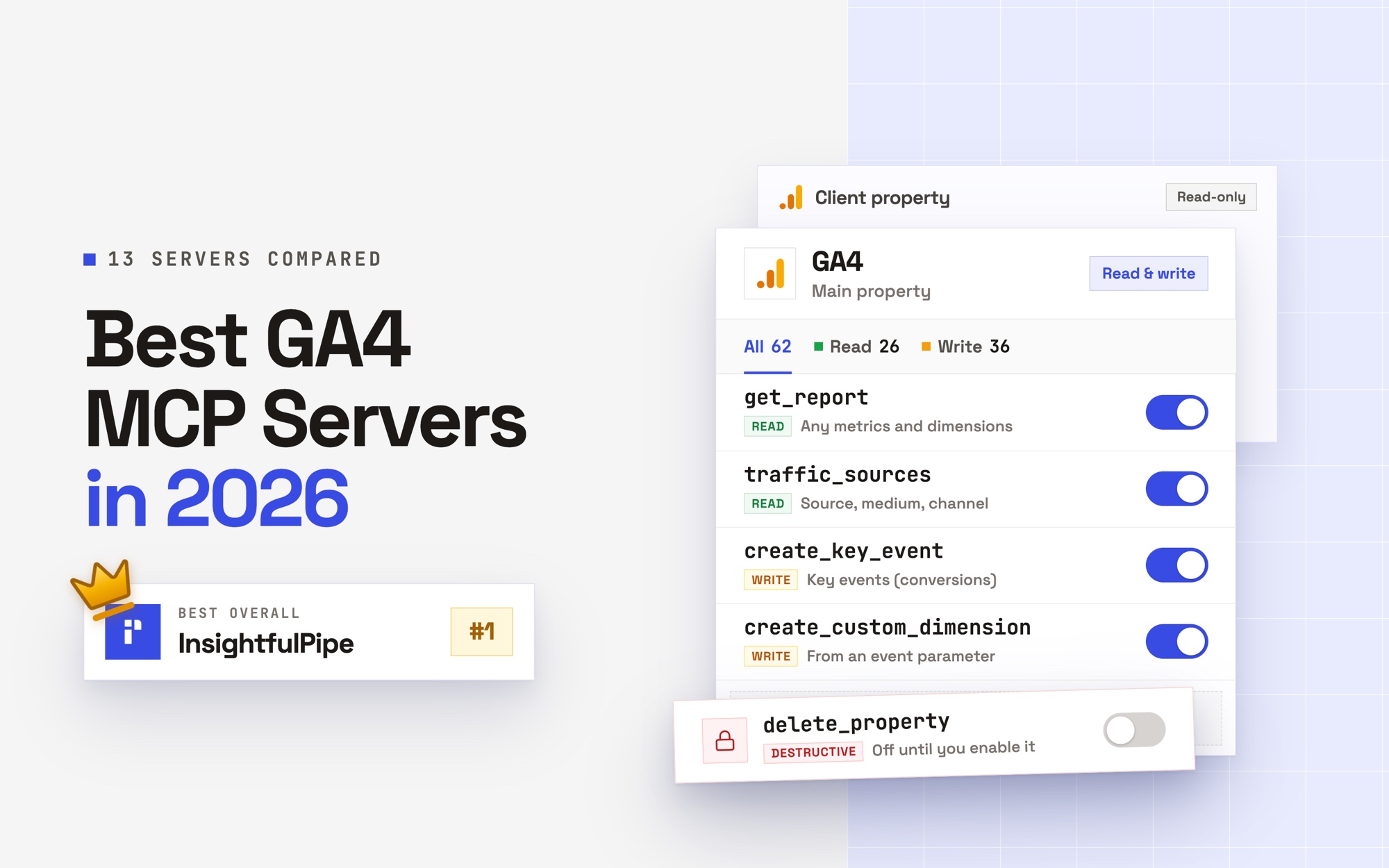
- Best control per property: InsightfulPipe. An admin switches each action per property, and the server enforces the list in every AI client.
- Best for agencies: InsightfulPipe. Each client property is its own connection with its own action list, grouped by brand. Growth covers 35 connections for $89.99 a month.
- Best free option: AminForou/mcp-gsc. Free and MIT, but it runs on your machine through a Google Cloud project you create, and its README says it works in the Claude Desktop app, not claude.ai.
Google Search Console MCP servers at a glance
Twelve servers, compared on setup, the Search Console tools they publish, who limits the agent and what they cost to start. InsightfulPipe is the only row where an admin sets the agent's actions per property.
Server | Setup | Search Console tools | Who limits the agent | Starting price |
|---|---|---|---|---|
InsightfulPipe | Google sign-in, hosted | 10 actions, 8 read | An admin, per property and per action | $29.99/mo |
GSC Wizard | Sign-in or API key, hosted | 126 tools | Each API key: read, or read and write | €17/mo |
OpenSEO | Sign-up, hosted | 2 read tools | Read-only Google scope | $10/mo |
Windsor.ai | Sign-up, hosted | Search analytics, sitemaps | Not published | 1 source free, then $23/mo |
Coupler.io | Data flow, hosted | Performance and inspection data | Not published | $0 plan listed, then $32/mo |
Composio | SDK or managed OAuth | 9 tools | Your prompt, per its FAQ | $0, then $29/mo |
AminForou/mcp-gsc | Cloud project, local | 21 in its source | An environment flag | Free, MIT |
Suganthan's GSC MCP | Own OAuth client, local | 29 tools | A scope picked at setup | Free, Apache-2.0 |
saurabhsharma2u/search-console-mcp | Setup command, local | 18 in its table | Not published | Free, MIT |
ncosentino/google-search-console-mcp | Service account, local | 4 read tools | Read tools only | Free, MIT |
ahonn/mcp-server-gsc | Service account, local | 1 documented, 8 in source | Read-only Google scope | Free, no licence file |
sarahpark/google-search-console-mcp | Cloud project, local | 4 read tools | Read-only Google scope | Free, MIT |
How we tested
We read every capability, default and price from each vendor's own documentation, pricing page or public repository, and ran InsightfulPipe on live accounts. We checked every page on 2026-09-30.
Criterion | What we checked |
|---|---|
Reads | Can the agent reach search analytics, URL inspection, sitemaps and property details? |
Writes | Can it submit or remove a sitemap, or add or delete a property? |
Control | Can you choose per property which actions the agent may use, and does the server enforce it? |
Setup | Is it a Google sign-in, or a Cloud project, OAuth client or service account you create? |
Clients | Does it work in ChatGPT as well as Claude and Cursor? |
Price | What does the cheapest plan that includes the MCP cost? |
Beyond Search Console | Does the same connection reach Bing, page speed or keyword data? |
Where a vendor's own pages contradict each other, we quote both. Where a capability is not published, we say so rather than guess. Servers that AI answers name but we did not rank sit under Also considered, each with the reason.
The single question that splits this list
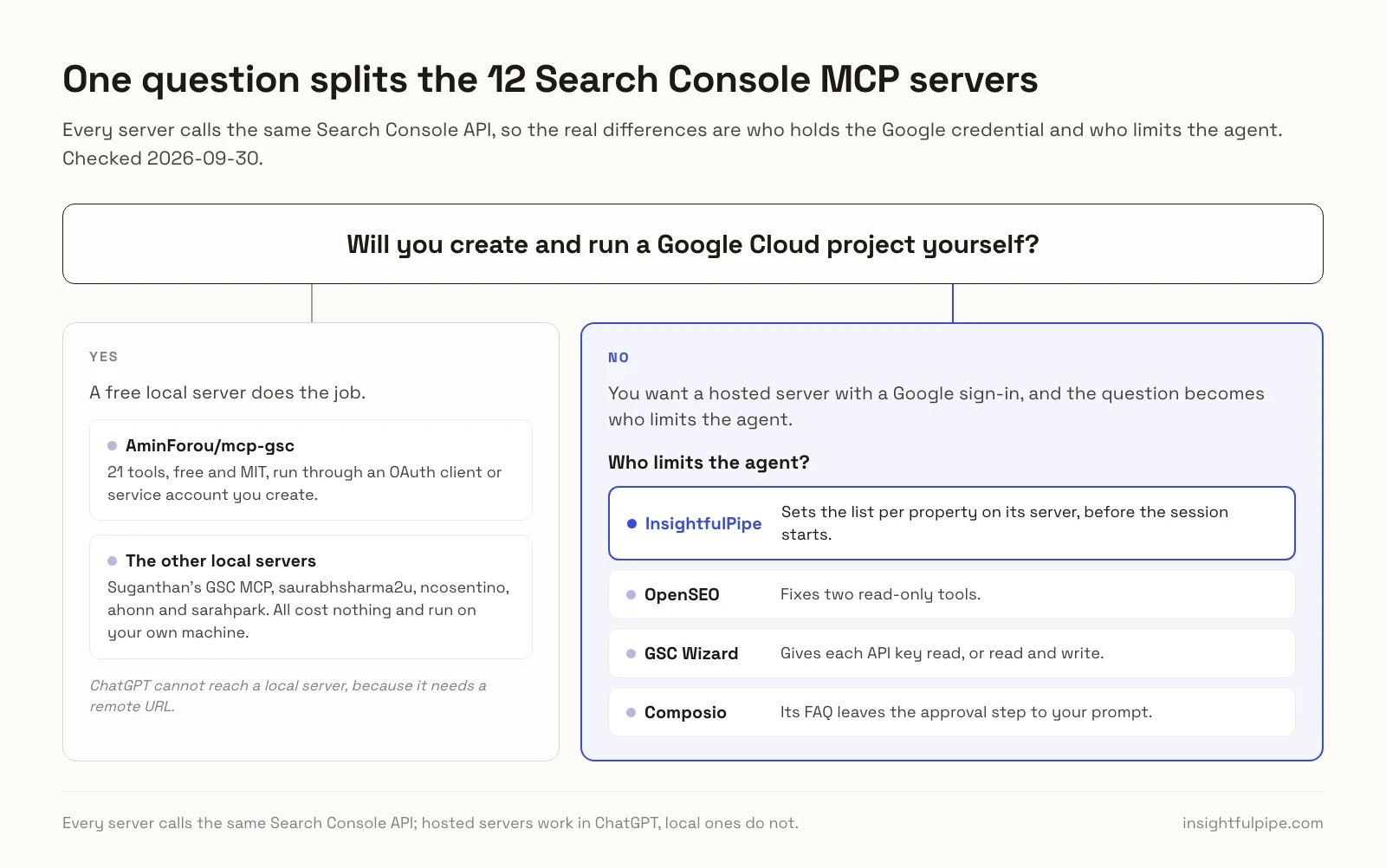
One question splits these 12: whether you will create and run a Google Cloud project yourself. Every server calls the same Search Console API, so the real differences are who holds the Google credential and who limits the agent.
If you will, a free local server does the job. AminForou/mcp-gsc is the free pick, with 21 tools, run through an OAuth client or service account you create. ChatGPT cannot reach a local server, because it needs a remote URL.
If you will not, you want a hosted server with a Google sign-in, and the question becomes who limits the agent. OpenSEO fixes two read-only tools. GSC Wizard gives each API key read, or read and write. Composio's FAQ leaves the approval step to your prompt. InsightfulPipe sets the list per property on its server, before the session starts.
Side by side: what each server reaches
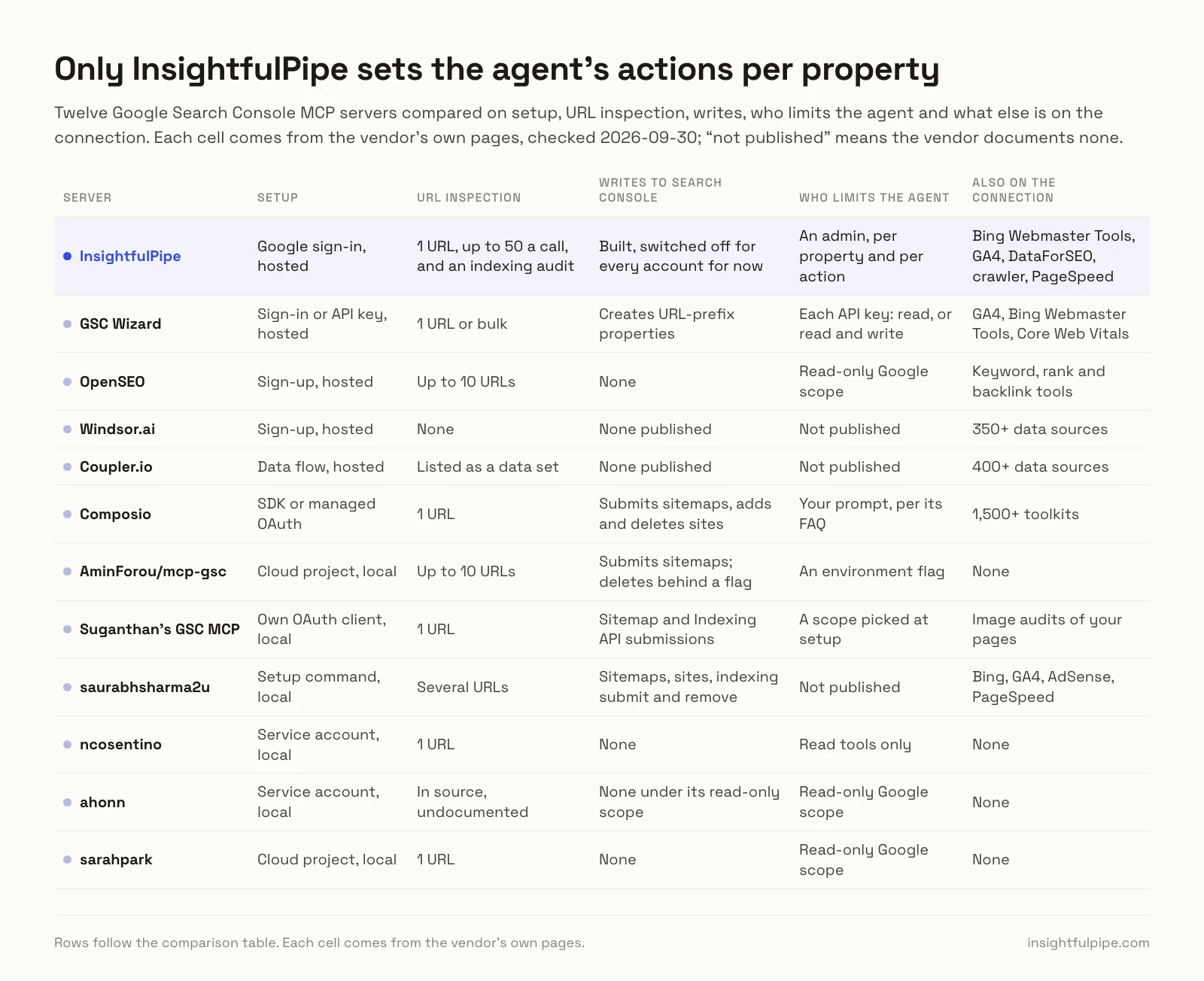
InsightfulPipe's row combines a 50-URL inspection, all six search types, and Bing Webmaster Tools, DataForSEO, a crawler and PageSpeed on one connection. Each cell comes from the vendor's own pages; "not published" means the vendor documents none.
Server | URL inspection | Search types | Writes to Search Console | Also on the connection |
|---|---|---|---|---|
InsightfulPipe | 1 URL, up to 50 a call, and an indexing audit | Web, image, video, news, Discover, Google News | Built, switched off for every account for now | Bing Webmaster Tools, GA4, DataForSEO, crawler, PageSpeed |
GSC Wizard | 1 URL or bulk | Web by default, others by parameter | Creates URL-prefix properties | GA4, Bing Webmaster Tools, Core Web Vitals |
OpenSEO | Up to 10 URLs | Not published | None | Keyword, rank and backlink tools |
Windsor.ai | None | Not published | None published | 350+ data sources |
Coupler.io | Listed as a data set | Web, Discover, Google News | None published | 400+ data sources |
Composio | 1 URL | Not published | Submits sitemaps, adds and deletes sites | 1,500+ toolkits |
AminForou/mcp-gsc | Up to 10 URLs | Five, no Google News | Submits sitemaps; deletes behind a flag | None |
Suganthan's GSC MCP | 1 URL | All six | Sitemap and Indexing API submissions | Image audits of your pages |
saurabhsharma2u | Several URLs | Not published | Sitemaps, sites, indexing submit and remove | Bing, GA4, AdSense, PageSpeed |
ncosentino | 1 URL | All six | None | None |
ahonn | In source, undocumented | All six | None under its read-only scope | None |
sarahpark | 1 URL | All six | None | None |
Hosted Google Search Console MCP servers
Six of the 12 are hosted, so ChatGPT, Claude and Cursor reach them by URL. InsightfulPipe leads them with a switch for every action on every property; the other five follow.
Best overall: InsightfulPipe
InsightfulPipe connects Search Console to your AI assistant through one hosted server, and an admin decides which of its 10 actions each property allows.
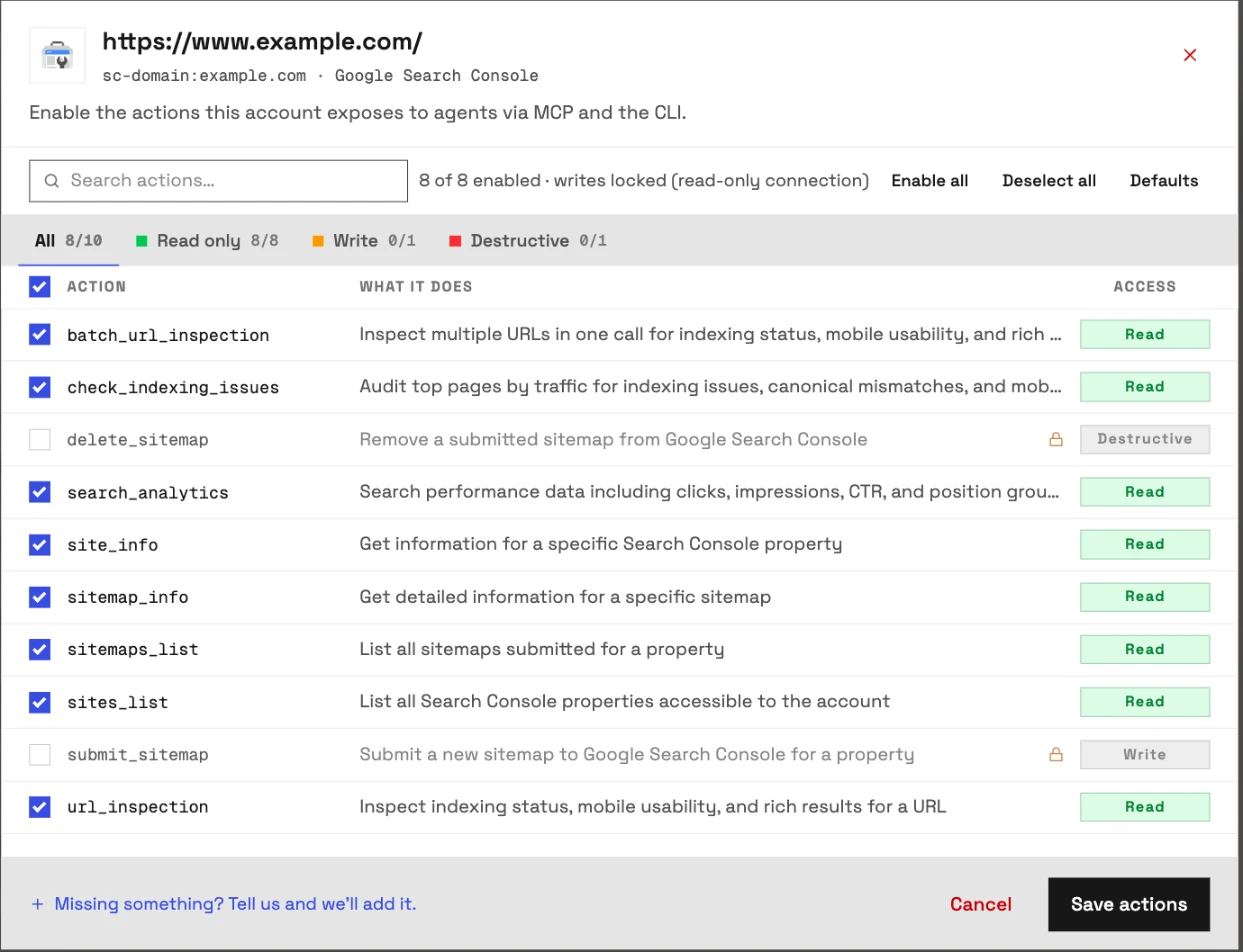
Coverage comes first. The Google Search Console MCP server carries 10 actions, 8 of them reads:
- Search analytics: clicks, impressions, CTR and position by date, query, page, country, device or search appearance, across web, image, video, news, Discover and Google News, up to 25,000 rows a request with paging.
- URL inspection: index status, canonical, mobile usability and rich results for one URL, or up to 50 URLs in one call.
- Indexing audit: check_indexing_issues reviews your top pages by traffic for indexing problems, canonical mismatches and mobile issues.
- Sitemaps and properties: list your properties and sitemaps, and read each one's details.
- Writes: sitemap submission and removal. InsightfulPipe has built both and keeps them switched off for every account for now, so every connection reads only.
How the switches work
Control is the second difference. Every limit on InsightfulPipe is a switch, and your admin sets the ones on each property.
An owner, admin or operator opens a connected property and chooses which of its actions the agent can use, one by one, and can switch any of them back at any time. The agent receives exactly that set, and the server blocks anything outside it. InsightfulPipe enforces the list on its server, not in your AI client, so it holds in Claude, ChatGPT, Cursor, Claude Code and the CLI.
- Removal sits behind two switches. InsightfulPipe keeps sitemap writes off for every account for now, and deleting a sitemap is also a destructive action, which starts off on each connection until an owner, admin or operator switches it on.
- Your Google login stays out of the chat. Your AI client signs in to InsightfulPipe and receives an InsightfulPipe token, not your Google login.
- Roles hold. Team members on the user role get read actions only, on the properties an owner or admin grants them.
Why ten actions, not 126
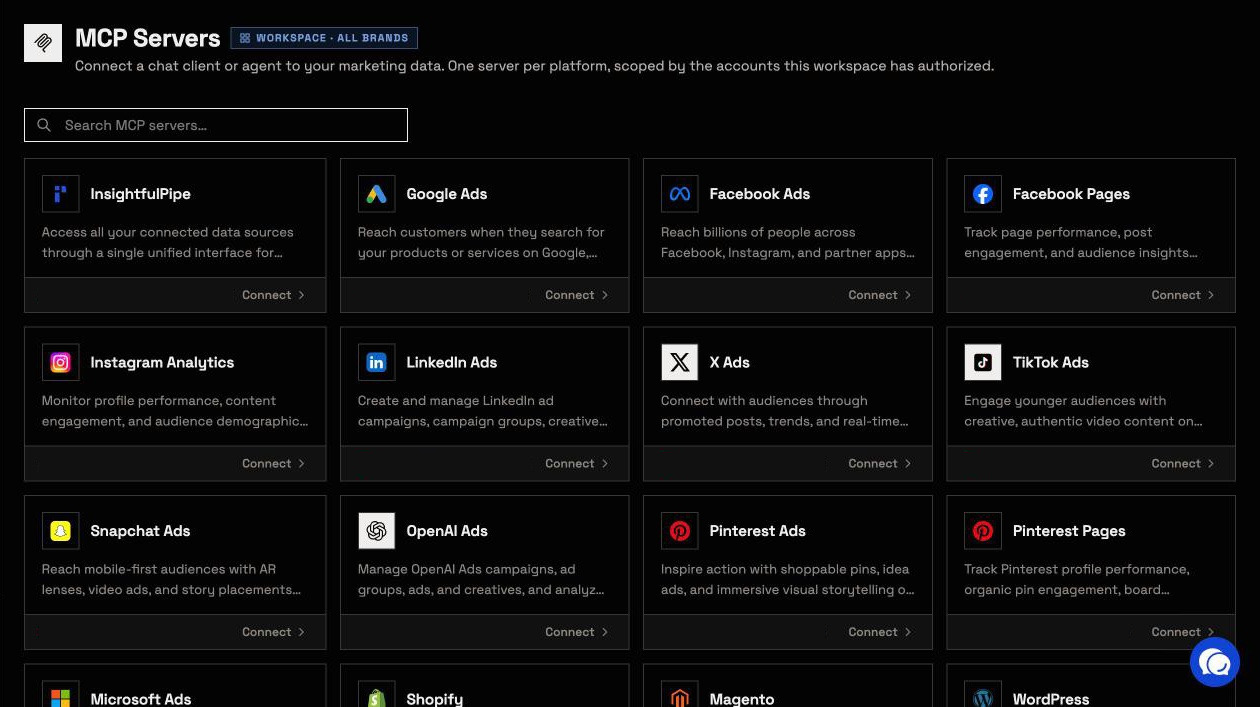
In most AI clients, every tool a server publishes goes to the model with each request. GSC Wizard's docs count 126 tools, Suganthan's server has 29 and AminForou's source registers 21. InsightfulPipe's unified server publishes five tools for all 50 platforms and looks up a Search Console action only when the agent needs one, from the short list you allowed.
What else you get
- Bing Webmaster Tools: its server has 52 actions, and its writes submit URLs, content and sitemaps to Bing, each a switch per site.
- More SEO data: DataForSEO on your own DataForSEO account, a web crawler and PageSpeed Insights for the Core Web Vitals the Search Console API does not report.
- 50 platforms: including GA4 and Google Ads, so one agent sets queries beside sessions and spend.
- Every major AI client: Claude, ChatGPT, Claude Code, Cursor, Gemini CLI and Codex, plus the Claude Directory and the ChatGPT app directory.
- Brands: each agency client keeps its own properties and action lists.
- A CLI and free prompts: the insightfulpipe npm package under the same switches, free Search Console prompts and an SEO audit Claude skill.
Pricing: Starter is $29.99 a month for 8 connected accounts, Growth $89.99 for 35 and Agency $299.99 for 150, with unlimited tool calls, every MCP server and the CLI on every plan. Start a trial.
Where it is the wrong answer: if all you need is Search Console reports and you can run a server yourself, a free local one will do.
Best for: SEO teams and agencies who want Search Console, Bing and page speed in one assistant, with the agent's actions set per property.
GSC Wizard
GSC Wizard runs Search Console analysis on its own servers, and its pages disagree on whether it writes.
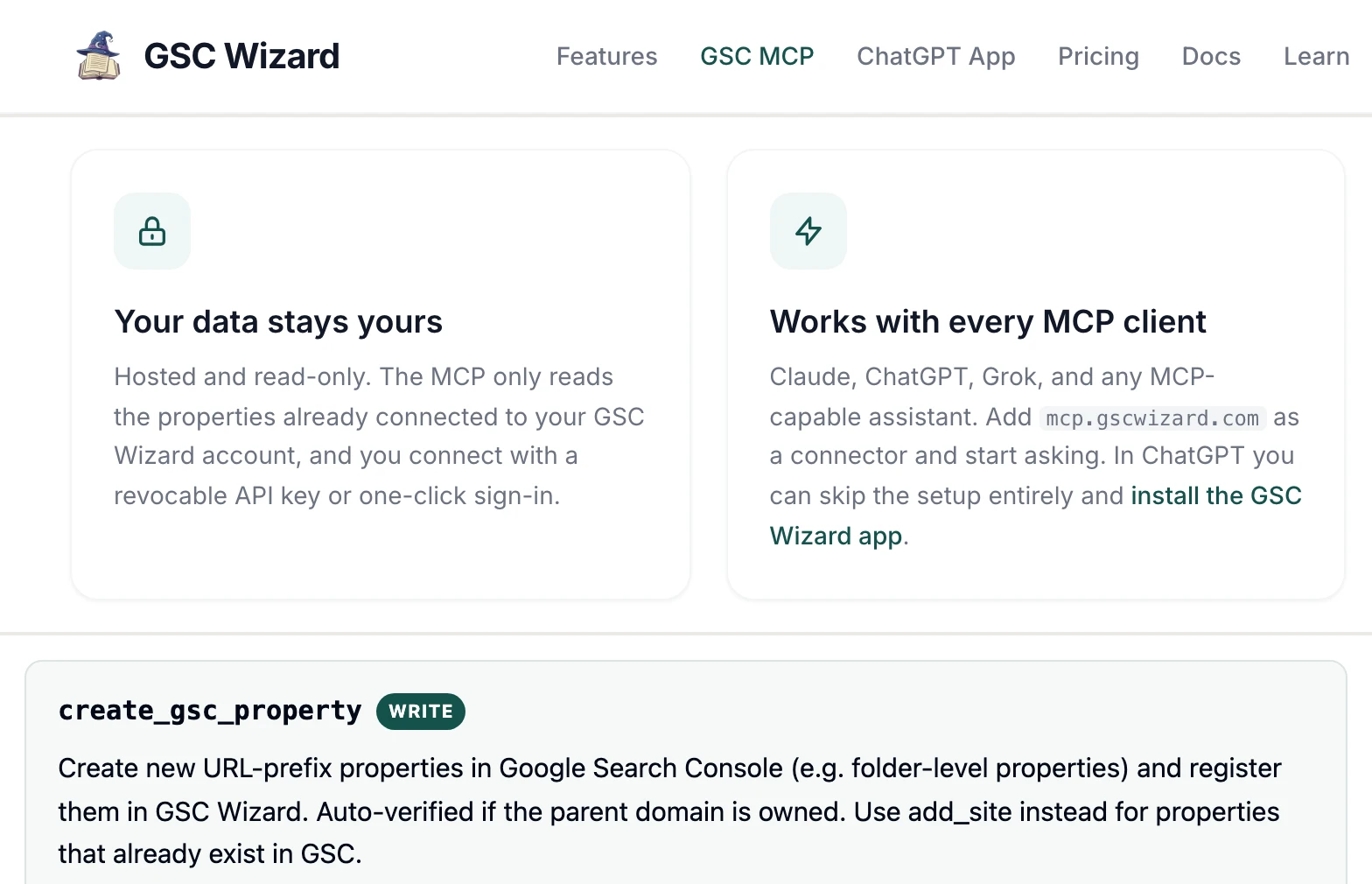
GSC Wizard's MCP reads the properties you connect to its app, through a sign-in or an API key. Its docs count 126 tools, from content decay and bulk URL inspection to IndexNow submissions and GA4. Its MCP page calls it "Hosted and read-only", while the docs list create_gsc_property, which creates properties in Search Console. Starter is €17 a month for 10 API properties.
Pros
- Search Console, GA4 and Bing Webmaster Tools in one connector.
- Each API key is read only, or read and write.
Cons
- "Hosted and read-only" on its MCP page, a property-creating tool in its docs.
- Its keys choose between read and write, not between its 126 tools.
- Without a subscription it falls back to the GSC API, which its page says "can be slower".
Best for: SEO consultants already working in GSC Wizard.
OpenSEO
OpenSEO gives an agent two read-only Search Console tools for $10 a month.
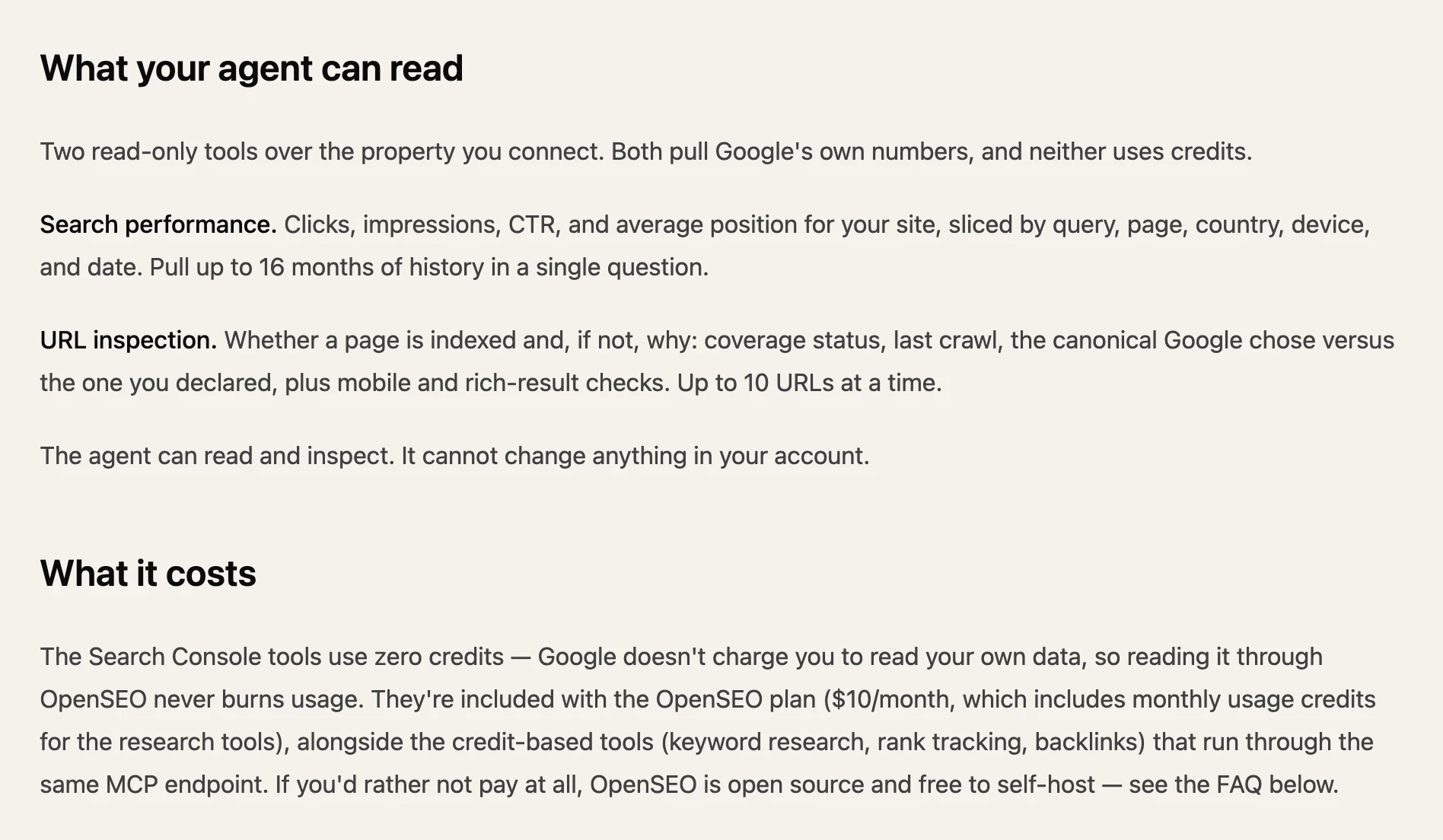
OpenSEO is an open-source SEO suite with a hosted plan. Its Search Console MCP exposes two tools on the property you connect: search performance by query, page, country, device and date, and URL inspection for up to 10 URLs at a time. It requests Google's read-only scope. The $10 plan adds monthly credits for keyword, rank and backlink tools.
Pros
- Read-only Google scope.
- Keyword, rank and backlink tools on the same endpoint.
Cons
- Two Search Console tools, and no sitemap or property tools.
- How many properties a plan covers is not published.
- Self-hosting means creating your own Google OAuth client, per its FAQ.
Best for: a solo site owner with one property.
Windsor.ai
Windsor.ai streams Search Console into AI chats as one data source among 350.
Windsor is a data pipeline first: you connect Search Console as a source, then add Windsor MCP to Claude, ChatGPT, Copilot or Gemini. Its Claude guide says it pulls Search Analytics and Sitemaps and "doesn't currently pull Google's separate URL Inspection API". Its Forever Free plan keeps 1 source and 1 account; Basic is $23 a month for 3 sources.
Pros
- Computed fields such as branded against non-branded queries.
- Search Console beside GA4 and Google Ads in one data model.
Cons
- No URL inspection, per its own guide.
- Its MCP page suggests asking if Google has recrawled a URL; its guide says it does not pull the URL Inspection API.
- Plans limit data sources, so a fourth platform means a higher tier.
Best for: teams already reporting through Windsor.
Coupler.io
Coupler.io answers Search Console questions from a data flow you set up first.
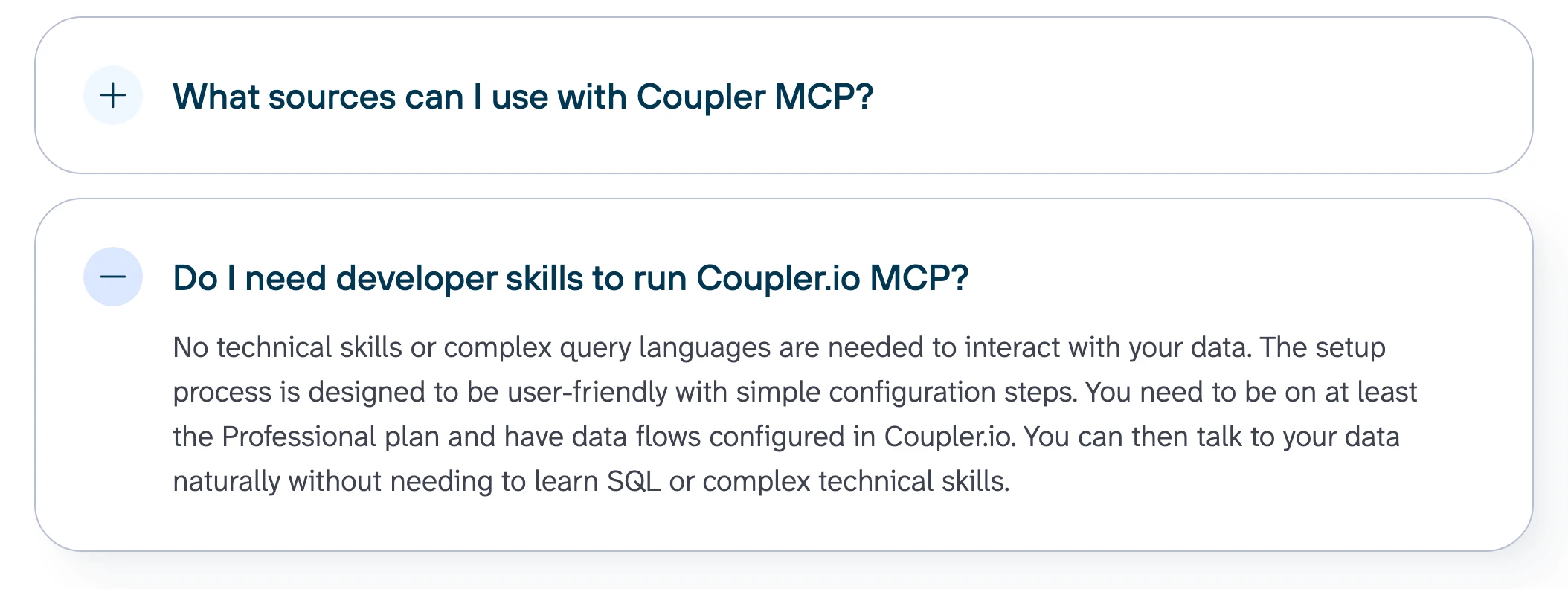
Coupler is a reporting pipeline with an MCP server on top. Its Search Console page has you build a data flow in Coupler, then point the MCP server at it. The agent reads that flow, which Starter refreshes daily and the Free plan refreshes by hand. Starter is $32 a month, or $24 billed annually, for 3 accounts.
Pros
- 400+ sources behind one MCP server.
- Claude, ChatGPT, Copilot, Cursor and Gemini as clients.
Cons
- Its MCP FAQ asks for "at least the Professional plan"; its pricing page lists none.
- Answers are as fresh as the flow: daily on Starter, hourly from Pro.
- No sitemap or property tools are published.
Best for: teams whose reporting already runs through Coupler.
Composio
Composio is developer infrastructure with nine Search Console tools, one of which deletes a property.
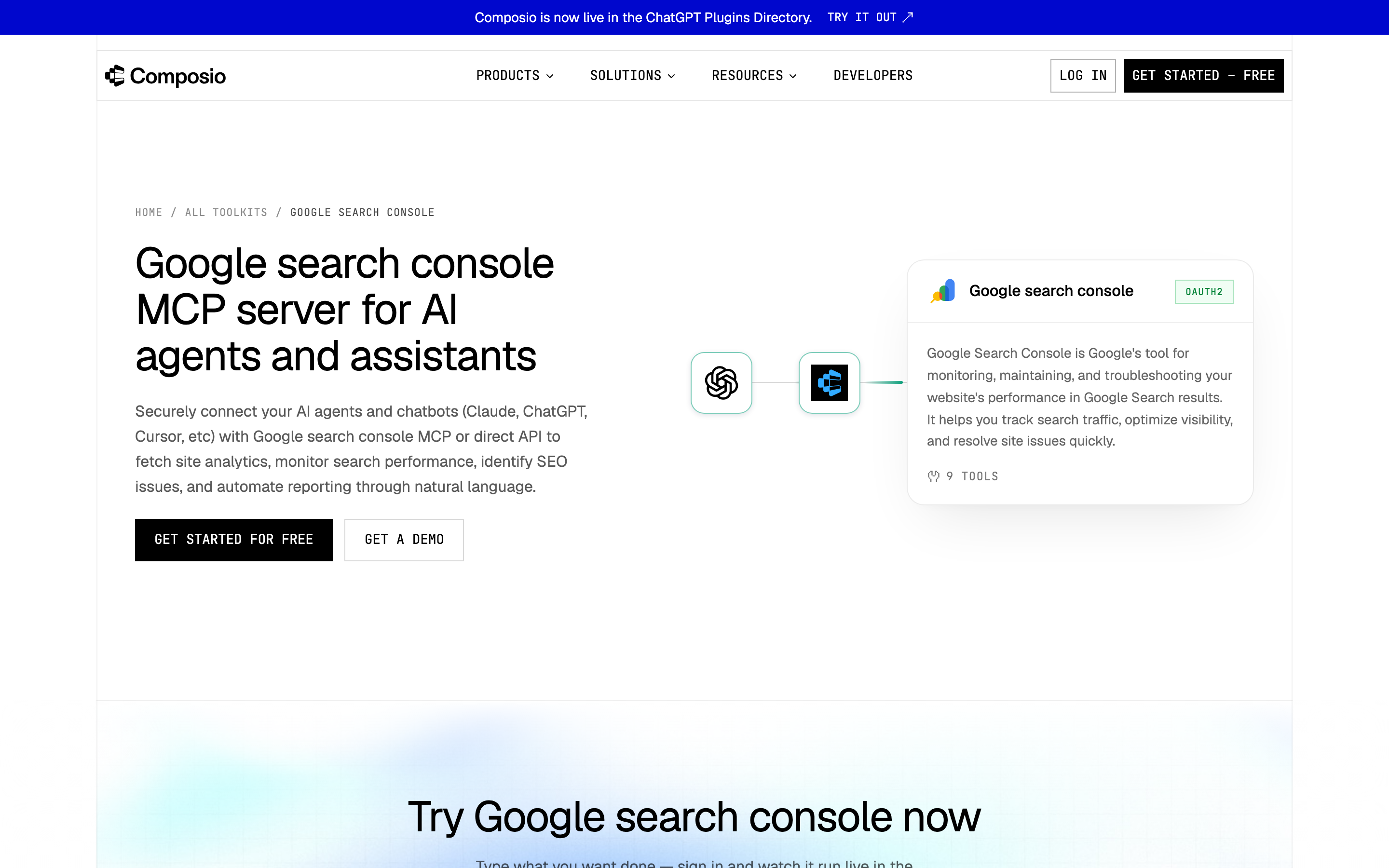
Composio's toolkit page lists nine tools: search analytics, URL inspection, sitemap listing and submission, and adding, listing and deleting sites. Managed OAuth means no Cloud project, and its MCP guide starts with a session in its SDK. Its FAQ advises: "Keep an approval step in your prompt for actions with side effects, such as sending or deleting." Hobby is $0 for 100,000 tool calls a month.
Pros
- Managed OAuth, with no Cloud project to create.
- One SDK for 1,500+ toolkits.
Cons
- Delete Site removes a property, with the approval step left to your prompt.
- Setup starts in code, through its SDK.
- No batch inspection or period comparison tool is listed.
Best for: developers shipping an agent product on Composio.
Free Search Console MCP servers you run yourself
These six cost nothing and run on your own machine, set up by someone comfortable with a terminal. Five of them start from a Google Cloud project you create.
AminForou/mcp-gsc
The free pick for Search Console alone, if you can create the Google Cloud credentials yourself.
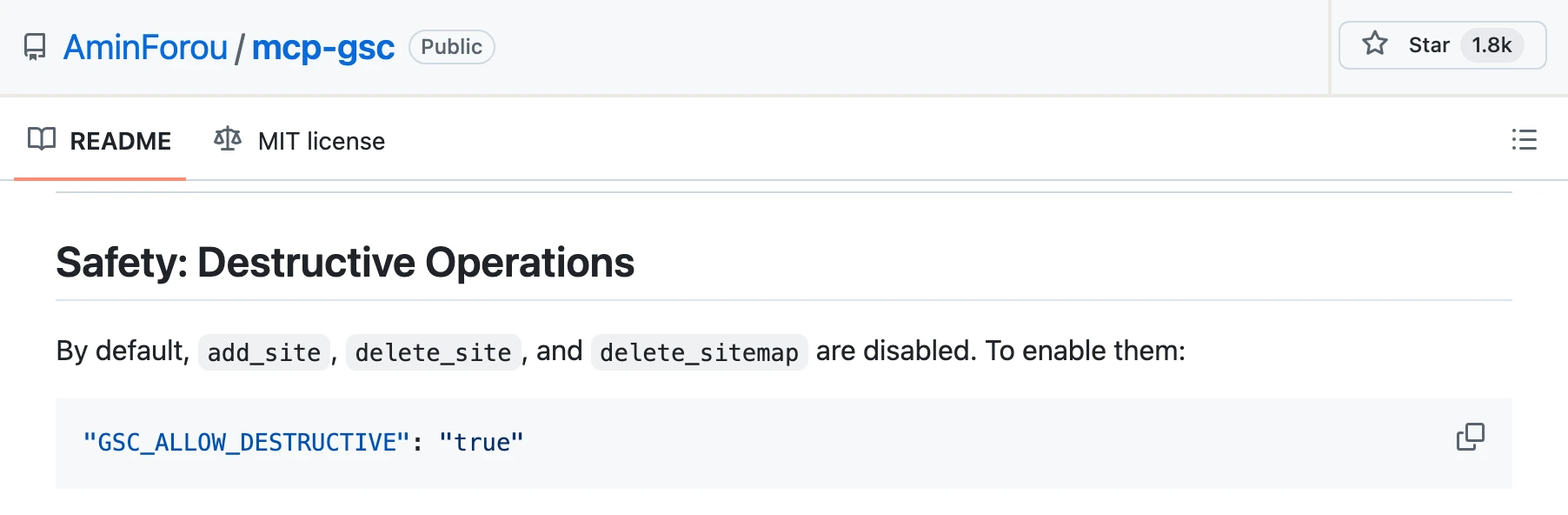
AminForou/mcp-gsc is MIT licensed with 1,794 stars. It runs through uvx with an OAuth client or service account you create. Its source registers 21 tools, including a period comparison and a 10-URL batch inspection. Site changes and sitemap deletion stay off until you set GSC_ALLOW_DESTRUCTIVE; sitemap submission does not. Its author sells a hosted version, Advanced GSC MCP, from $15 a month.
Pros
- Site and sitemap deletion off by default.
- A period comparison and a 10-URL batch inspection.
Cons
- You create the Google Cloud project and OAuth client yourself.
- Its README table lists 15 tools, its text says 20, and its source registers 21.
- Its README says it "only works in the Claude Desktop app", not claude.ai in a browser.
Best for: SEOs comfortable with Google Cloud who want free Search Console access.
Suganthan's GSC MCP
A free 29-tool server built around SEO workflows, whose README gives two answers on the default scope.
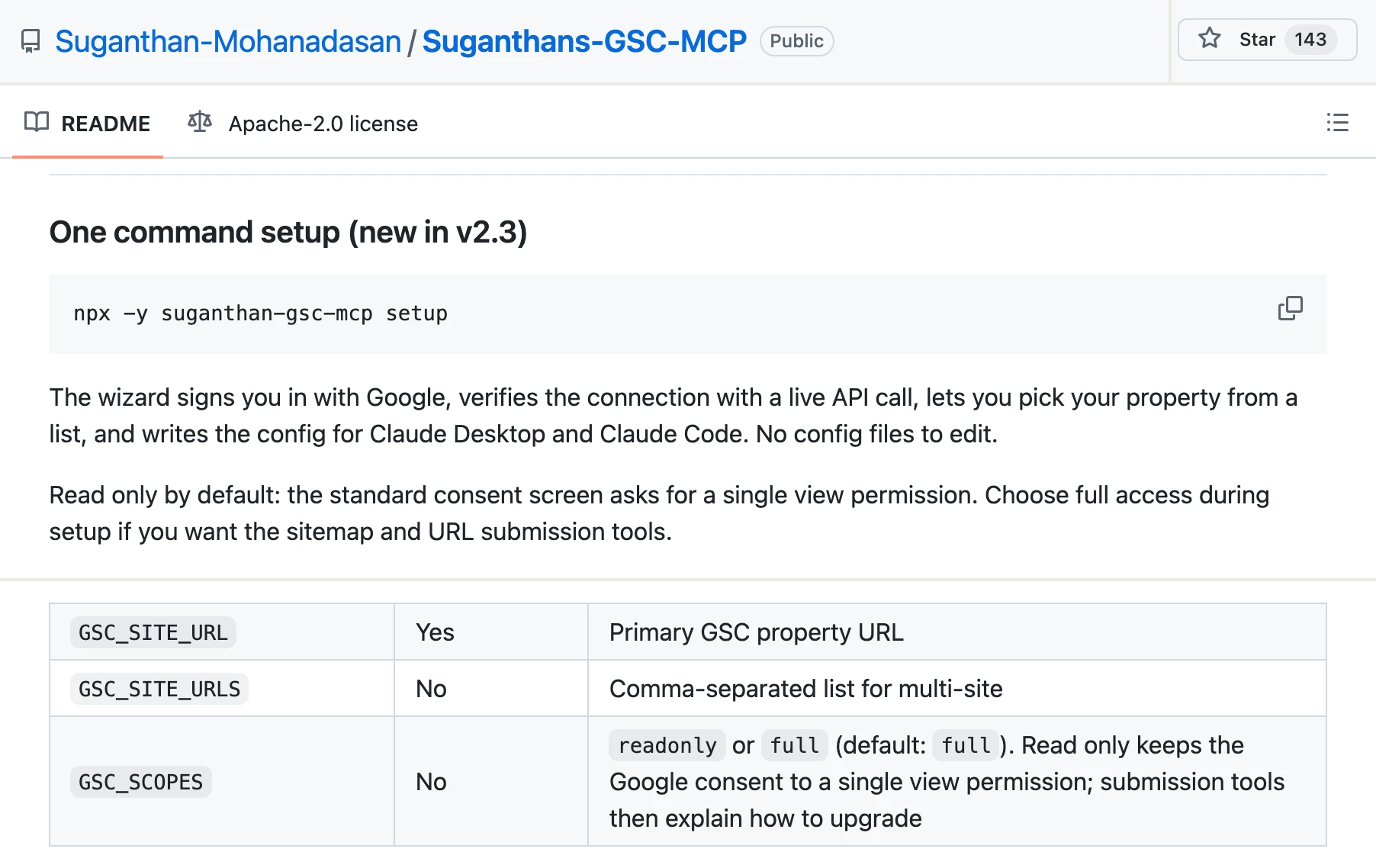
Suganthans-GSC-MCP is Apache-2.0 with 143 stars. Its 29 tools cover quick wins, cannibalisation, content decay, alerts and image SEO, and one of them queries all six search types. A wizard writes Claude Desktop and Claude Code configs, but you bring your own Google OAuth client. Its submission tools use Google's Indexing API, which its README says "processes requests for all page types" in practice.
Pros
- All six search types, from web to Discover and Google News.
- A read-only scope when you set it up through the wizard.
Cons
- Its README says "Read only by default"; its settings table says GSC_SCOPES defaults to full.
- You create a Google OAuth client in a Cloud project first.
- Indexing API submissions for pages Google's own docs exclude.
Best for: an SEO who works image or Discover traffic in Claude Desktop.
saurabhsharma2u/search-console-mcp
A free server for Google and Bing together, with no published gate on its writes.
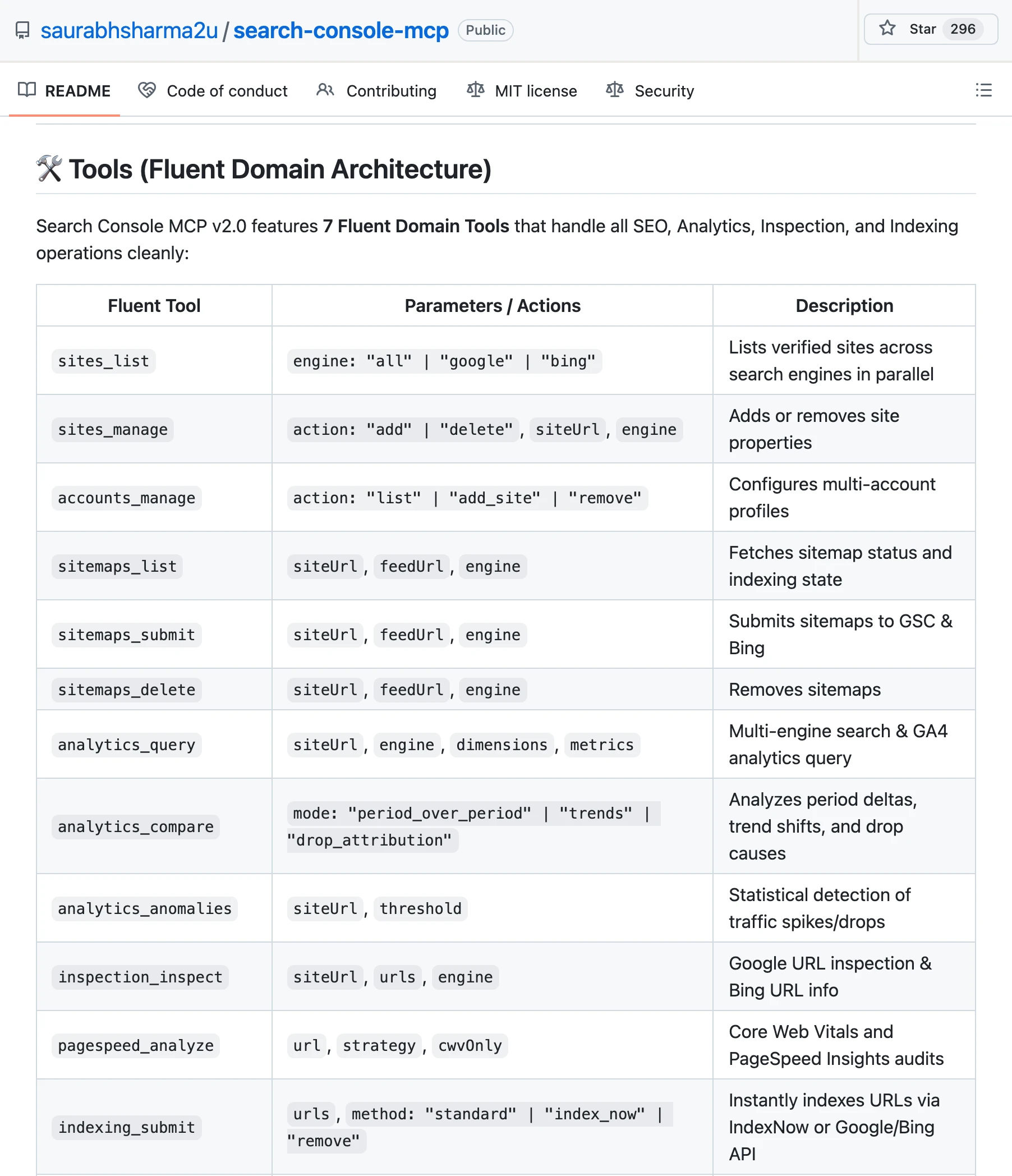
search-console-mcp is MIT with 296 stars. It puts Search Console, Bing Webmaster Tools, GA4 and AdSense behind one set of tools, set up with a browser sign-in for Google and an API key for Bing. Its tools table includes sitemap submission and deletion, adding and deleting sites, and indexing submit and remove. The README's example prompt reads "Submit my latest URLs to Google and IndexNow".
Pros
- Google and Bing side by side, with a compare_engines tool.
- Period comparison and anomaly detection.
Cons
- No gate on its deletes is published; its Security section covers token storage only.
- Its heading says 7 tools, the table under it lists 18, and about 96 legacy names still work.
- Its README documents Claude Desktop, Cursor and Antigravity and no hosted endpoint.
Best for: a technical SEO who manages Google and Bing properties from one machine.
ncosentino/google-search-console-mcp
A zero-dependency binary with four read tools, and two row limits in one README.
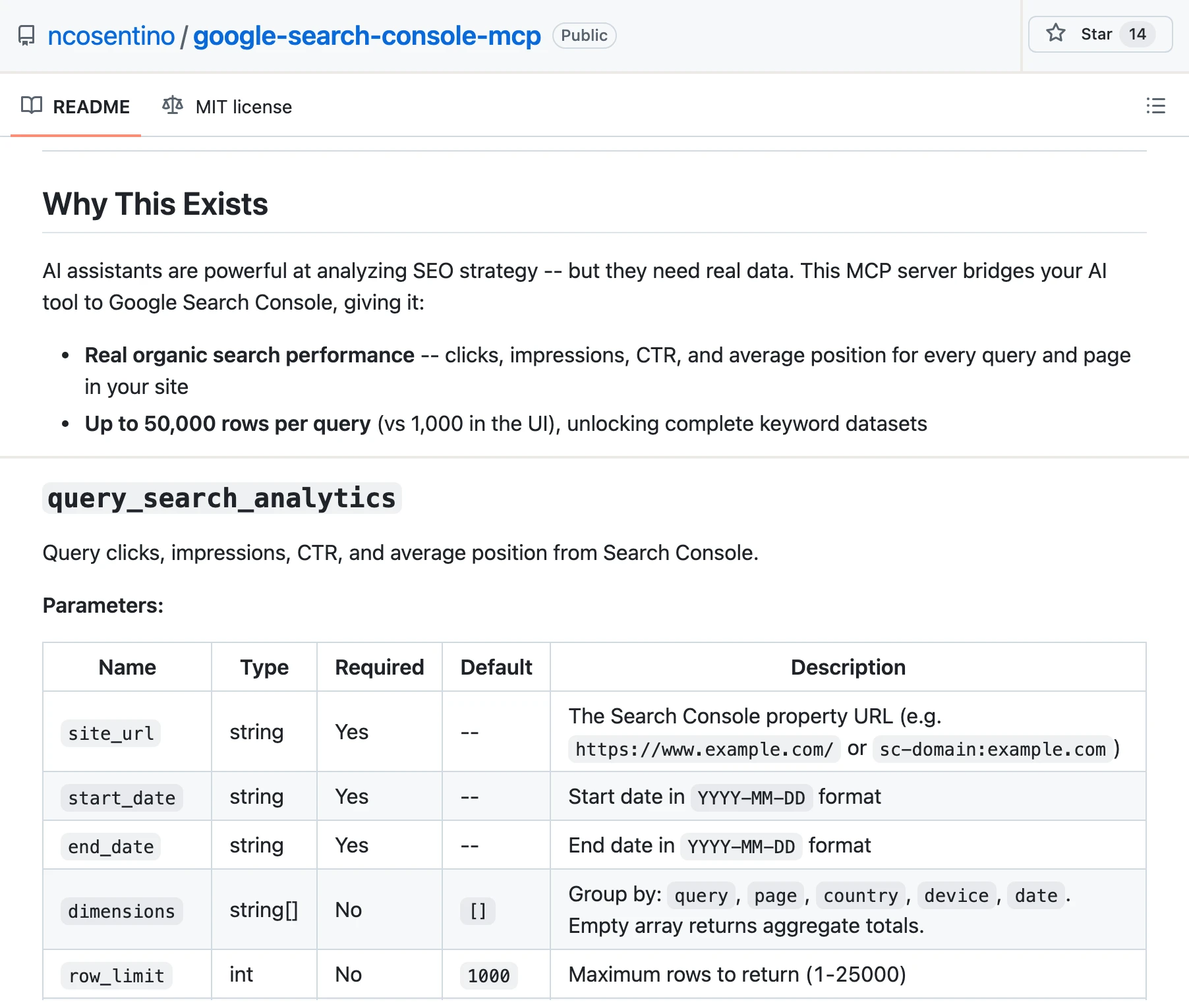
ncosentino's server is MIT with 14 stars and ships Go and C# binaries, so there is no Node or Python to install. Its four tools cover search analytics across six search types, site and sitemap listing, and inspection of one URL. It uses a service account you create in Google Cloud and add to each property with Full permission.
Pros
- No runtime to install.
- Read tools only.
Cons
- Its README says "Up to 50,000 rows per query"; its parameter table caps row_limit at 25,000.
- A service account with Full permission on each property.
- One URL per inspection call.
Best for: a developer who wants a small read-only binary.
ahonn/mcp-server-gsc
A service-account server whose README documents one of its eight tools.
ahonn/mcp-server-gsc has 274 stars. Its README documents search_analytics, with regex filters and quick-wins detection; its source registers eight tools, including URL inspection and a sitemap submit. It requests Google's read-only scope, so that submit cannot succeed. You need a Google Cloud project and a service account on each property.
Pros
- Up to 25,000 rows a request, with regex filters.
- Read-only Google scope.
Cons
- Its README documents one of its eight tools.
- Its README says MIT, but the repository has no licence file.
- Its remote mode accepts requests without a token unless you set MCP_API_TOKEN, per its source.
Best for: developers who want a search analytics tool to fork.
sarahpark/google-search-console-mcp
A minimal server with four read tools, for developers who want nothing more.
sarahpark's server is MIT with 9 stars. It covers properties, search analytics across six search types, one-URL inspection and sitemap status, and its README says it "cannot change your site or Search Console settings." You need a Google Cloud project and the gcloud CLI, or a service account, and it calls itself "not a hosted ChatGPT web integration."
Best for: developers who want four read tools and a small codebase.
What can an agent do on a new Search Console connection?
Search Console has no budget to spend, so the damage an agent can do is quiet: a sitemap removed, a property deleted, or indexing requests Google ignores. Ask four questions before you connect a property.
Can it remove anything? Composio's Delete Site removes a property, with the approval step left to your prompt. saurabhsharma2u publishes no gate on its deletes. AminForou/mcp-gsc keeps its deletes behind an environment flag. On InsightfulPipe, sitemap removal sits behind two switches: InsightfulPipe keeps sitemap writes off for every account for now, and removal also starts off on each connection until an owner, admin or operator switches it on.
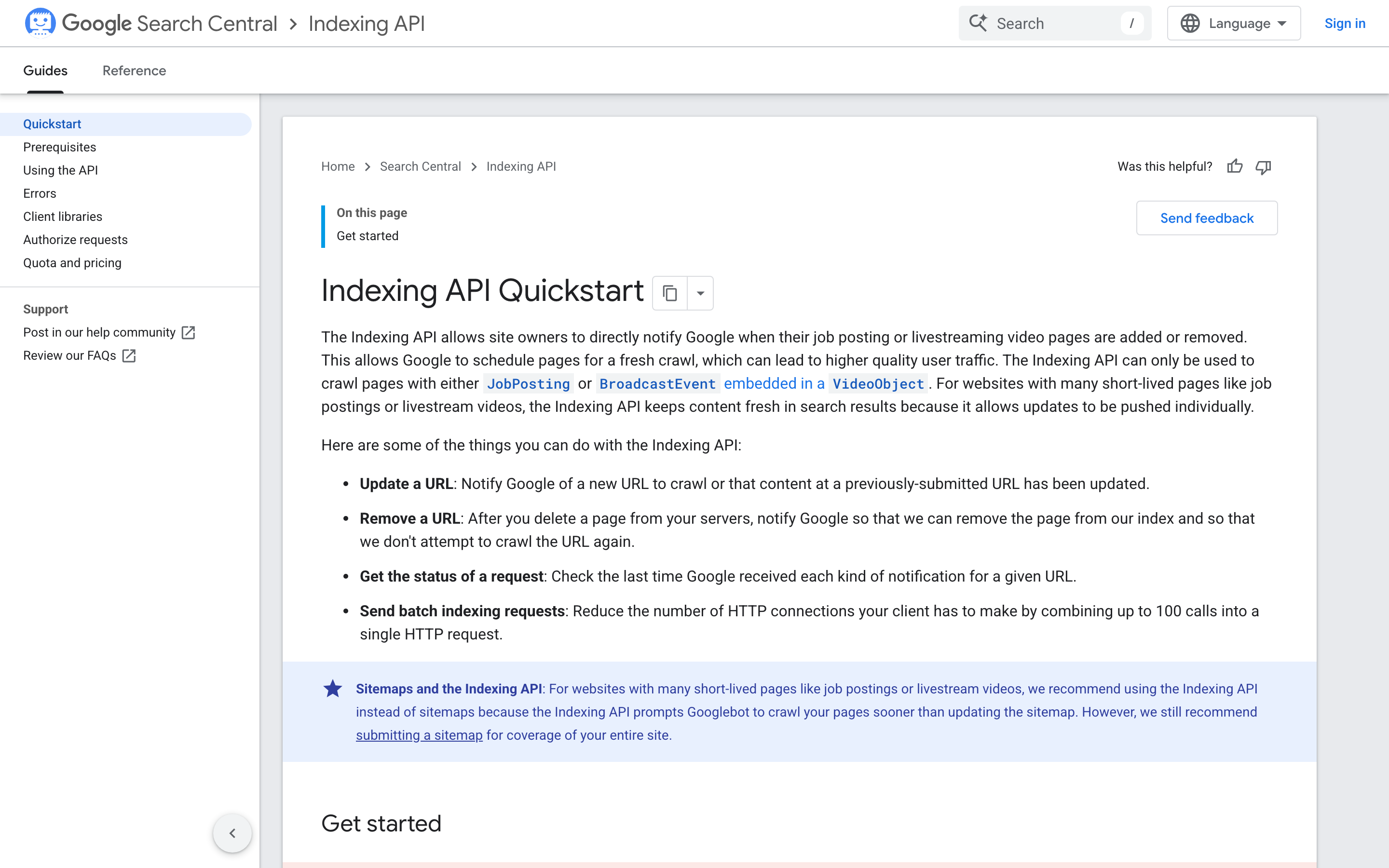
Can it request indexing? Not for an ordinary page. Google's Indexing API quickstart says the API "can only be used to crawl pages with either JobPosting or BroadcastEvent embedded in a VideoObject." Suganthan's and saurabhsharma2u's servers both call it. For Bing, InsightfulPipe's Bing Webmaster Tools server submits URLs under the same switches.
Who sets the limits? Composio leaves them to your prompt, GSC Wizard to each key's scope, and Suganthan's server to a scope you pick at setup. In Claude, you can also set each connector tool to Always allow, Needs approval or Blocked, per Claude's help center. InsightfulPipe adds a boundary on its server, set per property before the session starts.
What are the API limits? The same everywhere. Google's limits page allows 2,000 URL inspections a day and 600 a minute per site. Search analytics returns up to 25,000 rows a request, and at most 50,000 rows a day per search type.
That is why InsightfulPipe is the safest of the servers that can write: sitemap writes stay switched off for every account for now, removal sits behind a second switch your admin controls, and every other action is a switch per property that the server enforces.
Which Google Search Console MCP server should you choose?
Choose InsightfulPipe if you want Search Console answers in Claude or ChatGPT with the agent's actions set per property, and a free local server only if reports are the whole job and you can run one yourself.
- You want Search Console in Claude or ChatGPT without a Cloud project: InsightfulPipe. A Google sign-in, 8 reads including a 50-URL inspection, each action switched per property, from $29.99 a month.
- You run an agency with many client properties: InsightfulPipe Growth. 35 connections for $89.99, one brand per client, each property with its own action list.
- You want Search Console beside Bing, page speed and keyword data: InsightfulPipe, with Bing Webmaster Tools, PageSpeed Insights, a crawler and DataForSEO on one connection.
- You only need reports and will run a server yourself: AminForou/mcp-gsc, free and MIT, with a Google Cloud project you create.
- You are building your own agent product: Composio's SDK.
You can run more than one. MCP clients support several servers in one session.
Connect InsightfulPipe to Search Console in three steps
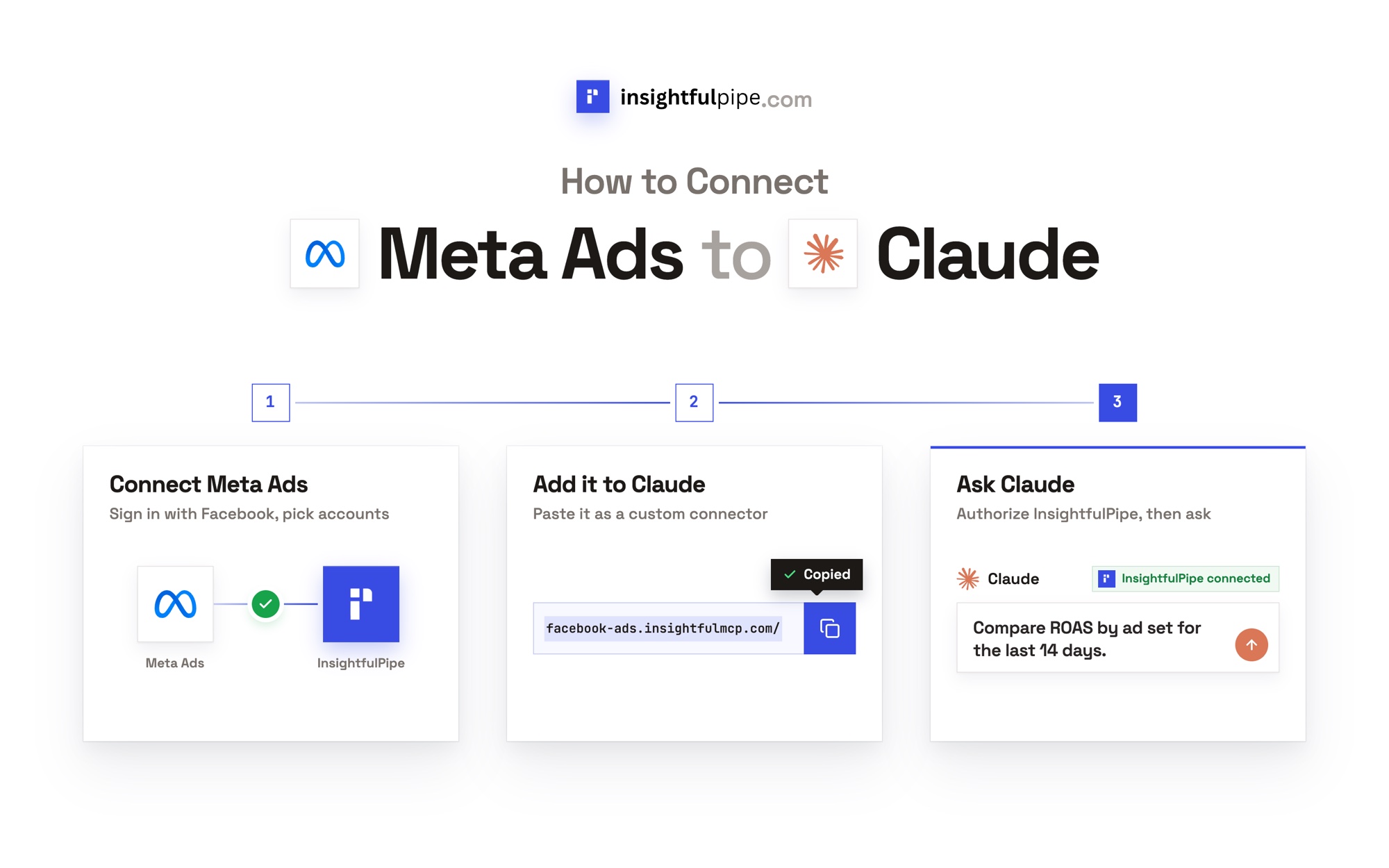
Connecting InsightfulPipe takes a Google sign-in and a URL, with no Google Cloud project and nothing to install.
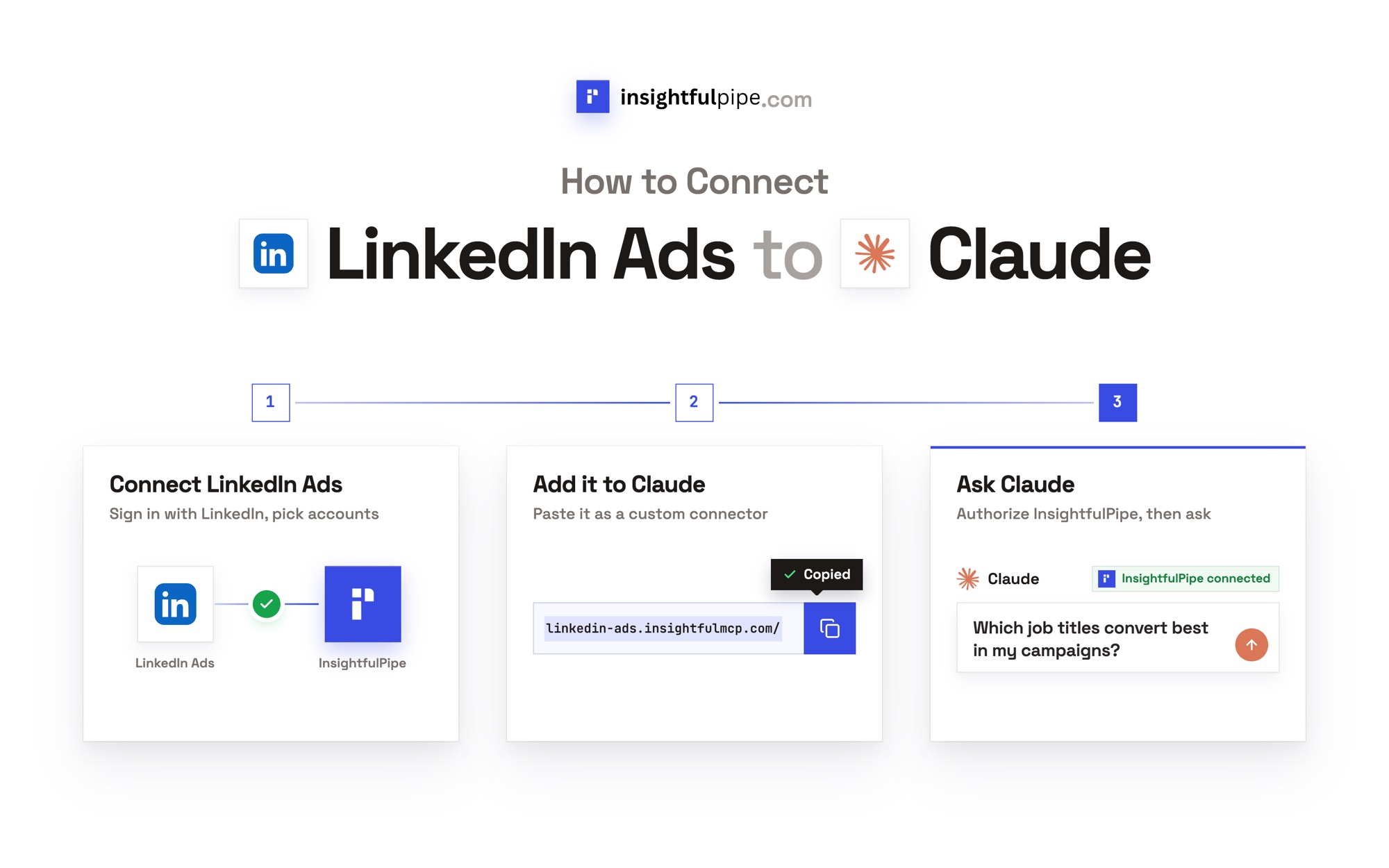
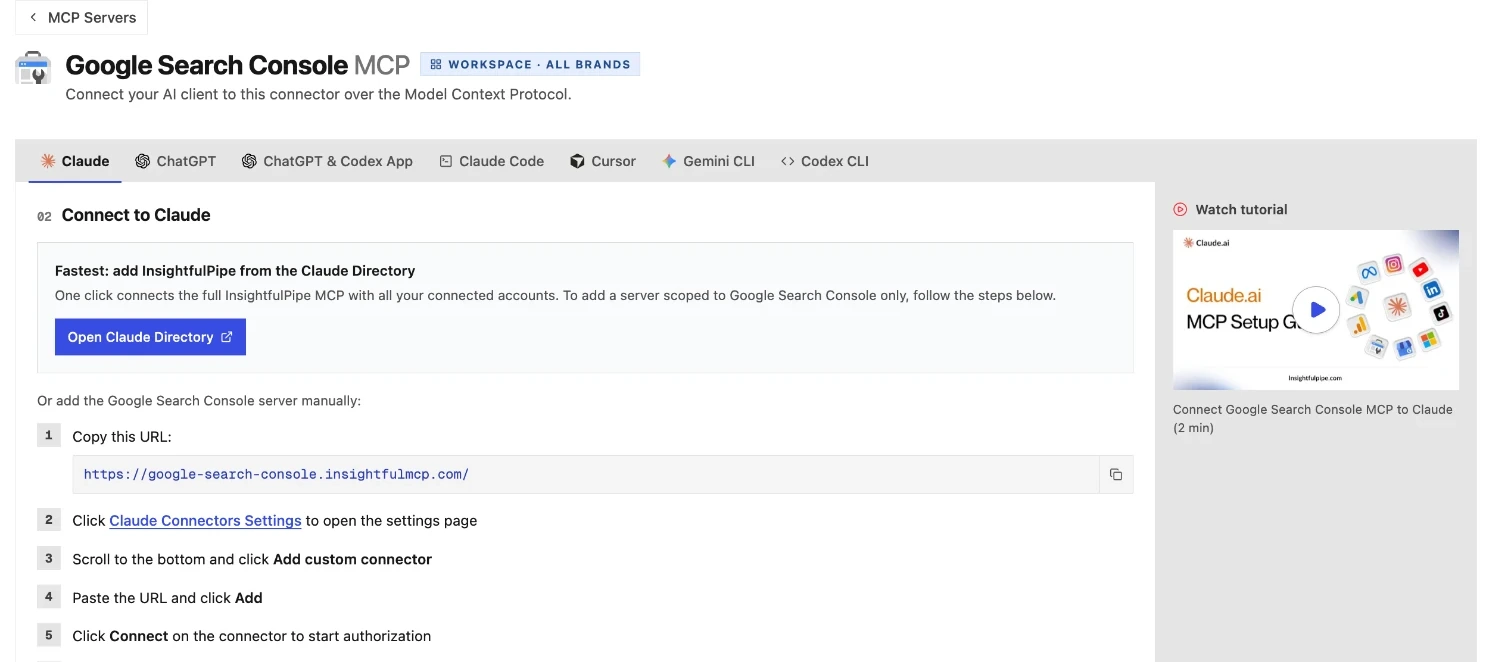
- In InsightfulPipe, open Connected accounts, click Connect account, choose Google Search Console, sign in with Google and select your properties. Each property becomes its own connection.
- In Claude, add InsightfulPipe from the Claude Directory, or add
https://google-search-console.insightfulmcp.com/as a custom connector and click Connect. In Claude Code, runclaude mcp add --transport http google-search-console-mcp https://google-search-console.insightfulmcp.com/. The server page covers ChatGPT, Cursor, Gemini CLI and Codex. - Open the property's actions, keep the ones you want, and ask a first question, such as "Audit my top 50 pages for indexing and canonical issues."
Start a trial and connect your first property, or begin with the Search Console performance overview prompt.
Also considered
AI answers and search results for this query name more options than the 12 above. We checked these and did not rank them, for the reason given.
Option | What its MCP covers | Price | Why it is not ranked |
|---|---|---|---|
Advanced GSC MCP | Hosted Search Console and GA4, read-only | $15/mo | The hosted edition of AminForou/mcp-gsc |
Ryze AI | 7 tools, sitemap writes gated in your AI client | Free to connect; Autopilot $129/mo | Sold with an autopilot product |
Markifact | Reports, URL inspection, sitemap changes | Pro $79/mo | One integration in an ads automation product |
Pipedream | 8 actions, sitemap delete included | Free for own use | Developer infrastructure |
Supermetrics | Search Console data in Claude, ChatGPT or Copilot | From €49/mo | A reporting platform priced by destination |
acamolese/google-search-console-mcp | 17 read-only tools and a white-label audit, local | Free, MIT | Same class as the local servers we rank |
iannuttall/seo | Local audits with Search Console, GA4 and Lighthouse | Free, Apache-2.0 | An audit toolkit with no hosted endpoint |
surendranb/google-search-console-mcp | 8 tools, sitemap delete included | Free, MIT | Anonymous telemetry on by default |
FlorianBruniaux/google-search-console-mcp | 61 tools with GA4, CrUX and IndexNow, local | Free, MIT | A newer server with 11 stars |
Improvado | Reads, sitemap submission and "request indexing" | $0 tier, then $100/mo | An enterprise platform metered by MCP actions |
What we would not recommend
Three repositories turn up in searches for Search Console MCP but should not be your first choice. seotesting-com/gsc-mcp-server has no licence file and no commit since March 2025. AST-Consulting/gsc-mcp is a Google Analytics server under a Search Console name. alfie-max/mcp-google-search-console has no licence file and one push, in August 2025.
What the other vendors do not publish
We could not check several claims here, because the vendors publish nothing to check against.
- GSC Wizard: any way to choose which of its 126 tools an agent may call.
- Windsor.ai and Coupler.io: a tool list for their Search Console connectors.
- OpenSEO: how many Search Console properties its plan covers.
- saurabhsharma2u/search-console-mcp: any gate on its deletes, and a single tool count.
- ahonn/mcp-server-gsc: documentation for seven of its eight tools.
Frequently asked questions
Sources (checked 2026-09-30)
Every competitor claim above comes from that vendor's own page, documentation or repository, opened on 2026-09-30.
- InsightfulPipe: Search Console server, Search Console docs, Bing Webmaster Tools, DataForSEO, Web Crawler, PageSpeed Insights, unified server, pricing
- Google: MCP index, managed MCP servers, API limits, search analytics query, getting all your data, Indexing API quickstart
- GSC Wizard: MCP page, MCP docs, pricing
- OpenSEO: Search Console MCP, pricing
- Windsor.ai: MCP page, Claude guide, pricing
- Coupler.io: Search Console MCP, MCP FAQ, pricing
- Composio: toolkit, pricing
- Local servers: AminForou/mcp-gsc, Suganthans-GSC-MCP, saurabhsharma2u/search-console-mcp, ncosentino/google-search-console-mcp, ahonn/mcp-server-gsc, sarahpark/google-search-console-mcp
- Also considered: Advanced GSC MCP, Ryze AI product and pricing, Markifact product and pricing, Pipedream components and docs, Supermetrics connector and pricing, acamolese, iannuttall/seo and its docs, surendranb, FlorianBruniaux, Improvado product and pricing
- Not recommended: seotesting-com, AST-Consulting, alfie-max
- Anthropic: Claude connector permissions