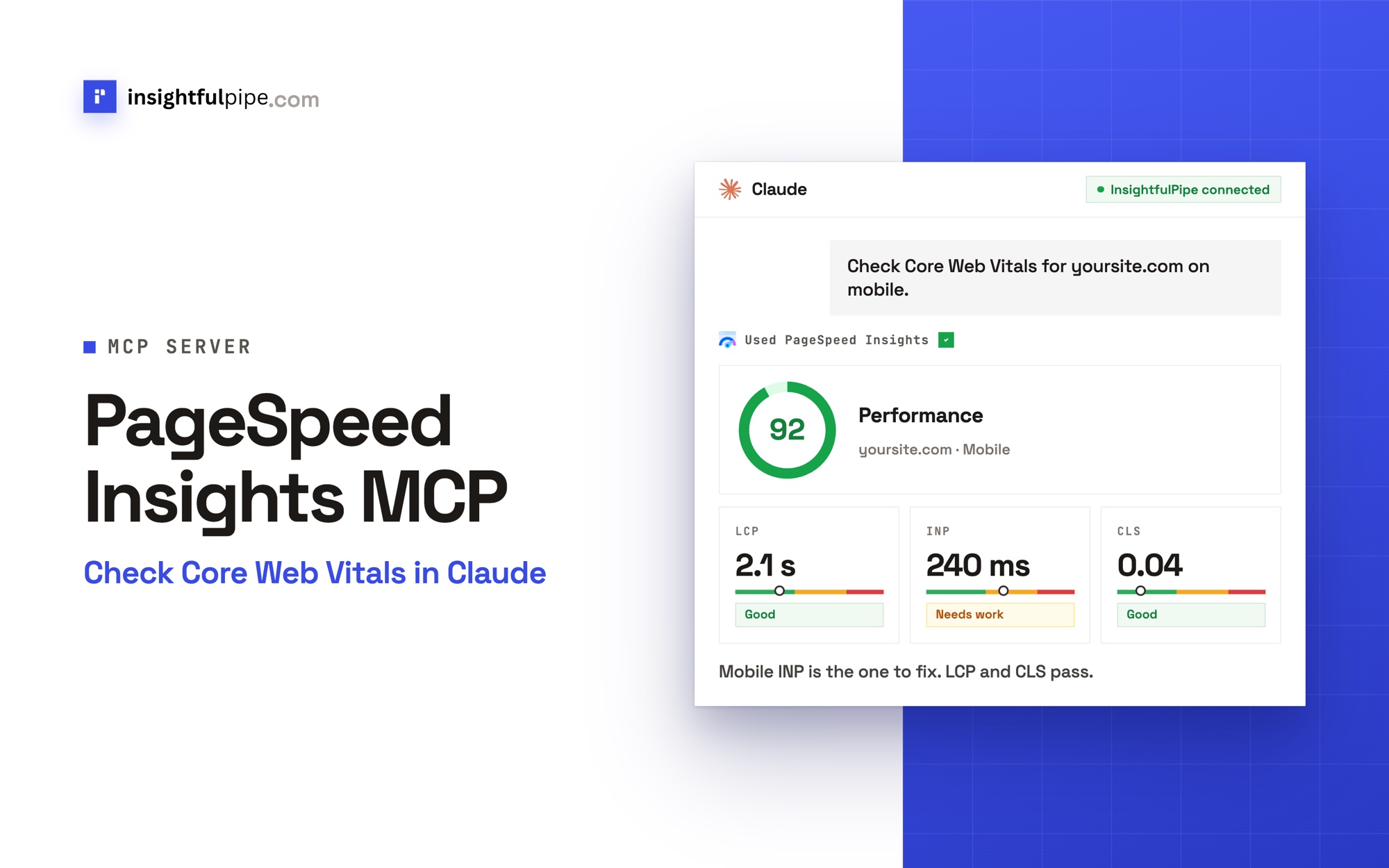
InsightfulPipe publishes this guide, and the steps use its hosted PageSpeed Insights MCP server. Other ways to check Core Web Vitals from an AI agent, including Google's free Chrome DevTools MCP, are covered near the end.
Last updated: 2026-10-02
To check Core Web Vitals in Claude, add InsightfulPipe's PageSpeed Insights MCP server, https://pagespeed-insights.insightfulmcp.com/, as a custom connector, click Connect, and sign in to InsightfulPipe if asked. Claude can then test any public URL on mobile or desktop. There is no Google API key, Google sign-in or server to run. Plans start from $29.99 a month.
The quick version
Six steps connect PageSpeed Insights to Claude, and none needs Google Cloud. Stop after this list and you can still run a first test.
- Start an InsightfulPipe workspace, or open the one you have.
- In Claude, open Customize > Connectors, click + Add, then Add custom connector.
- Name it PageSpeed Insights, paste
https://pagespeed-insights.insightfulmcp.com/, click Continue, keep the detected settings and click Add. - Click Connect if Claude shows it, and sign in to InsightfulPipe if asked.
- In a new chat, click +, open Connectors and switch PageSpeed Insights on.
- Ask: "Run core-web-vitals on https://example.com/ for mobile and desktop."
In Claude Code, steps 2 to 4 are one command; see step 3.
PageSpeed Insights MCP options at a glance
InsightfulPipe's PageSpeed Insights MCP server is hosted, needs no Google API key, and shares one account with Search Console, a crawler, GA4 and your ad platforms. Rival rows come from each vendor's own page or repository, checked 2026-10-02.
Route | Where it runs | What you need | Real-user data, with INP | Price to start |
|---|---|---|---|---|
InsightfulPipe | Hosted URL | One URL and an InsightfulPipe sign-in | Yes, when Google has it | From $29.99/mo |
Chrome DevTools MCP | Your computer | Node.js, npm and Chrome | Yes, through the CrUX API | Free |
ruslanlap/pagespeed-insights-mcp | Your computer | Your own Google API key | Yes | Free |
enemyrr/mcp-server-pagespeed | Your computer | npx or a local build | Its README lists First Input Delay | Free |
Lighthouse MCP servers | Your computer | Chrome or Chromium | Not in their READMEs | Free |
Gumloop | Hosted URL | A Gumloop account | Yes; its tool list also names FID | $37/mo, 3 credits a call |
Windsor.ai | Data source in Claude | A Windsor account | Yes; its prompts name FID | $0 for 1 source, then $23/mo |
Coupler.io | Scheduled export | A Coupler account | Not published | $0 plan, then $32/mo |
What you are connecting
You connect Claude to InsightfulPipe's hosted server, which runs Google Lighthouse on the public URL you name and returns the result. Nothing connects to your Google account.
The path is Claude -> InsightfulPipe PageSpeed Insights MCP -> InsightfulPipe's test service -> the public page. The test service handles its own API key, so you need no Google Cloud project, PageSpeed API key, Node.js, Chrome or server. Your role, a monthly allowance of tests and public URLs bound what Claude can do.
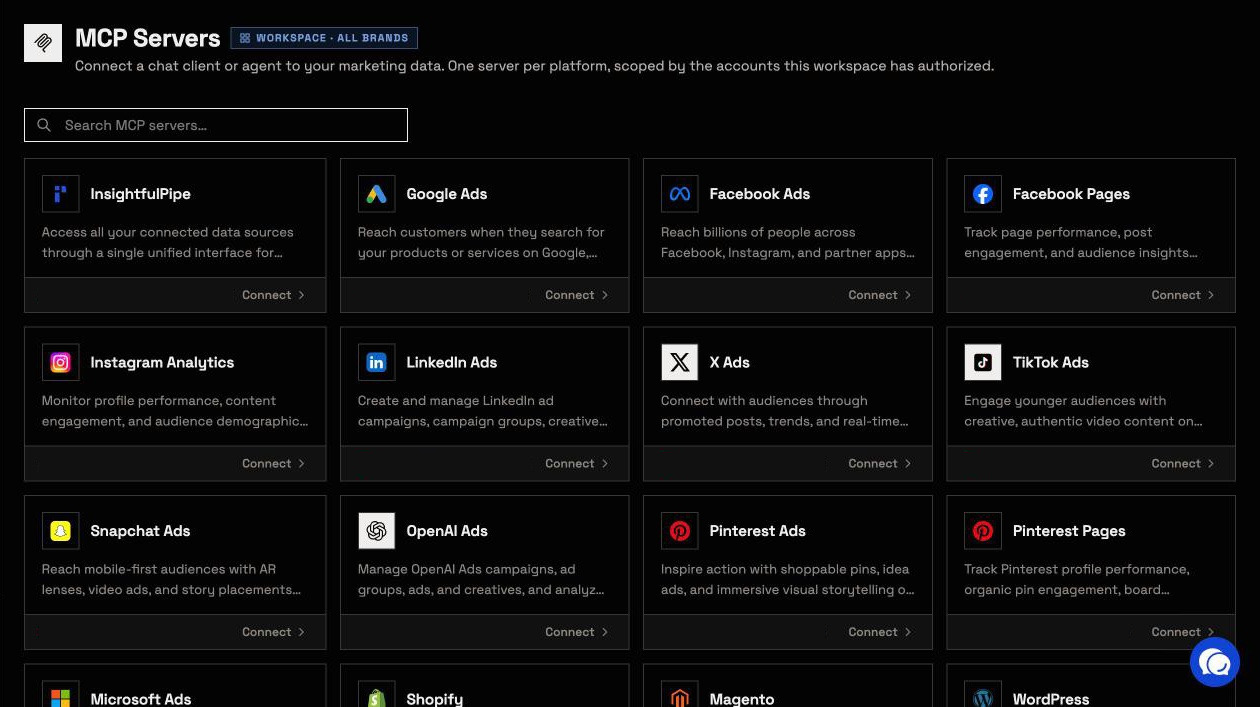
The same account reaches 49 more platforms, among them the Google Search Console MCP server (10 actions, 8 of them reads), the Web Crawler MCP server (33 reads) and GA4. One prompt can then pair your top pages with their speed.
Before you start
You need an InsightfulPipe workspace, a role that can use PageSpeed Insights, and an AI client that accepts a remote MCP server. There is no PageSpeed account to connect.
- A workspace. Plans start from $29.99 a month, and every plan includes this server, the other MCP servers and the CLI. Start a trial.
- A role. Owners, admins and operators can use PageSpeed Insights from the start. For a member with the User role, an owner or admin sets PageSpeed Insights to Access under Premium Tools.
- A client. Claude (web, Desktop or Cowork), Claude Code, ChatGPT with Developer mode, Cursor, Gemini CLI or Codex CLI. Claude Free accounts can add one custom connector.
- Public pages. Pages behind a login, localhost and private networks are out of reach.
Step 1: Add the PageSpeed Insights server in Claude
Claude adds the server as a custom connector, the same way on the web, Desktop and Cowork. These labels match Anthropic's help article as of 2026-10-02.
- Open Customize > Connectors.
- Click + Add, then Add custom connector.
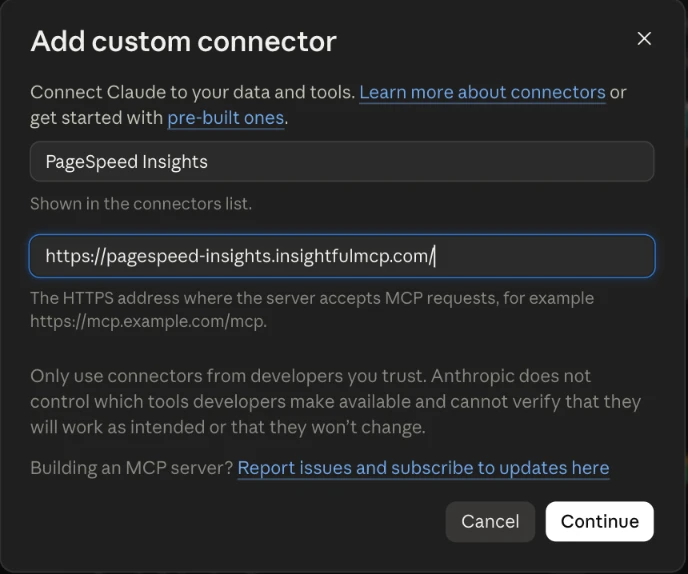
- Enter the name PageSpeed Insights.
- Paste
https://pagespeed-insights.insightfulmcp.com/and click Continue. - Keep the sign-in settings Claude detects, click Continue, and finish with Add.
On Team and Enterprise plans, an Owner adds it first under Organization settings > Connectors, and each member then clicks Connect in Customize > Connectors. The InsightfulPipe listing in the Claude Directory connects the full server instead, with PageSpeed Insights and every connected account.
Step 2: Sign in and turn the connector on
The only sign-in is InsightfulPipe's, because PageSpeed Insights has no Google account to connect.
- Click Connect if Claude shows it, and sign in to InsightfulPipe if asked. Claude then lists PageSpeed Insights as connected.
- In a new chat, click +, open Connectors and switch PageSpeed Insights on.
If Claude can't finish connecting, see troubleshooting.
Step 3: Connect PageSpeed Insights to Claude Code
Claude Code connects to the same hosted server with one command and one browser sign-in, and no API key goes into your config.
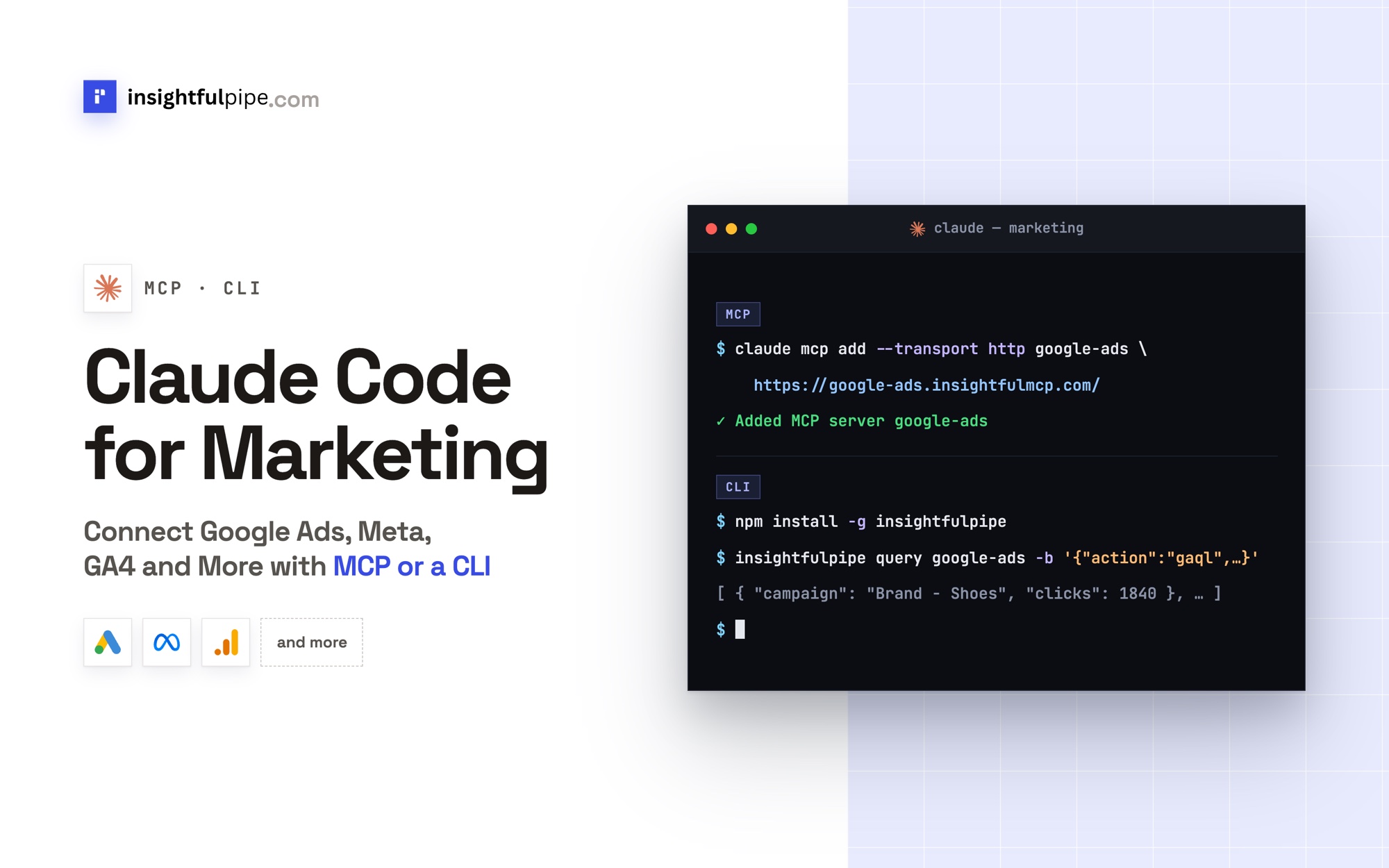
claude mcp add --transport http pagespeed-insights-mcp https://pagespeed-insights.insightfulmcp.com/- Run the command in your terminal. It adds the server to the current project.
- To use it in every project, add
--scope userafter the name. - Start Claude Code, type
/mcp, select pagespeed-insights-mcp and choose Authenticate. - Sign in to InsightfulPipe in the browser window that opens.
- Run
claude mcp list. The server shows✔ Connected.
claude mcp login pagespeed-insights-mcp also runs the sign-in from your shell. A connector you already added in claude.ai shows up in /mcp when Claude Code logs in with the same account.
Because Claude Code reads your code, it can act on the result:
Run analyze.full on [https://staging.example.com/] with strategy mobile.
Find the LCP element's selector and the render-blocking requests.
Then find the component in this repo that renders that element
and propose the smallest change that would cut LCP.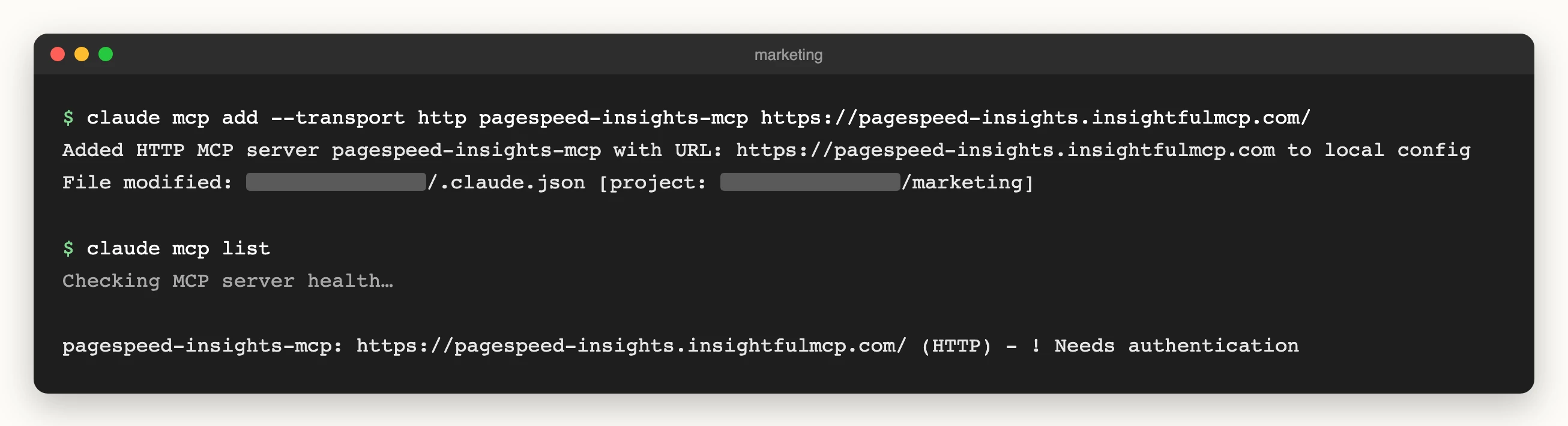
Step 4 (optional): ChatGPT, Cursor, Gemini CLI and Codex
The same URL works in any client that accepts a remote MCP server, and each finishes with the same InsightfulPipe sign-in.
- ChatGPT: turn on Developer mode in Settings, add the URL as a connection, then pick it from the + menu in a new chat.
- Cursor: use the install link on the PageSpeed Insights MCP server page, then click Connect when it shows Needs authentication.
- Gemini CLI and Codex CLI: run a line below. Gemini CLI then needs
/mcp auth pagespeed-insights-mcp; Codex starts the sign-in itself.
gemini mcp add --transport http pagespeed-insights-mcp https://pagespeed-insights.insightfulmcp.com/
codex mcp add pagespeed-insights-mcp --url https://pagespeed-insights.insightfulmcp.com/
Verify it worked
Check three things in order, cheapest first, so a failure points at one cause.
- The connection is live. PageSpeed Insights shows under Connectors with its switch on, or
claude mcp listshows✔ Connected. - A prompt that runs no test. Send the prompt below. Claude should name
core-web-vitals,resource-optimizations,accessibility-seoandanalyze.full, and no test is used. - A real test. Run core-web-vitals on your homepage and compare it with pagespeed.web.dev. Lab scores differ by a few points between runs.
List the PageSpeed Insights actions available to this connection,
with the inputs each one takes. Do not run a test.
How to read Core Web Vitals in Claude
Core Web Vitals are Google's three metrics for loading, responsiveness and visual stability: LCP, INP and CLS. A page passes when its 75th-percentile visit is good on all three, judged separately on mobile and desktop.
Metric | What it measures | Good | Needs improvement | Poor |
|---|---|---|---|---|
Largest Contentful Paint (LCP) | When the largest text or image renders | 2.5 s or less | Up to 4.0 s | Over 4.0 s |
Interaction to Next Paint (INP) | How fast the page responds to taps, clicks and keys | 200 ms or less | Up to 500 ms | Over 500 ms |
Cumulative Layout Shift (CLS) | How much the layout jumps while you read | 0.1 or less | Up to 0.25 | Over 0.25 |
INP replaced First Input Delay (FID) as a Core Web Vital on 12 March 2024.
The 75th percentile means most visits, slow phones and networks included, must meet the bar. PageSpeed Insights reports it for mobile and desktop separately.
Lab data comes from Lighthouse: one simulated load on a mid-tier phone over a throttled network, or on an emulated desktop. It is repeatable and full of diagnostics. It has no real taps or clicks, so it cannot report INP, and Total Blocking Time is the closest lab signal.
Field data comes from the Chrome UX Report: real Chrome users over the previous 28 days. Pages with too little traffic fall back to the whole origin, and a new site may have none.
The performance score is lab only: 90 or above is good, 50 to 89 needs improvement and below 50 is poor. Total Blocking Time carries 30% of it, LCP and CLS 25% each, and First Contentful Paint and Speed Index 10% each.
Google's Search Central guidance says: "We highly recommend site owners achieve good Core Web Vitals for success with Search and to ensure a great user experience generally."
A real run on a live page
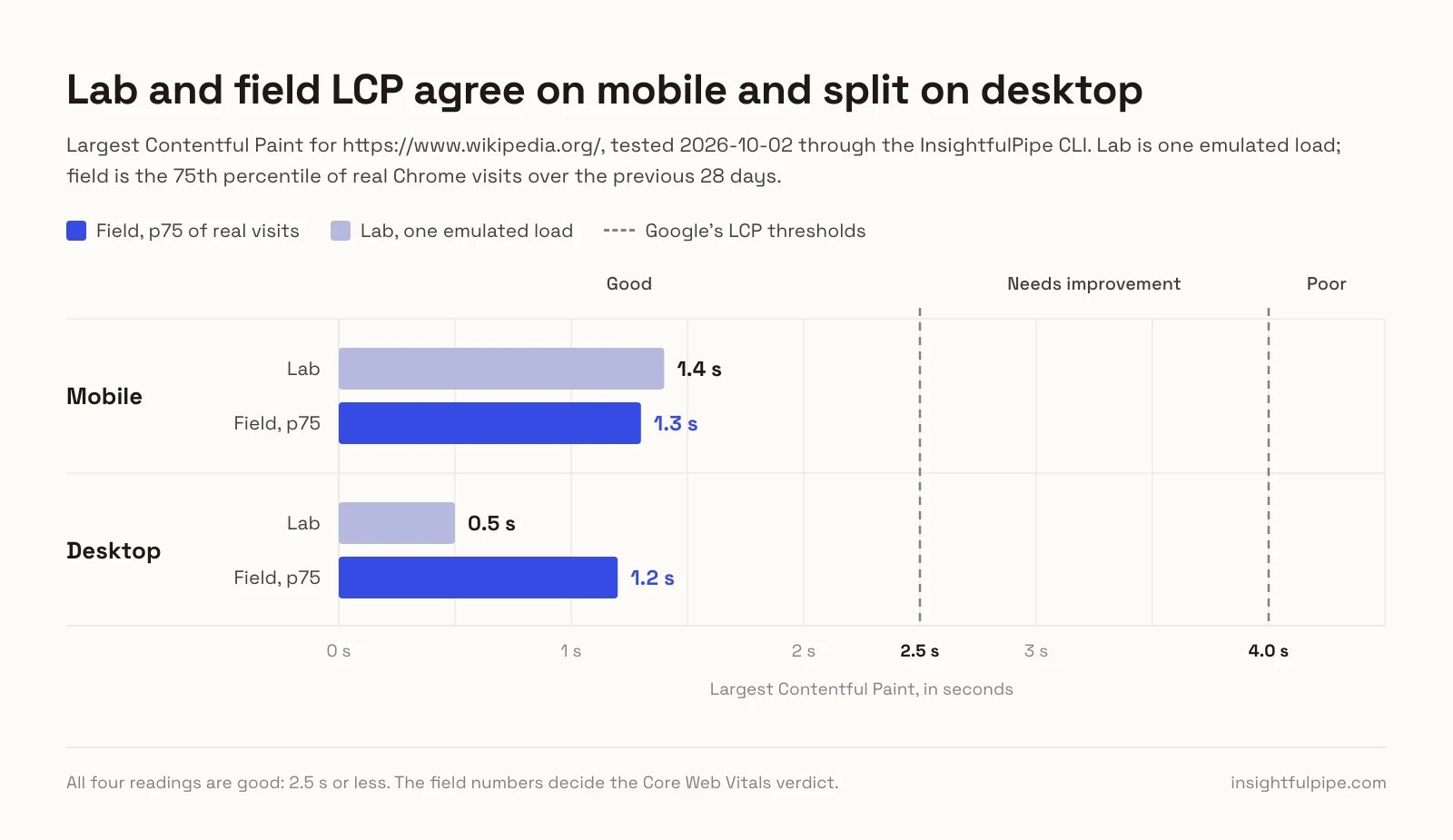
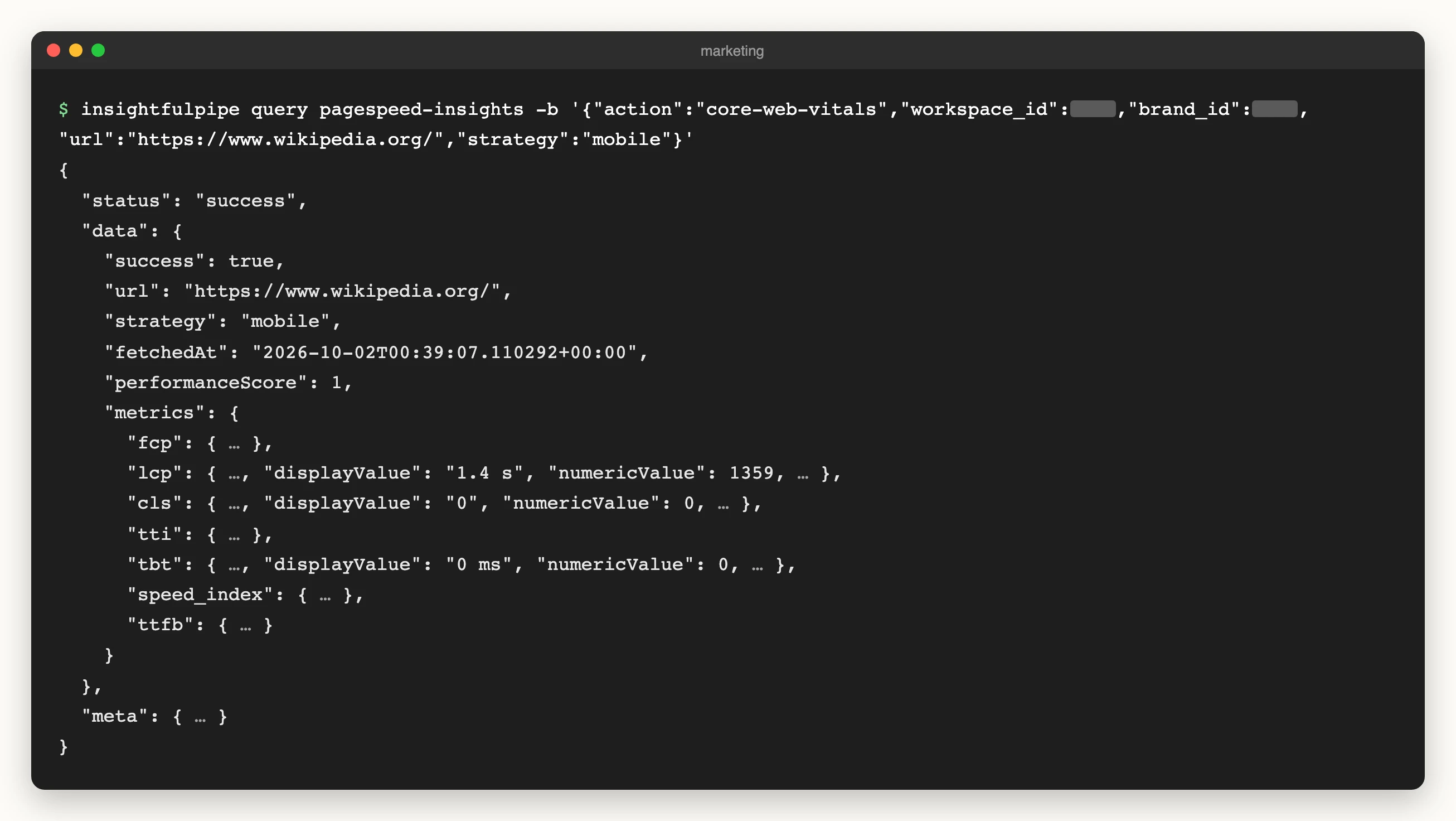
We ran the PageSpeed actions on https://www.wikipedia.org/ on 2026-10-02 through the InsightfulPipe CLI, and one URL gave three readings.
Measure | Mobile, lab | Desktop, lab | Mobile, field p75 |
|---|---|---|---|
Performance score | 100 | 97 | No score |
LCP | 1.4 s | 0.5 s | 1.3 s |
INP | Not measurable | Not measurable | 100 ms |
CLS | 0 | 0.001 | 0 |
Total Blocking Time | 0 ms | 140 ms | Not a field metric |
The field column decides the Core Web Vitals verdict, and Wikipedia passes all three: LCP at 1.3 s, INP at 100 ms and CLS at 0. On desktop, real visitors waited 1.2 s for LCP at the 75th percentile, while the emulated desktop run loaded it in 0.5 s. The lab run is one emulated load, and the field column is what real visitors on their own devices and networks saw over 28 days.
resource-optimizations found nothing to fix: no unused JavaScript or CSS, and 91 KiB in total. Lab scores still move between runs, so compare a page with itself over several runs.
Prompts to run first
These five prompts cover the usual jobs, and each names the actions Claude should call. Replace the bracketed parts.
One URL, fully diagnosed:
Use PageSpeed Insights on [https://example.com/pricing].
Run core-web-vitals and resource-optimizations with strategy mobile.
Give the score, LCP, CLS and Total Blocking Time against Google's
good thresholds, then the three fixes with the largest savings.
A batch of key pages:
Run core-web-vitals with strategy mobile on each of these URLs:
[URL 1], [URL 2], [URL 3], [URL 4], [URL 5].
Return one table: URL, score, LCP, CLS and Total Blocking Time.
Flag LCP over 2.5 s or CLS over 0.1, and sort the worst first.
Mobile against desktop, with field data:
For [https://example.com/], run core-web-vitals with strategy mobile
and again with strategy desktop. Then run analyze.full on mobile and
report p75 LCP, INP and CLS from Chrome UX Report data for the page
and the origin. Say which numbers fail and whether lab and field agree.
Search Console's top pages, then their speed:
Use Search Console search_analytics for [sc-domain:example.com],
the last 28 days, dimension page, row_limit 10, sorted by clicks.
Run PageSpeed core-web-vitals with strategy mobile on each page.
Return clicks, score, LCP and CLS in one table, worst LCP first.
The crawler's page list, then their speed:
Use the crawler's link-extractor on [https://example.com/] and pick
one internal URL per template: home, product, blog post and pricing.
Run core-web-vitals on each, mobile and desktop, and tell me which
template to fix first.
The combined prompts need the Search Console or crawler server in the same chat, or the full InsightfulPipe server, and Search Console needs your property connected with a Google sign-in. Each test counts toward your monthly allowance, so ten URLs on both strategies use 20.
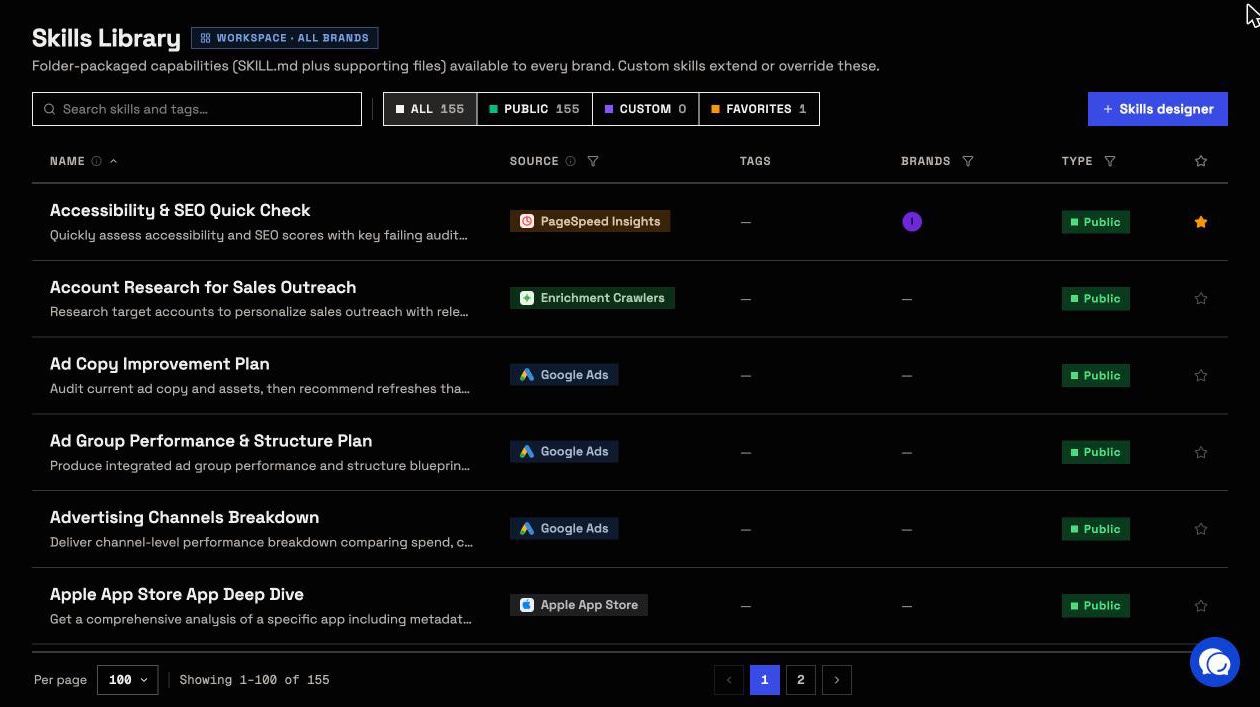
More versions sit in the free prompt library, such as the Core Web Vitals check and the mobile versus desktop comparison. The free Claude skills library has an SEO audit skill, and SEO prompts for Claude covers Search Console and GA4.
What the PageSpeed server can and cannot do
The PageSpeed Insights server has 4 actions, and all 4 are reads. Claude can test any public page, but it cannot change your site, your hosting or any Google setting.
- On request, public pages only. It does not monitor pages on a schedule, so test again after each deploy.
- A monthly allowance: 50 tests on Starter, 500 on Growth and 1,000 on Agency. A test counts when it starts.
- Roles hold. An owner or admin switches it on or off for each User-role member.
- Field data depends on Google having enough Chrome traffic for the page or origin.
Troubleshooting
Seven patterns cover most failures, and four of them return a message you can match exactly.
- "Monthly PageSpeed limit reached for your plan." This billing cycle's tests are used. Growth allows 500 a month and Agency 1,000.
- "IP addresses in private/reserved ranges are not allowed" or "Internal hostnames are not allowed". The server tests from the cloud, so publish a staging URL and test that.
- Claude can't finish connecting. Your role lacks PageSpeed Insights access, or the workspace has no active plan or trial. Ask an owner or admin to set it to Access.
! Needs authenticationinclaude mcp list. Run/mcpand choose Authenticate, or runclaude mcp login pagespeed-insights-mcp.- No field data or INP. The page has too little Chrome traffic, so read the origin numbers. Without INP data, PageSpeed Insights judges the page on LCP and CLS.
- Scores differ from pagespeed.web.dev. Lab scores move between runs and test locations, so compare several runs.
- "Network request timed out after 30000 ms" in the CLI. A test can outlast the CLI's 30-second default, so set
INSIGHTFULPIPE_TIMEOUT_MS=120000.
Other ways to check Core Web Vitals from an AI agent
Five other routes appear on Google's first page or in AI answers, and each one's own pages state its trade-off. Directory listings such as mcp.so and glama.ai list these same servers.
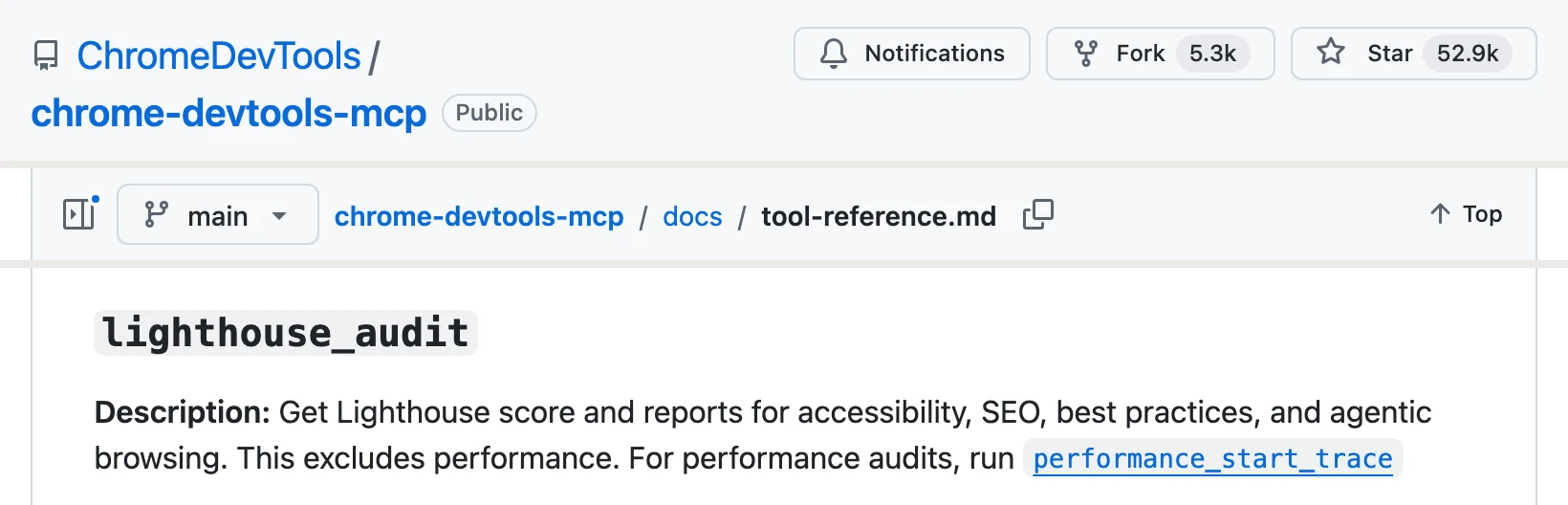
Chrome DevTools MCP. Google's Chrome DevTools team publishes this free, Apache-2.0 server, with more than 52,000 GitHub stars and 59 tools. It records performance traces in a local Chrome and reports LCP, INP and CLS insights, which makes it strong for debugging a page you are building. It is also narrower than it looks. It runs on your computer through npx, with Node.js and Chrome, so claude.ai and ChatGPT cannot reach it by URL. Its lighthouse_audit tool "excludes performance," and it collects usage statistics unless you opt out.
PageSpeed servers on GitHub. ruslanlap/pagespeed-insights-mcp, Google's top result here, has six tools, including CrUX data and batches of 1 to 10 pages, and needs your own Google API key. Its README calls version 2 "a breaking change." enemyrr/mcp-server-pagespeed, last updated in February 2025, still lists First Input Delay.
Lighthouse MCP servers. priyankark/lighthouse-mcp (210 stars) and danielsogl/lighthouse-mcp-server (71) run Lighthouse on your own machine, and neither README mentions Chrome UX Report data.
Hosted connectors. Gumloop's server has 3 tools at 3 credits a call, from $37 a month, and its Core Web Vitals tool still lists FID. Windsor.ai and Coupler.io bring PageSpeed data into Claude as one source among hundreds. Coupler promises refreshes "from monthly to 15-minute intervals," which its pricing page keeps for a custom-priced plan.
SEO audit servers. AI answers about technical SEO audits in Claude cite GiorgiKemo/mcp-seo-audit and houtini-ai/seo-audit most. The first runs locally and takes a CrUX API key. The second gets lab Core Web Vitals through DataForSEO, billed per request, and DataForSEO's own MCP server reaches the same Lighthouse endpoint.
InsightfulPipe does the same job hosted: no key, no install, field data with INP, and the same account as Search Console and GA4, from $29.99 a month.
Frequently asked questions
Sources (checked 2026-10-02)
Every Google, Anthropic and rival claim above comes from the page, documentation or repository below, opened on 2026-10-02.
- InsightfulPipe: PageSpeed Insights MCP server, pricing, Web Crawler, Google Search Console
- Google: Core Web Vitals, LCP, INP, CLS, INP replaces FID, About PageSpeed Insights, performance scoring, CrUX methodology, Search Central, Google's MCP servers, Google Cloud MCP servers
- Anthropic: custom connectors, Claude Code MCP
- Chrome DevTools MCP: repository, tool reference
- DataForSEO: MCP server
- Open source: ruslanlap/pagespeed-insights-mcp, enemyrr/mcp-server-pagespeed, priyankark/lighthouse-mcp, danielsogl/lighthouse-mcp-server, GiorgiKemo/mcp-seo-audit, houtini-ai/seo-audit
- Hosted: Gumloop and its pricing, Windsor.ai and its pricing, Coupler.io and its pricing