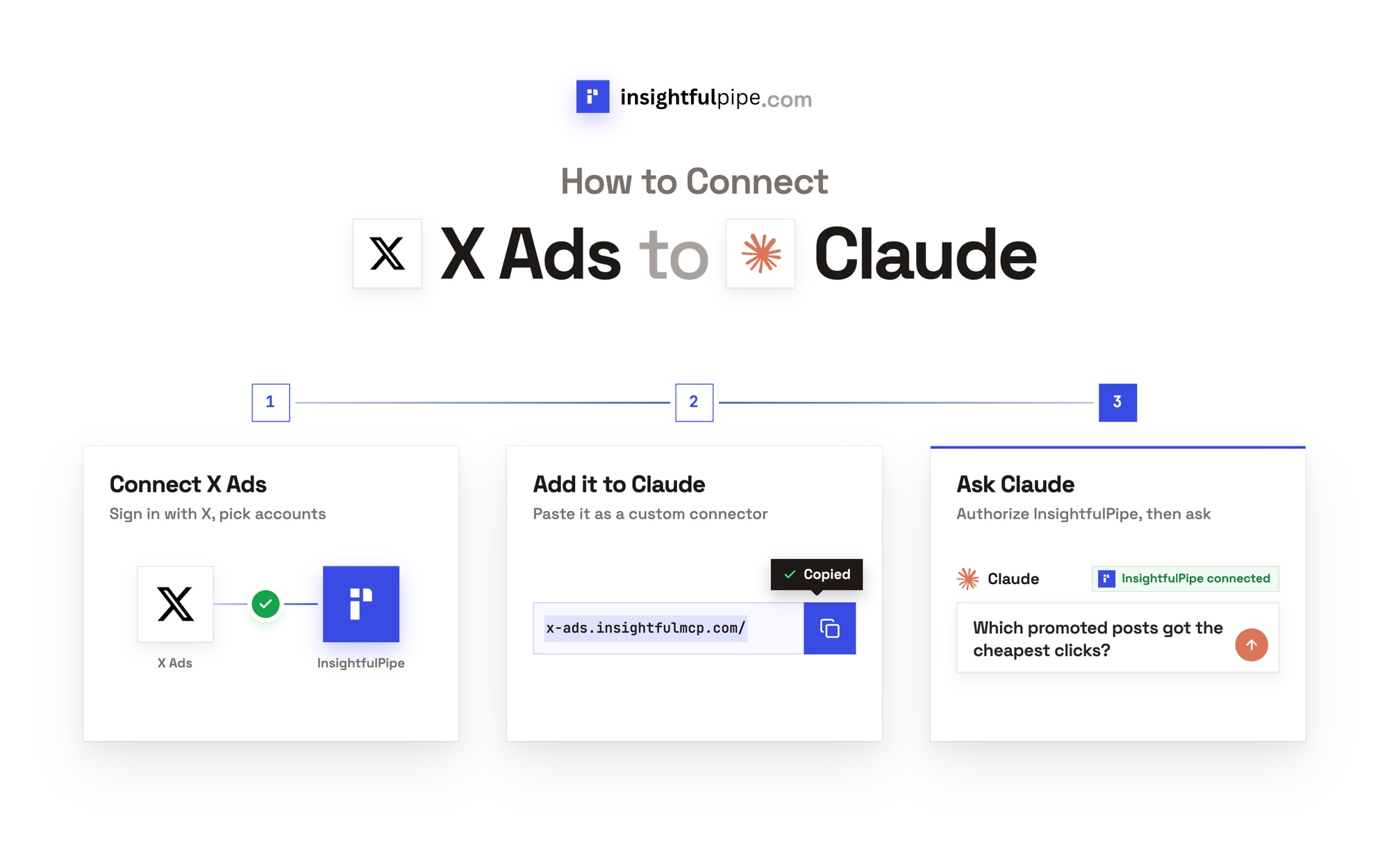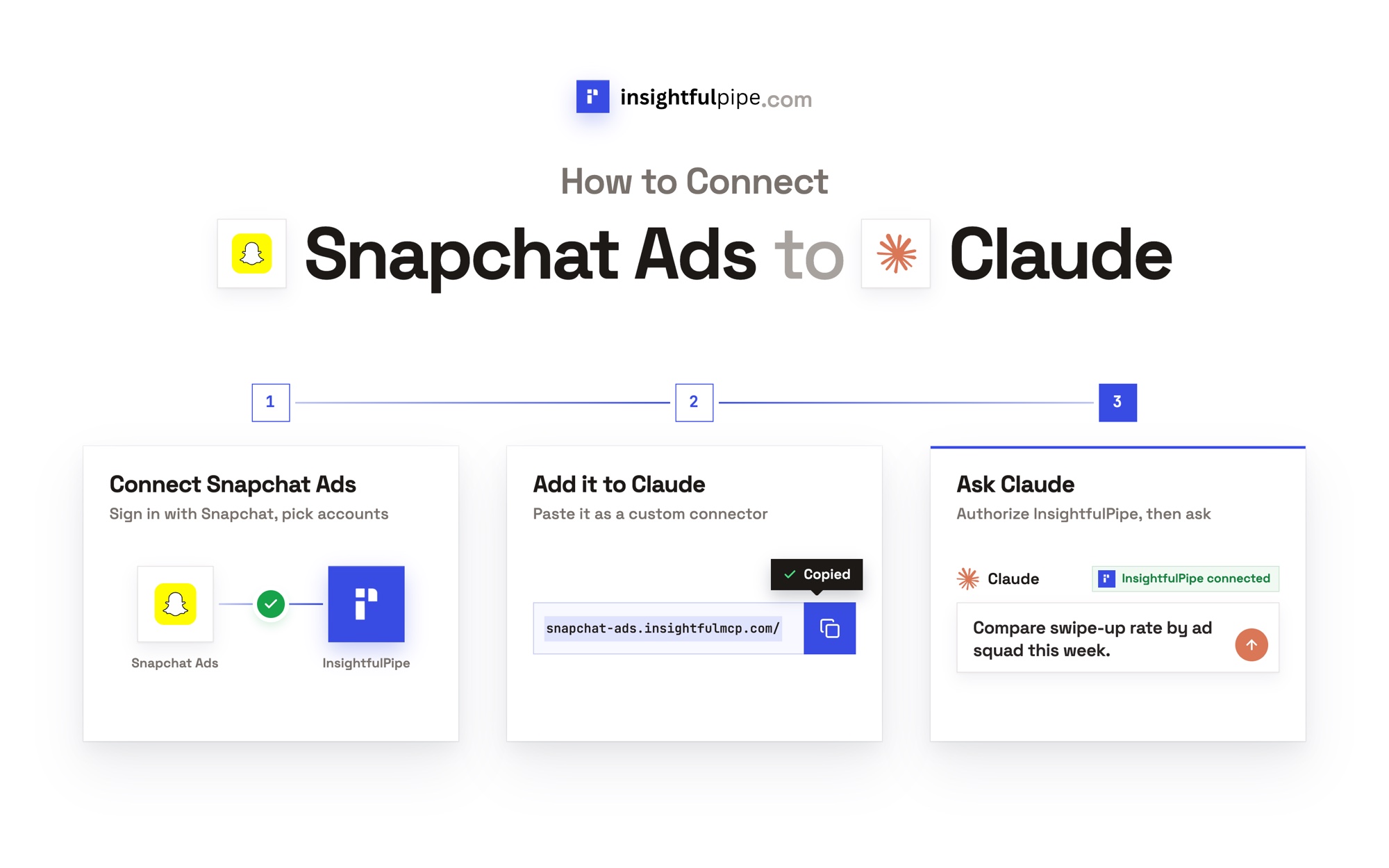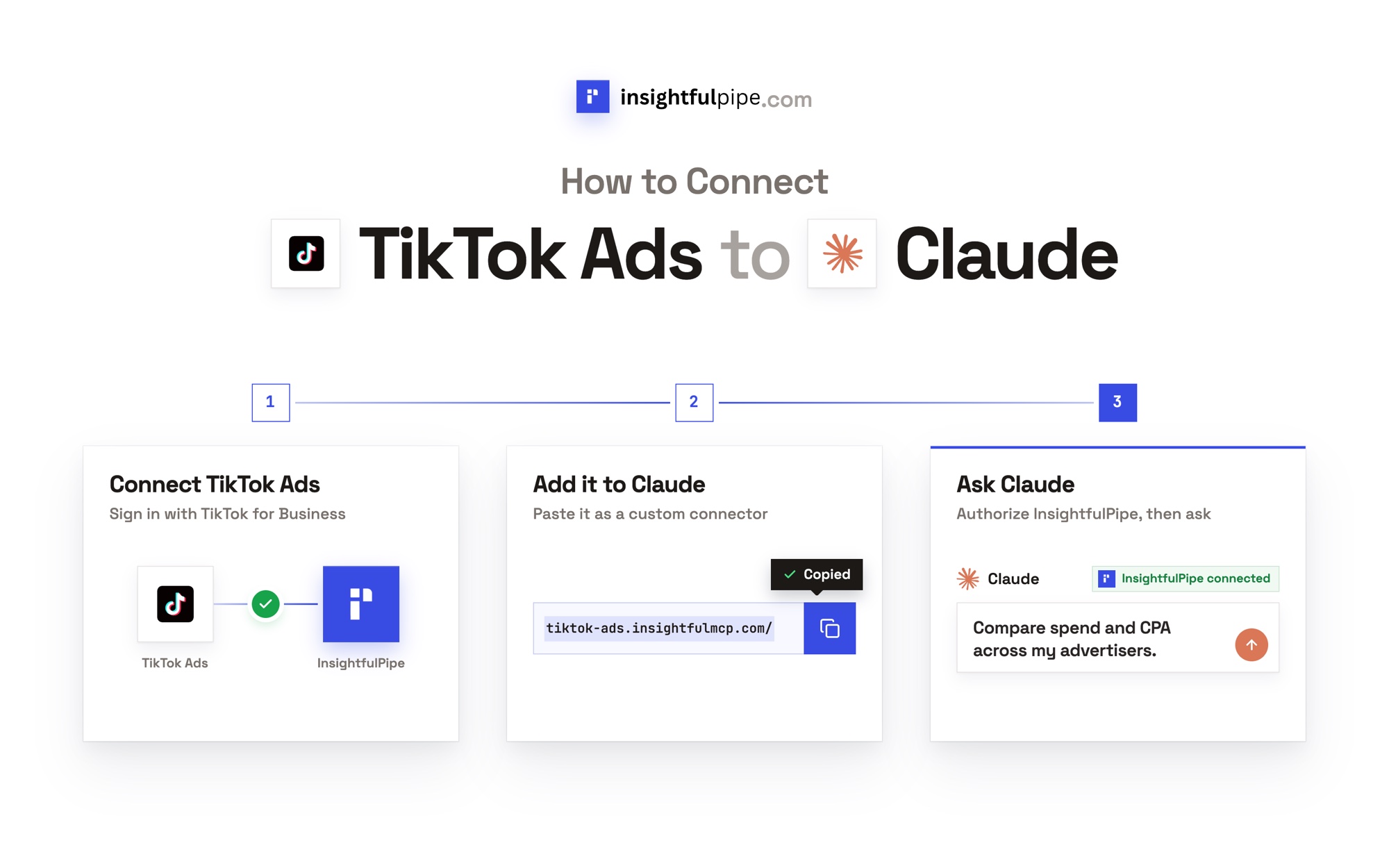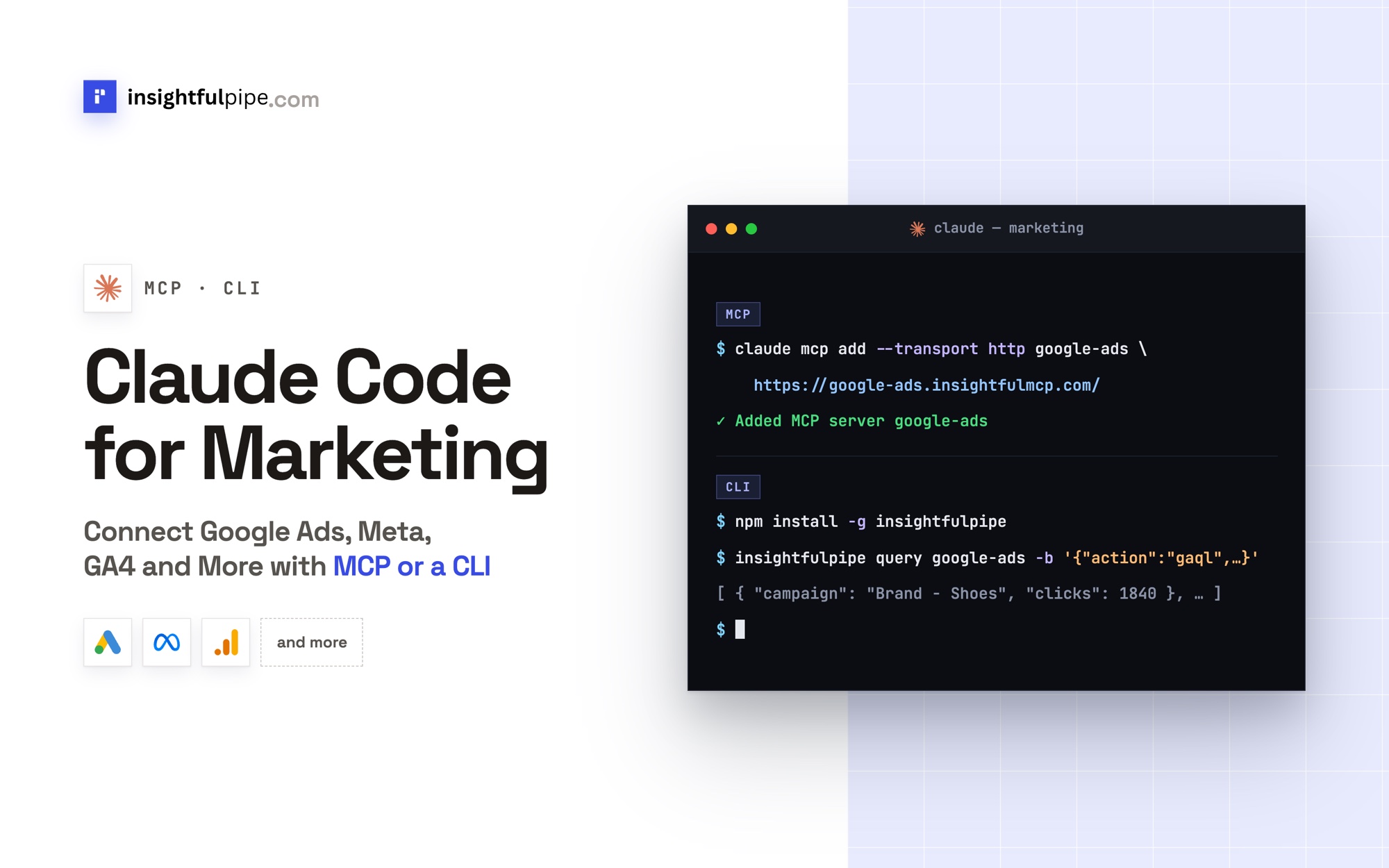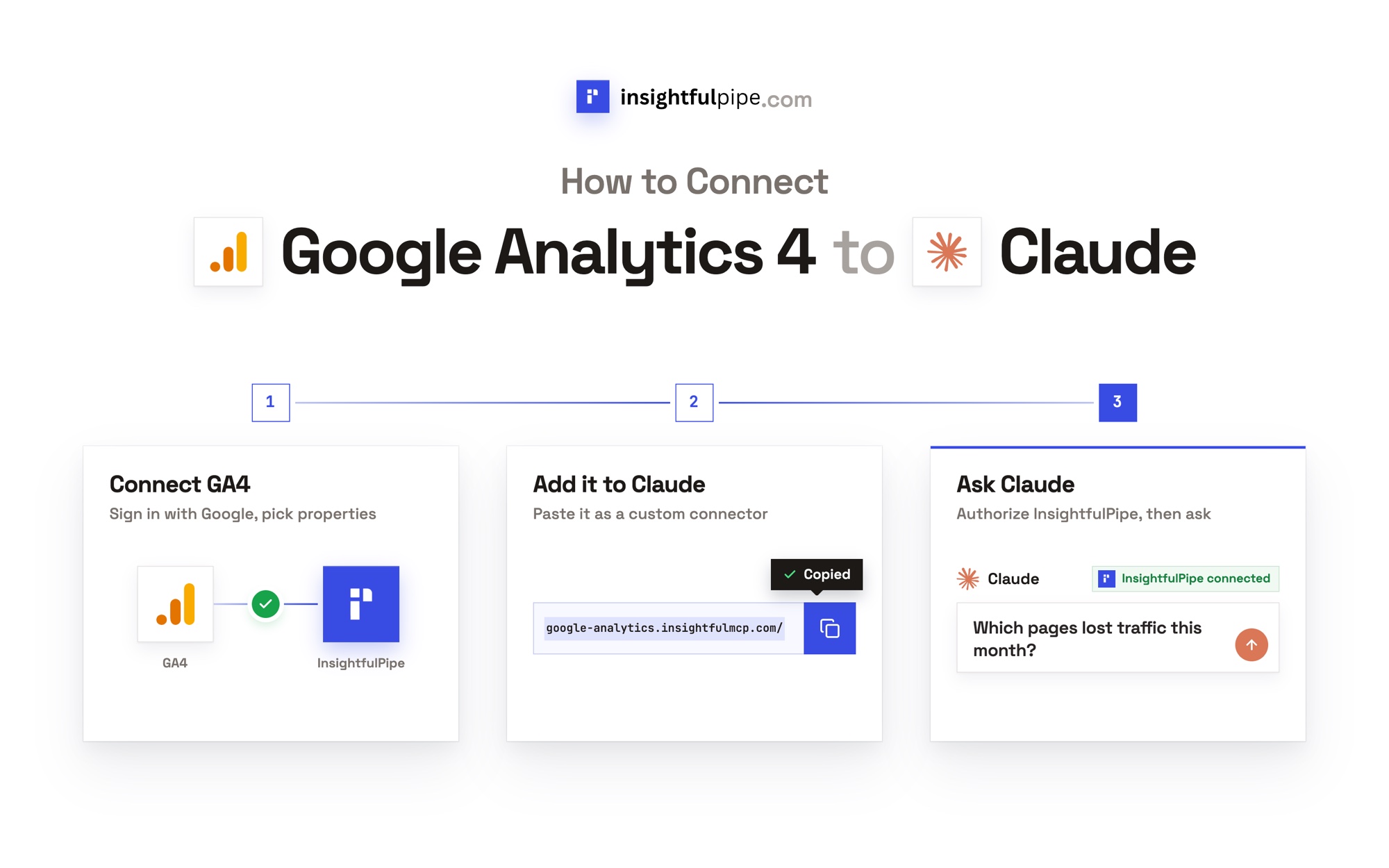
InsightfulPipe publishes this guide, and its steps use InsightfulPipe's hosted Google Analytics 4 server. The other ways to connect, including Google's own read-only GA4 server, come near the end.
Last updated: 2026-09-30
To connect Google Analytics 4 to Claude, connect the property in InsightfulPipe, add https://google-analytics.insightfulmcp.com/ as a custom connector in Claude, and click Connect. You sign in with Google and pick your properties, so you need no Google Cloud project, OAuth client or server to host. Claude gets up to 62 GA4 actions, and your admin switches each one on or off. Plans start from $29.99 a month.
The quick version
These six steps are the whole setup. The sections below explain each one.
- In InsightfulPipe, open Connected accounts, click Connect account and choose Google Analytics 4.
- Pick Read-only or Read & write, click Continue with Google Analytics and sign in with Google.
- Select your properties and click Connect 1 property, or the count you picked.
- In Claude, open Customize > Connectors, click +, then Add custom connector, and paste the server URL.
- Click Connect, sign in to InsightfulPipe if asked, and turn the connector on in a new chat.
- Run the read-only check under "Verify it worked" before Claude changes anything.
Four ways to connect Google Analytics 4 to Claude
There are four ways to connect GA4 to Claude, and InsightfulPipe is the route here that reads and changes GA4, with a switch on every action. Google's server and the hosted connectors below only read it, by their own pages.
Route | What you set up | Reads GA4 | Changes GA4 settings |
|---|---|---|---|
InsightfulPipe hosted server | A Google sign-in and one server URL | Yes, any Data API dimensions and metrics | Yes: 24 write actions, plus 12 destructive ones that stay off until an admin switches them on |
Google's official server | Python, a Google Cloud project and local credentials | Yes | No, "read requests only" |
Hosted read-only connectors: Windsor.ai, Supermetrics, Markifact, Porter Metrics, Stape, HireOtto | An account with the vendor, then a connector in Claude | Yes | No GA4 writes on their own pages |
CSV export | An export from GA4 and an upload | A snapshot | No |
The GA4 MCP server page lists all 62 actions, with the same setup steps for each client.
Watch the setup in Claude
This three-minute video shows the same connection on screen, from the Google sign-in to a first GA4 report in Claude.
Watch: Connect Google Analytics 4 to Claude with MCP, the full tutorial, 3 minutes 13 seconds
The video may show earlier versions of some screens. Follow the steps in this guide for the current labels.
What you are actually connecting
Claude never sees your Google password. It sends a structured request over MCP to InsightfulPipe's GA4 server, which calls the Google Analytics Data API or Admin API with the access you approved.
Claude → InsightfulPipe GA4 server → the GA4 properties you authorized
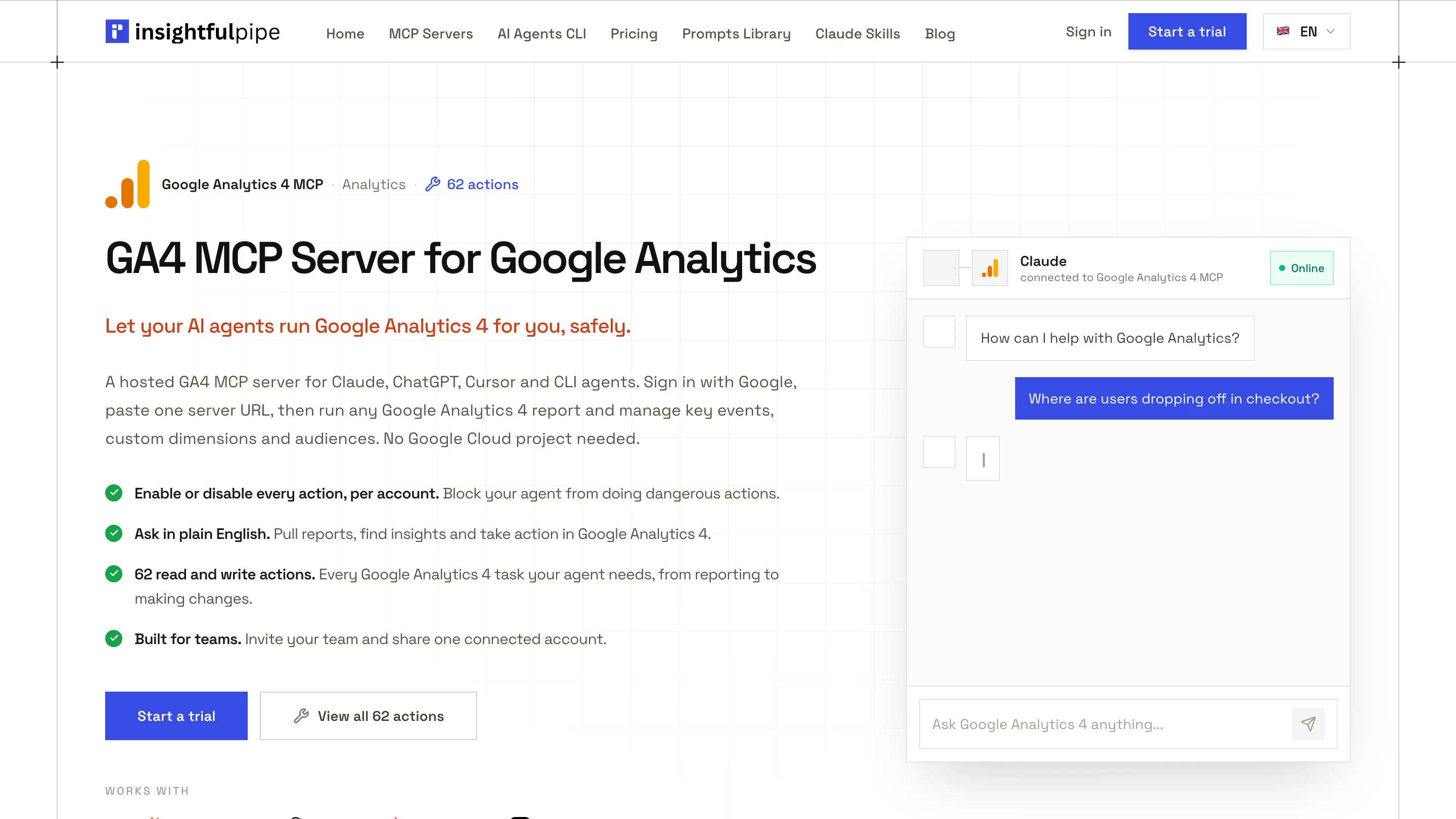
Four things bound what Claude can do: your workspace, the connection you authorized, the property's action list and your own role in GA4.
The access level also sets the Google scope. Read-only asks Google for analytics.readonly, and Read & write adds analytics.edit. You need no Google Cloud project, OAuth client, server to host or API version to track.
Before you start
You need four things before the first click, and the roles on both sides decide what Claude can do.
- GA4 access. A Google login that can open the property in Google Analytics.
- An InsightfulPipe workspace, from $29.99 a month. Each GA4 property counts as one connection. Start a trial if you have no workspace yet.
- The right workspace role. Owners, admins and operators can connect accounts. Members on the User role cannot.
- A client that supports remote MCP servers. Claude offers custom connectors on the Free, Pro, Max, Team and Enterprise plans, and Free allows one, per Anthropic's help article. ChatGPT, Claude Code, Cursor, Gemini CLI and Codex work too.
Google's own roles still apply. In Google's role list, a Viewer "can see settings and data", a Marketer "can create, edit, and delete audiences, events, and key events", and an Editor has "full control of settings at the property level". InsightfulPipe cannot expand the authority of the Google account you connect.
Step 1: Connect Google Analytics 4 in InsightfulPipe
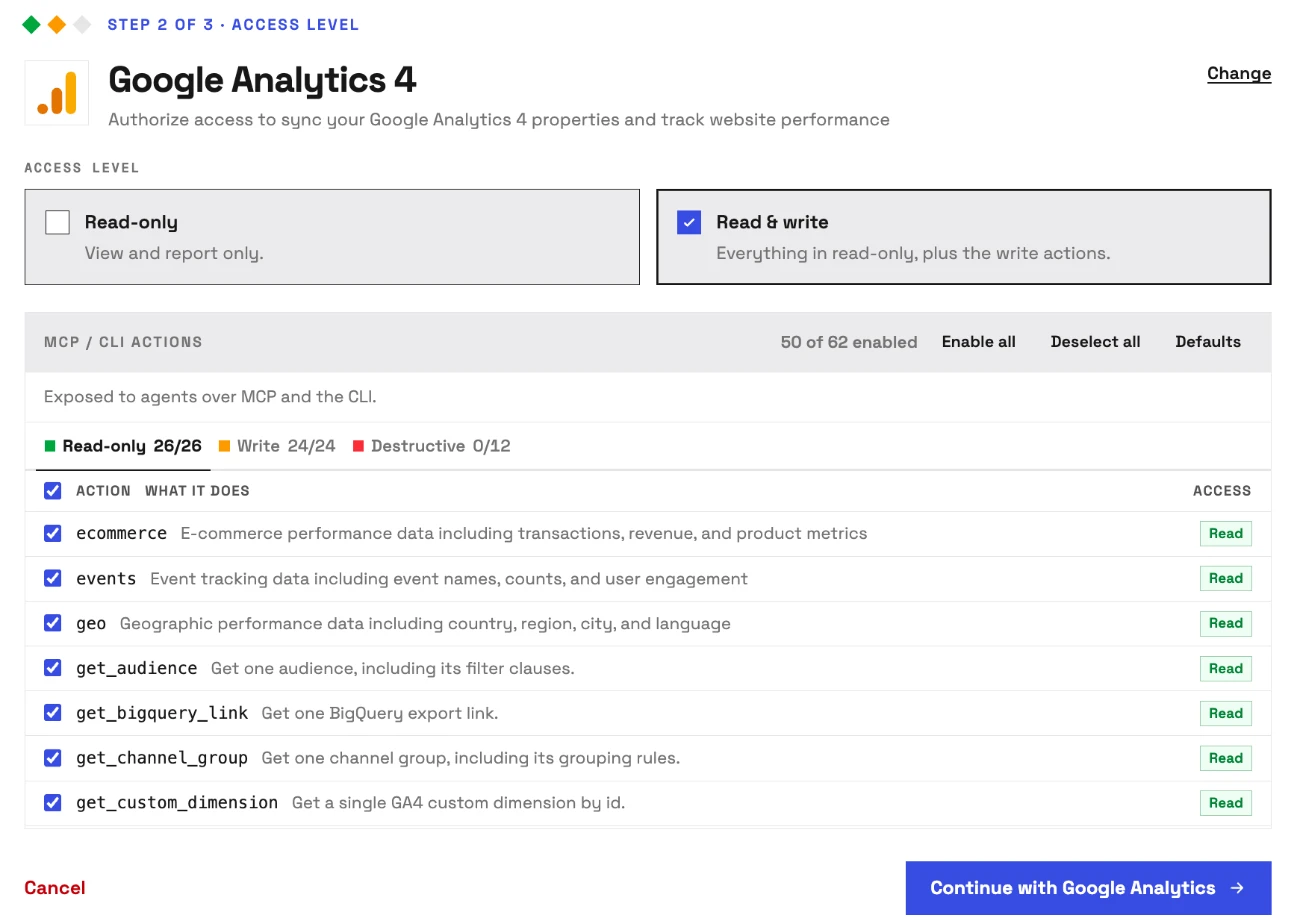
You choose the access level and see every GA4 action before Google asks you to sign in.
- In InsightfulPipe, open Connected accounts and click Connect account.
- On Add an integration, find Google Analytics 4 and click Connect.
- Under Access level, choose Read-only or Read & write.
- Check the MCP / CLI actions panel. On Read & write it reads 50 of 62 enabled, and the Destructive tab shows 0/12.
- Click Continue with Google Analytics, then sign in with Google and approve access.
- Under Properties, pick your properties and click Connect 1 property, or the count you picked.
Each property becomes its own connection with its own action list. On Read-only, the panel reads 26 of 62 enabled · writes locked. A read-only connection locks every write until an admin reconnects it with Read & write.
Step 2: Connect Google Analytics 4 to Claude with the connector URL
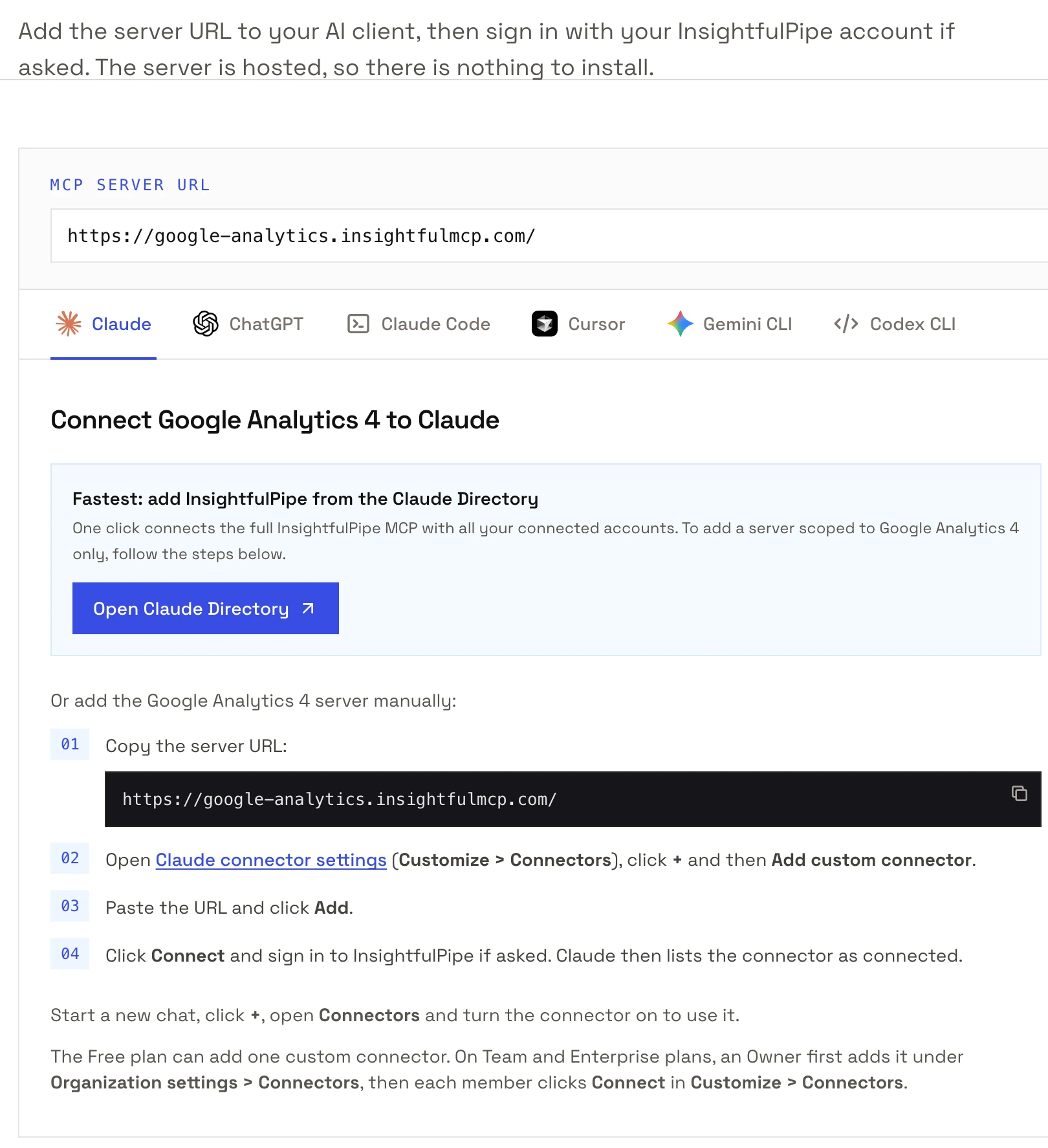
Claude needs one URL and one sign-in, and the flow is the same on claude.ai and in Claude Desktop.
- Copy the server URL:
https://google-analytics.insightfulmcp.com/ - In Claude, open Customize > Connectors.
- Click +, then Add custom connector.
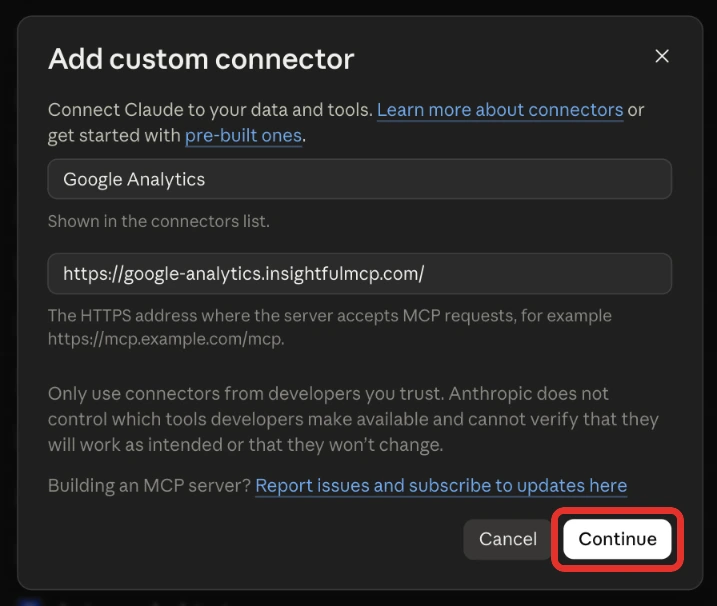
- Name it, paste the URL, click Continue, then Add.
- Click Connect on the new connector.
- Sign in to InsightfulPipe if asked. Claude then lists the connector as connected.
Once you're signed in, the connection finishes on its own, and Claude reaches only the GA4 properties your workspace has connected and granted to you. On Team and Enterprise plans, an Owner first adds the connector under Organization settings > Connectors, and members then connect it from Customize > Connectors.
Step 3: Turn the connector on in a new chat
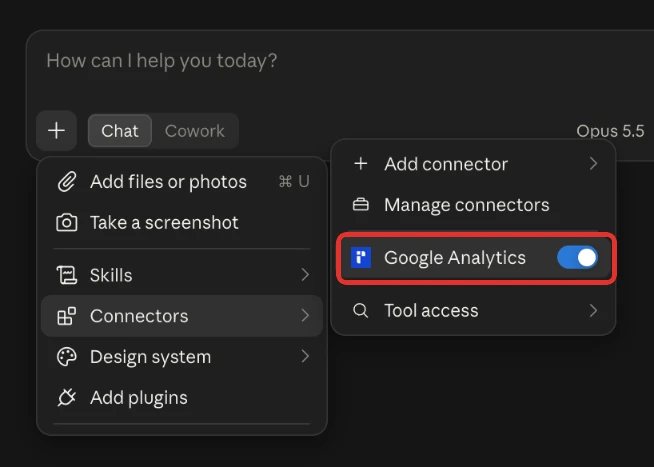
Claude uses a connector only in chats where you switch it on.
- Start a new chat in Claude.
- Click + in the lower left and open Connectors.
- Switch the GA4 connector on.
Step 4 (optional): Connect Google Analytics 4 to ChatGPT
ChatGPT takes the same URL through Developer mode, which OpenAI offers on Plus, Pro, Business, Enterprise and Education accounts on the web.
- In ChatGPT, open Settings > Security and login and turn on Developer mode.
- Go to ChatGPT Plugins and select the + button.
- Create a developer-mode app with a name and the server URL.
- Sign in to InsightfulPipe if asked.
- In a new chat, choose Developer mode from the + menu and select the app.
Select the app again in each new chat. ChatGPT asks you to confirm write actions by default, per OpenAI's Developer mode guide. A two-minute ChatGPT walkthrough shows a GA4 report end to end.
Step 5 (optional): Claude Code, Gemini CLI, Codex and Cursor
Terminal clients take one command each, then the same InsightfulPipe sign-in in a browser.
claude mcp add --transport http google-analytics-mcp https://google-analytics.insightfulmcp.com/
gemini mcp add --transport http google-analytics-mcp https://google-analytics.insightfulmcp.com/
codex mcp add google-analytics-mcp --url https://google-analytics.insightfulmcp.com/- Claude Code: type
/mcp, select google-analytics-mcp and choose Authenticate. Add--scope userto use it in every project. - Gemini CLI: run
/mcp auth google-analytics-mcp. - Codex CLI: run
codex mcp login google-analytics-mcpto open the sign-in. - Cursor: add the entry below to
~/.cursor/mcp.jsonfor every project, or to.cursor/mcp.jsonfor one. Then sign in to InsightfulPipe if asked.
{ "mcpServers": { "google-analytics-mcp": { "url": "https://google-analytics.insightfulmcp.com/" } } }Step 6: Choose which actions Claude may run
Every GA4 action on a property has its own switch, and InsightfulPipe's server enforces it in every client.
- In InsightfulPipe, open Connected accounts and find the GA4 property.
- Click its actions button, such as 50/62 actions. Its tooltip reads Configure actions for this account.
- Open the Destructive tab. All 12 start off.
- Open the Write tab and switch off any write Claude does not need.
- Click Save actions.
An owner, admin or operator can change these switches at any time. The server refuses any action that is off, whichever client asks.
Verify it worked
Three checks, shortest first, show that the connection works and where a failure sits.
The connection is live. In Claude, the + menu lists the GA4 connector under Connectors. In Claude Code, claude mcp list shows google-analytics-mcp as ✔ Connected. If it shows ! Needs authentication, run /mcp and sign in.
A prompt that cannot change anything. Paste this into a new chat.
List the Google Analytics 4 properties available to this connection.
Return the property name, property ID, time zone and currency.
Do not run a report and do not change anything.
If Claude answers with your property names, the sign-in and the workspace mapping both work.
A real read. Ask for last week's sessions by session default channel group. Then compare one number with the Traffic acquisition report in GA4. A match confirms the property and the dates.
Prompts to run first
Start with reads on a property you know, then try one write on a test property before you allow writes anywhere that matters.
Prompt | What Claude does |
|---|---|
"Which channels drove the most sessions and key events last month?" | Runs the traffic sources report |
"Which landing pages had the most sessions but the lowest engagement rate?" | Runs the pages report and ranks it |
"Show revenue and transactions by device category for the last 90 days" | Runs a custom report |
"List the key events and custom dimensions on this property" | Reads the property's configuration |
"Create a key event for the generate_lead event" | Creates a key event, on Read & write only |
Two prompts worth copying as they are:
Use Google Analytics 4 property [PROPERTY_ID].

Compare the last 28 complete days with the previous 28 complete days.
Break the report down by session default channel group.
Include sessions, engaged sessions, engagement rate, key events and total revenue.
Use Google Analytics 4 property [PROPERTY_ID].
For the last 14 days, list landing pages with more than [NUMBER] sessions.
Show sessions, engagement rate, key events and average engagement time.
Do not change any setting on the property.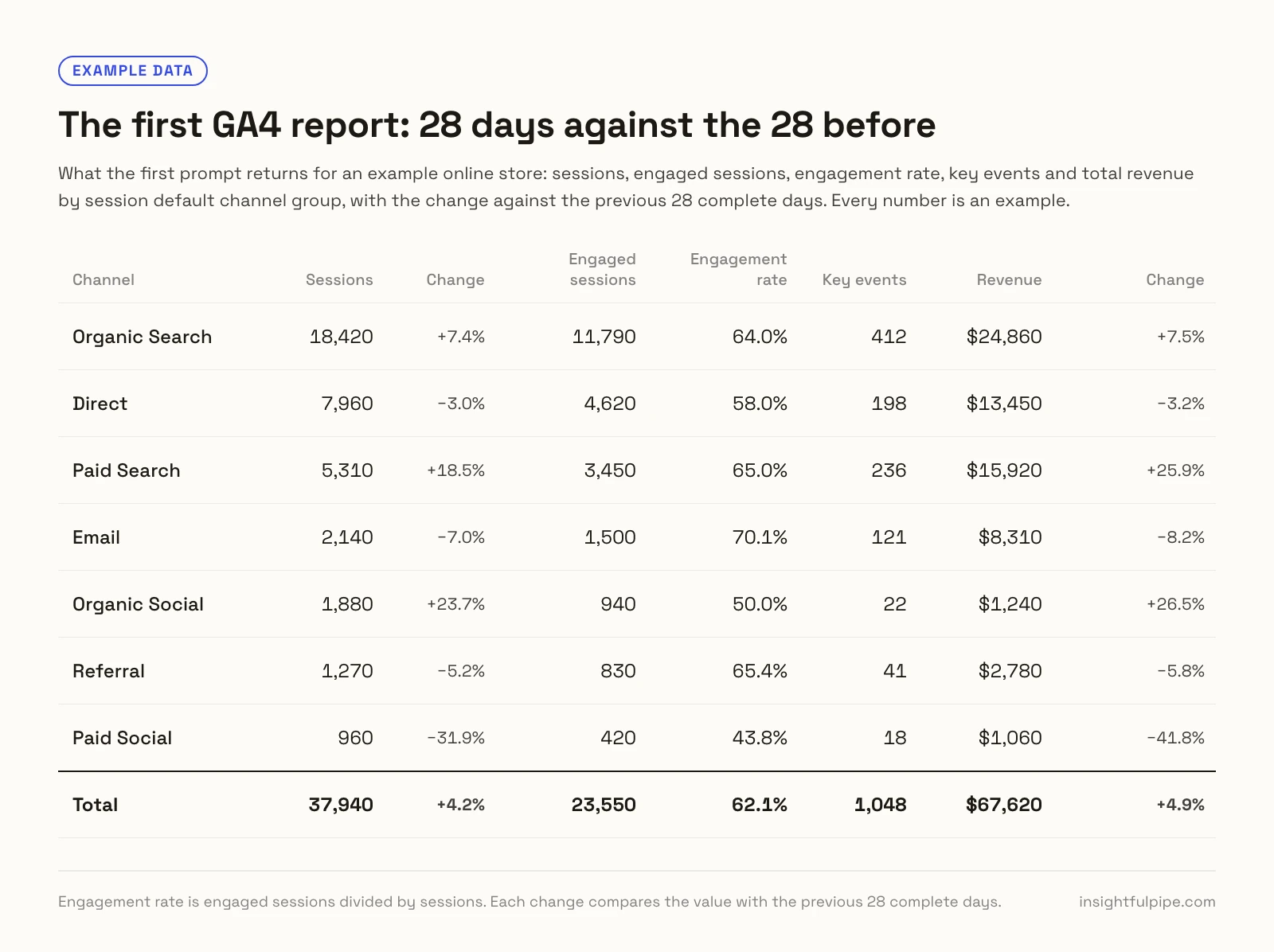
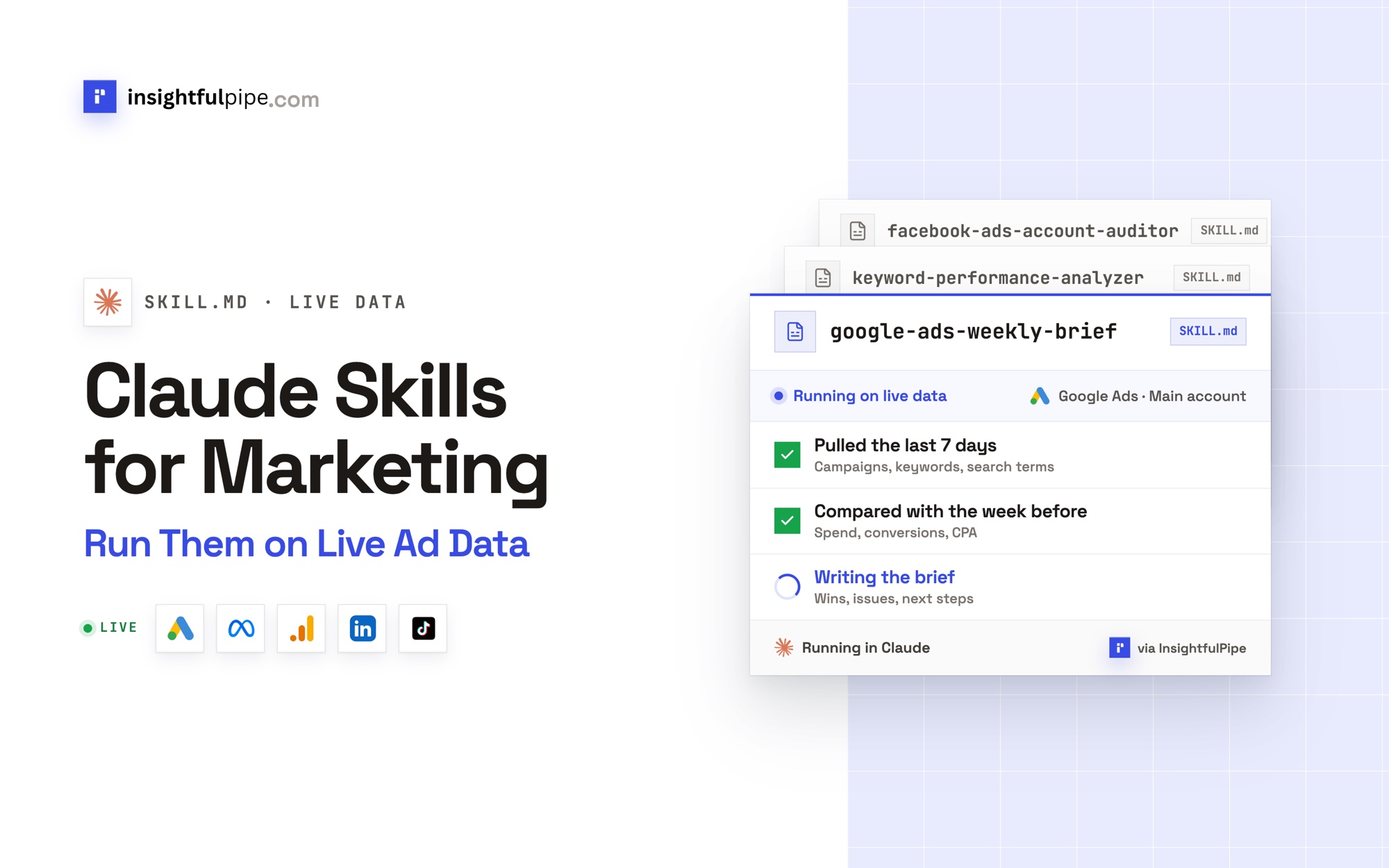
The prompt library and the Claude skills library are free to use, and both carry GA4 material.
What Claude may change in GA4, and who decides
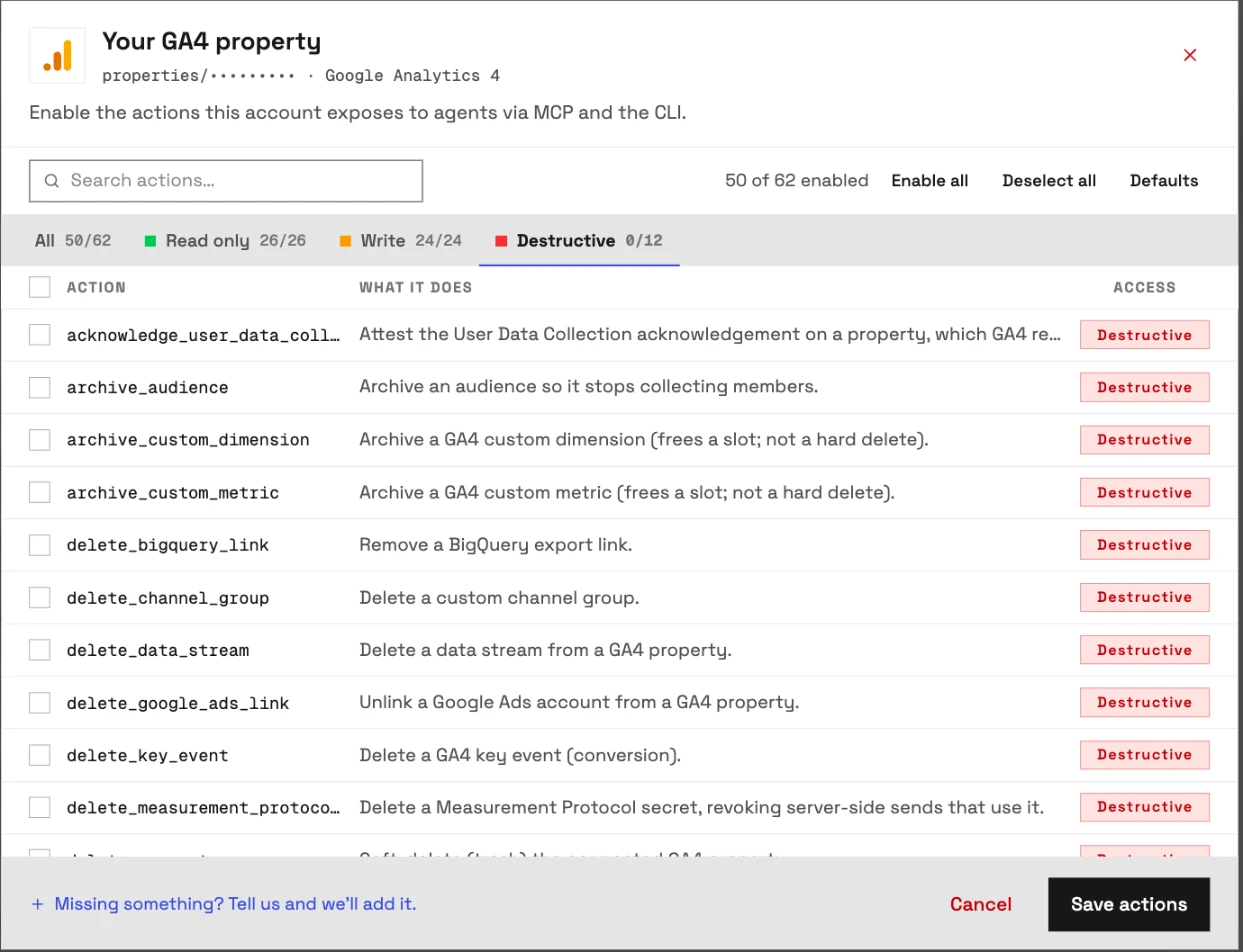
The GA4 server exposes 62 actions: 26 read, 24 write and 12 destructive. Each one is a switch your admin controls, which makes InsightfulPipe the safest way to let an AI agent change GA4.
GA4 has no paused state, so every write lands at once. No GA4 action spends money. What a write changes is how you measure.
- Control over every single action. The actions modal has All, Read only, Write and Destructive tabs. An owner, admin or operator switches each action on or off, and the server refuses any action that is off.
- Destructive actions stay off until an admin switches them on. The 12 are
delete_property,delete_data_stream,delete_key_event,delete_channel_group,delete_bigquery_link,delete_google_ads_link,delete_measurement_protocol_secret,archive_audience,archive_custom_dimension,archive_custom_metric,update_data_retention_settingsandacknowledge_user_data_collection. Shortening retention deletes history, and the acknowledgement has no undo, so both sit in this group. - A read-only connection locks every write until an admin reconnects it with Read & write. It holds Google's
analytics.readonlyscope, so none of the 36 write and destructive actions can go on. - Secrets sit behind the write switch.
list_accountsand the two Measurement Protocol secret reads count as writes. The first lists every account your Google login administers, and the other two return a credential. A read-only connection never reaches them. - Each property is its own boundary. Edits and deletes stay pinned to the property you connected.
create_propertycan add a new property under any account your Google login can edit, so switch it off where nobody should add one. - Deleting the property stays off until an admin switches it on.
delete_propertymoves the connected property to the GA4 trash. Google's reference says its API "does not have a method to restore soft-deleted properties", but an administrator can restore one from the Trash Can before Google purges it. - Roles hold. Writes need an operator, admin or owner. Members on the User role run only the switched-on read actions, on the properties an owner or admin grants them.
- Claude adds a switch of its own. Under a connector's Tool permissions, you can set each tool to Always allow, Needs approval or Blocked.
Start a trial, connect GA4 and switch on only the actions Claude needs.
Troubleshooting
Most failures are one of these eight, and six of them come with an exact message.
- The connector does not appear in the chat. In Claude, turn it on from + > Connectors. In ChatGPT, pick Developer mode from the + menu in each new chat. In Claude Code, run
/mcp. - Claude can't finish connecting. Your workspace has no GA4 property you can use yet. Connect one in Connected accounts, or ask an owner or admin for access, then click Connect again.
- "We could not list any Google Analytics 4 properties for that Google account." Sign in with the Google account that has GA4 access, and check that the property is GA4, not Universal Analytics.
- "This action is disabled for this connected account. An owner or admin must enable it for the account." Action control is doing its job. An owner, admin or operator switches the action on under Configure actions for this account.
- "This account is connected read-only, so this action cannot be enabled for it. An owner or admin must reconnect it with Read & Write permissions." Reconnect the property with Read & write, or keep the work to reads.
- "Your role does not have permission to execute write actions. Only operators, admins, and owners can execute write operations." Your workspace role is User. Ask an owner or admin to change it, or keep the work to reads.
- "Authentication failed. The provided bearer token is invalid, expired, or no longer recognized by the server." Remove the connector's saved sign-in in your client and connect again. In Claude Code, run
/mcpand authenticate once more. - The report is empty. Try a wider date range and remove optional filters. Confirm the property had traffic in that period. An empty report is not always an authentication problem.
Google's own GA4 server and the other routes
Google publishes its own GA4 MCP server, and several hosted connectors read GA4 as well. Each claim below comes from the vendor's own page on 2026-09-30.
Google's official server. Google publishes google-analytics-mcp under Apache-2.0 as "Google Analytics MCP Server (Experimental)", version 0.7.0 from 2026-07-29. It runs on your machine through pipx on Python 3.10 or later. You switch on the Analytics Admin and Data APIs in a Google Cloud project and set up Application Default Credentials. Google's guide says: "The MCP server is available for read requests only."
Hosted connectors that read GA4:
- Windsor.ai: GA4 is not among the connectors its MCP README lists with write actions, and "Other connectors are read-only".
- Markifact: "Markifact's GA4 operations are read-only," per its GA4 tutorial.
- Porter Metrics: its GA4 tutorial says the connector "is read-only by default with no write permissions requested".
- Stape: hosts a copy of Google's server that, per its README, can "run reports, but never modify anything".
- HireOtto: "It is read-only," per its GA4 quickstart.
- Supermetrics: its GA4 page lists write access for Facebook Ads, Google Ads, Microsoft Ads, TikTok Ads and LinkedIn Ads, and not for GA4.
- Coupler.io: exports GA4 data to Claude on a refresh schedule.
A CSV export answers one question and goes stale after it. Google's server reads only and runs on your machine, with Python and a Cloud project. InsightfulPipe runs hosted in claude.ai and ChatGPT, makes GA4 changes such as key events and custom dimensions, and puts a switch on every action.
Frequently asked questions
Sources (checked 2026-09-30)
Every third-party claim above comes from that vendor's own page, opened on 2026-09-30. InsightfulPipe facts come from the app's code and the GA4 MCP server page.
- InsightfulPipe: GA4 MCP server, pricing
- Anthropic: custom connectors, using connectors, Claude Code MCP
- OpenAI: Developer mode, Codex MCP
- Google: GA4 MCP repository, MCP guide, properties.delete, GA4 roles, Gemini CLI MCP
- Cursor: MCP docs
- Windsor.ai: MCP README, write actions
- Markifact: GA4 tutorial
- Porter Metrics: GA4 tutorial
- Stape: README
- HireOtto: GA4 quickstart
- Supermetrics: GA4 to Claude
- Coupler.io: GA4 to Claude