Disclosure: InsightfulPipe publishes this and is one of the 14 options ranked.
The verdict
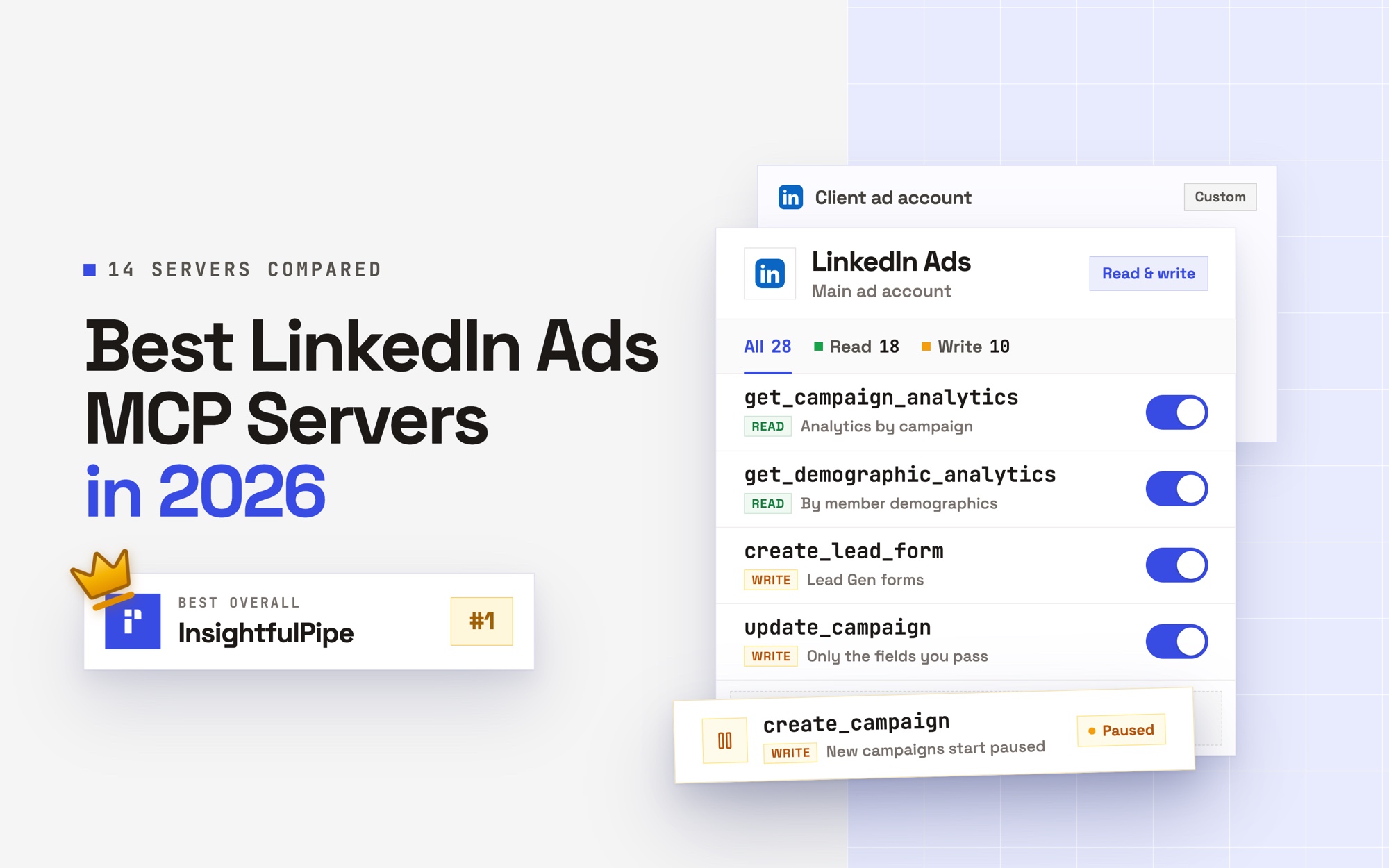
The best LinkedIn Ads MCP server in 2026 is InsightfulPipe. Of the 14 best LinkedIn Ads MCP servers compared here, it is the only hosted one that combines three things. It builds LinkedIn campaigns. Your admin switches each of its 28 actions on or off for every ad account. And the same plan covers 49 more platforms, from $29.99 a month. That control, enforced on the server in every AI client, makes it the safest of the servers that can write to LinkedIn Ads.
Four of the fourteen cannot build a LinkedIn campaign, and two more need your own LinkedIn developer app with Advertising API approval. LinkedIn's own option is a read-only beta app that works only inside ChatGPT.
- Best overall: InsightfulPipe. Its hosted LinkedIn Ads MCP server gives an agent 28 actions, 18 read and 10 write, including cost by job title and seniority. From $29.99 a month.
- Safest write access: InsightfulPipe. Your admin sets the actions for every ad account, and a read-only connection locks every write until an admin reconnects it with read and write.
- Best for agencies: InsightfulPipe. Every ad account gets its own action list, and Growth covers 35 accounts for $89.99 a month.
- Best free option: danielpopamd/linkedin-ads-mcp. Free and MIT licensed, but you host it yourself and need your own LinkedIn developer app with Advertising API approval.
The best LinkedIn Ads MCP servers at a glance
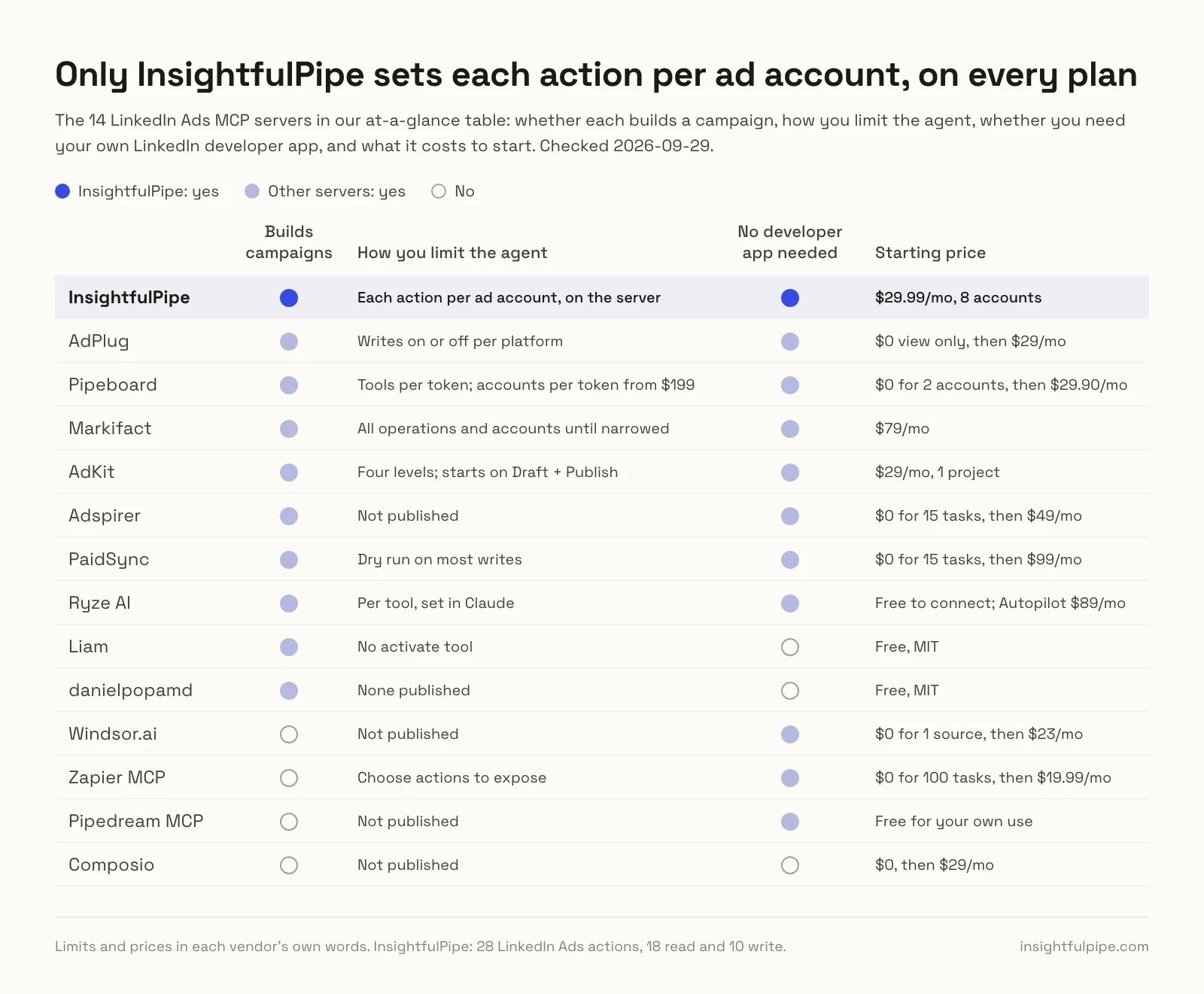
Fourteen servers, compared on what they do in LinkedIn Ads, how you limit the agent and what they cost to start. InsightfulPipe sets limits per ad account, action by action, on every plan.
Server | LinkedIn Ads actions | Builds campaigns | How you limit the agent | Hosting | Starting price |
|---|---|---|---|---|---|
InsightfulPipe | 28: 18 read, 10 write | Yes, created paused | Each action per ad account, on the server | Hosted | $29.99/mo, 8 accounts |
AdPlug | 25 writes, 7 report types | Yes | Writes on or off per platform | Hosted | $0 view only, then $29/mo |
Pipeboard | 50+ tools | Yes, creatives as drafts | Tools per token; accounts per token from $199 | Hosted | $0 for 2 accounts, then $29.90/mo |
Markifact | Not published | Yes, new work paused | All operations and accounts until narrowed | Hosted | $79/mo |
AdKit | Not published | Yes, as drafts | Four levels; starts on Draft + Publish | Hosted | $29/mo, 1 project |
Adspirer | 54 tools | Yes, campaigns paused | Not published | Hosted | $0 for 15 tasks, then $49/mo |
PaidSync | 34 tools | Yes | Dry run on most writes | Hosted | $0 for 15 tasks, then $99/mo |
Ryze AI | Not published | Yes | Per tool, set in Claude | Hosted | Free to connect; Autopilot $89/mo |
Liam | Campaigns, ads, audiences | Yes, drafts only | No activate tool | Self-hosted or its endpoint | Free, MIT |
danielpopamd | 25 tools, 10 writes | Yes | None published | Self-hosted | Free, MIT |
Windsor.ai | 12 writes | No: pause, enable, budgets, targeting, draft ads from existing posts | Not published | Hosted | $0 for 1 source, then $23/mo |
Zapier MCP | 5 named actions | No: audiences, reports | Choose actions to expose | Hosted | $0 for 100 tasks, then $19.99/mo |
Pipedream MCP | 5 actions, 1 write | No: reports, conversions | Not published | Hosted | Free for your own use |
Composio | 28 tools, 5 writes | No | Not published | Hosted SDK | $0, then $29/mo |
How we tested
We read every capability, default and price from each vendor's own documentation, pricing page or public repository, and ran InsightfulPipe on live accounts. We checked every price on 2026-09-29.
Criterion | What we checked |
|---|---|
Coverage | How many LinkedIn Ads actions does the agent get? |
Builds campaigns | Can it create a campaign group, a campaign and a creative? |
Control before a write | Can you choose, per ad account, which actions the agent can use, and does the vendor's server enforce it? |
Default on a new connection | What can the agent do before anyone narrows it? |
B2B reporting | Can it break results down by job title, seniority, industry and company size? |
Setup | Is it a LinkedIn sign-in, or your own developer app with Advertising API approval? |
Other platforms | Does the same connection reach Google Ads, Meta Ads and GA4? |
Price | What does write access cost to start? |
Where a vendor's own pages contradict each other, we quote both and attribute them to the vendor. Where a capability is not published, we say "not published" rather than guess. Roadmap features stay out.
Eleven more tools come up for this search, and each gets one sourced line further down. We left out organic LinkedIn and outreach tools, which never touch an ad account, and directories, which list servers rather than run them.
The single question that splits this list
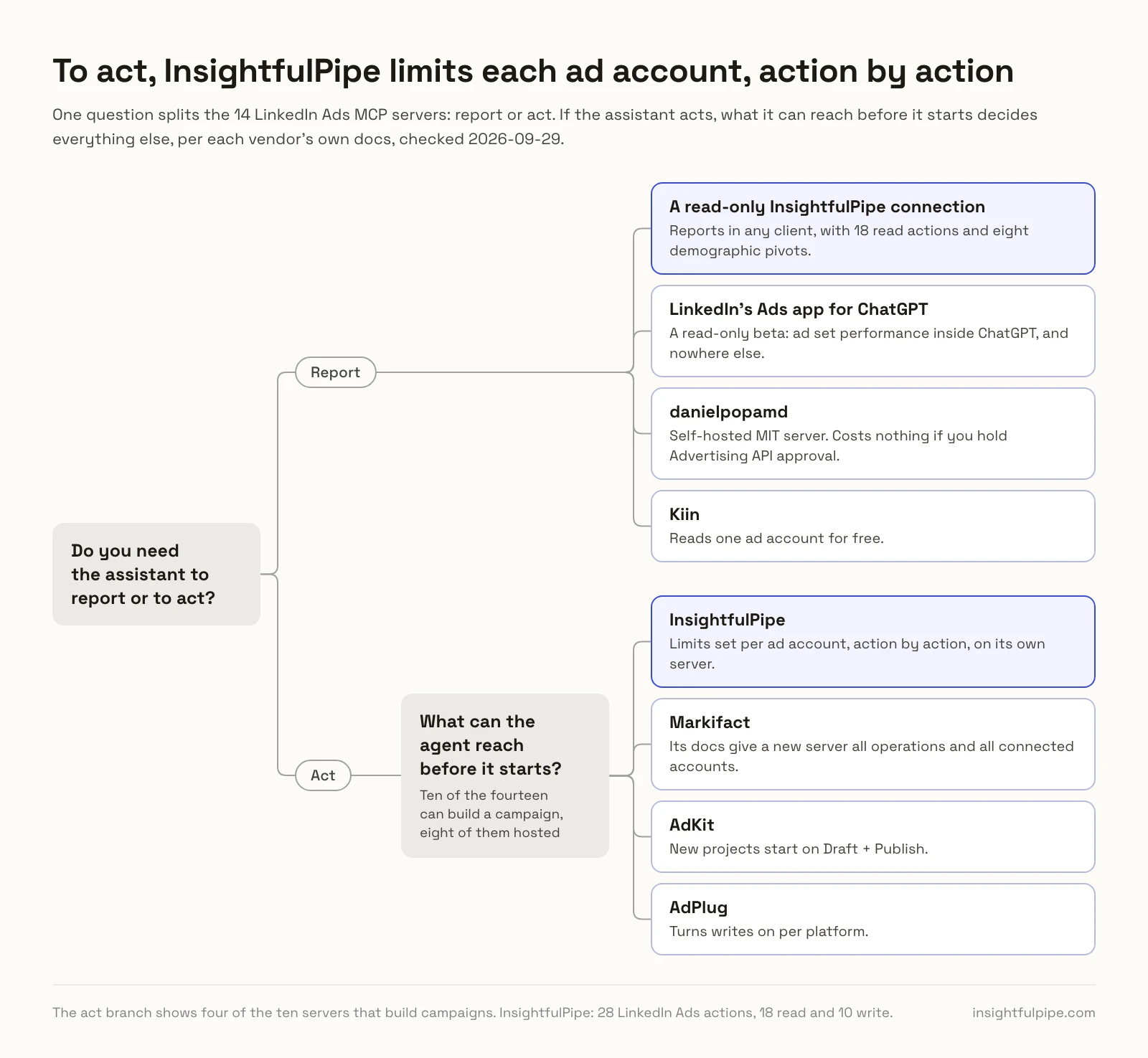
One question splits these fourteen: whether you need the assistant to report or to act. If it only reports, cheaper routes exist. If it acts, what it can reach before it starts decides everything else.
If you only need reports, LinkedIn's own read-only beta app covers ad set performance inside ChatGPT, and nowhere else. Self-hosted, danielpopamd's MIT server costs nothing if you hold Advertising API approval. Kiin reads one ad account for free. A read-only InsightfulPipe connection reports in any client, with 18 read actions and eight demographic pivots, and locks every write until an admin reconnects it with read and write.
If you need the assistant to act, the list collapses to ten, eight of them hosted. Then the question is what the agent can reach before it starts. Markifact's docs give a new server all operations and all connected accounts. AdKit starts new projects on Draft + Publish. AdPlug turns writes on per platform. InsightfulPipe sets them per ad account, action by action, on its own server.
Hosted servers that can build LinkedIn campaigns
Eight of the fourteen can create LinkedIn campaigns from a hosted server, and InsightfulPipe leads them with 28 actions your admin switches per ad account. The other seven follow.
Best overall: InsightfulPipe
InsightfulPipe gives an AI agent 28 dedicated LinkedIn Ads actions, and you decide which of them each ad account allows.
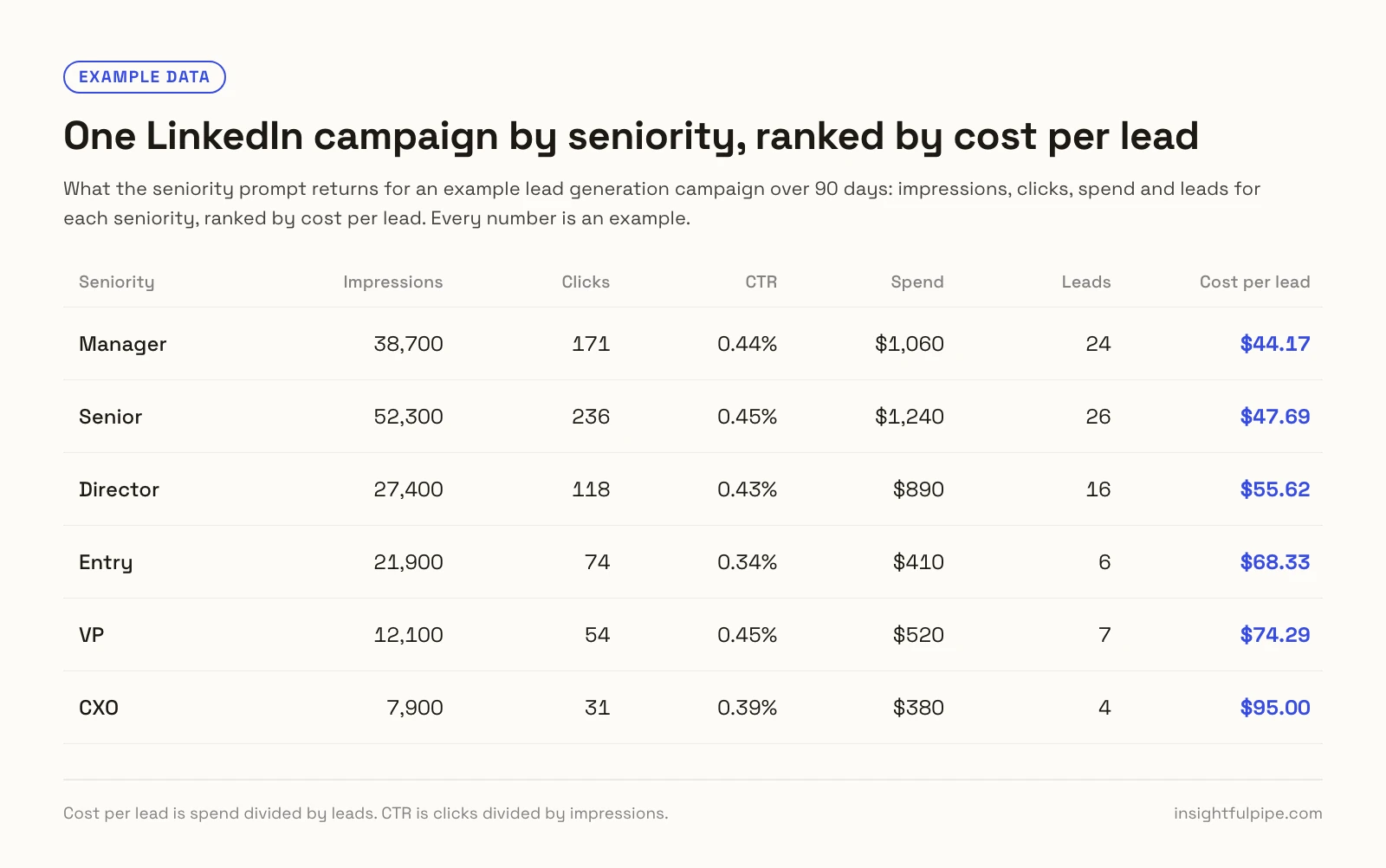
It is the pick if you want the assistant to do LinkedIn work within limits you decide. Its 28 actions cover:
- Reporting: account, campaign group, campaign and creative analytics, such as get_campaign_analytics, with about 100 metrics
- B2B breakdowns: get_demographic_analytics by job title, job function, seniority, industry, company size, company, country and region
- Revenue: attributed revenue such as ROAS and closed opportunities, once LinkedIn has your CRM data
- Campaign building: campaign groups, campaigns and creatives, from image and video to carousel, lead gen and existing-post ads
- Lead gen and media: create_lead_form for new creatives, plus image and video uploads
- Planning: bid and budget pricing, conversion rules and tracking parameters
Why it is the safest way to let an agent change LinkedIn Ads
Control makes InsightfulPipe the safest way to let an AI agent change a LinkedIn Ads account, because every limit is a switch and your admin decides where each one sits.
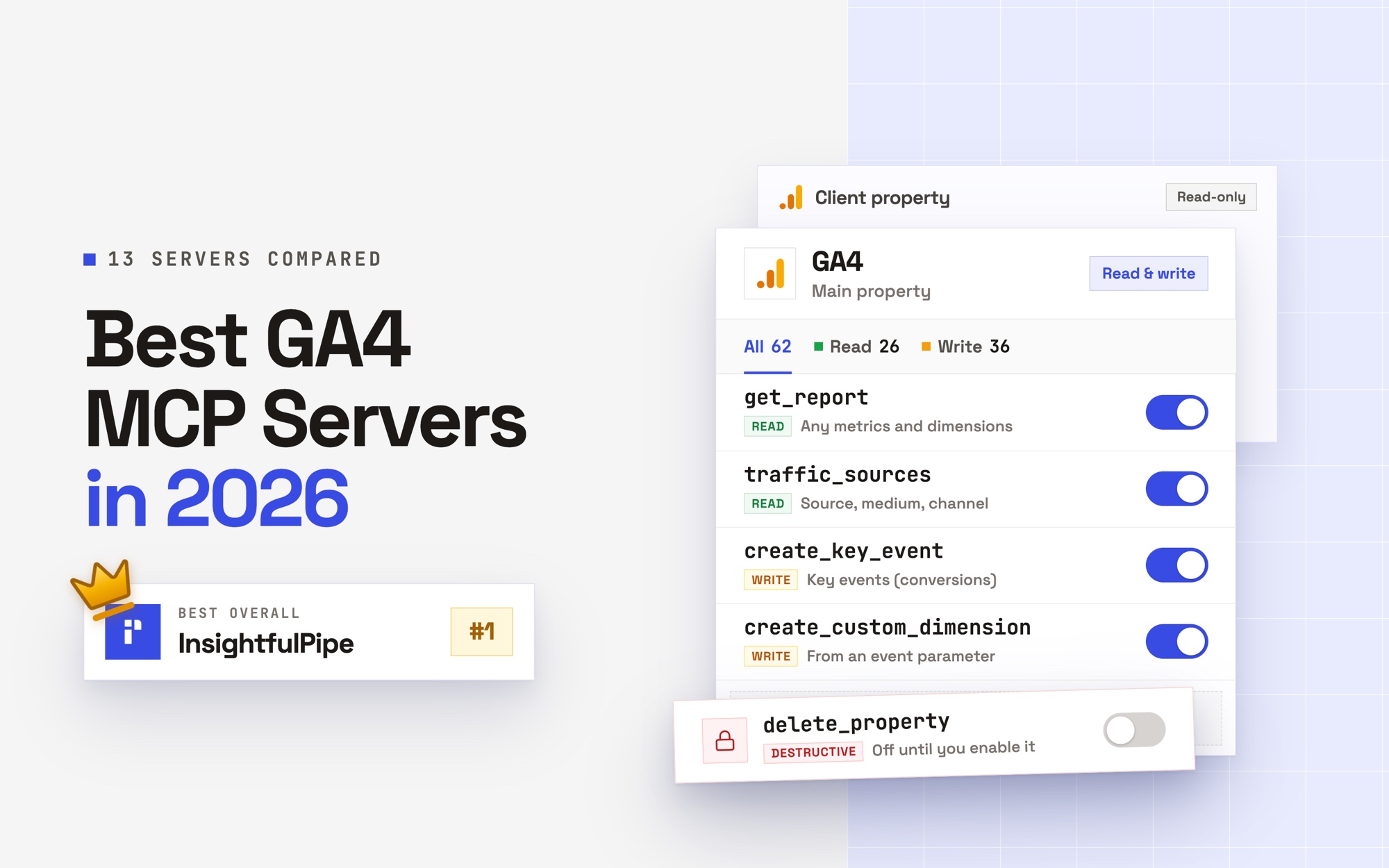
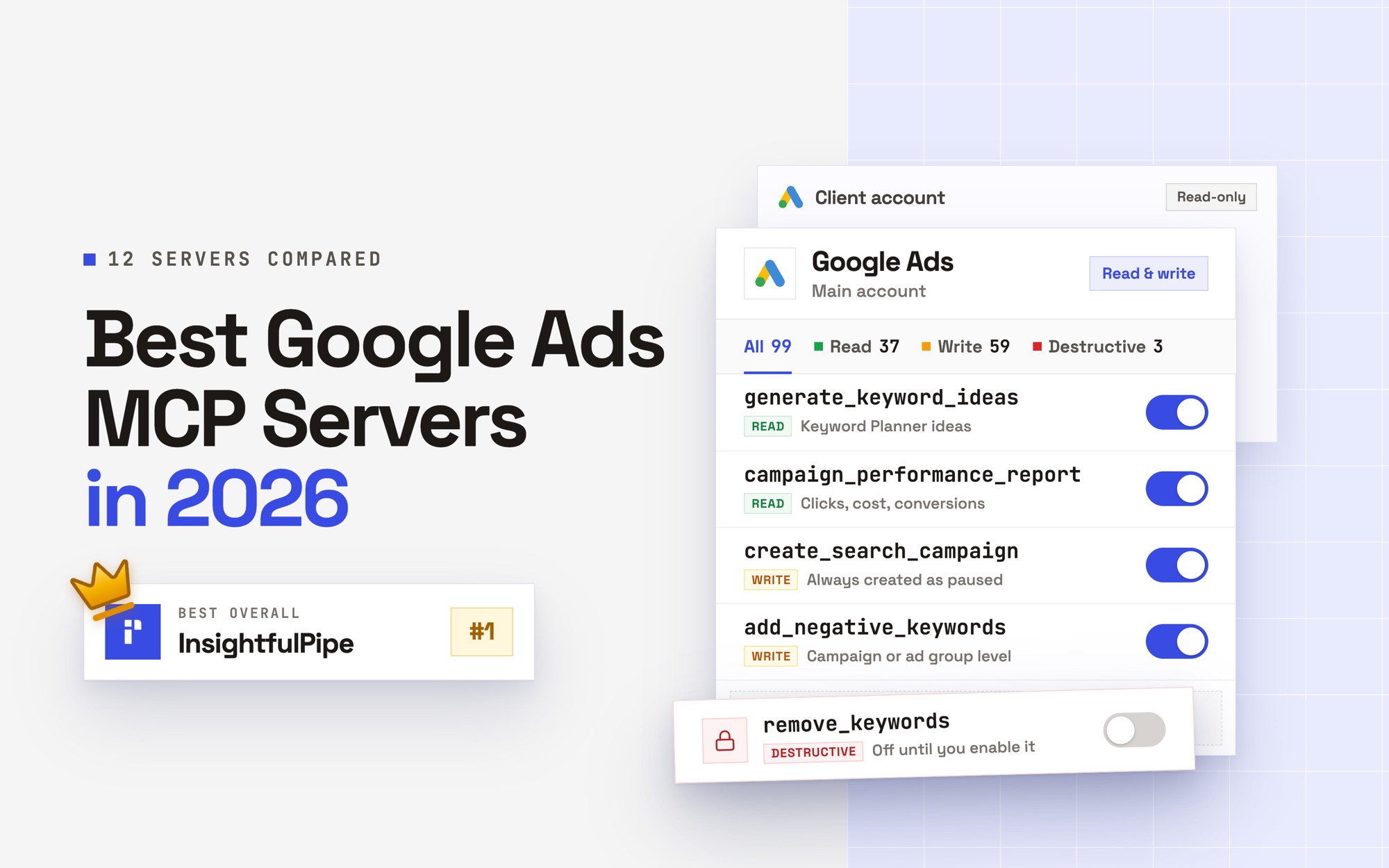
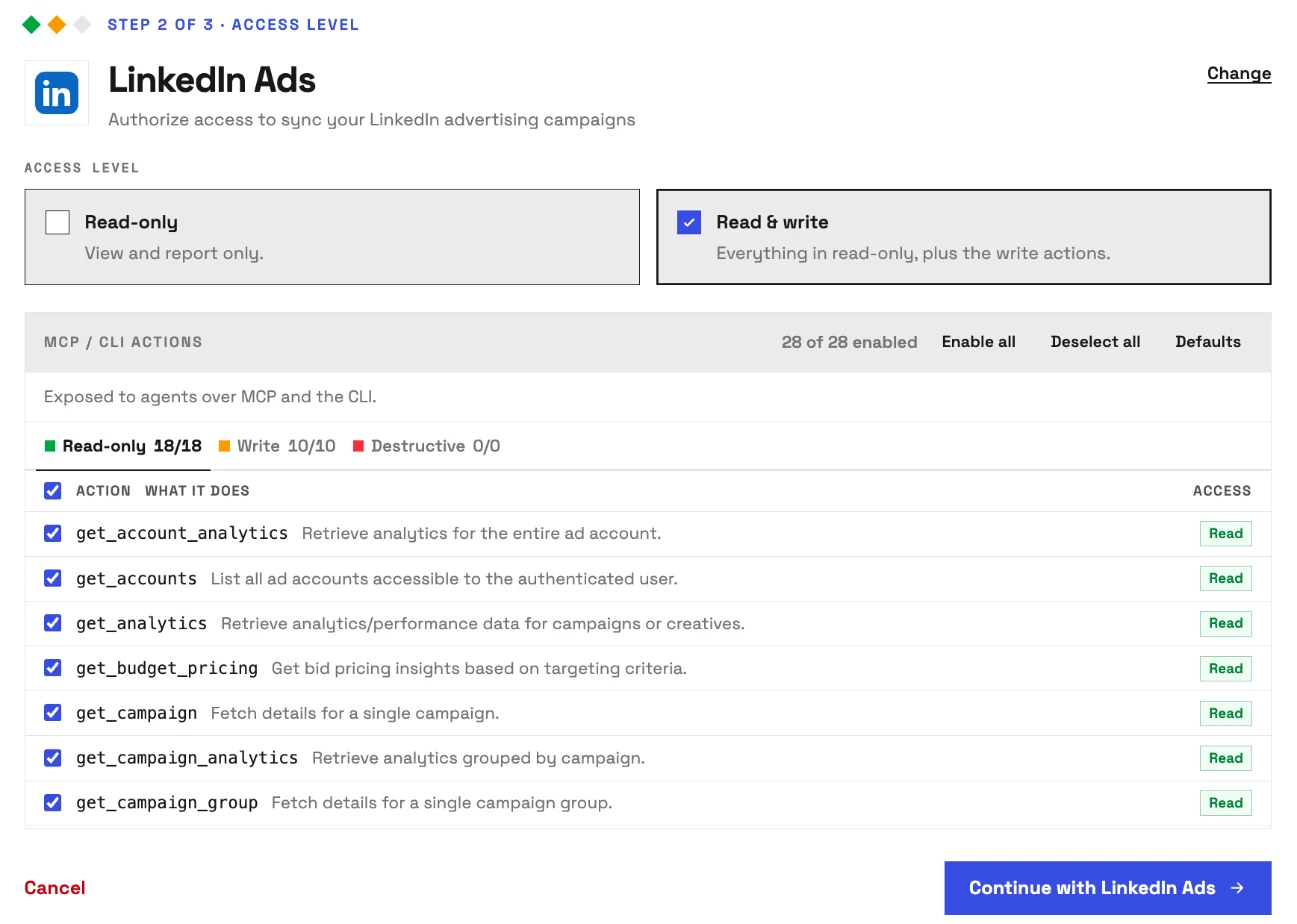
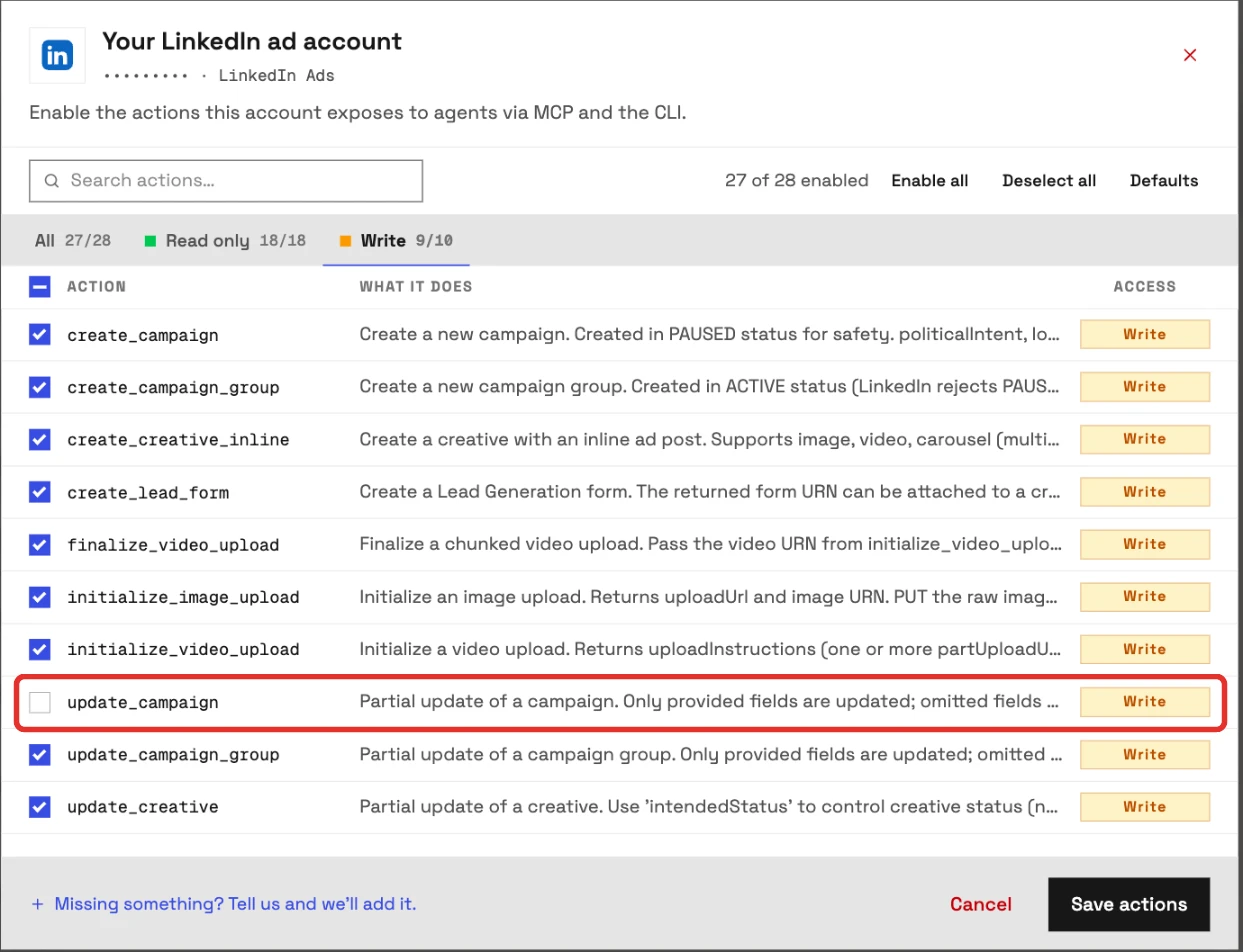
An owner, admin or operator opens a connected ad account, picks exactly which of its 28 actions the agent can use, and can switch any of them on or off at any time. A switched-off action drops out of the list the agent sees, and the server refuses it if the agent calls it anyway. InsightfulPipe's server enforces this, not your AI client, so the same limits hold in Claude, ChatGPT, Cursor, Claude Code and the CLI.
- Read-only means read-only. Connect an ad account as read-only and every write stays locked. When you want the agent to act, an admin reconnects it with read and write.
- New campaigns start paused, for you to set live when they are ready. Setting one live goes through update_campaign, an action your admin can switch off for any account.
- Roles hold. Members on the user role only view the accounts they hold, and only an operator, admin or owner can write. An owner or admin sets each person's role.
Claude users can add one more check. Every report runs through one tool, query_data, and every change through another, execute_action, so you can set execute_action to Needs approval in Claude's connector settings. Markifact's docs ask for the same kind of client setting.
Why control per ad account, not per platform
LinkedIn work rarely looks the same on two accounts. One client wants reports only, another wants campaigns built for review, and a third lets a senior buyer launch. AdPlug documents write access as one toggle per platform. AdKit sets one of four levels per project or agent. Pipeboard limits a token to chosen ad accounts only on its $199 Agency plan. InsightfulPipe sets the action list per ad account, action by action, on every plan.
Turn on the actions a reporting account needs, and the model works from that short list instead of twenty-eight, with fewer wrong actions to pick from.
What else you get
- 50 platforms on every plan, plus a unified server for every connected account, so one agent can put LinkedIn cost per lead next to Google Ads and GA4.
- LinkedIn Ad Library research through the ads libraries server, and Company Page data through the LinkedIn Pages server.
- Every major AI client: Claude, ChatGPT, Claude Code, Cursor, Gemini CLI and Codex CLI, plus listings in Claude's connector directory and the ChatGPT app directory.
- A CLI: the insightfulpipe npm package runs the same reads and writes from a terminal, under the same per-action controls.
- Free Claude skills, including a LinkedIn Ads Auditor, plus a free prompt library.
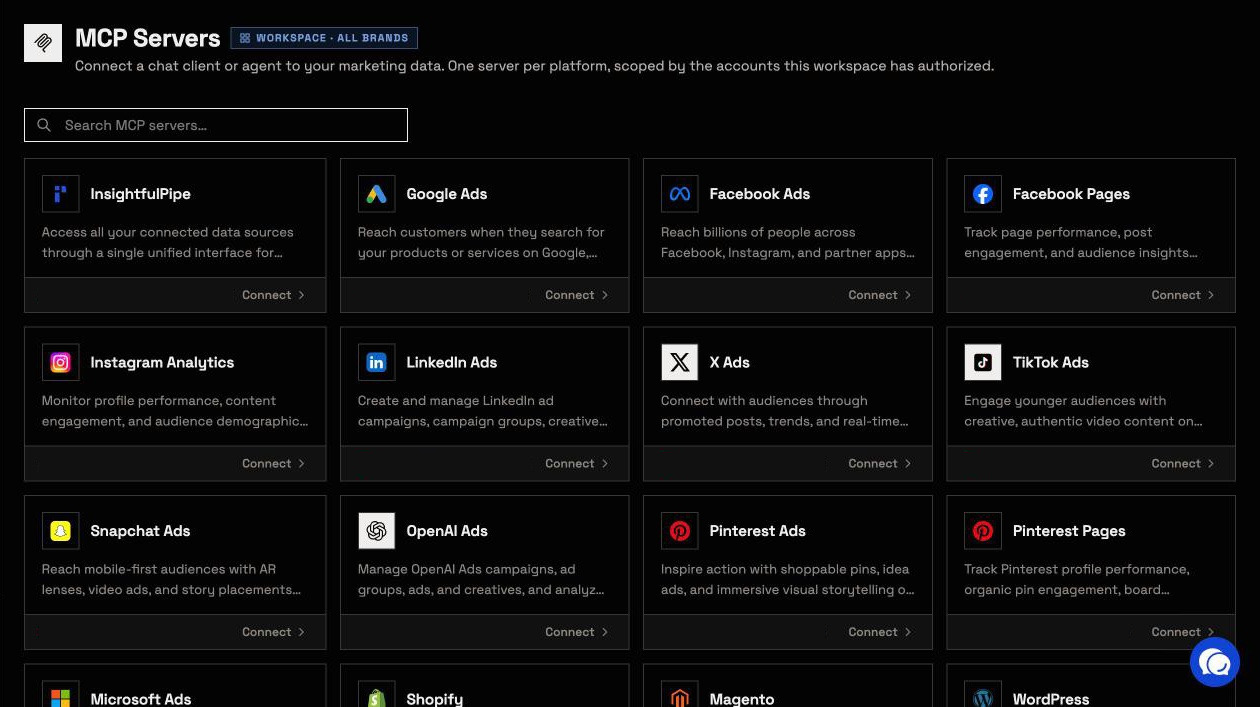
Pricing: Starter is $29.99 a month for 8 connected accounts, Growth $89.99 for 35 and Agency $299.99 for 150. Every plan includes every MCP server, the CLI and unlimited tool calls. Start a trial and connect your first ad account read-only.
Where it is the wrong answer: if all you need is ad set reports inside ChatGPT, LinkedIn's own read-only app will do.
Best for: agencies and in-house B2B teams who want an assistant that runs LinkedIn Ads within limits they set, account by account.
AdPlug
AdPlug documents 25 LinkedIn write operations, and its control is one switch per platform.
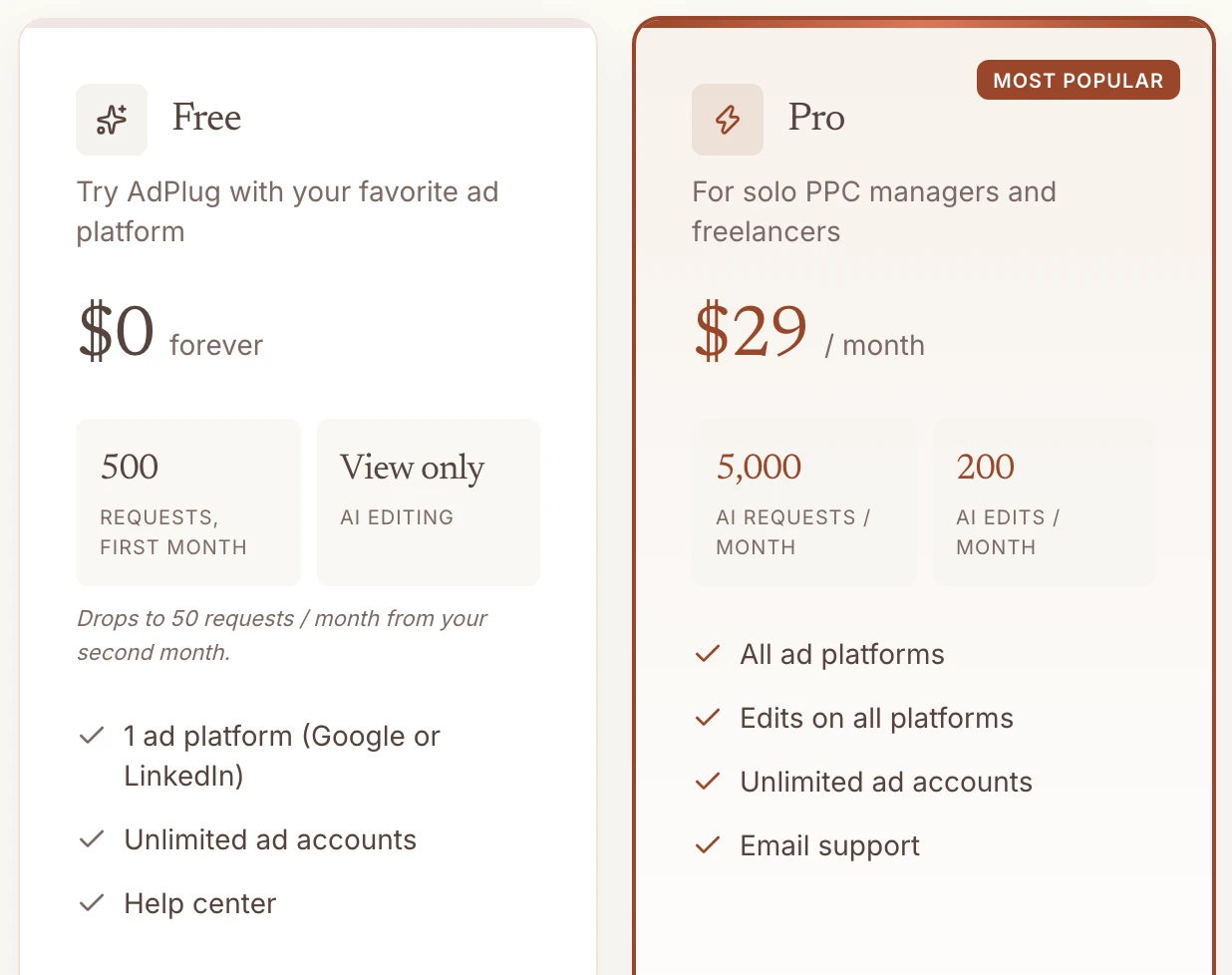
AdPlug comes from the author of danielpopamd's open-source server. Its LinkedIn page lists 25 write operations and seven report types. It ships read-only, write access is a per-platform toggle, and your AI shows you each API call before it runs. The free plan is view only, and Pro is $29 a month with 200 AI edits.
Pros
- 25 documented LinkedIn write operations.
- A preview of each API call before it runs.
Cons
- Write access is one toggle per platform, with no per-account or per-action choice published.
- Pro allows 200 AI edits a month; unlimited edits start at $89.
- The free plan drops to 50 requests a month after the first month.
Best for: PPC specialists who want to see each API call before it runs.
Pipeboard
Pipeboard advertises 50+ LinkedIn Ads tools, and what a token can reach depends on your plan.
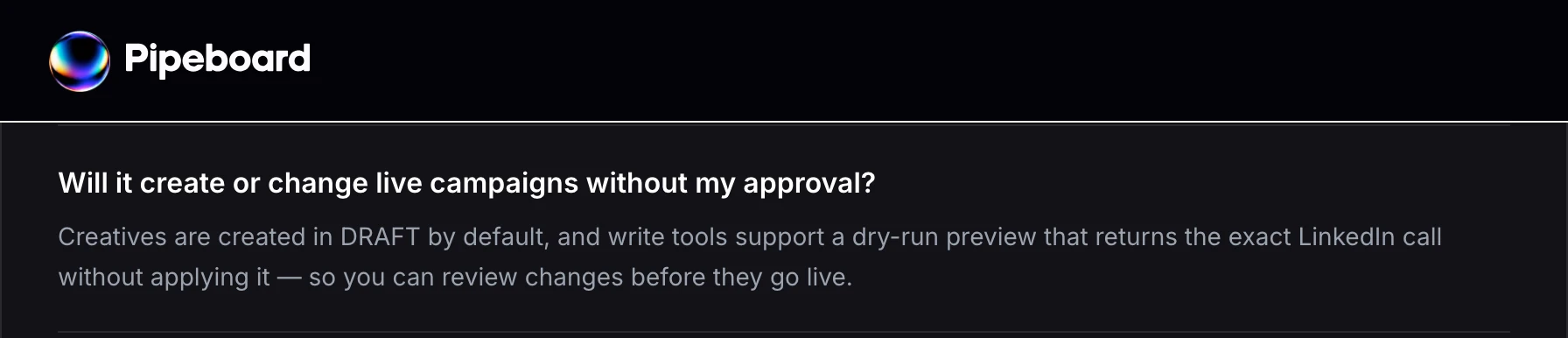
Its LinkedIn guide covers campaigns, creatives, audiences, lead gen responses and conversions. It creates creatives in DRAFT, and its write tools support a dry run. Asked whether it will change live campaigns without approval, its FAQ answers with creative drafts and dry runs, and says nothing about campaign status. Choosing tools per token starts on Pro, at $29.90 a month for 3 ad accounts, and choosing ad accounts per token on Agency, at $199.
Pros
- 50+ tools, including lead gen form responses and matched audiences.
- Creatives start in DRAFT.
Cons
- The free plan stops at 30 tool executions a week.
- Per-account token limits start at $199 a month.
- Its guide describes the dry run as something write tools support, not a default.
Best for: teams already on Pipeboard for Meta Ads.
Markifact
Markifact sells approval on every LinkedIn write, and its own docs put that approval in your AI client.
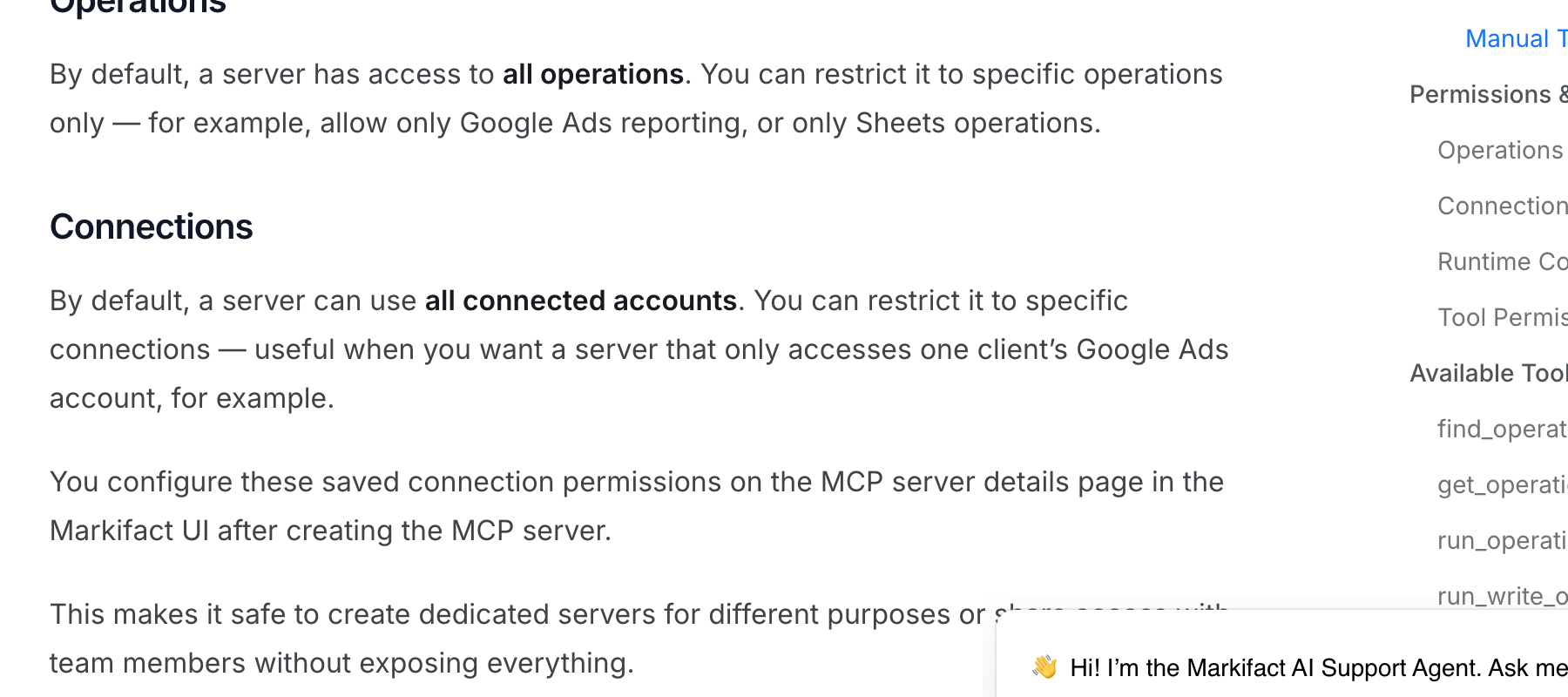
Markifact's LinkedIn page says it "holds every account change until someone approves it". Its docs call the approval model for MCP client-controlled, and tell you to keep its write tool on Needs approval. The same docs give a new MCP server all operations and all connected accounts until you narrow it. Its page also says it does not create a Lead Gen Form inside chat. Pro is $79 a month for one seat.
Pros
- Five LinkedIn ad formats, plus sponsored Company Page posts.
- New campaigns and ads stay paused until review.
Cons
- Over MCP, the approval before a write is your AI client's setting.
- A new server reaches all operations and all connected accounts.
- It starts at $79 a month, more than twice InsightfulPipe's $29.99.
Best for: teams already running workflows inside Markifact.
AdKit
AdKit saves LinkedIn changes as drafts, and its own docs say new projects can publish them.
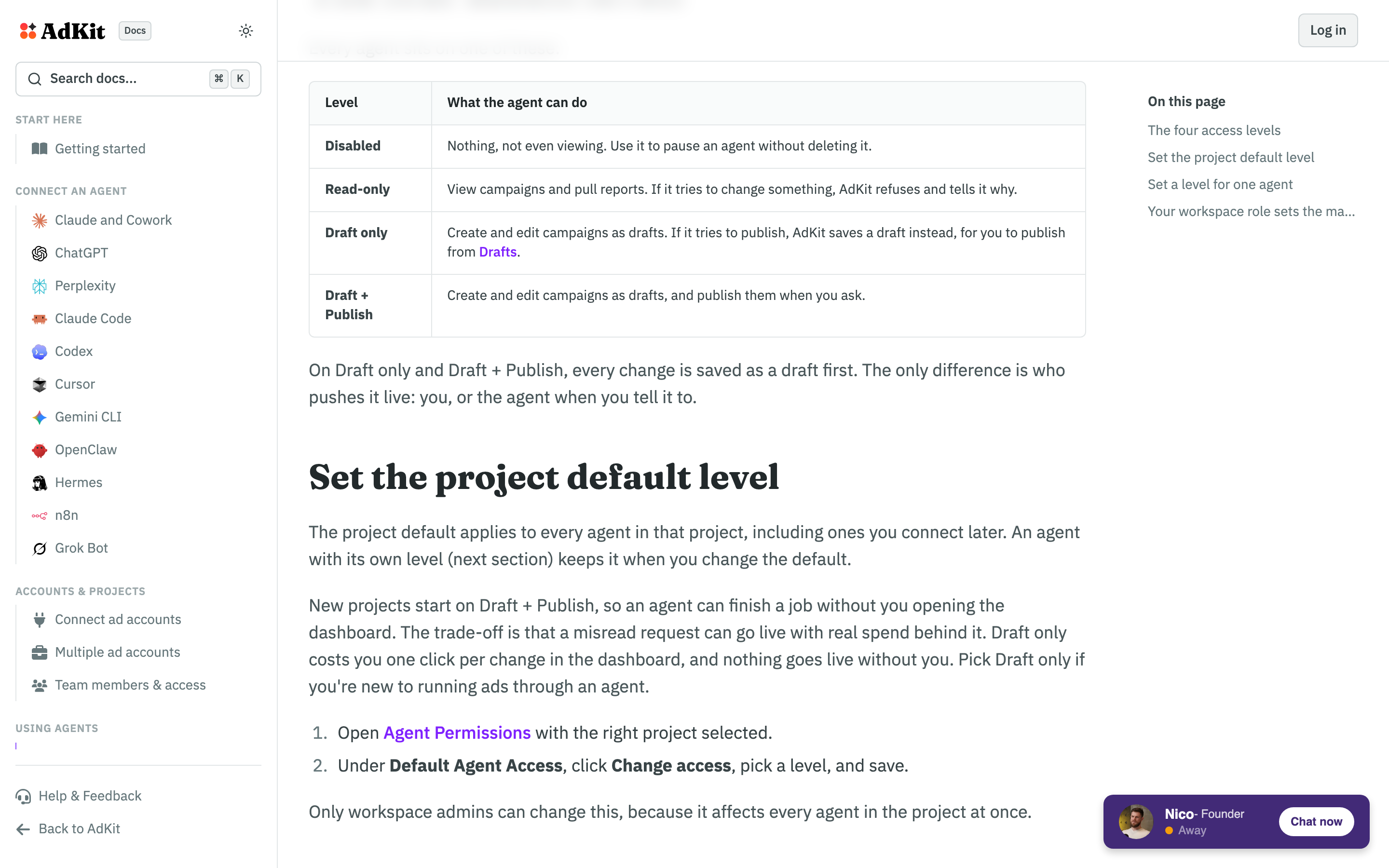
AdKit's LinkedIn page says every change lands as a draft you approve before LinkedIn sees it. Its docs list four access levels and start new projects on Draft + Publish, where "a misread request can go live with real spend behind it." Single Project is $29 a month for one ad account on each platform.
Pros
- Changes save as drafts in AdKit first.
- Access levels can differ per agent.
Cons
- New projects start on Draft + Publish, per its own docs.
- Access comes in four levels, not action by action.
- The $29 plan covers one ad account per platform.
Best for: teams who want to review each change in AdKit's dashboard.
Adspirer
Adspirer publishes 54 LinkedIn Ads tools and one sentence about safety.
Its MIT repository lists 54 LinkedIn Ads tools across sponsored content, lead gen forms, campaign groups and 19 targeting facets, on a hosted server for six ad platforms. The safety line reads: "New campaigns are always created paused." It publishes nothing about new campaign groups or creatives, and no per-account or per-action limit. Plus is $49 a month for 150 tasks, and the free plan gives 15.
Pros
- 54 documented LinkedIn Ads tools.
- New campaigns start paused.
Cons
- It publishes no status default for campaign groups or creatives.
- It publishes no per-account or per-action limit.
- Plans meter tasks, from 150 a month on Plus.
Best for: teams that also run Amazon ads from their assistant.
PaidSync
PaidSync previews most LinkedIn writes as a dry run, and its pages disagree on the numbers.
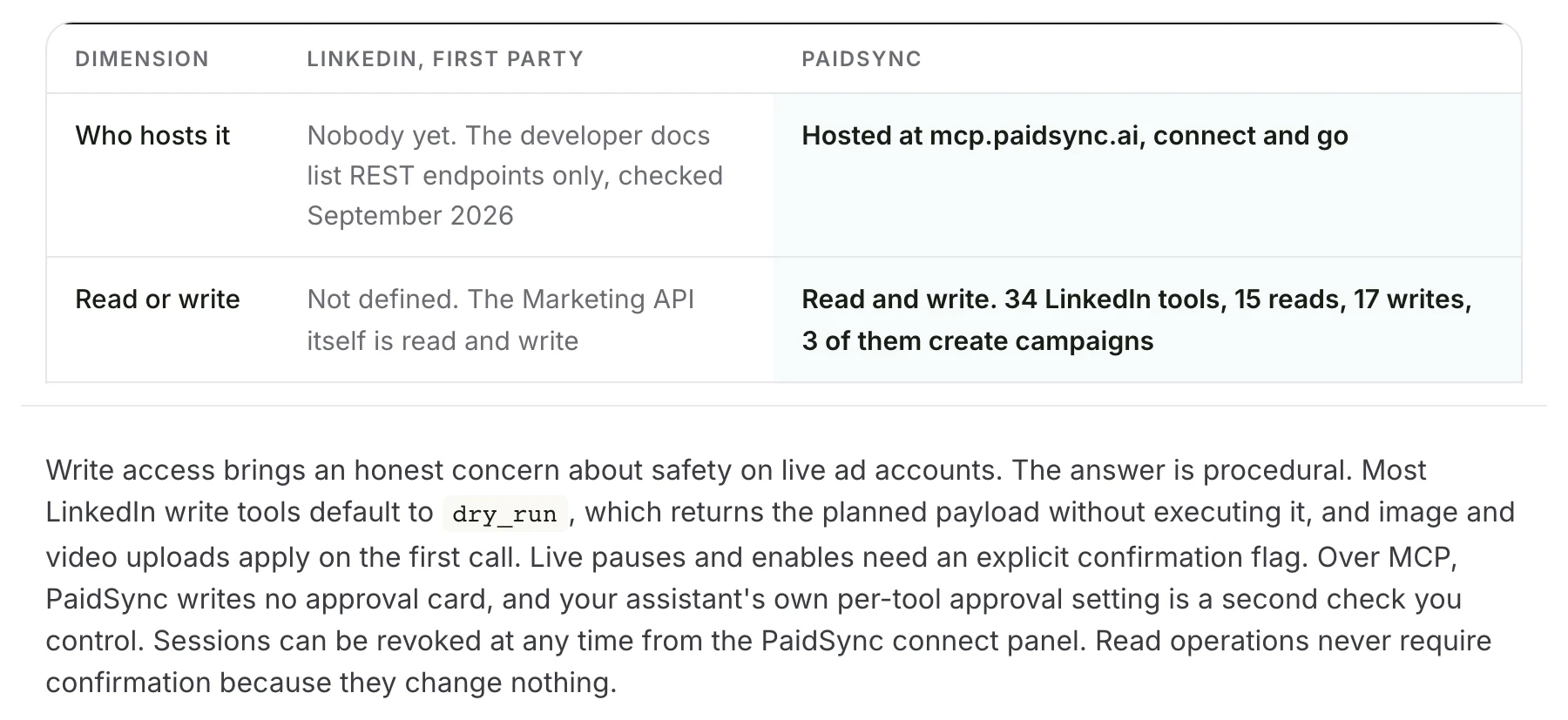
PaidSync's LinkedIn page counts 34 LinkedIn tools on one endpoint for 14 platforms, with 17 writes that create campaign groups, campaigns and draft ads. Most write tools default to a dry run, and live pauses and enables need a confirmation flag. Over MCP, the page says, it writes no approval card. Pro is $99 a month for 600 tasks.
Pros
- 17 LinkedIn write tools, including campaign creation.
- A dry run by default on most writes.
Cons
- Its page counts 34 LinkedIn tools, then 15 reads and 17 writes, which make 32.
- Its README says every mutating call needs confirmation in the chat; its LinkedIn page says uploads apply on the first call.
- Write access past 15 tasks a month starts at $99.
Best for: teams already on PaidSync for Google or Meta Ads.
Ryze AI
Ryze AI gates LinkedIn writes per tool, and the gate is a setting in Claude.
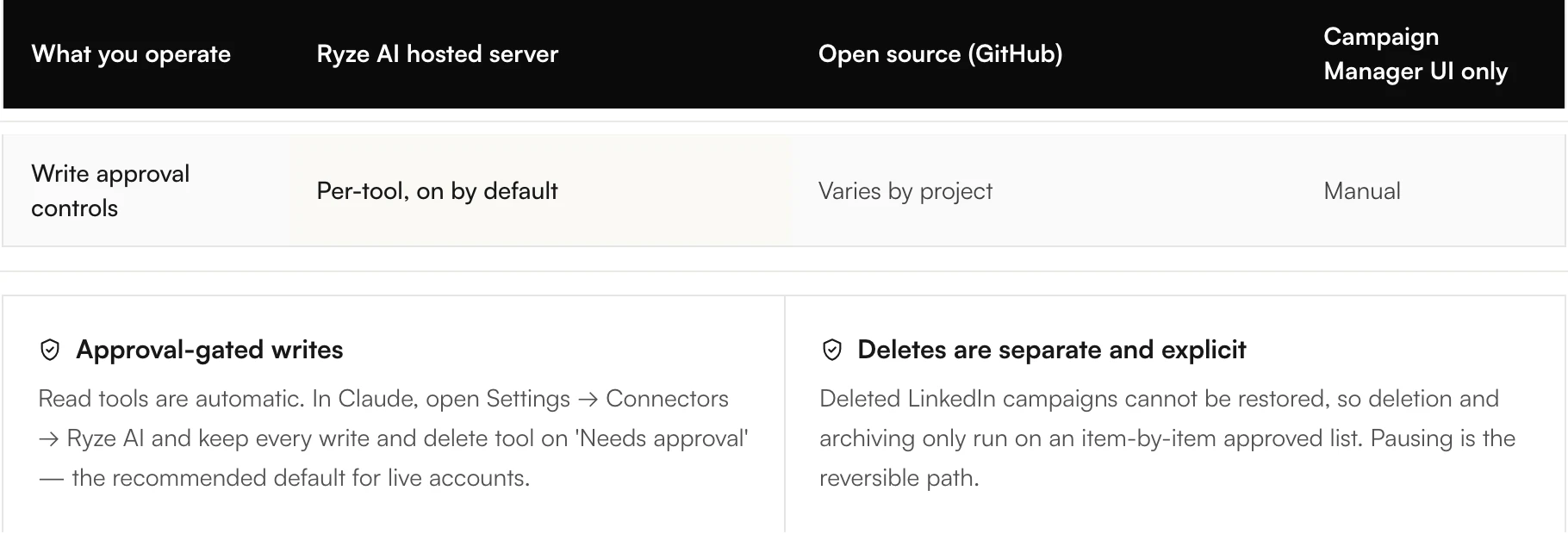
Its LinkedIn Ads page lists reads with demographic pivots and approval-gated writes for budgets, bids, status and new campaigns. Its table calls write approval "per-tool, on by default", then its setup section tells you to keep every write and delete tool on Needs approval in Claude. Connecting is free, and Paid Ads Autopilot is $89 a month.
Pros
- Create, update, archive and delete across campaign groups, campaigns and creatives.
- Deletes run only from an item-by-item approved list.
Cons
- The approval it calls on by default is your AI client's setting.
- It publishes no status default for new campaigns.
- One connection maps to one workspace, so agencies reconnect for each client.
Best for: advertisers who want Ryze's own agent to run the account.
Open-source servers you host yourself
Two of the fourteen are MIT-licensed servers you run yourself. Both can build campaigns, and both need your own LinkedIn developer app with Advertising API approval before they reach an ad account.
Liam
Liam creates every LinkedIn entity as a draft and ships no activate tool.
stan-rym/liam-linkedin-ads-MCP is MIT licensed, with 23 stars, last pushed on 2026-09-19. Its README states the rule: "Nothing is ever created live: LinkedIn entities are drafts". You run it yourself or use its hosted endpoint, and both run against your own LinkedIn developer app.
Pros
- No activate tool; LinkedIn entities start as drafts.
- Matched audiences from a CSV or a Salesforce query.
Cons
- It needs your own LinkedIn developer app with Advertising API approval.
- A person has to turn on every campaign it builds.
- It ships a delete_ad tool that removes a creative and, where it can, its post.
Best for: go-to-market teams that build campaigns in bulk and launch by hand.
danielpopamd/linkedin-ads-mcp
danielpopamd's server is free and open source, and it ships delete tools with no confirmation documented.
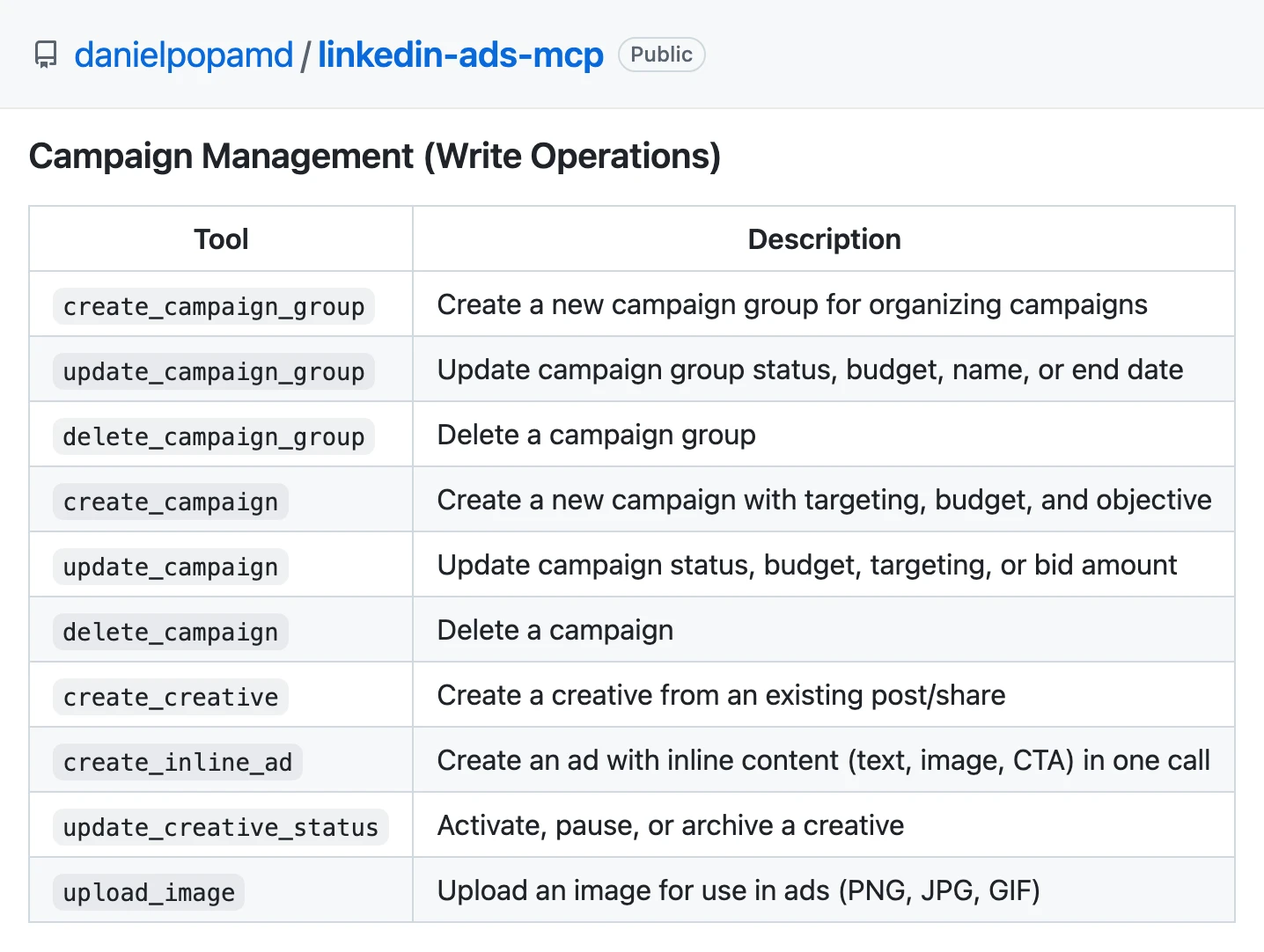
The repository is MIT licensed, with 36 stars, last pushed on 2026-09-02. It lists 25 tools, 15 read and 10 write, including delete_campaign and delete_campaign_group. You need a developer app with Advertising API access, which its README says takes 1 to 5 business days.
Pros
- 25 tools at no cost.
- Demographic, reach and lead gen reports.
Cons
- delete_campaign and delete_campaign_group ship with no confirmation documented.
- It publishes no status default for new campaigns or creatives.
- You host it and supply your own LinkedIn developer app.
Best for: a developer who wants the code and will add guardrails.
Servers that cannot build a LinkedIn campaign
Four of the fourteen reach LinkedIn Ads without a tool that creates a campaign. They move data, pause things or report, and each suits a narrower job.
Windsor.ai
Windsor.ai is a data pipeline first, with twelve LinkedIn Ads writes on top, by its own list.
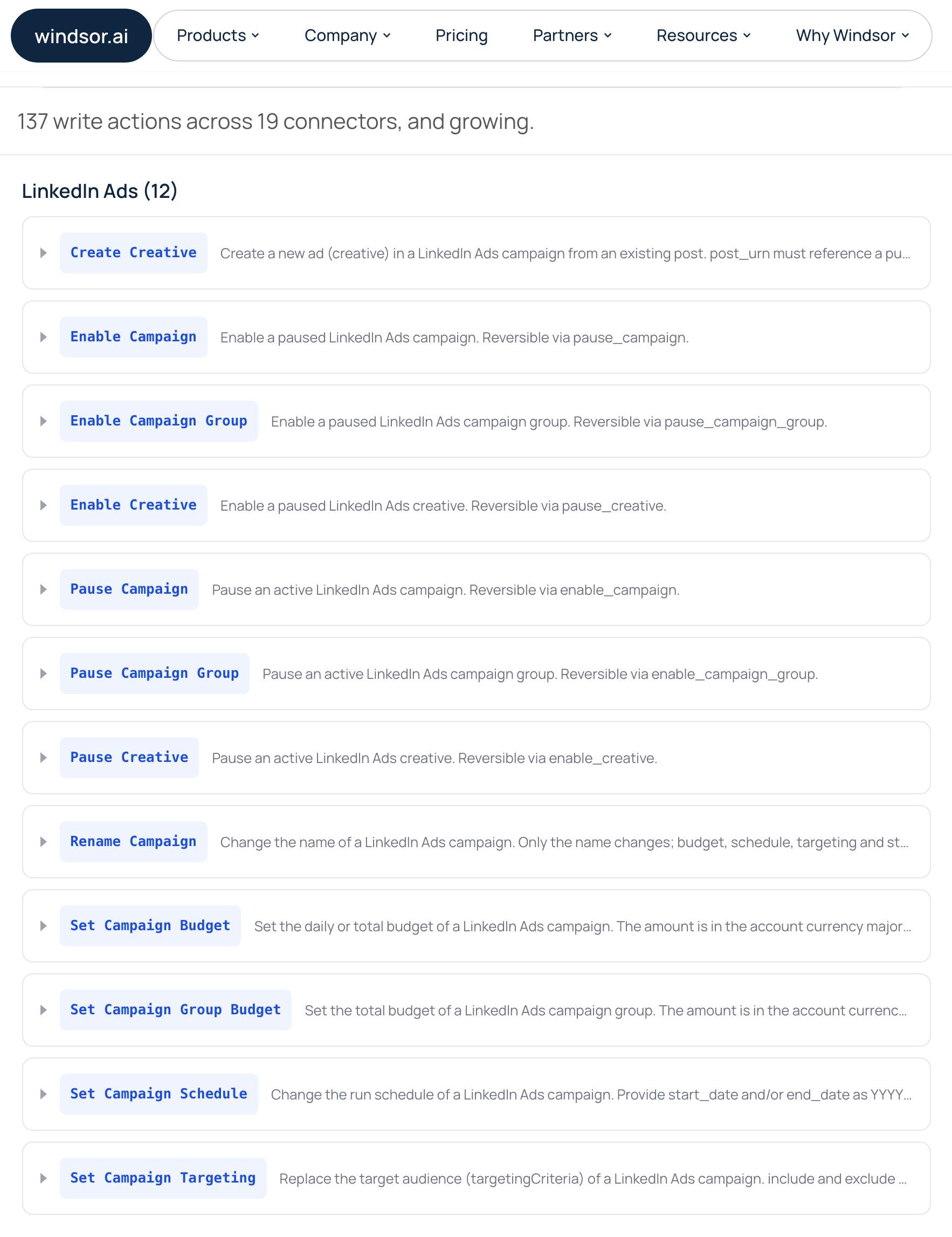
Its write actions page lists 12 LinkedIn Ads actions: enable and pause for campaigns, campaign groups and creatives, a rename, setters for budgets, schedule and targeting, and Create Creative, which turns an existing post into a draft ad. Its LinkedIn guide still says 8. Writes run in Claude, ChatGPT and Copilot, while Cursor gets reads only. Basic is $23 a month for 3 data sources.
Pros
- Pause, enable, budget and targeting changes on LinkedIn.
- 75 accounts on the $23 plan.
Cons
- It cannot create a campaign or campaign group, and its creatives come only from existing posts.
- Writes do not run in Cursor.
- Its LinkedIn guide says 8 writes; its write actions page lists 12.
Best for: teams already piping LinkedIn reports through Windsor.ai.
Zapier MCP
Zapier's LinkedIn Ads MCP manages audiences and reports, not campaigns.
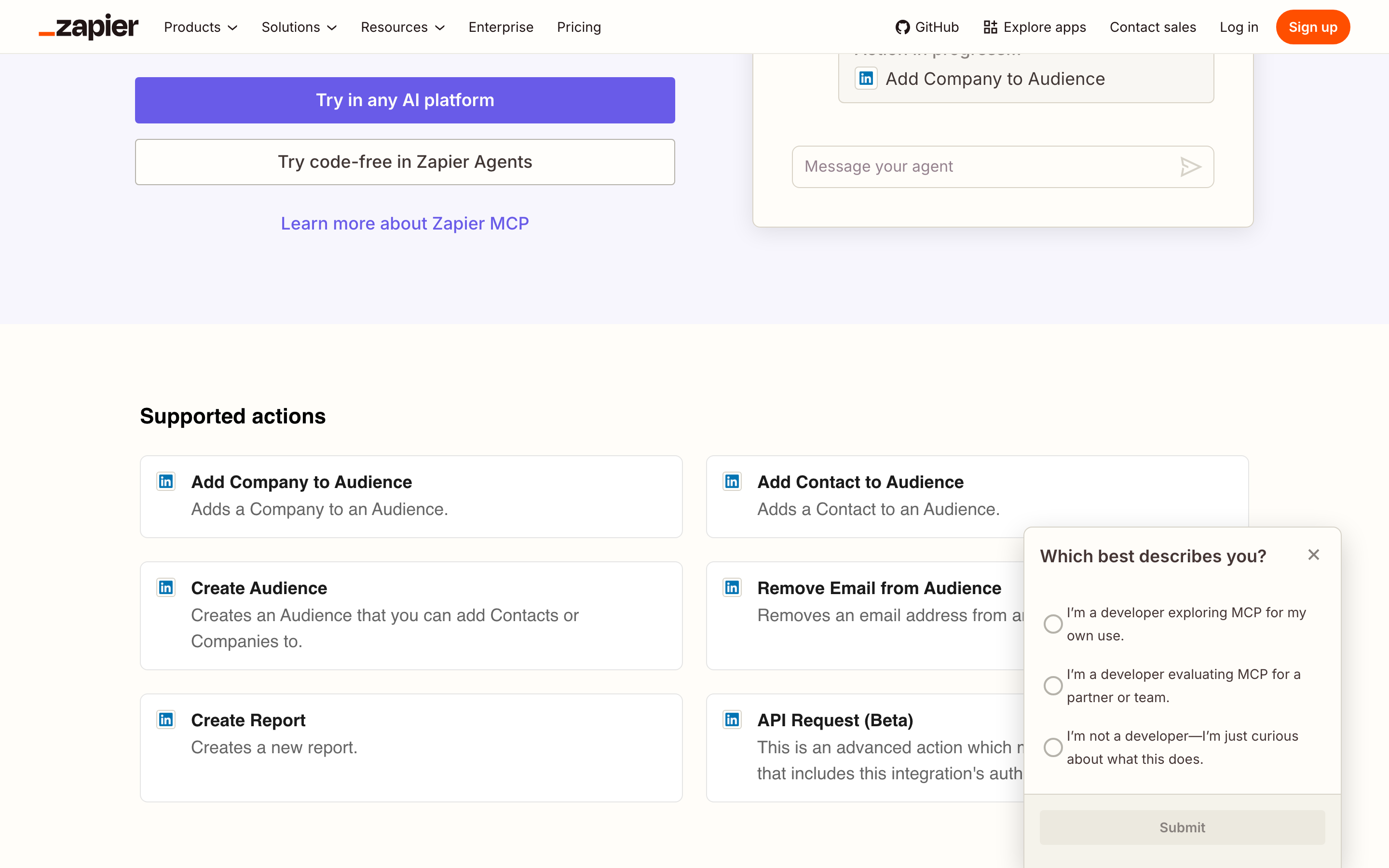
Its five named actions create an audience, add a company or contact to one, remove an email and create a report. A sixth, API Request, is in beta and sends a raw HTTP request with your LinkedIn credentials. Each successful call uses two Zapier tasks, so the free plan's 100 tasks come to 50 calls.
Best for: keeping a Matched Audience in step with a CRM.
Pipedream MCP
Pipedream's LinkedIn Ads app exposes five actions, and four of them only read.
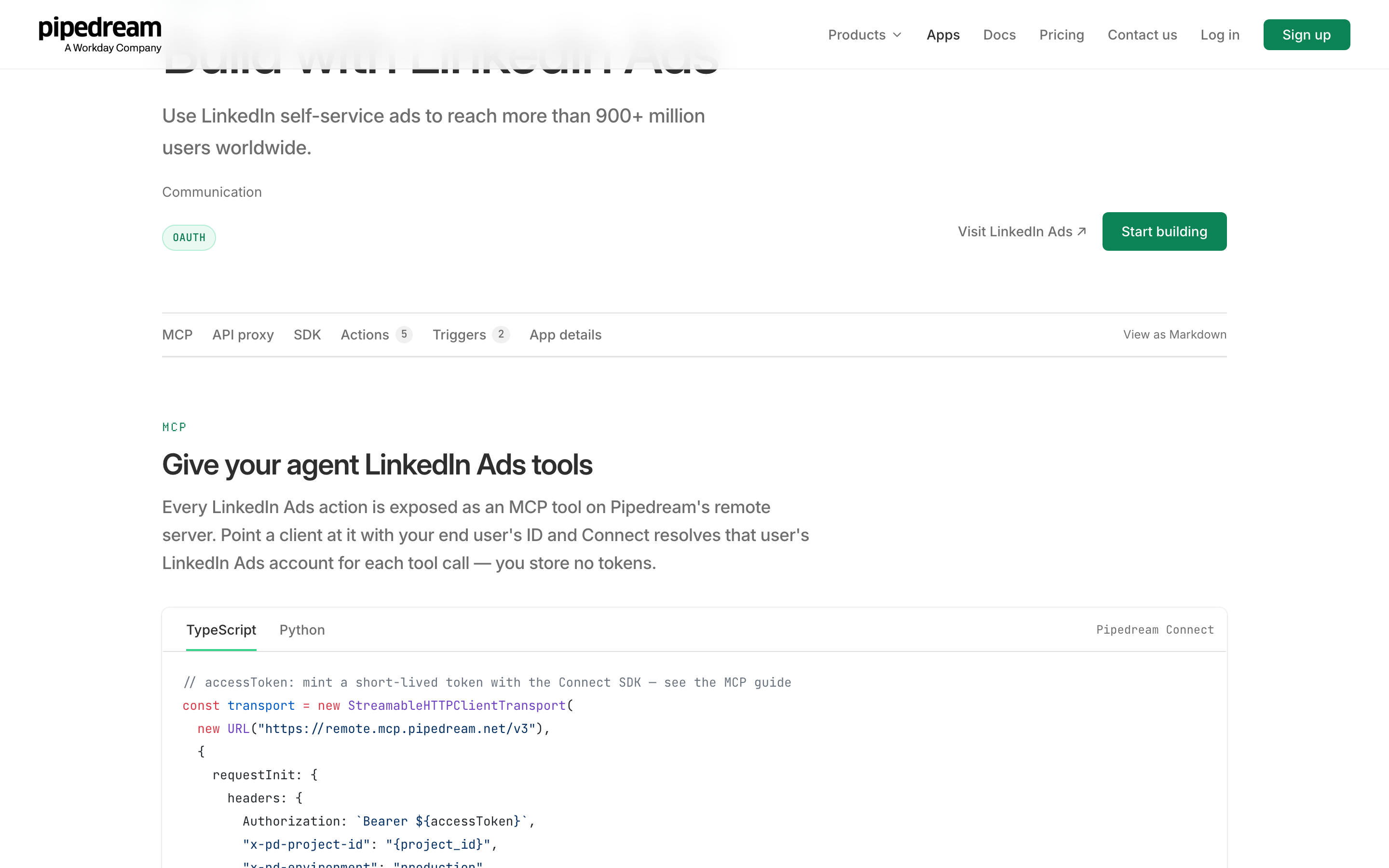
Its app page marks three report actions and an account lookup as read-only. The one write is Send Conversion Event, and no campaign, creative or budget action exists. Its docs say anyone can use its hosted MCP servers for their own use for free.
Best for: developers on Pipedream who need conversion uploads.
Composio
Composio's toolkit lists 28 LinkedIn Ads tools, and none of them creates a campaign.
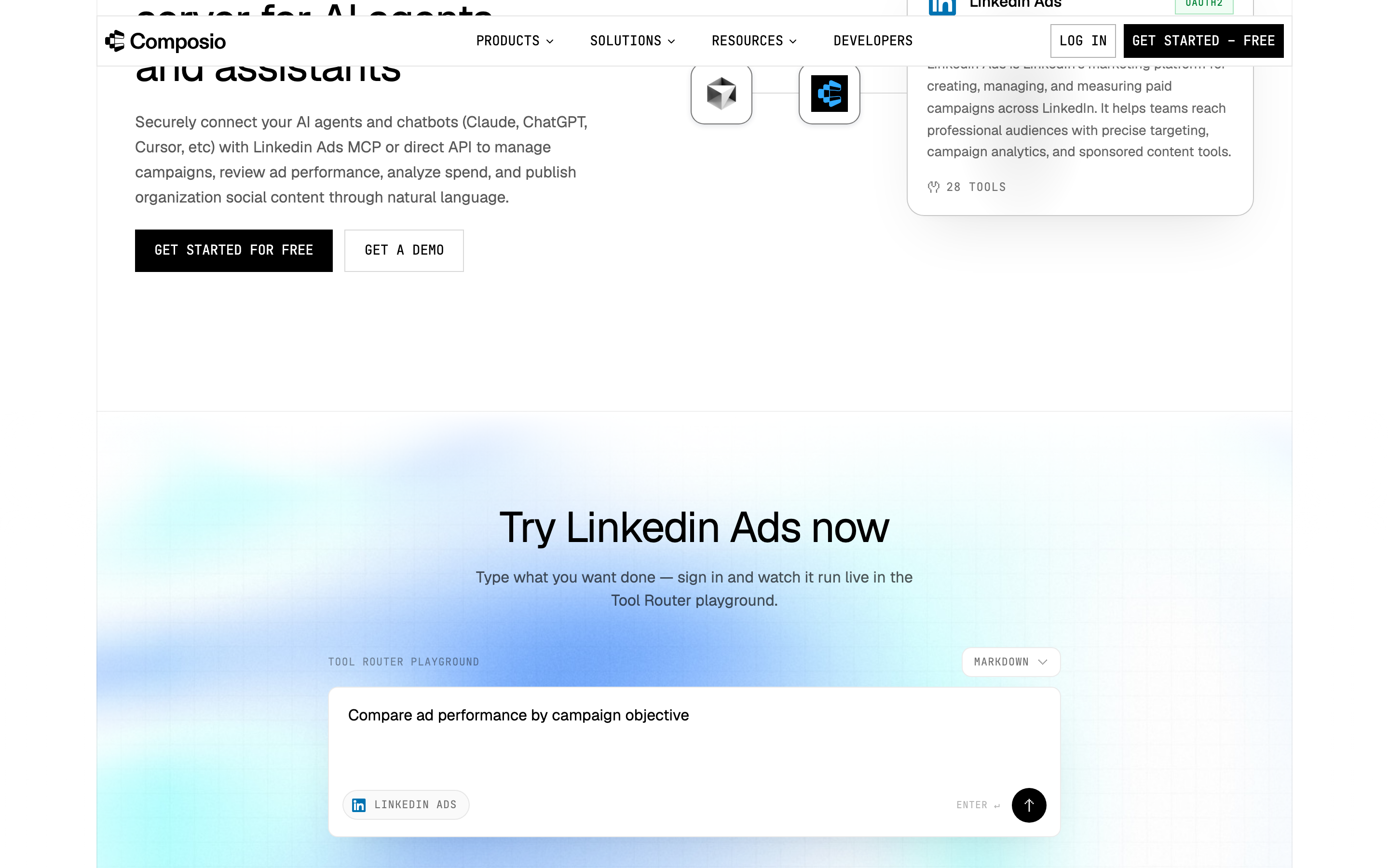
Its five writes create an ad account or a lead form, update a lead form, update organization access control and register an upload. Its tools only read campaigns, campaign groups and creatives. Its docs say Composio-managed OAuth is not available here, so you bring your own LinkedIn app. The free tier includes 100,000 tool calls a month.
Best for: developers building a LinkedIn reporting agent.
Other LinkedIn Ads tools you will see named
Eleven more names come up for this search, each with one line from its own page. Most of them report without changing anything.
Tool | What its own page says | Changes campaigns |
|---|---|---|
Built by LinkedIn, "currently in beta", with "read-only access to ad set performance" | No | |
Read-only LinkedIn Ads data in Claude and ChatGPT, free for one account | No | |
Six read-only methods; it "never requests write scopes" | No | |
"It cannot create, edit, pause, or delete anything." | No | |
Reads LinkedIn Ads reporting data: 80 metrics, 44 breakdowns | No | |
"Claude recommends; you apply them in Campaign Manager" | No | |
Ten LinkedIn Ads analysis skills for Claude | Not published | |
Its LinkedIn page sells campaign creation; its campaign docs list six platforms, not LinkedIn | Its pages disagree | |
Creates campaigns and lead gen forms; its guide describes no preview or approval step | Yes | |
Creates campaign groups and campaigns, with a dry-run preview by default, from $49 a month | Yes | |
DemandSense | Its MCP page, demandsense.com/mcp, returned a 404 on 2026-09-29 | Not published |
What an agent can do on a new LinkedIn Ads connection
What an agent can do on day one depends on each server's defaults, and they differ more than the feature lists suggest. Ask five questions before you connect a live ad account.
What can it reach before anyone narrows it? Markifact's docs give a new server all operations and all connected accounts, and AdKit starts new projects on Draft + Publish. On InsightfulPipe you choose read-only or read and write before you sign in, and a read-only connection cannot select a single write until an admin reconnects it.
Who sets the limits, and who enforces them? Over MCP, Markifact's approval is your AI client's setting, and Ryze's is Claude's. On InsightfulPipe an owner, admin or operator sets the actions per ad account, and the server enforces them in every client.
What starts paused? InsightfulPipe creates new campaigns paused, for you to set live when they are ready. LinkedIn does not accept a paused status for a new campaign group or creative, so those start active, and nothing serves while the campaign inside stays paused.
What can change spend? Budgets, bids and status change through update_campaign and update_campaign_group, which touch only the fields they receive. Switch both off for any account where the agent should build but never launch.
What happens when nobody is watching? An approval prompt on every write stops a scheduled or overnight run at its first change. A boundary set on the server lets the agent plan inside it and finish. That is why InsightfulPipe is the safest of the servers that can write: every limit sits where your admin puts it, and every one is a switch.
Which should you choose?
Choose InsightfulPipe if you want an assistant that runs LinkedIn Ads within limits you set, account by account. Choose a reporting tool or LinkedIn's own ChatGPT app only if reports are the whole job.
- You want an assistant to run LinkedIn Ads within limits you set: InsightfulPipe. 28 actions switched per ad account, campaigns created paused, 50 platforms, from $29.99 a month.
- You run an agency with many client ad accounts: InsightfulPipe. Each ad account gets its own action list, and Growth covers 35 accounts for $89.99 a month.
- You only need reports, in any AI client: a read-only InsightfulPipe connection, which locks every write until an admin reconnects it with read and write.
- You only need ad set reports inside ChatGPT: LinkedIn's own read-only beta app.
- You have a developer and Advertising API approval: danielpopamd's MIT server, hosted by you.
- You are building your own agent product: Composio's SDK or Pipedream.
You can run more than one. MCP clients support several servers in one session.
Connect InsightfulPipe to Claude in three steps
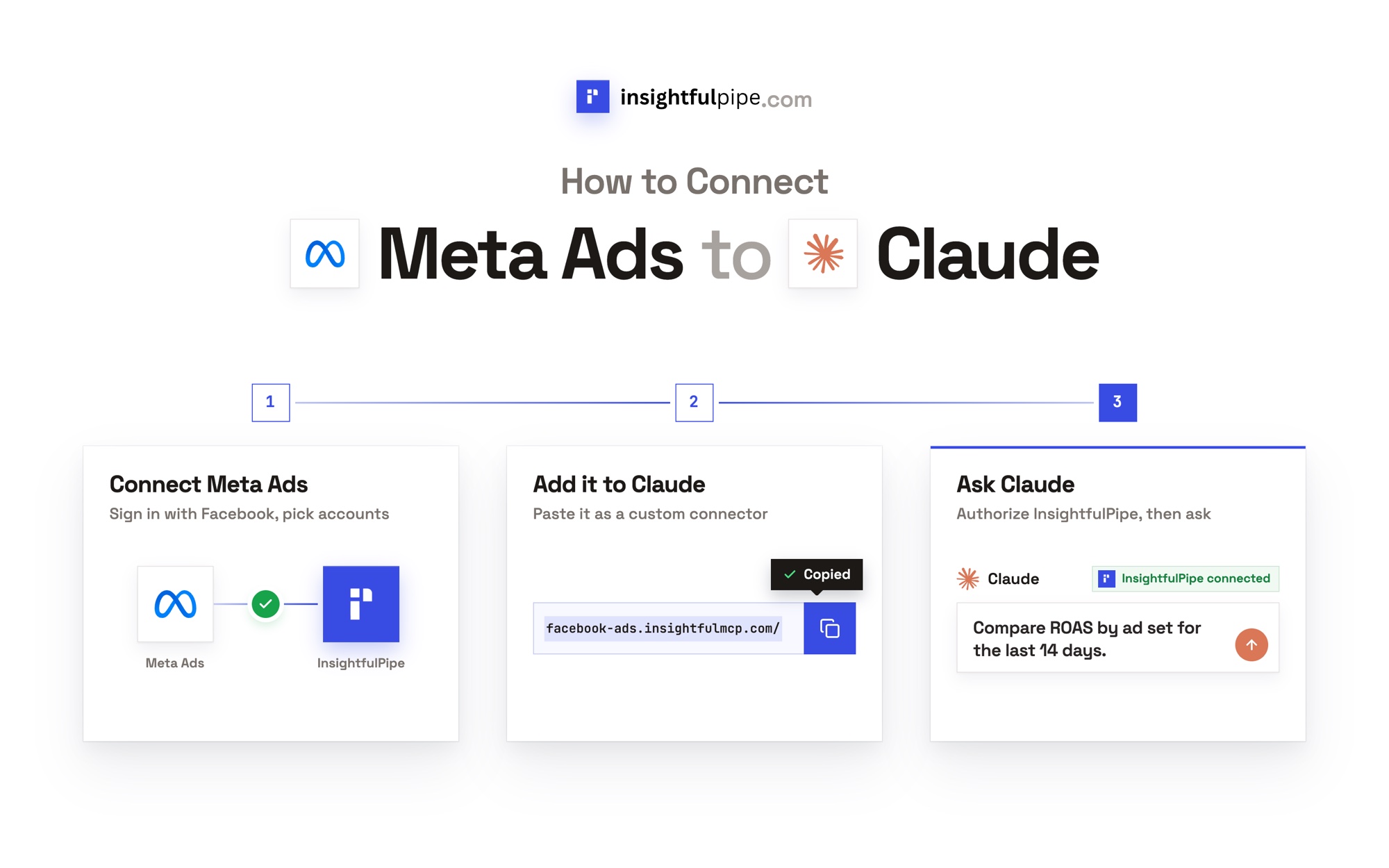
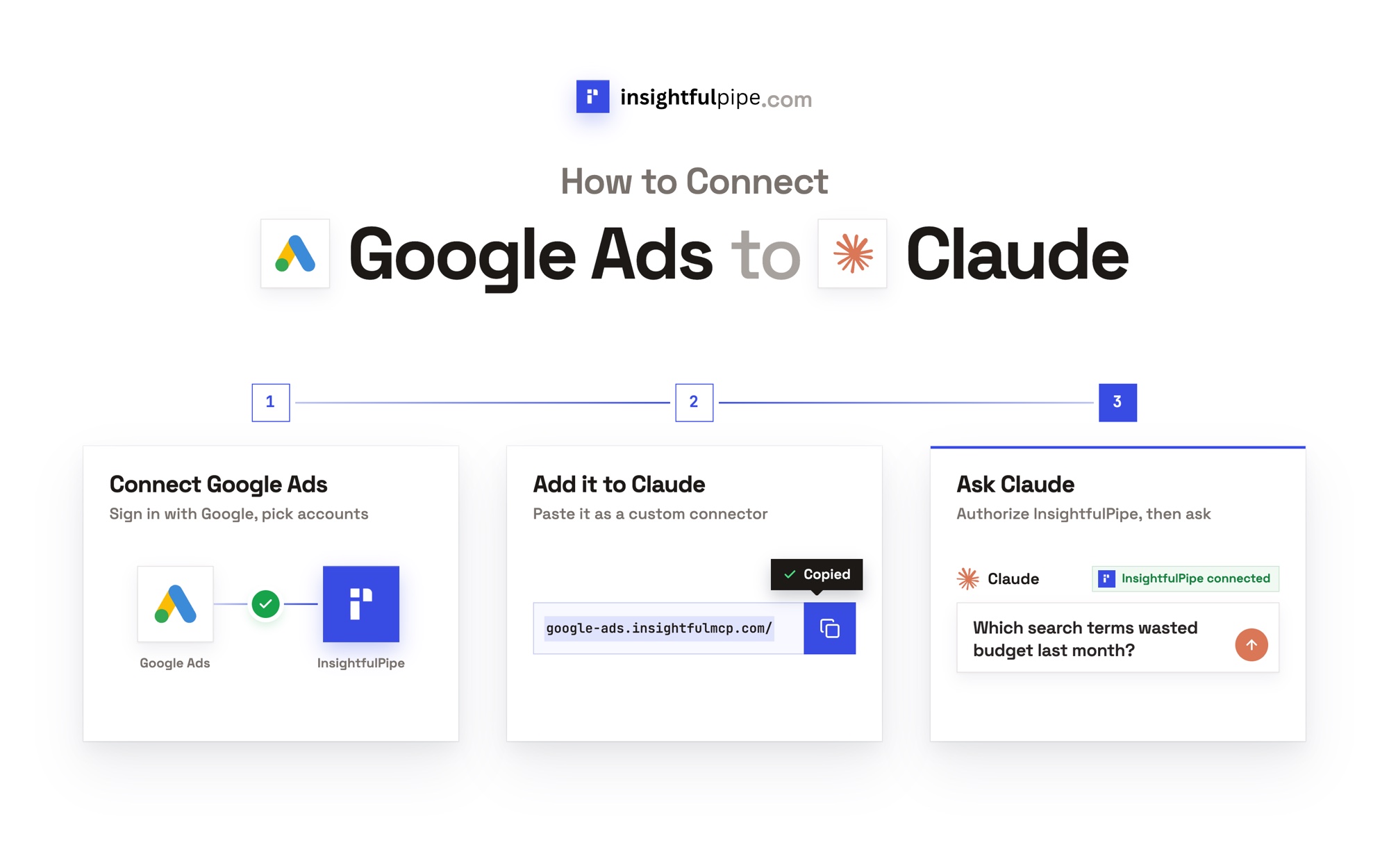
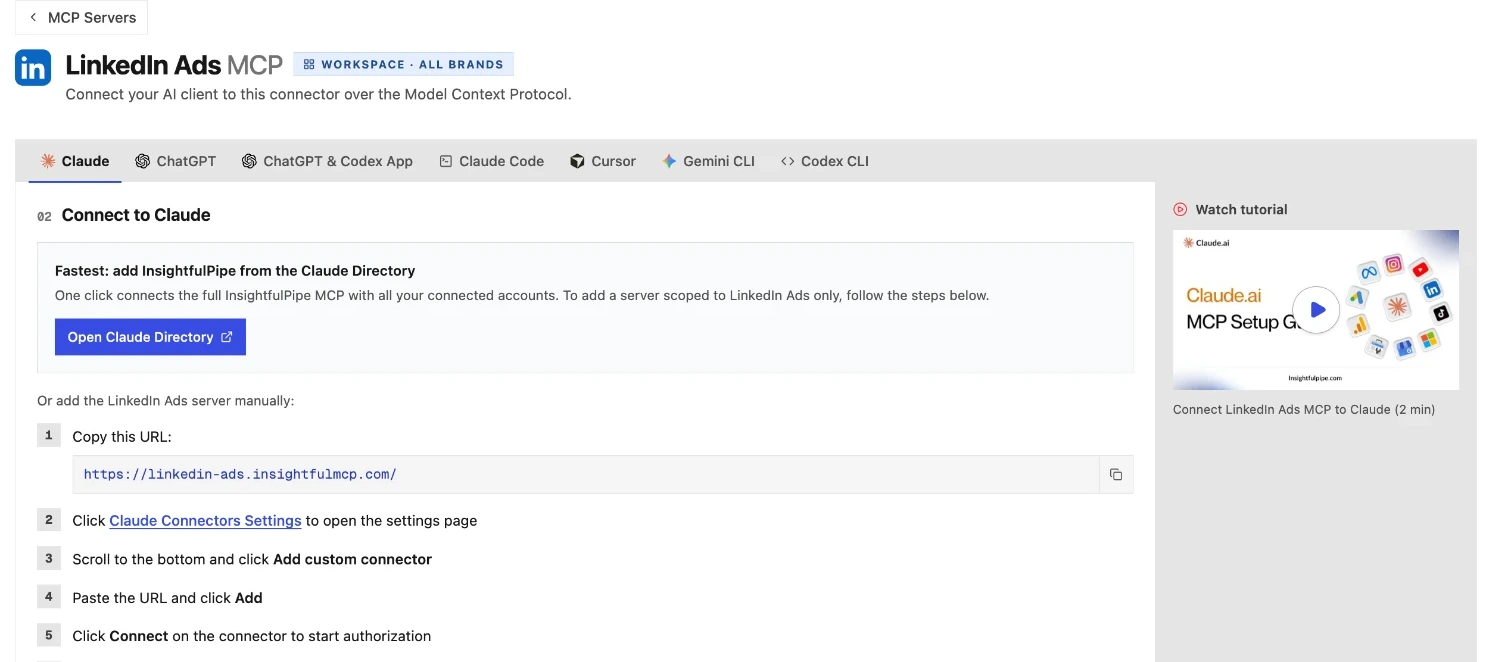
Connecting InsightfulPipe takes a LinkedIn sign-in and one URL, with no developer app and no Advertising API application.
- In InsightfulPipe, open Connected accounts, choose LinkedIn Ads, pick read-only or read and write, then sign in with LinkedIn and select your ad accounts.
- In Claude, add InsightfulPipe from the connector directory, or open Customize > Connectors, click +, choose Add custom connector and paste
https://linkedin-ads.insightfulmcp.com/. Click Connect. In Claude Code, runclaude mcp add --transport http linkedin-ads-mcp https://linkedin-ads.insightfulmcp.com/. - Open the ad account's actions, keep the ones you want, and ask your first question.
The same URL works in ChatGPT, Cursor, Gemini CLI and Codex CLI, and the LinkedIn Ads MCP server page walks through each client.
What the other vendors do not publish
Several vendors leave key facts unpublished, so nobody can check their claims against anything.
- Markifact, AdKit and Ryze AI: no LinkedIn Ads tool or operation count.
- PaidSync: 530+ tools in its README, and 610+ on its LinkedIn page.
- Pipeboard: no status default for new campaigns. Adspirer: none for new campaign groups or creatives.
- Supermetrics: LinkedIn campaign management on its LinkedIn page, and none in its campaign docs.
- AdPlug, Markifact, Ryze AI and GrowthSpree: each says LinkedIn has no official MCP server, and none of those pages mentions LinkedIn's read-only beta app for ChatGPT.
What we would not recommend
Six more options show up for these searches, each with a documented reason to skip it.
- Radiate B2B: its MCP host, mcp.radiateb2b.com, did not resolve on 2026-09-29, and its repository has no licence and no push since 2025-06-12.
- linkedin-ads-full-readwrite-mcp on npm: full read and write access, with no source repository published.
- linkedin-campaign-manager-mcp on npm: its source repository link returns a 404.
- linkedin-ads-mcp on npm: a v0.1.0 stub that says "Initial release coming soon".
- mharnett/mcp-linkedin-ads: its README promises "full read/write support", then says it "currently ships with read-only tools only".
- CData's GitHub server: read-only through a JDBC driver, with no push since 2025-10-18.
Frequently asked questions
Sources (checked 2026-09-29)
Every competitor claim above comes from that vendor's own page, documentation or repository, opened on 2026-09-29.
- InsightfulPipe: server, pricing, setup docs
- LinkedIn: LinkedIn Ads app for ChatGPT, Marketing API docs
- AdPlug: LinkedIn Ads, pricing, homepage
- Pipeboard: LinkedIn Ads guide, pricing, security
- Markifact: LinkedIn Ads, pricing, MCP docs, approval models
- AdKit: LinkedIn Ads, access levels, pricing
- Adspirer: repository, pricing
- PaidSync: LinkedIn Ads, repository, pricing
- Ryze AI: LinkedIn Ads, pricing
- Open source: Liam, danielpopamd/linkedin-ads-mcp
- Windsor.ai: write actions, LinkedIn Ads, pricing
- Zapier: LinkedIn Ads MCP, tasks, pricing
- Pipedream: LinkedIn Ads app, MCP docs
- Composio: toolkit, docs, pricing
- Claude: connector tool permissions
- Not recommended: mharnett/mcp-linkedin-ads, CData server