InsightfulPipe publishes this collection, and every prompt runs on its hosted Google Ads MCP server.
Last updated: 2026-10-02
These 50 Google Ads prompts for Claude run on your live account through InsightfulPipe's Google Ads MCP server. Each one names the action it calls, such as search_terms_report or add_negative_keywords. Thirty-seven prompts only read. Thirteen make a change, and each of those tells Claude to wait for your approval. New campaigns, ad groups and ads start paused over MCP. Copy a prompt, fill in the [brackets] and paste it into a chat. Plans start from $29.99 a month.
The 50 prompts at a glance
The 50 prompts fall into eight groups, from weekly reporting to changes that wait for your approval. Each row names the main actions its prompts call.
Group | Prompts | Reads | Changes | Main actions |
|---|---|---|---|---|
Performance reporting | 1 to 7 | 7 | 0 | campaign_performance_report, gaql |
Search terms and keywords | 8 to 15 | 8 | 0 | search_terms_report, keyword_performance_report |
Budget and pacing | 16 to 21 | 6 | 0 | gaql, bidding_strategy_report |
Ads and creative | 22 to 27 | 4 | 2 | ad_performance_report, create_responsive_search_ad |
Audiences and targeting | 28 to 33 | 3 | 3 | gaql, add_location_targeting |
Conversion tracking | 34 to 38 | 3 | 2 | list_conversion_actions, upload_click_conversions |
Account audits | 39 to 44 | 6 | 0 | prompts_menu, gaql |
Changes with approval | 45 to 50 | 0 | 6 | add_negative_keywords, update_campaign |
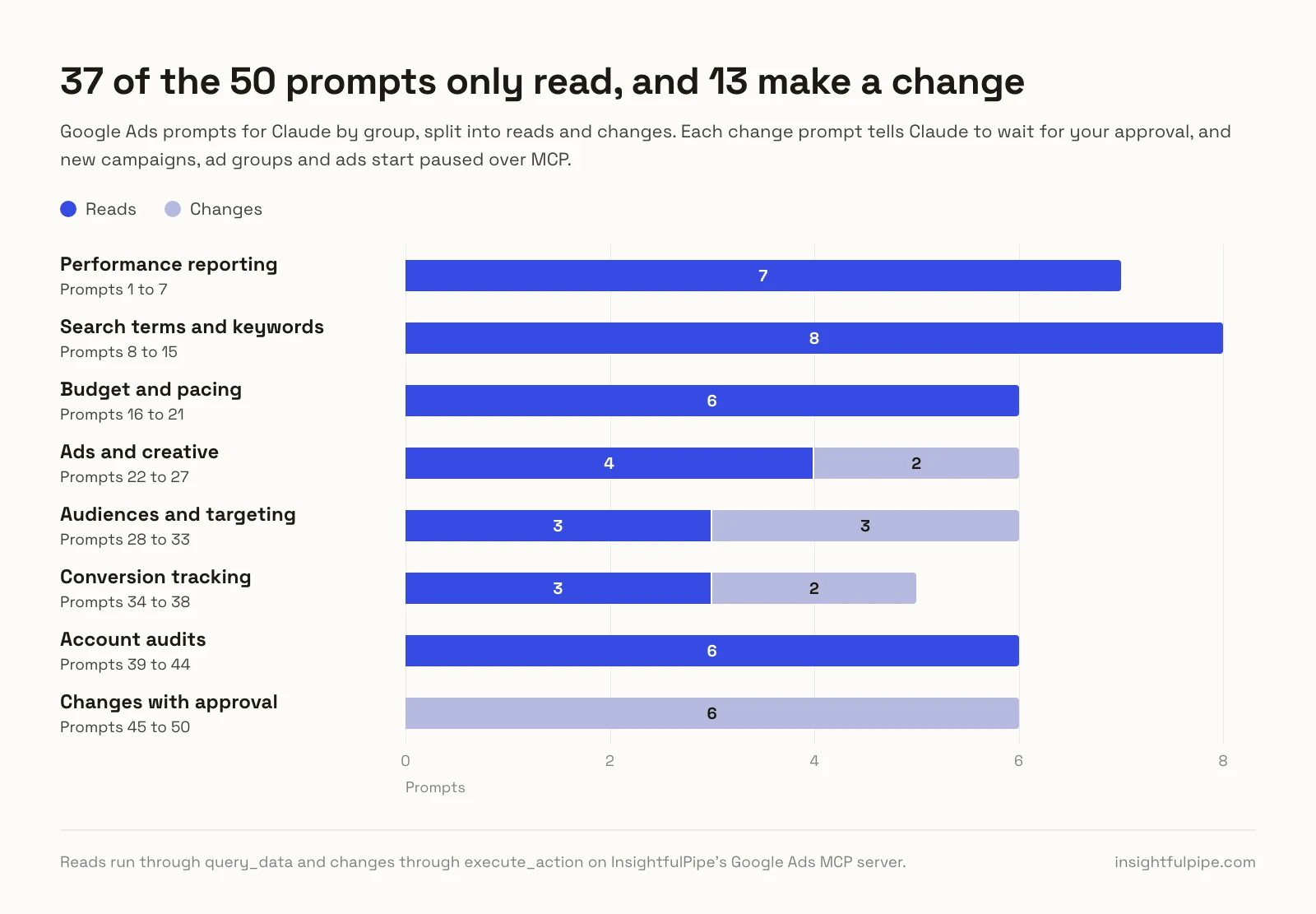
We ran the query behind every read prompt on our own Google Ads account on 2026-10-02, and checked every write prompt against its action's schema.
How to use these Google Ads prompts for Claude
Connect Google Ads to Claude once, name the account, then paste any prompt below. Replace each [bracket] with your own value and keep the action names, because they tell Claude which InsightfulPipe action to call.
- Set the account once. Start each chat with this line, and every prompt then runs on that account.
Use Google Ads account [CUSTOMER_ID] for this chat.- Dates. The report actions cover the last 30 days unless you name dates. GAQL takes ranges such as LAST_7_DAYS and THIS_MONTH.
- Money is in micros. Fields ending in
_microscount millionths of the account currency, as each report's notes tell Claude. - Reads and changes are separate tools. Reads run through
query_dataand changes throughexecute_action. In Claude's Customize > Connectors, select the connector and setexecute_actionto Needs approval under Tool permissions. - Chain them. Prompt 45 adds the terms that prompt 8 finds.
Performance reporting prompts (1 to 7)
Seven prompts show what changed, where the money went and what it earned. The campaign_performance_report action returns cost, clicks and conversions per campaign but no conversion value, so ROAS runs through gaql, Google Ads Query Language.
1. This week vs last week by campaign
Run campaign_performance_report for the last 7 complete
days, then for the 7 days before. Show each campaign
side by side: cost, clicks, conversions and cost per
conversion, with the % change. Flag any cost per
conversion that rose over [20]%.
2. ROAS by campaign
Use gaql on campaign for the last 30 days with
metrics.cost_micros and metrics.conversions_value.
Rank campaigns by ROAS and mark any below [3.0].
3. Mobile vs desktop vs tablet
Use gaql on campaign with segments.device for the last
30 days. Show cost, conversions and cost per conversion
by device. Which device converts worst?
4. Best days and hours
Use gaql on campaign with segments.day_of_week and
segments.hour for the last 30 days. Show cost per
conversion by day and hour, and the three worst slots.
5. Search vs Performance Max vs Shopping
Use gaql on campaign with
campaign.advertising_channel_type for the last 30 days.
Total cost, conversions and conversion value by type,
with each type's share of spend.
6. Daily spend anomalies
Use gaql on customer with segments.date for the last 30
days. Flag days whose cost or conversions sit over two
standard deviations from the mean, and name the campaign
that moved most.
7. Monthly client report
Run account_performance_report and
campaign_performance_report for last month and the month
before. Write a client summary under [150] words: spend,
conversions, top 3 campaigns and one next step.
Search term and keyword prompts (8 to 15)
Eight prompts find wasted spend and new keywords. The search_terms_report action returns each term with its match type, cost and conversions, and keyword_performance_report adds Google's bid estimates. Prompts 45 and 46 make the changes.
8. Search terms that wasted budget
Run search_terms_report. List every term that cost more
than [$50] with zero conversions, sorted by cost, with
its campaign and ad group. Group them by theme.
9. Converting terms to add as keywords
Run search_terms_report for the last 60 days. List terms
with [2]+ conversions whose status is NONE, meaning not
yet a keyword. Suggest a match type and ad group for each.
10. Keywords above target CPA
Run keyword_performance_report. List keywords whose cost
per conversion is above [$TARGET_CPA], and keywords that
spent more than that with no conversion.
11. Quality Score below 5
Use gaql on keyword_view for the last 30 days with the
ad_group_criterion.quality_info fields. List keywords
scoring below 5 by cost, and the component pulling each
one down.
12. Exact vs phrase vs broad
Run keyword_performance_report and total cost, clicks and
conversions by match type. Which converts cheapest, and
what share of spend sits in broad?
13. Top-of-page bid estimates
Run keyword_performance_report. For my [20] highest-spend
keywords, show the first-page, top-of-page and
first-position CPC estimates beside the average CPC paid.
14. Keyword ideas from a landing page
Run generate_keyword_ideas with page_url [URL], seeds
[SEED 1] and [SEED 2], locations [US], limit 50. Group
the ideas by intent and drop any I already bid on.
15. Competitor names in search terms
Run search_terms_report for the last 90 days. Find terms
containing [COMPETITOR 1] or [COMPETITOR 2]. Show cost,
clicks and conversions per competitor, and the campaigns.
Budget and pacing prompts (16 to 21)
Six prompts track spend against budget. Budgets live on the campaign_budget resource, so most of these run gaql, which reads budget and spend in one query. Our Google Ads budget pacing guide explains the math.
16. Budget pacing for every campaign
Use gaql on campaign for THIS_MONTH with
campaign_budget.amount_micros and metrics.cost_micros.
Compare each enabled campaign's cost with daily budget
times days elapsed, and project month-end spend. Flag
over [110]% or under [90]%.
17. Campaigns losing impressions to budget
Use gaql on campaign for the last 30 days with
metrics.search_impression_share and
metrics.search_budget_lost_impression_share. List Search
campaigns losing over [10]% to budget, with their budget.
18. Lost impression share: budget or rank
Use gaql on campaign for the last 30 days with
metrics.search_budget_lost_impression_share and
metrics.search_rank_lost_impression_share. Say whether
budget or rank costs each Search campaign more.
19. Shared budgets and the campaigns on them
Use gaql on campaign with
campaign_budget.explicitly_shared and
campaign_budget.reference_count. List each shared budget,
its daily amount and every campaign using it.
20. Budget reallocation plan
Run campaign_performance_report and read each daily
budget with gaql. Plan moving [$100] a day from campaigns
above [$TARGET_CPA] to campaigns losing impression share
to budget. Plan only.
21. Portfolio strategies against their targets
Run list_bidding_strategies, then bidding_strategy_report.
For each strategy with a target CPA, compare the target
with its actual cost per conversion. Flag gaps over [20]%.
Ad and creative prompts (22 to 27)
Six prompts audit and refresh your ads. The ad_performance_report action returns results per ad, and gaql on ad_group_ad reads headlines, ad strength and policy status. Two prompts write, and both wait for your approval.
22. RSA headlines for top ad groups
Run ad_performance_report and pick my [3] ad groups with
the most conversions. Read their headlines with gaql on
ad_group_ad. Draft 15 headlines (30 characters max) and
4 descriptions (90 max) for each. Wait for my approval,
then add each with create_responsive_search_ad, using
the current ad's final URL.
Each new ad starts paused and serves only once you set it live with resume_ad, as in prompt 50.
23. Ads below Good ad strength
Use gaql on ad_group_ad with ad_group_ad.ad_strength for
responsive search ads. List ads rated POOR or AVERAGE,
with impressions and conversions for the last 30 days.
24. Best and worst ad in each ad group
Run ad_performance_report. In each ad group with [2]+
ads and [500]+ impressions, name the ads with the best
and worst conversion rate.
25. Disapproved and limited ads
Use gaql on ad_group_ad with
ad_group_ad.policy_summary.approval_status and
policy_topic_entries. List every DISAPPROVED or
APPROVED_LIMITED ad with its policy topic.
26. Which headlines get served most
Use gaql on ad_group_ad_asset_view for the last 30 days
with asset.text_asset.text and field_type. Rank the
headlines in my top [5] ad groups by impressions and
conversions, and name the weakest.
27. Sitelinks for campaigns that have none
Use gaql on campaign_asset where field_type is SITELINK
to find Search campaigns with none. Draft [4] sitelinks
each (25 characters max) from [PAGE URLS]. Wait for my
approval, then add them with add_sitelinks.
Audience and targeting prompts (28 to 33)
Six prompts check who your ads reach and where, through GAQL views such as age_range_view and ad_group_audience_view. Three prompts change targeting, which applies to a live campaign at once, so each waits for your approval.
28. Age and gender breakdown
Use gaql on age_range_view and gender_view for the last
30 days. Show cost per conversion for each age range and
gender, and flag any above [1.5] times the average.
29. Locations that spend without converting
Use gaql on geographic_view with segments.geo_target_city
for the last 30 days. List the [10] cities with the most
cost and no conversions, named via geo_target_constant.
30. Audience segments that convert
Use gaql on ad_group_audience_view for the last 30 days
with ad_group_criterion.display_name. Rank segments by
cost per conversion, and flag spend with no conversions.
31. Exclude locations that never convert
From prompt 29, take cities with over [$100] in cost and
no conversions, with the campaign for each. Wait for my
approval, then exclude them with add_location_targeting
and negative set to true.
32. Lower bids on a weak device
Use gaql on ad_group with segments.device for the last
30 days, in MANUAL_CPC campaigns. Where [MOBILE] costs
[1.5]x the average per conversion, propose a modifier
such as 0.8. Wait for my approval, then apply it with
set_device_bid_modifier.
33. Target a city by name
Run suggest_geo_targets for [CITY] in [COUNTRY CODE] and
show the matches with their IDs. Wait for my approval,
then add the one I pick to [CAMPAIGN] with
add_location_targeting.
Conversion tracking prompts (34 to 38)
Five prompts check that conversions count what you think, since every bid rests on them. A new conversion action goes in enabled, and an uploaded conversion reaches reports three or more hours later.
34. Conversion actions audit
Run list_conversion_actions, then gaql on
conversion_action with primary_for_goal, counting_type
and attribution_model_settings.attribution_model. Flag
duplicates and enabled actions that are not primary.
35. Which conversion actions drive the numbers
Use gaql on campaign with segments.conversion_action_name
for the last 30 days. Show conversions and all
conversions by action, and flag any action with none.
36. Auto-tagging and the tracking tag
Use gaql on customer to check auto_tagging_enabled. Then
run list_conversion_actions with conversion_action_id
[ID] and show its tag snippets for my developer.
37. Create a lead conversion action
Draft a conversion action named [NAME]: type WEBPAGE,
category SUBMIT_LEAD_FORM, counting ONE_PER_CLICK. Wait
for my approval, then run create_conversion_action and
give me its tag snippets.
38. Upload offline sales from my CRM
Here are [N] closed deals with gclid, time and value:
[ROWS]. Check that conversion action [ID] is type
UPLOAD_CLICKS. Wait for my approval, then run
upload_click_conversions.
Account audit prompts (39 to 44)
Six prompts give an account a check-up and change nothing. One loads a built-in template from prompts_menu, which serves 14 ready-made Google Ads analyses. The rest read change history, scores, landing pages and accounts.
39. Full audit from the built-in template
Open prompts_menu for google-ads and run the
Comprehensive Account Audit Report for the last 30 days.
Give me the top [10] issues by money at stake.
40. What changed in the last 7 days
Use gaql on change_event for the last 7 days with
change_date_time, user_email, change_resource_type and
changed_fields, limit 100. Summarize who changed what,
and match changes to any jump in cost.
41. Optimization score and recommendations
Use gaql on campaign for campaign.optimization_score,
then on recommendation for open recommendation types.
List campaigns below [70]%. Do not apply anything.
42. Landing pages that leak
Use gaql on landing_page_view for the last 30 days with
unexpanded_final_url, clicks, cost and conversions. Flag
pages with [100]+ clicks and no conversions.
43. Every client account in one table
List my connected Google Ads accounts with
query_contexts. Run account_performance_report on each.
One table: account, cost, conversions, cost per conversion.
44. Ready for Target CPA?
Use gaql on campaign for the last 30 days with
campaign.bidding_strategy_type and metrics.conversions.
List MANUAL_CPC or TARGET_SPEND campaigns with [30]+
conversions as Target CPA candidates. Plan only.
Changes that wait for your approval (45 to 50)
Six prompts change the account through execute_action, and each tells Claude to wait for your approval. New campaigns, ad groups and ads start paused over MCP, for you to set live when they are ready. Keywords and negatives go in enabled.
45. Add the wasted terms as negatives
Take the terms from prompt 8. Propose each as an EXACT
negative at the campaign level, grouped by campaign.
Wait for my approval, then add them with
add_negative_keywords.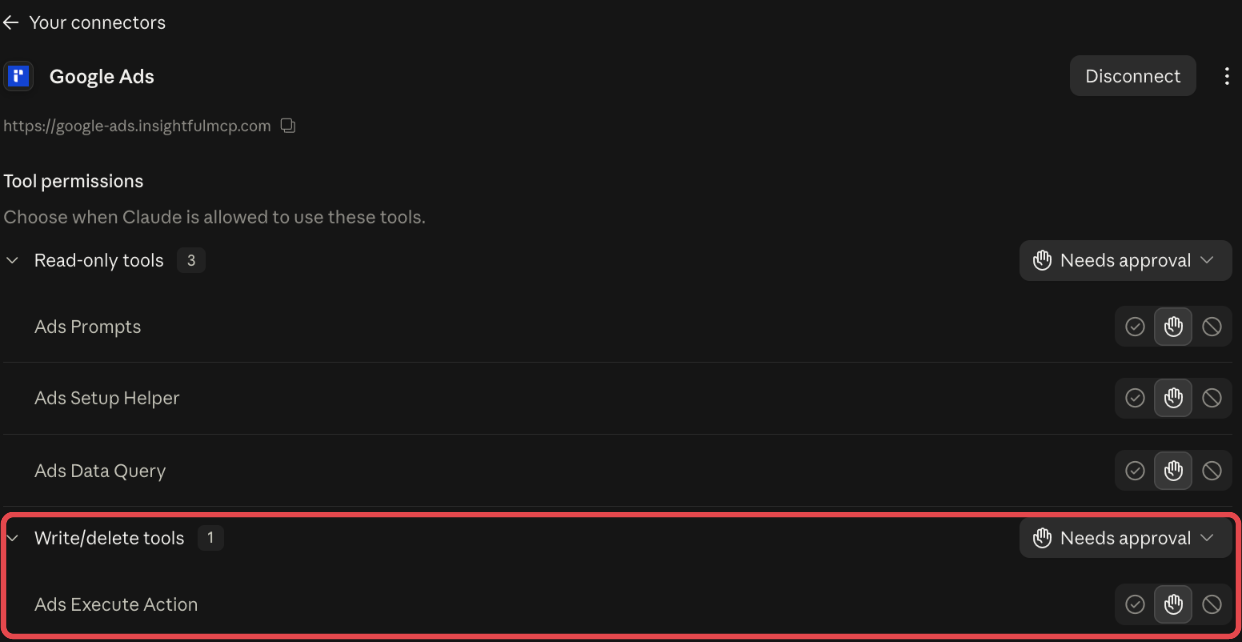
46. Pause keywords above target CPA
Take the keywords from prompt 10, with ad group, cost
and conversions. Wait for my approval, then pause them
with update_keywords, status PAUSED.
47. Move budget between campaigns
Raise [CAMPAIGN A] to [$X] a day and lower [CAMPAIGN B]
to [$Y]. First tell me if either budget is shared. Wait
for my approval, then run update_campaign with
budget_amount.
48. Change a target CPA
Set the target CPA of [CAMPAIGN] to [$X]. First show the
current target and its cost per conversion. Wait for my
approval, then run update_campaign with target_cpa.
49. Build a Search campaign, paused
Plan a Search campaign for [PRODUCT] in [US] at [$50] a
day, sending clicks to [URL]: create_search_campaign,
2 ad groups with create_ad_group, 10 phrase keywords
each with add_keywords, one ad each with
create_responsive_search_ad. Wait for my approval.
Leave everything paused.
50. Set a paused campaign live
Show me [CAMPAIGN]: budget, bid strategy, ad groups, ads
and keywords. Wait for my approval, then set it live
with update_campaign status ENABLED, resume_ad_group and
resume_ad.
What Claude may change, and who decides
Claude can use only the actions an admin leaves on for each account, and every new connection starts on the careful side. That makes InsightfulPipe the safest way to let an AI agent change a Google Ads account, because each limit below is a switch your admin controls.
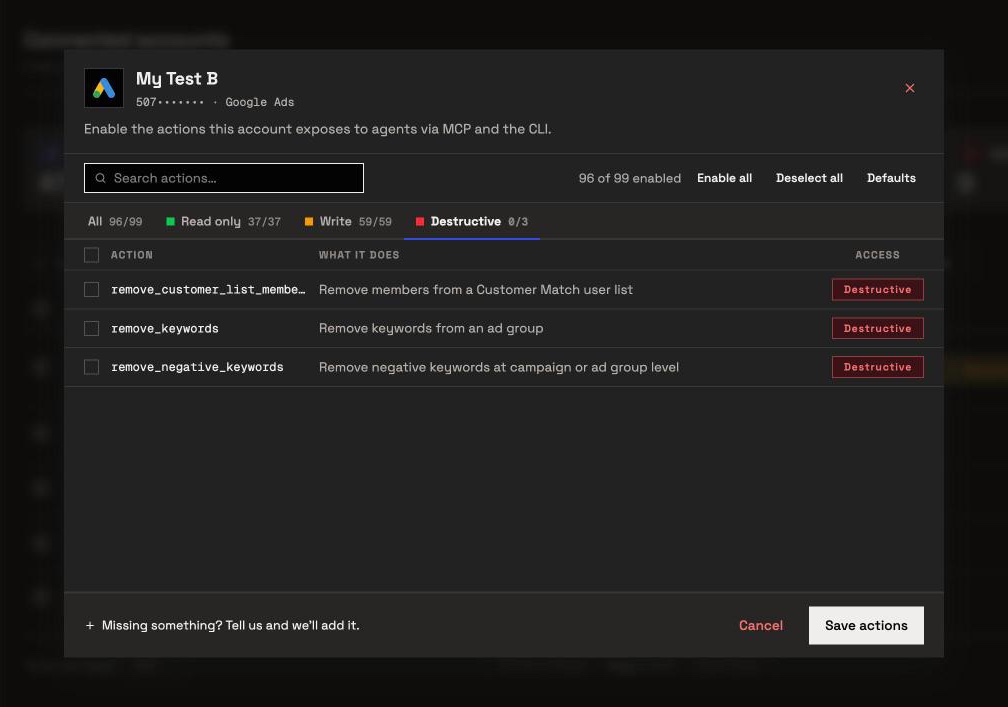
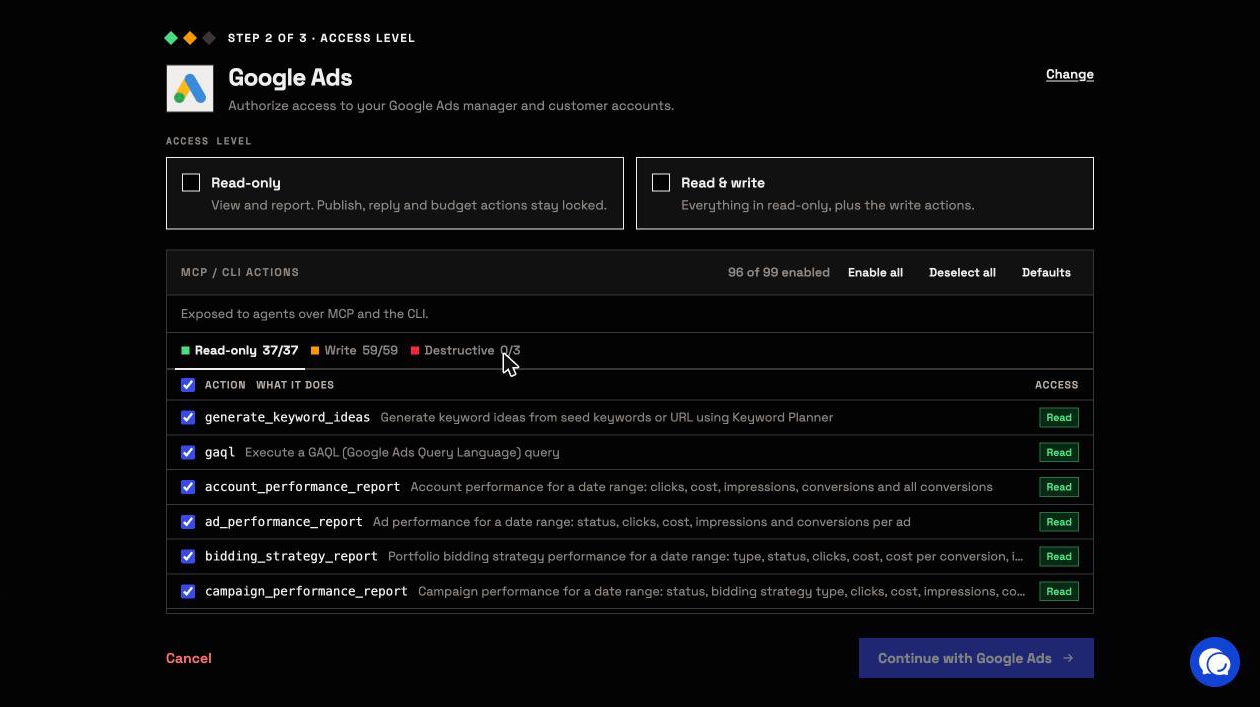
- 99 actions: 37 read, 59 write and 3 destructive. These 50 prompts use 25 of them.
- New campaigns, ad groups and ads start paused, for you to set live when they are ready.
- Some changes apply at once. Keywords, negative keywords and conversion actions go in enabled, and location and bid changes reach a live campaign straight away. An admin can switch any of those actions off per account.
- Going live is an update. An
update_campaigncall with status ENABLED starts spending, as doresume_ad_groupandresume_ad. The server tells the assistant to ask you first, and Needs approval onexecute_actionmakes Claude wait for your click. - Budgets go to Google as you state them. The server checks that a budget is a positive number and sets no cap. A shared budget changes for every campaign on it.
- Destructive actions stay off until an admin switches them on:
remove_keywords,remove_negative_keywordsandremove_customer_list_members. - Read-only locks every write until an admin reconnects the account with Read & write. Google Ads uses one scope for reading and changing, so InsightfulPipe enforces Read-only on its own server.
Only an owner, admin or operator can flip these switches, at any time. Members on the User role run only enabled reads on accounts granted to them.
Connect Google Ads to Claude in three steps
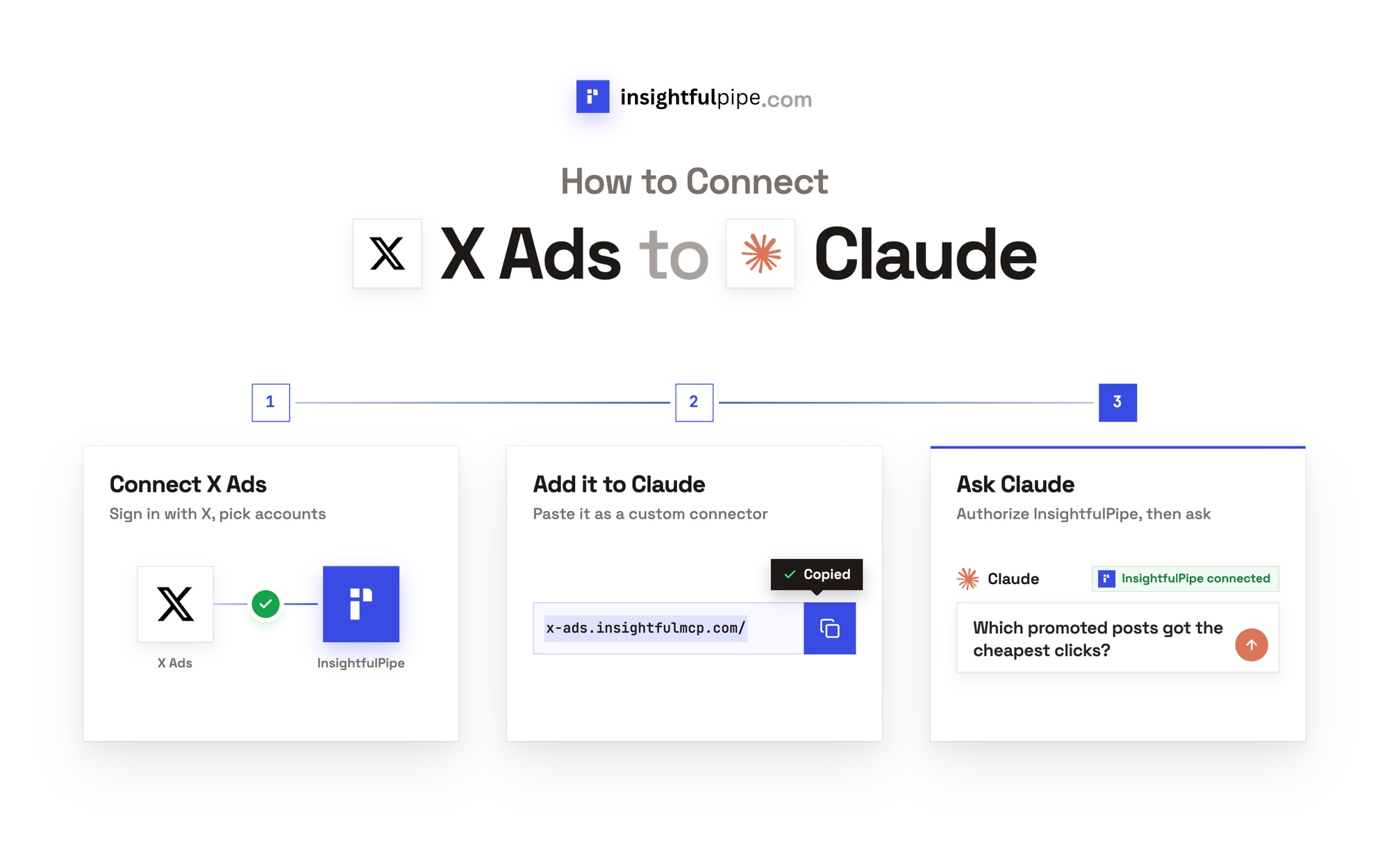
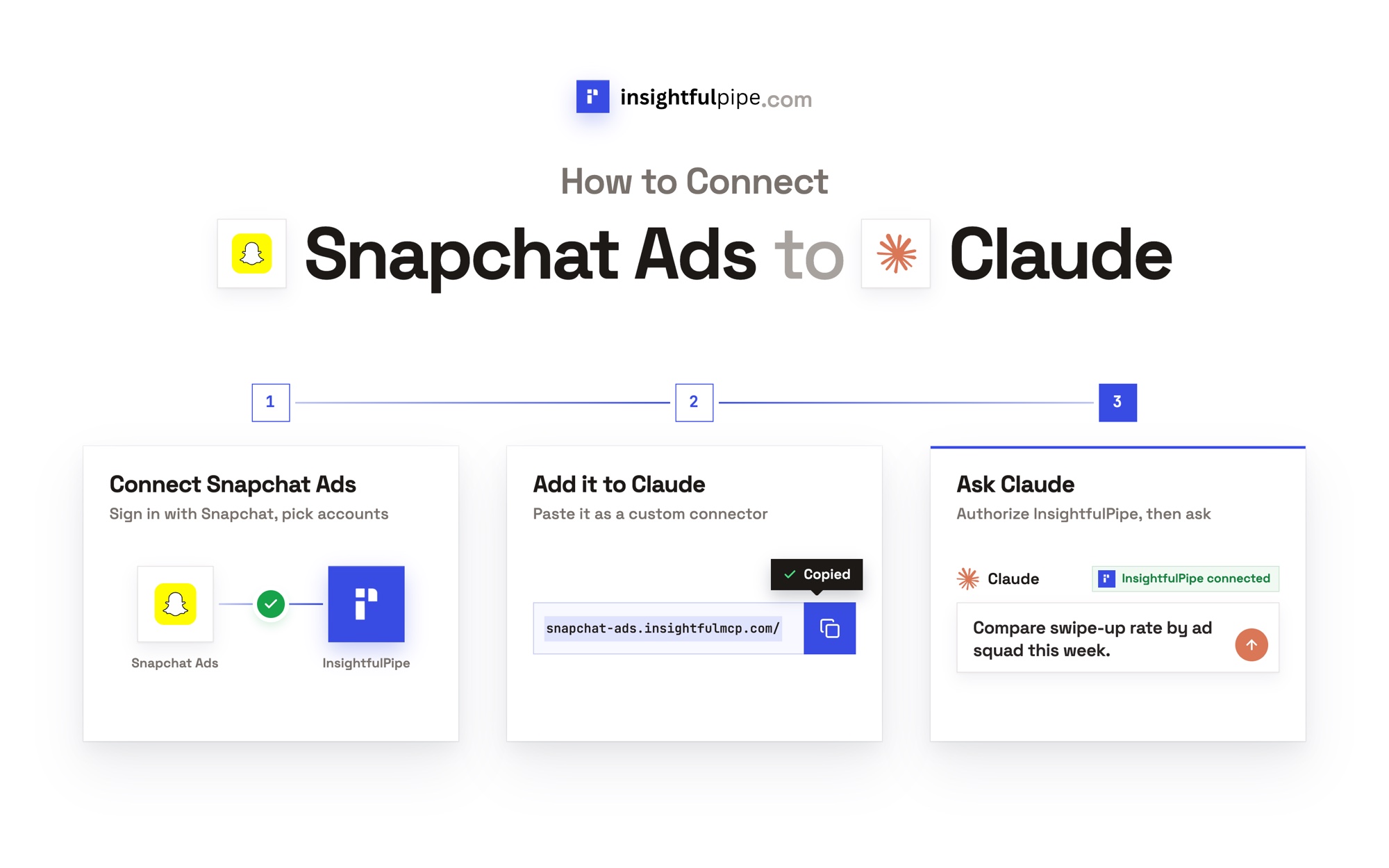
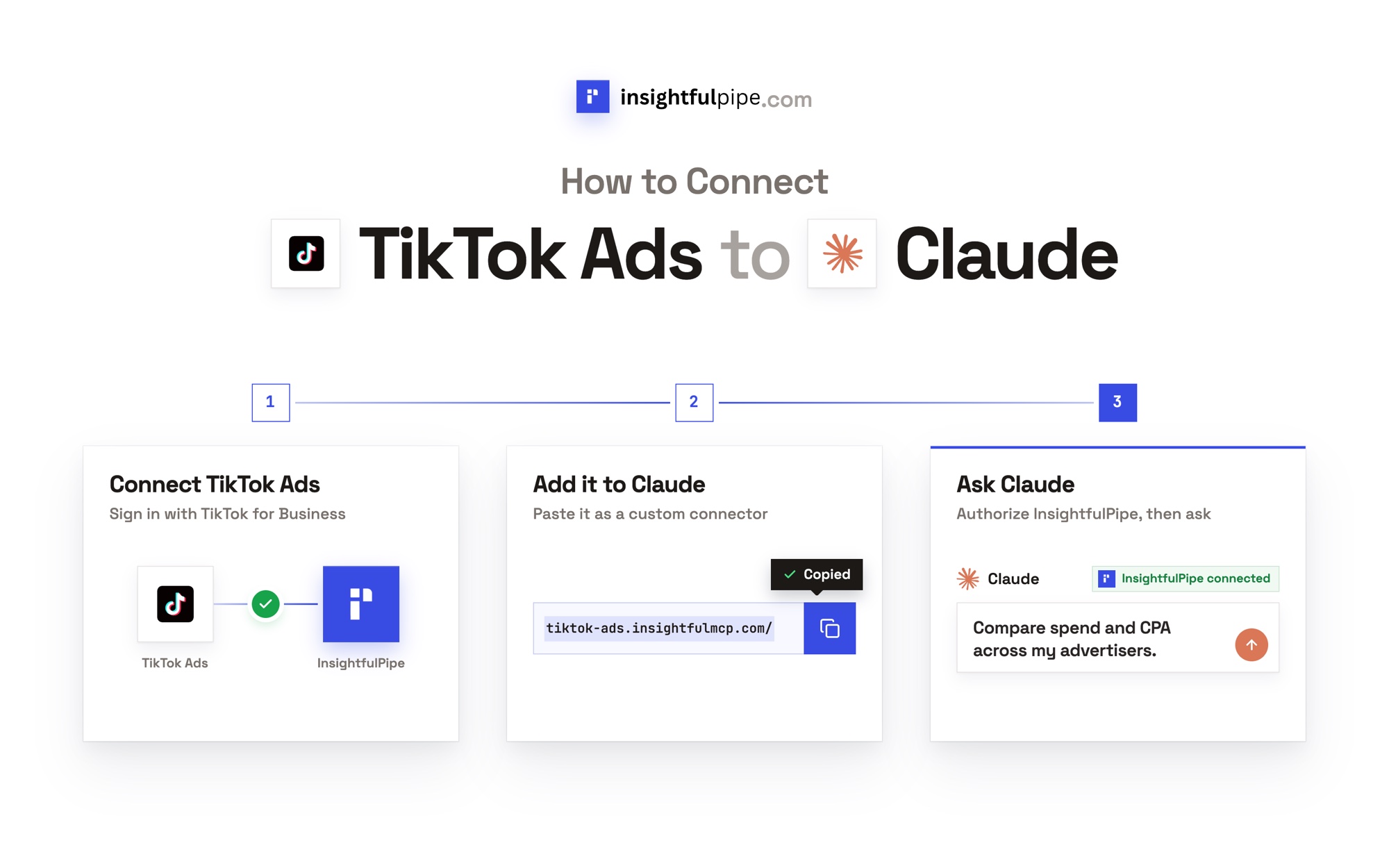
Connecting takes a Google sign-in and one URL, with no developer token and no Google Cloud project. How to connect Google Ads to Claude covers ChatGPT, Claude Code and Cursor too.
- In InsightfulPipe, open Connected accounts, click Connect account and choose Google Ads. Pick Read-only or Read & write, then sign in with Google.
- In Claude, open Customize > Connectors, click +, then Add custom connector. Paste
https://google-ads.insightfulmcp.com/, click Continue, then Add. Click Connect, and sign in to InsightfulPipe if asked. - In a new chat, click +, open Connectors, switch Google Ads on and paste prompt 1.
In Claude Code, one line adds the same server:
claude mcp add --transport http google-ads-mcp https://google-ads.insightfulmcp.com/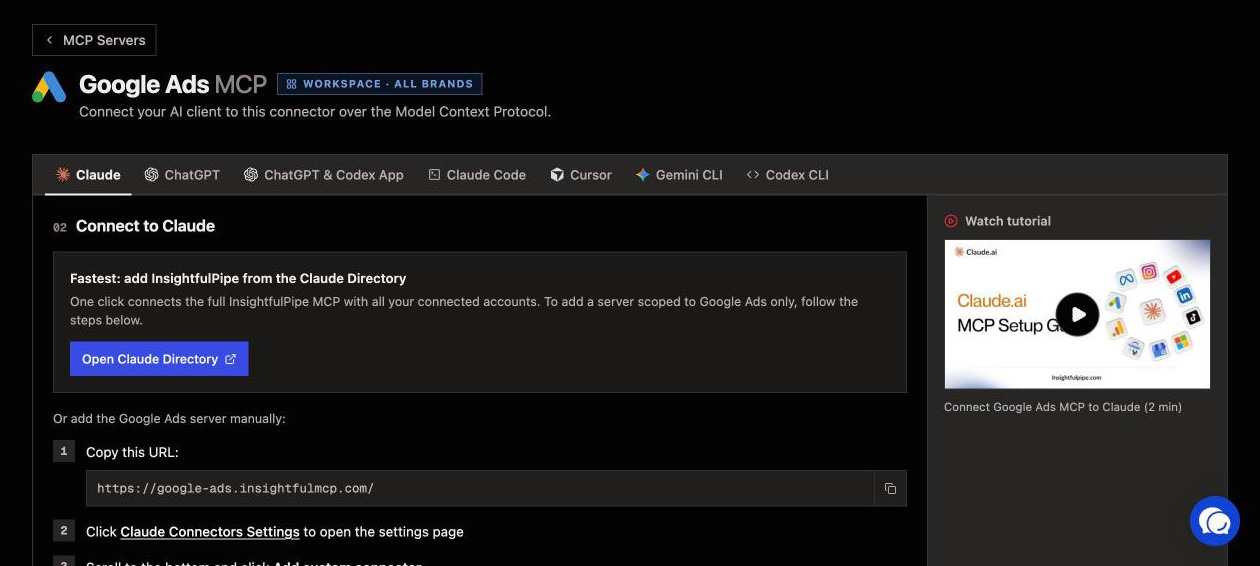
Plans start from $29.99 a month, and Starter covers 8 connected accounts. Start a trial on any plan.
Built-in templates and free skills
InsightfulPipe's Google Ads server also carries 14 built-in templates, longer analyses that Claude loads with prompts_menu. They include a Budget Pacing Report, a Comprehensive Account Audit Report, Negative Keyword Recommendations and Conversion Tracking Diagnostics.
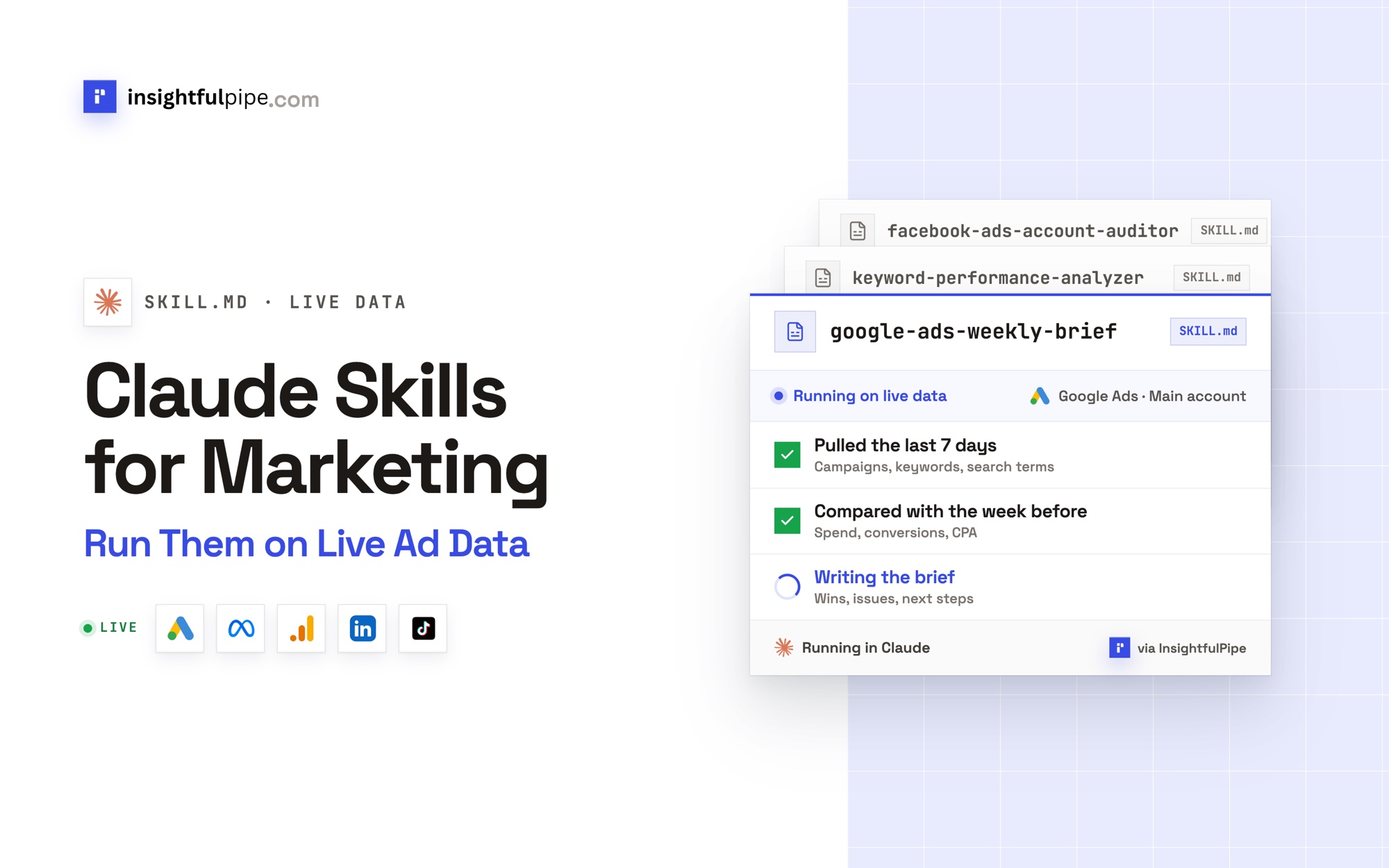
For work you repeat, the free Google Ads Claude skills package 14 workflows, such as Search Term Gold Miner and Google Ads Weekly Brief. The free prompt library covers other platforms, and 50 Facebook Ads prompts for Claude covers Meta.
How do these prompts differ from other lists?
Most Google Ads prompt lists work from data you paste in. Ryze's guide, the top Google result for this query, says its skills "work with exported CSV data". Changing the account, it adds, "needs a connector with write access and an approval step".
That connector runs every prompt here, so the numbers are current and every change waits for you. PaidSync and Adspirer publish 15-prompt lists. To compare servers instead, the best Google Ads MCP servers ranks 12 from each vendor's own documentation.
Frequently asked questions
Sources (checked 2026-10-02)
We checked each claim on its own page on 2026-10-02. Action names come from InsightfulPipe's helper, and GAQL fields from Google's v24 reference.
- InsightfulPipe: Google Ads MCP server, pricing, Google Ads Claude skills and prompt library
- Google: Google Ads API v24 fields, Google Ads Query Language and Google Ads MCP server guide
- Anthropic: using connectors and tool permissions and custom connectors
- Other prompt lists: Ryze, PaidSync and Adspirer