InsightfulPipe publishes this guide and the free prompt and Claude skills libraries it links to. The live-data prompts run through InsightfulPipe's MCP servers.
Last updated: 2026-10-02
An AI prompt library for marketing is a set of tested prompts your team reuses for SEO, ads and social media. The 24 below run on live data, and each names the InsightfulPipe action it calls. InsightfulPipe's prompt library and Claude skills library are free, with no account needed. Connectors start from $29.99 a month.
The quick version
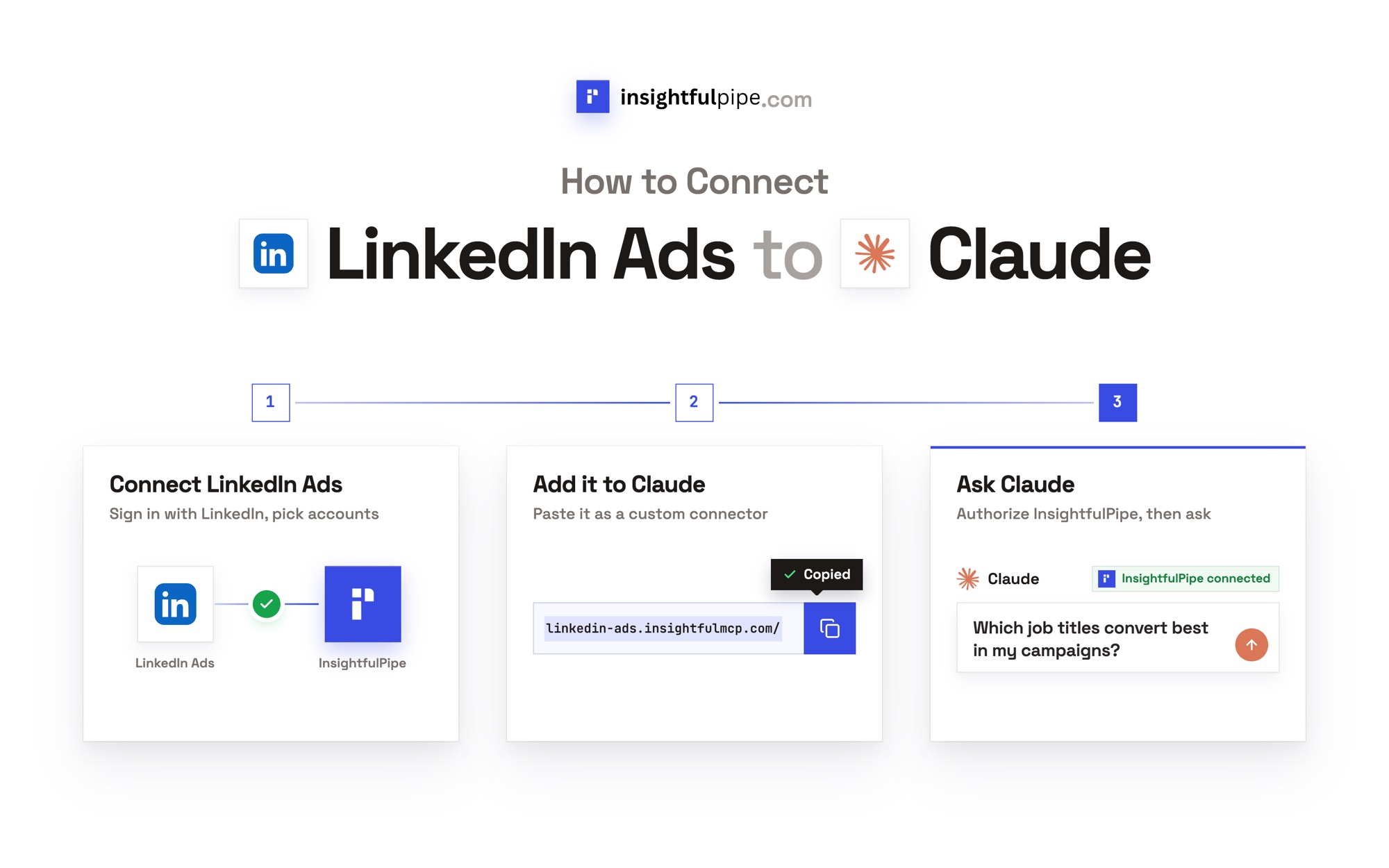
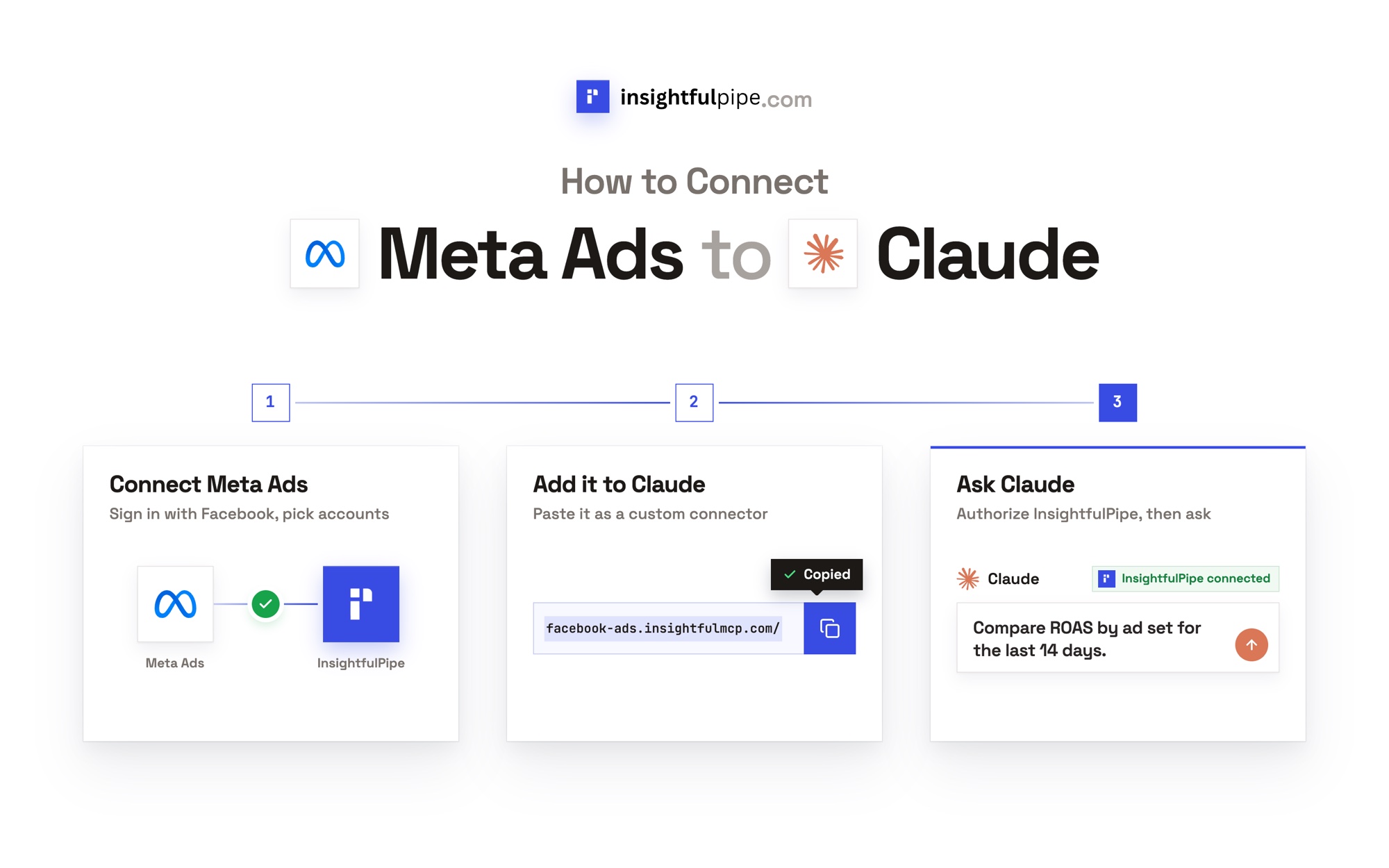
Six steps take a prompt from this page to an answer built on your own numbers. None needs a developer app, an API key or a server to host.
- Copy a prompt below, or one from the free marketing prompt library.
- In InsightfulPipe, open Connected accounts, click Connect account and connect the platform the prompt names.
- In Claude, add
https://main.insightfulmcp.com/as a custom connector. It reaches every account you connect. - Click Connect, and sign in to InsightfulPipe if asked.
- Start a new chat and turn the connector on.
- Paste the prompt, fill in the brackets and run it.
AI prompt library for marketing: 11 libraries compared
InsightfulPipe is the only library in this table that documents running its prompts on live Search Console, Google Ads, Meta Ads and social accounts, with every action switched on or off per account. The other ten are prompts you paste, or prompts that run inside one vendor's product.
Live data changes the answer. Prompt 1 below, for example, returns your own queries at positions 4 to 15, ranked by impressions, so the work list comes from your property instead of generic advice.
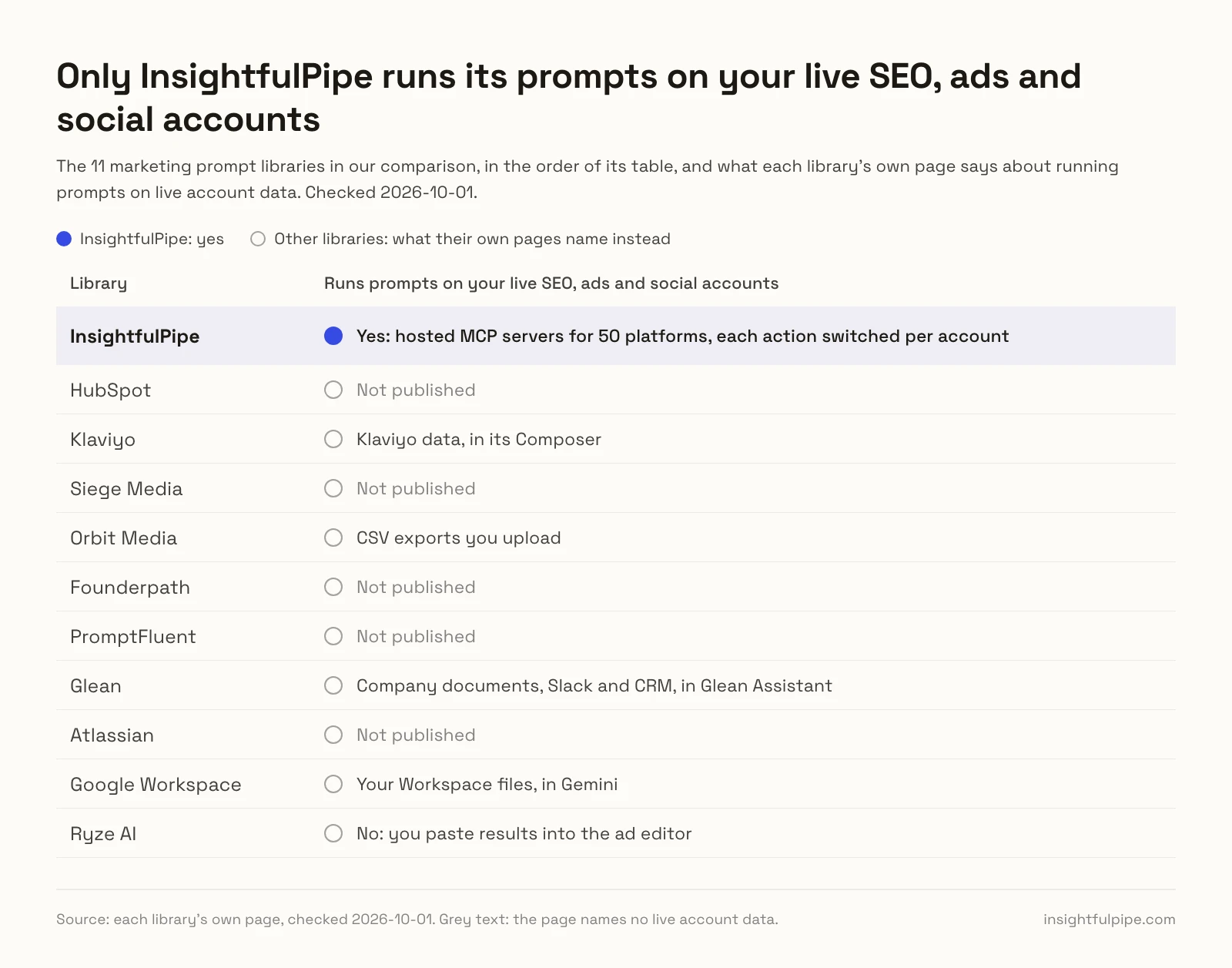
Each row below comes from the library's own page.
Library | Prompts | Covers | Live account data | Cost to use |
|---|---|---|---|---|
InsightfulPipe | 60 in the library, 71 skills, 24 here | SEO, Google Ads, Meta Ads, social, competitor ads | Yes: hosted MCP servers for 50 platforms, each action switched per account | Library and skills free; connectors from $29.99 a month |
HubSpot | 100 in Loop Marketing; MATG not published | Strategy, branding, email | Not published | Free behind a form |
Klaviyo | 197 | Email and SMS | Klaviyo data, in its Composer | Free to browse |
Siege Media | 101 | Content, design, SEO | Not published | Free on the page |
Orbit Media | 20 | B2B content, SEO, social, GA4 | CSV exports you upload | Free on the page |
Founderpath | 200+ | Content, decks, charts | Not published | Free on the page |
PromptFluent | 1,500+ on its $0 plan | Campaigns, content, SEO, paid media | Not published | $0 plan; Pro $25 a month, billed yearly |
Glean | 25+ | Research, content, SEO | Company documents, Slack and CRM, in Glean Assistant | Not published |
Atlassian | 40 | Content, research, campaigns, SEO | Not published | Not published |
Google Workspace | Not published | Gmail, Docs, Sheets and Slides tasks | Your Workspace files, in Gemini | Not published |
Ryze AI | 12 | Google, Meta and TikTok ad copy | No: you paste results into the ad editor | Not published |
We read every capability, default and price from each vendor's own documentation, pricing page or public repository, and ran InsightfulPipe on live accounts. We checked every page on 2026-10-01. The table covers Google's first page for "ai prompt library for marketing" and "marketing prompt library", the pages its AI Overview cites for "ai prompts for marketing", and Ryze AI, a rival MCP vendor with its own ad prompts. We left out forum threads, LinkedIn posts and Contentstack's library, which spans eight business departments.
The difference shows in the steps. Orbit Media's GA4 prompt starts: "Export the report as a CSV file, open it, delete the first nine rows ... and upload to ChatGPT". Its page notes that uploads need "a ChatGPT Plus account, which currently costs $20/month". Ryze tells readers of its ad prompts to "Paste the result back into the platform's editor to confirm character counts." An InsightfulPipe prompt skips both steps, because the assistant reads the account itself.
How to use these prompts
Each prompt names an account, a date range, the InsightfulPipe action to call and the output to return. Live-data prompts need the matching server, such as the Google Search Console MCP server, the Google Ads MCP server or the Meta Ads MCP server. Four habits make them work:
- Fill every bracket. IDs, dates and thresholds make the answer yours.
- Keep the action name. It tells the assistant which call to make.
- Say what not to change. End read-only runs with "Do not change anything."
- Save what works. Store winners as custom skills, so the team runs one version.
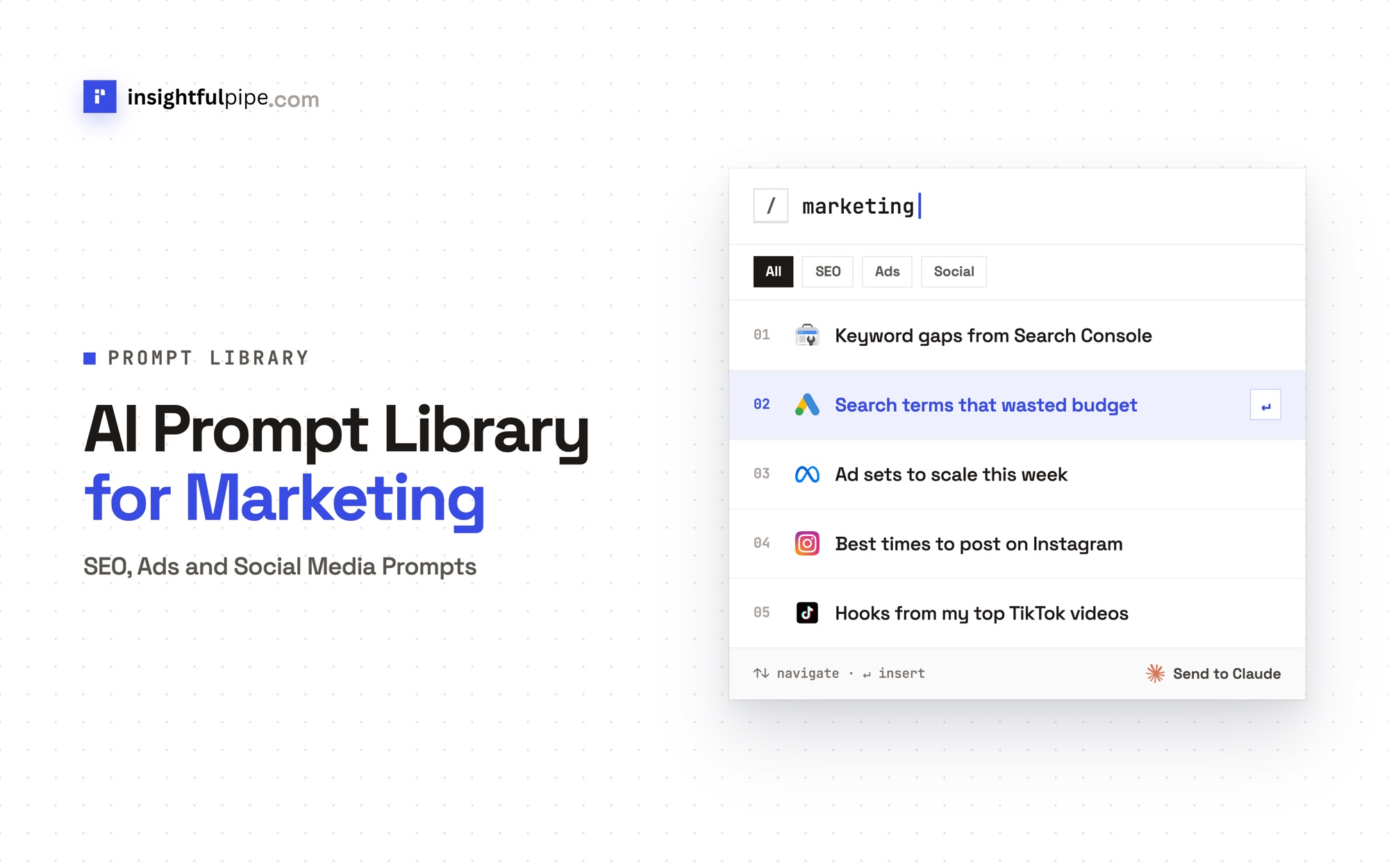
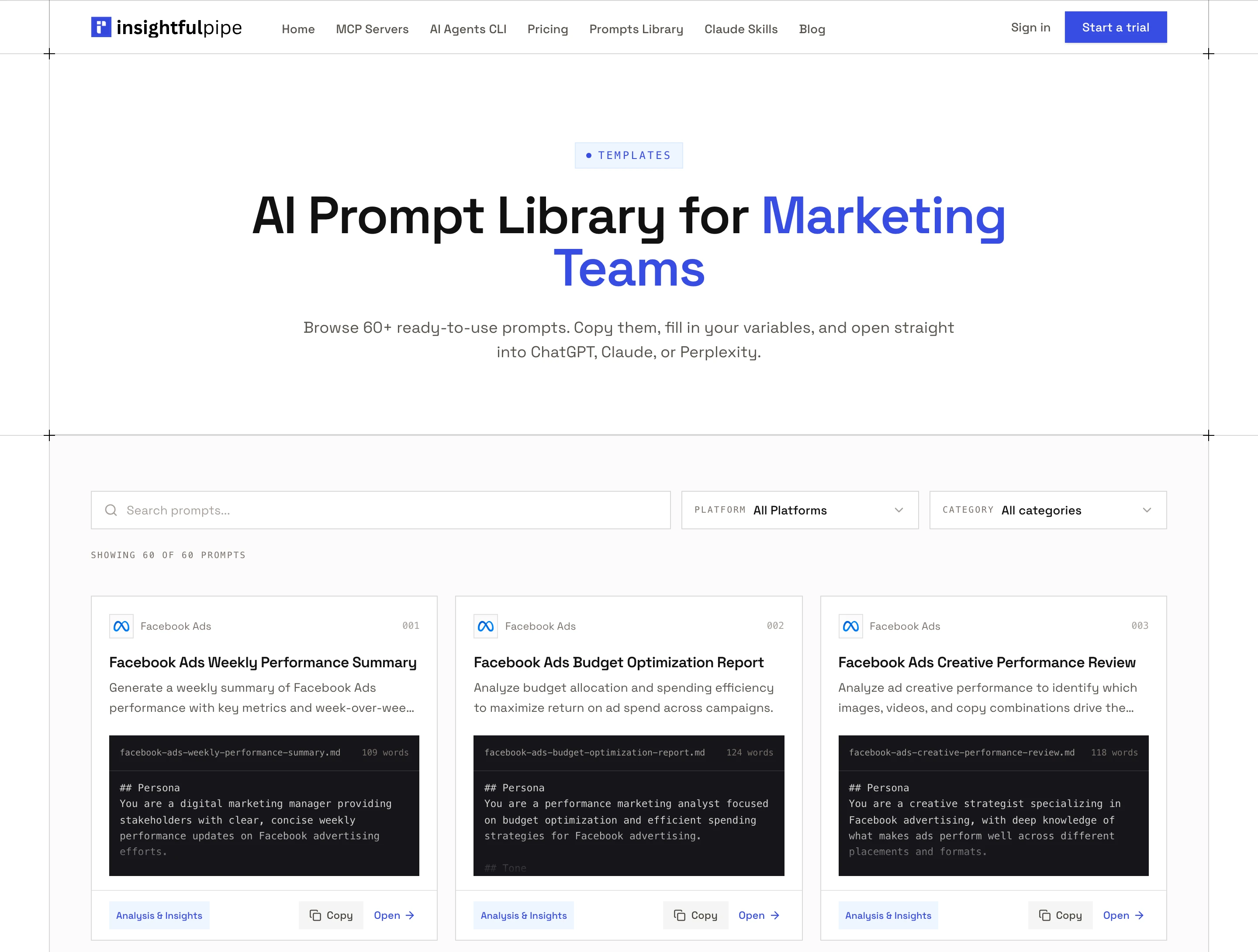
For 60 more, sorted by platform, open InsightfulPipe's free prompt library, which opens each prompt in ChatGPT, Claude or Perplexity.
SEO prompts
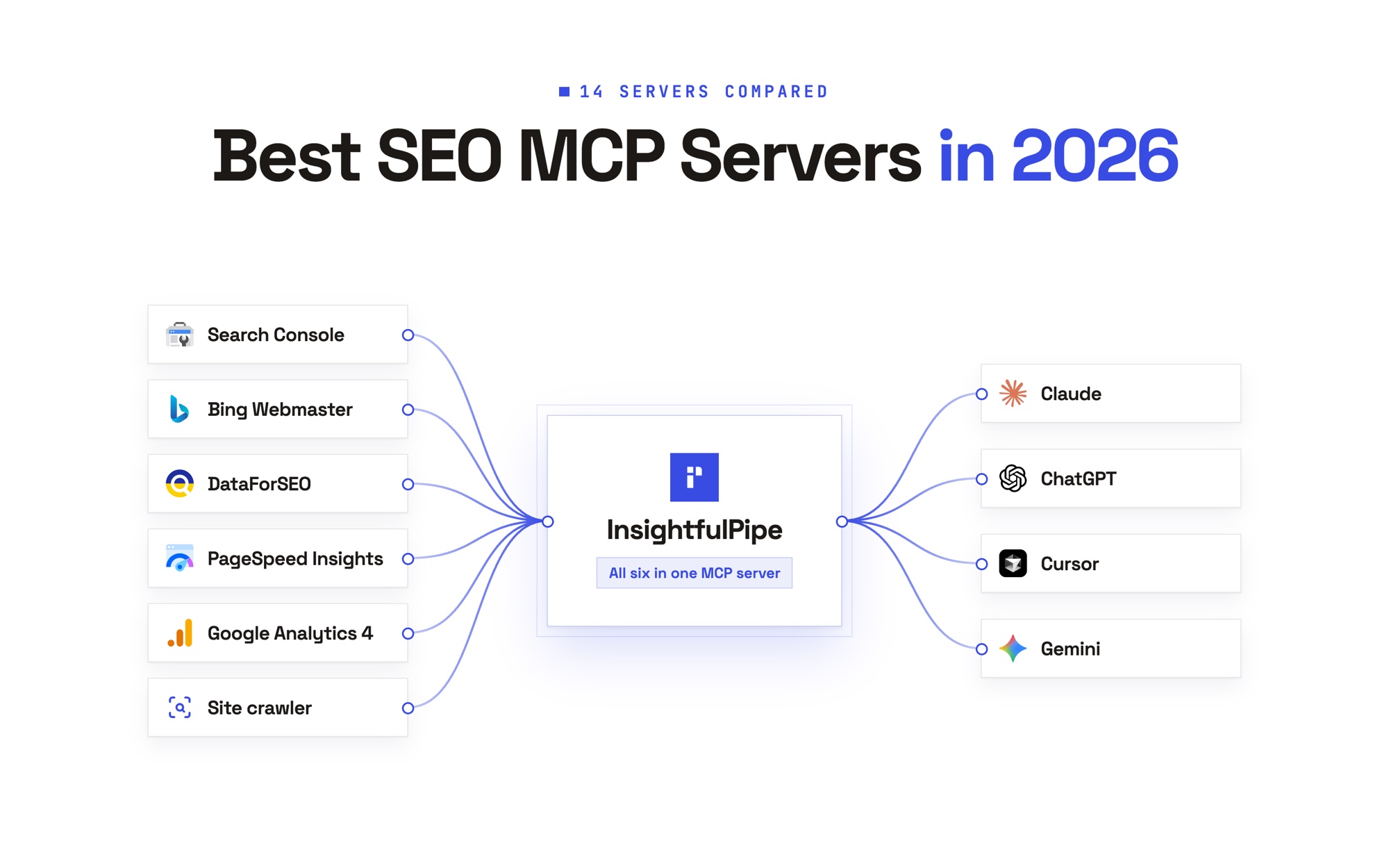
These seven prompts find ranking gains, plan content and audit pages with Search Console, the web crawler, PageSpeed Insights and DataForSEO, which bills each request to your own DataForSEO account. For 50 more, see 50 SEO prompts for Claude.
1. Find queries one push from page one
Calls search_analytics.
Use Search Console property [https://example.com/].
Run search_analytics for the last 28 days by query and page.
List queries at position 4 to 15 with [100]+ impressions, sorted by impressions.
For the top 10, name the page to improve and one change to its title or headings.
Flag any query where two of our pages compete. Do not change anything.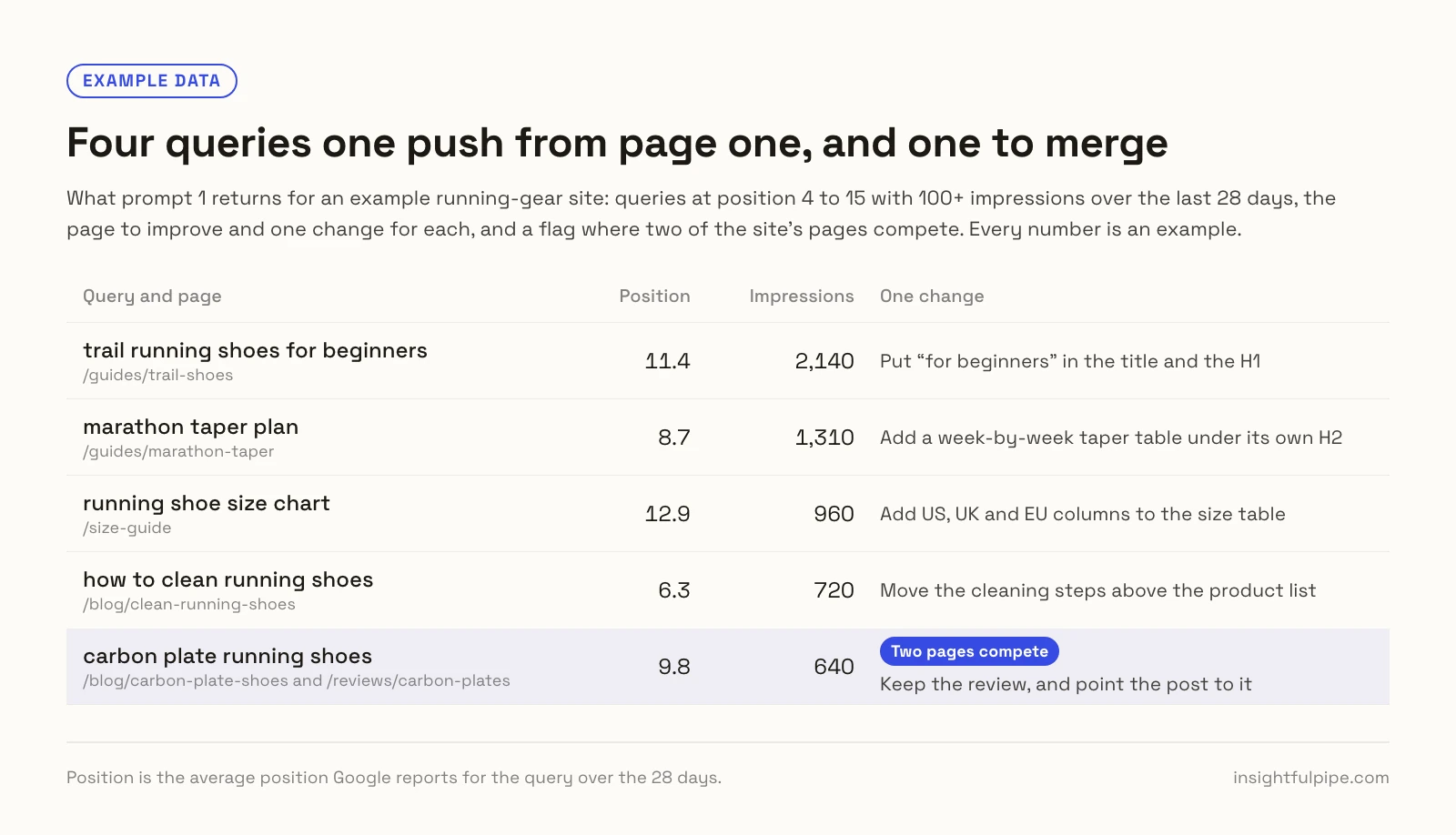
2. Catch pages that are losing clicks
Calls search_analytics for two periods.
Use Search Console property [https://example.com/].
Run search_analytics by page for the last 28 days and the 28 days before.
List pages that lost more than [20]% of clicks, with both periods' clicks and position.
Name the queries that fell most, and say whether each page lost rankings or demand.
3. Group keyword ideas by intent
Calls labs_keyword_ideas and labs_search_intent on the DataForSEO MCP server.
Use DataForSEO. Run labs_keyword_ideas for [seed 1] and [seed 2] in [United States], language en, limit 200.
Keep keywords above [50] monthly searches and run labs_search_intent on them.
Group them into clusters by topic and intent.
For each cluster, give the main keyword, total volume and the page to build.
4. Write a content brief from the live results
Calls serp_google_organic, then the crawler's headings-checker.
Use DataForSEO serp_google_organic for "[keyword]" in [United States], language en, depth 10.
Run the crawler's headings-checker on the top 3 URLs.
Write a brief for [our URL or a new page]: intent, H1, H2 outline, questions to answer, word range and one angle the top 3 miss.
5. Rewrite titles that earn too few clicks
Calls search_analytics and the crawler's meta-tags-checker.
Use Search Console property [https://example.com/].
Run search_analytics by page for the last 28 days.
Take the 5 pages at position 10 or better with CTR under [2]% and the most impressions.
Run meta-tags-checker on each and show the current title and description.
Write two titles under 60 characters and two descriptions under 155 for each.
6. Audit one page before you update it
Calls url_inspection, the crawler's checkers and PageSpeed core-web-vitals.
Audit [https://example.com/page] in Search Console property [https://example.com/].
Run url_inspection, the crawler's seo-audit-checker and structured-data-checker, and PageSpeed Insights core-web-vitals with strategy mobile.
Return one table: issue, evidence, fix and effort. Put indexing problems first.
7. See where AI answers mention you
Calls ai_opt_llm_mentions_search on DataForSEO.
Use DataForSEO ai_opt_llm_mentions_search for target domain [example.com], platform chat_gpt, in [United States], language en.
List the questions that mention us and the domains cited beside us.
Repeat for [competitor.com] and show where they appear and we do not.
Paid ads prompts: Google Ads
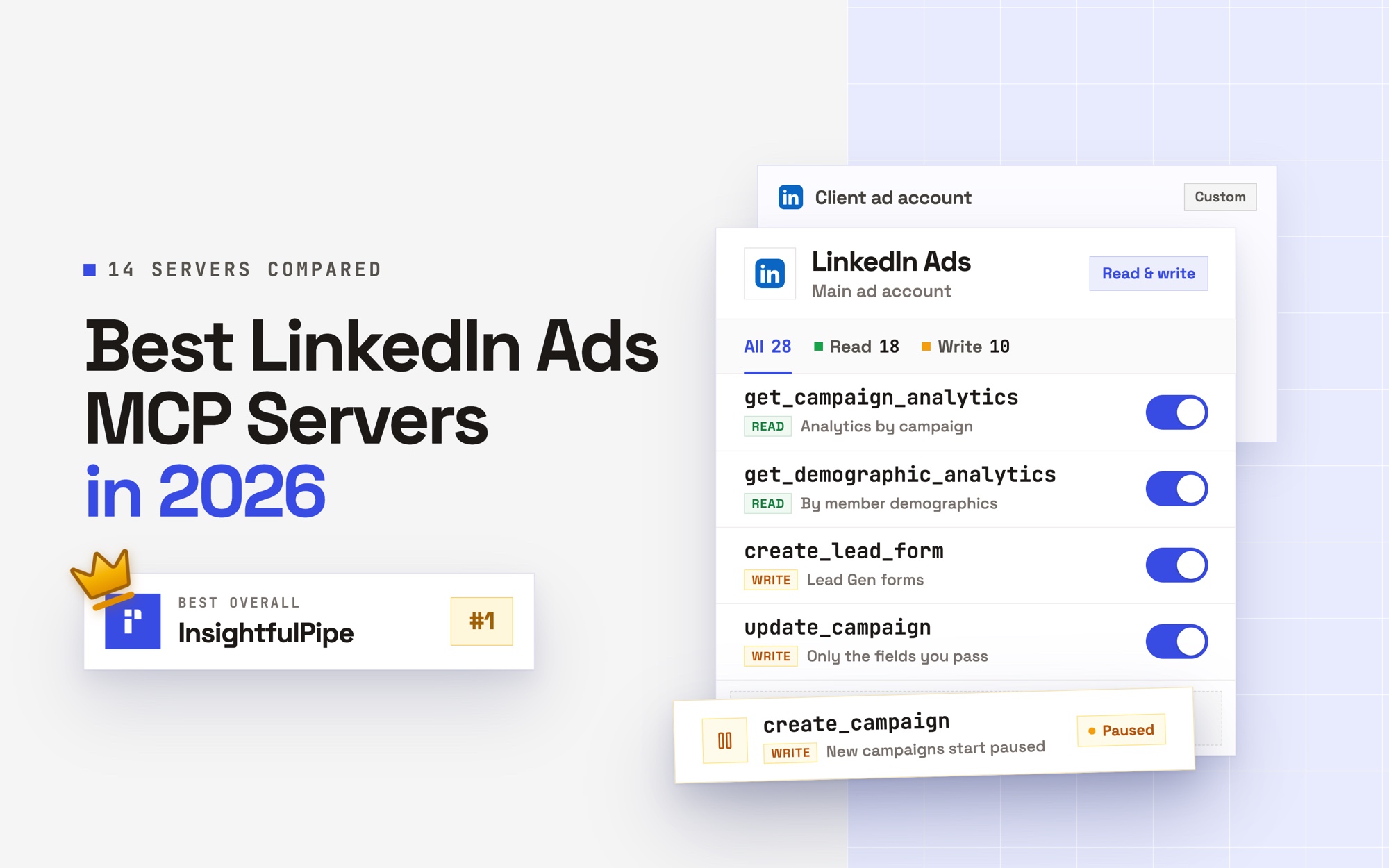
These six prompts check performance, cut waste and refresh ads. They run on the Google Ads MCP server: 99 actions, 37 read, 59 write and 3 destructive. Prompts that change something go through execute_action, which you can set to Needs approval in Claude, and new ads start paused. For 50 more, see 50 Google Ads prompts for Claude.
8. Compare this week with last week
Calls campaign_performance_report once per week.
Use Google Ads account [123-456-7890].
Run campaign_performance_report for the last 7 complete days and the 7 days before.
Show cost, conversions and cost per conversion by campaign for both weeks, with the change.
Flag campaigns whose cost per conversion rose more than [20]%. Do not change anything.
9. Turn wasted search terms into negatives
Calls search_terms_report, then add_negative_keywords once you approve.
Use Google Ads account [123-456-7890].
Run search_terms_report for the last 30 days.
List terms with cost above [50] and zero conversions, grouped by theme, with proposed negatives.
Wait for my approval, then add the approved ones to campaign [campaign ID] with add_negative_keywords, match_type PHRASE.
10. Find keywords that cost more than they return
Calls keyword_performance_report and a gaql query on keyword_view.
Use Google Ads account [123-456-7890].
Run keyword_performance_report for the last 30 days, and a gaql query on keyword_view for metrics.historical_quality_score.
List keywords with cost above [100] and cost per conversion above [target].
For each, show Quality Score and the first-page CPC estimate, and suggest one fix. Do not change anything.
11. Check budget pacing for the month
Calls gaql on campaign_budget and campaign_performance_report. The budget pacing guide explains the method.
Use Google Ads account [123-456-7890]. Today is [date].
Read each campaign's daily budget with a gaql query on campaign_budget.
Run campaign_performance_report from the 1st of the month to yesterday.
Project month-end spend per campaign and the gap to my target of [amount]. Do not change anything.
12. Refresh responsive search ads
Calls ad_performance_report. create_responsive_search_ad always creates the new ad paused.
Use Google Ads account [123-456-7890].
Run ad_performance_report for the last 60 days and rank the ads in ad group [ad group ID] by conversions and CTR.
Write 10 headlines (30 characters max) and 4 descriptions (90 max) in the winners' style.
If I approve, create one ad with create_responsive_search_ad and final URL [https://example.com/page].
13. Find what changed before a drop
Calls gaql on change_status, then on campaign by date.
Use Google Ads account [123-456-7890]. Conversions dropped on [date].
Run a gaql query on change_status for the 14 days before, with LIMIT 100.
Run a gaql query on campaign with segments.date for the same days: cost, clicks and conversions.
Name the change most likely behind the drop. Do not change anything.
Paid ads prompts: Meta Ads
These five prompts read results, creative and audiences in Meta Ads, and one reads competitors' ads. They run on the Meta Ads MCP server: 53 actions, 38 read, 12 write and 3 destructive. Over MCP, new campaigns, ad sets and ads start paused, and an update can pause but never set anything live. For 50 more, see 50 Facebook Ads prompts for Claude.
Watch: Meta Ads MCP server in Claude, spend, ROAS and fixes for Facebook Ads from one prompt
14. Summarize the week by campaign
Calls get_insights_adaccount at campaign level.
Use Meta ad account [act_123456789].
Run get_insights_adaccount at level campaign for the last 7 complete days and the 7 days before, with fields spend, actions, cost_per_action_type and purchase_roas.
Show both weeks side by side, with the change.
Name the two campaigns to check first, and why.
15. Spot creative fatigue early
Calls get_insights_adaccount by ad and day. The creative performance guide explains the method.
Use Meta ad account [act_123456789].
Run get_insights_adaccount at level ad for the last 28 days with time_increment 1 and fields ad_name, spend, frequency, ctr, cpm and cost_per_action_type.
Flag ads whose frequency passed [3] while CTR fell [25]% from their first week.
Rank them by spend. Do not change anything.
16. Break results down by age, gender and placement
Calls get_insights_adset with two sets of breakdowns.
Use Meta ad account [act_123456789], ad set [ad set ID].
Run get_insights_adset for the last 30 days with breakdowns age and gender, then with publisher_platform and platform_position.
Show spend, results and cost per result per segment.
Point out segments with over [10]% of spend and above-average cost per result.
17. Write new ad copy from your winners
Calls get_insights_adaccount, then get_ad_creatives_by_ad.
Use Meta ad account [act_123456789].
Find the 5 ads with the lowest cost per result in the last 30 days with get_insights_adaccount at level ad.
Read their title and body with get_ad_creatives_by_ad.
Write 5 primary texts and 5 headlines in their pattern, as a table. Do not create any ads.
18. See what competitors are running
Calls facebook_search_ads and google_company_ads on the Ads Library MCP server, which needs no ad account.
Use the Ads Library server.
Run facebook_search_ads for "[competitor]" in country [US] with status ACTIVE, and google_company_ads for domain [competitor.com].
Summarize their offers, hooks, calls to action and formats.
List three angles they use that we do not.
Social media prompts
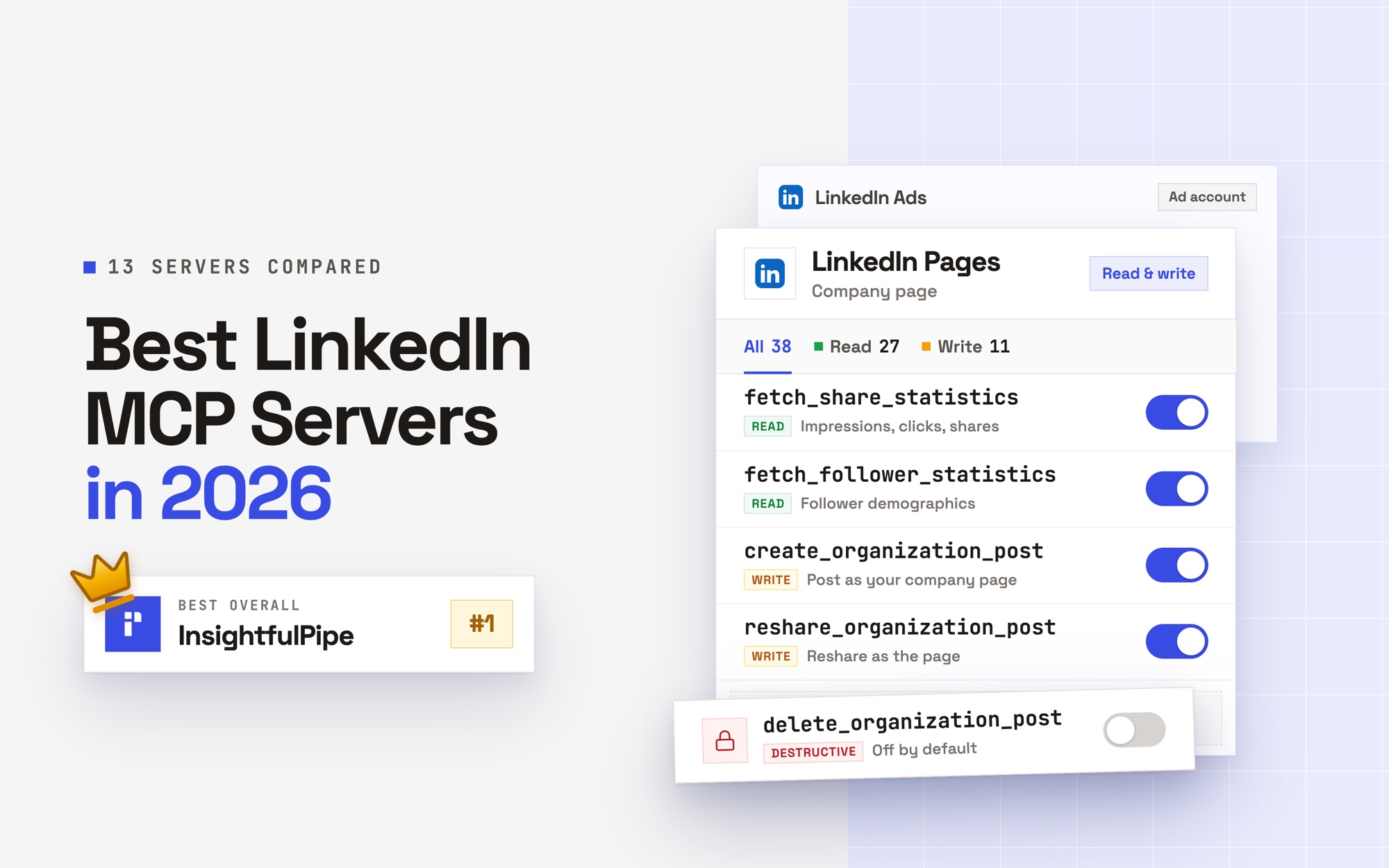
These six prompts read Instagram, LinkedIn and YouTube results and turn them into your next posts. They run on the Instagram MCP server, the LinkedIn Pages MCP server and the YouTube MCP server. The ones that write posts stop at drafts for you to approve, because a LinkedIn Page post made over MCP publishes at once.
19. Find what your best Instagram posts share
Calls get_media and get_media_insights.
Use Instagram account [account ID].
Run get_media for the last 90 days, then get_media_insights on each post for reach, shares, comments and views.
Rank posts by shares per 1,000 reach.
Tell me what the top 10 share: format, topic, hook, caption length and posting day.
20. Answer the questions in your comments
Calls get_media_comments, and reply_to_comment only after you approve.
Use Instagram account [account ID].
Read comments on my last [10] posts with get_media_comments.
Group the questions people ask, with counts, and draft a short reply to each unanswered one.
Wait for my approval before posting any reply with reply_to_comment.
21. Plan next week's LinkedIn posts from what worked
Calls fetch_organization_posts and fetch_share_statistics_per_post.
Use LinkedIn Page [organization ID].
Run fetch_organization_posts for our last 50 posts and fetch_share_statistics_per_post on them, 20 per call.
Rank posts by engagement per impression and list what the top 5 share.
Draft 3 posts for next week in that pattern. Do not publish anything.
22. Learn which YouTube videos hold attention
Calls the YouTube Analytics video report and traffic_sources.
Use YouTube channel [channel ID].
Run the video report for the last 90 days, sorted by estimatedMinutesWatched, and traffic_sources for the same dates.
Show views, watch time and average view duration for the top 20.
Say which videos to follow up, and which traffic source each depends on.
23. Write a brand voice guide from your own posts
Calls fetch_organization_posts and get_media.
Read our last 30 posts on LinkedIn Page [organization ID] with fetch_organization_posts and our last 30 Instagram captions with get_media.
Describe our voice: tone, sentence length, words we use and words we avoid.
Turn it into a one-page guide with five do and don't pairs.
24. Turn a top article into a week of social posts
Calls search_analytics and the crawler's headings-checker.
Use Search Console property [https://example.com/].
Run search_analytics by page for the last 90 days and pick our top /blog/ article by clicks.
Run the crawler's headings-checker on it.
Write 2 LinkedIn posts, 3 X posts and 1 Instagram caption from its headings, each linking to the article.
Run these prompts on your live accounts
Running a live-data prompt takes an InsightfulPipe workspace, one connected account and one connector URL. You need no developer app, API key or server to host. Plans start from $29.99 a month, and you can start a trial on your own accounts.
- In InsightfulPipe, open Connected accounts and click Connect account.
- Choose the platform, then pick Read-only or Read & write.
- Sign in with the platform and select the accounts.
- In Claude, open Customize > Connectors, click Add custom connector, paste
https://main.insightfulmcp.com/and click Add. - Click Connect, and sign in to InsightfulPipe if asked.
- Start a new chat and turn the connector on.
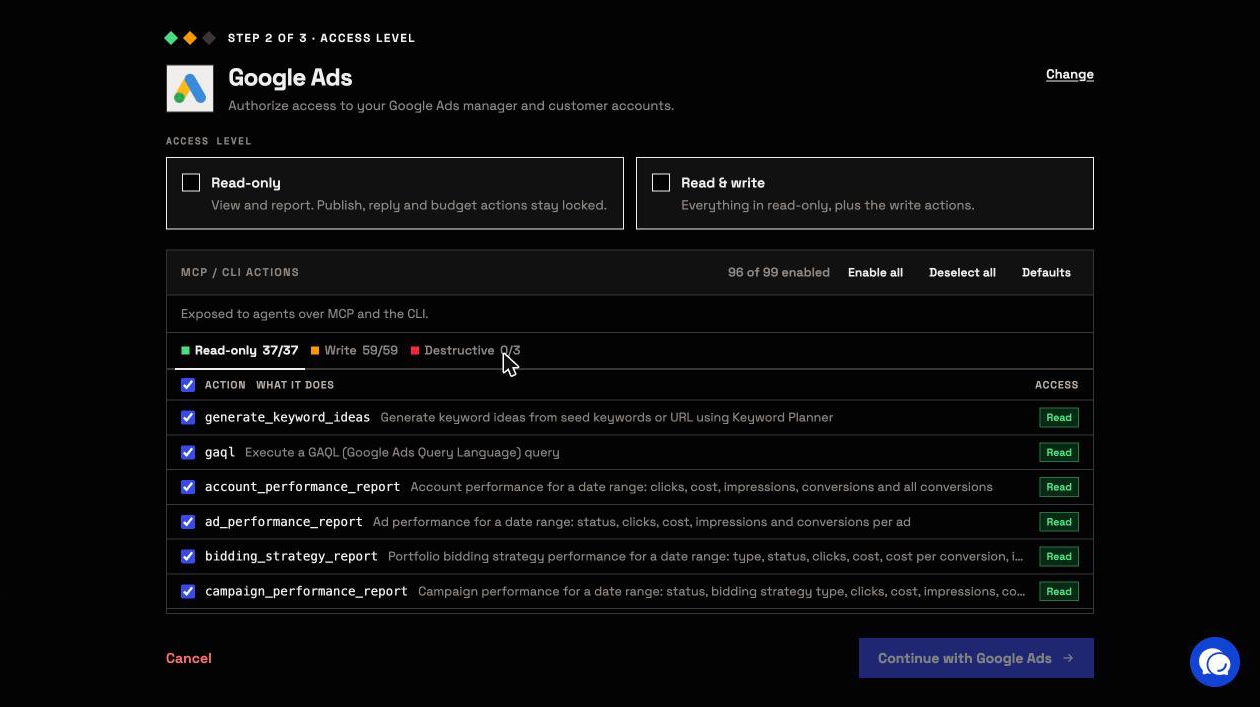
The main server reaches every account you connect, so one URL runs every prompt here. Each platform also has its own server, such as https://google-search-console.insightfulmcp.com/. In Claude, the InsightfulPipe listing in the Claude Directory connects the full server in one click. In ChatGPT, add InsightfulPipe from the app directory. For a full walkthrough, see how to connect Google Ads to Claude.
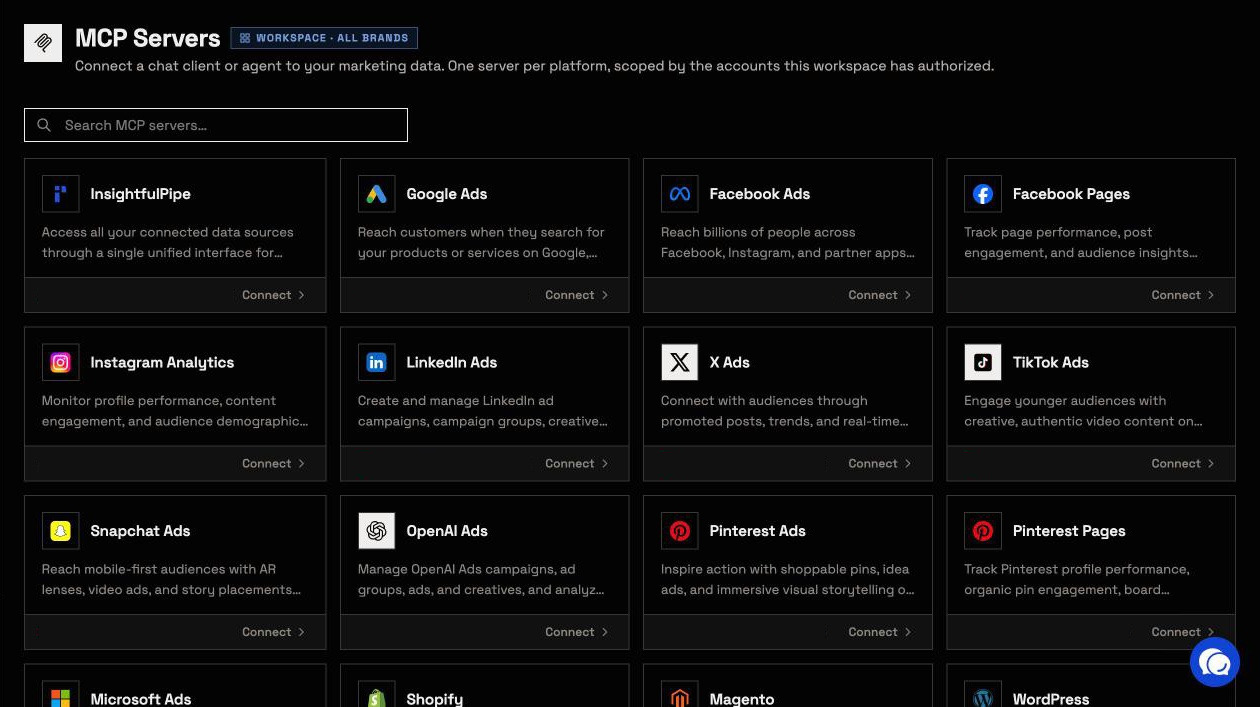
In Claude Code, add the same server from a terminal:
claude mcp add --transport http main-mcp https://main.insightfulmcp.com/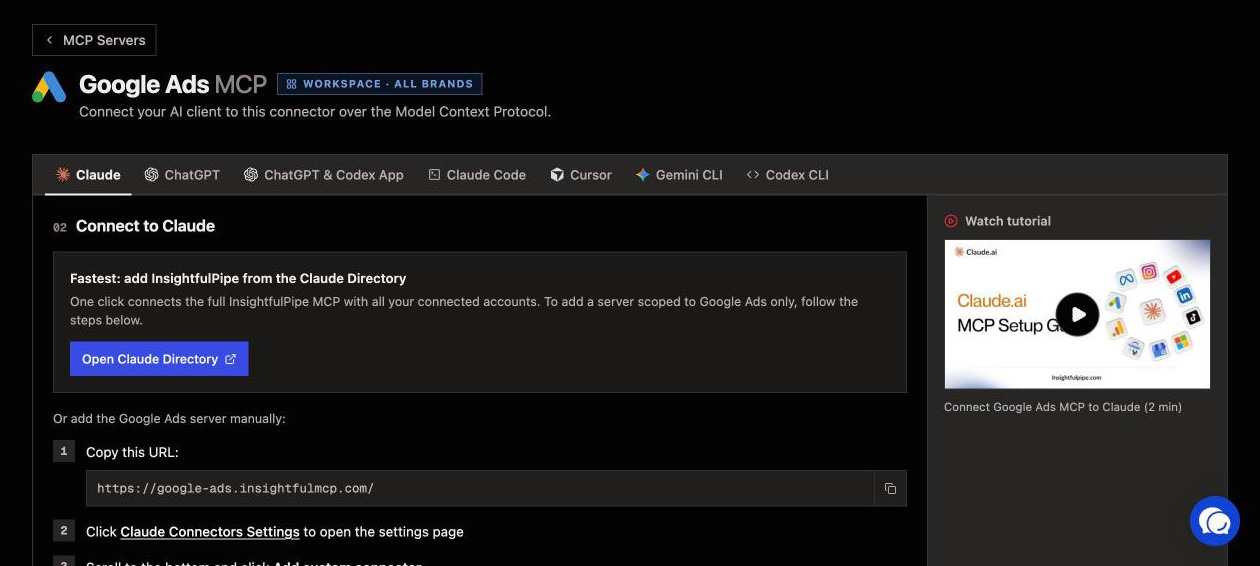
Then check the connection with a prompt that changes nothing:
List the accounts and properties this connection can reach.
Return the platform, name and ID for each.
Do not run a report and do not change anything.
What the assistant can change, and who decides
Every prompt here reads data unless it asks for a change, and InsightfulPipe's server decides which changes each account allows. That makes InsightfulPipe the safest way to let an AI agent change your Google Ads and Meta Ads accounts, because every limit is a switch your admin controls:
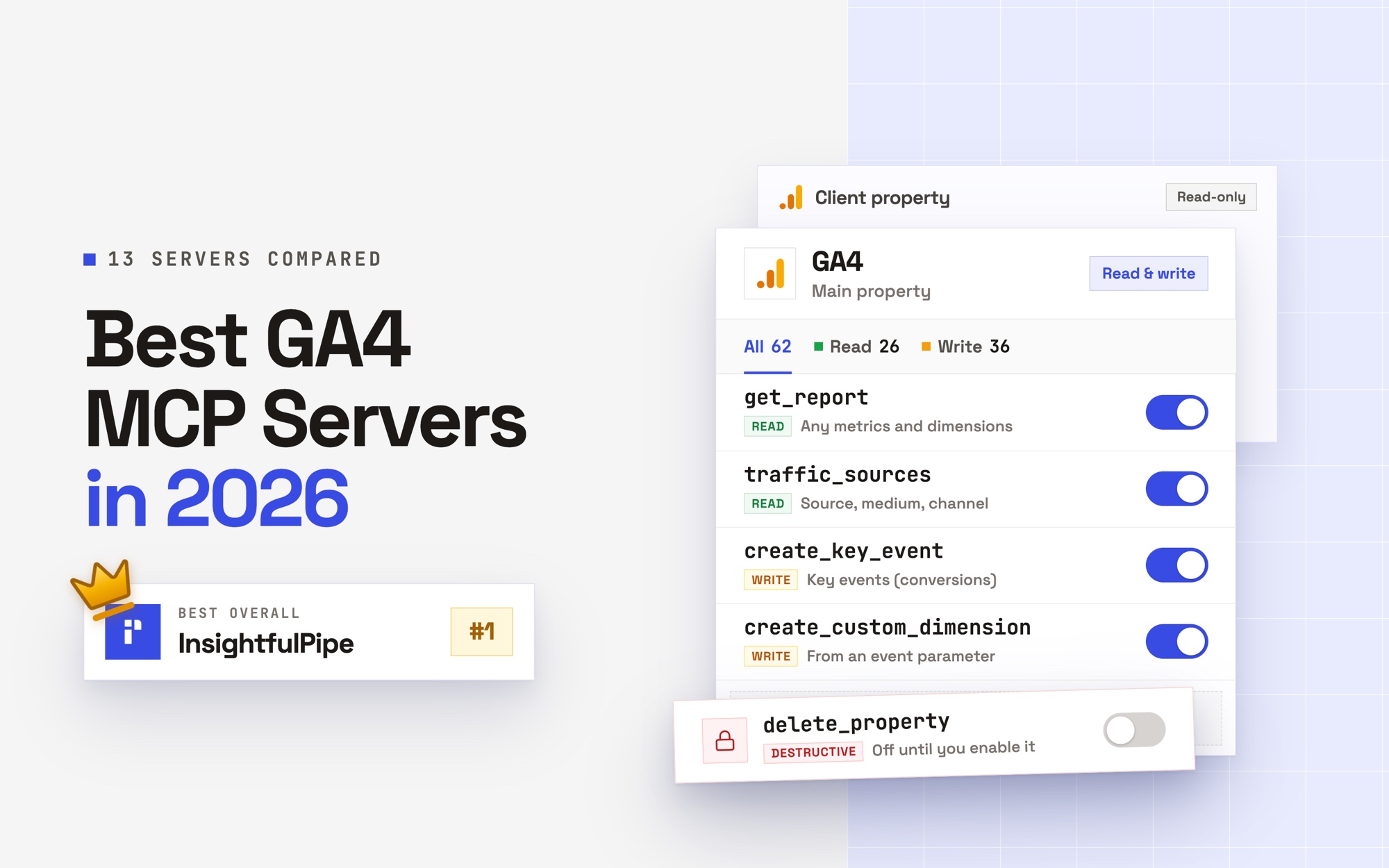
- Read-only means read-only. A read-only connection locks every write until an admin reconnects it with read and write.
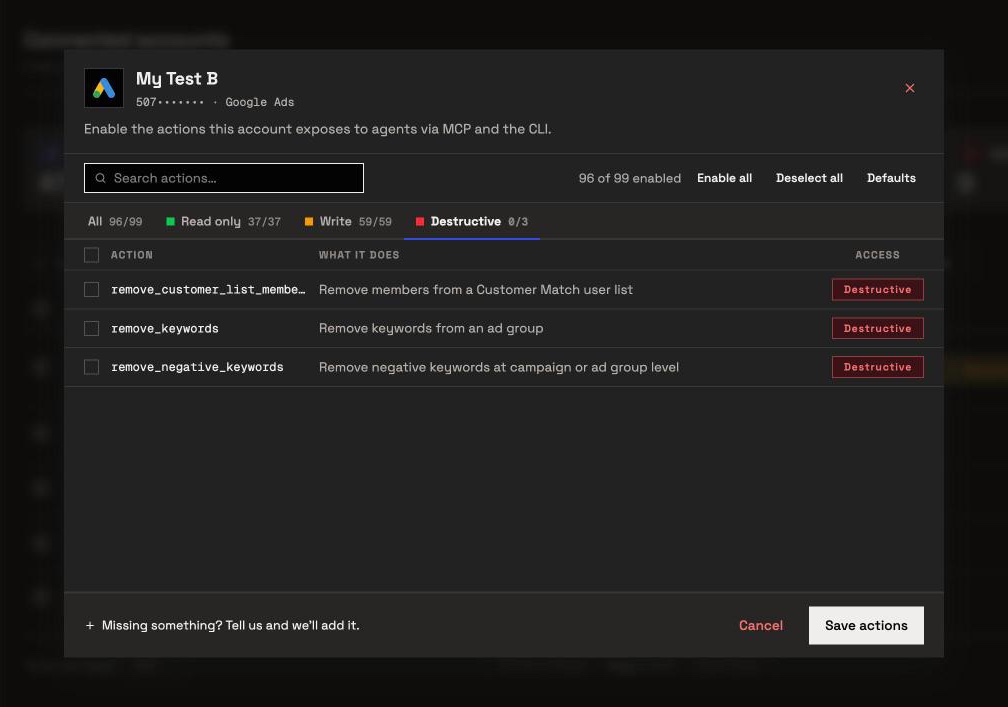
- Every action is a switch. An owner, admin or operator turns each action on or off per account, across read, write and destructive. The server refuses the rest in every AI client.
- Destructive actions start off. Removing Google Ads keywords, negative keywords or Customer Match members, and deleting a Meta campaign, ad set or ad, stay off until an admin switches them on.
- New ads start paused. New Google Ads campaigns, ad groups and ads, and new Meta campaigns, ad sets and ads, start paused, for you to set live when they are ready.
- Going live waits for you. Before a Google Ads change goes live, the server tells the assistant to ask first. In Claude, set
execute_actionto Needs approval under Customize > Connectors to enforce it. - Drafts come first. A LinkedIn Page post made over MCP publishes at once, and budgets go through as sent, so these prompts ask for drafts and tables first. An admin can switch
create_organization_postoff for any page.
Save your team's prompts in InsightfulPipe
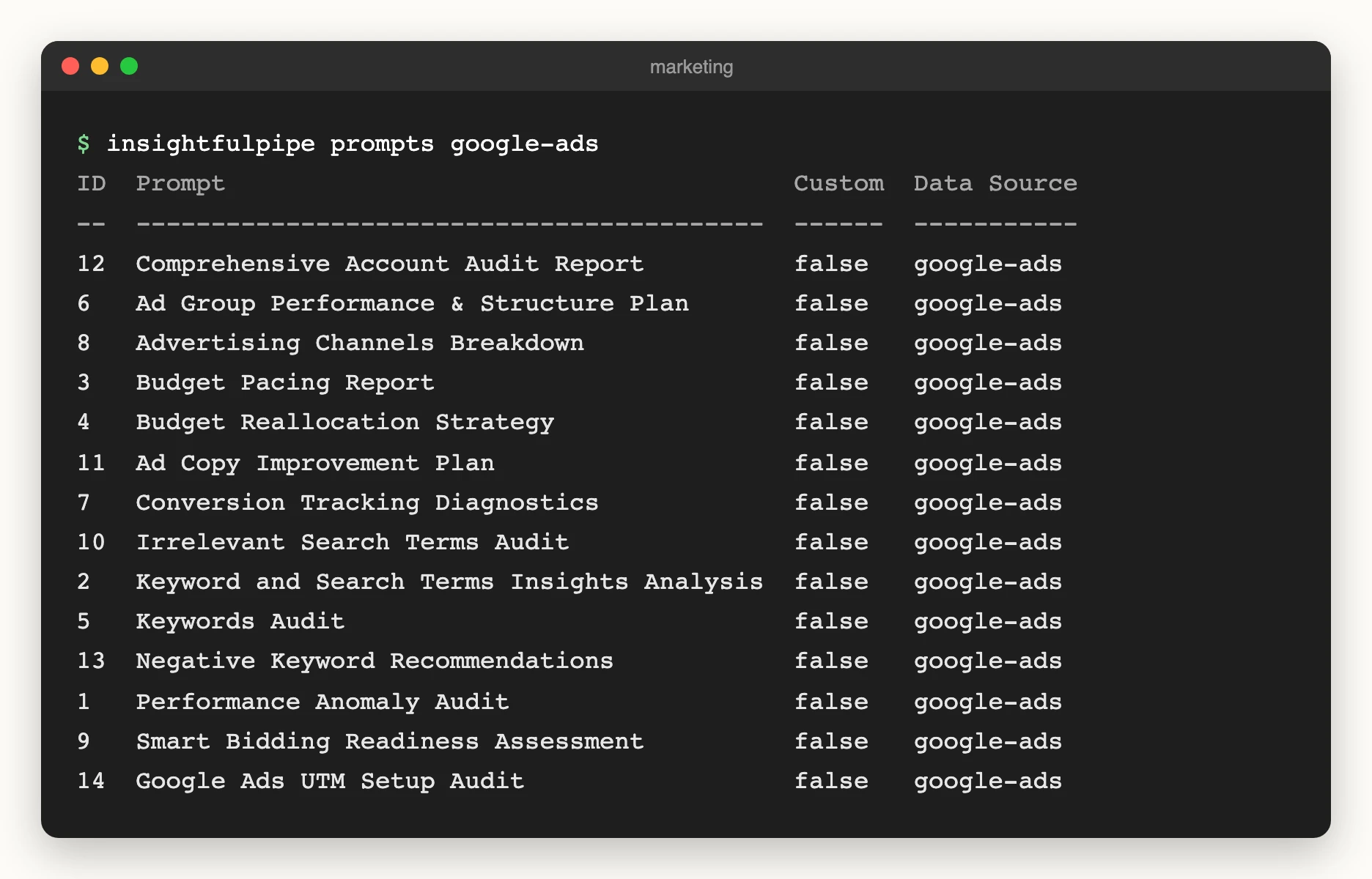
InsightfulPipe keeps prompts on the server too, so a team runs one version everywhere. The servers carry built-in templates: 14 for Google Ads, and 5 each for Meta Ads, Search Console and Instagram. Ask your assistant to open the prompts menu, and it lists them with prompts_menu.
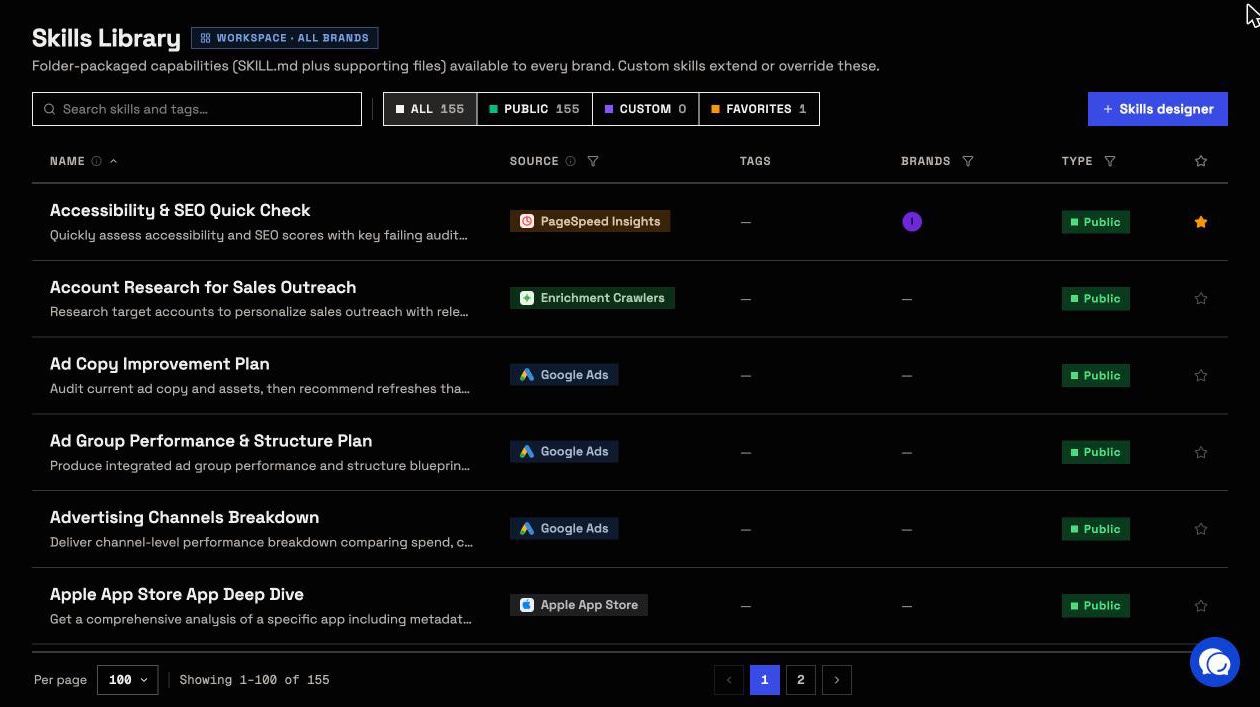
Your own prompts sit beside them. In the app's Skills Library, the Skills designer saves a custom skill for your workspace. The prompts menu lists custom skills first, and one that shares a template's name replaces it.
In a terminal, insightfulpipe prompts google-ads prints the Google Ads list.
To read skills before you sign up, the free Claude skills library holds 71 SKILL.md folders, such as Search Term Gold Miner and SEO Audit. Each downloads without an account and runs on live data once a connector is on.
Frequently asked questions
Sources (checked 2026-10-01)
Every rival claim above comes from that vendor's own page, opened on 2026-10-01.
- InsightfulPipe: prompt library, Claude skills library, unified MCP server, web crawler MCP server, PageSpeed Insights MCP server, pricing
- HubSpot: MATG AI Prompt Library, Loop Marketing Prompt Library
- Klaviyo: AI prompt library
- Siege Media: AI prompt library for content marketers
- Orbit Media: The Prompt Library Starter Kit
- Founderpath: 200 AI marketing prompts
- PromptFluent: marketing prompt library, pricing
- Glean: AI prompts for marketing
- Atlassian: 40 AI prompts for marketing teams
- Google: AI prompts for marketing, Gemini for Workspace
- Ryze AI: ChatGPT prompts for ads
- Anthropic: custom connectors with remote MCP